Patchwork: Problem loading images (ssb-ws binding to wrong IP)
Version: 3.12.0-beta.0 (3.12.0-beta.0.268) on Mac 10.12.6
Images that don't seem to be cached aren't loading or trying to be fetched.

 luandro
All 18 comments
Hey @luandro, thanks for the bug report! Could you help debug and see where this is failing? I think you'll want to:
- Right-click the image
- Select "Copy image URL"
- Paste it into a web browser
I'd be curious what the image URL looks like and what happens when you paste it into a web browser.
For example, I'm seeing URLs like this:
http://localhost:8989/blobs/get/&n11s6cI7g9xQUkILb2MWBrpgH3YOZSmiLxf6H67B8Uw=.sha256
 christianbundy
on 6 May 2019
christianbundy
on 6 May 2019
http://localhost:8989/blobs/get/&PioRdV0qwLw4w93U68DrhrRSO4jGc37HYWJg58Jl3zU=.sha256
But no image show in the browser, not even the ones that are already showing in Patchwork.
I noticed similar behavior in Patchbay:

So this might be a bug with my system? The preview of when I'm writing a post also doesn't show the image I'm trying to post.
luandro
on 6 May 2019
Could you try replacing localhost in that URL with 127.0.0.1 or [::]? I'm wondering whether maybe localhost isn't binding to the same address that ssb-ws is starting the HTTP server on. Any chance you've got an interesting networking setup where we need to bind to a different IP than normal?
christianbundy
on 6 May 2019
Any chance you've got an interesting networking setup where we need to bind to a different IP than normal?
My networking setup might be a bit weird, but it always worked before, and I didn't do anything in special these past few days. I'll do some more tests tomorrow. Thanks @christianbundy.
luandro
on 6 May 2019
I'm getting this same problem.
Version 3.12.0-beta.0 (3.12.0-beta.0.268), macOS Version 10.14.4 (18E226)
I have nearly default network settings. Pasting the copied URL into my address bar yields:
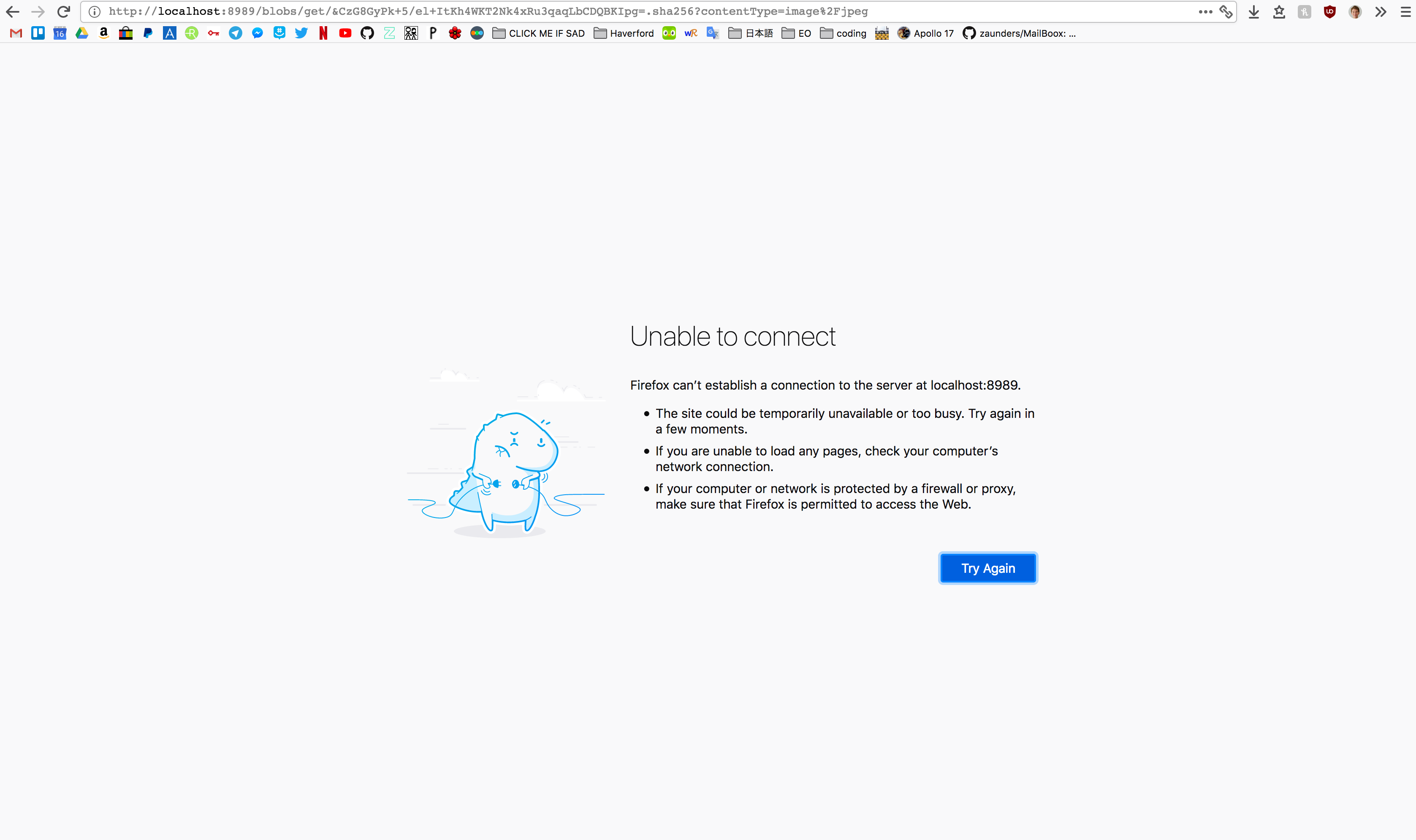
I get the same behavior as @luandro in that no image URL shows the image in browser, even if I can see the image in Patchbay. I tried replacing localhost with 127.0.0.1 or [::] like you said. No change.
I'm happy to do more testing if it'll help!
 qubist
on 7 May 2019
qubist
on 7 May 2019
Could you post the configuration that Patchwork outputs when started from the command-line interface? It should be a big JSON object, I'm curious which IP addresses it's binding to.
On Mon, May 6, 2019, at 20:58, Will wrote:
I'm getting this same problem.
Version 3.12.0-beta.0 (3.12.0-beta.0.268), macOS Version 10.14.4 (18E226)
I have nearly default network settings. Pasting the copied URL into my address bar yields:
Screen Shot 2019-05-06 at 11 54 30 PM https://user-images.githubusercontent.com/3607279/57270678-55c74100-705a-11e9-8aad-f741583e7b9b.png
I get the same behavior as @luandro https://github.com/luandro in that no image URL shows the image in browser, even if I can see the image in Patchbay. I tried replacing
localhostwith127.0.0.1or[::]like you said. No change.
I'm happy to do more testing if it'll help!
—
You are receiving this because you were mentioned.
Reply to this email directly, view it on GitHub https://github.com/ssbc/patchwork/issues/1024#issuecomment-489898238, or mute the thread https://github.com/notifications/unsubscribe-auth/AAEDIZC73ULFBAYXYNRV7C3PUD45PANCNFSM4HLCDAVA.
christianbundy
on 7 May 2019
Interestingly, this even happens on a post I just posted (%0IkyYCoZ2EyZtnq33z8AIBzxwrirnSTTWHttJ6qMJaA=.sha256), which includes an image from my computer. Even that image doesn't show up.
qubist
on 7 May 2019
Could you post the configuration that Patchwork outputs when started from the command-line interface?
Gladly! Where can I find instructions on how to do this?
qubist
on 7 May 2019
The readme should have some instructions on how to download and run Patchwork from source, but I'm actually not sure how to do it from a macOS application. I can look into it tomorrow and see if I can find some instructions. On Linux I just type the path of the executable into a terminal and it starts with some basic debugging output.
On Mon, May 6, 2019, at 21:03, Will wrote:
Could you post the configuration that Patchwork outputs when started from the command-line interface?
Gladly! Where can I find instructions on how to do this?
—
You are receiving this because you were mentioned.
Reply to this email directly, view it on GitHub https://github.com/ssbc/patchwork/issues/1024#issuecomment-489898997, or mute the thread https://github.com/notifications/unsubscribe-auth/AAEDIZG4KNWTRUX3SZ3KXSDPUD5PHANCNFSM4HLCDAVA.
christianbundy
on 7 May 2019
Figured it out:
npm start

> [email protected] start /Users/will/patchwork
> electron index.js

{ path: '/Users/will/.ssb',
  party: true,
  timeout: 0,
  pub: true,
  local: true,
  friends: { dunbar: 150, hops: 2 },
  gossip: { connections: 3, autoPopulate: false },
  connections:
   { outgoing: { net: [ { transform: 'shs' } ] },
     incoming:
      { net:
         [ { host: '165.82.214.50',
             port: 8008,
             scope: [ 'device', 'local', 'public' ],
             transform: 'shs' } ],
        ws:
         [ { host: '165.82.214.50',
             port: 8989,
             scope: [ 'device', 'local', 'public' ],
             transform: 'shs' } ],
        unix: [ { scope: 'device', transform: 'noauth' } ] } },
  timers:
   { connection: 0, reconnect: 5000, ping: 300000, handshake: 5000 },
  caps:
   { shs: '1KHLiKZvAvjbY1ziZEHMXawbCEIM6qwjCDm3VYRan/s=',
     sign: null },
  master: [],
  logging: { level: 'notice' },
  port: 8008,
  blobsPort: 8989,
  server: true,
  _: [],
  host: '165.82.214.50',
  ws:
   { host: '165.82.214.50',
     port: 8989,
     scope: [ 'device', 'local', 'public' ],
     transform: 'shs' },
  keys:
   { curve: 'ed25519',
     public: 'gQ83w3hAacjlREmbndJN8qoXcZSCcwZxzA/gdRvYnws=.ed25519',
     private: null,
     id: '@gQ83w3hAacjlREmbndJN8qoXcZSCcwZxzA/gdRvYnws=.ed25519' },
  remote:
   'unix:/Users/will/.ssb/socket:~noauth:gQ83w3hAacjlREmbndJN8qoXcZSCcwZxzA/gdRvYnws=' }
2019-05-07 00:17:52.148 Electron[99317:2833089] *** WARNING: Textured window <AtomNSWindow: 0x7faf84807870> is getting an implicitly transparent titlebar. This will break when linking against newer SDKs. Use NSWindow's -titlebarAppearsTransparent=YES instead.
git-ssb is not installed, or not available in path
Error: listen EADDRINUSE 165.82.214.50:8008
    at Server.setupListenHandle [as _listen2] (net.js:1286:14)
    at listenInCluster (net.js:1334:12)
    at doListen (net.js:1460:7)
    at process._tickCallback (internal/process/next_tick.js:63:19)
Error: listen EADDRINUSE 165.82.214.50:8989
    at Server.setupListenHandle [as _listen2] (net.js:1286:14)
    at listenInCluster (net.js:1334:12)
    at doListen (net.js:1460:7)
    at process._tickCallback (internal/process/next_tick.js:63:19)
ping me if I can help out anyway else :)
qubist
on 7 May 2019
Woo! Could you try replacing localhost in your blob URL with 165.82.214.50? It looks like we're binding to a specific IP address, this is probably something we'll need to resolve in ssb-config. I'm not sure about why you're getting EADDRINUSE but unless you're running another Scuttlebutt client in the background I'd guess that this is all the same bug. Thanks for the debugging!
christianbundy
on 7 May 2019
It worked!
http://165.82.214.50:8989/blobs/get/&/iR2Wkd0XJT22GOym8MiUig5QBh1tYwTrmqpYyhGUFE=.sha256 loaded the image successfully. I tried with images from my post and others'.
This morning I'm not getting the EADDRINUSE error anymore, just this textured window warning
2019-05-07 09:51:30.529 Electron[324:2895220] *** WARNING: Textured window <AtomNSWindow: 0x7fa6be44d750> is getting an implicitly transparent titlebar. This will break when linking against newer SDKs. Use NSWindow's -titlebarAppearsTransparent=YES instead.
git-ssb is not installed, or not available in path
I very well might have been running another copy of Patchwork at the time I was testing last night.
qubist
on 7 May 2019
@qubist just to clarify: it worked on master or with the AppImage?
 black-puppydog
on 7 May 2019
black-puppydog
on 7 May 2019
it worked on master or with the AppImage?
I ran git clone https://github.com/ssbc/patchwork and then npm install. Then I ran Patchwork from the command line using npm start (following these instructions).
qubist
on 7 May 2019
Strange update. I'm now at my local library instead of on my university's campus like I was before, so I'm on a different network. Now images are loading—both on master and on Patchwork Beta 0 (downloaded from the releases page).
Could it be related to the eduroam network my school uses? I was encountering problems finding peers because of that earlier.
qubist
on 7 May 2019
Yep! I've made a change that should resolve this but I think the issue is that it currently says "bind to a non-private IPv4 address or all addresses" so the webserver is binding to some IPv4 address you have when we actually want to bind to all addresses. I'm hoping that someone can review + merge my code so it can be pulled into Patchwork.
christianbundy
on 7 May 2019
It's working again... Close as you guys see fit.
Edit: After a computer reboot, the problem persists.
luandro
on 8 May 2019
Looks like we have a fix, please follow https://github.com/ssbc/patchwork/pull/1027 for updates. Would love some testing to ensure that it fixes the issue!
christianbundy
on 9 May 2019
Related issues
 celesteh
·
8Comments
celesteh
·
8Comments
 geovanisouza92
·
3Comments
geovanisouza92
·
3Comments
 Powersource
·
5Comments
Powersource
·
5Comments
 mmckegg
·
4Comments
mmckegg
·
4Comments
 cinnamon-bun
·
4Comments
cinnamon-bun
·
4Comments
Most helpful comment
Yep! I've made a change that should resolve this but I think the issue is that it currently says "bind to a non-private IPv4 address or all addresses" so the webserver is binding to some IPv4 address you have when we actually want to bind to all addresses. I'm hoping that someone can review + merge my code so it can be pulled into Patchwork.