Patchwork: Stuck "Scuttling..." on 3.11.5 and 3.11.6
Since migrating to 3.11.5 my Patchwork seems to just sit there "Scuttling...". I then installed 3.11.6 with the same results.
I cloned the repo and built it from source to find this in console:
git-ssb is not installed, or not available in path
afaik it should spawn a git-ssb server on its own, correct? I had an older version installed a couple days ago and it worked fine.
I went ahead and did a manual npm install git-ssb and restarted the server to get this exception and stack trace:
Error: Cannot find module 'ssb-about'
    at Module._resolveFilename (module.js:543:15)
    at Function.Module._resolveFilename (D:\git\patchwork\node_modules\electron\dist\resources\electron.asar\common\reset-search-paths.js:35:12)
    at Function.Module._load (module.js:473:25)
    at Module.require (module.js:586:17)
    at require (internal/module.js:11:18)
    at Object.<anonymous> (D:\git\patchwork\server-process.js:31:8)
    at Object.<anonymous> (D:\git\patchwork\server-process.js:74:3)
    at Module._compile (module.js:642:30)
    at Object.Module._extensions..js (module.js:653:10)
    at Module.load (module.js:561:32)
There is also a deprecation notice when installing git-ssb:
npm WARN deprecated [email protected]: Installing git-ssb from centralized npm registry is deprecated; use ssb-npm
npm WARN deprecated [email protected]: Installing git-remote-ssb from centralized npm registry is deprecated; use ssb-npm instead
npm WARN deprecated [email protected]: Installing ssb-git-repo from centralized npm registry is deprecated; use ssb-npm instead
npm WARN @staltz/[email protected] requires a peer of scuttlebot@>=11 but none is installed. You must install peer dependencies yourself.
npm WARN [email protected] requires a peer of acorn@^6.0.0 but none is installed. You must install peer dependencies yourself.
I'm not familiar with the ssb-npm toolchain, but maybe this is the root of the issue with booting it on Windows.
 funwhilelost
All 33 comments
Hey, sorry that Patchwork is giving you a hard time. Just to be clear, is this the problem?
Since migrating to 3.11.5 my Patchwork seems to just sit there "Scuttling...".
You shouldn't need git-ssb to run Patchwork, and the "git-ssb is not installed" is informational rather than an error (although I agree, it does look like an error).
 christianbundy
on 21 Mar 2019
christianbundy
on 21 Mar 2019
Oh, interesting. Maybe a red herring. I went back to 3.11.4 and things are working.
funwhilelost
on 22 Mar 2019
It's important to get your installation up-to-date with 3.11.6, I'm happy to help you debug.
How long have you left it alone while it says "Scuttling"? Does it post any config output? I'm hoping for a bit more info to help figure out what's going on.
christianbundy
on 22 Mar 2019
Same problem with Linux.
 lpar
on 25 Mar 2019
lpar
on 25 Mar 2019
Could either/both of you post the output of ssb-server status? If you don't have it installed I think you should be able to run it with npx ssb-server status, assuming you have NPM installed.
christianbundy
on 25 Mar 2019
How long have you left it alone while it says "Scuttling"? Does it post any config output? I'm hoping for a bit more info to help figure out what's going on.
I left it for about 12 hours, seeing if there was some DB rebuild or something. When that didn't work I wiped the .ssb directory and just restored my gossip.json, manifest.json, secret, and ssb-secret.7z. I let that run for about 12 hours with no results. Just "Scuttling..." Where is the "config output" stored? I poked around in .ssb looking for something human-readable but didn't come up with anything.
Here's what I get on an npm start:
{ path: 'C:\\Users\\Andy\\.ssb',
  party: true,
  timeout: 0,
  pub: true,
  local: true,
  friends: { dunbar: 150, hops: 2 },
  gossip: { connections: 3, autoPopulate: false },
  connections:
   { outgoing: { net: [Array] },
     incoming: { net: [Array], ws: [Array] } },
  timers: { connection: 0, reconnect: 5000, ping: 300000, handshake: 5000 },
  caps:
   { shs: '...',
     sign: null },
  master: [],
  logging: { level: 'notice' },
  port: 8008,
  blobsPort: 8989,
  server: true,
  _: [],
  host: '::',
  ws:
   { host: '::',
     port: 8989,
     scope: [ 'device', 'local', 'public' ],
     transform: 'shs' },
  keys:
   { curve: 'ed25519',
     public: '...',
     private: null,
     id: '...' },
  remote: 'net:127.0.0.1:undefined~...' }
Error: Cannot find module 'ssb-about'
    at Module._resolveFilename (module.js:543:15)
    at Function.Module._resolveFilename (D:\git\patchwork\node_modules\electron\dist\resources\electron.asar\common\reset-search-paths.js:35:12)
    at Function.Module._load (module.js:473:25)
    at Module.require (module.js:586:17)
    at require (internal/module.js:11:18)
    at Object.<anonymous> (D:\git\patchwork\server-process.js:31:8)
    at Object.<anonymous> (D:\git\patchwork\server-process.js:74:3)
    at Module._compile (module.js:642:30)
    at Object.Module._extensions..js (module.js:653:10)
    at Module.load (module.js:561:32)
From npx ssb-server status:
D:\git\patchwork\node_modules\ssb-server\bin.js
Error: Could not connect to ssb-server :::8008
Use the "start" command to start it.
So I ran npx ssb-server start to get it running:
D:\git\patchwork\node_modules\ssb-server\bin.js
ssb-server 13.6.3 C:\Users\Andy\.ssb logging.level:notice
my key ID: etENdjc9Qg0hS56E5XkLhf58DYsqK18kit8Sp0qTT/8=.ed25519
The specified module could not be found.
\\?\D:\git\patchwork\node_modules\ssb-db\node_modules\leveldown\build\Release\leveldown.node
I think mine is getting stuck because of #972. I'm running the AppImage and there's no ssb-server binary in the mounted temporary directory as far as I can tell.
lpar
on 25 Mar 2019
Maybe a silly question, but have you tried restarting the app a few times? I've had it get stuck scuttling, but after a few minutes I'll restart and it'll work just fine.
@funwhilelost
This looks like your error:
Error: Cannot find module 'ssb-about'
    at Module._resolveFilename (module.js:543:15)
    at Function.Module._resolveFilename (D:\git\patchwork\node_modules\electron\dist\resources\electron.asar\common\reset-search-paths.js:35:12)
    at Function.Module._load (module.js:473:25)
    at Module.require (module.js:586:17)
    at require (internal/module.js:11:18)
    at Object.<anonymous> (D:\git\patchwork\server-process.js:31:8)
    at Object.<anonymous> (D:\git\patchwork\server-process.js:74:3)
    at Module._compile (module.js:642:30)
    at Object.Module._extensions..js (module.js:653:10)
    at Module.load (module.js:561:32)
Can you verify that ~/.ssb/config is empty? I'm curious whether maybe you modified something when you set up git-ssb. This is also concerning:
remote: 'net:127.0.0.1:undefined~...' }
This looks like it doesn't know which port to connect on, so it's trying to connect on undefined? That looks broken to me, I'm curious whether you have the same output @lpar.
christianbundy
on 25 Mar 2019
Patchwork 3.11.6 doesn’t use ebt, so the fact that there is ebt in the status output means that another sbot is running (not patchwork’s one).
Have you tried restarting your machine?
 mmckegg
on 26 Mar 2019
mmckegg
on 26 Mar 2019
I've got the same issues since upgrading. It just stays stuck on "scuttling" with no listed pubs.
I tried emptying out the .ssb folder, but it is still stuck scuttling. I have uninstalled and reinstalled.
If I try to add a pub I get the error "could not connect to sbot"
 DavidBurela
on 26 Mar 2019
DavidBurela
on 26 Mar 2019
For several days after upgrading to 3.11.16 I was having the same problem. I just now tried launching patchwork again and I'm getting posts—Welcome back! :)
 bloodyKnuckles
on 26 Mar 2019
bloodyKnuckles
on 26 Mar 2019
I'm getting the same problem with both updates; I'm running from the Appimage and it sits on 'scuttling...' with no further output. I've probably left it running for like ten hours total at this point, including after a reboot. I don't have a .ssb/config file, either.
 modgethanc
on 26 Mar 2019
modgethanc
on 26 Mar 2019
I restarted, pulled git master and npm install/started the latest with the same result.
Could you confirm whether this talking about git-ssb or Patchwork? I'm interested to know whether this is only a problem with Patchwork 3.11.5 and 3.11.6 or whether it's also causing problems on master.
christianbundy
on 26 Mar 2019
I get the same issue on Linux, stuck at "Scuttling" using the AppImage. Terminal shows the following error constantly scrolling:
Error: transport:unix did not remember scope, expected:local got:public
    at /tmp/.mount_PatchwYhfNex/app/resources/app.asar/node_modules/secret-stack/core.js:138:27
    at Array.forEach (<anonymous>)
    at /tmp/.mount_PatchwYhfNex/app/resources/app.asar/node_modules/secret-stack/core.js:134:26
    at Array.forEach (<anonymous>)
    at /tmp/.mount_PatchwYhfNex/app/resources/app.asar/node_modules/secret-stack/core.js:133:24
    at Array.forEach (<anonymous>)
    at setupMultiserver (/tmp/.mount_PatchwYhfNex/app/resources/app.asar/node_modules/secret-stack/core.js:132:55)
    at EventEmitter.getAddress (/tmp/.mount_PatchwYhfNex/app/resources/app.asar/node_modules/secret-stack/core.js:205:11)
    at EventEmitter.hooked [as getAddress] (/tmp/.mount_PatchwYhfNex/app/resources/app.asar/node_modules/hoox/index.js:10:15)
    at /tmp/.mount_PatchwYhfNex/app/resources/app.asar/node_modules/scuttlebot/plugins/local.js:83:30
Error: transport:unix did not remember scope, expected:local got:public
    at /tmp/.mount_PatchwYhfNex/app/resources/app.asar/node_modules/secret-stack/core.js:138:27
    at Array.forEach (<anonymous>)
    at /tmp/.mount_PatchwYhfNex/app/resources/app.asar/node_modules/secret-stack/core.js:134:26
    at Array.forEach (<anonymous>)
    at /tmp/.mount_PatchwYhfNex/app/resources/app.asar/node_modules/secret-stack/core.js:133:24
    at Array.forEach (<anonymous>)
    at setupMultiserver (/tmp/.mount_PatchwYhfNex/app/resources/app.asar/node_modules/secret-stack/core.js:132:55)
    at EventEmitter.getAddress (/tmp/.mount_PatchwYhfNex/app/resources/app.asar/node_modules/secret-stack/core.js:205:11)
    at EventEmitter.hooked [as getAddress] (/tmp/.mount_PatchwYhfNex/app/resources/app.asar/node_modules/hoox/index.js:10:15)
    at /tmp/.mount_PatchwYhfNex/app/resources/app.asar/node_modules/scuttlebot/plugins/local.js:83:30
 doublec
on 26 Mar 2019
doublec
on 26 Mar 2019
Oh, sorry. Just pulling patchwork master and then starting it. I haven't
messed with any other software for the butts.
funwhilelost
on 28 Mar 2019
Could you try cloning this repository and running it manually from master? I'm trying to determine whether this issue has already been resolved or whether it still exists in master.
christianbundy
on 28 Mar 2019
Just fetched and updated to 5ab229d203a38 with the same results. Starts the client, stuck "Scuttling..." with no output.
The console reads:
{
  "path": "C:\\Users\\Andy\\.ssb",
  "party": true,
  "timeout": 0,
  "pub": true,
  "local": true,
  "friends": {
    "dunbar": 150,
    "hops": 2
  },
  "gossip": {
    "connections": 3,
    "autoPopulate": false
  },
  "connections": {
    "outgoing": {
      "net": [
        {
          "transform": "shs"
        }
      ]
    },
    "incoming": {
      "net": [
        {
          "host": "::",
          "port": 8008,
          "scope": [
            "device",
            "local",
            "public"
          ],
          "transform": "shs"
        }
      ],
      "ws": [
        {
          "host": "::",
          "port": 8989,
          "scope": [
            "device",
            "local",
            "public"
          ],
          "transform": "shs"
        }
      ]
    }
  },
  "timers": {
    "connection": 0,
    "reconnect": 5000,
    "ping": 300000,
    "handshake": 5000
  },
  "caps": {
    "shs": "...",
    "sign": null
  },
  "master": [],
  "logging": {
    "level": "notice"
  },
  "port": 8008,
  "blobsPort": 8989,
  "server": true,
  "_": [],
  "host": "::",
  "ws": {
    "host": "::",
    "port": 8989,
    "scope": [
      "device",
      "local",
      "public"
    ],
    "transform": "shs"
  },
  "keys": {
    "curve": "ed25519",
    "public": "...",
    "private": null,
    "id": "@..."
  },
  "remote": "net:127.0.0.1:undefined~shs:..."
}
git-ssb is not installed, or not available in path
So it's still showing net:127.0.0.1:undefined.
The output from npx ssb-server status:
{
  "progress": {
    "indexes": {
      "start": 573948041,
      "current": 573948041,
      "target": 573948041
    }
  },
  "sync": {
    "since": 573948041,
    "plugins": {
      "last": 573948041,
      "keys": 573948041,
      "clock": 573948041,
      "time": 573948041,
      "feed": 573948041,
      "backlinks-etENdjc9Q": 573948041,
      "private-etENdjc9Q": 573948041,
      "query": 573948041,
      "search": 573948041,
      "tags": 573948041,
      "patchwork-subscriptions": 573948041,
      "patchwork-channels": 573948041,
      "patchwork-contacts": 573948041
    },
    "sync": true
  },
  "gossip": {
    "@YXquIbh1OqCCdMuqCO4tSJuYR7RL811CTuu59n7G0pk=.ed25519": {
      "address": "net:post.tableflip.io:8008~shs:YXquIbh1OqCCdMuqCO4tSJuYR7RL811CTuu59n7G0pk=",
      "source": "stored",
      "state": "connected",
      "stateChange": 1553828107141,
      "failure": 0,
      "client": true,
      "stats": {
        "duration": {
          "mean": 15380.81535855449,
          "stdev": 211527.80621009675,
          "count": 3542,
          "sum": 54478848,
          "sqsum": 159321222439834
        },
        "rtt": {
          "mean": 34,
          "stdev": 0,
          "count": 1,
          "sum": 34,
          "sqsum": 1156
        },
        "skew": {
          "mean": -110232,
          "stdev": 0,
          "count": 1,
          "sum": -110232,
          "sqsum": 12151093824
        }
      }
    },
    "@L+nPFTMUHWXuchOwuzT6Z8Ea8wD/Rtd7leVRxGaknVk=.ed25519": {
      "address": "net:ssb.rootsystems.nz:8008~shs:L+nPFTMUHWXuchOwuzT6Z8Ea8wD/Rtd7leVRxGaknVk=",
      "source": "stored",
      "state": "connected",
      "stateChange": 1553828107430,
      "failure": 0,
      "client": true,
      "stats": {
        "duration": {
          "mean": 23043.851052200054,
          "stdev": 180227.983357991,
          "count": 3659,
          "sum": 84317451,
          "sqsum": 120795097762115
        },
        "rtt": {
          "mean": 458,
          "stdev": 0,
          "count": 1,
          "sum": 458,
          "sqsum": 209764
        },
        "skew": {
          "mean": -90708,
          "stdev": 0,
          "count": 1,
          "sum": -90708,
          "sqsum": 8227941264
        }
      }
    },
    "@f/6sQ6d2CMxRUhLpspgGIulDxDCwYD7DzFzPNr7u5AU=.ed25519": {
      "address": "net:celehner.com:18008~shs:f/6sQ6d2CMxRUhLpspgGIulDxDCwYD7DzFzPNr7u5AU=",
      "source": "friends",
      "state": "connected",
      "stateChange": 1553828119026,
      "failure": 0,
      "client": true,
      "stats": {
        "duration": {
          "mean": 656.3566685424873,
          "stdev": 42967.59868263029,
          "count": 8885,
          "sum": 5831729,
          "sqsum": 16407443851479
        },
        "rtt": {
          "mean": 878,
          "stdev": 0,
          "count": 1,
          "sum": 878,
          "sqsum": 770884
        },
        "skew": {
          "mean": -90901,
          "stdev": 0,
          "count": 1,
          "sum": -90901,
          "sqsum": 8262991801
        }
      }
    },
    "@7nTbqZVRYRo7FokY8BBYGpXvvveRPb4u+G1vunRmNn4=.ed25519": {
      "address": "net:pub.doge.haus:8008~shs:7nTbqZVRYRo7FokY8BBYGpXvvveRPb4u+G1vunRmNn4=",
      "source": "friends",
      "stateChange": 1553828362188,
      "failure": 13325,
      "client": true,
      "stats": {
        "duration": {
          "mean": 1261.37361029842,
          "stdev": 21335.610093458625,
          "count": 13672,
          "sum": 17245500,
          "sqsum": 6245360322794
        },
        "rtt": {
          "mean": 460,
          "stdev": 0,
          "count": 1,
          "sum": 460,
          "sqsum": 211600
        },
        "skew": {
          "mean": 1394,
          "stdev": 0,
          "count": 1,
          "sum": 1394,
          "sqsum": 1943236
        }
      }
    },
    "@YXkE3TikkY4GFMX3lzXUllRkNTbj5E+604AkaO1xbz8=.ed25519": {
      "address": "net:h.keks.cryptoscope.co:8008~shs:YXkE3TikkY4GFMX3lzXUllRkNTbj5E+604AkaO1xbz8=",
      "source": "friends",
      "stateChange": 1553828363250,
      "failure": 194,
      "stats": {
        "duration": {
          "mean": 0,
          "stdev": 0,
          "count": 194,
          "sum": 0,
          "sqsum": 0
        }
      }
    }
  }
}
So that looks like an improvement. It seems to have sync'd up with the gossip. Unfortunately Patchwork is still not showing anything.
Is there another place I should go to for logs?
funwhilelost
on 29 Mar 2019
@funwhilelost
Is there another place I should go to for logs?
Nope, those logs are great though. I've created a branch called no-windows-remote, could you try testing that? That undefined bit looks wrong to me and I'd love to get it resolved. Really appreciate how much time you're spending helping us debug, thank you!
christianbundy
on 29 Mar 2019
@christianbundy unfortunately no improvement in the symptoms on no-windows-remote, though it does seem to have the effect you were after as the remote key isn't dumped into the console.
funwhilelost
on 29 Mar 2019
No problem with jumping into debug mode on this project. Love what you guys are building but I don't have experience debugging Electron projects at the moment. Is there an easy way to attach a debugger to it and dig into some more info for you? Maybe there are exceptions getting swallowed up somewhere or another console I can see?
funwhilelost
on 29 Mar 2019
Hmm, maybe check the JavaScript console for errors? You should be able to open the app, right-click, and select "inspect element" to bring up the debugger. If you click the tab that says "console" then it should show you the client logs.
I'm curious, how does the app look when it says "Scuttling..."? Does it have any content, or does it just have the loading indicator everywhere? For what it's worth, I think "scuttling" is supposed to mean "networking with peers" but I've never really been sure.
christianbundy
on 30 Mar 2019
Seeing the same thing this morning after upgrading to 3.11.6 on macOS mojave (10.14.3). My error stack also started with Error: Cannot find module 'ssb-about'.
Note that I had try several restarts to no avail.
Downgraded to 3.11.4 and no errors in console, but it also seemingly stuck at "Scuttling". However, after restarting it came right.
 walter
on 2 Apr 2019
walter
on 2 Apr 2019
Had the same experience as @walter after downgrading. Start, close, restart: life's good.
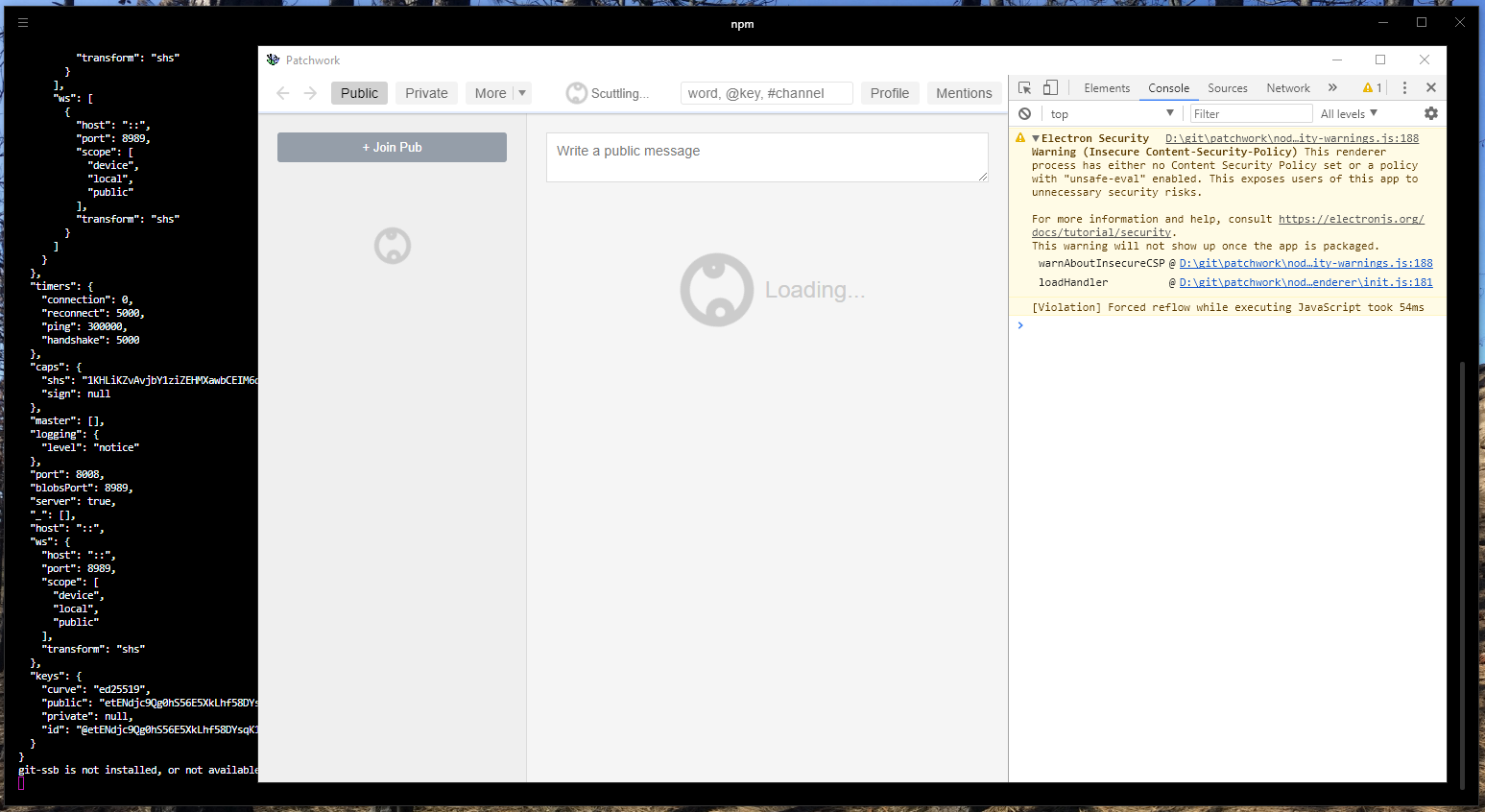
Here's my experience on the tip of windows-no-remote:
funwhilelost
on 4 Apr 2019
One last idea: any chance my latest commits to master change anything? I've been trying to debug on Linux but [super frustratingly] I can't figure out how to reproduce the issue.
christianbundy
on 4 Apr 2019
I've also pushed a new branch (forking the latest master) called console-log-progress which should output to Electron's JavaScript (that you have open) when the progress changes. Hopefully that should give us some clues.
christianbundy
on 4 Apr 2019
Okay, friends, here's my slightly bewildering update: I'm still working from the 3.11.6 AppImage release, but, if I'm disconnected from the internet, the scuttling stops and all the content pops up! And then, if I reconnect, it seems like everything works as expected.
modgethanc
on 5 Apr 2019
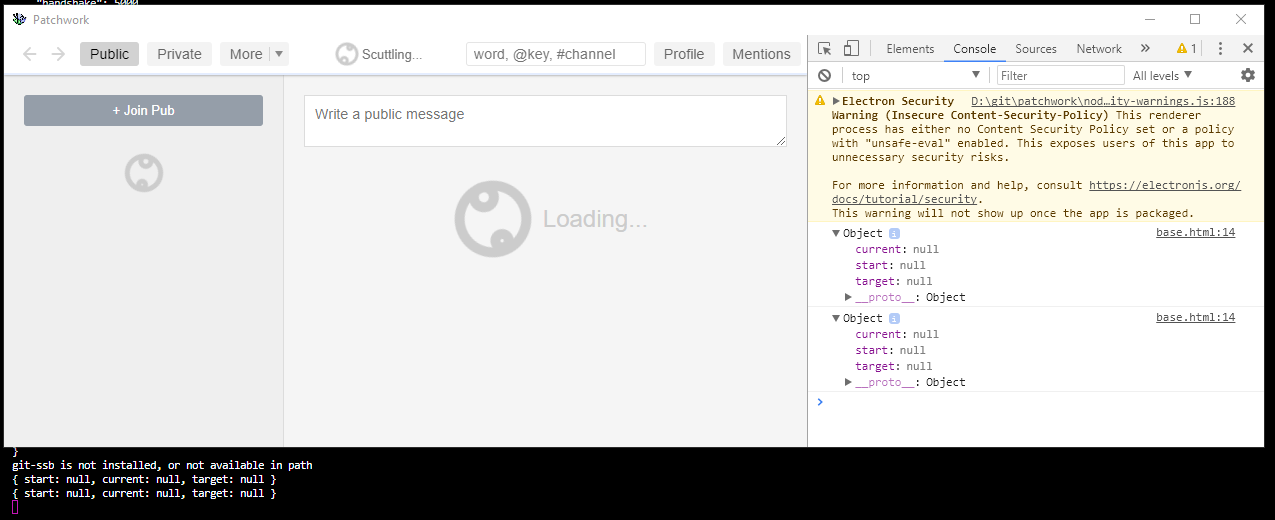
Looks like there's no progress to report. All nulls:
funwhilelost
on 5 Apr 2019
Also having this issue, running osx with 3.11.6.
 jonathan-s
on 8 Apr 2019
jonathan-s
on 8 Apr 2019
same on Mac 10.14.3. I see one connected pub but otherwise infinite loading and scuttling animation...
 treasuretron
on 10 Apr 2019
treasuretron
on 10 Apr 2019
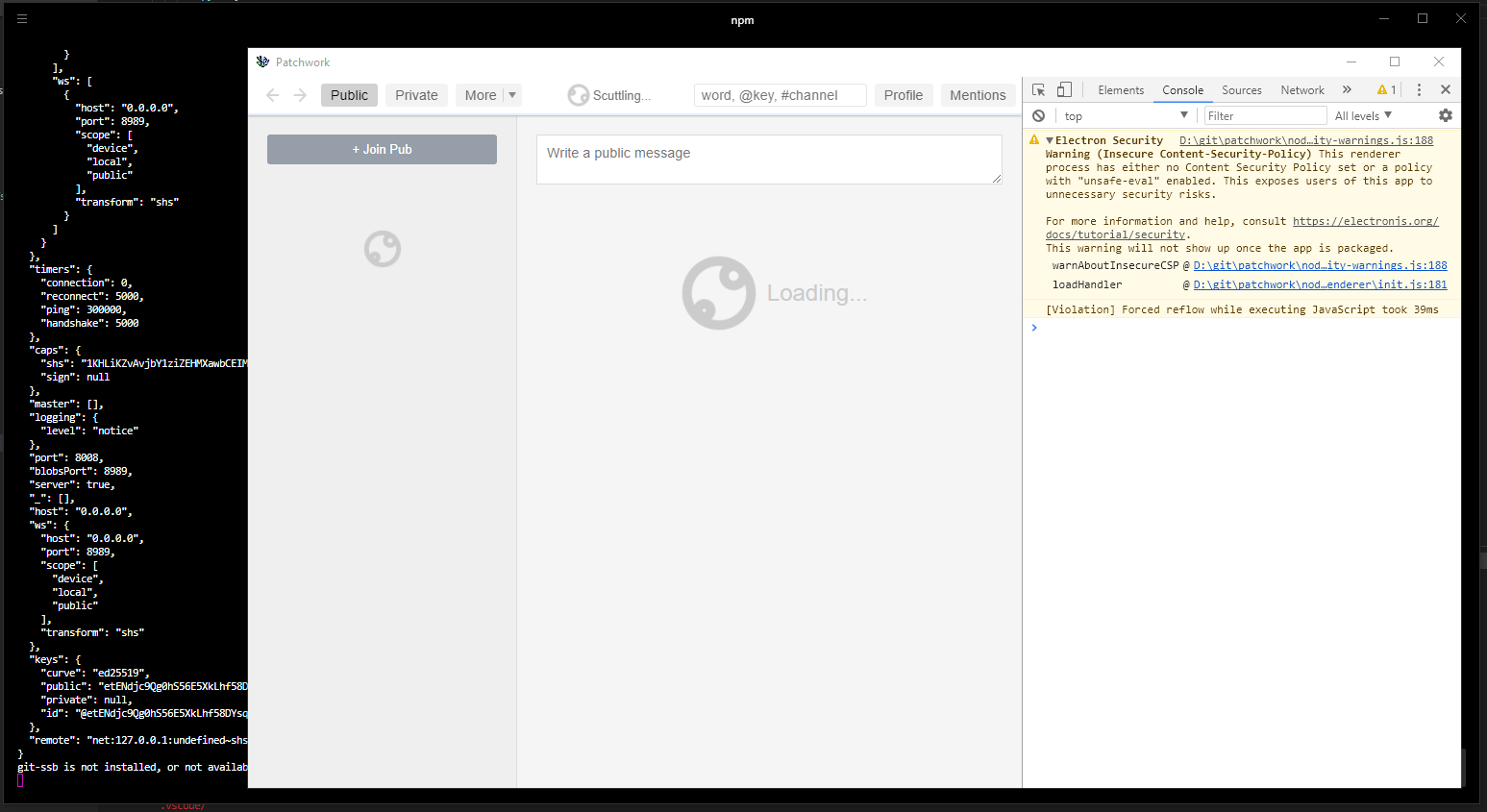
I've pushed a new branch to Patchwork called use-ipv4 that uses the code from this PR, any chance it resolves this issue?
christianbundy
on 10 Apr 2019
@christianbundy it doesn't seem to have changed on use-ipv4:
funwhilelost
on 11 Apr 2019
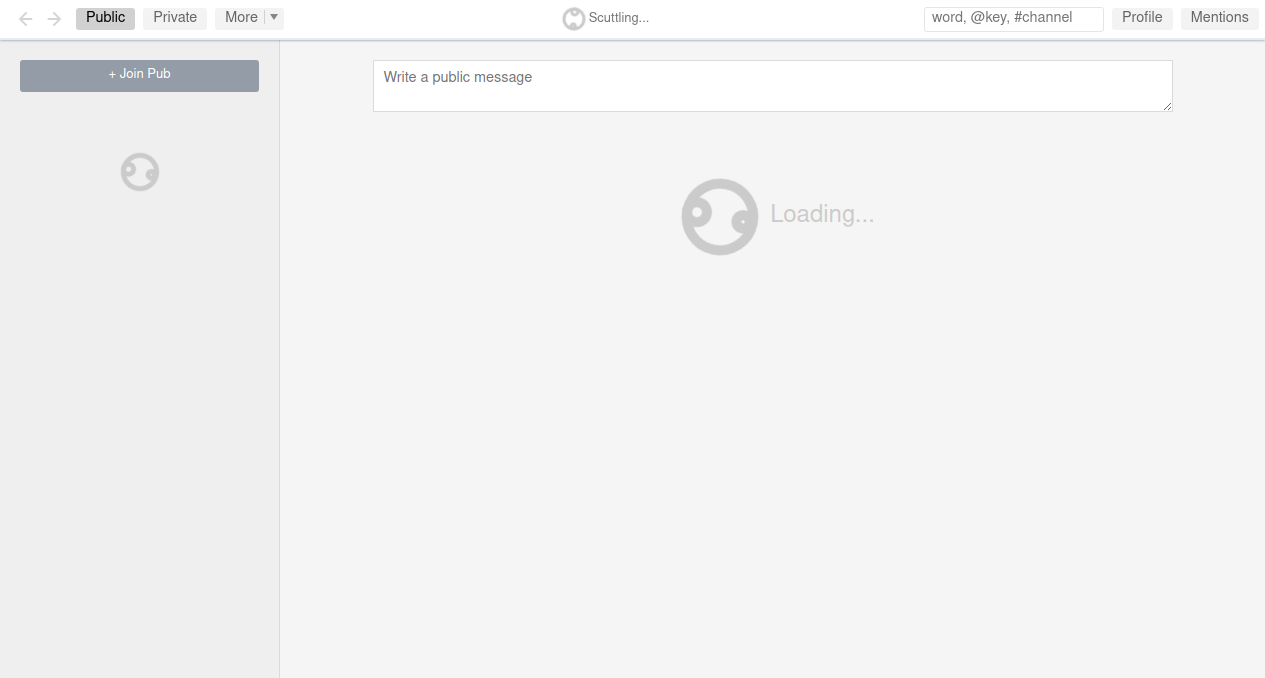
I found it! Apparently Patchwork falls into an infinite scuttling pattern when config.remote has the wrong port set. I've opened #988 to resolve this. This seems to be specific to Windows and looks exactly like this:
@funwhilelost I've cc'd you on the PR, please let me know if it gives you any trouble!
christianbundy
on 11 Apr 2019
:tada:
I'm happy that this looks resolved now. For others: if you're still having this problem on master, please open an issue!
christianbundy
on 12 Apr 2019
Related issues
mmckegg
·
4Comments
 celesteh
·
8Comments
celesteh
·
8Comments
 slinlee
·
4Comments
slinlee
·
4Comments
 skippednote
·
6Comments
skippednote
·
6Comments
 cblgh
·
8Comments
cblgh
·
8Comments
Most helpful comment
I found it! Apparently Patchwork falls into an infinite scuttling pattern when
config.remotehas the wrong port set. I've opened #988 to resolve this. This seems to be specific to Windows and looks exactly like this:@funwhilelost I've cc'd you on the PR, please let me know if it gives you any trouble!