Patchwork: upgrade to electron v3 to fix crash with some linux GPU configurations
I use Debian GNU/Linux 9.5 (stretch).
I started using Patchwork in Patchwork-3.10.0-linux-x86_64.AppImage. Works perfectly. Says that there is an update... If I run 3.10.0 works, but if I run 3.10.1 no.
$ Patchwork-3.10.1-linux-x86_64.AppImage
installed: X-AppImage-BuildId=aa87bee0-8352-11a8-2778-e7fec2f70da5 image: X-AppImage-BuildId=5830a690-8bf2-11a8-1cae-e1989838b9d6
{ party: true,
  host: '',
  port: 8008,
  timeout: 0,
  pub: true,
  local: true,
  friends: { dunbar: 150, hops: 2 },
  ws: { port: 8989 },
  gossip: { connections: 3 },
  path: '/home/masked/.ssb',
  timers: { connection: 0, reconnect: 5000, ping: 300000, handshake: 5000 },
  caps:
   { shs: 'masked',
     sign: null },
  master: [],
  logging: { level: 'notice' },
  blobsPort: 8989,
  server: true,
  _: [] }
 pedro-nonfree
All 22 comments
Antergos (Arch) 4.17.14-arch1-1-ARCH #1 SMP PREEMPT will SIGSEGV
./Patchwork-3.10.1-linux-x86_64.AppImage            (4m 3s 232ms)
installed: X-AppImage-BuildId=5830a690-8bf2-11a8-1cae-e1989838b9d6 image: X-AppImage-BuildId=5830a690-8bf2-11a8-1cae-e1989838b9d6
fish: “./Patchwork-3.10.1-linux-x86_64…” terminated by signal SIGSEGV (Address boundary error)
 fabianhjr
on 15 Aug 2018
fabianhjr
on 15 Aug 2018
Some days ago everything worked smooth. Now trying to run it with npm start just exit silently, I removed node_modules and ran npm install with no change.
So I downloaded the AppImage and when execute I got:
Archlinux 4.17.14-arch1-1-ARCH
./Patchwork-3.10.1-linux-x86_64.AppImage
[1]    6951 segmentation fault (core dumped)  ./Patchwork-3.10.1-linux-x86_64.AppImage
 cronopio
on 16 Aug 2018
cronopio
on 16 Aug 2018
@pedro-nonfree
Can you give some more info on what's going on? I'm not sure how to troubleshoot, but your output looks correct.
@fabianhjr @cronopio
Arch has been having a ton of issues with Electron as a Node module, so I've been using the system Electron instead. Could you try that for now? There are two packages on the AUR for the normal release and for staying up-to-date with master on GitHub:
- https://aur.archlinux.org/packages/ssb-patchwork/
- https://aur.archlinux.org/packages/ssb-patchwork-git/
If you're building from source, you'll need to pacman -S electron and rm -rf node_modules/electron so that you're using the system Electron rather than the Node module. You should be able to follow the issue as https://github.com/electron/electron/issues/13972, which is causing Patchwork issues as a symptom.
Please let me know if there's anything I can do to help!
 christianbundy
on 21 Aug 2018
christianbundy
on 21 Aug 2018
Can you give some more info on what's going on? I'm not sure how to troubleshoot, but your output looks correct.
@christianbundy that's all output I get trying to run AppImage. There are no logs in /var/log/daemon.log and/or /var/log/syslog
pedro-nonfree
on 22 Aug 2018
Thanks @pedro-nonfree!
I'm not sure why that would be -- any chance you've been able to build from source? Sorry, I wish I knew how to debug more extensively but I'm not even sure where to start. Debian is usually great about logging errors, so since you've checked in the usual spots I'm not sure where else to look other than having you fire up gdb or something silly.
christianbundy
on 22 Aug 2018
built from source
git clone https://github.com/ssbc/patchwork
git checkout v.3.10.1
npm install
and:
 $ npm start

> [email protected] start /home/masked/src/patchwork
> electron index.js

{ party: true,
  host: '',
  port: 8008,
  timeout: 0,
  pub: true,
  local: true,
  friends: { dunbar: 150, hops: 2 },
  ws: { port: 8989 },
  gossip: { connections: 3 },
  path: '/home/masked/.ssb',
  timers: { connection: 0, reconnect: 5000, ping: 300000, handshake: 5000 },
  caps:
   { shs: '1KHLiKZvAvjbY1ziZEHMXawbCEIM6qwjCDm3VYRan/s=',
     sign: null },
  master: [],
  logging: { level: 'notice' },
  blobsPort: 8989,
  server: true,
  _: [] }
same problem with git checkout v3.10.0 (but remember that app image of v3.10.0 works!)
git checkout v3.9.0 works! This line is also appearing in v3.10.0 AppImage (not in my source build) ATTENTION: option value of option force_s3tc_enable ignored..
 $ npm start

> [email protected] start /home/music/src/patchwork
> electron index.js

Gtk-Message: Failed to load module "atk-bridge"
{ party: true,
  host: '',
  port: 8008,
  timeout: 0,
  pub: true,
  local: true,
  friends: { dunbar: 150, hops: 2 },
  ws: { port: 8989 },
  gossip: { connections: 3 },
  path: '/home/music/.ssb',
  timers: { connection: 0, reconnect: 5000, ping: 300000, handshake: 5000 },
  caps:
   { shs: '1KHLiKZvAvjbY1ziZEHMXawbCEIM6qwjCDm3VYRan/s=',
     sign: null },
  master: [],
  logging: { level: 'notice' },
  blobsPort: 8989,
  server: true,
  _: [] }
ATTENTION: option value of option force_s3tc_enable ignored.
ATTENTION: option value of option force_s3tc_enable ignored.
ATTENTION: option value of option force_s3tc_enable ignored.
ATTENTION: option value of option force_s3tc_enable ignored.
(...)
what seems clear is that is missing a more verbose output of what's happening, something is failing silently
$ npm --version
6.4.0
@christianbundy Thanks man! I'll try using electron from system and let you know.
UPDATE: I had to remove nvm and installed the AUR package that require to install arch's nodejs and npm and is working now. Thanks!
I guess then that the main problem with @pedro-nonfree needs a different version of electron
cronopio
on 23 Aug 2018
@cronopio I don't get the nvm part. I don't know how to change my electron version (seems that is bundled in AppImage). Is this going to clear the issue.
What is unacceptable (italic confirmed) is that is not working in a vanilla debian stable that is a very common distribution for linux users, right?
pedro-nonfree
on 3 Oct 2018
@pedro-nonfree Could you try downloading Electron and verifying that it runs fine for you locally? Your console output shows that the SSB-specific code seems to be running fine, but it looks like Electron just isn't opening. Here are my steps:
- Download Electron release (I used electron-v2.0.10-linux-x64.zip)
- Extract the files into their own directory
- Run the
electronbinary by double-clicking or from the CLI
It may also be worth testing Electron 2.0.3 (or previous), as I believe that were used when 3.10.1 was published. Hope this helps!
christianbundy
on 3 Oct 2018
@christianbundy
Thanks for the detailed steps, I feel something is missing
(I already moved to the latest stable version as I detailed here)
Then, I did:
cp -r /path/to/patchwork-source/node_modules/electron/ /path/to/patchwork-source/node_modules/electron.bak
cd /path/to/patchwork-source/node_modules/electron/dist
rm -rf *
wget https://github.com/electron/electron/releases/download/v2.0.10/electron-v2.0.10-linux-x64.zip
unzip -d . electron-v2.0.10-linux-x64.zip # extract everything in electron/dist
cd /path/to/patchwork-source
npm start
it did not work, same problem
pedro-nonfree
on 3 Oct 2018
Sorry for the confusion, I'm only asking you to verify that Electron works on your system. For me, that looks like:
wget https://github.com/electron/electron/releases/download/v2.0.10/electron-v2.0.10-linux-x64.zip
unzip -d . electron-v2.0.10-linux-x64.zip
./electron
This should produce two outputs:
- Some help text printed to stdout
- An Electron window should open
My goal is to rule out an upstream Electron problem as the source of your issue.
christianbundy
on 3 Oct 2018
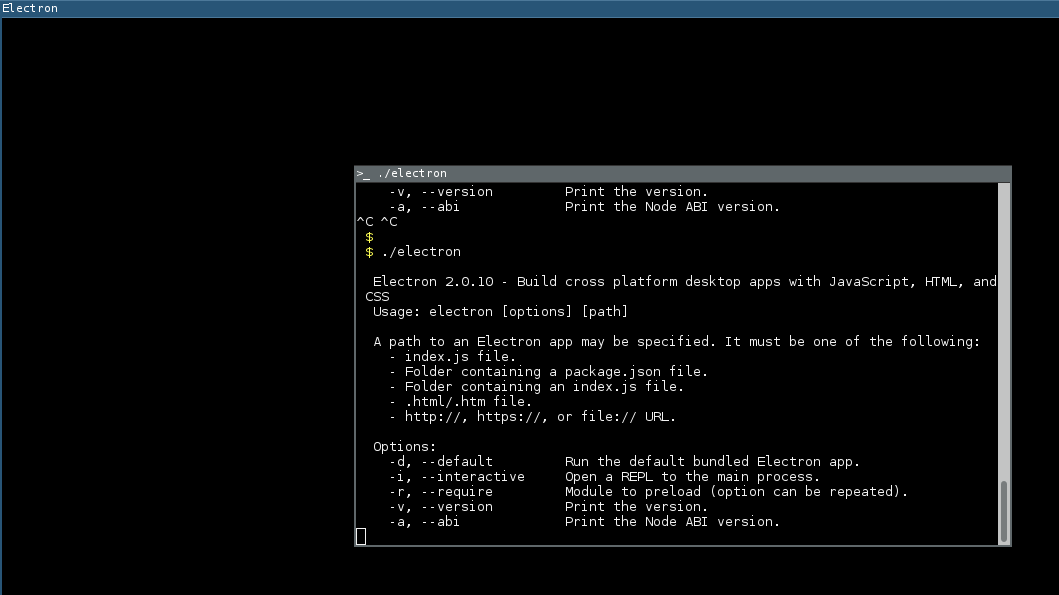
Aha.
It opens a window, but without any content on it
pedro-nonfree
on 3 Oct 2018
Thanks for the screenshot! Here's what it should look like:
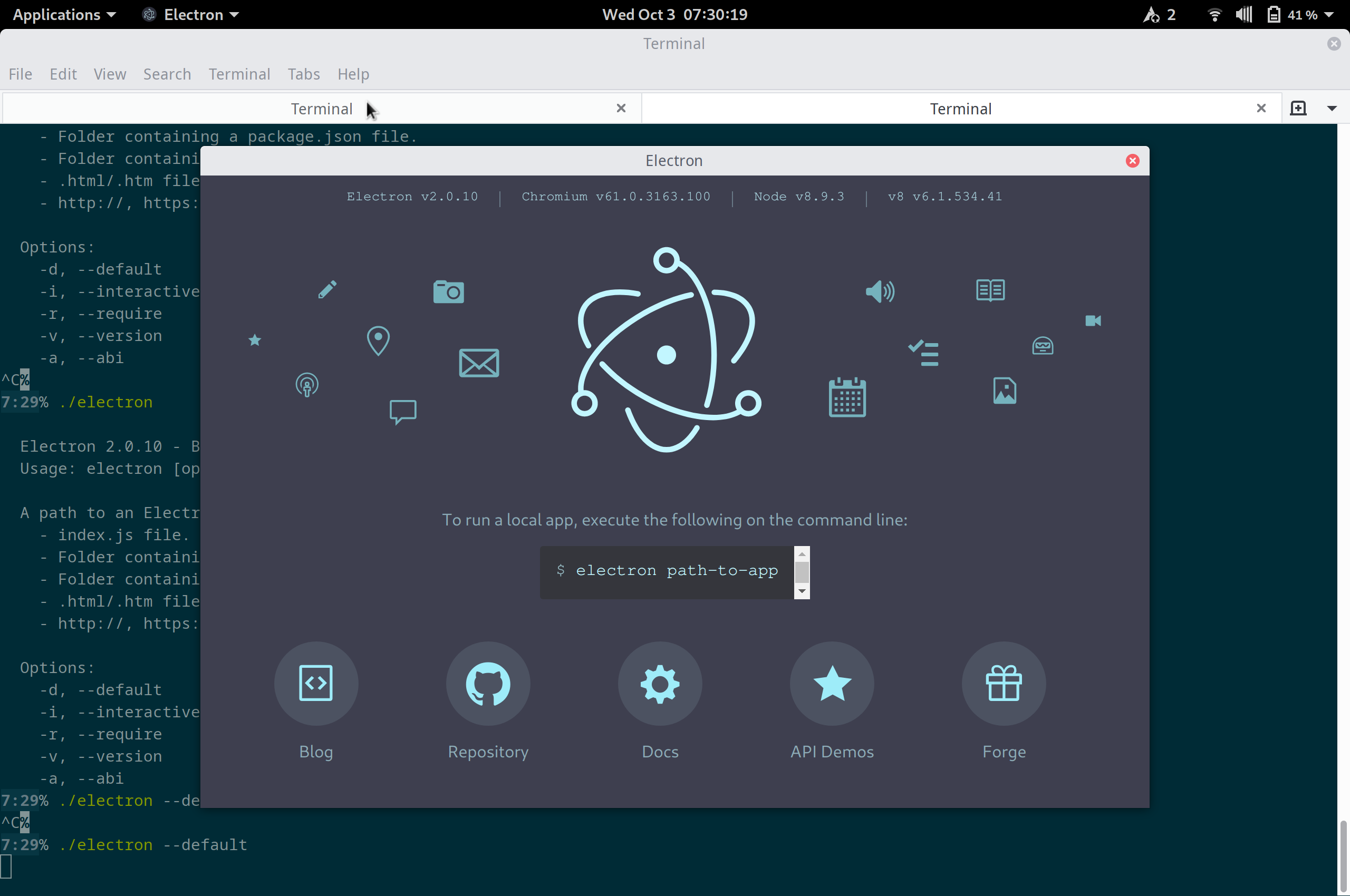
I have my own Electron woes (https://github.com/electron/electron/issues/12820) so I know how frustrating they can be, but I'll admit I'm unsure how to debug this. You can use that Electron binary on Patchwork with ./electron /path/to/patchwork-source/index.js to see if it works, but my intuition is that the best case scenario is another black screen.
Hey, any chance ./electron --disable-gpu has a different result? If not, I'd also be curious whether Chromium works on your system.
christianbundy
on 3 Oct 2018
No! Thanks to you for your amazing follow up!
Disabling gpu works!
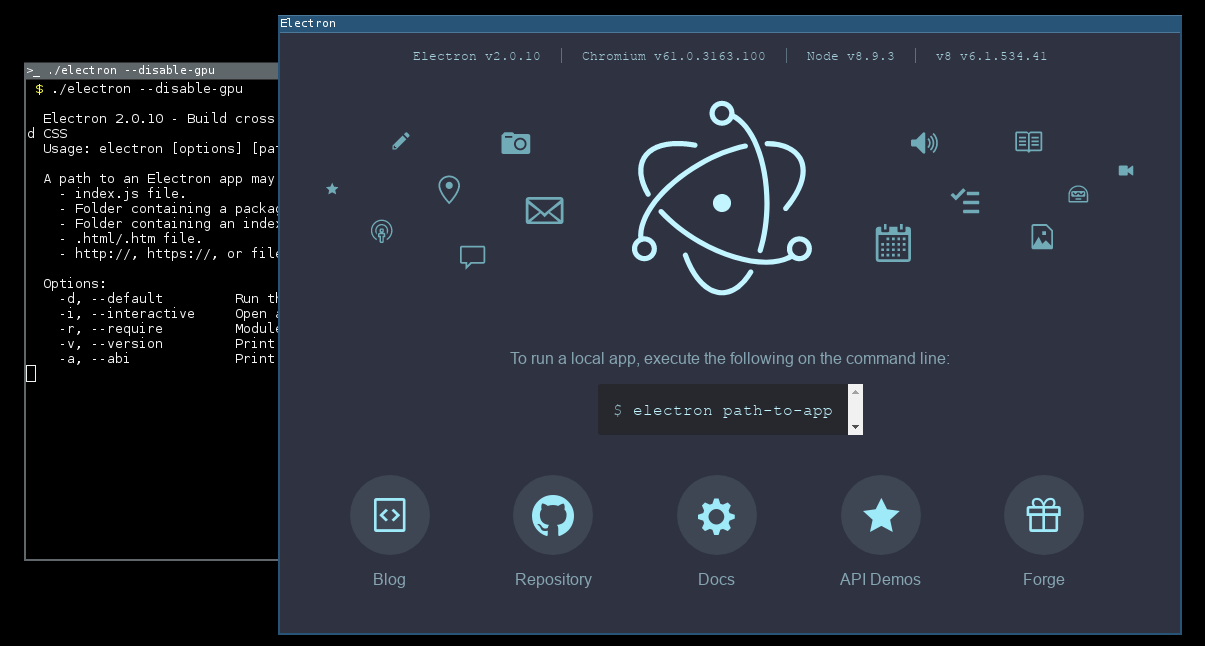
now patchwork shows something!!
would be nice to pass --disable-gpu argument to patchwork that forwards it to electron, no?
 $ ./electron --disable-gpu /path/to/patchwork-source/index.js
{ party: true,
  host: '',
  port: 8008,
  timeout: 0,
  pub: true,
  local: true,
  friends: { dunbar: 150, hops: 2 },
  ws: { port: 8989 },
  gossip: { connections: 3 },
  connections: { incoming: { net: [Array] }, outgoing: { net: [Array] } },
  path: '/home/music/.ssb',
  timers: { connection: 0, reconnect: 5000, ping: 300000, handshake: 5000 },
  caps:
   { shs: '1KHLiKZvAvjbY1ziZEHMXawbCEIM6qwjCDm3VYRan/s=',
     sign: null },
  master: [],
  logging: { level: 'notice' },
  blobsPort: 8989,
  server: true,
  _: [ '/home/music/src/patchwork/index.js' ] }
ssb-friends: createFriendStream legacy api used
git-ssb is not installed, or not available in path
but gets too much time like this, is it normal? it was because of a first start. Everything is fine!
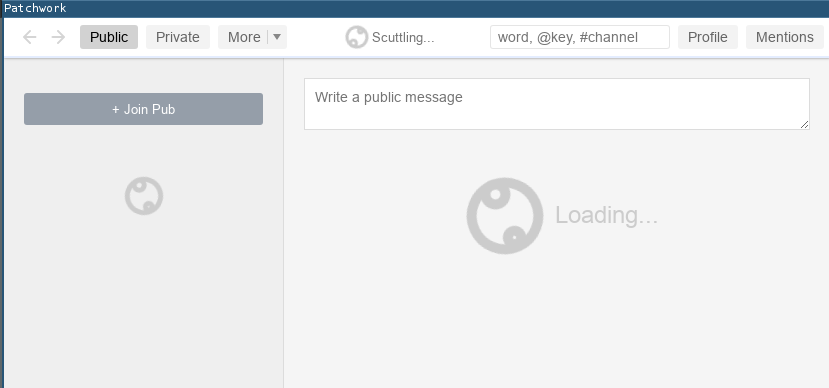
extra note: my graphic card should be really compatible, is an intel ! No problems with any other application (including chromium, if you want me to test a specific WebGL or something I'm fine with it. But looks the problem is very related exclusively to electron )
 $ lspci -k | grep -A3 VGA
00:02.0 VGA compatible controller: Intel Corporation Haswell-ULT Integrated Graphics Controller (rev 0b)
    Subsystem: Dell Haswell-ULT Integrated Graphics Controller
    Kernel driver in use: i915
    Kernel modules: i915
editor /path/to/patchwork-source/package.json
-    "start": "electron index.js",
+    "start": "electron --disable-gpu index.js",
then npm start works
these seems would have a very reasonable bugfix
pedro-nonfree
on 3 Oct 2018
Nice! I'm happy to see that Patchwork is opening correctly.
You can run npm start -- --disable-gpu to pass it to Electron, or you can edit package.json to hardcode the command in scripts.start. That "scuttling" message really means "reindexing database" and should only take a few minutes, but you can check the progress manually: while that runs, you canopen another terminal, navigate to the same directory, and run npx sbot progress. It should show something like this:
{
  "indexes": {
    "start": 513468025,
    "current": 48342532,
    "target": 513468025
  },
  "ebt": {
    "start": 0,
    "current": 10,
    "target": 10
  }
}
When indexes.current reaches index.target it should stop scuttling. I like to use watch npx sbot progress when I'm feeling paranoid. If it says anything like "couldn't connect to sbot" you can just close Patchwork and restart it. Hopefully you won't need to do that, but every once in a while it's nice to know the workaround.
Totally agree about the graphics driver. Electron should have the same GPU support as the underlying Chromium, but I've had trouble with their graphics support too. It's very frustrating, but I'm glad we found a workaround!
christianbundy
on 3 Oct 2018
Yay! Thanks!!
What about adding this argument to AppImage? :]
pedro-nonfree
on 3 Oct 2018
I'd recommend opening an issue with Electron, since that's where the bug is, but if you open a pull request with your change we can close this issue and discuss the workaround in your PR.
My only concern is that disabling GPU acceleration for everyone seems a bit overkill when only you and I are the only people who have this issue, but maybe the compatibility is worth it? I'm not sure, but it's worth discussing.
christianbundy
on 3 Oct 2018
@christianbundy hey!
That works to (without the need to disable gpu):
editor /path/to/patchwork-source/package.json
-    "start": "electron index.js",
+    "start": "electron index.js < /dev/null > /dev/null 2> /dev/null",
would be that a good default thing to improve compatibility?
thanks to https://github.com/electron/electron/issues/14954#issuecomment-435484181
here seems there is the appropriate bugfix work in progress https://github.com/electron/electron/pull/15555
pedro-nonfree
on 6 Nov 2018
@pedro-nonfree
Wow, great solution! I never would've thought of that. My personal preference would be to wait for the bug to be fixed upstream, but you're welcome to open a PR if you think this should be merged into master.
christianbundy
on 6 Nov 2018
Looks like this has been fixed in the latest version of electron 3.x, but unfortunately due to some dependency issues, we can't yet upgrade past 2.x.
We need to get prebuilds of all of the dependencies for the latest abi (64).
 mmckegg
on 28 Nov 2018
mmckegg
on 28 Nov 2018
Upgraded to Electron 4 (see #964)! :tada:
christianbundy
on 26 Apr 2019
Related issues
 nicohansi
·
8Comments
nicohansi
·
8Comments
 entron
·
6Comments
entron
·
6Comments
 adamnovak
·
6Comments
adamnovak
·
6Comments
 Logicbloke
·
7Comments
Logicbloke
·
7Comments
 geovanisouza92
·
3Comments
geovanisouza92
·
3Comments
Most helpful comment
@pedro-nonfree
Can you give some more info on what's going on? I'm not sure how to troubleshoot, but your output looks correct.
@fabianhjr @cronopio
Arch has been having a ton of issues with Electron as a Node module, so I've been using the system Electron instead. Could you try that for now? There are two packages on the AUR for the normal release and for staying up-to-date with
masteron GitHub:If you're building from source, you'll need to
pacman -S electronandrm -rf node_modules/electronso that you're using the system Electron rather than the Node module. You should be able to follow the issue as https://github.com/electron/electron/issues/13972, which is causing Patchwork issues as a symptom.Please let me know if there's anything I can do to help!