Passport: Password Grant and independant SPA issue
Hello all,
I have been messing around with Passport and specifically the Password Grant. The reason for this is I plan to build and API with Laravel and Passport that will consume an SPA. The SPA will not be part of Laravel - not built within Blade views.
The main issue I am running in to is that I am required to share both the Client ID and Secret. However, according to the OAuth spec the Client Secret should never be exposed to the end user as it will make the flow redundant I believe.
I believe this is an issue because Passport has not been provided with a way to combat this security issue. I have read that a proxy should be used to inject the Client Secret into the POST/GET request and then sent to the API, however, I am not sure if this is correct.
It would be a great help if anyone had any ideas on how to deal with this issue.
Also, if you would like me to elaborate further please ask!
 Joshgallagher
All 91 comments
Hey @Joshgallagher, sounds to me like you just have the wrong idea about what oAuth grant to be using. For a SPA (aka anything sending requests from the client side) ou should be using the implicit grant, not the password grant.
Granted it's not in the documentation, but it is in passport, not sure the exact release, but I can find it later if no one else finds it. You can read about the implicit grant here though.
https://oauth2.thephpleague.com/authorization-server/implicit-grant/
 craigpaul
on 2 Nov 2016
craigpaul
on 2 Nov 2016
Hey @craigpaul
I do know about the Implicit Grant but did not know it was available in Passport. Do you have any idea when the docs will be updated? Also, to clear this up - from what I have previously read you should use the Implicit Grant when communicating to a web app/SPA and the Password Grant should be used in mobile apps? I have seen and read that you can use the Password Grant and a proxy for SPAs, as it allows you to use the refresh token due to it being encrypted in a cookie?
Also, if you do not mind me asking, does this not break up the user flow? Logging out a user every hour for example? How does someone like Twitter handle this? Sorry for the constant questions, just trying to wrap my head around this! Also, I have read that Alex Bilbie frowns upon the Implicit Grant and has suggested the Password Grant and proxy method before.
Finally, is there any resources on implementing the Implicit Grant in Laravel Passport?
Joshgallagher
on 2 Nov 2016
Hey, turns out I was wrong, it never got reopened, my mistake. You are right, you could use the Password Grant like that, but I'm not sure how you would do that. It's much easier to just use the Implicit Grant. The PR that was originally proposed was #63 so I guess we just need to get Taylor to take another look at that and get it merged. I believe his requirements to merge it have been met so it should be good to go.
Again, sorry my mistake about thinking that was already merged.
craigpaul
on 2 Nov 2016
Thats fine, I struggled to find it.
I think the Implicit Grant should be implemented ASAP! I've seen many people implementing the Password Grant incorrectly in live projects which is not good. Also, if Taylor does not want to merge the Implicit Grant PR, then maybe he should look into providing some middleware that can proxy the Password Grant.
Finally, do you think I should go ahead with the original plan I had: using the Password Grant with a proxy or wait/hope for the Implicit Grant PR to be merged?
Joshgallagher
on 2 Nov 2016
Also, the Implicit Grant is for Third Party applications. An SPA that is created and hosted by the API creator would mean that the SPA is trusted, therefore making it a First Party application right? So, wouldn't using the Password Grant proxy method be a better approach for someone wanting to treat their SPA like a First Party app?
I think we need @taylorotwell input on this matter. I think this area needs to be addressed because people can so easily misuse Passport and the Password Grant Type.
Joshgallagher
on 2 Nov 2016
@Joshgallagher Personally, I would see what can be done about the implicit flow, but one thing you could do (if you have a backend for your SPA that isn't your API) is submit your AJAX request to your own backend then follow the Password flow from your server. That way your secret is kept secret and you can just use Guzzle (or something similar) to request your access token with the proper password grant flow and receive an access token that you can send back to the client.
craigpaul
on 2 Nov 2016
What you are proposing is to create a route where I would post my credentials, and then have Guzzle inject the Client Secret and post them to the OAuth route provided by Passport? If so, that would work. However, the problem here would be that I am then storing the Token and Refresh Token in local storage. I amy have to return the Tokens, but in an encrypted cookie.
I would wait for the Implicit Grant Type, however, I believe it breaks up the flow of your application. So, maybe implementing the proxy with the Password Grant may be better for usability in my case. The only problem here is that the packages that previously done his are deprecated, and I would not trust myself to create something robust and safe :/
Joshgallagher
on 2 Nov 2016
Ya I understand the hesitation on that path. Yes perhaps that way is better, I've never seen that done personally though, do you have any resources on that topic?
craigpaul
on 2 Nov 2016
Well Alex Bilbie previously suggested it, I will have to find the article. Also, a package was created for this method and it references what Alex said.
Joshgallagher
on 2 Nov 2016
@Joshgallagher I believe I found the article you were referring to, it's no longer accessible on his website, but you can use the wayback machine and find it. Let me know if this is what you're referring to. I'll check out that package btw, thanks!
Article: https://web.archive.org/web/20141208132104/http://alexbilbie.com/2014/11/oauth-and-javascript/
craigpaul
on 2 Nov 2016
Yes, that is the correct article. I think this method would be appropriate for First Party app and the Implicit Grant for Third Party apps.
Joshgallagher
on 3 Nov 2016
@Joshgallagher for sure, thing is though that Passport has its own implementation (ish) of this idea. The CreateFreshApiToken middleware implements this idea essentially, but it requires a Laravel back end to serve the front end. I realize that your first post says you aren't serving it with Laravel, but is there a reason for that? If you serve it with Laravel you can use that middleware to attach a cookie to your response and then use that cookie and a csrf token to consume your own API from the front end. Now if you simply can't use Laravel to serve your front end, you might be out of luck, but if you are, this should definitely solve your problem. If you have any questions please feel free to ask :)
craigpaul
on 6 Nov 2016
@Joshgallagher Even I'm building a SPA but my solution is a little bit different.
- I extracted SPA from whole Laravel framework because I believe PHP is not required in SPA
- I use personal access token when a user is registered. This way I don't need client id to send.
- Both the instance are independent (SPA and API). SPA is built on top of Laravel
package.json(With few more modification) and including such asvuex,vue-routeretc.
@craigpaul @Joshgallagher Let me know if this idea has a flaw or we can more enhance it.
Also, I'm looking forward to create a SPA framework on top of Laravel package.json and name it as Laravue. This will help people to get started quickly.
 Modelizer
on 6 Nov 2016
Modelizer
on 6 Nov 2016
@craigpaul I wanted to separate the SPA from the Laravel API backend for future changes. For example, I want to move from Vue to React. Also, I think it's a better design pattern to separate your applications and not have them shoved into one huge application. I just hope the Implicit Grant is added soon.
Joshgallagher
on 6 Nov 2016
@Joshgallagher I was suggesting a completely separate app as well (two different Laravel backends), but ya I understand where you are coming from. Unfortunately then without a Laravel backend that shares the oauth keys and a database with your API you are limited to the Implicit Grant (in my mind anyway). You could go with the route that @Modelizer suggested though, but I do see a few potential flaws with that.
@Modelizer so...by issuing those personal access tokens you are essentially giving them "unlimited" access to your API and if compromised, the attacker would have full access as the token will never expire automatically, you would have to revoke that token manually. That being said it depends what type of data you are exposing, if nothing is super private or sensitive maybe it doesn't matter that much. You could also implement proper scopes for them and then that would be a bit more secure in a sense. In my mind the biggest flaw is the fact that they never expire, so if that isn't a concern for your app(s), then it should be just fine for a simple implementation.
craigpaul
on 6 Nov 2016
@craigpaul Yeah even I was thinking the same :+1:
I decided to expire personal token in every 15 days via scheduler and re-issue a new token for every login.
Regarding unlimited access, the user will only be able to control only his stuff.
Modelizer
on 7 Nov 2016
I would be interested in what @taylorotwell has to say on this also.
 matthewlilley
on 16 Nov 2016
matthewlilley
on 16 Nov 2016
I would be interested also. As I have said either the implicit grant should be imemented or some kind of middle ware that allows the password grant to be used.
Joshgallagher
on 16 Nov 2016
@Joshgallagher The only way I can see this working for public clients, most importantly native apps that aren't running on web-server, is by setting up a new endpoint on the API such as /api/login, which would add the client id and secret to the request and then forward it to the oauth/token route, returning the response.
matthewlilley
on 16 Nov 2016
I feel like we had a PR for implicit grant recently. Am I imagining that? I can't find it.
 taylorotwell
on 16 Nov 2016
taylorotwell
on 16 Nov 2016
Ah here it is: https://github.com/laravel/passport/pull/63
We just need it to sent to the 1.0 branch.
taylorotwell
on 16 Nov 2016
@taylorotwell
After reading https://alexbilbie.com/guide-to-oauth-2-grants/
It seems that implicit grants are only used for 3rd party clients.
"If the client is a web application that has runs entirely on the front end (e.g. a single page web application) you should implement the password grant for first party clients and the implicit grant for a third party clients."
If I have a 1st party native mobile app for my api, I should be able to send only the username, password, client id and password grant type to /oauth/token. Right now that's not possible without attaching a custom middleware to oauth/token.
matthewlilley
on 16 Nov 2016
Here's an example of somebody getting around this issue.
route override
https://github.com/Team-Tea-Time/thaliak/blob/dev/app/Providers/AuthServiceProvider.php#L37
and middleware
matthewlilley
on 16 Nov 2016
Pinging @themsaid - I saw the article you wrote on passport, and grant types. What's your thoughts on this?
If I have a 1st party native mobile app, I should be able to only send the client_id, username, password and grant type of password to the oauth/token endpoint.
matthewlilley
on 16 Nov 2016
Is someone able to PR a fix for that or no?
taylorotwell
on 16 Nov 2016
@matthewlilley For SPA's we should create a proxy middleware where the Client Secret is injected into the request, and thus a HTTPS cookie is returned. It is bad practice to store an access and refresh token in HTML5 storage.
Also, for mobile apps I would suggest the Password Grant with the exact same proxy middleware. The Implicit Grant create a bad user experience and as you said @matthewlilley it is for 3rd party clients.
Finally, this package was created to aid this problem: OAuth2.0 Proxy Package. This flow was suggested by Alex Bilbie.
Joshgallagher
on 16 Nov 2016
We have talked recently about this problem on laracasts forums. You can look up examples there until someone will come up with a better implementation.
I feel like this is something that should be addressed as most front-end developers prefer to decouple single-page application from their backend (i.e. Laravel). There is a lot of confusion in the community regarding this issue and what I've seen most beginners do is to just gravitate towards CreateFreshApiToken middleware and scratch their head on how they should stitch it up with their separate SPA, lol.
 adiachenko
on 17 Nov 2016
adiachenko
on 17 Nov 2016
@adiachenko I agree, I have seen many beginners create unsafe apps that are extremely vulnerable. I do agree this has to be solved, as this is key functionality for many developers who create separate SPA's from their API's!
Joshgallagher
on 17 Nov 2016
I've been thinking about this and how it relates to Passport, and I think it would help to step back a bit and consider what the fundamental problem is.
Here's the way I see it - please do correct me if any of this is wrong:
- We want to be able to create decoupled SPAs that can use Laravel as an authentication and data backend
- The majority of such projects only need to be able to post a user's credentials to an endpoint and get back an auth token of some description - whether that's a JWT, an OAuth token object or something else
- Passport's Password Grant client can facilitate this, but it requires the
client_idandclient_secretto be specified in the request - We don't necessarily want to expose the client secret, so a popular workaround is to inject it via a proxy or middleware
The key thing about that last point for me is that "hiding" the client secret isn't inherently more secure because all it does is prevent the need for anyone to discover it in the first place. The workaround that injects it, for me, is more a matter of convenience. It's also true that exchanging a user's credentials for an auth token is in itself no less secure than conventional PHP session/cookie auth - the important thing is how you handle the token after receiving it (plus, let's face it, HTTPS should be encouraged regardless).
So the bottom line for me is that regardless of the OAuth spec and Passport's implementation of it, ultimately we just need an auth endpoint that can be used to exchange user credentials for a token, which can then be used to authorise requests to access/modify/delete protected resources (depending on whatever scopes or permissions may be in play). I'm not sure if this is necessarily a Passport concern since Passport doesn't handle users in any direct fashion, it only asks the application to look them up - but since it's an OAuth service, it makes sense that we'd want to use it to generate tokens.
Leaving out the whole "how should tokens be handled/stored client-side" debate, which I feel is neither a Passport nor a Laravel concern, what are the solutions? Maybe we should be able to write our own auth route/controller action, or adapt Laravel's scaffolded auth, to request a token from Passport programmatically? Is there an OAuth grant type more suitable for this that Passport doesn't already implement? Something else? What do we fundamentally want out of this?
 Riari
on 24 Nov 2016
Riari
on 24 Nov 2016
OK, having looked at this some more since my comment above, I can see that Passport does in fact implement all of OAuth2's grant types and the issue at this point seems to be entirely down to the lack of cookie support. Sorry for clouding the issue!
So we want to enable optional support for cookies, which #193 achieves but was closed due to the complexity of its approach. Is that right?
Another workaround for this (not a solution for Passport itself, but something I'm considering doing in the short term) is to implement half of that PR in your project (the cookie generation and encryption) and write another middleware class that extracts and decrypts the token from the cookie and injects it into the request. Not ideal, but it would involve less overriding of Passport components.
Riari
on 5 Dec 2016
As @themsaid suggested keeping Passport as simple as possible. I started working on two projects.
I do see there is a long roadmap to complete. Also, I'm looking forward to implementing what @Joshgallagher and @craigpaul suggested for SPA security but before that, some fundaments should be completed prior.
It would be a good help if @Joshgallagher and @craigpaul contribute to making these projects more reliable and support for a long term.
Modelizer
on 5 Dec 2016
I'm still not convinced that developing solutions separate from Passport is the right way to go. Obviously the stuff you're developing @Modelizer is probably going to be useful to a lot of people, which is great. 👍 But talking about #193 specifically, the verdict seems to be that it should be implemented as a package on top of Passport. Sounds fine in principle, but unless I'm mistaken, that package would have to do the following:
- Provide middleware to attach an encrypted cookie to responses from Passport's token/refresh endpoints
- Provide middleware to handle grant parameter injections
- Override route definitions to add the middleware as needed
- Override the guard, which means overriding at least one method in the service provider, in order to make it support cookies
Seems cumbersome to me and more complicated than the PR itself. I don't know about anyone else, but I would be inclined not to use such a package and instead use the middleware solution I mentioned in my previous comment.
So I think it would make sense to work on the PR until the implementation is acceptable, unless @taylorotwell is against adding cookie support in general.
Riari
on 5 Dec 2016
Suppose if we added above points and made Passport SPA compatible, then in near future another SPA related things will arise? This way Passport will become SPA centric. It would be better a separate team will take care of SPA and Laravel internal team will focus on building and enhancing Passport. They also need to maintain other packages as well.
Passport is like a bootstrap you need to build your application specific logic on top of it. Right now my focus is SPA on top of Passport and Laravel.
Modelizer
on 5 Dec 2016
I disagree. For the most part, we're only talking about the addition of cookie support for the Password Credentials grant (or Resource Owner Password Credentials grant, as it's called by the OAuth2 spec), which isn't even SPA-specific - it just happens to solve a problem for decoupled SPAs, which are becoming increasingly popular and no doubt a common use case for Passport.
I'm personally happy to implement a solution in my project; I just think that if a proper solution is going to be developed, doing so in Passport would make a lot of sense, not least because of the overriding another package would currently have to do to achieve it. It would be a shame to go to that length when all we're really asking is "can we use cookies for other grant types?" and it's _already implemented_ for the implicit grant.
Taylor's call though, obviously. If he doesn't want any more options/config/complexity being introduced, people are free to decide how they want to tackle this problem on top of/outside of Passport.
Riari
on 5 Dec 2016
I implemented two new class PasswordGrantTokens and PasswordGrantTokenFactory like those for personal token. adding PasswordGrantTokens trait to User class so createToken function is available and issues password grant tokens.
token are created internally and not via oauth/token url.
the reason i prefer password grant to personal tokens is that password grant tokens have refresh token and life time is configurable.
now to handle expired token and issue new tokens using refresh token in server side, not in client side, TokenGuard should change.
should i define new guard or make a PR or any else idea?
 mkalantar
on 3 Jan 2017
mkalantar
on 3 Jan 2017
Hi,
I am also in need of some workflow / method to decouple the SPA from the API. I have it included in the blade views so on first load we get the csrf token but i am still unclear about vulnerabilities..
I think decoupled front-end and back-end will be the future because of like Vue Electron etc but i havent found the perfect solution yet.
Are there any new experiences?
 nickkuijpers
on 6 Feb 2017
nickkuijpers
on 6 Feb 2017
Hi,
I also want to separate front-end and back-end.
Thanks to Laravel I have dived into Vue.js and started to like it. It is easier to develop front-end in an environment dedicated to it. But I do not want to bring my business logic into front-end and Laravel is a good choice for back-end. I think that the more Laravel developers are getting to know the Vue.js the more decoupled SPA application will be.
Reading all previous posts and doing some research I am not sure if the Passport is right solution for simple separated SPA. I found this statement
The OAuth 2.0 specification defines a delegation protocol that is useful for conveying authorization decisions across a network of web-enabled applications and APIs. OAuth is used in a wide variety of applications, including providing mechanisms for user authentication. This has led many developers and API providers to incorrectly conclude that OAuth is itself an authentication protocol and to mistakenly use it as such. Let's say that again, to be clear:
OAuth 2.0 is not an authentication protocol.
The title of OAuth 2.0 standard RFC6749 says The OAuth 2.0 Authorization Framework.
I was starting to think that maybe I am having difficultis in my SPA because I want to solve problem with Passport that is not in the scope of OAuth2? Most user here are struggling how to do authentication. In Laravel's documenation Passport is covered in topic API Authentication. But OAuth2 main purpose is to deal with authorization. I do not consider myself an expert in OAuth2 but isn't here some misunderstandings in concept level?
I understand that Passport is suitable in situations where authorization is complex. A lot of clients through which same user can grant different permissions to different clients (there the client secret makes sense). But if you have simple decoupled SPA and most of the time you do not have to check permissions, just to ensure if user is logged in and return proper data based on Auth::user() object then you do not need complex solutions. Some simple token authenticatin solution (for example like this) will do. If you need some authorization then Laravel's gates and policies can help out.
If all you have is a hammer, everything looks like a nail. I am afraid that the Laravel documentation is giving a wrong impression that if you need protected API then Passport is the only right tool to use. In documentation there is topic _API Authentication_ (even so the OAuth2 is meant for authorization). No other alternative. If this is the case then I am afraid there would be a lot of confusion and frustration about this topic in future.
If I am on right track with my conclusions there should be more simpler and comprehensive token based solution for API-s consumed by decoupled SPA-s and/or (maybe it exists but I have not figured it out yet) explicitly documented in Laravel's documentation (or at least referred to some solution, or added some statement in API Authentication topic to prevent missuse). Passport will come handy if complex authorization issues emerge. Mean time simpler solutions would be more reasonable. Of course, Laravel can not be opinionated but I think in the light of the raise of Vue.js (and SPA) popularity it will prevent a lot of problems in community.
 raigu
on 17 Mar 2017
raigu
on 17 Mar 2017
Hi @raigu,
Good item, thanks!
I've solved it with Passport the following right now;
Using Password Grant with the client id in the client side code, viewable for everyone. I read a lot about hiding the client id but i think this is only required if you do not use password grant.
I've following this course; https://www.youtube.com/watch?v=2eEok752-qc&list=PLkZU2rKh1mT81nK9LgCV8l7kuSr6Xoj2x
I first thought it was not the good solution because we are importing al OAuth2 functionality but at last it seems to work very well and stabile and ready for the future to add external functionality.
nickkuijpers
on 20 Mar 2017
Is there any best practice on this yet?
As I understand it (correct me if I am wrong) in conventional OAuth2 workflow you authenticate an user on the server which then authorizes clients to access their data. So in theory this could mean that the user could even block the SPA from accessing their data (which would make no sense for the purpose discussed here).
Instead, one client is created (password grant client) which manages the data of all users on the server. The client requests the username and password and returns the token such that the user can access their data.
The client itself also requires authentication which I believe is the problem which is discussed here.
However, I am wondering if it is really a problem if the client secret is not hidden. Obviously, anyone or anything will be able to access the 'manager', but it will not do anything unless they provide some valid credentials for a certain user. In worst case, a user will be able to access their own data through your API in their self-developed client. Correct?
Edit: This is assuming that API calls can only be made from the same server. Otherwise I guess the user data can be stolen by spoofing the client.
Edit2: Which also prevents self-developed clients from being used. So I guess the password grant is safe to use but maybe too complex for the purpose of a SPA (as @raigu also explained)?
 Snippo
on 24 Apr 2017
Snippo
on 24 Apr 2017
@Snippo, i have not used any other options in the latest projects than the password grant of Passport. I've been diving into https://github.com/tymondesigns/jwt-auth but i stay with the Passport solutions because of scalability. Do u have any new xp?
nickkuijpers
on 24 Apr 2017
I also looked into JWT but decided to use passport as it is built-in and should provide the same functionality.
I got it to work, but I want to be sure it is secure. That's why I was hoping to get some best practice information here
Snippo
on 24 Apr 2017
@Snippo haha me too, i think as long as you use password grant in a environment where you use the CSRF it will be secured. For example, when we do not use the CSRF other people can clone our single page app and use the same API's to authenticate but if we use CSRF and CORS i think we have secured it.
About showing the client secret i am still unsure about, if we use the password grant i think it will be no problem but i've been trying to make a proxy for it so its not visible but they will be able to communicate to that proxy also..
nickkuijpers
on 24 Apr 2017
@Snippo i've found a nice resource of information about this; https://github.com/thinkingmik/api-proxy-laravel
nickkuijpers
on 25 Apr 2017
I dont think that will solve it either because unauthorized people can just like make api requests to that proxy instead of the database itself and it will not change any permission..
nickkuijpers
on 25 Apr 2017
It is like a locked door I guess. You can either give everyone the key or unlock it yourself. The result is the same: anyone can get in.
Snippo
on 25 Apr 2017
Yes but for example when lets say you add a proxy, which adds to client_secret to the request, they will be able to use the api routes either way. If we do not use a proxy, they just trigger that api route and other wise with a proxy they will trigger the proxy api method.
To solve the issue about not making the client_secret public, i've used the following method just now.
<?php

namespace App\Http\Middleware;

use Closure;

class InjectClientSecretToRequest
{
    /**
     * Handle an incoming request.
     *
     * @param  \Illuminate\Http\Request  $request
     * @param  \Closure  $next
     * @return mixed
     */
    public function handle($request, Closure $next)
    {
        // Validate if the request is a password grant
        if ($request->grant_type == 'password') {

            // Then adding the client secret so its not publicly visible
            $request->request->add([
                'client_id' => config('app.client_id'),
                'client_secret' => config('app.client_secret')
            ]);
        }

        return $next($request);
    }
}
And add it to the middleware kernel
protected $middleware = [
        //
        \App\Http\Middleware\InjectClientSecretToRequest::class,
    ];
Injecting the client secret is really just a matter of convenience. It has zero bearing on security; all it does is remove the need for a malicious user to discover the secret.
I don't think this is any cause for concern since the OAuth 2 spec doesn't actually require client credentials to be included in password grant requests - only the grant type, username and password. It's just that Passport's implementation does for some reason.
Riari
on 25 Apr 2017
Hi @Riari
Ah perfect, i will keep it this in the .env for only password grants. Thanks for your respond!
nickkuijpers
on 25 Apr 2017
Here is my implementation of the password grant:
https://github.com/Snippo/Auth
I think the only security risk is if someone manages to 'steal' an access token (which I guess could be prevented by using https).
Please let me know if there are any flaws to this implementation.
Snippo
on 30 Apr 2017
Hello community.
Here I am another two months later, finished building my SPA which stands alone from Laravel. I'll be wrapping my SPA to a mobile app, and want my users to be able to log in and retrieve their data. My backend will always be Laravel ♡. But I want wondering is there any good way that has already solved this issue?
I've read through the entire thread and learned a lot. @Snippo just made something in the post above, but it still needs some documentation and I'm too new to understand it. : D @nickkuijpers also solved the issue by following the Youtube guide, which I will try now, but I'm using VueJS not angular, so I'll do my best to understand!
I wanted to address some other people who were really active here:
@Joshgallagher @craigpaul @Riari
Is there anyone who has found a solution or a simple way to make a login system on a JS only SPA with Laravel running on a server?
 mesqueeb
on 9 Jun 2017
mesqueeb
on 9 Jun 2017
@mesqueeb Same here, I have my SPA with Vue and Laravel in one install and my API in another Laravel install and I don't really know how I would be able to use Passport to consume my own API from the SPA. I've read a lot about this these last days and I still have no clue on how to do this.
Also, I see a lot of people saying to use email and password in the login process with passport but my app doesn't use those fields to login as it uses a 3rd party app to get their ID, email, etc.. from that entity and then login if the ID is stored in my database.
I also want to give access to 3rd party apps later on, but my focus now is my SPA.
Can anyone point us in a direction? :/
 VitruxPT
on 6 Aug 2017
VitruxPT
on 6 Aug 2017
I like the solution @nickkuijpers gave. I modified it based on this: https://laracasts.com/discuss/channels/code-review/api-authentication-with-passport/replies/294876 posted by @Riari.
Also, I added refresh_token to the grant_type check, as it also requires passing the client_id and client_secret.
```
use DB;
use Closure;
class InjectPasswordGrantCredentials
{
/**
* Handle an incoming request.
*
* @param IlluminateHttpRequest $request
* @param Closure $next
* @param string|null $guard
* @return mixed
*/
public function handle($request, Closure $next, $guard = null)
{
if ($request->grant_type == 'password' || $request->grant_type == 'refresh_token') {
$client = DB::table('oauth_clients')
->where('id', config('auth.password_grant_client_id'))
->first();
        $request->request->add([
            'client_id' => $client->id,
            'client_secret' => $client->secret,
        ]);
    }

    return $next($request);
}
}```
 trevorgehman
on 9 Aug 2017
trevorgehman
on 9 Aug 2017
Hi everyone,
This is the first time I need to build an API for a mobile app, developed with React-Native. This means it will be a first-party mobile app decoupled from the main Laravel app. I chose the Password Grant since it seemed the most logical choice and Alex Bilbie's post confirmed it.
As @Riari pointed out, none of the solutions listed above will prevent somebody to use the proxy's endpoints. I guess that's something unavoidable and phishing is not really the subject of this discussion.
But still, my basic question remains: How can the app itself be identified as the real first-party app? How can the proxy know if the first authentication request is trustable? How do big companies such as Facebook, Instagram, Google or mostly banks protect their applications from such attacks?
I know this is going a little bit further than the original issue, but I think it is still worth asking.
 Nyratas
on 24 Sep 2017
Nyratas
on 24 Sep 2017
@Nyratas i've been working on this lately and i've come to the following method;
I am securing the front-end, our trusted single page application (SPA), by only allowing the 'password' grant for authentication. So no one else can use this 'password' grant than our front-end secured by the Laravel CSRF token.
By adding the client_secret to the request via a proxy, no one knows the client_secret of the 'password' grant which makes it (i think) impossible for anyone to use our backend internal API for their front-end because it is secured by the Laravel CSRF token. So with the CSRF token we identify the ownership of our front-end and we know it is not a unauthorized application.
For externally API, for third parties etc, i use the following methode;
- 'client_credentials' grant for machine to machine communication, so you fill in the client_id and the client_secret which the user can create in his dashboard. So this will be used for public information where no authentication is required. So no user data is available. A example is when you are a hosting company, making the 'domainname checker' usable for external developers to intergrate this domainchecker in their website so they can verify if a domainname is in use or free to register.
- 'personal-access-token'; i use this one when for example when a third untrusted party has used the above 'client_credentials' (machine to machine) to check the status of a domainname and when it is free to buy and register it on their users account dashboard because this method is authenticated. The user creates a personal access token in the dashboard and pastes that in his header of the request as 'Authorization' => 'Bearer Ey........';
nickkuijpers
on 13 Oct 2017
@nickkuijpers Curious about how you issue and refresh your CSRF tokens. Do you send one with the initial page request, then send a new one back with every API request made?
Riari
on 13 Oct 2017
@Riari if you use authentication with Laravel as default, so you login the usual way with the methods Laravel has made available as default, you got a method called 'LaravelPassportHttpMiddlewareCreateFreshApiToken::class,' (https://laravel.com/docs/5.5/passport#consuming-your-api-with-javascript) what this does is fresh that token automatically on each request but i am not using the default authentication, i am using the access token for requests in the frontend as a normal third party would do but i am securing it with CSRF. I have to dive into that as i am not that far yet with this implementation but it is a good point to dive into. When i have implemented this, i will message it here.
I think i will make the tokens last pretty long (which i need to check, how to) and when they expire i will check the date of the secured cookie which i use for storing the access token information and somehow trigger a javascript (vue.js) function to update the token. So some kind of validation in time when to do a API request to refresh the token.
If we do that on each request, we will have a lot of access tokens. I dont know if that is bad or good but when we can keep it lower, i think its better. What also might be possible, looking what you think of this is on initialising the application, so first page load, to refresh the token but i think we will have too many access tokens then like on each api request.
nickkuijpers
on 13 Oct 2017
ps. for anyone not wanting the client_id and client_secret public in your application, i am using this;
If you add the following middleware to your route which issues a access token, you can limit the request to only accept the grant 'password' and append the client_id and client_secret. After that you can secure it by the CSRF middleware in the web routes.
Register the middlewares in the http/kernel.php
'client.grants' => \App\Application\Middleware\AcceptGrantTypeMiddleware::class,
'client.details' => \App\Application\Middleware\InjectClientDetailsMiddleware::class,
I add this middleware to routes where i need to client_id and client_secret details;
->middleware('client.details');
<?php

namespace App\Application\Middleware;

use Closure;

class InjectClientDetailsMiddleware
{
    /**
     * Handle an incoming request.
     *
     * @param  \Illuminate\Http\Request  $request
     * @param  \Closure  $next
     * @param  string|null  $guard
     * @return mixed
     */
    public function handle($request, Closure $next, $guard = null)
    {
        // Adding the client_id and client_secret
        $request->request->add([
            'client_id' => config('app.client_id'),
            'client_secret' => config('app.client_secret'),
        ]);

        return $next($request);
    }
}
And i use the following for securing the routes which issue tokens to accept a certain type of grant by adding this to the middleware of that route. ( divided by | ).
->middleware('client.grants:password|client-credentials');
<?php

namespace App\Application\Middleware;

use Closure;

class AcceptGrantTypeMiddleware
{
    /**
     * Handle an incoming request.
     *
     * @param  \Illuminate\Http\Request  $request
     * @param  \Closure  $next
     * @param  string|null  $guard
     * @return mixed
     */
    public function handle($request, Closure $next, $grants)
    {
        $acceptedGrants = explode('|', $grants);

        // Lets verify we can only access this when the grant_type is accepted
        if(!in_array($request->grant_type, $acceptedGrants)){
            return response()->json([
                'error' => 'unsupported_grant',
                'hint' => 'Check the grant type',
                'message' => $request->grant_type . ' grant is not supported.'
            ], 400);
        }

        return $next($request);
    }
}
Hi great but were is the code for AcceptGrantTypeMiddleware? :-)
 OldieGoldieCodie
on 14 Oct 2017
OldieGoldieCodie
on 14 Oct 2017
@OldieGoldieCodie sorry, corrected it now haha.
nickkuijpers
on 14 Oct 2017
First, the solution needs to be shared that is completely decoupled for Laravel; in many cases you are likely going be serving the frontend code from some sort of CDN, e.g., Amazon Cloudfront.
Second, the solution needs to presented without a particular frontend choice in mind (don't give an Angular, React, of Vue solution); it needs to be presented strictly from an endpoint API perspective (something that I could test from Postman).
Finally, it need to address the concerns in language consistent with the OAuth2 discussion on the topic: https://tools.ietf.org/html/rfc6819#section-5.2.3.1
All this being said, I am thinking the answer is to see how the big companies (say Google) use OAuth2 and simply follow their pattern. Going to give this a whirl and if I figure something out, I will share. BUT... If someone has a solution that means my criteria and I am missing it; please share / reshare.
 larkintuckerllc
on 2 Nov 2017
larkintuckerllc
on 2 Nov 2017
@larkintuckerllc
First item; The only difference between decoupling from Laravel is the extra optionial CSRF token verification. You can remove this if necessary but if you initialize your SPA by Laravel, it is best to use this method to disable use of the 'password' grant. If you allow the 'password' grant, you are enabling untrusted SPA which are not created by you, to use the login details of your users to authenticate them. Which we do not want. If they want access to 'our' users, they can use 'personal-access-token' or 'authorization-code-grant'.
Second item; For development i normally disable the CSRF token validation in Laravel so i can use all API's of Passport. When i launch, i enable it. But; the important thing is, we only activate the CSRF token for the 'password' grant. So all other grants are fully usable without the CSRF validation.
This is our structure which we use.
<?php

// SPA login routes
Route::post('/login', '\Laravel\Passport\Http\Controllers\AccessTokenController@issueToken')->name('/login')->middleware('client.grants:password', 'client.details');
Route::post('/wachtwoord/vergeten', 'PasswordForgotController@handle')->name('/forgotPassword');
Route::post('/wachtwoord/herstellen', 'PasswordResetController@handle')->name('/resetPassword');

// API login routes
Route::post('/access-token', '\Laravel\Passport\Http\Controllers\AccessTokenController@issueToken')->middleware('client.grants:authorization_code|client_credentials')->name('/accessToken');


Route::group([
    'middleware' => 'auth:api',
], function(){

    // Logout and revoke methods for SPA and API
    Route::post('/uitloggen', 'LogoutController@handle')->name('/logout')->middleware('auth:api');
    Route::post('/revoke-token', 'RevokeTokenController@handle')->name('/revokeToken');

    // Receive the authenticated user
    Route::post('/user', 'UserController@handle')->middleware('role:default|superadmin|');

    // CRUD for Clients (Machine to machine communication and 'authorization_grant' and 'client_credentials').
    Route::post('/oauth/clients','\Laravel\Passport\Http\Controllers\ClientController@forUser');
    Route::post('/oauth/clients/create', '\Laravel\Passport\Http\Controllers\ClientController@store');
    Route::post('/oauth/clients/{client_id}/delete','\Laravel\Passport\Http\Controllers\ClientController@destroy');
    Route::post('/oauth/clients/{client_id}/update','\Laravel\Passport\Http\Controllers\ClientController@update');

    // CRUD for Personal Access Tokens (API keys for direct authentication requests with Bearer..).
    Route::post('/oauth/personal-access-tokens', '\Laravel\Passport\Http\Controllers\PersonalAccessTokenController@forUser');
    Route::post('/oauth/personal-access-tokens/create', '\Laravel\Passport\Http\Controllers\PersonalAccessTokenController@store');
    Route::post('/oauth/personal-access-tokens/{token_id}/delete', '\Laravel\Passport\Http\Controllers\PersonalAccessTokenController@destroy');

    // Defining scopes of permission for external third party use.
    Route::post('/oauth/scopes', '\Laravel\Passport\Http\Controllers\ScopeController@all');

    // CRUD for authorized external clients when a third party wants to access our users their private data.
    Route::post('/oauth/tokens', '\Laravel\Passport\Http\Controllers\AuthorizedAccessTokenController@forUser');
    Route::post('/oauth/token/create', '\Laravel\Passport\Http\Controllers\AccessTokenController@issueToken');
    Route::post('/oauth/token/refresh', '\Laravel\Passport\Http\Controllers\TransientTokenController@refresh');
    Route::post('/oauth/tokens/{token_id}/delete', '\Laravel\Passport\Http\Controllers\AuthorizedAccessTokenController@destroy');

    // Authorization routes for third parties to request access to our users. ps; if we
    // need Implicit grant, we need to add 'Passport::enableImplicitGrant();' to the boot method
    // of the AuthServiceProvider. The implicit grant will allow access to user-agent based apps but keep in
    // mind that when implicit grant is used, we are not verifieing the client, so we dont know who the client is.
    Route::post('/oauth/authorize', 'OauthAuthorizationAuthorizeController@authorize');
    Route::post('/oauth/authorize/approve', 'OauthAuthorizationApproveController@approve');
    Route::post('/oauth/authorize/cancel', 'OauthAuthorizationCancelController@deny');
});
Finally item; We have fixed this problem by securing our 'password' grant which requires a 'client_secret' with the CSRF token verification. No other applications than the ones who we trust, are able to use this 'trusted' 'password' grant. We are adding the client_secret by proxying the request which is secured by our CSRF token so no external application can use this client_secret.
All other external grants are used as they are default.
nickkuijpers
on 2 Nov 2017
First thanks to @nickkuijpers for sharing. At the same time, I re-read Google's implementation of OAuth 2.0 for Client-side Web Applications which goes through the detail of how to securely use Google's authentication system (including both secured - from web server and unsecured - from web browser. I am thinking their documentation would serve as model the sort of documentation that we are looking for. Notice that they document it from an OAuth 2.0 endpoint perspective. https://developers.google.com/identity/protocols/OAuth2UserAgent
My first effort will be to use Google's general documentation of OAuth 2.0 and guess that Passport properly implements it and see if I can get it to work.
BUT... More broadly, I realized that part of the problem (at least from my perspective) is that OAuth 2.0 serves a broader purpose than what I am looking to do. From my understanding it is designed to allow me to authenticate my application (on DOMAIN X) using credentials on another domain (on DOMAIN Y). In the case of my domain (X) and Google (Y). The whole flow that they describe is to facilitate this situation.
In my case (as is likely most of the folks on this thread) is that I am authenticating my application (on DOMAIN X) using credentials on the same domain (DOMAIN X). This is actually a different and simpler problem.
The crux of the security for Google's implementation is that PEOPLE are supposed to know to only enter in their credentials on URLs that are owned by the company in question, i.e., I should only type my Google username and password on pages that are served from Google. This is why there is the whole bit about sending people to a Google URL with a redirect back to my site.
So... If am serving a page from my domain (X) then the user is supposed to recognize that it is safe (assuming HTTPS) to enter their username and password for domain (X). At that point, I can do whatever I want to actually authenticate the user. The whole use of OAuth2 seems irrelevant here; there is only one domain. In other similar situations (Node.js), you would simply hit an endpoint with the username and password and get a time-limited and revokable access token.
What am I missing here?
larkintuckerllc
on 2 Nov 2017
BTW... I am actually more familiar with Node.js development and have been using the approach outlined in the following article to protect APIs. https://scotch.io/tutorials/authenticate-a-node-js-api-with-json-web-tokens
larkintuckerllc
on 2 Nov 2017
My last post on the topic, barring someone else sharing...
BTW... If you are wondering in what situation the client-secret is normally used with OAuth2 it is when you are having your DOMAIN X web server contacting DOMAIN Y (Google) and keeping the access credentials on the server to act on the user's behalf. Google details it very well at: https://developers.google.com/identity/protocols/OAuth2WebServer
At this point, my conclusion is that because my situation is that I authenticating my users on a page DOMAIN X using credentials of DOMAIN X, Passport is really not the right solution; it is overkill. BUT... Since it widely adopted on Laravel, I can simply "misuse" it by passing the client-secret from my DOMAIN X client. At this point, I essentially replicated a more "normal" JSON web token solution (like the previous Node.js example).
note: If you think adding a CSRF token is additionally securing your authentication, I believe you are wrong. For example, I could have a page on DOMAIN Y where a user provides their credentials for DOMAIN X (yours), I can then from my server I can act as a browser and hit up your login page (getting the CSRF token) and then turning around and then hitting your API with the credentials and CSRF token. Yes, this is harder than just posting a form, but is really is not any more secure in the end.
Again, if someone can shed another perspective on this, I would be most appreciated. Either I am right or completely crazy - would prefer to be the former.
larkintuckerllc
on 2 Nov 2017
Hi @larkintuckerllc
Thanks for your response and time!
I am aware of the possibility of hitting the login page with the server in between, it wont make it more secure, you are right, but it does make it a little bit harder. As the verification of clients has its purpose of knowing and identifying the clients, we can block the ip of the application which misuses the 'password' grant type. If we don't have this CSRF token, we give all the user-agent the possibility to use the 'password' grant type.
I had the same issue about Passport giving to much functionality while i just need a simple API key system i have created that middleware 'AcceptGrantTypeMiddleware' above which gives me more methods to manipulate which routes i need. So at first i only want to use the 'password' grant and when the user is logged in the possibility to generate api keys so i only enable those 2. But maybe in the future i want to expand the system and allow 'authorization code grant' etc.
Thank you for sending that Google oAuth link, i think i have fulfilled the steps given there in the current workflow i described. If i am wrong, please let me know as i am looking for a stable way of authenticating and authorising users and clients and helping others with it.
nickkuijpers
on 2 Nov 2017
ps. when a unknown client, a server in between uses our CSRF token and 'password' grant, nothing will go bad, as the user is truly authenticated. So there is no breach in users data because they have authenticated themself. I don't think there is a more stable way of identifying a client where the client_secret cannot be exposed. Do you have a idea about this?
nickkuijpers
on 2 Nov 2017
For a real user-agent application where the client_secret cannot be exposed, we must use 'client-id' implicit flow as we can read in the Google description you sent. The negative part of that is that the user must login in our application instead of the user-agent application where he is. So the user experience is not that good.
nickkuijpers
on 2 Nov 2017
@nickkuijpers Bottom line, I realized that I should not be using OAuth2 (and Passport) to authorize my API. Instead, I should be using JSON web tokens https://github.com/tymondesigns/jwt-auth/wiki
larkintuckerllc
on 2 Nov 2017
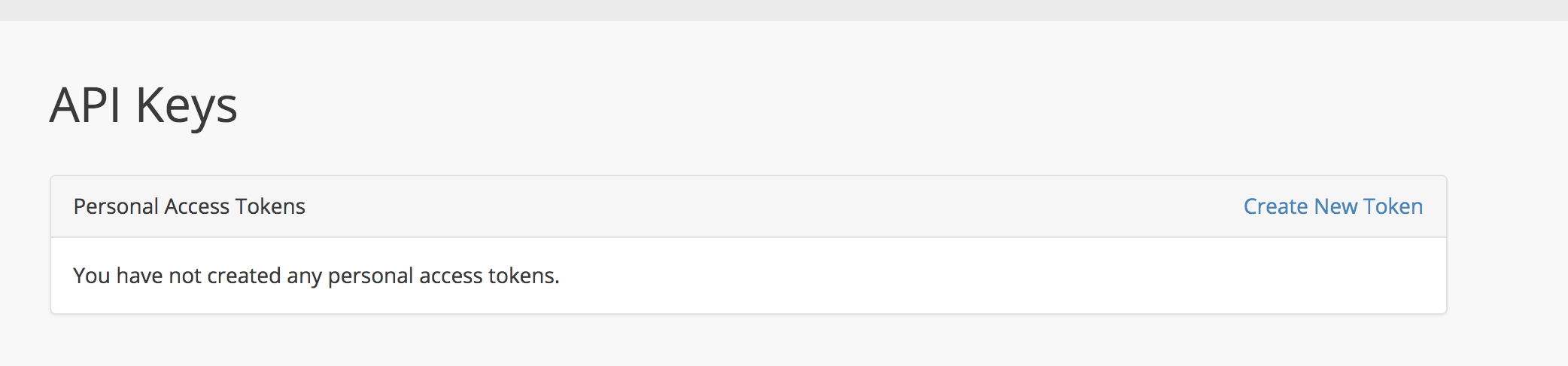
@larkintuckerllc if you only need API keys i think that is the best lightweighted solution but jwt-auth is also included in Passport and you have the possibility to use all the other ones if required in the future and just keep with the API keys at this moment as i am doing at the moment.
I am authenticating by the 'password' grant, and using API keys for external use. And when i see need in the future to give other developers access via the authorisation grant, i can enable it with just 2 variables.
nickkuijpers
on 2 Nov 2017
Small sidenote, Passport doesn't provide JWT auth out of the box, it only makes limited use of it to support the "consume your API with JS" feature.
It's probably flexible enough that you can make it serve JWTs elsewhere too, but they're not part of the OAuth spec.
Riari
on 2 Nov 2017
@Riari sorry, i meant to say that the functionality https://github.com/tymondesigns/jwt-auth/wiki gives, is in Laravel Passport as i have attached the screenshot. The method to create api keys etc and read them out.
nickkuijpers
on 2 Nov 2017
There is no way to prevent "unauthenticated" clients, e.g. another SPA that is not your own OR any other kind of application, to consume your API. You can fake EVERY http request value, origins, cookies etc. I could now write my own client for google or facebook - which might cost me some time, but they cannot prevent it. This discussion is recursive.. independent of the fact that you might be using oauth or simply another jwt mechanism, sessions, cookies etc. The goal of Oauth is simply to not give these third party apps access to the end user credentials, but if the end user is giving its credentials to them, you cannot prevent them to consume the api on behalf of the user - with their own client or with your client either way.
Cheers
Additional comment:
Let's say you implemented the Authorization Code Flow to enable one "authenticated" third party "web_app" to consume your api on behalf of a user: Of course, the client_secret is "safe" within the authenticated web_app, but you could still break it as an "unauthenticated" client like the following, if the end user gives you its credentials (like it is possible when it comes to password grant, SPA & proxy injection):
1) make a curl request to authorize endpoint of authorization server, using the client_id of the web_app
2) intercept redirect response and catch authorization code that was intended for the web_app
3) construct my own, "malicious" request to redirect endpoint of web_app by including the catched authorization code, and maybe the state param
4) Catch the response of the authorization server, which then includes the access_token.
Between these steps, simply fake some headers with curl.. so as you can see, the purpose of oauth is, even when it comes to the most secure authorization code flow, not to prevent "unauthenticated" clients to use an API - if you give away your credentials, impersonation is not preventable - I could also simply login with your credentials through the one authenticated "web_app" client as it is, thats called Phishing / social engineering.
 novacp
on 23 Apr 2018
novacp
on 23 Apr 2018
That is correct, thank you for responding and confirming. Cheers!
nickkuijpers
on 23 Apr 2018
hi, can you share a simple and secure demo?
https://laracasts.com/discuss/channels/code-review/api-authentication-with-passport
I don't know what to do now。。。
like this?
thanks
 aoeng
on 8 Jun 2018
aoeng
on 8 Jun 2018
You should think about the purpose of OAuth/OIDC and don't use it blindly in your microservice architecture as means of Authentication and Authorization. This is not a question you can simply answer, you need to decide based on your business context and goals. I suggest reading some good literature about it, as the blogs on the internet mostly have a false look on OAuth.
novacp
on 8 Jun 2018
@novacp I'm interested as well, can you share some suggested literature about the topic?
 valentinogagliardi
on 8 Jun 2018
valentinogagliardi
on 8 Jun 2018
@novacp I think i need it!
have demo?
aoeng
on 8 Jun 2018
If any of you are struggling, check out my repo here.
It uses JWT with a Vue.js SPA - if people want, I can build a small demo app with Passport and Vue.js.
👍
Joshgallagher
on 9 Jun 2018
@novacp I agree, you should use OAuth 2.0 if your business requires it. I mostly use JWT for my projects as that is all thats necessary - however, OAuth 2.0 if used now and again.
OAuth has a difficult spec and can be very unfriendly to a new developer!
Check out the repo above for a JWT implementation that should suffice in most instances, a Passport demo will be built if I see enough people want it.
Joshgallagher
on 9 Jun 2018
@Joshgallagher I just watched jwt-auth ,It's really simple,but i think it cann't do OAuth2 ,Maybe I don't know much,Can it log in as authorized as github?
aoeng
on 11 Jun 2018
It's a great way to put the token in the header! like this
aoeng
on 11 Jun 2018
So, looking at the dicussion here, it's clear there are some overall issues and some parts of the tech that aren't clearly articulated.
First of all, CSRF relies on a continued session, and (for security sake) session relies on a httponly cookie. This means that you can only use CSRF protection if you are POSTing over HTTP, not when you are performing any javascript-based server calls e.g. AJAX.
I don't know about SPAs specifically, but if you look at the majority of large first-party web apps, you see a lot of them performing a HTTP POST at least for authentication. I'd certainly like to authenticate through an API so as not to break my single-pagedness, but I just don't think it's possible.
So a dedicated HTTP-POST form it is for me and my apps. This also happens to be what was already demonstrated in the Passport video from 5.3, so I guess it's really the recommended Laravel way.
 enjibby
on 9 Jul 2018
enjibby
on 9 Jul 2018
@Joshgallagher JWT is not an OAuth alternative, it's simply a way to transmit JSON payloads. In fact, this very package uses a JWT.
What you people keep talking about is simple token based authentication.
adiachenko
on 10 Jul 2018
@adiachenko is 100% correct on this. JWT is _not_ comparable to OAuth
 Sephster
on 10 Jul 2018
Sephster
on 10 Jul 2018
Also, I agree that Oauth is kinda confusing, but you don't need to know the spec by heart to use it (I sure don't).
It will suffice to know what each of default grants is for and how to build a custom grant, which is a way of saying how to query users from database by given credentials. By then it will be pretty straightforward to provide different means of authentication:
- password authentication
- social authentication
- authenticate as different user
- authentication via email confirmation link
- etc.
What I think is the real issue here is that Passport doesn't suggest an official way to approach the very thing it was build for, which is very uncharacteristic of Laravel.
I am getting a bit exhausted of the same ritual dance being performed on each installation (referring to the business of setting up proxy route to inject client credentials), because it makes me feel like I am doing something dirty in secret. :sweat_smile:
adiachenko
on 10 Jul 2018
@adiachenko @Sephster I was refering to this: https://github.com/tymondesigns/jwt-auth
@adiachenko Where did I say JWT is comparable to OAuth? That's your words, not mine.
I was giving @aoeng an alternative solution with an example - most people who are starting off use OAuth for the simplest of things - especially when a package makes it this easy to use.
@adiachenko I was going to build a small package that would handle the proxy/injecting of client credentials.
I created this issue over 2 years ago I believe and not much has changed - I believe the recommended 'Laravel' way of implementing Passport with a Vue app is to use the 'HasApiToken' trait and build your Vue app in Laravel < This isn't too bad.
Joshgallagher
on 11 Jul 2018
@Joshgallagher I believe I have responded to you before regarding this but I will do so here again for clarity's sake. JWT-Auth cannot be considered an alternative to OAuth as you keep suggesting. JWT auth provides a simple way to create JWT tokens when authenticating and to use those tokens for further validation.
OAuth, as @adiachenko was mentioning, doesn't really care what tokens are used to authenticate with. That isn't the point of OAuth. OAuth is a means of defining _how_ tokens are transferred between servers and clients in a secure manner.
JWT-Auth, to my knolwedge, does not deal with this at all and is not based on a standard other than the JWT itself. The JWT is simply a self-contained, verifiable container for transporting claims. OAuth details _how_ those claims are transferred and can be applied to JWT or any other type of token. A good metaphor that my friend used was:
- JWT defines the car
- OAuth defines the road
A car is not a good substitute for a road and a road is pretty pointless without cars. JWT is complimentary to OAuth but I feel that in this instance, the purpose of Passport and JWT-Auth are very different and your advice could be misleading for some.
Sephster
on 12 Jul 2018
I understand the difference between JWT-Auth and Oauth 2.0 - I gave the example above as an alternate solution @Sephster.
@Sephster I don't know how you keep missing this: "I was giving @aoeng an alternative solution with an example - most people who are starting off use OAuth for the simplest of things - especially when a package makes it this easy to use.". I was giving @aoeng an different solution.
@aoeng said "Can it log in as authorized as github" which clarified that he needed OAuth specifically - again, I'll clarify, I was giving him a different solution that he may not of seen before with no information of what he was trying to achieve - being abstract and suggesting something else incase he found that useful.
@Sephster I would also like to add, I can see why you'd think I did not understand the difference between the two - I should have been more clear, however, from my experience a lot of people use this package for things that can achieved without it - I am just trying to help the other people out (Choice of wording 'alternative' can be mis-leading - I believe you agree with that).
This issue was initially opened for Passport and SPA - that's why I suggested JWT for that use case - that's why I provided a link to that repo, because it does what the issue was started for.
@Sephster I like the metaphor.
I will close this issue now, as I believe there is enough opinions and solutions that people can follow.
Joshgallagher
on 12 Jul 2018
Is this relevant here?
https://medium.com/oauth-2/why-you-should-stop-using-the-oauth-implicit-grant-2436ced1c926
 Saneesh
on 26 Dec 2018
Saneesh
on 26 Dec 2018
This still very relevant and, in my humble opinion, quite a complex problem to solve
I think is very important to find some kind of "solution" to this problem. Laravel is used heavily for restful APIs and SPA are more and more spread nowday.
 wannymiarelli
on 30 Dec 2019
wannymiarelli
on 30 Dec 2019
PKCE should be used for SPAs
Sephster
on 8 Jan 2020
Related issues
 tobecwb
·
30Comments
tobecwb
·
30Comments
 lucasmichot
·
71Comments
lucasmichot
·
71Comments
 jimmylagp
·
32Comments
jimmylagp
·
32Comments
 JuanDMeGon
·
29Comments
JuanDMeGon
·
29Comments
 adaojunior
·
52Comments
adaojunior
·
52Comments
Most helpful comment
We have talked recently about this problem on laracasts forums. You can look up examples there until someone will come up with a better implementation.
I feel like this is something that should be addressed as most front-end developers prefer to decouple single-page application from their backend (i.e. Laravel). There is a lot of confusion in the community regarding this issue and what I've seen most beginners do is to just gravitate towards CreateFreshApiToken middleware and scratch their head on how they should stitch it up with their separate SPA, lol.