Parse-dashboard: Prompt form tampered with, what is the problem?
Prompt form tampered with, what is the problem?
 lxq20081128
All 37 comments
v1.1.2 version of the problem, with the https prompt tampered with form, with http and added to allow set, suggesting that must be https
lxq20081128
on 4 Nov 2017
Same issue here, I'm using Heroku as server
 fxchou123
on 7 Nov 2017
fxchou123
on 7 Nov 2017
Hi, I used what you said, still does not work in v1.1.2 version.
公司网址:http://www.mengsens.com/
广东梦森信息科技有限公司 - 廖晓清
公司地址:广州市海珠区新港西路135号中山大学国家大学科技园B座1308室
手机号码:139 2609 5308
QQ号码 :187 2117 737
主营业务:快递鸽 - 快递物流综合解决方案
祝:生活愉快!一切顺利!
------------------ Original ------------------
From: "Sam Ilic"notifications@github.com;
Date: Wed, Nov 8, 2017 07:11 PM
To: "parse-community/parse-dashboard"parse-dashboard@noreply.github.com;
Cc: "lxq20081128"lxq@mengsens.com; "Author"author@noreply.github.com;
Subject: Re: [parse-community/parse-dashboard] Prompt form tampered with, whatis the problem? (#806)
In my case I fixed it by changing from
let dashboard = new ParseDashboard({ ... }, true);
to
let dashboard = new ParseDashboard({ ... }, { allowInsecureHTTP: true });
—
You are receiving this because you authored the thread.
Reply to this email directly, view it on GitHub, or mute the thread.
lxq20081128
on 13 Nov 2017
@lxq20081128 Sorry that was my mistake, it actually doesn't work even if you do what I suggested, which is why I deleted my comment :)
Hopefully we can get a response from one of the contributors as this is currently preventing me from upgrading.
 stage88
on 15 Nov 2017
stage88
on 15 Nov 2017
@lxq20081128 I'm assuming you're referring to #810? There were some pretty good details provided in that issue, I'm following up there currently. Let me know if this is something else though.
 montymxb
on 15 Nov 2017
montymxb
on 15 Nov 2017
Hi @montymxb, I think this issue is a different one, here is my config:
// configure Parse dashboard
let dashboard = new ParseDashboard({
'apps': [{
'serverURL': env.parseServerUrl,
'appId': env.appId,
'masterKey': env.masterKey,
'appName': 'APP NAME'
}],
'users': [{
'user': 'whatever',
'pass': env.dashboardAdminPassword
}],
'useEncryptedPasswords': false,
'trustProxy': true
}, {
allowInsecureHTTP: true // HTTPS terminated by NGINX
});
Here is what displays after I successfully log in:
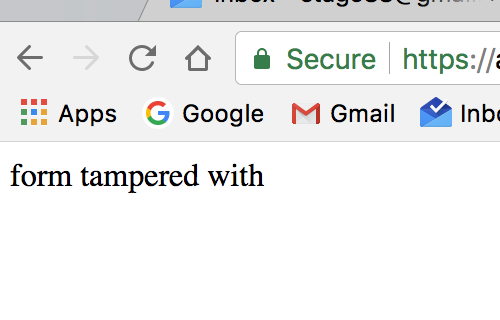
On localhost this works fine, however in Development which is hosted in the cloud where the dashboard is behind NGINX that terminates HTTPS, I get the above message.
stage88
on 20 Nov 2017
@stage88 @lxq20081128 This looks like this is CSRF protection coming into play, specifically triggered when an error code of EBADCSRFTOKEN is reported. I'll look into this further when I have a moment. With that being said this is probably normal behavior, just a guess but something including or between the NGINX config for your domain and the dashboard itself is not quite right.
montymxb
on 20 Nov 2017
I started to have the same issue with aws hosted server (v1.1.2) since yesterday. It was working fine before. I don't remember making any changes to my configuration or app version.
 willli666
on 23 Nov 2017
willli666
on 23 Nov 2017
same issue v1.1.2,parse-dashboard and parse-server in same server
 dovewi
on 25 Nov 2017
dovewi
on 25 Nov 2017
Has anyone seen this via localhost by any chance? Or is this exclusively on remote services?
montymxb
on 26 Nov 2017
Same issue v. 1.1.2 on Google App Engine. Though I can finally log in after few attempts.
 gearsion
on 2 Dec 2017
gearsion
on 2 Dec 2017
I'm still having problems with this form tampered with. Someone found any workaround on Heroku?
 tcha-tcho
on 8 Dec 2017
tcha-tcho
on 8 Dec 2017
We are also experiencing the same issue on v.1.1.2
 ali-dev
on 9 Dec 2017
ali-dev
on 9 Dec 2017
@ali-dev Noted regarding 1.1.2. Until we can replicate this we won't be able to do to much. It does _seem_ like a bug, but it could be a server config issue still. This is considering that all reports are coming from 3rd parties hosting a dashboard.
Once we can reproduce this we can start moving onto a solution. In the meantime if anyone can provide further details as to conditions that triggered this it would be much appreciated. As well as any suspected changes that may have triggered this to pop up.
montymxb
on 9 Dec 2017
Hi, @montymxb! It seems to be an issue with the CSRF protection token that isn't valid (even with allowInsecureHTTP set to true). You can replicate this firing a Heroku free server with dashboard. This already happened before: https://github.com/parse-community/parse-dashboard/issues/664
Thank you!
tcha-tcho
on 9 Dec 2017
@montymxb, couldn't this be a problem related with csurf?
tcha-tcho
on 9 Dec 2017
@tcha-tcho as mentioned above we are aware this is a CSRF token issue. As for the details regarding heroku & the duplicate issue thanks for bringing that to my attention. I'll see if we can replicate this on heroku.
montymxb
on 10 Dec 2017
Keeping this open for now as this (and the older issue #664) both contain details that may be helpful in resolving this.
montymxb
on 10 Dec 2017
The issue has been resolved by downgrading parse-dashboard installation to version 1.1.0
npm install [email protected]
this is a bug in latest version 1.1.2
 monajafi
on 11 Dec 2017
monajafi
on 11 Dec 2017
I'll have to verify that when i look into testing against heroku's setup.
On Dec 11, 2017 9:48 AM, "Mousa Najafi" notifications@github.com wrote:
The issue has been resolved by downgrade parse-dashboard installation to
version 1.1.0
npm install [email protected]
this is a bug in latest version 1.1.2—
You are receiving this because you were mentioned.
Reply to this email directly, view it on GitHub
https://github.com/parse-community/parse-dashboard/issues/806#issuecomment-350801981,
or mute the thread
https://github.com/notifications/unsubscribe-auth/AE1d4JEmMNHihd0i69ZwLZSEfnSkkriOks5s_Wr8gaJpZM4QR6Ty
.
montymxb
on 12 Dec 2017
I ran into this issue after upgrading to 1.1.2 and I hunted down the root cause.
As per PR #774 (this line of code), the cookie secret will be set to a random value if you do not set it yourself. This is intentional and documented in the CLI.
So, if you are running in a load balanced environment (or in using NodeJS cluster) be sure to set your cookieSessionSecret:
From CLI:
--cookieSessionSecret "your-secret-here"
From NodeJS (options is the 2nd argument of constructor):
new ParseDashboard({
// settings here
}, {
  cookieSessionSecret: 'your-secret-here'
});
 JeremyPlease
on 15 Jan 2018
JeremyPlease
on 15 Jan 2018
Anyone can confirm setting the above ^ helps with the issue here?
montymxb
on 18 Jan 2018
Hi @JeremyPlease and @montymxb
Thanks a lot for your great help , I've updated from version 1.1.0 to latest version in ubuntu vps
by setting the cookieSessionSecret in ParseDashboard 2nd argument of constructor the problem has solved, and issue can be closed
I love parse server and dashboard and gets happier when I see an active contribution on it
many thanks
monajafi
on 19 Jan 2018
@JeremyPlease You found it. Thanks.
 shkesar
on 20 Feb 2018
shkesar
on 20 Feb 2018
This can be closed now.
shkesar
on 20 Feb 2018
Glad to see it's resolved 👍
montymxb
on 20 Feb 2018
@montymxb @JeremyPlease This fix worked for me using node.js Throng clustering on Heroku.
What is the best practice for the cookieSessionSecret? Generate a new key? Use Master Key? Use whatever ex. 'magic'?
Thanks
 EricNetsch
on 10 Jun 2018
EricNetsch
on 10 Jun 2018
There is no need to use clusterting in the dashboard as it’s just a client app. The server side should only be hit with the authentication.
The cookieSessionSecret can be anything, but long chain of characters are preferred. See this thread https://stackoverflow.com/questions/5343131/what-is-the-sessions-secret-option
 flovilmart
on 10 Jun 2018
flovilmart
on 10 Jun 2018
Hi All,
Still, I am unable to fix this issue.
Please let me know what I am missing in this config
parser-dashabord - @1.2.0
parse-server - @3.1.2
Parse-Dashboard
var express = require('express');
var ParseDashboard = require('parse-dashboard');
var options = {
allowInsecureHTTP: true,
cookieSessionSecret: '*'
};
var dashboard = new ParseDashboard({
"apps": [{
"serverURL": "http://parseserver:1337/parse",
"appId": "my-mobile-apps",
"masterKey": "*,
"appName": "First App"
}],
"users": [{
"user": "user1",
"pass": "pass",
"apps": [{
"appId": "my-mobile-apps"
}]
}],
"trustProxy": 1
}, options);
var app = express();
// make the Parse Dashboard available at /dashboard
app.use('/dashboard', dashboard);
var httpServer = require('http').createServer(app);
httpServer.listen(4040,function(){
console.log("listening")
});
Parse Server
var express = require('express');
var path = require('path');
var ParseServer = require('parse-server').ParseServer;
var app = express();
var api = new ParseServer({
databaseURI: 'mongodb://mc-mongo/my-mobile-apps', // Connection string for your MongoDB database
cloud: '../../app/src/cloud/main.js', // Absolute path to your Cloud Code
appId: 'my-mobile-apps',
masterKey: '*', // Keep this key secret!
serverURL: 'http://localhost:1337/parse', // Don't forget to change to https if needed
liveQuery: {
classNames: ["Posts", "Comments"] // List of classes to support for query subscriptions
}
});
// Serve the Parse API on the /parse URL prefix
app.use('/parse', api);
app.use('/public', express.static(path.join(__dirname, '/public')));
app.listen(1337, function () {
console.log('parse-server-example running on port 1337.');
});
 Gowtham029
on 24 Dec 2018
Gowtham029
on 24 Dec 2018
@Gowtham029 From your code I can see:
var options = {
  allowInsecureHTTP: true,
  cookieSessionSecret: '***'
};
var dashboard = new ParseDashboard({
  // ...
}, options);
That is all that is needed to fix the "form tampered with" error that is reported in this issue.
If you are still getting the same error, there must be something else going on. Check to make sure your new code is actually being used and make sure you don't have any browser extensions that could change hidden form values.
JeremyPlease
on 29 Dec 2018
@JeremyPlease Same issue. After adding the loadBalancer the server is working but the dashboard is giving same error "form tampered with". Any idea what i am missing?
Thank you.
 pkhutal
on 30 Jan 2019
pkhutal
on 30 Jan 2019
Hi All,
Still, I am unable to fix this issue.
Please let me know what I am missing in this config
parser-dashabord - @1.2.0
parse-server - @3.1.2Parse-Dashboard
var express = require('express');
var ParseDashboard = require('parse-dashboard');var options = {
allowInsecureHTTP: true,
cookieSessionSecret: '*'
};var dashboard = new ParseDashboard({
"apps": [{
"serverURL": "http://parseserver:1337/parse",
"appId": "my-mobile-apps",
"masterKey": "*,
"appName": "First App"
}],
"users": [{
"user": "user1",
"pass": "pass",
"apps": [{
"appId": "my-mobile-apps"
}]
}],
"trustProxy": 1
}, options);var app = express();
// make the Parse Dashboard available at /dashboard
app.use('/dashboard', dashboard);var httpServer = require('http').createServer(app);
httpServer.listen(4040,function(){
console.log("listening")
});Parse Server
var express = require('express');
var path = require('path');
var ParseServer = require('parse-server').ParseServer;
var app = express();var api = new ParseServer({
databaseURI: 'mongodb://mc-mongo/my-mobile-apps', // Connection string for your MongoDB database
cloud: '../../app/src/cloud/main.js', // Absolute path to your Cloud Code
appId: 'my-mobile-apps',
masterKey: '*', // Keep this key secret!
serverURL: 'http://localhost:1337/parse', // Don't forget to change to https if needed
liveQuery: {
classNames: ["Posts", "Comments"] // List of classes to support for query subscriptions
}
});// Serve the Parse API on the /parse URL prefix
app.use('/parse', api);app.use('/public', express.static(path.join(__dirname, '/public')));
app.listen(1337, function () {
console.log('parse-server-example running on port 1337.');
});
@Gowtham029 I am getting the same error, did you find the solution?
Thank you.
pkhutal
on 30 Jan 2019
The trust proxy flag does into the options object, not in the configuration
Sent with GitHawk
flovilmart
on 30 Jan 2019
The trust proxy flag does into the options object, not in the configuration
Sent with GitHawk
@flovilmart thank you for your quick response.
Actually the problem solved by downgrading the parse dashboard version and then npm install.!
pkhutal
on 30 Jan 2019
If you downgraded, this is not solved, you are potentially exposed to security issues. You should always run the latest available version.
Sent with GitHawk
flovilmart
on 30 Jan 2019
Thats right, will work on the latest version.
@flovilmart thank you!
pkhutal
on 30 Jan 2019
So only change i need to do is add cookieSessionSecret value in options ?
Should session secret value be a fixed value
var options = {
allowInsecureHTTP: true,
cookieSessionSecret: 'fixedvalue'
};
 syampsijk
on 21 Apr 2020
syampsijk
on 21 Apr 2020
Related issues
 aryelevin
·
8Comments
aryelevin
·
8Comments
 thphuc
·
4Comments
thphuc
·
4Comments
 SamuelEshetu
·
5Comments
SamuelEshetu
·
5Comments
 tristanyi
·
6Comments
tristanyi
·
6Comments
 gianpaj
·
5Comments
gianpaj
·
5Comments
Most helpful comment
I ran into this issue after upgrading to 1.1.2 and I hunted down the root cause.
As per PR #774 (this line of code), the cookie secret will be set to a random value if you do not set it yourself. This is intentional and documented in the CLI.
So, if you are running in a load balanced environment (or in using NodeJS cluster) be sure to set your
cookieSessionSecret:From CLI:
--cookieSessionSecret "your-secret-here"From NodeJS (
optionsis the 2nd argument of constructor):