Parlai: Implementing Blender 90M Chatbot model to a Website
Hello people,
I am trying to use Blender 90M Chatbot model on my local browser.
After reading the https://parl.ai/docs/tutorial_chat_service.html website, I just tried to run the command
python Parlai/parlai/chat_service/services/browser_chat/run.py --config-path Parlai/parlai/chat_service/tasks/chatbot/config.yml --port 8000
and I also tried with port number 10001 just be sure that is the problem the port. After my trials nothing happened actually.
No local website, or anything popped up. I also wrote the other command which is
python client.py --port 8000
But again, nothing happened.
Can you let me know what I am doing wrong? I also put a screenshot as well.
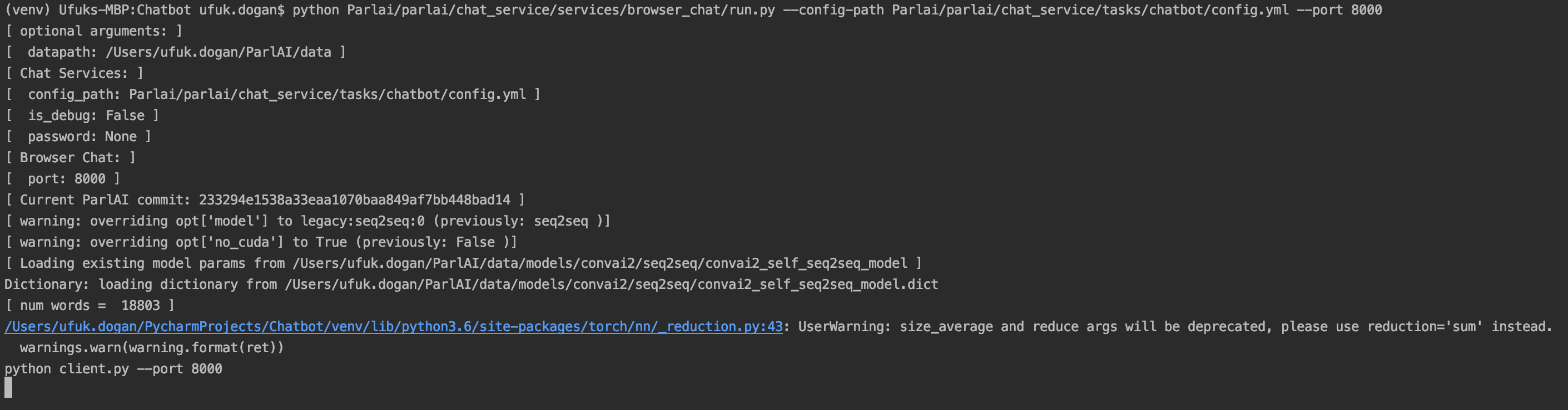
PS: I have all parlai folders under Parlai folder, so that's why I am writing like "Parlai/parlai"
Best regards,
 Ufukdogann
All 6 comments
Dear @klshuster @stephenroller
I am trying to do this for my thesis, so it would be really perfect if one of you can help me as soon as possible.
Best regards,
Ufukdogann
on 30 Jul 2020
from the screenshot, it looks like you're typing python client.py in the same window as the run.py command - try running python client.py in a separate window after running run.py in that initial window
 klshuster
on 30 Jul 2020
klshuster
on 30 Jul 2020
@klshuster thanks a lot, now it is working!
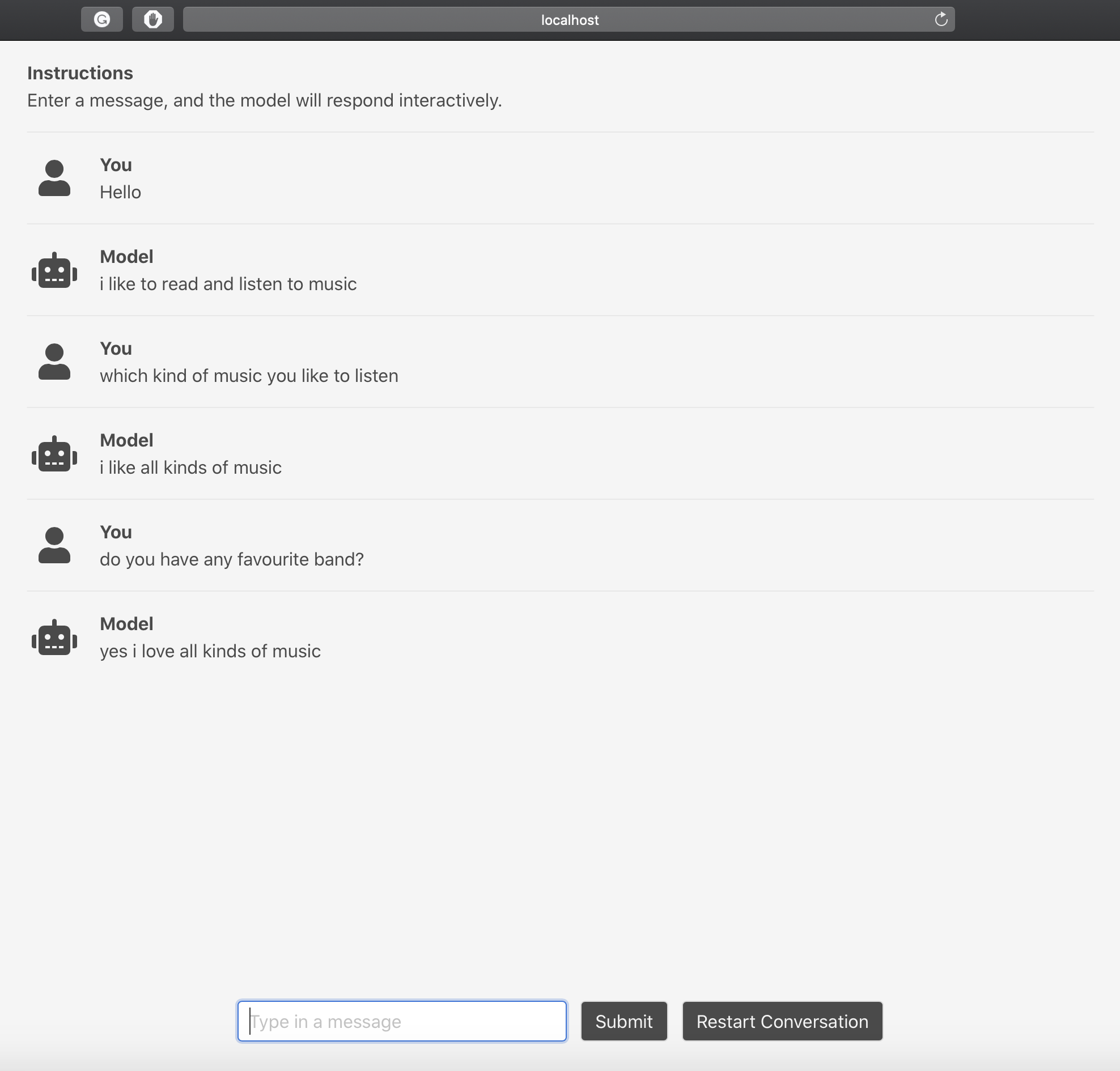
Now, I have another question.
How may I interact with a specific model like Blender 90M Chatbot? Since, I did not specify the model in the terminal code, I think parlai lets me talk with default Chatbot model.
Can you also help me with this please?
And also, I want to implement this on my web page, is there any guide for it?
Best regards,
Ufukdogann
on 30 Jul 2020
In the yml config, there is a model_file argument. You can change that to one of the likewise arguments listed on our projects pages or model zoo list in the docs.
 stephenroller
on 30 Jul 2020
stephenroller
on 30 Jul 2020
@stephenroller like this?
model_file: zoo:blender/blender_90M/model
Ufukdogann
on 30 Jul 2020
Yes, I think so!
stephenroller
on 30 Jul 2020
Related issues
 craclog
·
3Comments
craclog
·
3Comments
 roholazandie
·
3Comments
Ufukdogann
·
5Comments
roholazandie
·
3Comments
Ufukdogann
·
5Comments
 reppolice
·
4Comments
reppolice
·
4Comments
 zhaoguangxiang
·
5Comments
zhaoguangxiang
·
5Comments
Most helpful comment
from the screenshot, it looks like you're typing
python client.pyin the same window as therun.pycommand - try runningpython client.pyin a separate window after runningrun.pyin that initial window