Parlai: Can't review turkers work on amazon requester?!
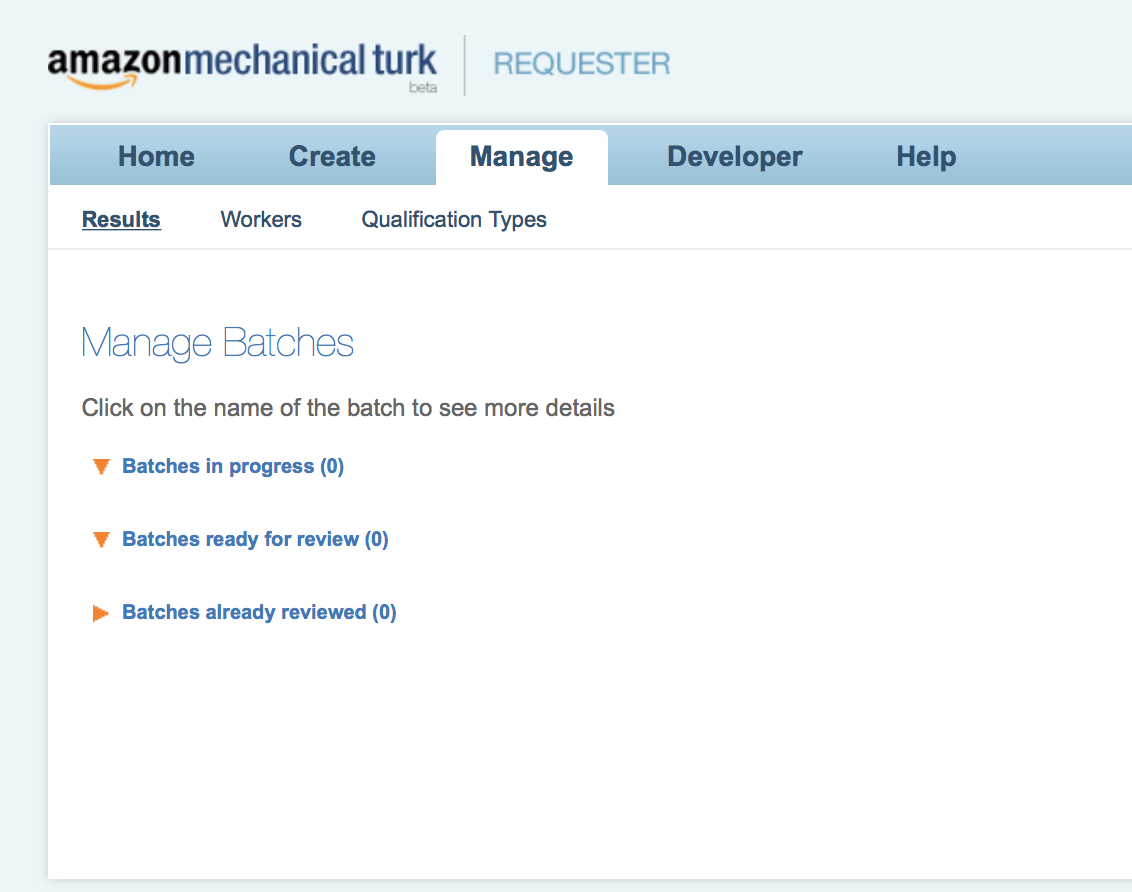
Hello, I have successfully run an adapted version of personachat_chat, I have paid money using amazon mechanical turk and collected my data as .pkl files, however, I would like to reject certain turkers for not completing the task correctly, but nothing shows up under my manage tab in the requester website? Please see image above.
How can I make my turkers work appear above here so I can manually approve / reject their work?
Thank you
 josharnoldjosh
All 16 comments
Hi @josharnoldjosh - Amazon MTurk (for some reason) does not allow tasks created using the API to be viewed under their batch list unfortunately. You'll need to write up a quick script that will unpickle and display an example for you and then await your input to call approve work or reject work.
I'm working on improving this flow but there's a lot to fill that MTurk has left out from their API.
 JackUrb
on 14 Aug 2018
JackUrb
on 14 Aug 2018
Thank you for the fast reply, does this have to be done while the HIT is active as in ‘worlds.py’ ? What function would I call on the agent? ‘Agent.reject()’? Thanks!
josharnoldjosh
on 14 Aug 2018
@josharnoldjosh , no you can simply set up an mturk_manager (as is done in your run.py file) and call reject_work here https://github.com/facebookresearch/ParlAI/blob/f5f276996391171b928743af0abfb803da6ecde4/parlai/mturk/core/mturk_manager.py#L1471 provided you have the assignment id of the hits you want to reject (be sure to save this information in your pickle files).
 emilydinan
on 14 Aug 2018
emilydinan
on 14 Aug 2018
As long as you've stored the assignment id you can do so at any point until the auto approval window is exceeded. The delete_hits.py script has an example of how that can be done: https://github.com/facebookresearch/ParlAI/blob/f5f276996391171b928743af0abfb803da6ecde4/parlai/mturk/core/scripts/delete_hits.py#L166
@emilydinan's suggestion also works for after-the-fact approvals.
You can also do it while the hit is active in worlds.py using agent.approve_work() or agent.reject_work(), however this is only really useful if you have an automated metric for approving and denying, which is hard to create for dialogue HITs.
JackUrb
on 14 Aug 2018
Great, what is the assignment ID and how can I access it? Is it a variable in worlds.py? for example, self.assignment_id? I would like to save it along with my Pickle files. Thanks!
josharnoldjosh
on 15 Aug 2018
yes I would like to know how to get the assignment_id?
 hossa95
on 15 Aug 2018
hossa95
on 15 Aug 2018
agent.assignment_id in worlds.py.
JackUrb
on 15 Aug 2018
You can see how we save them in some of our examples, such as this one
JackUrb
on 15 Aug 2018
I wrote a python script to reject workers based on their conversation.
I am getting a weird error, is it possible to get some help with it? I think it is to do with calling RejectAssignment.
Traceback (most recent call last):
  File "mark_bad.py", line 40, in <module>
    is_bad(file) # mark bad
  File "mark_bad.py", line 29, in is_bad
    reject(idx, "You have not completed the task. You disconnected midway through the conversation.")
  File "mark_bad.py", line 20, in reject
    client.reject_assignment(AssignmentId=idx, RequesterFeedback=reason)
  File "/anaconda/lib/python3.6/site-packages/botocore/client.py", line 317, in _api_call
    return self._make_api_call(operation_name, kwargs)
  File "/anaconda/lib/python3.6/site-packages/botocore/client.py", line 615, in _make_api_call
    raise error_class(parsed_response, operation_name)
botocore.errorfactory.RequestError: An error occurred (RequestError) when calling the RejectAssignment operation: This operation can be called with a status of: Submitted (1534700444183)
Below is my code I am using:
import data_helper
from data_helper import *
from pprint import *
import parlai.mturk.core.mturk_utils as mturk_utils

mturk_utils.setup_aws_credentials()
client = mturk_utils.get_mturk_client(False)

def get_assignments(file):
    assignment_ids = file["assignment_ids"]
    result = []
    for agent in assignment_ids:
        agent_id = agent["agent_id"]
        assignment_id = agent["assignment_id"]
        result.append(assignment_id)
    return result

def reject(idx, reason):
    print("Rejecting:", idx)
    client.reject_assignment(AssignmentId=idx, RequesterFeedback=reason)

def is_bad(file):
    d = file["dialog"]

    # Reject both if conversation is too short
    if len(d) <= 2:
        assignment_ids = get_assignments(file)
        for idx in assignment_ids:
            reject(idx, "You have not completed the task. You disconnected midway through the conversation.")
    else:
        # Reject opposite of last user otherwise
        agent_id_to_reject = d[-1][0]
        assignment_id = get_assignments(file)[1-agent_id_to_reject]
        reject(assignment_id, "You have not completed the task. You disconnected midway through the conversation.")

for name in get_files():
    with open(name, 'rb') as file:
        if "incomplete" in name:
            file = pickle.load(file)
            is_bad(file) # mark bad

print("Script done.")
You can't reject an assignment that hasn't been submitted. If someone disconnected midway, they can't collect anyways.
JackUrb
on 19 Aug 2018
Great, so just to confirm, turkers relating to these "incomplete.pkl" files will not be paid?
josharnoldjosh
on 19 Aug 2018
The one who disconnected will not be paid. You have to pay the worker that was disconnected on or it's a violation of MTurk TOS. (If it's a 2 person task. If just 1 person then nobody is paid)
JackUrb
on 19 Aug 2018
Okay, because many of my conversations contain literally ZERO dialog, because one turker will disconnect right at the start. I feel I am paying the other turker for free even though they haven't typed a single letter yet. Is there anyway around this?
josharnoldjosh
on 19 Aug 2018
You can set the base pay really cheap and pay out in bonuses. Only pay the full bonus for complete tasks, but always pay the base. I'm working on supporting this natively but for now you'll have to implement it for your specific task
JackUrb
on 19 Aug 2018
How can I pay a bonus? What is the command? worker.pay_bonus(amount=0.2)?
josharnoldjosh
on 22 Aug 2018
@josharnoldjosh use this script or pay bonuses using the requester site UI (for the latter method you will have to go to worker pages individually under the "manage" tab and click "bonus worker")
emilydinan
on 22 Aug 2018
Related issues
 salama4
·
7Comments
salama4
·
7Comments
 zhaoguangxiang
·
5Comments
zhaoguangxiang
·
5Comments
 min942773
·
4Comments
min942773
·
4Comments
 reppolice
·
4Comments
reppolice
·
4Comments
 mvh57
·
3Comments
mvh57
·
3Comments
Most helpful comment
Hi @josharnoldjosh - Amazon MTurk (for some reason) does not allow tasks created using the API to be viewed under their batch list unfortunately. You'll need to write up a quick script that will unpickle and display an example for you and then await your input to call approve work or reject work.
I'm working on improving this flow but there's a lot to fill that MTurk has left out from their API.