Parity-ethereum: Unable to start Parity node
_Before filing a new issue, please provide the following information._
I'm running:
- Which Parity version?: v1.7.8-stable
- Which operating system?: Windows 10
- How installed?: via binaries
- Are you fully synchronized?:
- Which network are you connected to?
- Did you try to restart the node?:
I'm getting this error when I try do start node0.toml following this tutorial: https://github.com/paritytech/wiki/blob/master/Demo-PoA-tutorial.md
error: ./parity.exe --config node0.toml
Loading config file from node0.toml
2018-01-16 14:26:22 Starting Parity/v1.7.8-stable-d5fcf3b-20171025/x86_64-windows-msvc/rustc1.20.0
2018-01-16 14:26:22 Keys path \tmp\parity0\keys\DemoPoA
2018-01-16 14:26:22 DB path \tmp\parity0\chains\DemoPoA\db\534efbc542be4adc
2018-01-16 14:26:22 Path to dapps \tmp\parity0\dapps
2018-01-16 14:26:22 State DB configuration: fast
2018-01-16 14:26:22 Operating mode: active
2018-01-16 14:26:22 Configured for DemoPoA using AuthorityRound engine
IPC error: Access is denied. (os error 5)
thread 'IO Worker #3' panicked at 'Error binding UDP socket: Error { repr: Os { code: 10093, message: "Either the application has not called WSAStartup, or WSAStartup failed." } }', src\libcore\result.rs:860:4
I just want to deploy a new contract but I don't have any ethers, so I'm trying to config two users and transfer some ethers beetween them
 vieiralc
All 7 comments
I'm sorry for not being a Windows-expert, could you explain if it's really sufficient to specify \tmp as path?
Could you share your config file?
 5chdn
on 16 Jan 2018
5chdn
on 16 Jan 2018
Well I'm not an expert either, far from that. But used this because in that tutorial says:
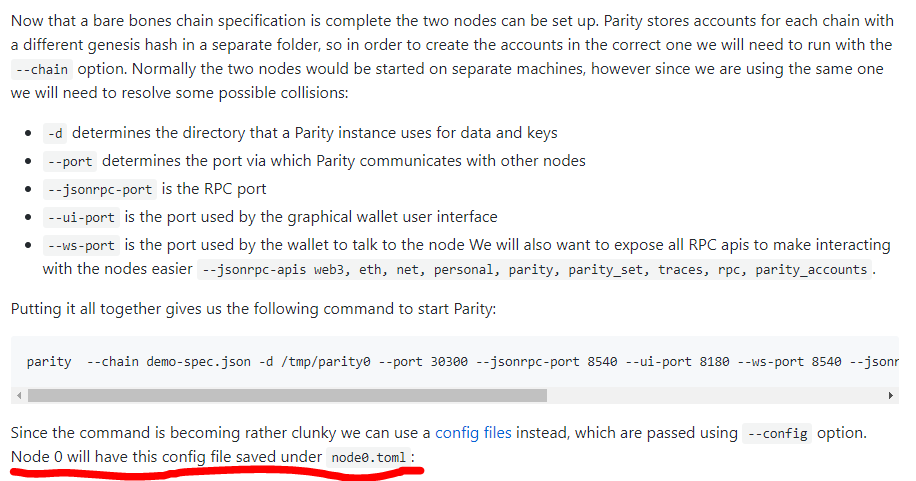
Look at the last line. So my node0.toml file is like this:
[parity]
chain = "demo-spec.json"
base_path = "/tmp/parity0"
[network]
port = 30300
[rpc]
port = 8540
apis = ["web3", "eth", "net", "personal", "parity", "parity_set", "traces", "rpc", "parity_accounts"]
[ui]
port = 8180
[websockets]
port = 8450
I run the command ./parity.exe --config node0.toml again and this time it didn't gave me this error. Now it says: blocked connection from http://127.0.0.1:8180 using invalid token
Then I used the parity signer new-token command and copied and paste it on this window:

but it just doesn't work
vieiralc
on 16 Jan 2018
That's another issue. Can you try to run ./parity.exe --config node0.toml ui?
Edit: Sorry, was confusing the issues, you need to change this to:
base_path = "C:\\tmp\\parity0"
Note the double-backslash.
5chdn
on 17 Jan 2018
I used ./parity.exe --config node0.toml ui and it worked fine. Thanks a lot!
vieiralc
on 17 Jan 2018
Hi
i have the same problem but with Linux how i can fix that with Linux ?
 Amaleid
on 31 Aug 2018
Amaleid
on 31 Aug 2018
https://github.com/paritytech/parity-poa-tutorial/issues/4 maybe have a solution.
 xiaods
on 25 Dec 2018
xiaods
on 25 Dec 2018
Related issues
 BillSantos
·
3Comments
BillSantos
·
3Comments
 bryaan
·
3Comments
bryaan
·
3Comments
 0x7CFE
·
3Comments
0x7CFE
·
3Comments
 jacogr
·
4Comments
jacogr
·
4Comments
 Michael2008S
·
3Comments
Michael2008S
·
3Comments