Parity-ethereum: JSON RPC calls not parsing correctly
I am new to using Parity. I am able to run private Parity nodes by following the tutorial here demoPoA
The command I am using:
parity --chain c:\******\myConifg.json -d c:\******\Node0 --port 30300 --jsonrpc-port 8540 --ui-port 8180 --dapps-port 8080 --jsonrpc-apis web3,eth,net,personal,parity,parity_set,traces,rpc,parity_accounts --password c:\******\myPasswords.pwds --engine-signer 0x********** --reseal-on-txs none
The node runs fine yet I am unable to make any kind of RPC calls to it that are mentioned here [JSONRPC-parity] (https://github.com/paritytech/parity/wiki/JSONRPC-parity_set-module). the error I get with any command looks like this:
curl --data '{"method":"parity_enode","params":[],"id":1,"jsonrpc":"2.0"}' -H "Content-Type: application/json" -X POST localhost:8540
Error: {"jsonrpc":"2.0","error":{"code":-32700,"message":"Parse error","data":null},"id":null}
Please guide me how to correct this. Why do my RPC calls not get a response? The version of Parity I use is:
Parity version Parity/v1.6.8-beta-c396229-20170608/x86_64-windows-msvc/rustc1.17.0
 waheeduddin
All 22 comments
I can not reproduce this with parity 1.6.8 on linux.
curl --data '{"method":"parity_enode","params":[],"id":1,"jsonrpc":"2.0"}' -H "Content-Type: application/json" -X POST localhost:8545
{"jsonrpc":"2.0","result":"enode://[email protected]:30303","id":1}
How are you running curl on windows?
 5chdn
on 10 Jul 2017
5chdn
on 10 Jul 2017
Could you please run with -lrpc=trace and let us know what request is received by Parity. Maybe your terminal encoding of "" characters is incorrect?
 tomusdrw
on 10 Jul 2017
tomusdrw
on 10 Jul 2017
If you want to paste code (for example, a command from your terminal) into GitHub, you can surround it in "```" (on a US keyboard, the character to the left of the 1 key, 3 times in a row) to prevent it from interpreting * characters as formatting. For that command you pasted, it would look like this:
parity --chain c:\******\myConifg.json -d c:\******\Node0 --port 30300 --jsonrpc-port 8540 --ui-port 8180 --dapps-port 8080 --jsonrpc-apis web3,eth,net,personal,parity,parity_set,traces,rpc,parity_accounts --password c:\******\myPasswords.pwds --engine-signer 0x********** --reseal-on-txs none
Otherwise, thanks for the report.
 Vurich
on 10 Jul 2017
Vurich
on 10 Jul 2017
Hi all, I'm having the same issue. I'm following the same [PoAdemo] (https://github.com/paritytech/parity/wiki/Demo-PoA-tutorial)
I'm using;
Parity//v1.6.6-beta-8c6e3f3-20170411/x86_64-windows-msvc/rustc1.16.0
and trying this command but all the curl commands on the tutorial give the same parse error;
curl --data '{"jsonrpc":"2.0","method":"parity_enode","params":[],"id":0}' -H "Content-Type: application/json" -X POST localhost:8540
Error: {"jsonrpc":"2.0","error":{"code":-32700,"message":"Parse error","data":null},"id":null}
The chain specs are those of the tutorial ie. Authority Round and default params.
I have yet to try -lrpc=trace as @tomusdrw suggests, I'll let you know.
 B00mGit
on 26 Jul 2017
B00mGit
on 26 Jul 2017
Can you try with 1.6.10? 1.6.6 is even older than the version this bug was reported on
Vurich
on 26 Jul 2017
Same problem...
It's a nightmare.
I'm on Windows ; 1.8.3 beta parity version. I can't do anything with Parity :(
 Hmastery
on 3 Dec 2017
Hmastery
on 3 Dec 2017
@Hmastery Can you please run Parity with -lrpc=trace or with this config file: https://paritytech.github.io/parity-config-generator/#config=eyJfX2ludGVybmFsIjp7InBsYXRmb3JtIjoiV2luZG93cyJ9LCJtaXNjIjp7ImxvZ2dpbmciOiJycGM9dHJhY2UifX0=
This will let us know what kind of requests you are trying to make and how they are received by the node. From this we can decide if they are malformed.
tomusdrw
on 3 Dec 2017

@tomusdrw
Here we go :)
Hmastery
on 3 Dec 2017
@Hmastery This isn't a valid JSON actaully. please use " (double quote) instead of ' (single quote).
tomusdrw
on 4 Dec 2017
@tomusdrw
I'm copy pasting the command's example of the documentation:
curl --data '{"method":"parity_newAccountFromPhrase","params":["xxxxx","xxxx"],"id":1,"jsonrpc":"2.0"}' -H "Content-Type: application/json" -X POST localhost:8545
Then parity is removing the double quotes.
Hmastery
on 4 Dec 2017
Log displays exactly the data as received by Parity, we are not pre-processing it in any way. What kind of terminal are you using?
My guess would be that it get's mangled either during paste or by the console itself while parsing the arguments list. Could you run curl with --verbose parameter? We will see what exactly gets sent.
tomusdrw
on 4 Dec 2017
@tomusdrw Windows Command prompt:
with verbose

Thanks for your help :)
Hmastery
on 4 Dec 2017
Darn, I thought --vebose flag will display how the payload looks like, but it doesn't. Can you post to httpbin instead?
curl -X POST https://httpbin.org/post --data '{...}'
@tomusdrw here we are:
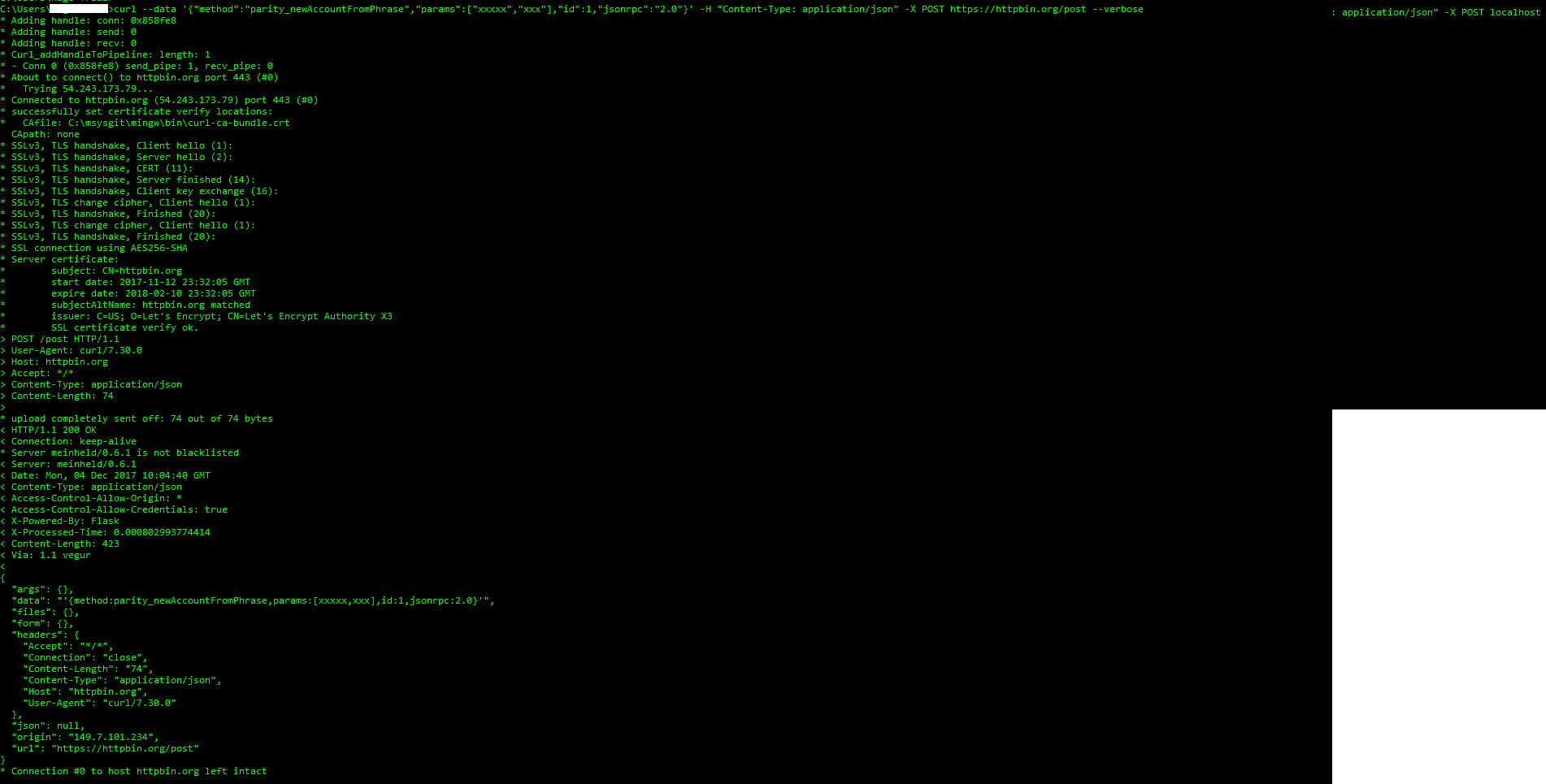
You see the data part is stripped from its double quotes :/
Hmastery
on 4 Dec 2017
Yup, you can see in the response that httpbin also receives malformed data. Seems to be an issue with either the console (more likely) or the curl binary itself.
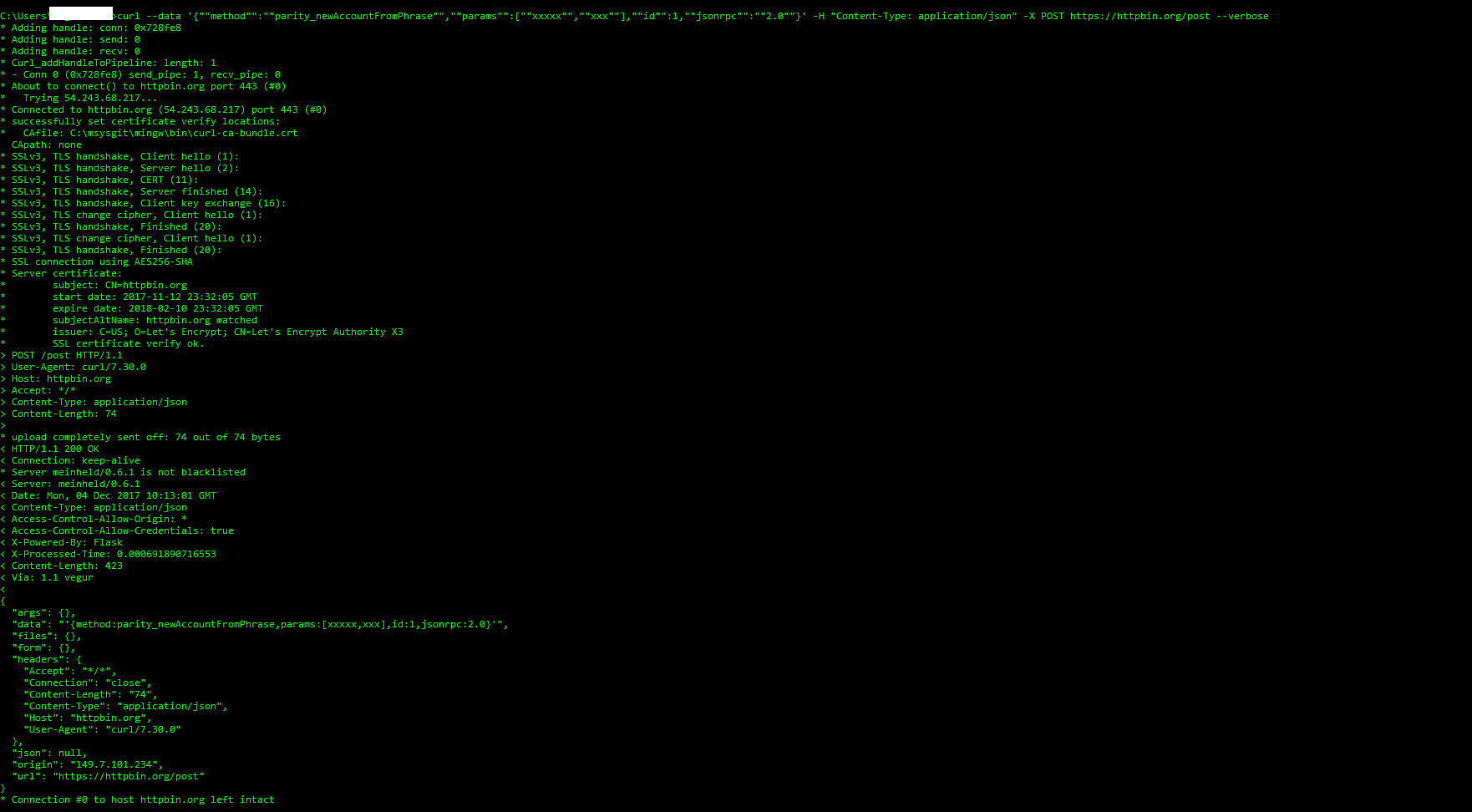
Seems that Windows CLI does that by default, can you try using double double quotes :), like so:?
curl --data '{""method"": ""test""}'
@tomusdrw Nope didn't quite make the trick... Nobody is using Windows on Parity? ^^
Hmastery
on 4 Dec 2017
Ok found a work around in windows...
It's quite a classic cURL issue with Windows actually...
echo {"method":"parity_newAccountFromPhrase","params":["xxxx","xxx"],"id":1,"jsonrpc":"2.0"} | curl -d @- -H "Content-Type: application/json" -X POST localhost:8545
Hmastery
on 4 Dec 2017
@tomusdrw
By the way, and I'm going off topic here: What would be the best way to create new address for my customer on my website.
I need each customer to have an address that they could to top-up to buy services on my website, I would own both public and private key in order to be able to trigger transaction for them to an external address.
In the beginning I wanted to use Geth to generate new addresses but the syncing to the blockchain was taking forever and the lack of pruning was an issue for testing purposes (I only have a small VPS). I was allowing the access to the personal object in order to be able to create new addresses. The only concern I had back then was that it was apparently insecure to let my application use the personal object.
I moved to Parity because of the pruning feature mainly but I'm lost when it comes to create new addresses for Ethereum reception. the method I'm using above just doesn't create a new account, it outputs my main address and that's it.
Edit: I see that there is also the personal object and I can use the personal_newAccount method. Still my security concern is still there.
In short, what's the best (understand secured) way to generate, store addresses and generate transaction to "foreign" addresses in a production environment? (understand a website)
Hmastery
on 4 Dec 2017
regarding to "error":{"code":-32700,"message":"Parse error","data":null}, I had the same problem and the following answer solve it to me:
https://ethereum.stackexchange.com/a/38134/28304
 adirmola
on 17 Apr 2018
adirmola
on 17 Apr 2018
I suppose adding the header like --header "Content-Type:application/json" would solve the issue.
 nandubatchu
on 4 Nov 2019
nandubatchu
on 4 Nov 2019
Just in case someone has the same error message, it happens also when you make a get request instead of POST. The error message is counter-intuitive
 nmoreaud
on 29 Nov 2019
nmoreaud
on 29 Nov 2019
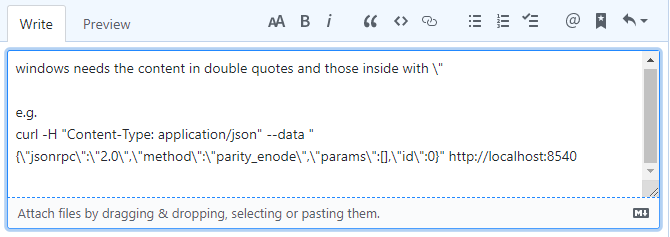
windows needs the content in double quotes and those inside with "
See the screenshot below. I tried to paste the text into this box, but it removed the slashes when I posted it.
 cjd9s
on 23 Feb 2020
cjd9s
on 23 Feb 2020
Related issues
 danfinlay
·
3Comments
danfinlay
·
3Comments
 bryaan
·
3Comments
bryaan
·
3Comments
 dukei
·
3Comments
dukei
·
3Comments
 mr-older
·
3Comments
mr-older
·
3Comments
 Michael2008S
·
3Comments
Michael2008S
·
3Comments