Parcel: Parcel cannot bundle puppeteer inside react project
🐛 bug report
- ❌ The cloned folder from github builds properly, but not usable with react directly
- ❌ Doing yarn add puppeteer or yarn add puppeteer-core, and then building the index.html fails
- ❌ Does not work with browserify bundle provided by puppeteer-web
- ✔️ alias in package.json works both with the built file, clonned git repo
🎛 Configuration (.babelrc, package.json, cli command)
{
  "presets": [
    "@babel/preset-env",
    "@babel/preset-react"
  ],
  "plugins": [
    "@babel/plugin-proposal-class-properties",
    "@babel/plugin-transform-runtime"
  ]
}
🤔 Expected Behavior
Should bundle and serve properly just like it bundles when outside the project.
😯 Current Behavior
❌ The cloned folder from github builds properly, but not usable with react directly.
parcelRequire is not defined
...
long error message of what's not defined
❌ Doing yarn add puppeteer or yarn add puppeteer-core, and then building the index.html fails
 /home/projects/react-puppeteer/client/node_modules/puppeteer-core/lib/Connection.js: Property name expected type of string but got null
    at validate (/home/projects/react-puppeteer/client/node_modules/parcel-bundler/node_modules/@babel/core/node_modules/@babel/types/lib/definitions/utils.js:161:13)
    at Object.validate (/home/projects/react-puppeteer/client/node_modules/parcel-bundler/node_modules/@babel/core/node_modules/@babel/types/lib/definitions/utils.js:172:7)
    at validate (/home/projects/react-puppeteer/client/node_modules/parcel-bundler/node_modules/@babel/core/node_modules/@babel/types/lib/validators/validate.js:17:9)
    at builder (/home/projects/react-puppeteer/client/node_modules/parcel-bundler/node_modules/@babel/core/node_modules/@babel/types/lib/builders/builder.js:46:27)
    at Object.Identifier (/home/projects/react-puppeteer/client/node_modules/parcel-bundler/node_modules/@babel/core/node_modules/@babel/types/lib/builders/generated/index.js:323:31)
    at /home/projects/react-puppeteer/client/node_modules/regenerator-transform/lib/hoist.js:30:29
    at Array.forEach (<anonymous>)
    at varDeclToExpr (/home/projects/react-puppeteer/client/node_modules/regenerator-transform/lib/hoist.js:27:23)
    at exit (/home/projects/react-puppeteer/client/node_modules/regenerator-transform/lib/hoist.js:46:20)
    at NodePath._call (/home/projects/react-puppeteer/client/node_modules/parcel-bundler/node_modules/@babel/core/node_modules/@babel/traverse/lib/path/context.js:53:20)
❌ Does not work with browserify bundle provided by puppeteer-web
git clone https://github.com/GoogleChrome/puppeteer
cd puppeteer
yarn run bundle

# use this file with alias
"alias": { "puppeteer": "./puppeteer/utils/browser/puppeteer-web.js"}
Error:
# const puppeteer = require('puppeteer');
Uncaught (in promise) TypeError: puppeteer.connect is not a function

# import puppeteer from "puppeteer";
Uncaught (in promise) TypeError: _puppeteer.default.connect is not a function
    at _callee$ (robot.js:5)
    at tryCatch (runtime.js:62)
    at Generator.invoke [as _invoke] (runtime.js:288)
    at Generator.prototype.(:1234/anonymous function) [as next] (http://localhost:1234/src.a2b27638.js:235:21)
    at asyncGeneratorStep (asyncToGenerator.js:3)
    at _next (asyncToGenerator.js:25)
    at asyncToGenerator.js:32
    at new Promise (<anonymous>)
    at asyncToGenerator.js:21
    at _getTitle (robot.js:3)
💁 Possible Solution
✔️ alias in package.json works both with the built file, clonned git repo
git clone https://github.com/GoogleChrome/puppeteer
# no need to do yarn install ... :/
"alias": {"puppeteer": "./puppeteer"}
or build the file,
git clone https://github.com/GoogleChrome/puppeteer
cd puppeteer
parcel build index.js
"alias": {"puppeteer": "./puppeteer/dist"}
🔦 Context
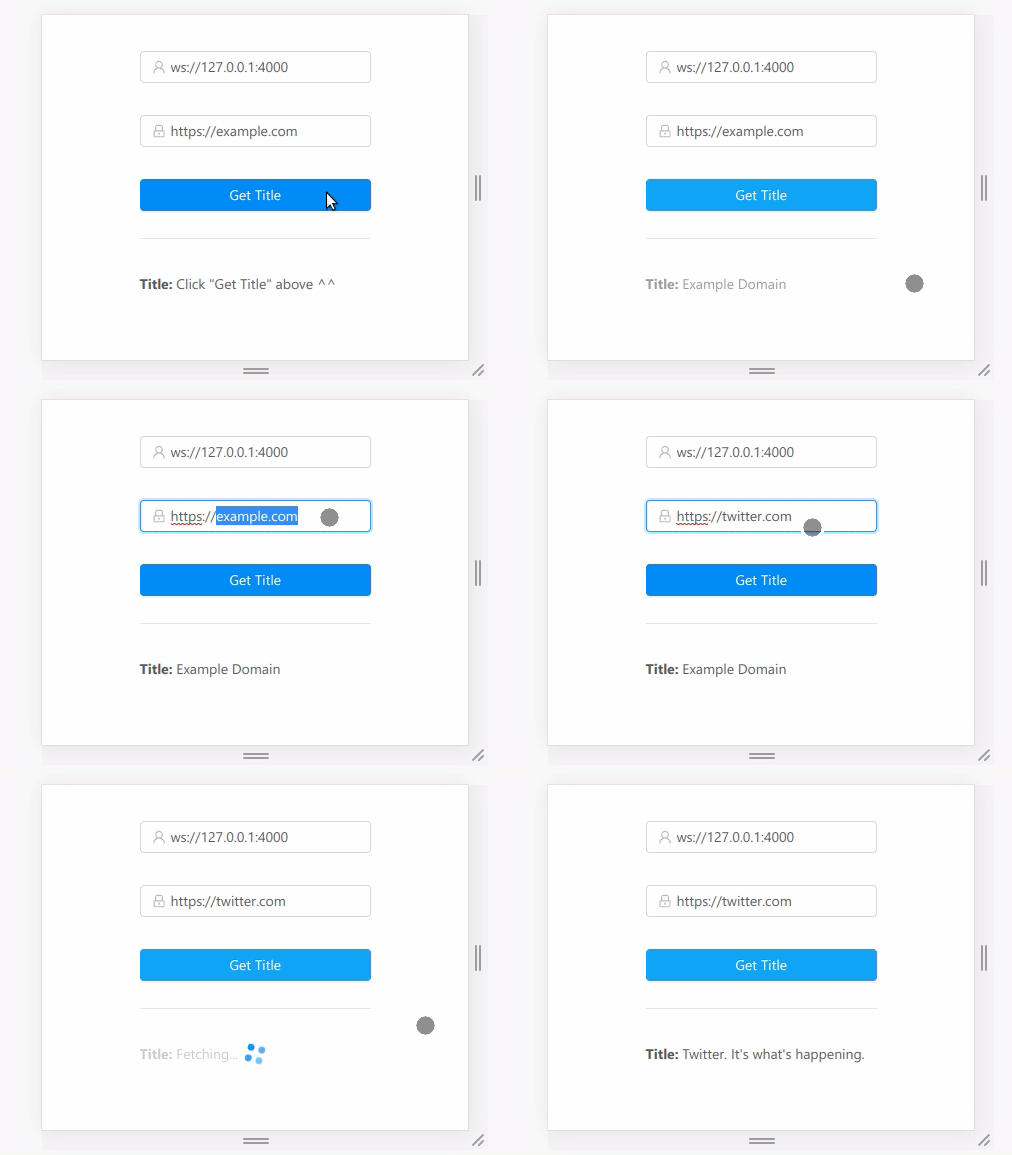
I'm trying to connect to a remote chrome browser from the react app.
💻 Code Sample
import puppeteer from "puppeteer";

const browser = await puppeteer.connect({
    browserWSEndpoint: "ws://127.0.0.1:4000"
});
Full code here on this repository/tree: https://github.com/entrptaher/playground-react-puppeteer/tree/parcel
🌍 Your Environment
| Software | Version(s) |
| ---------------- | ---------- |
| Parcel | 1.12.3
| Node | v11.7.0
| npm/Yarn | 6.5.0/1.13.0
| Operating System | Ubuntu 18.04.2 LTS
 entrptaher
All 6 comments
Same problem. Cannot build a simple script that uses puppeteer-core.
Webpack worked with 3 line config (and after release with merged PR will be working without config):
target: "node",
node: false,
entry: "./src/myscript.js"
 Ebuall
on 10 Jul 2019
Ebuall
on 10 Jul 2019
I can reproduce this. Same behavior with puppeteer-core dep, package installed through the npm install.
I did manage to solve this by mixing the import and require in Typescript
import puppeteer-core = require('puppeteer-core');
 lvkins
on 8 Aug 2019
lvkins
on 8 Aug 2019
I bumped into same issue >,<
 amazingandyyy
on 20 Aug 2019
amazingandyyy
on 20 Aug 2019
No stalebot, no, please. :D
entrptaher
on 17 Feb 2020
Maybe I have to think and work on a PR :'(
entrptaher
on 16 Mar 2020
This issue has been automatically marked as stale
In the name of Jesus Christ stop it
lvkins
on 12 Sep 2020
Related issues
 algebraic-brain
·
3Comments
algebraic-brain
·
3Comments
 medhatdawoud
·
3Comments
medhatdawoud
·
3Comments
 dsky1990
·
3Comments
dsky1990
·
3Comments
 will-stone
·
3Comments
will-stone
·
3Comments
 Niggler
·
3Comments
Niggler
·
3Comments
Most helpful comment
In the name of Jesus Christ stop it