🐛 Bug report
🎛 Configuration (.babelrc, package.json, cli command)
my package.json:
{
  "name": "parcel-bundler",
  "version": "1.0.0",
  "description": "",
  "main": "index.js",
  "scripts": {
    "test": "echo \"Error: no test specified\" && exit 1"
  },
  "keywords": [],
  "author": "",
  "license": "ISC",
  "dependencies": {
    "parcel-bundler": "^1.7.0"
  }
}
🤔 Expected Behavior
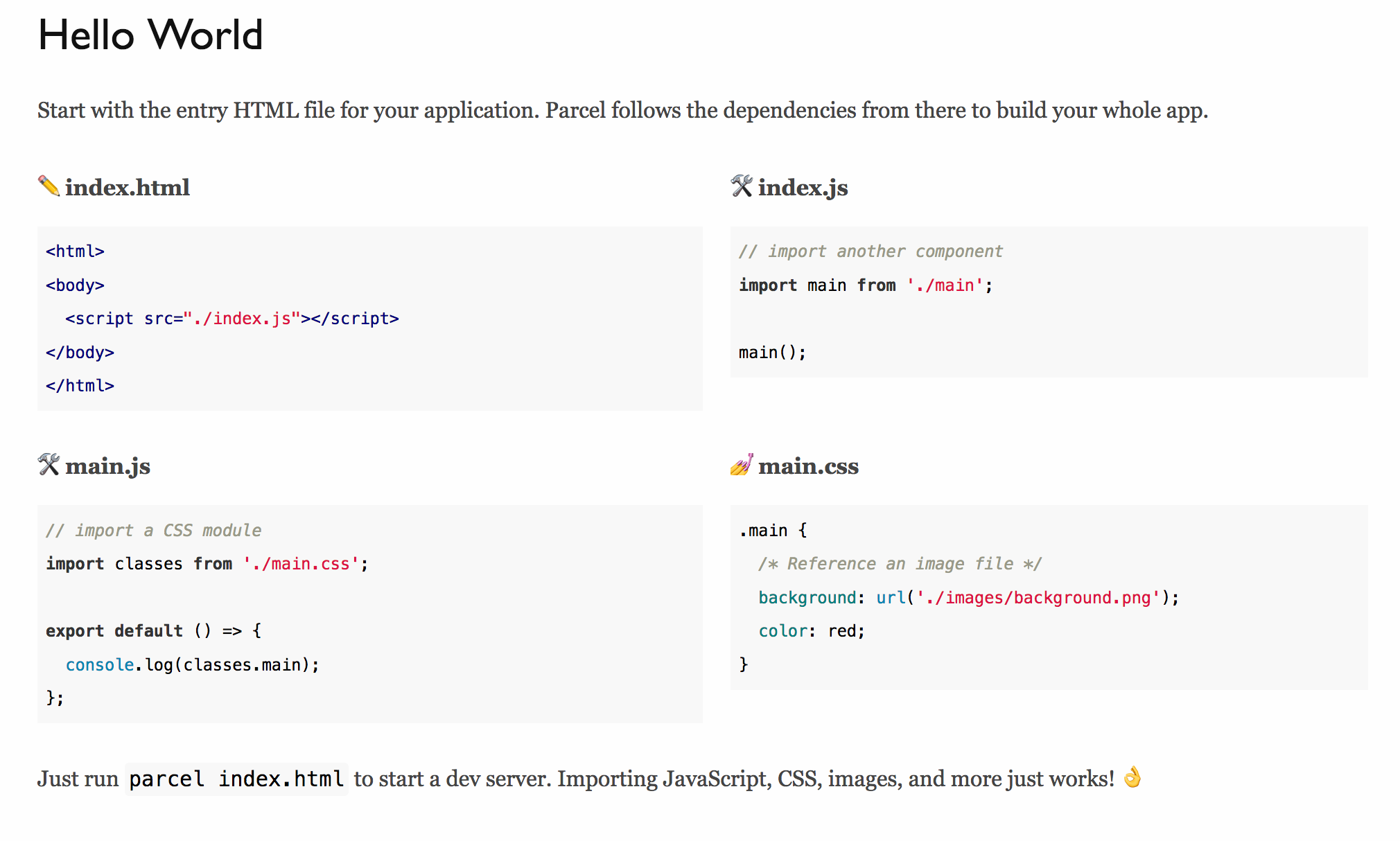
I'm running the hello world example provided from the parcel.org, the expected behavior is that:
console.log(classes.main);
prints the style object.
😯 Current Behavior
The current behavior is that I got an undefined.

😿
💁 Possible Solution
Maybe I should install parcel globally?, I'm using locally:
npx parcel index.html
But I don't think so 🤔
🔦 Context
I'm running the hello world example!! 😾
💻 Code Sample
🌍 Your Environment
| Software | Version(s) |
| ---------------- | ---------- |
| Parcel | 1.7.0
| Node | 9.0
| npm/Yarn | 5.6.0/1.3.2
| Operating System | MacBook Pro 2017
 nicoandresr
All 7 comments
There must have been a breaking change somewhere, as this is indeed a bug I can easily reproduce
 DeMoorJasper
on 15 Apr 2018
DeMoorJasper
on 15 Apr 2018
Hey @nicoandresr , CSS modules are not enabled by default. To use them, you should create a .postcssrc file with the following content:
{
"modules": true
}
Make sure to delete the .cache folder in your project if it doesn't work. Here is the link to the docs on this: https://parceljs.org/transforms.html#postcss.
 ronami
on 15 Apr 2018
ronami
on 15 Apr 2018
Hello @ronami thank u for your help, but with the .postcssrc does not work either 😿
nicoandresr
on 16 Apr 2018
I can confirm that adding modules: true enables this behaviour.
I actually didn't expect the getting started hello world example to utilise a plugin, therefore the false bug flagging.
@nicoandresr Remove the .cache folder, it'll not have the config file watched as u had none before
DeMoorJasper
on 16 Apr 2018
Hi @DeMoorJasper but I can't do that it works 😿, I need install postcss globally?, I removed the project and start again but don't work, please check my project.
nicoandresr
on 16 Apr 2018
You have a typo in your css file you forgot the dot in front of main
Your css should be:
.main {
  background: url('./images/background.png');
  color: red;
}
Instead of this
main {
  background: url('./images/background.png');
  color: red;
}
@DeMoorJasper works, ok thank you very much, sorry for my mistake! 😅

nicoandresr
on 16 Apr 2018
Related issues
 philipodev
·
3Comments
philipodev
·
3Comments
 donaldallen
·
3Comments
donaldallen
·
3Comments
 Niggler
·
3Comments
Niggler
·
3Comments
 dsky1990
·
3Comments
dsky1990
·
3Comments
 jsftw86
·
3Comments
jsftw86
·
3Comments
Most helpful comment
You have a typo in your css file you forgot the dot in front of main
Your css should be:
Instead of this