Parcel: Build Error on firebase hosting
build by using command parcel --no-cache ./index.html
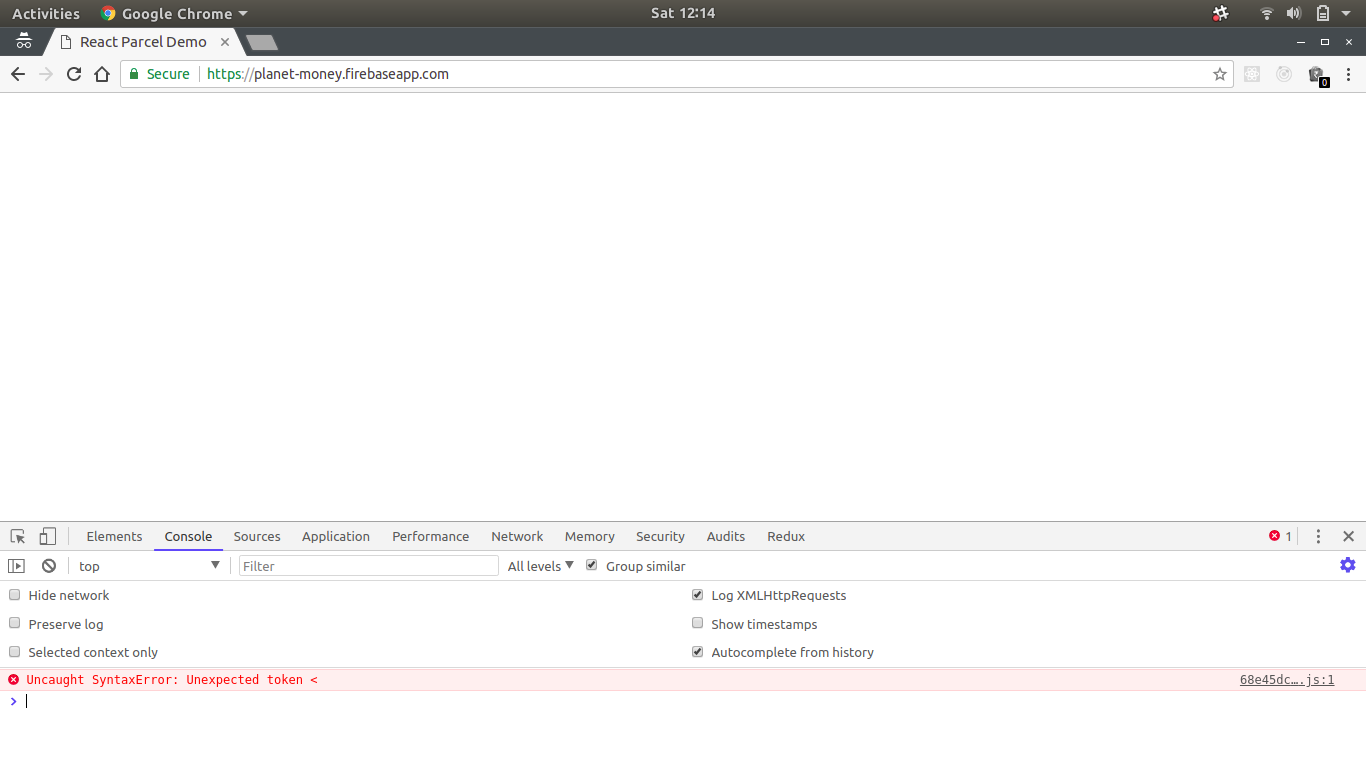
Error Uncaught SyntaxError: Unexpected token < in browser console
 rajatdhoot123
All 5 comments
Please provide more information about your Project. I've started using parcel with React & Firebase and it seems to work perfectly.
For your interest, this is the build line I am using:
build:
cross-env NODE_ENV=production parcel build ./src/index.html --public-url ./
and locally run:
parcel ./src/index.html
 liranbg
on 10 Feb 2018
liranbg
on 10 Feb 2018
@liranbg are you using reserved URLs for Firebase configuration? If yes, could you share how you got them working with Parcel; if no, please also share how you're including Firebase config for your setup.
 dinvlad
on 23 Apr 2018
dinvlad
on 23 Apr 2018
@dinvlad I do not use reserved URLs.
'Firebase config' you mean the firebase.json file? if so, I do not include it anywhere in my code. it sits right in the root folder of my projects, and once I use the firebase cli tool, it detects it automatically.
liranbg
on 23 Apr 2018
Ok, that makes sense, thanks!
dinvlad
on 23 Apr 2018
@liranbg Thank you for sharing your build line just wanted to add if anyone is using firebase just change the public in the firebase.json to dist/ like this :
"public": "dist/"
Mine is working now.
 niksseif
on 1 Aug 2019
niksseif
on 1 Aug 2019
Related issues
 termhn
·
3Comments
termhn
·
3Comments
 dsky1990
·
3Comments
dsky1990
·
3Comments
 mnn
·
3Comments
mnn
·
3Comments
 oliger
·
3Comments
oliger
·
3Comments
 jsftw86
·
3Comments
jsftw86
·
3Comments
Most helpful comment
@liranbg Thank you for sharing your build line just wanted to add if anyone is using firebase just change the public in the firebase.json to dist/ like this :
"public": "dist/"
Mine is working now.