Paper.js: No way to manage scopes for multiple canvasses by canvasId
I initialize my scope like this:
let scope = new paper.PaperScope; scope.setup(document.getElementById(canvasId));
When my canvas is removed from DOM I clear this scope like this:
scope.remove(); scope.clear(); scope = null;
A second approach I tried is to always select the first PaperScope (or construct one if it doesn't exist), clear it and do a setup for the canvas I want to edit.
let scope = paper.PaperScope.get(0) || new paper.PaperScope;
scope.clear();
scope.setup(document.getElementById(canvasId));
but for some reason my memory keeps going up each time I create a scope, but doesn't go down when I clear it which results in a crash after some time.
using paper.remove() instead of my code above doesn't work because I'm using specific scopes because I have multiple canvasses and I want to be able to clear them individualy. Could it be that cleared scopes are still stored in the main paper object? Is there a way to select and clear scopes by canvas id so I don't have to clear my entire paper instance for redraws in any of my canvasses?
I also tried to clear the specific views for a canvas but this doesn't help as I am forced to do a new setup which adds an entirely new instance to my paper.
let view = scope.View._viewsById[canvasId];
            if (view) {
                view._project.clear();
                view._project.remove();
            }
 BHuys
BHuys
All 3 comments
Hi, thanks for the repport.
Your logic seems good to me:
scope.remove()scope = nullcanvas.remove()
So maybe the memory leak is in another part of your code ?
I tried my best to reproduce a memory leak but I didn't.
I made an example to test adding / removing scopes on different canvas. Can you try it and tell me if you still see memory leaks and if you do, can you tell me what browser / tool you are using ?
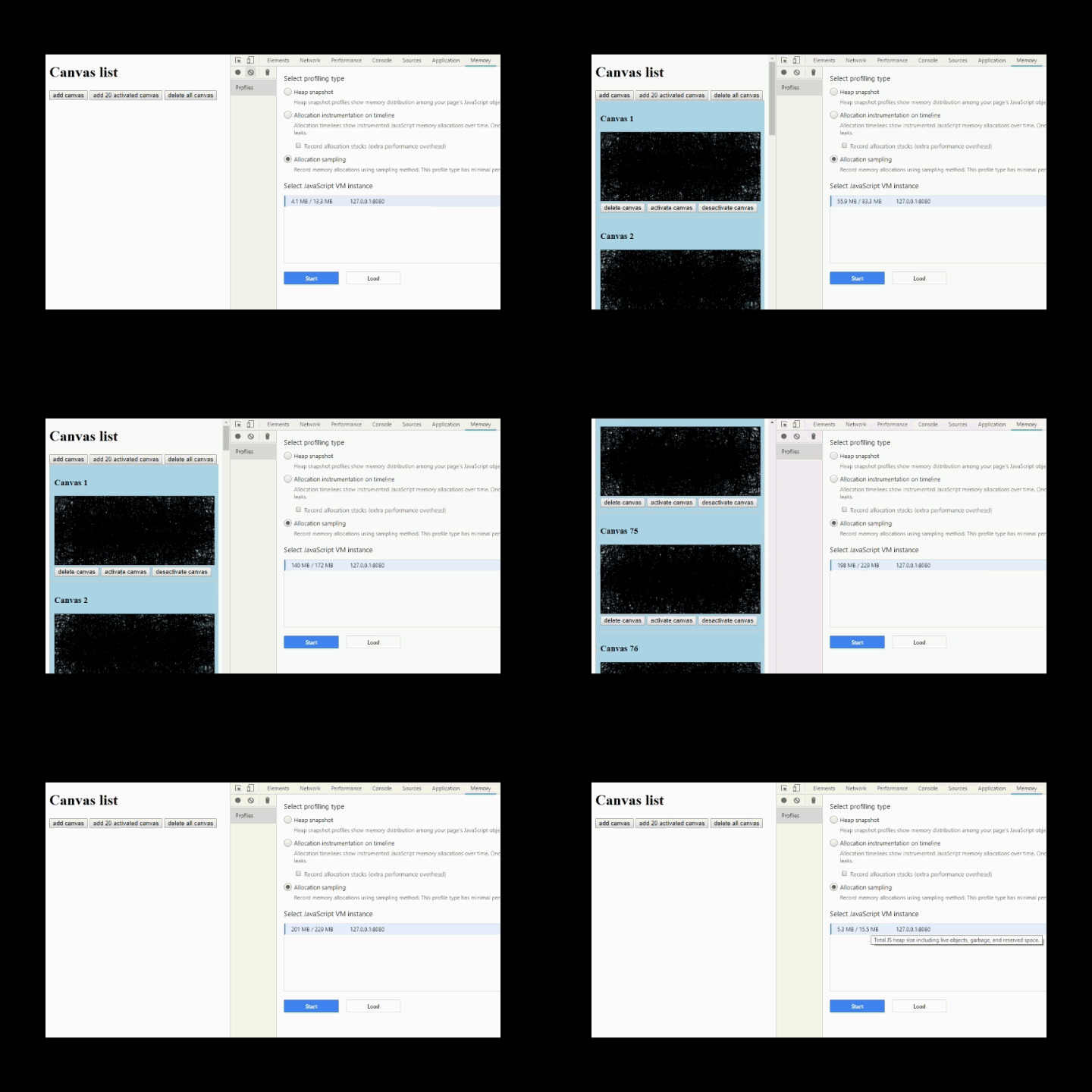
Here is a screencast of the test I did. I add a lot of canvas and attach a scope to each of them. As expected, we see the memory usage increasing.
Then I delete all the canvas and scopes.
Then I trigger garbage collection in Chrome Developer tools.
And finally, I can see that the memory usage is back near to its initial value, as expected.
 sasensi
on 4 Oct 2018
sasensi
on 4 Oct 2018
Hey Saseni, thanks for the quick reply. While checking your example I noticed you store the scope in the element data and use this data to get the right scope. I haven't thought of that and I'll try to change my code so I can also select the right scope like this. I'll keep you posted.
BHuys
on 4 Oct 2018
I close this issue because there seems to be no bug to fix.
sasensi
on 11 Oct 2018
Related issues
 nicholaswmin
·
3Comments
nicholaswmin
·
3Comments
 jsbroks
·
4Comments
jsbroks
·
4Comments
 przyb
·
5Comments
przyb
·
5Comments
 tom10271
·
5Comments
tom10271
·
5Comments
 arel
·
3Comments
arel
·
3Comments
Most helpful comment
Hi, thanks for the repport.
Your logic seems good to me:
scope.remove()scope = nullcanvas.remove()So maybe the memory leak is in another part of your code ?
I tried my best to reproduce a memory leak but I didn't.
I made an example to test adding / removing scopes on different canvas. Can you try it and tell me if you still see memory leaks and if you do, can you tell me what browser / tool you are using ?
Here is a screencast of the test I did. I add a lot of canvas and attach a scope to each of them. As expected, we see the memory usage increasing.
Then I delete all the canvas and scopes.
Then I trigger garbage collection in
Chrome Developer tools.And finally, I can see that the memory usage is back near to its initial value, as expected.