Paket: dotnet restore performance problems
I recently converted a solution with around 65 C# projects, all in the new sdk-format, from nuget to paket. I used convert-from-nuget, resolved the detected conflicts and did a paket simplify. I also removed all but one version restriction.
- Paket.dependencies contains around 40 nuget packages
- frameworks are restricted to netstandard2.0, net47, netcoreapp2.0
- Storage is set to none.
- Paket version is 5.167.2
- Before building, i clean all obj and bin folders.
With nuget, a dotnet restore took around 9 seconds.
With paket, the dotnet restore takes around 1:30 min.
Is this expected or am i possibly doing something wrong?
 kblohm
All 27 comments
/cc @matthid
is every dotnet restore taking this long? or only very first?
 forki
on 24 May 2018
forki
on 24 May 2018
If i do not clean the obj folders, the second restore is a lot faster.
kblohm
on 24 May 2018
Honestly if you clean the obj folder this is kind of expected, this is because calling an external process is quite heavy. Also global restore will no longer work until you delete paket-files/restore cache.
 matthid
on 24 May 2018
matthid
on 24 May 2018
Ok, i just wanted to make sure i am not doing something wrong here, because nuget did not take nearly as long. Thanks!
kblohm
on 24 May 2018
What's important to note here is: If you do a full restore ./paket.exe restore then no paket.exe should be called in the build process. If you have a situation where this happens you can definitely open an issue.
I also guess that we can definitely improve the first time experience
matthid
on 24 May 2018
We need to understand what's taking this long. All packages should already be in local package cache.
forki
on 24 May 2018
I think it is just running paket.exe for every project ~1s * 65 projects = 1min
matthid
on 24 May 2018
@matthid Yes, it takes around 1-2 seconds per project. So it is not actually restoring but that adds up.
kblohm
on 24 May 2018
Yeah we need to get that under control.
kblohm notifications@github.com schrieb am Do., 24. Mai 2018, 20:20:
@matthid https://github.com/matthid Yes, it takes around 1-2 seconds
per project. So it is not actually restoring but that adds up.—
You are receiving this because you modified the open/close state.
Reply to this email directly, view it on GitHub
https://github.com/fsprojects/Paket/issues/3221#issuecomment-391812103,
or mute the thread
https://github.com/notifications/unsubscribe-auth/AADgNIPYHQCGdrs63Bz8Yt8s8Kv5WOnXks5t1vn9gaJpZM4UL4ul
.
forki
on 24 May 2018
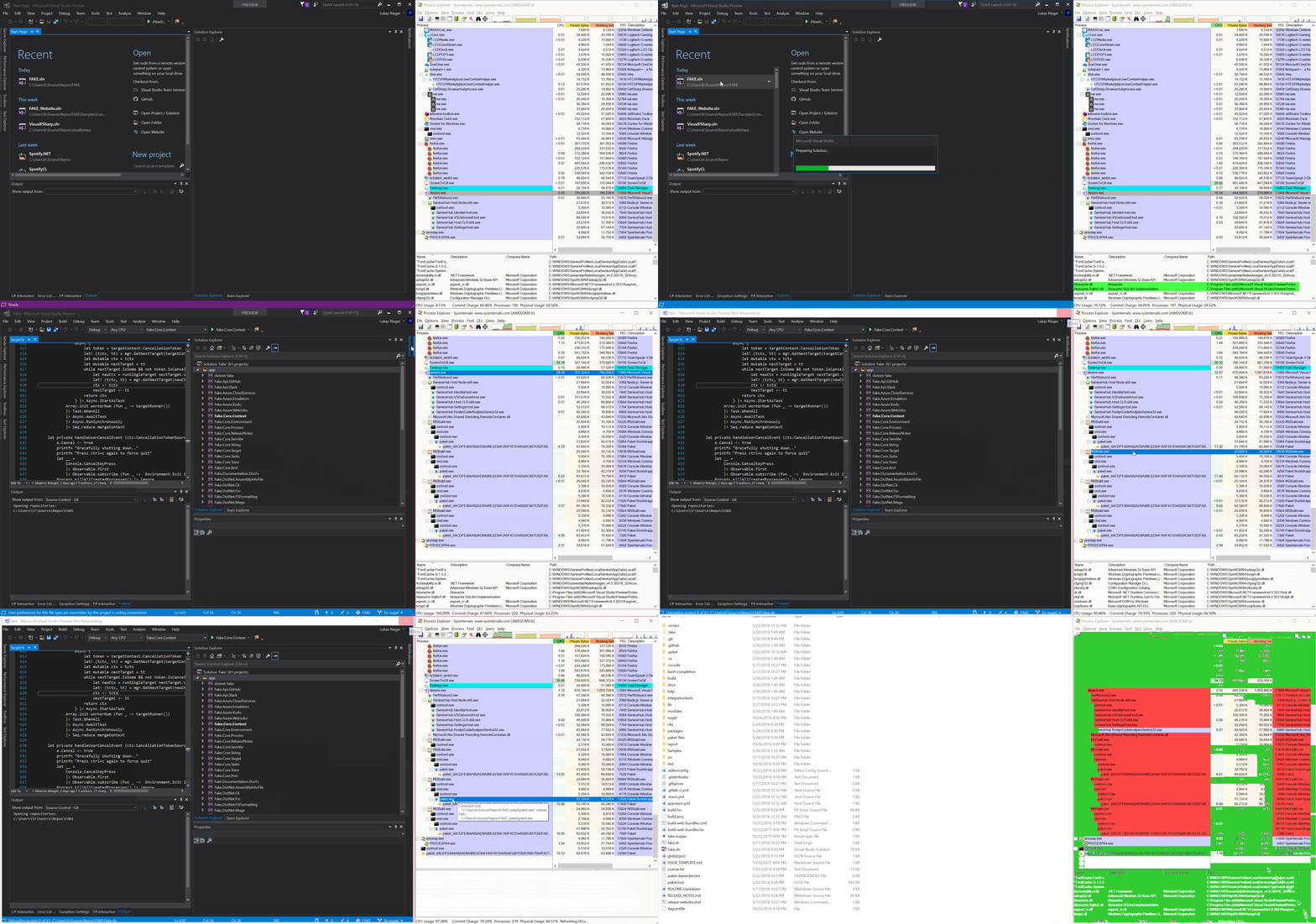
You get the same first-time issue with the Fake project. It is basically unusable if you don't paket restore before opening in vs.
It's not Pakets fault, but what's really bad is that you can't even close VS. You need to manually kill all paket processes in Task Manager while MsBuild continues to spawn new processes.
Implicit restore ftw ;D
Edit: maybe an idea would be to disallow implicit restore via some flag? Then the Targets don't even call out to paket.exe, but error out with a message. This would be great for solutions with a lot of projects.
 0x53A
on 24 May 2018
0x53A
on 24 May 2018
Yeah we need to get that under control.
We discussed this time and time again, starting paket is costly and we cannot fix that - we tried that several times. Keeping an issue open will not help.
maybe an idea would be to disallow implicit restore via some flag?
I bet than 100s other use cases will break. I think what would help is the following:
- We can already detect if we need a full restore in the targets file
- If we detect that situation we don't blindly call out paket.exe
- Instead we try to find a logic to only call a single paket.exe and make other wait for it to finish
matthid
on 24 May 2018
Honestly though: I'm really glad the general workflow is now fixed (again) and I hope we don't break it again ;)
Already too much time wasted to debug msbuild
matthid
on 24 May 2018
Actually I'm not sure why the behavior is like the gif from @0x53A . Because what should happen:
- First
paket restoretakes a long time (maybe 3-4 instances as spawned, but most should just wait for our global lock)
- Once first instance finishes (after all the downloads) no more instances should be spawned
@0x53A Are you sure this is not the behavior (and you were just impatient here?)
matthid
on 24 May 2018
That you cannot close visual studio and that it freezes is not our bug imho
matthid
on 24 May 2018
Yes, I was impatient. It finishes after 2 minutes (git clean, but nuget cache populated).
0x53A
on 24 May 2018
So both are VS issues:
1) You don't get any feedback that a restore is happening in the background (same behavior with nuget, but nuget _may_ be faster), letting you wonder why nothing works.
2) Closing doesn't cancel restore.
0x53A
on 24 May 2018
and the disable implicit restore flag is probably a bad idea, so ignore everything from me.
0x53A
on 24 May 2018
@matthid by "getting it under control" I meant we need to find out a way to only spawn one paket.exe from targets.
How about we write yet another lock file into paket-files folder and let MSBuild sleep 100ms when it's there?
forki
on 25 May 2018
I don’t think we spam paket.exe for any regular use case. And if people delete obj folders we actually have to call paket.exe for every single project.
matthid
on 25 May 2018
@matthid it's not about deleting obj. try to clone with many projects and call dotnet restore on the sln. It spawns a paket process for every project.
forki
on 25 May 2018
Have you thought about creating a MSBuild-Task for restoring? Calling a dll might be cheaper. As far as i know it is only loaded once. And it might be possible to use a static lock instead of a file.
kblohm
on 25 May 2018
Yes ;)
matthid
on 25 May 2018
Let me rephrase that ;). You have probably tried pretty much everything, at least judging from your commit messages :p. Have you tried it and it is not helping? Because otherwise i might try it out, but not if you are pretty certain it is useless, you have obviously way more experience in trying to fix this.
kblohm
on 25 May 2018
one of the problems is that you need 2 tasks. one in netstandard for dotnet cli and one in net461 for VS (yes there is no other way - VS is still needing net461)
forki
on 27 May 2018
To clarify/elaborate, yes we would love to do this in a more sane language than msbuild-xml.
I guess to "workaround" @forki's problem we would need to use https://msdn.microsoft.com/en-us/library/t41tzex2.aspx with a correct condition and deploy multiple .dll builds.
I guess we would embed the .dll's into the paket.exe and unpack them like we do for the targets file itself.
Historically, we have seen VS break on transformations in msbuild which worked perfectly fine in raw msbuild, because they basically have their own implementation. The devil lies in the details so please feel free to try ;)
About performance: I think with this we could indeed improve the use-case "User deleted obj directories". About the other two use-cases "User did a fresh clone" and "User already did a full restore" I don't think it will improve a lot.
matthid
on 27 May 2018
I just stopped deleting the obj folders ;). Although after switching branches, VS is sometimes not happy until i do a rebuild.
If that does not really help with performance, its probably not worth it. About the task for two runtimes: if anybody is interested, this does kind of describe how to handle that case (you two probably know how that works, but i am not really versed in msbuild;)).
kblohm
on 27 May 2018
We started having these performance problems after transitioning to .NET Core. I did some benchmarking and discovered that Paket performs more than 3 times slower than PackageReference on initial build and in builds that are run after paket install.
The benchmarking was done in a Linux VM (4 CPU threads, 8 GB RAM, SSD). All the tests were run with populated local package cache, nothing was being downloaded over the network. Paket also used storage: none mode.
All test results are available here
The long initial restore problem is especially annoying in Visual Studio or Rider. After switching from one branch to another with more dependencies, both IDEs start the restore process which takes even more time than the CLI restore, about twice as much.
I would say the dotnet CLI build time increase is tolerable but the slowdown in IDE workflows is a deal breaker.
Is there something that can be done to improve the restore times or is there a hard design decision that makes it infeasible?
 semyon2105
on 1 Jul 2020
semyon2105
on 1 Jul 2020
Related issues
forki
·
5Comments
 enricosada
·
4Comments
enricosada
·
4Comments
 renangms
·
5Comments
0x53A
·
8Comments
renangms
·
5Comments
0x53A
·
8Comments
 Katulus
·
8Comments
Katulus
·
8Comments
Most helpful comment
We started having these performance problems after transitioning to .NET Core. I did some benchmarking and discovered that Paket performs more than 3 times slower than PackageReference on initial build and in builds that are run after
paket install.The benchmarking was done in a Linux VM (4 CPU threads, 8 GB RAM, SSD). All the tests were run with populated local package cache, nothing was being downloaded over the network. Paket also used
storage: nonemode.All test results are available here
The long initial restore problem is especially annoying in Visual Studio or Rider. After switching from one branch to another with more dependencies, both IDEs start the restore process which takes even more time than the CLI restore, about twice as much.
I would say the dotnet CLI build time increase is tolerable but the slowdown in IDE workflows is a deal breaker.
Is there something that can be done to improve the restore times or is there a hard design decision that makes it infeasible?