Pagedown: how to change the photo position in html_resume
Hi,
title: "Lijia Yu's resume"
author: Lijia Yu
date: "`r Sys.Date()`"
output:
pagedown::html_resume:
# set it to true for a self-contained HTML page but it'll take longer to render
self_contained: false
---
Aside
================================================================================
{width=80%}
The photo position is not aligned with the introduction text on the left side. So ,is there a way to make the photo position go up a little bit?
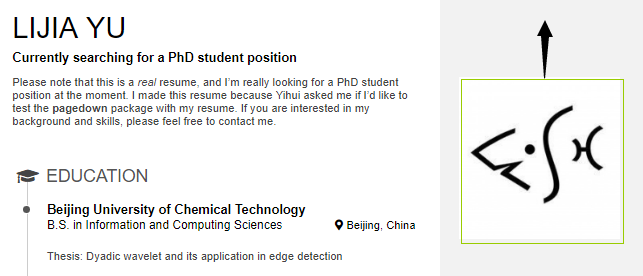
Here is what I expect.

Thanks for your help.
 jywang2016
All 2 comments
It is possible to achieve using CSS.
In order to understand how to adapt the CSS styles to your need, the best thing to do is to use Chrome Developer Tools (F12 or right click on the page then _Inspect_).
When you do this, you get this screen:
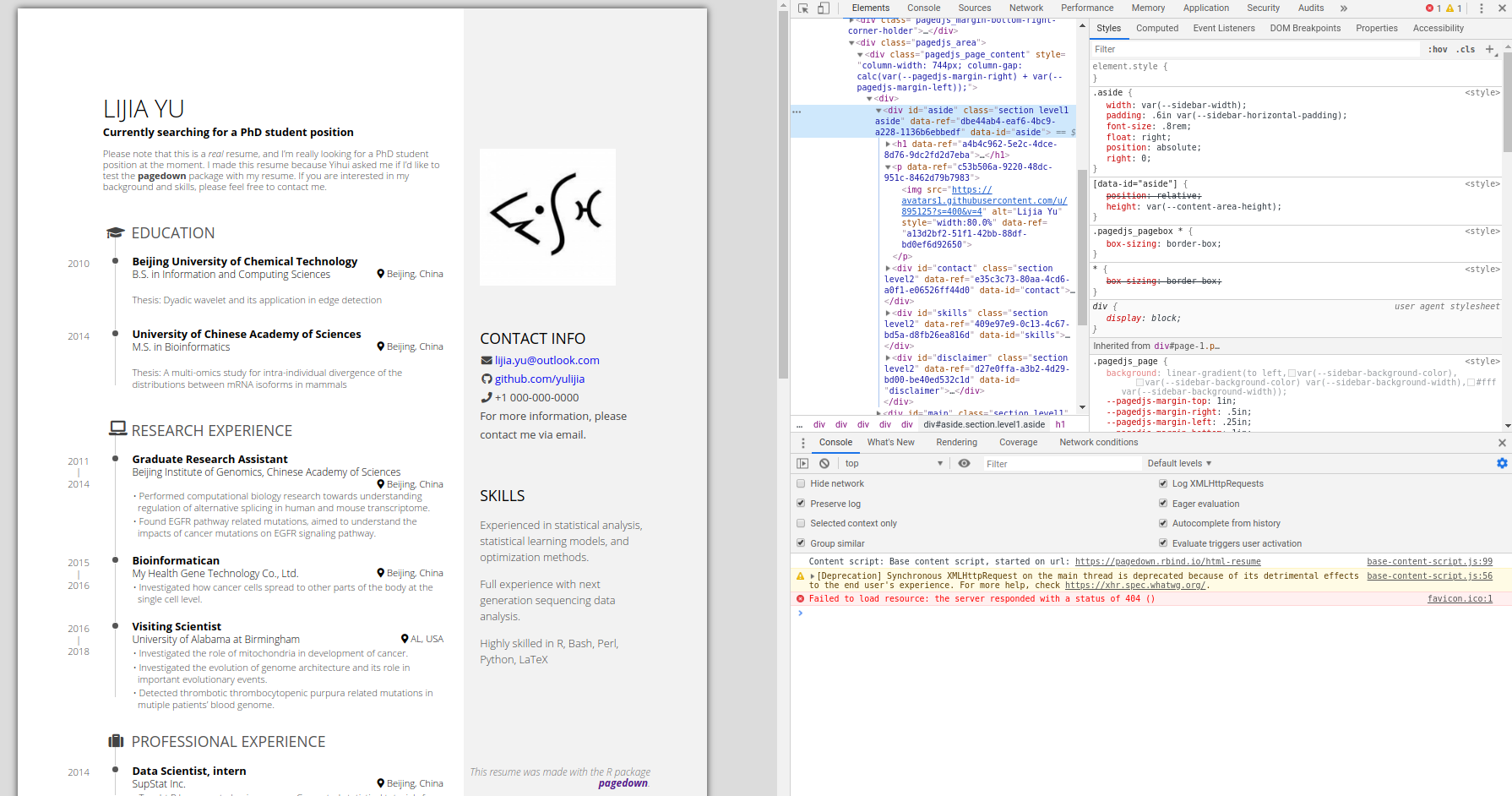
The vertical space comes first from the padding of the div element of class aside. There is also a vertical space due to the margin of its p element (the one which contains the image).
Therefore, you can get rid off this vertical space like this:
---
title: "Lijia Yu's resume"
author: Lijia Yu
date: "`r Sys.Date()`"
output:
pagedown::html_resume:
# set it to true for a self-contained HTML page but it'll take longer to render
self_contained: false
---
```{css, echo=FALSE}
.aside {
padding-top: 0;
}
.aside > p:first-of-type {
margin-top: 0;
}
```
Aside
================================================================================
{width=80%}
 RLesur
on 7 Sep 2019
RLesur
on 7 Sep 2019
👍4
Great! It works well for me. :smile:
Thanks for your help.
jywang2016
on 8 Sep 2019
👍1
Was this page helpful?
0 / 5 - 0 ratings
Related issues
 maibennett
·
4Comments
maibennett
·
4Comments
 atusy
·
3Comments
atusy
·
3Comments
 AnabelleLaurent
·
4Comments
AnabelleLaurent
·
4Comments
 filippogambarota
·
3Comments
filippogambarota
·
3Comments
 xf15
·
3Comments
xf15
·
3Comments
Most helpful comment
It is possible to achieve using CSS.
In order to understand how to adapt the CSS styles to your need, the best thing to do is to use Chrome Developer Tools (F12 or right click on the page then _Inspect_).
When you do this, you get this screen:

The vertical space comes first from the padding of the
divelement of classaside. There is also a vertical space due to the margin of itspelement (the one which contains the image).Therefore, you can get rid off this vertical space like this: