P5.js: blendMode(DARKEST) behaving differently than it used to?
Most appropriate sub-area of p5.js?
- [x] Color
- [x] Core/Environment/Rendering
- [ ] Data
- [ ] Dom
- [ ] Events
- [ ] Image
- [ ] IO
- [ ] Math
- [ ] Typography
- [ ] Utilities
- [ ] WebGL
- [ ] Other (specify if possible)
Details about the bug:
- p5.js version: v0.10.2
- Web browser and version: Firefox 77.0.1, Chrome 83.0.4103.97
- Operating System: Windows 10 Pro N Version 1709
- Steps to reproduce this:
Draw anything on canvas with a black background (such as a red rectangle). Then use the code below in draw() to fade the rectangle to black. With blendMode(DARKEST), this used to fade to complete black (at least in Firefox) but now converges to gray and does not completely fade. It appears blendMode(DARKEST) is no different than the default blend mode.
blendMode(DARKEST);
background(0, 10);
blendMode(BLEND);
You can see on this page that the trails drawn by the pendulums don't fully fade away:
https://www.chrisvenczel.com/butterflyeffect

In the above image the grey ghost trails used to fully disappear.
I did not change any code so I believe this is a bug. Any help would be greatly appreciated!
 chrisvenczel
All 13 comments
Welcome! 👋 Thanks for opening your first issue here! And to ensure the community is able to respond to your issue, be sure to follow the issue template if you haven't already.
![welcome[bot] picture](https://avatars0.githubusercontent.com/in/4141?v=4&s=40) welcome[bot]
on 12 Jun 2020
welcome[bot]
on 12 Jun 2020
@chrisvenczel The trails on the page you shared do seem to fade away completely for me. Can you perhaps try another browser or see if you can get another computer to try it on (or someone else to try it for you).
 limzykenneth
on 13 Jun 2020
limzykenneth
on 13 Jun 2020
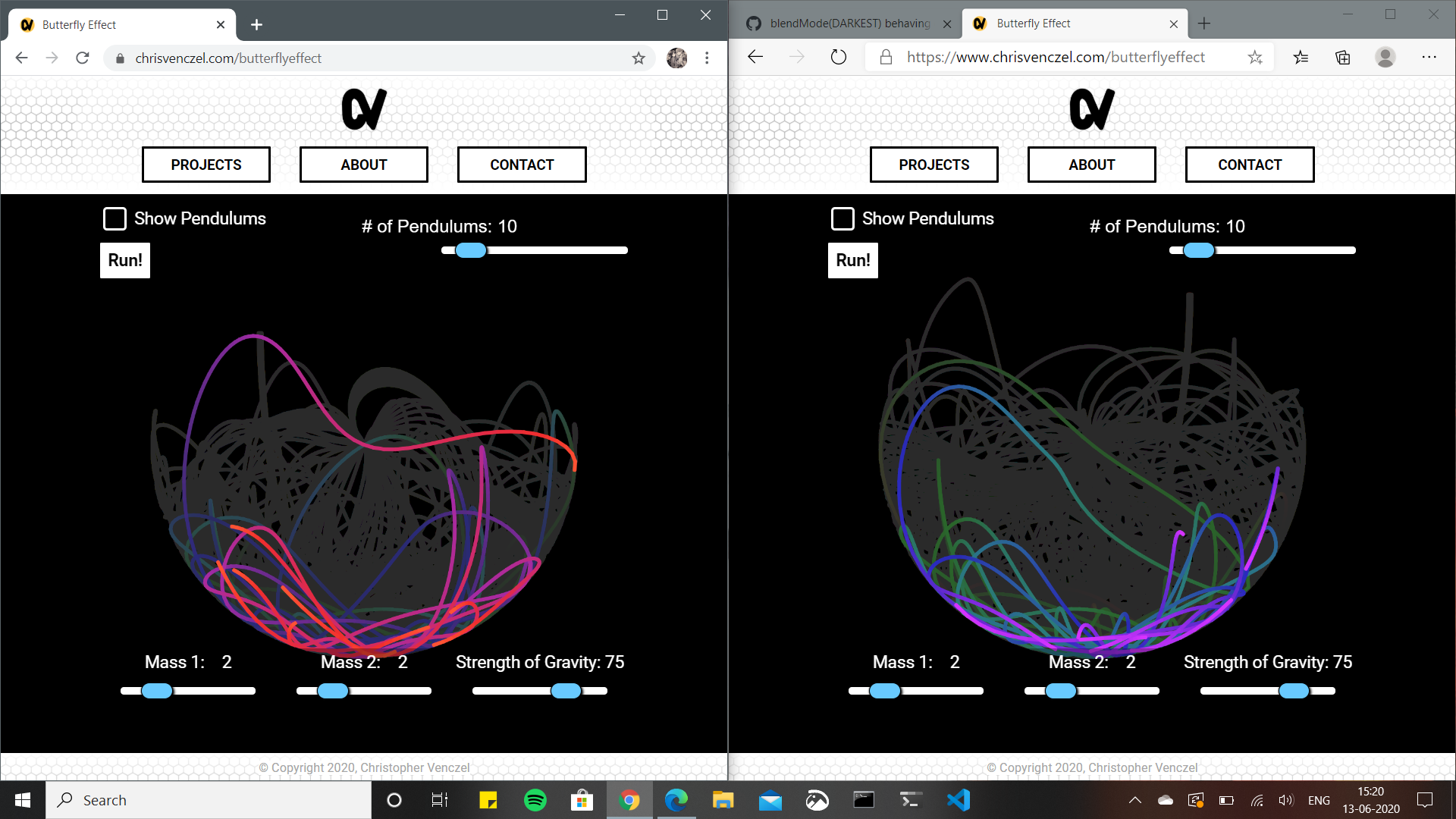
@limzykenneth The trails doesn't seem to fade away for me. I tried it on Firefox, Edge and Chrome. Same for all of them. But if I resize the window they fade away, like clearing some buffer.
 DivyamAhuja
on 13 Jun 2020
DivyamAhuja
on 13 Jun 2020
@DivyamAhuja Are you on Windows as well?
limzykenneth
on 13 Jun 2020
@DivyamAhuja Are you on Windows as well?
Yeah, I will go try it on ubuntu.
DivyamAhuja
on 13 Jun 2020
Possibly related to #4403?
limzykenneth
on 13 Jun 2020
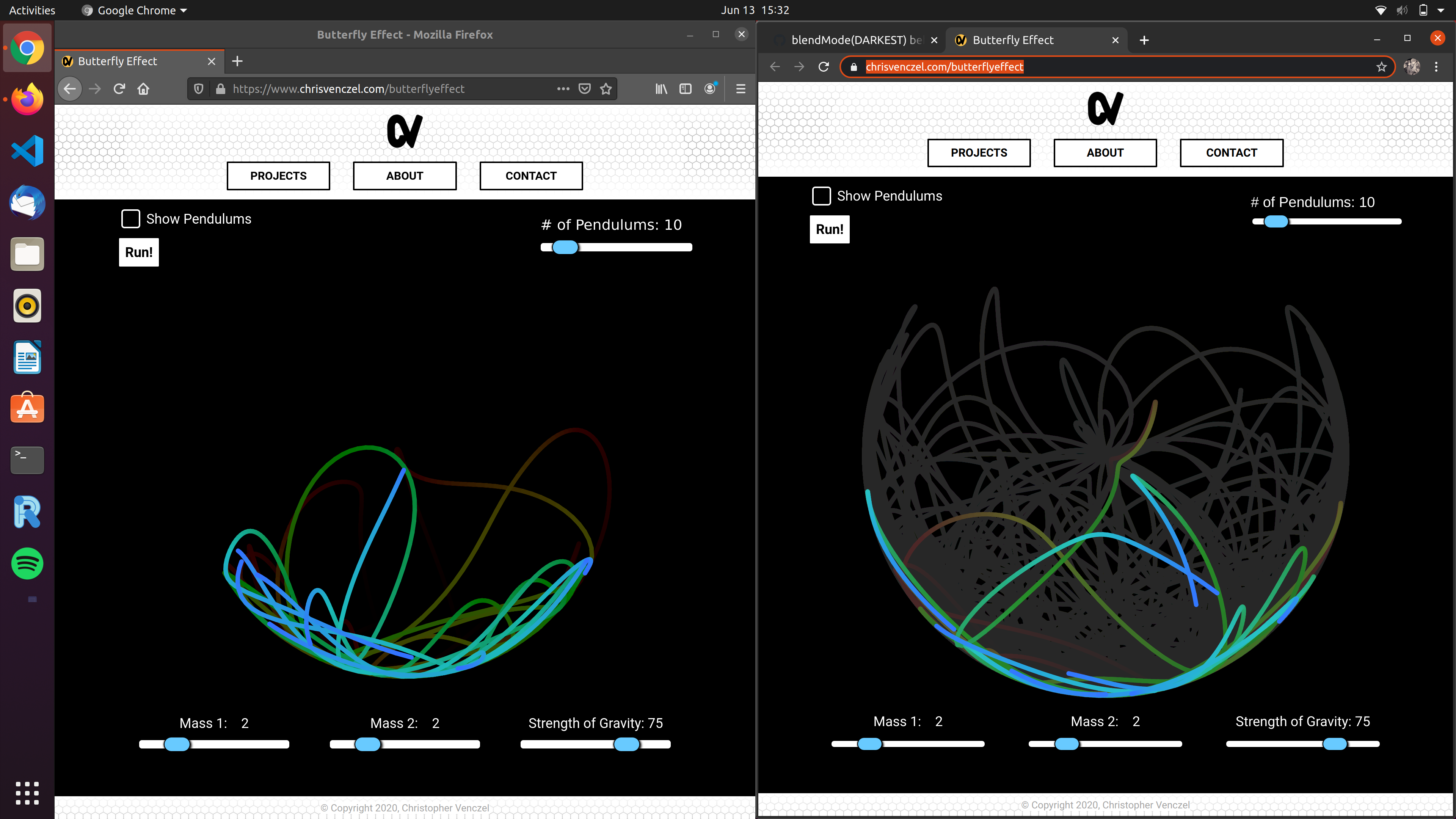
Weirdly on Ubuntu it's working fine on Firefox but not on Google Chrome.
Versions are-
Ubuntu 20.04 LTS
Google Chrome Version 83.0.4103.97 (Official Build) (64-bit)
Mozilla Firefox 77.0.1 (64-bit)
DivyamAhuja
on 13 Jun 2020
Possibly related to #4403?
Might be related.
Am not much familiar with blend stuff but am trying to learn WebGL and blend
DivyamAhuja
on 13 Jun 2020
Just tried on Chrome and Safari on a mac, they are showing this bug. I'll have a closer look.
limzykenneth
on 13 Jun 2020
@limzykenneth The trails doesn't seem to fade away for me. I tried it on Firefox, Edge and Chrome. Same for all of them. But if I resize the window they fade away, like clearing some buffer.
When you resize the window I clear the screen so that the size of the render can update (probably not the best way to do it), so that's why that is happening. I don't think it has to do with the bug.
chrisvenczel
on 13 Jun 2020
Thanks for looking into this!
chrisvenczel
on 13 Jun 2020
I've created a minimal sketch demonstrating the issue: https://editor.p5js.org/limzykenneth/sketches/wIGbTnfy7
What I found is that if the blendMode() is commented out on Firefox, it displays the same behaviour as on Chrome without blendMode() commented out (although behaviour is the same if commented out). I don't see any immediate source of problem in the library itself but I haven't tried a pure HTML5 canvas implementetation yet. My current suspicion is that Chrome (and webkit derived browsers) and Firefox handles alpha blending differently but how so I'm not sure.
limzykenneth
on 13 Jun 2020
Managed to recreate it using only HTML Canvas API: https://editor.p5js.org/limzykenneth/sketches/evtZgvMUo
As such I'm relatively sure it is not an issue with p5.js itself but difference between browsers, I've found no reference to it anywhere though. Anyone have a contact at Chromium or Firefox?
limzykenneth
on 19 Jun 2020
Related issues
 kjhollen
·
3Comments
kjhollen
·
3Comments
 kappaxbeta
·
3Comments
kappaxbeta
·
3Comments
 kartikay-bagla
·
3Comments
kartikay-bagla
·
3Comments
 aparrish
·
3Comments
aparrish
·
3Comments
 Patchy12
·
3Comments
Patchy12
·
3Comments
Most helpful comment
I've created a minimal sketch demonstrating the issue: https://editor.p5js.org/limzykenneth/sketches/wIGbTnfy7
What I found is that if the
blendMode()is commented out on Firefox, it displays the same behaviour as on Chrome withoutblendMode()commented out (although behaviour is the same if commented out). I don't see any immediate source of problem in the library itself but I haven't tried a pure HTML5 canvas implementetation yet. My current suspicion is that Chrome (and webkit derived browsers) and Firefox handles alpha blending differently but how so I'm not sure.