p5.js' web editor gives the "createElement()" error when simply running the default template.
4405
- [ ] Color
- [ ] Core/Environment/Rendering
- [ ] Data
- [ ] Events
- [ ] Image
- [ ] IO
- [ ] Math
- [ ] Typography
- [ ] Utilities
- [ ] WebGL
[x] Other (specify if possible)
Web editor.p5.js version: The one in the web editor
- Web browser and version: Chrome 80.0.3987.149
- Operating System: Windows 10
- Steps to reproduce this: For me, just running the default code in the web editor.
The error: p5 had problems creating the global function "createElement", possibly because your code is already using that name as a variable. You may want to rename your variable to something else.
 Ongshu777
All 24 comments
Hi @Ongshu777 !
Can you give a bit more information? By default code do you mean:
function setup() {
  createCanvas(400, 400);
}

function draw() {
  background(220);
}
?
Also, can you give the version numbers for your browser and operating system? You can see your chrome version by going to chrome://version in your browser URL bar. You can check your Windows version with the "System Information" application. Thanks!
 stalgiag
on 23 Mar 2020
stalgiag
on 23 Mar 2020
@stalgiag Yes, the very code. No changes to the code when entering https://editor.p5js.org/#. And the version is edited in.
Ongshu777
on 23 Mar 2020
hey @Ongshu777, could not reproduce this. Are you sure, you are not missing out on something ?

 fenilgandhi
on 24 Mar 2020
fenilgandhi
on 24 Mar 2020
@fenilgandhi I don't know why you couldn't but:
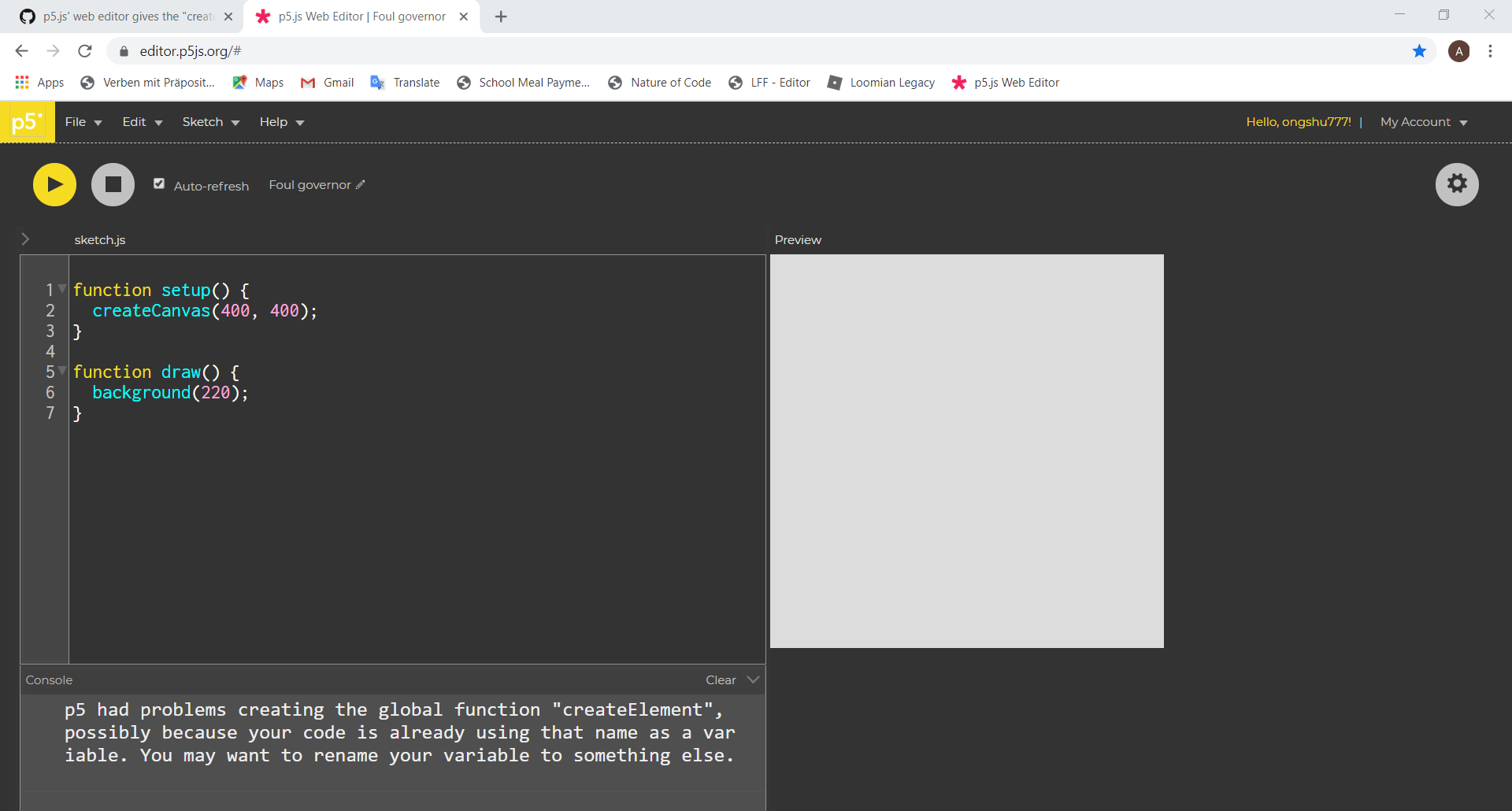

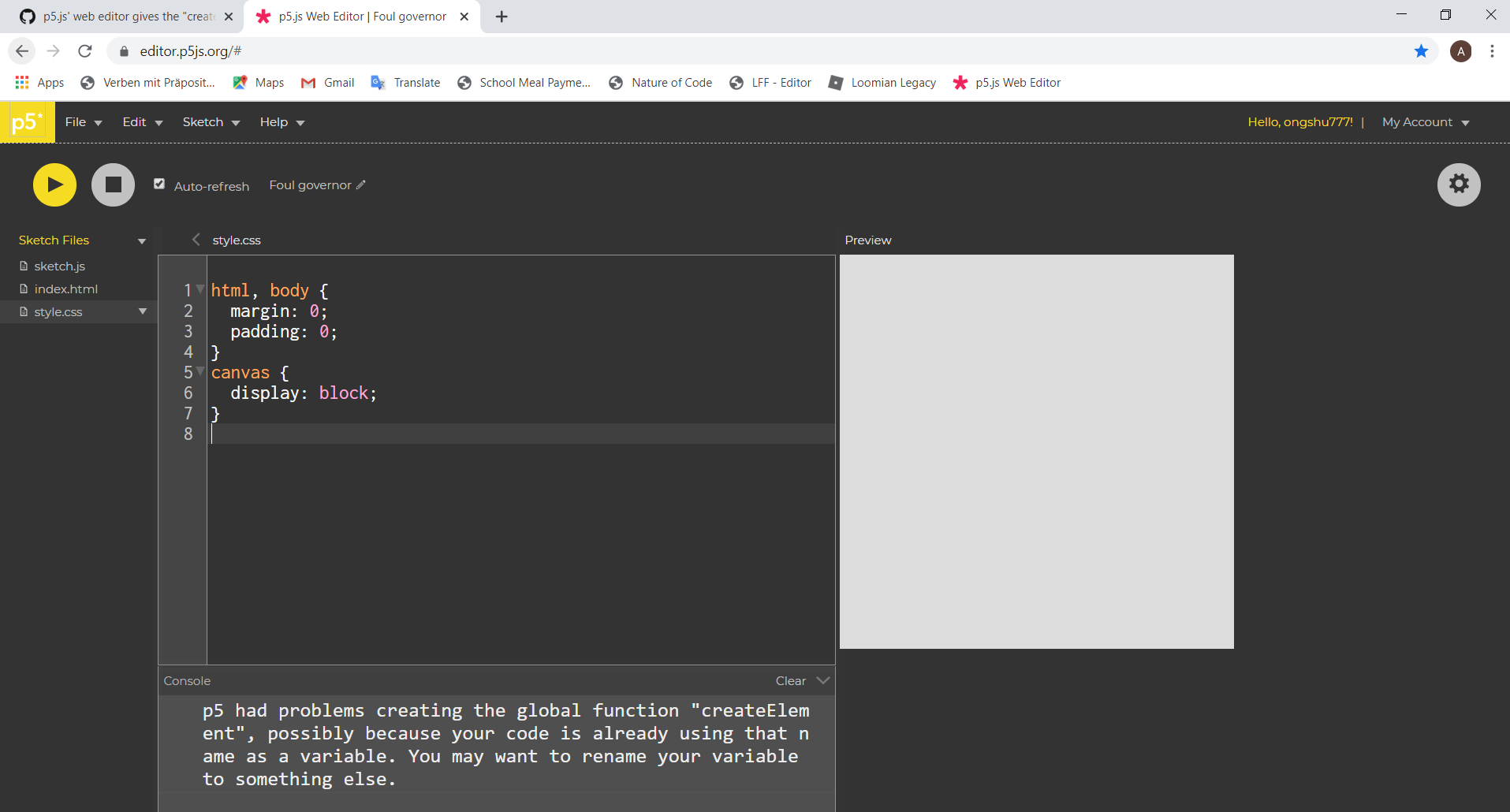
Ongshu777
on 24 Mar 2020
@Ongshu777 Hmm that's really weird. Can you try this in incognito mode with all extensions and addons disabled? There might be something else that is interfering here with p5. Also can you show browser console output? This can be seen by pressing ctrl+shift+i and then clicking on the tab that says "console".
 akshay-99
on 24 Mar 2020
akshay-99
on 24 Mar 2020
Yes @Ongshu777 can you send screenshot of developer tools console. that might help determine where createElement() method is getting defined.....maybe it's same as what @akshay-99 said some add-on interfering with code in editor.

 DivyamAhuja
on 24 Mar 2020
DivyamAhuja
on 24 Mar 2020
@DivyamAhuja As requested:
Browser Console Image:

I tried on Incognito mode, and the error didn't appear. But the strange thing is, I don't have any browser extensions or add-ons in this browser (as seen in all the screenshots). So why is that happening?
Ongshu777
on 24 Mar 2020
Hey @Ongshu777, let's try one thing. Since you are on the editor, login, save the sketch, then can you share that link with us so we can have a look and check if it's the sketch or just something with your browser.
fenilgandhi
on 25 Mar 2020
@fenilgandhi Here's the link
Ongshu777
on 25 Mar 2020
Ok i tried and it works fine, so i think it's only something related to your browser. You can try one of the following things and see what works.
- Empty Cache and hard Reload
- Clean your cookies and cache of website
- Try with a different browser maybe ?
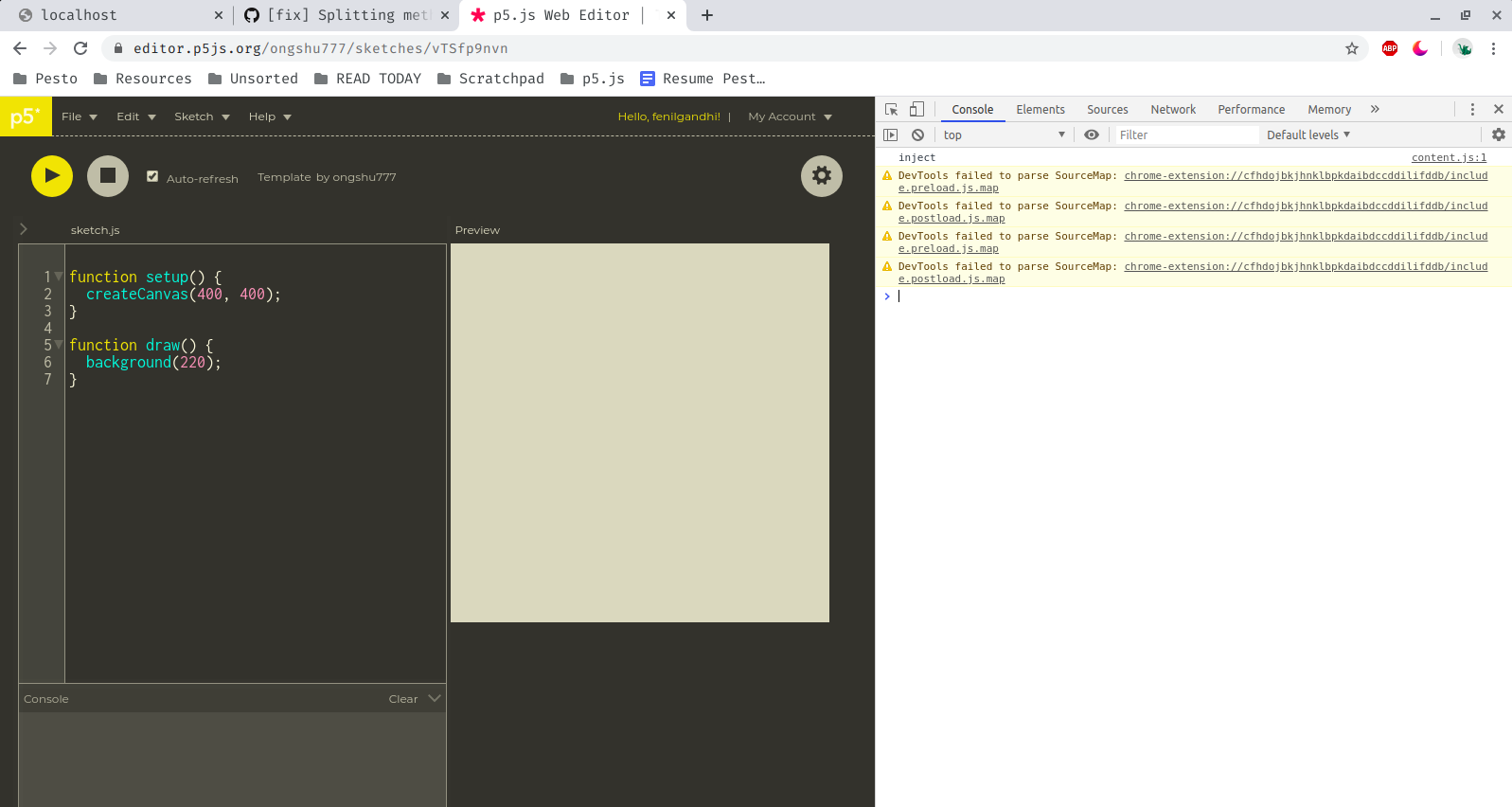
fenilgandhi
on 25 Mar 2020
@Ongshu777 For some reason the createElement variable has already been set on the window object. Can you try typing createElement into the browser console, hit enter, and let us know what it returns?
 limzykenneth
on 25 Mar 2020
limzykenneth
on 25 Mar 2020
@limzykenneth I get:

Ongshu777
on 25 Mar 2020
@Ongshu777 You are getting this cause you are logging it after the p5 script is loaded try running console.log() from inside the script before function setup
DivyamAhuja
on 25 Mar 2020
@Ongshu777 I should have asked this earlier but does whatever sketch you write run at all for you? If it does run as expected without any problems, I would say you can just ignore this message, it's not an error just a message and in this case may be a false positive.
limzykenneth
on 25 Mar 2020
Before Setup gives me:
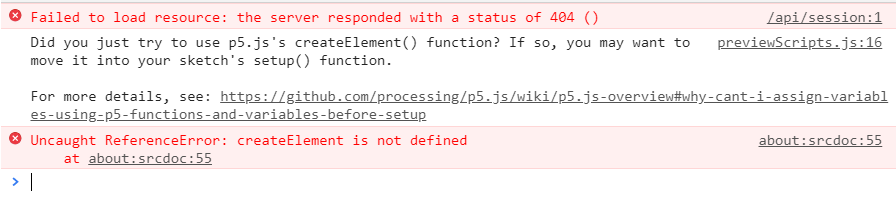
Ongshu777
on 26 Mar 2020
Hello,
since this monday I'm hitting the exact same error, as soon I am logging in, tried on both Windows and Linux with Chrome and Firefox.
Also getting weird noises sometimes.
 jcelerier
on 9 Dec 2020
jcelerier
on 9 Dec 2020
@jcelerier Can you share a link to an example sketch that shows the problem?
limzykenneth
on 9 Dec 2020
@limzykenneth I have the issue with every sketch - just opening https://editor.p5js.org/ gives me the error (only when I am logged in, I don't see it when not logged).
I'll have the "weird sound" on more complex sketches - will try to find some -, but it will be there or not randomly if I refresh the page.
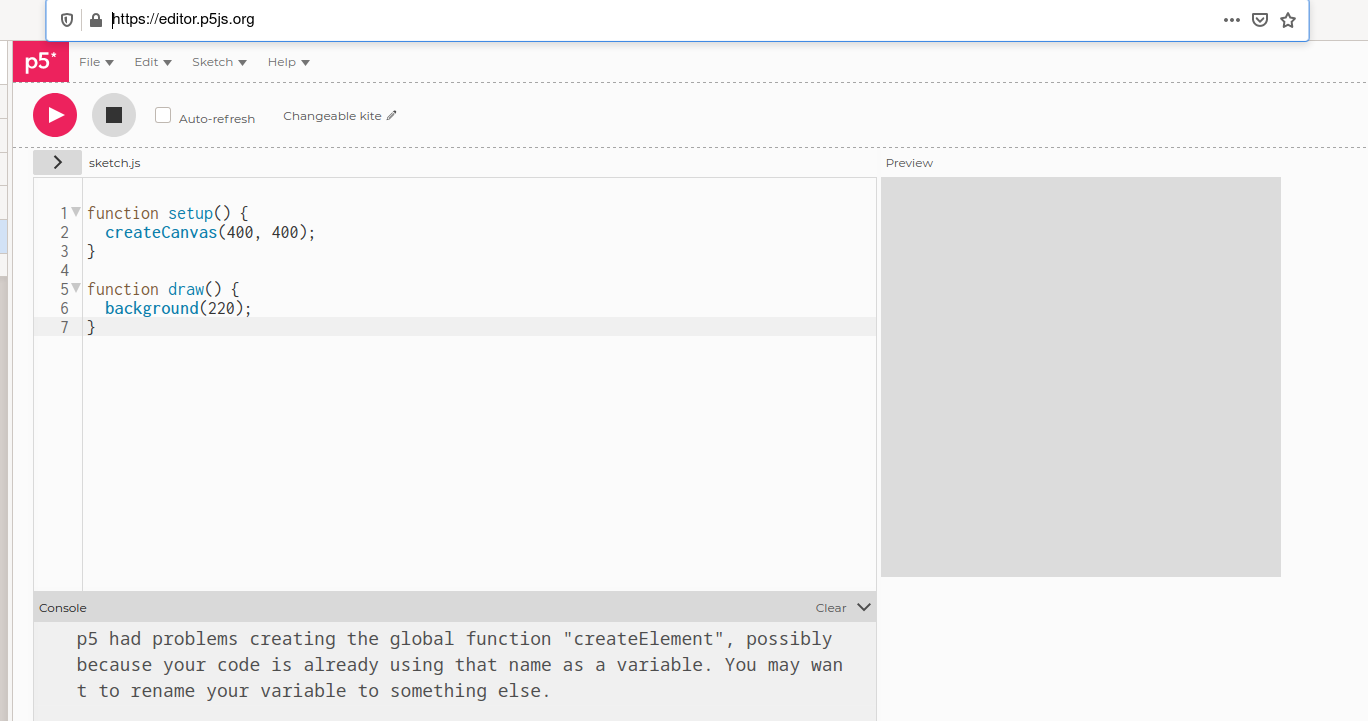
jcelerier
on 9 Dec 2020
So I just looked it up. Apparently, it might be something with the web editor's accessibility features, as discussed in this issue. I was able to replicate this by turning on any of the checkboxes under "Accessible text-based canvas" in accessibility settings.
The accessibility settings would explain the sound too if you have "Lint warning sound" turned on.
akshay-99
on 9 Dec 2020
Okay, had a checkbox checked there indeed (weird, first time I go to that menu), and indeed disabling it I don't see the warning for now.
jcelerier
on 10 Dec 2020
@akshay-99 Thank you for the workaround.
It appears that if the Settings -> Accessibility -> Accessible text-based canvas -> Sound is checked, the error will appear.
While this can get around the issue, I still think that the issue is not fully resolved. For example, a person who would want the setting turned on would still receive this error.
Ongshu777
on 20 Dec 2020
It's mostly a thing with p5.accessibilty, which is automatically imported by the editor when accessibility settings are on. createElement is defined as a global function there on line 724. It is this definition that clashes when the main library's core initialization process tries to create its own createElement. Hence the message.
On the editor, also notice that this message only appears with p5.js 0.10.0 or later, which was the version in which p5.dom was merged into the main library. p5.accessibility's most recent release was in 2018, before this change, and hence it wasn't an issue at the time.
akshay-99
on 21 Dec 2020
@akshay-99
That is a lot of insight to the problem. This would suggest that the function on line 724 should be renamed or (if possible) removed.
Ongshu777
on 21 Dec 2020
I would suggest redirecting this issue to the p5.accessibility repo if possible. Thanks.
limzykenneth
on 21 Dec 2020
Related issues
 slowizzm
·
3Comments
slowizzm
·
3Comments
 kappaxbeta
·
3Comments
kappaxbeta
·
3Comments
 kjhollen
·
3Comments
kjhollen
·
3Comments
 kartikay-bagla
·
3Comments
kartikay-bagla
·
3Comments
 ogoossens
·
3Comments
ogoossens
·
3Comments
Most helpful comment
So I just looked it up. Apparently, it might be something with the web editor's accessibility features, as discussed in this issue. I was able to replicate this by turning on any of the checkboxes under "Accessible text-based canvas" in accessibility settings.
The accessibility settings would explain the sound too if you have "Lint warning sound" turned on.