P5.js: Switching between front and rear camera on a smartphone using P5.js
@shiffman @outofambit
Hi Guys,
I have written the program below for switching between front and rear camera on a phone when clicking on the switchBtn. On cliking the button, it doesn't switch as intended. Hope you could have a look at my code and if possible suggest a fix. Thank you! :)
var capture;
let switchFlag = false;
let switchBtn;

var options = {
     video: {

         facingMode: {
          exact: "user"
        }
     }
   };

function setup() {
  createCanvas(390, 240);

  capture = createCapture(options);

  switchBtn = createButton('Switch Camera');
  switchBtn.position(19, 19);
  switchBtn.mousePressed(switchCamera);


}

function switchCamera()
{
  switchFlag = !switchFlag;
  if(switchFlag==true)
  {
   capture.remove();
   options = {
     video: {

         facingMode: {
          exact: "environment"
        }
     }
   };

  }
  else
  {
   capture.remove();
   options = {
     video: {

         facingMode: {
          exact: "user"
        }
     }
   };

  }
  capture = createCapture(options);

}
 GeeveGeorge
All 19 comments
Welcome! 👋 Thanks for opening your first issue here! And to ensure the community is able to respond to your issue, be sure to follow the issue template if you haven't already.
![welcome[bot] picture](https://avatars0.githubusercontent.com/in/4141?v=4&s=40) welcome[bot]
on 7 Nov 2019
welcome[bot]
on 7 Nov 2019
Hi @GeeveGeorge, we usually keep github issues for bug reports and feature requests only. If you have questions about your own code, please post them to the forum where you can get help there. Thanks!
 limzykenneth
on 7 Nov 2019
limzykenneth
on 7 Nov 2019
Thanks for the reply! I've made a post there. But, I feel like switching between front and rear camera seems to not be working using createCapture(); in p5.js . createCapture() seems to allow only one single camera to be used. I am able to acess the rear and back camera both independently using createCapture();. but when trying to switch between two cameras it seems to fail. As seen in my code, when I try to access the rear camera, it doesn't seem to show up. I read other similar topics on the issues page https://github.com/processing/p5.js/issues/1496 , here too the issue seems not to be resolved. Hope someone could update regarding if there has been any changes such that we could switch between the rear and back cameras.
GeeveGeorge
on 7 Nov 2019
For me your code above work just fine on Safari iOS 13.2, it is switching as intended between the two cameras on my iPhone SE. If you think there is still a bug, please let us know more about your particular setup, namely the p5.js version, the iOS version and the phone being used.
limzykenneth
on 8 Nov 2019
Hey Kenneth,
Thanks for the reply. Glad to know it's working on your iPhone. I'm on an Android device (Redmi Note 5 Pro) running, Android Oreo : 8.1.0. I am using the Chrome browser. I wrote the above code on the p5.js web editor .
GeeveGeorge
on 8 Nov 2019
I'll reopen this and see if anyone else can reproduce.
limzykenneth
on 8 Nov 2019
Thank you! :) Hoping that someone could test it on Chrome and on Android.
GeeveGeorge
on 8 Nov 2019
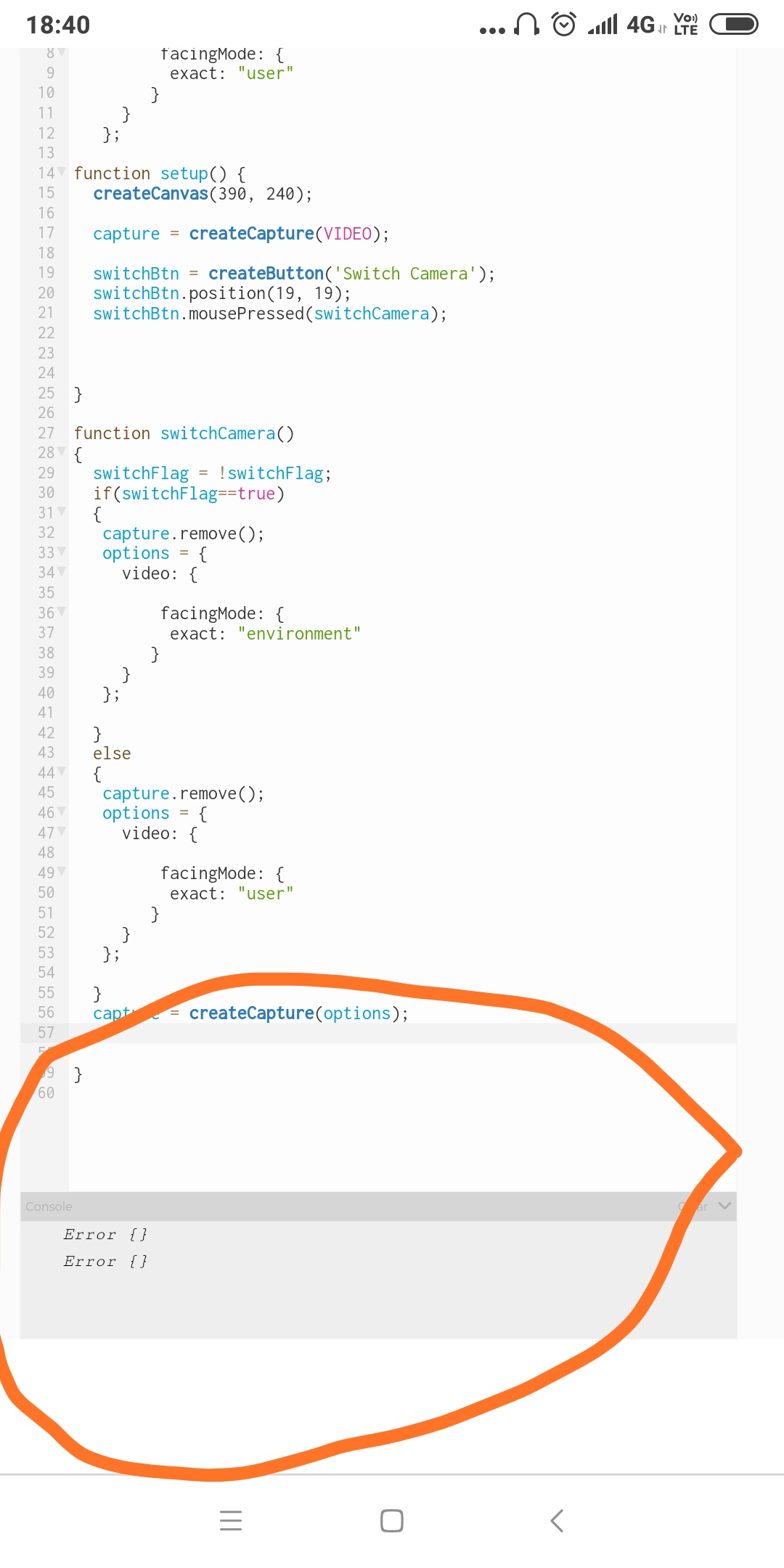
On clicking switch , the p5.js log reports : error .
GeeveGeorge
on 8 Nov 2019
I am able to reproduce with Android 8 and latest Chrome.
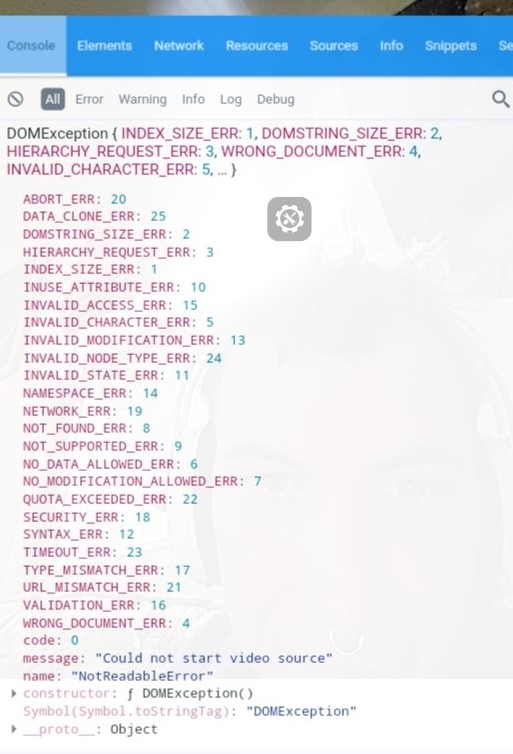
I am unable to get a stack trace with my current setup but it appears that with Chrome on Android the old capture stream has to be stopped manually before switching. I am saying this based on the error and on this thread.
Here is an image of the error:
 stalgiag
on 11 Nov 2019
stalgiag
on 11 Nov 2019
Here is the original code with a workaround added:
var capture;
let switchFlag = false;
let switchBtn;
var options = {
video: {
facingMode: {
exact: "user"
}
}
};
function setup() {
createCanvas(390, 240);
capture = createCapture(options);
switchBtn = createButton('Switch Camera');
switchBtn.position(19, 19);
switchBtn.mousePressed(switchCamera);
}
function switchCamera()
{
switchFlag = !switchFlag;
stopCapture();
if(switchFlag==true)
{
capture.remove();
options = {
video: {
facingMode: {
exact: "environment"
}
}
};
}
else
{
capture.remove();
options = {
video: {
facingMode: {
exact: "user"
}
}
};
}
capture = createCapture(options);
}
function stopCapture() {
let stream = capture.elt.srcObject;
let tracks = stream.getTracks();
tracks.forEach(function(track) {
track.stop();
});
capture.elt.srcObject = null;
}
Hey @stalgiag ,
Just tried running the code. It works perfectly!
Thanks for the reply :)
GeeveGeorge
on 11 Nov 2019
Great @GeeveGeorge !
Not sure what should be done on the library side. Perhaps p5.MediaElement.stop() should stop the stream of a capture and get rid of the srcObject? Currently stop() does the equivalent of:
capture.pause();
capture.time(0);
What do you think @limzykenneth ?
stalgiag
on 11 Nov 2019
Yes, would be great if it was implemented into the library! @limzykenneth @stalgiag
GeeveGeorge
on 11 Nov 2019
If the srcObject is gotten rid of when calling stop() then can media strem operations still be run on it? eg. can play() be called on it when srcObject is gone?
What about cleaning up srcObject on remove()?
limzykenneth
on 11 Nov 2019
Yeah remove() might be a better place to do this.
stalgiag
on 11 Nov 2019
remove() is a p5.Element wide method so how to pin point it to p5.MediaElement I'm not exactly sure. The inheritence there is rather messy.
limzykenneth
on 11 Nov 2019
It would not help with messiness in the inheritance but a quick fix could be to:
if (this instanceof p5.MediaElement) {
  let stream = this.elt.srcObject;
  let tracks = stream.getTracks();

  tracks.forEach(function(track) {
    track.stop();
  });

  this.elt.srcObject = null;
}
@limzykenneth
I would like to work on this too.
 singhvisha
on 27 Nov 2019
singhvisha
on 27 Nov 2019
 lmccart
on 28 Nov 2019
lmccart
on 28 Nov 2019
Related issues
stalgiag
·
3Comments
 kappaxbeta
·
3Comments
kappaxbeta
·
3Comments
 bassamanator
·
3Comments
bassamanator
·
3Comments
 aman-tiwari
·
3Comments
aman-tiwari
·
3Comments
 NamanSharma5
·
3Comments
NamanSharma5
·
3Comments
Most helpful comment
It would not help with messiness in the inheritance but a quick fix could be to: