P5.js: TRIANGLE_STRIP in WEBGL has wrong vertex connection
Nature of issue?
- [x] Found a bug
- [ ] Existing feature enhancement
- [ ] New feature request
Most appropriate sub-area of p5.js?
- [ ] Color
- [ ] Core/Environment/Rendering
- [ ] Data
- [ ] Events
- [ ] Image
- [ ] IO
- [ ] Math
- [ ] Typography
- [ ] Utilities
- [x] WebGL
- [ ] Other (specify if possible)
Which platform were you using when you encountered this?
- [ ] Mobile/Tablet (touch devices)
- [x] Desktop/Laptop
- [ ] Others (specify if possible)
Details about the bug:
- p5.js version: 0.6.1
- Web browser and version: Chrome 68.0.3440.84
- Operating System: OSX
- Steps to reproduce this:
The TRIANGLE_STRIP is suppose look like the one in the document (https://p5js.org/reference/#/p5/beginShape 2).
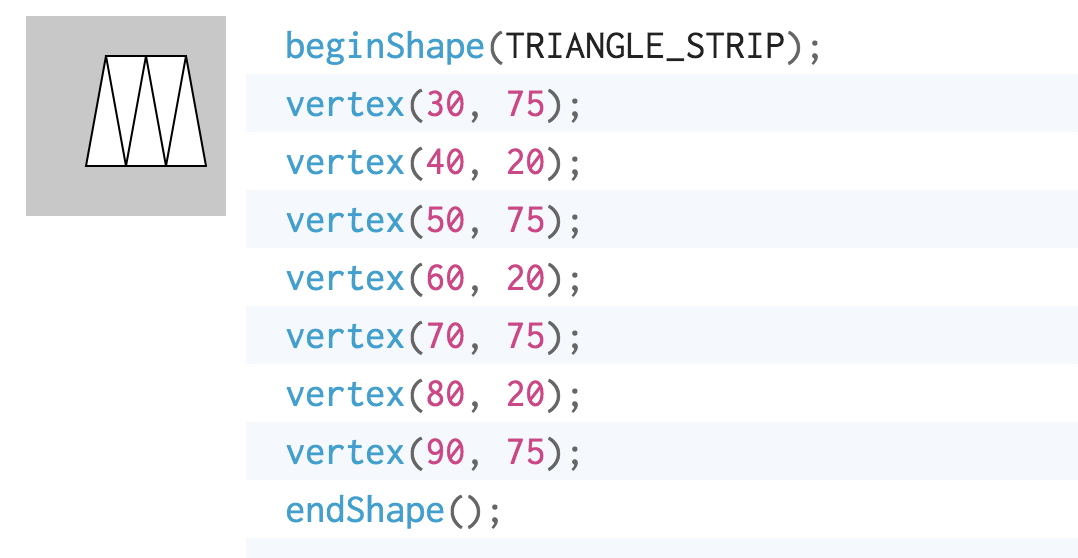
But, when I tried it in WEBGL it looks different, some points are not connected to each other. (https://alpha.editor.p5js.org/binkpitch/sketches/HJkNCBEBQ).
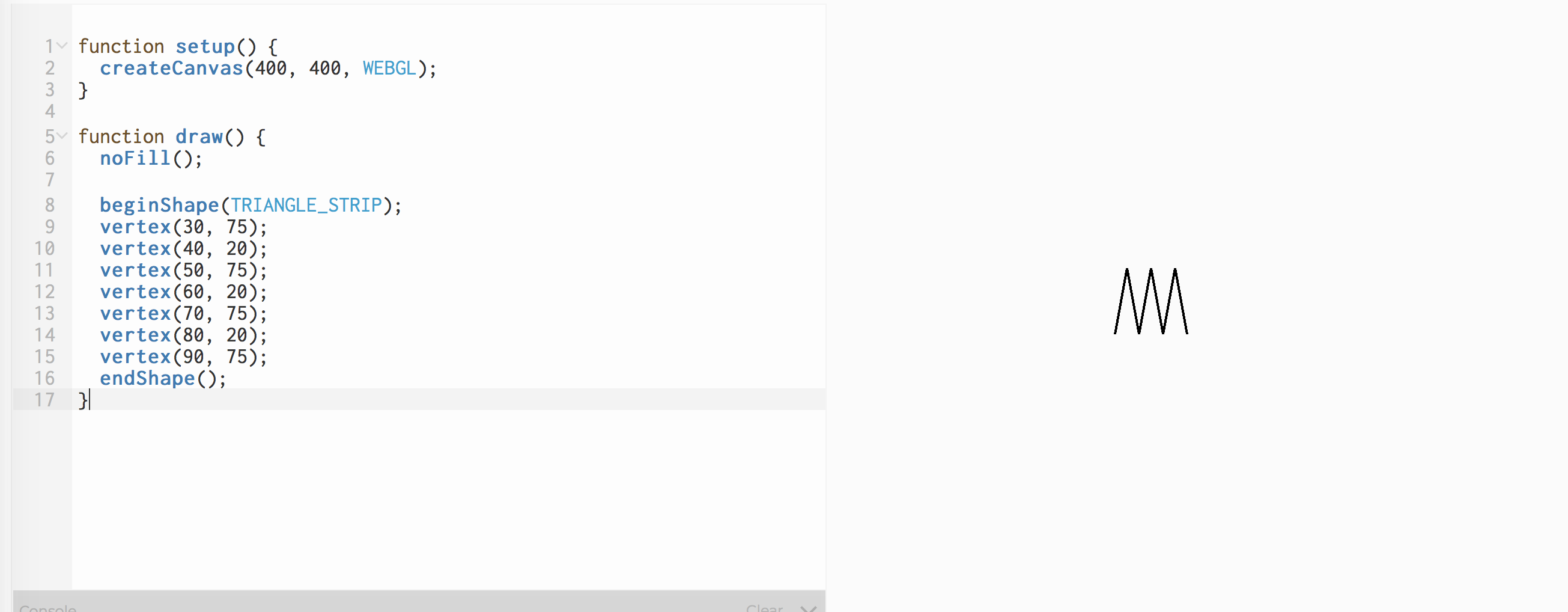
 binkpitch
All 7 comments
Hey @mlarghydracept correct me if I'm wrong but shouldn't this be fixed by using this :
if (this.immediateMode.shapeMode === constants.TRIANGLE_STRIP) {
var i
for (i = 0; i < this.immediateMode.vertices.length - 2; i++) {
this.immediateMode.edges.push([i, i + 1]);
this.immediateMode.edges.push([i, i + 2]);
}
this.immediateMode.edges.push([
i,
i + 1
]);
}
else {
for (var i = 0; i < this.immediateMode.vertices.length - 1; i++) {
this.immediateMode.edges.push([i, i + 1]);
}
for pushing edges in p5.RendererGL.prototype.endShape.
 AdilRabbani
on 5 Aug 2018
AdilRabbani
on 5 Aug 2018
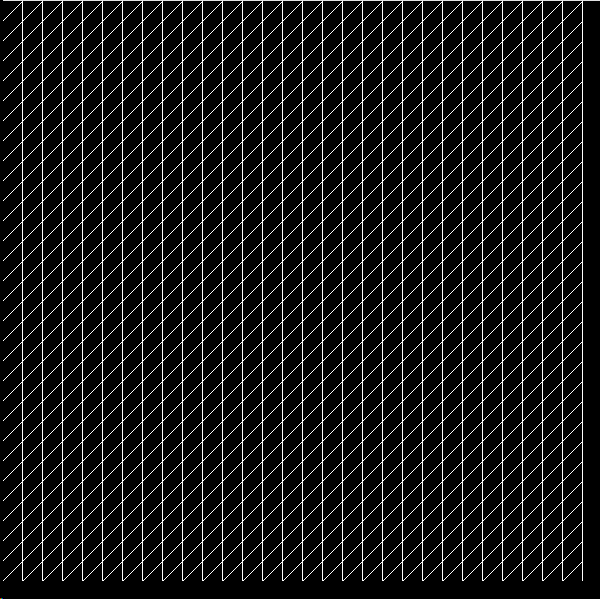
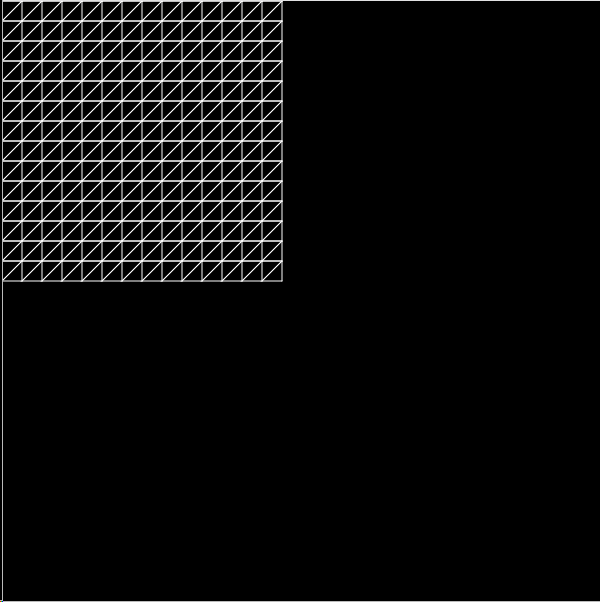
Still seeing this issue in version 0.7.2 any news on a fix? Works just fine with 2d, but switching to WEBGL renders a line loop instead it seems.
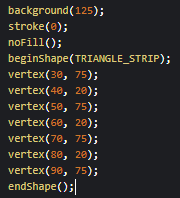
Renders this with 2d

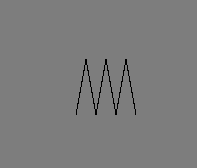
but as soon as I add WEBGL to createCanvas. It becomes this:
 MarellaB
on 4 Sep 2018
MarellaB
on 4 Sep 2018
Doesnt seem to be fixed in 0.7.2. Below is an image using WEBGL and using P2D side-to-side:
 bashbers
on 7 Jan 2019
bashbers
on 7 Jan 2019
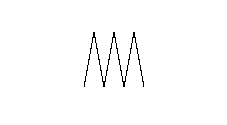
I'm still getting this issue in the p5 web editor
beginShape(TRIANGLE_STRIP);
vertex(30, 75);
vertex(40, 20);
vertex(50, 75);
vertex(60, 20);
vertex(70, 75);
vertex(80, 20);
vertex(90, 75);
endShape();
outputs:
 arapl3y
on 4 Feb 2019
arapl3y
on 4 Feb 2019
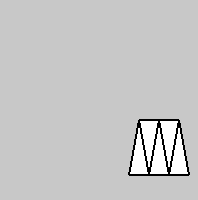
I believe the p5 web editor is not updated with the latest version. I am getting correct results for the above example when building from the master branch.
function setup()
{
  createCanvas(200, 200, WEBGL);
  stroke(0);
  fill(255);
  background(200);
  strokeWeight(2);
}

function draw()
{
  beginShape(TRIANGLE_STRIP);
  vertex(30, 75);
  vertex(40, 20);
  vertex(50, 75);
  vertex(60, 20);
  vertex(70, 75);
  vertex(80, 20);
  vertex(90, 75);
  endShape();
}
Outputs:
AdilRabbani
on 4 Feb 2019
Also getting correct results for Version 0.7.3 from the official website.
AdilRabbani
on 4 Feb 2019
Thanks for checking @AdilRabbani!
 stalgiag
on 4 Feb 2019
stalgiag
on 4 Feb 2019
Related issues
 b0nb0n
·
3Comments
b0nb0n
·
3Comments
 aman-tiwari
·
3Comments
aman-tiwari
·
3Comments
 bassamanator
·
3Comments
bassamanator
·
3Comments
 NamanSharma5
·
3Comments
stalgiag
·
3Comments
NamanSharma5
·
3Comments
stalgiag
·
3Comments
Most helpful comment
I believe the p5 web editor is not updated with the latest version. I am getting correct results for the above example when building from the master branch.
Outputs: