Outlookgooglecalendarsync: Gmail is getting meeting accept/decline emails from the .ogcs addresses of the attendees
:memo: Use the below template to report your issue.
:bulb: Upgrade to the latest alpha release to check if the problem is already fixed.
:paperclip: To aid investigation, provide your OGcalsync.log file (see instructions).
OGCS Version: ? not at work right now, but I'm sure it's a recent version
Installed or Portable: Installed
Problem Description
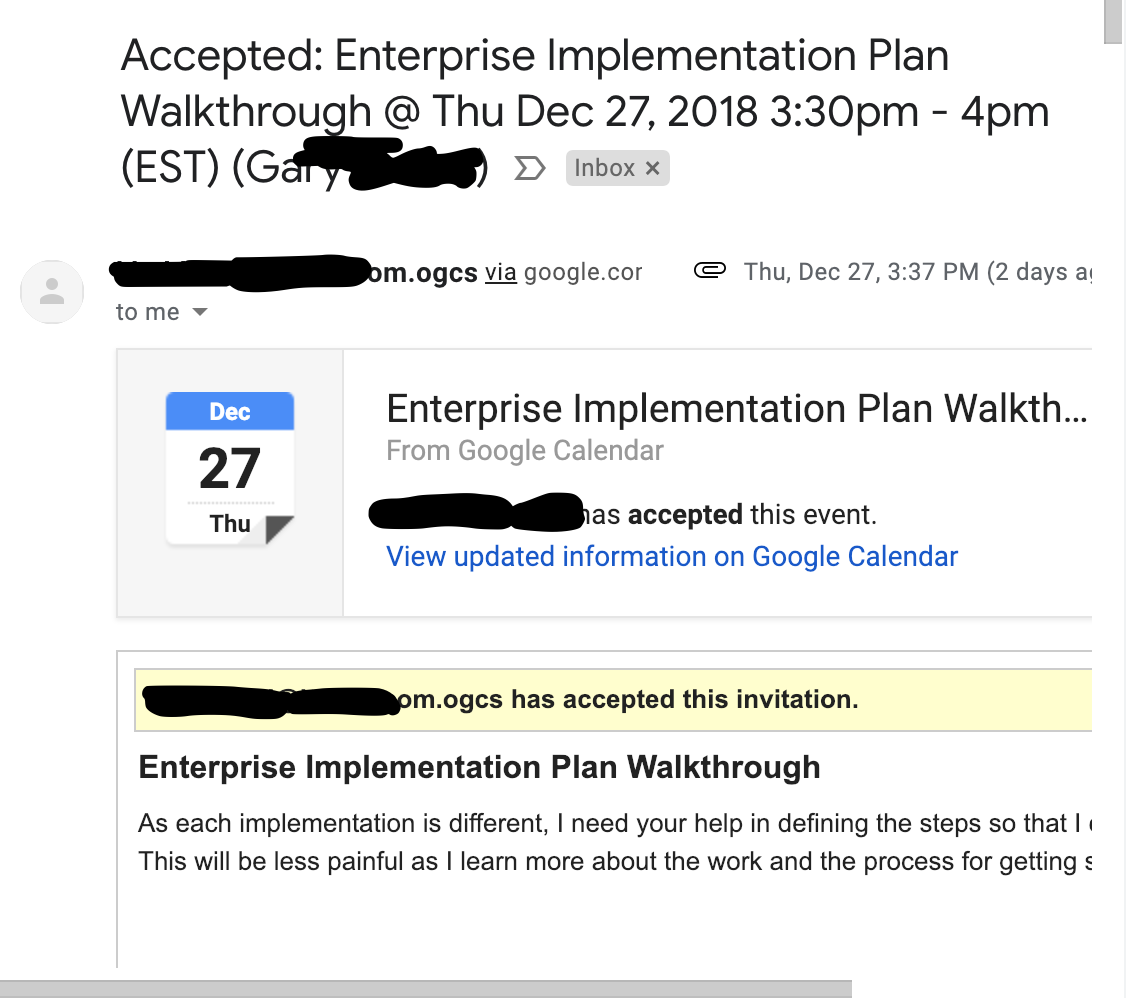
Starting a few days ago, my gmail is getting meeting accept/decline emails from the .ogcs addresses of the attendees. I don't recall seeing this behavior before. I prefer to sync attendees so I can see who's in the meeting on my non-work phone's Google Calendar. Thanks for the great software!
Steps to Reproduce the Issue
Any other information
 gsemel
All 4 comments
The .ogcs emails aren't real, so I don't think you can be getting accept/decline emails from them. More likely you are getting undeliverable responses to your invitations or your attendance responses to meeting organiser by another?
See the wiki for information on what the .ogcs feature is for - I strongly suspect OGCS is protecting you in exactly the way it was designed.
 phw198
on 28 Dec 2018
phw198
on 28 Dec 2018
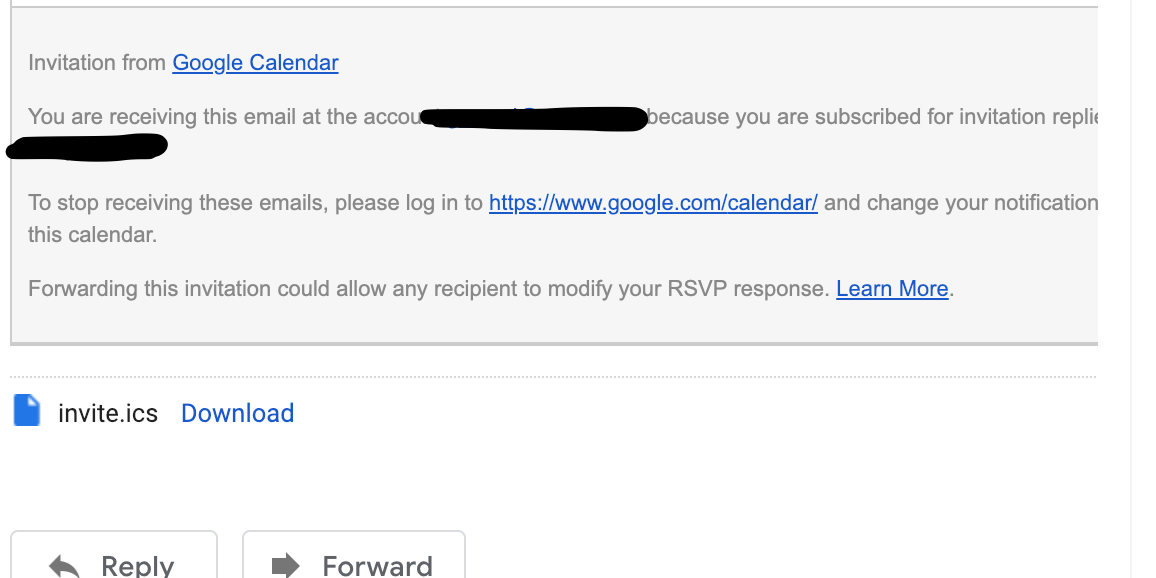
Thanks for the reply. I'm not sure that I understand your reply. Do the attached screenshots from gmail help explain what I'm seeing? Note that this particular meeting request was not created/organized by me, I'm just an invitee. Thanks!
gsemel
on 29 Dec 2018
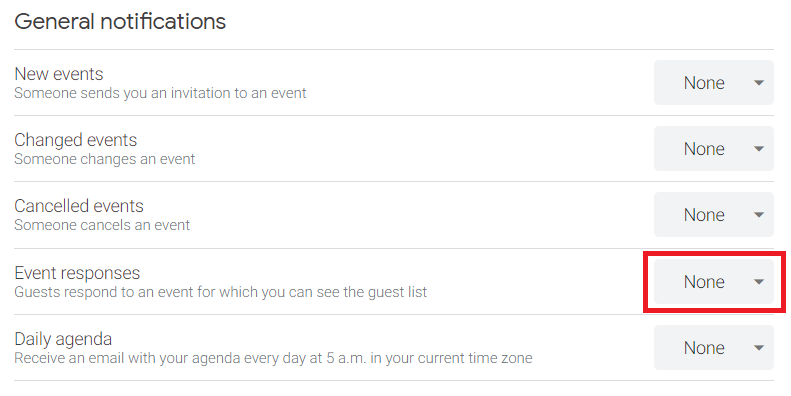
So given the attendee to the Event has an email address ending .ogcs then this can't be a legitimate response from the attendee. If you go to the settings of the web view for the Google calendar being synced to by OGCS, what are your notification settings?
phw198
on 29 Dec 2018
Event Responses was set to Email, so I set it to None. I'll let you know if the unexpected emails continue. Thanks for the help! Happy new year!
gsemel
on 1 Jan 2019
Related issues
 LHuisingh
·
6Comments
LHuisingh
·
6Comments
 sunk818
·
3Comments
sunk818
·
3Comments
 burneremail
·
6Comments
burneremail
·
6Comments
 mkorenbl
·
6Comments
mkorenbl
·
6Comments
 jesseelliott
·
4Comments
jesseelliott
·
4Comments
Most helpful comment
Event Responses was set to Email, so I set it to None. I'll let you know if the unexpected emails continue. Thanks for the help! Happy new year!