Osu: Unhandled exception: There is not enough memory available for this task.
Describe the crash:
After updating to 2020.508.2 in-game. The game booted up shortly with a black screen and then crashed. The same happened with a build using the commit that I listed below.
This happened on a setup that had maps and skins, but after resetting all of it (removing %AppData%/osu) the issue persists.
Screenshots or videos showing encountered issue:
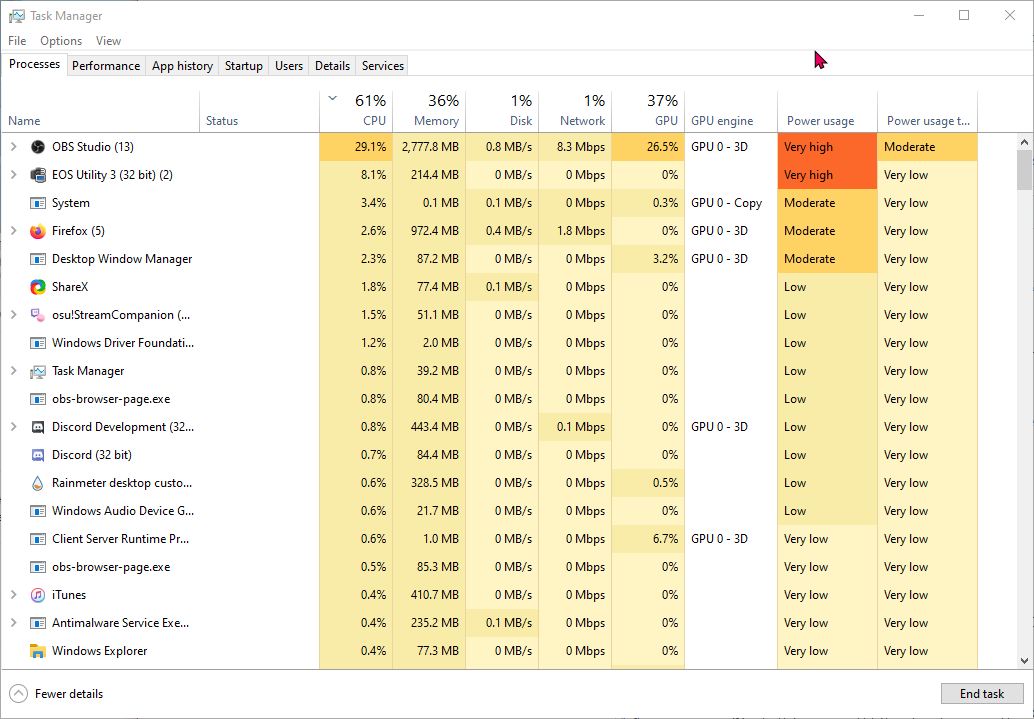
System load when trying to run lazer:
osu!lazer version:
2020.508.2 & https://github.com/ppy/osu/commit/ab9149844af06a2a15dcab2c7f880b94dc6f73ee
Logs:
performance.log
runtime.log
network.log
Computer Specifications:
Windows 10 Pro x64 Version 2004 Build 19041.207
AMD Ryzen 7 1700
48 GB of RAM
Nvidia GTX 1080ti
Lazer is stored on an nvme drive.
 MiraiSubject
All 5 comments
This looks somehow related to MIDI support? It's so early in initialisation that I would really be surprised if it wasn't.
2020-05-12 22:25:36 [error]: System.ComponentModel.Win32Exception (7): There is not enough memory available for this task.  Quit one or more applications to increase available memory, and then try a (7)
2020-05-12 22:25:36 [error]: at Commons.Music.Midi.WinMM.WinMMMidiInput.DieOnError(Int32 code)
2020-05-12 22:25:36 [error]: at Commons.Music.Midi.WinMM.WinMMMidiInput..ctor(IMidiPortDetails details)
It's got to be either one of these:
Do you have any MIDI devices plugged in?
 bdach
on 13 May 2020
bdach
on 13 May 2020
Oh yes! I actually do have a MIDI device plugged in. It's the Launchpad MK II to be specific.
MiraiSubject
on 13 May 2020
Out of curiosity, do you have another program running that opened and is receiving input from your MIDI device? (found this while doing a quick search in the underlying library)
If so, please close it and try running the game again.
 frenzibyte
on 13 May 2020
frenzibyte
on 13 May 2020
Yes I do have another program running that is using the device. After closing it, I was able to boot up lazer as normally yeah.
MiraiSubject
on 13 May 2020
While exclusive MIDI input is probably something we won't be able to work around it would be good to not have the game catch fire immediately if something else is already using it.
bdach
on 13 May 2020
Related issues
 GameBoyYeet
·
3Comments
GameBoyYeet
·
3Comments
 smileyhead
·
3Comments
smileyhead
·
3Comments
smileyhead
·
3Comments
smileyhead
·
3Comments
 Gabixel
·
3Comments
Gabixel
·
3Comments
 stageosu
·
3Comments
stageosu
·
3Comments
Most helpful comment
While exclusive MIDI input is probably something we won't be able to work around it would be good to not have the game catch fire immediately if something else is already using it.