Osu: Major Graphical Issues (Intel HD Graphics 3000)
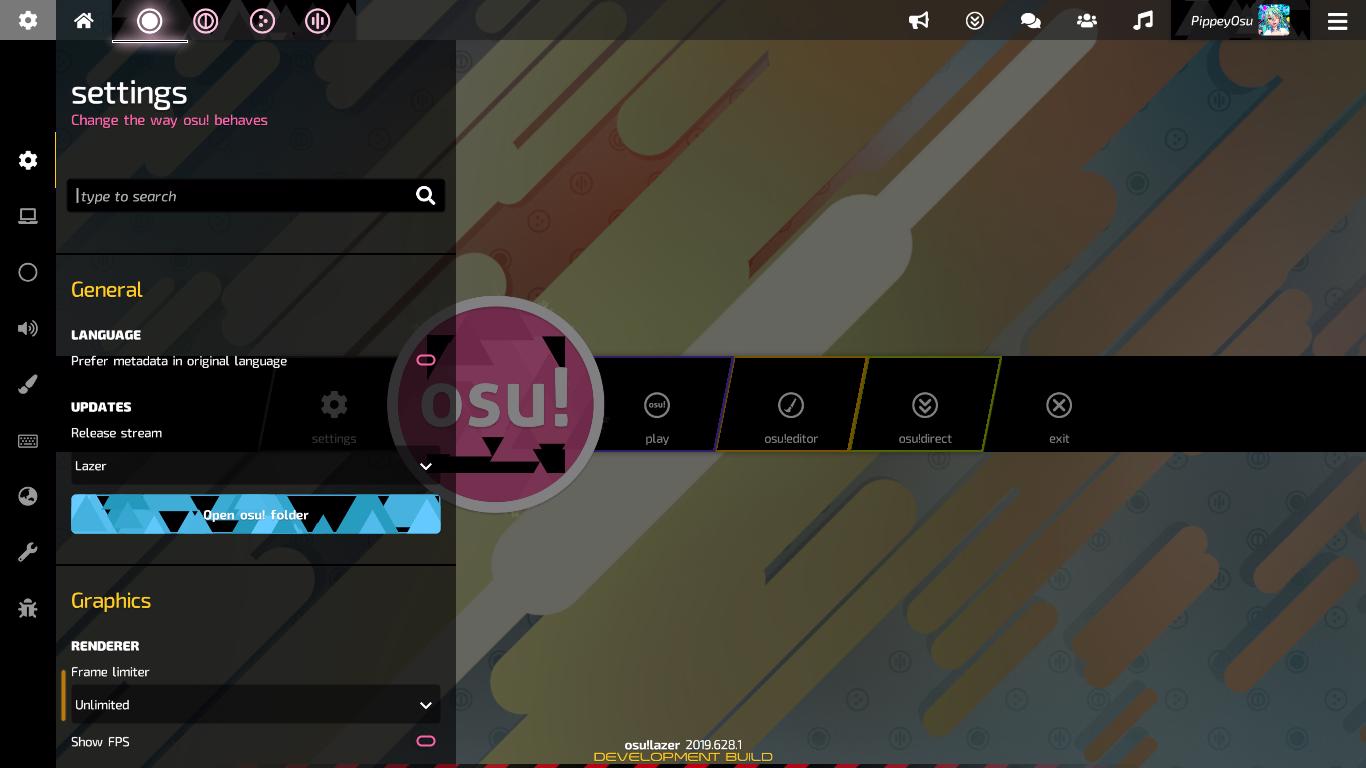
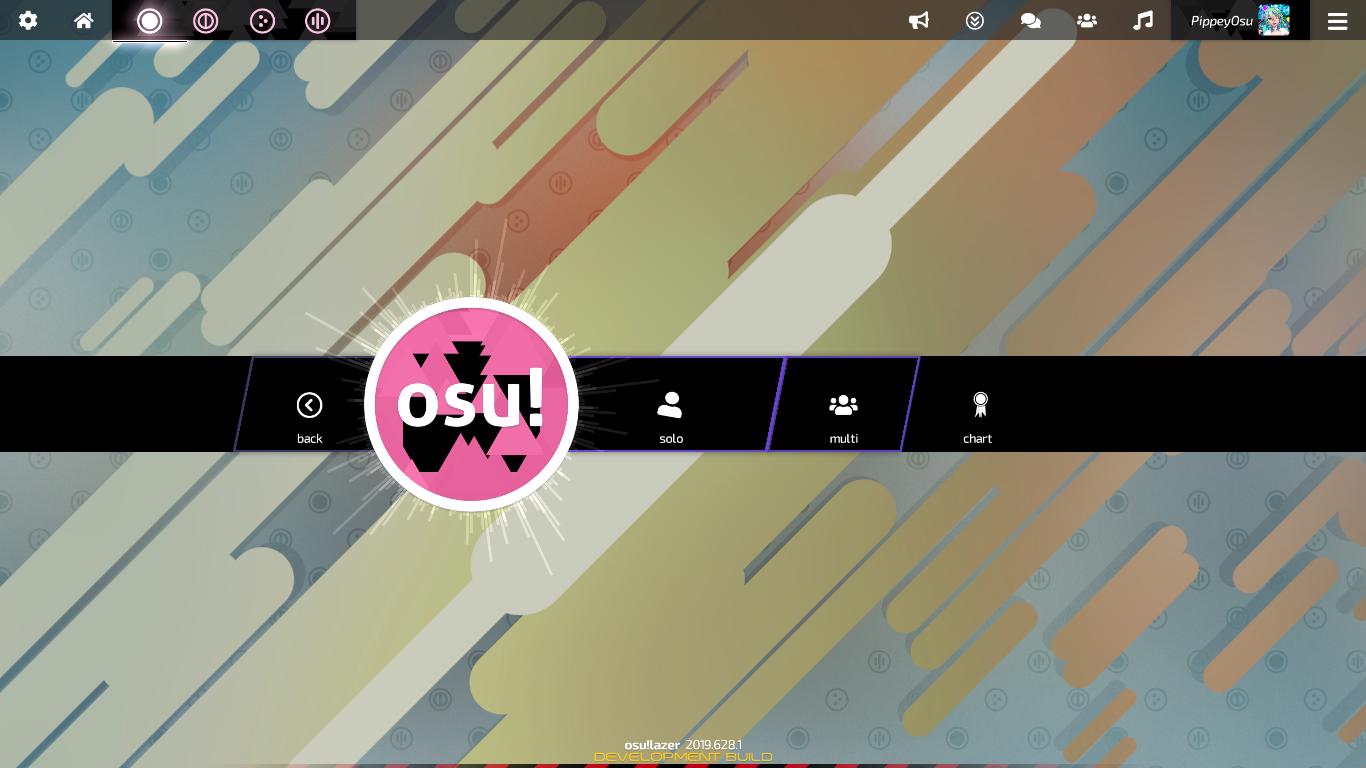
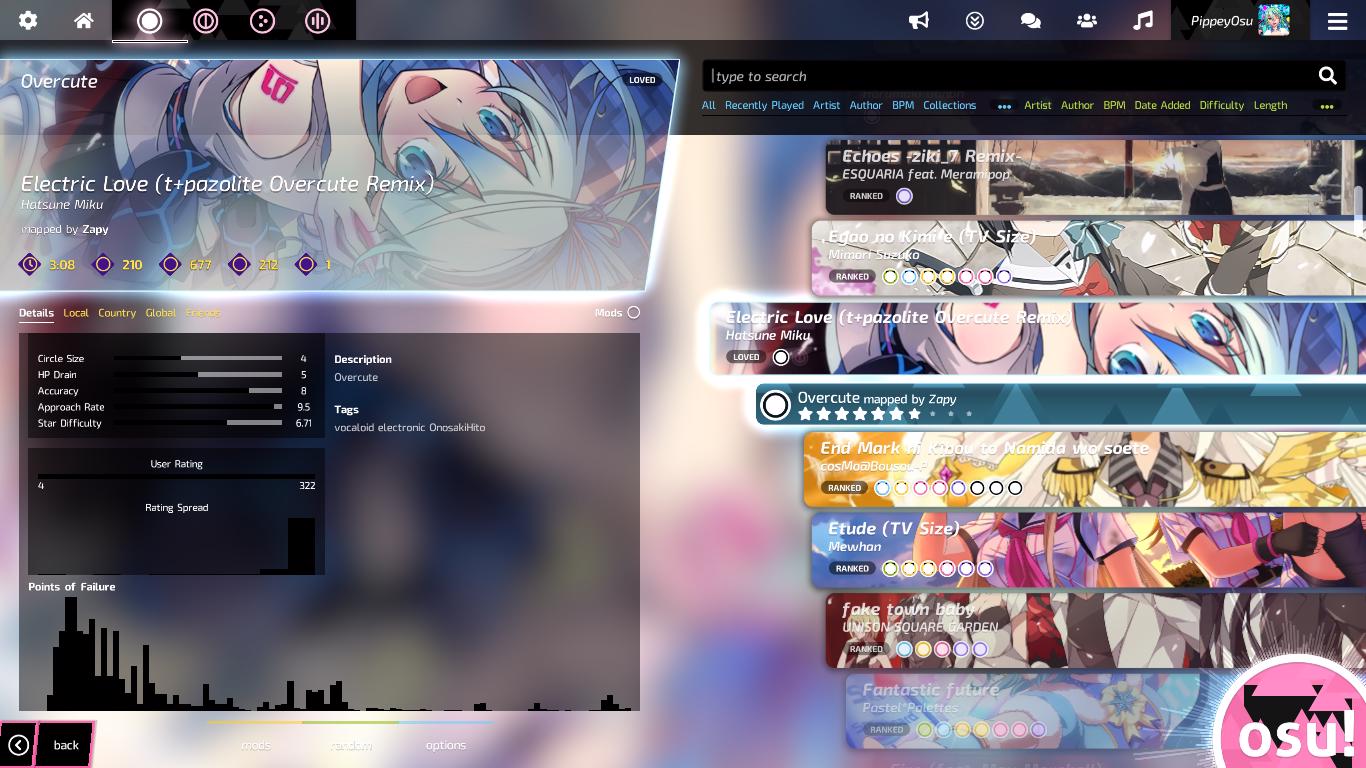
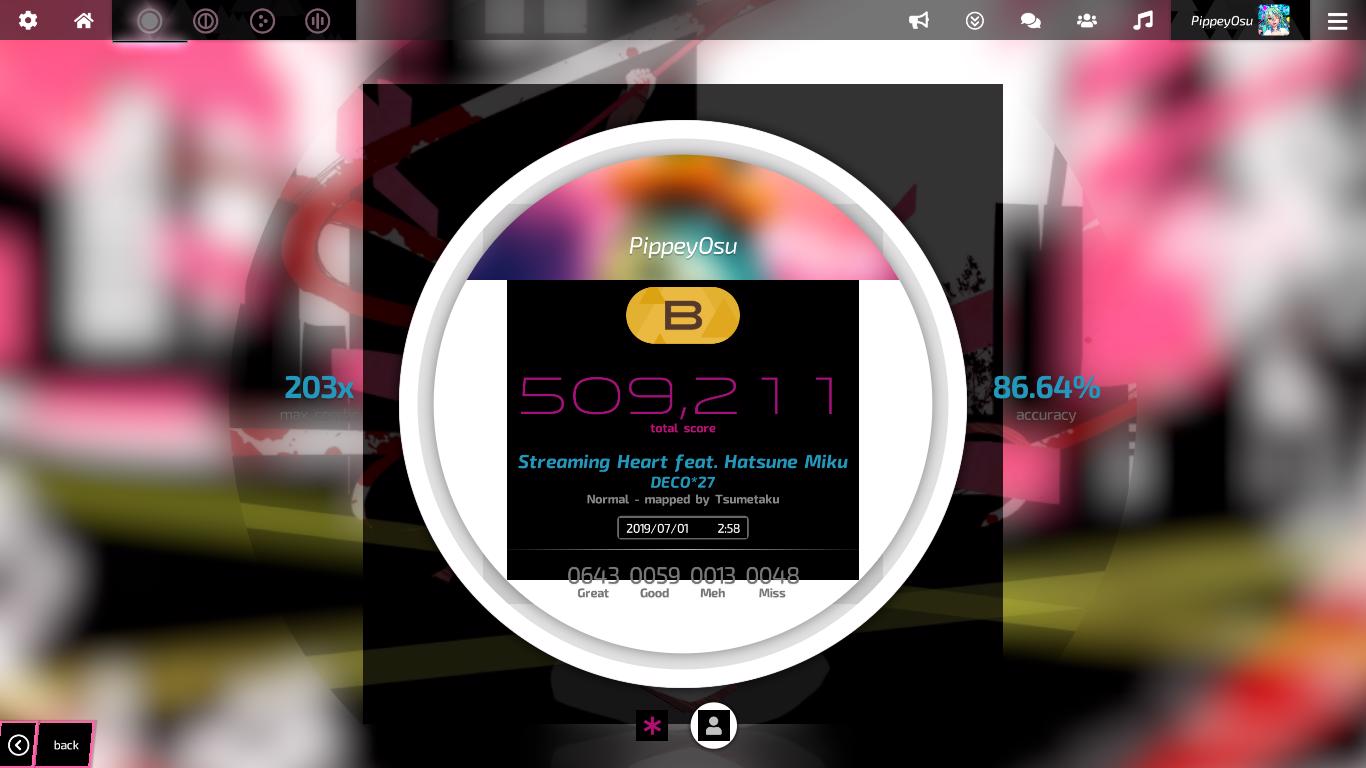
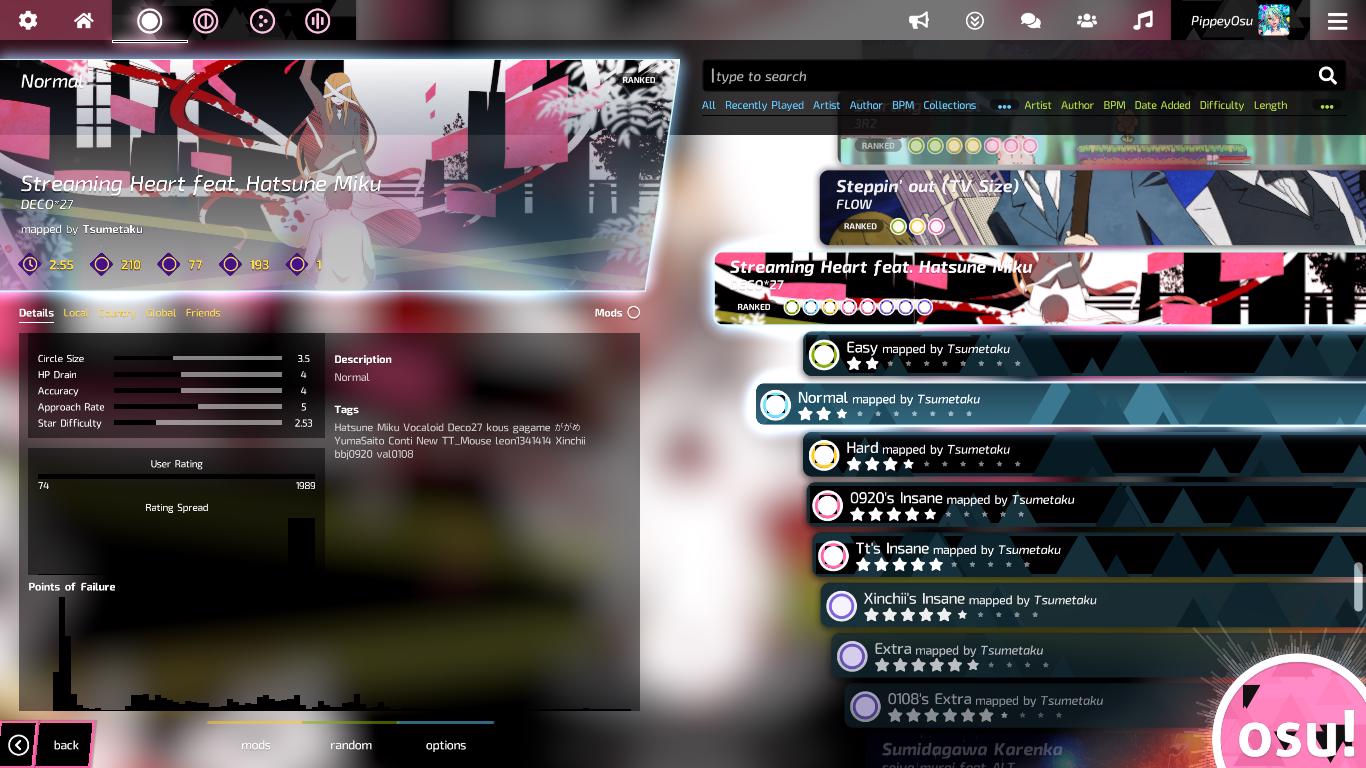
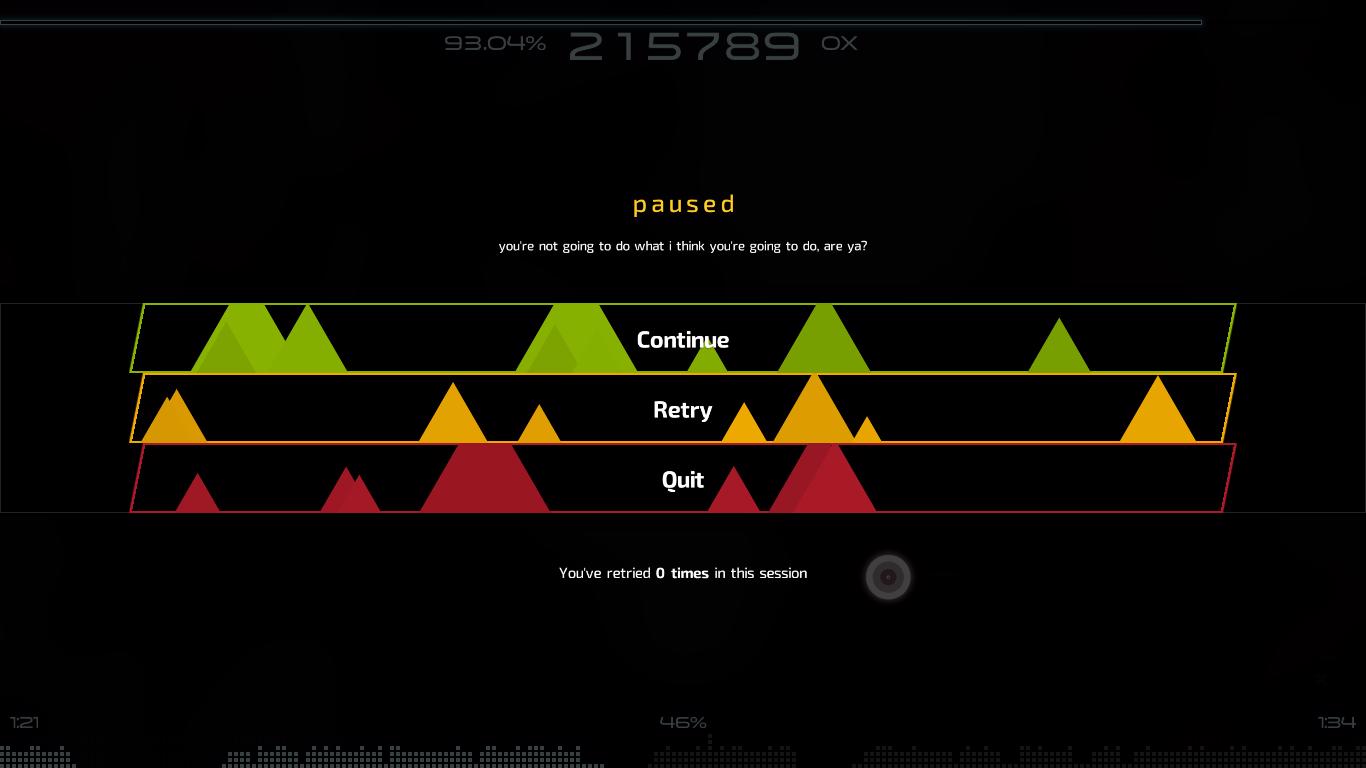
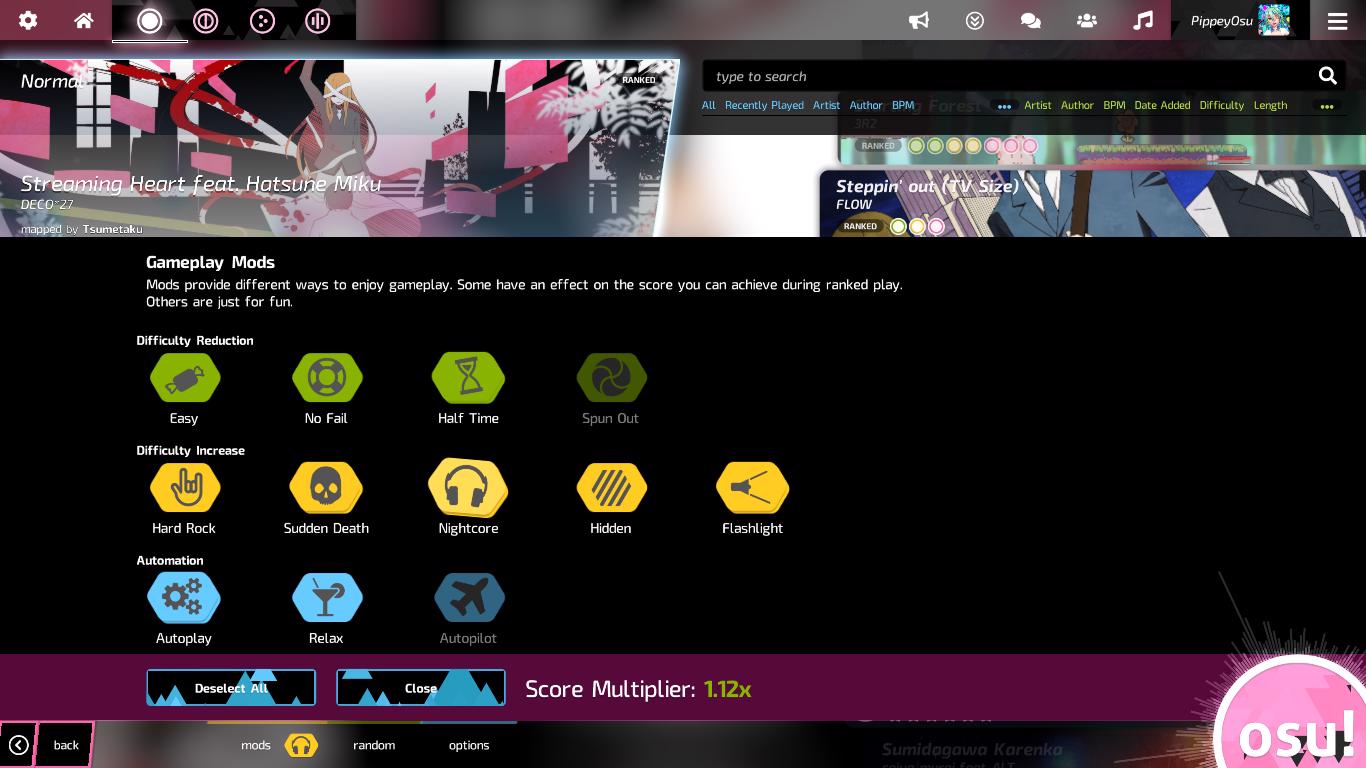
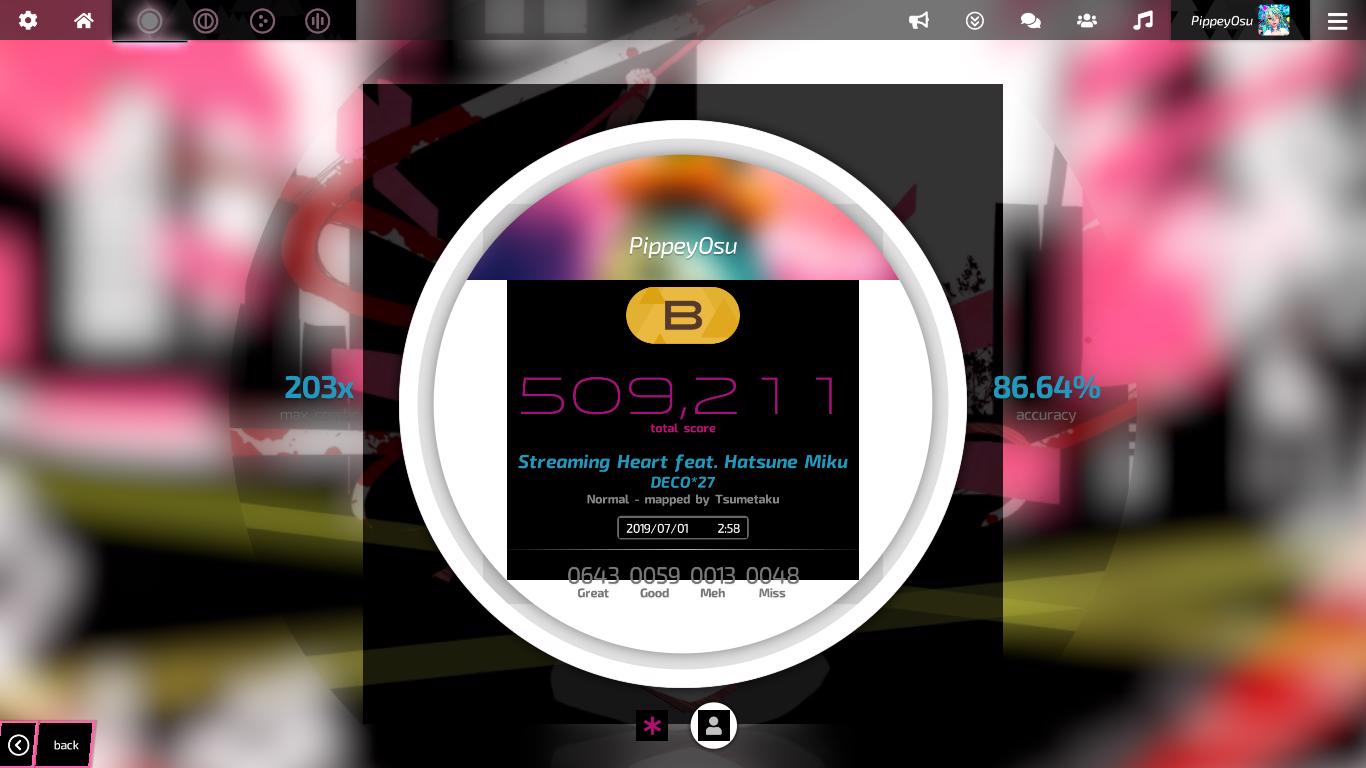
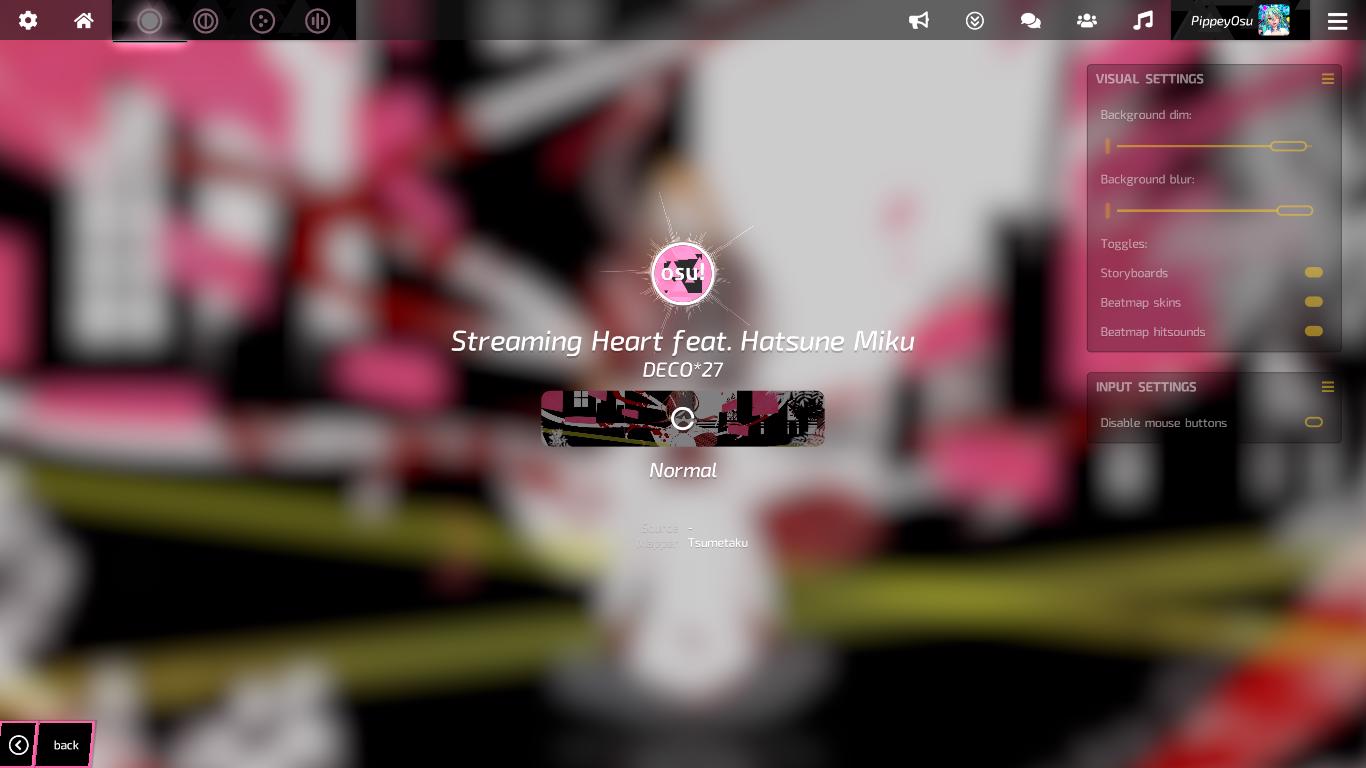
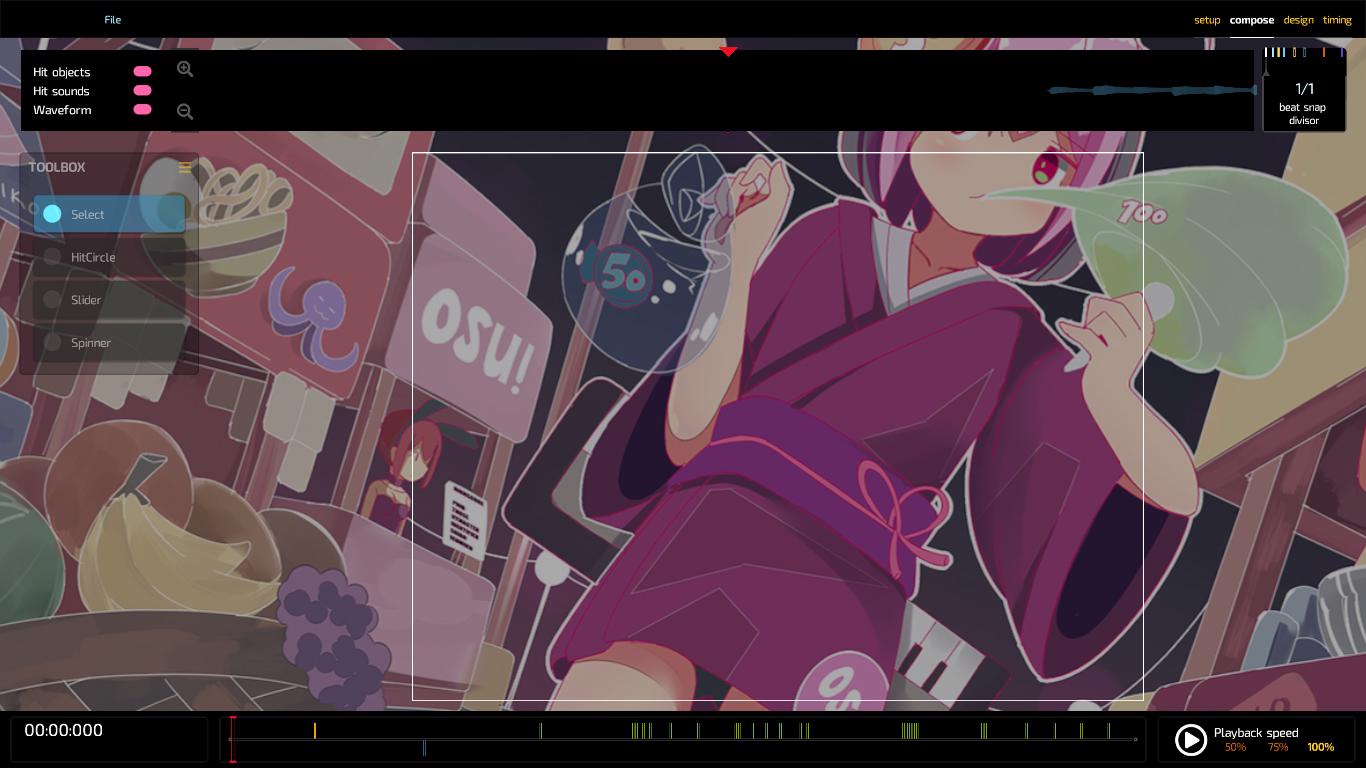
I got the same issue again with the UI but even worst. This always happens when I restart Osu! Lazer after going full screen. Could this be because of my graphics card? It could be because of the graphics card updates or my graphics card being very old.
This problem does not occur when I restart Osu Lazer! after going windowed or borderless mode. Other than the graphical issues, there are a lot of code problems and some other problems related to codes, too.
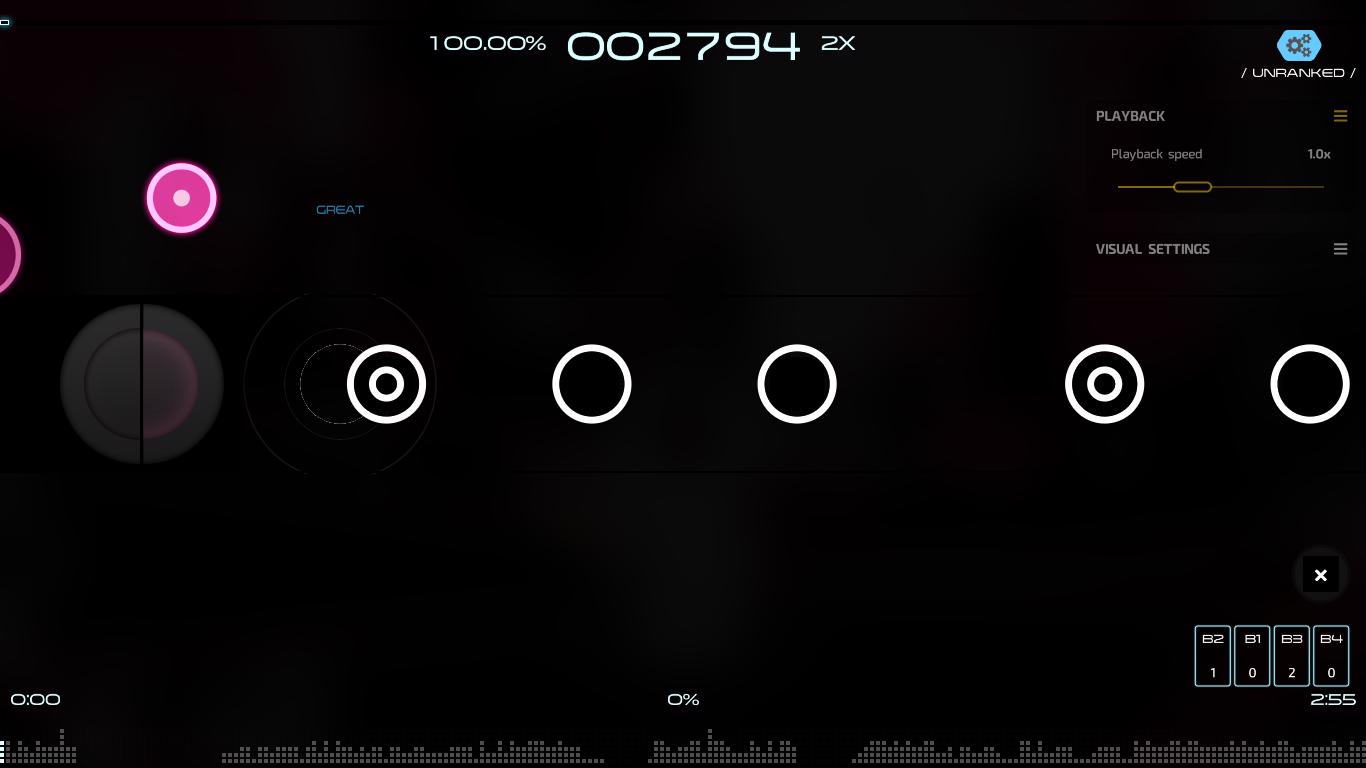
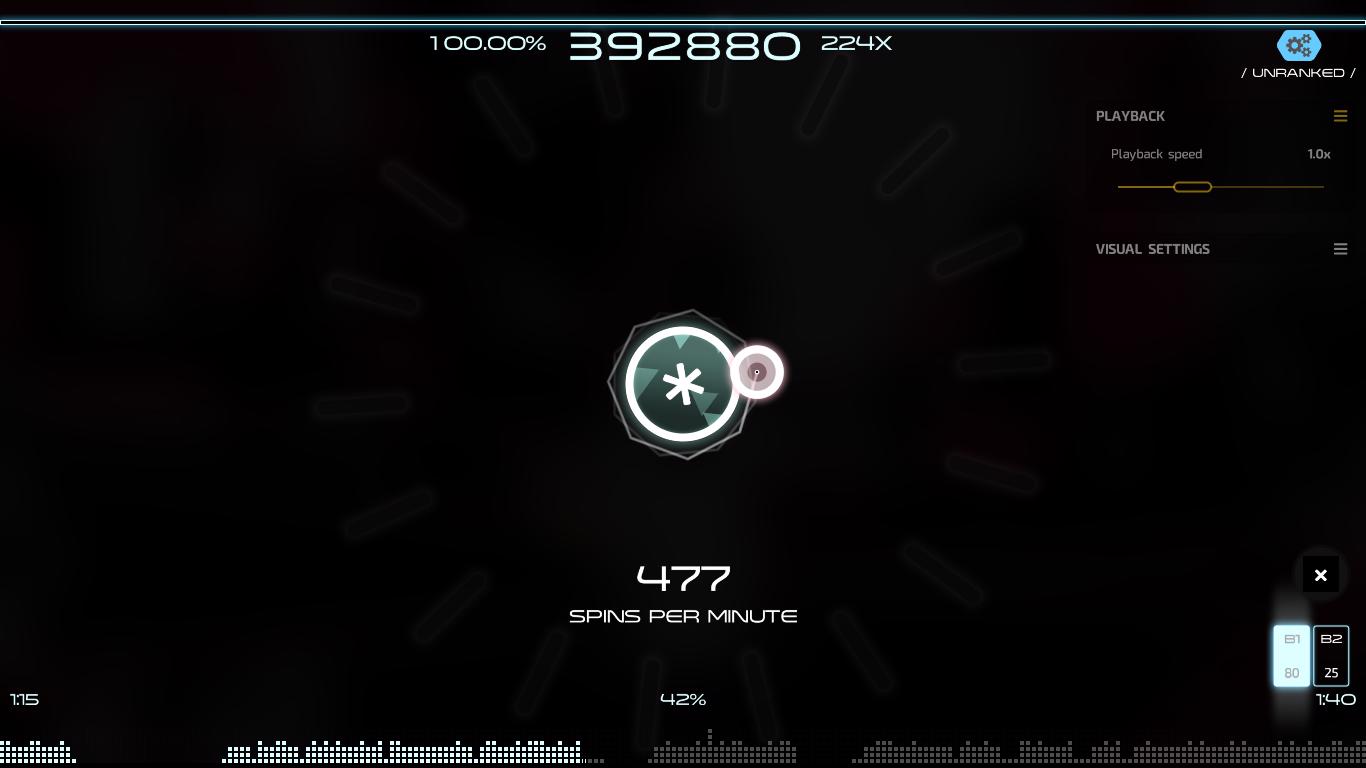
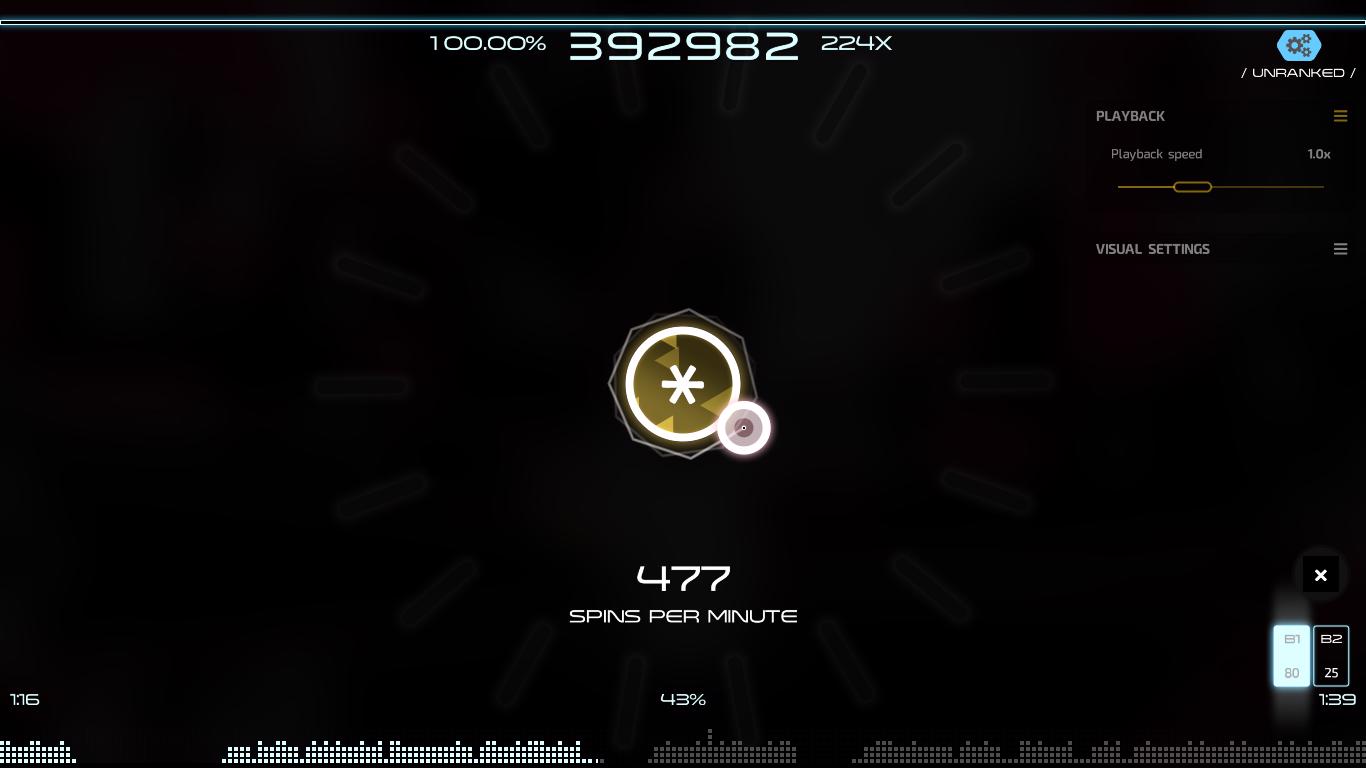
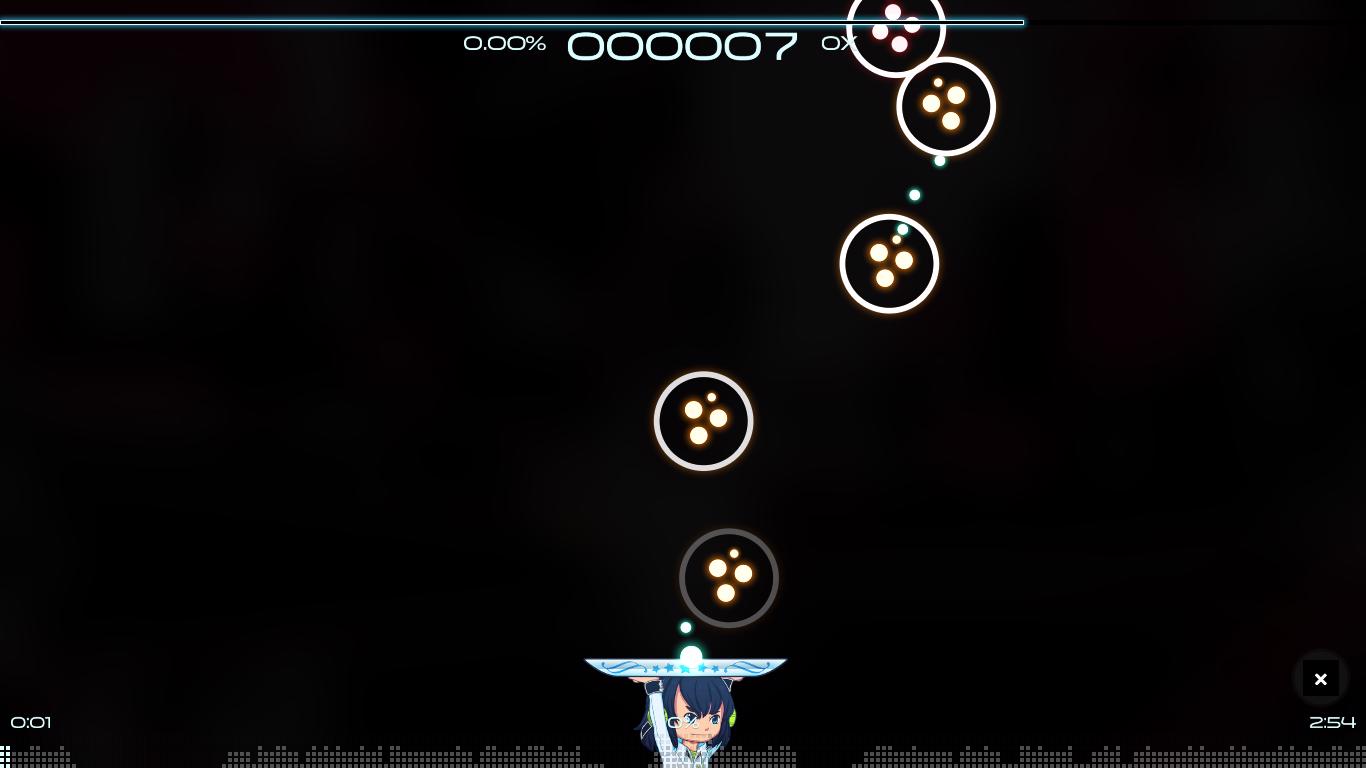
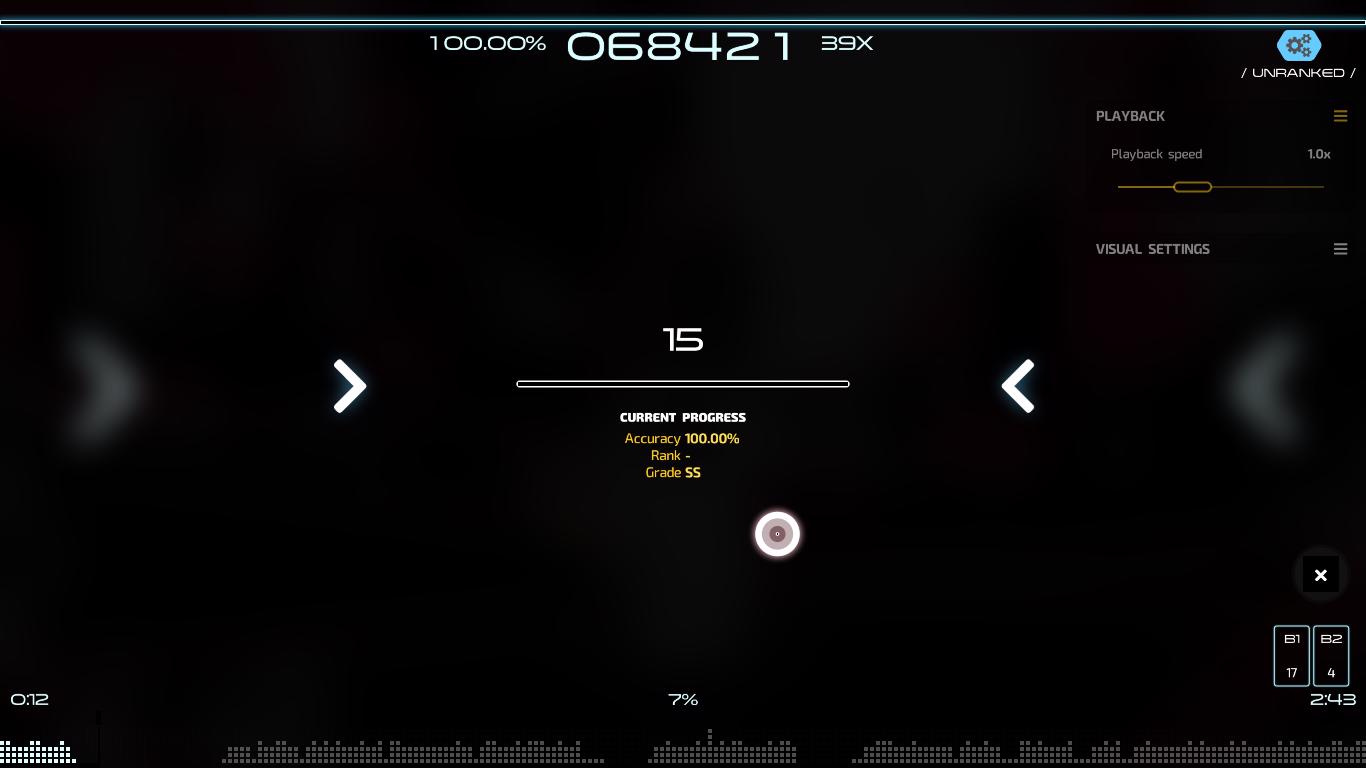
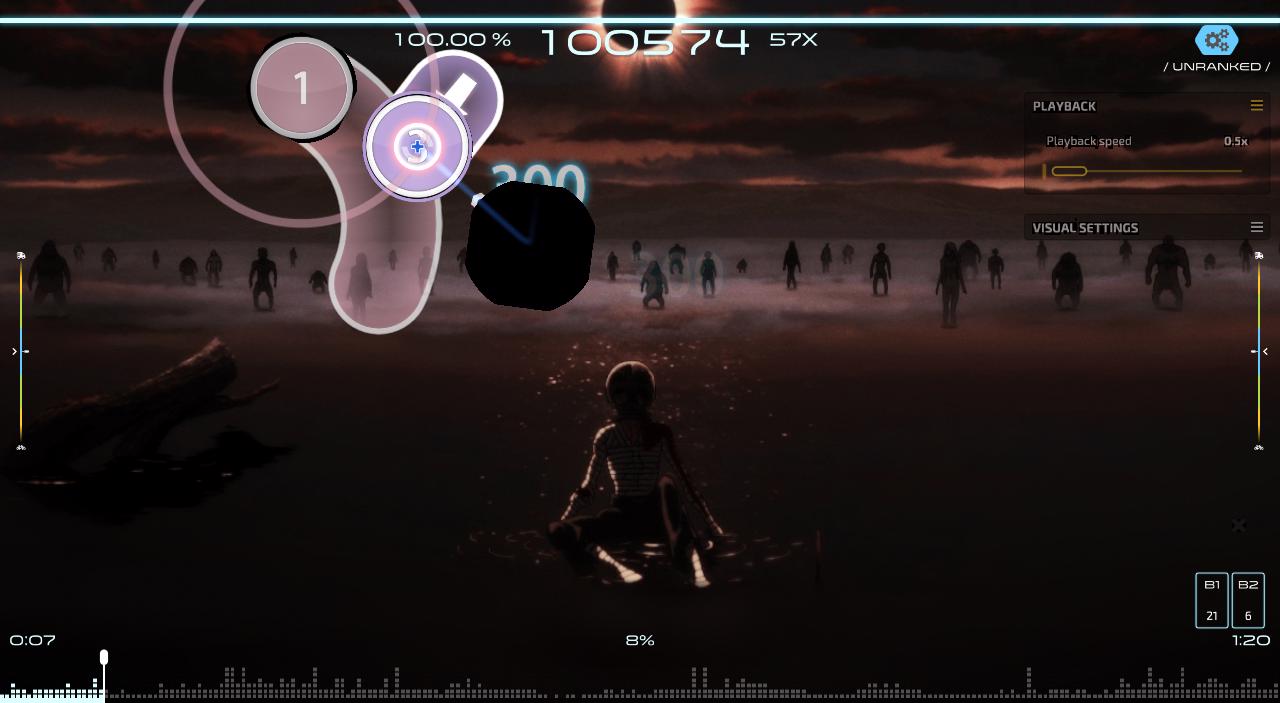
These problems happen every time I restart Osu!Lazer in fullscreen mode. For example, when I try to click alt + tab to exit out of the game without closing it. Nothing happens. Only my windows mouse appears. Indicating that the windows focus moved but I see nothing except Osu!Lazer the game and the windows mouse. I also tried to press the windows startup button but the windows startup menu does not appear. There were clues that it was open but I was not able to access it. Basically, even if I move the windows focus, nothing will happen except the windows cursor showing up. !taiko does not have colours, only the circles. The circles have colors when we hit them and will have them untill they exit out of the screen. The colors of ALL circles temporarily return when there is a spinner in !Taiko.
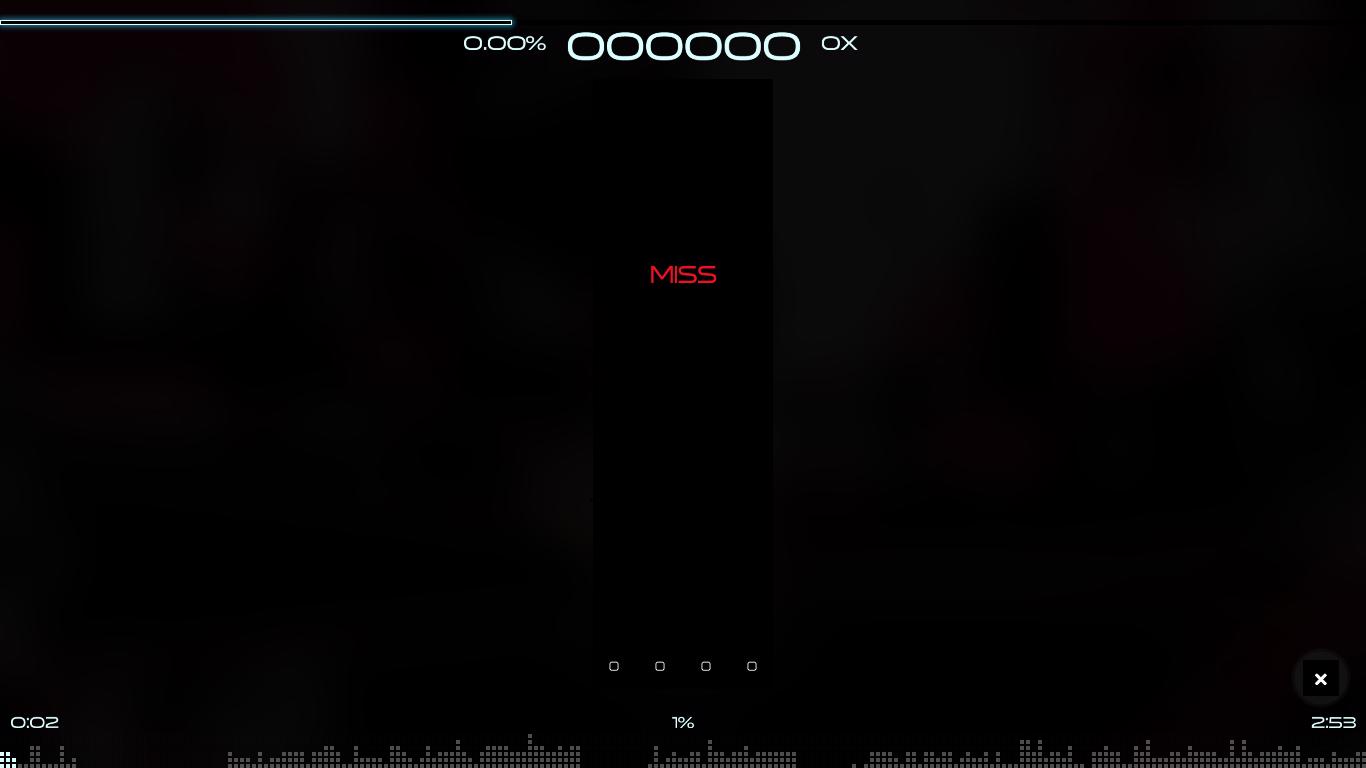
All of !Mania's notes are invisible. Almost everything is invisible or black. !Mania is unplayable.
The spinners in Osu!Standard have colors temporarily. After a second, the colours of the spinners disappear.
In !catch, there are some visuals missing like the combo color ones (dots appear for a certain combo colour on the plate and stack up until there is another combo color and then explode. This only happens when I do not not restart osu lazer when I am in fullscreen mode.)
There are a lot of more issues than I have mentioned here. These are just some of the major examples.
I do not think that this is because of the windows I use. I think (Yes, I think) I have all of the necessary components, software, hardware and programs for the game. Someone told me that I should use NVIDIA GeForce GT 525M graphics card which I already have. Well, I installed it virtually. The original graphics card that my computer still has is Intel(R) HD Graphics 3000. Also, when I enable bypass-front-to-back, I get the same results as this issue I previously created: #4492. Issues like the ones in these are also present when enabling bypass-front-to-back.
This is confusing.


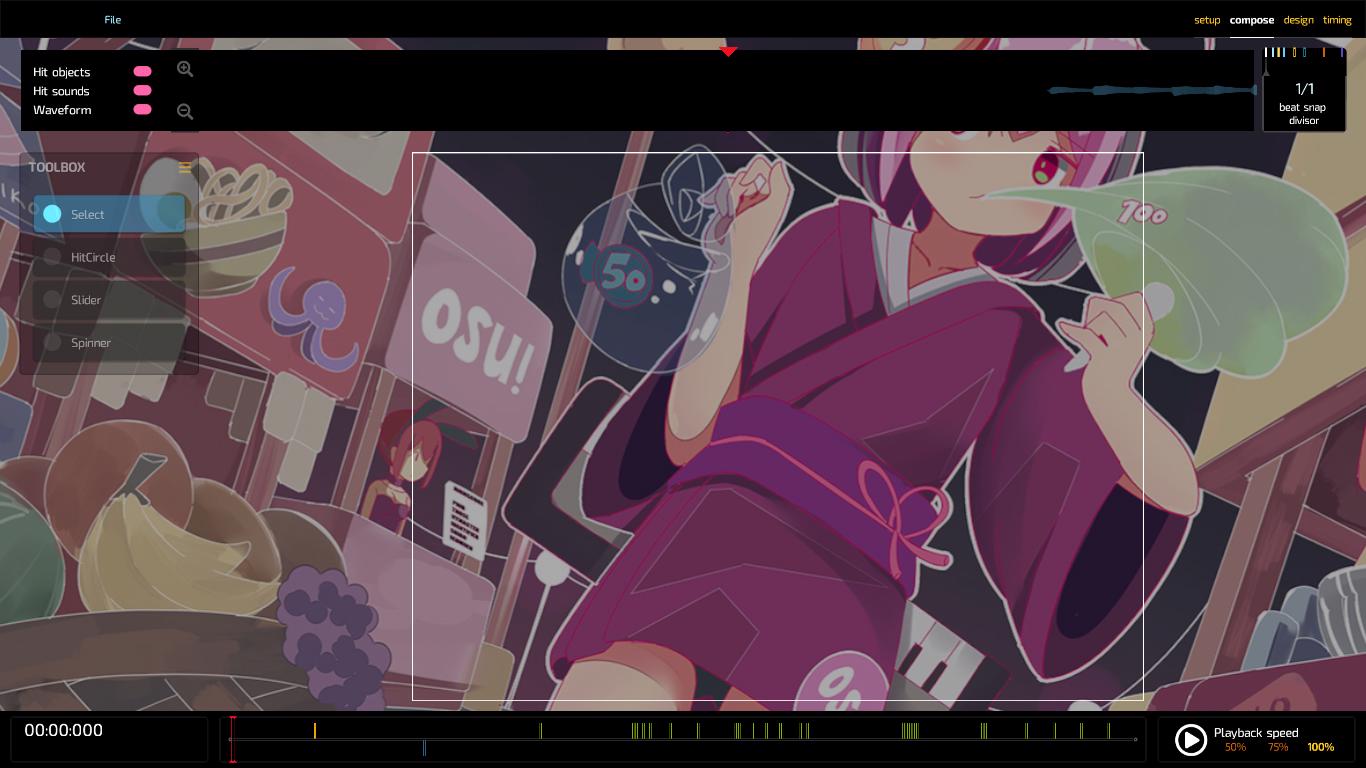
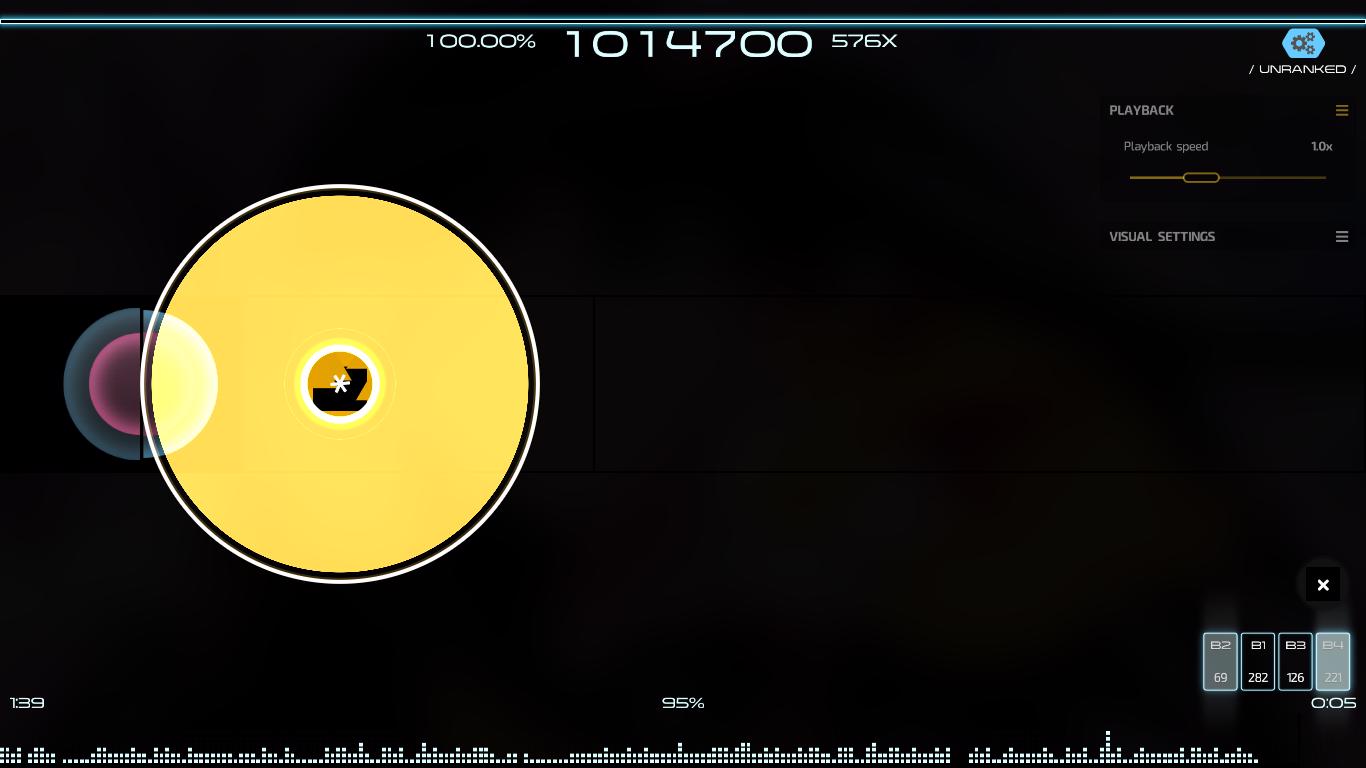
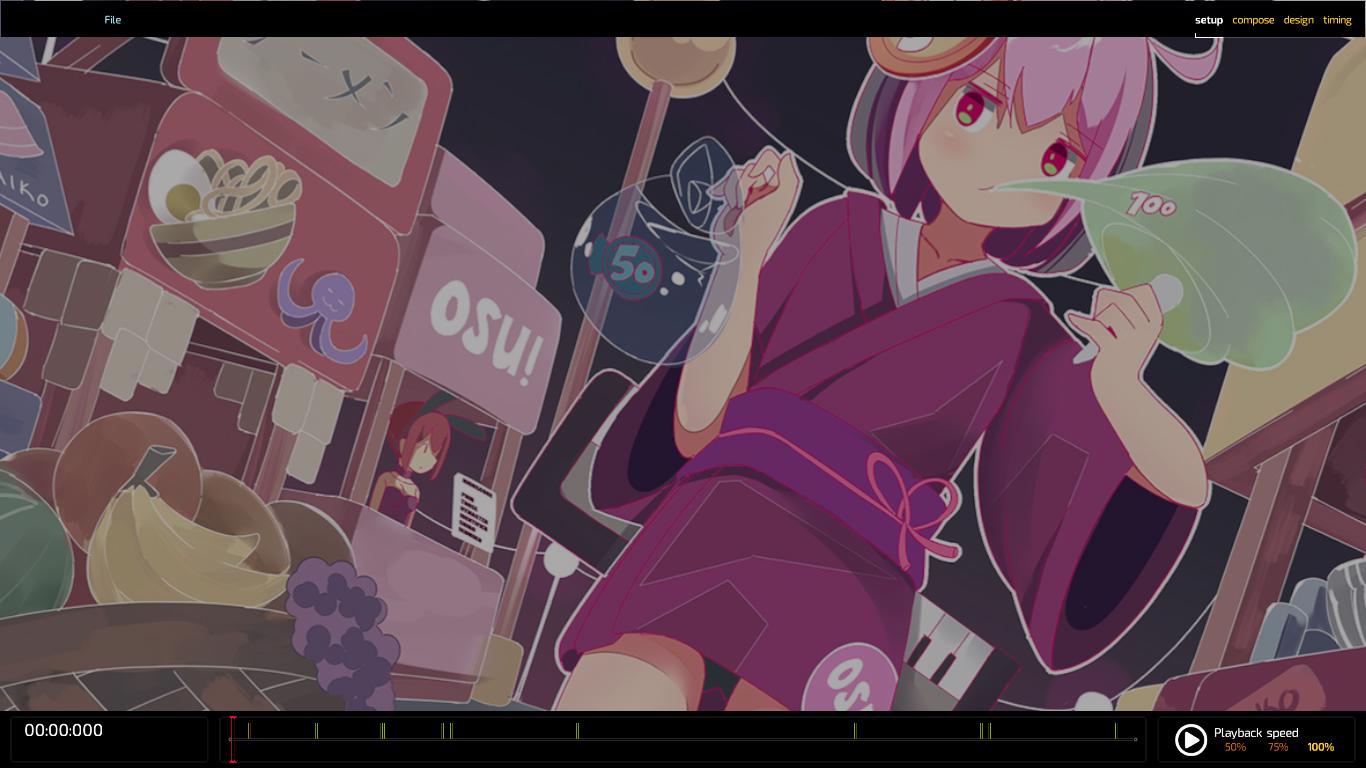
osu!lazer version: 2019.702.0
Logs:
runtime.log
updater.log
database.log
network.log
performance.log
PC INFO.txt
DISPLAY INFO.txt
_I might update this issue further in the future._
 Bixybob
All 31 comments
2019-06-30 09:54:52: GL Version:                 3.1.0 - Build 9.17.10.4229
2019-06-30 09:54:52: GL Renderer:                Intel(R) HD Graphics 3000
2019-06-30 09:54:52: GL Shader Language version: 1.40 - Intel Build 9.17.10.4229
2019-06-30 09:54:52: GL Vendor:                  Intel
Duplicate of #4621, but i'll close mine as yours have nice details.
also, you can use your other graphics card (NVIDIA GeForce GT 525M), as the issue is related to HD 3000's GL.
 frenzibyte
on 1 Jul 2019
frenzibyte
on 1 Jul 2019
Also, Close #4492.
frenzibyte
on 1 Jul 2019
After a couple of experiments with me and @swoolcock, we found that the issue with the black boxes is happening due to the texture shader sh_Texture.fs not loading somehow, so that's a framework bug (you can see this issue by simply failing the compilation of that shader), we are still looking for the other issues...
Update: Running osu! in Ubuntu 18.04 (full screen and hd 3000) works fine with no graphics issue or anything, it could be that the Windows' driver implementation for HD 3000 not fully functional..
frenzibyte
on 1 Jul 2019
Not 100% on that one but I do believe it’s shader related based on some initial googling.
 swoolcock
on 2 Jul 2019
swoolcock
on 2 Jul 2019
Seems to only happen when rendering the white pixel texture. Also seems to not render at all if the alpha is less than 1. Something to do with blending, or maybe mipmap filtering?
Edit: Seems to not be strictly osu! related, so this should probably be moved to the osu-framework repo.
swoolcock
on 2 Jul 2019
can you please add with Intel HD Graphics 3000 to the title
frenzibyte
on 2 Jul 2019
UPDATE: after the text builder and other changes: https://imgur.com/a/9dWtbW2 (by @kravque)
frenzibyte
on 30 Aug 2019
The textbuilder issue is a separate issue (#5885).
@Bixybob can you confirm whether this has been fixed? There's been a few changes recently that may have fixed this (white pixel size was increased).
 smoogipoo
on 5 Sep 2019
smoogipoo
on 5 Sep 2019
@smoogipoo Confirming that it's not been fully fixed yet, although looking at the comparsion, it seems that the main menu buttons with black background have been fixed: 
frenzibyte
on 5 Sep 2019
Have you tried enabling the "bypass front to back pass" option in the settings?
smoogipoo
on 6 Sep 2019
Yes I ( and others ) Tried it, but it doesn't work even if others tried it.
Even from a few days i wanted to switch into windows 10 ( because i like it ).
it's still there and the solution didn't get fixed,
the weird thing is that i have a older pc but the problem is not there,
i'll give you the system information ( from older pc ):
Net Framework: latest version
OS: Windows 7 6.1 Ver ( unknown build )
Intel(R) G41 Express Chipset 64MB VRAM ( worse )
2GB DDR3 1140MHz
Hard drive from blue 500GB ( missed what the company was )
Intel Pentium Inside 3.00GHz ( better than the cpu i'm using it on my laptop )
and there is like nothing wrong and it's fine.
 kravque
on 6 Sep 2019
kravque
on 6 Sep 2019
This is from 2019.07.27 Update ( 1 month ago from 2018.08.30 Update )
On Intel(R) HD Graphics ( the one i'm currently using it. ) it was fine before.
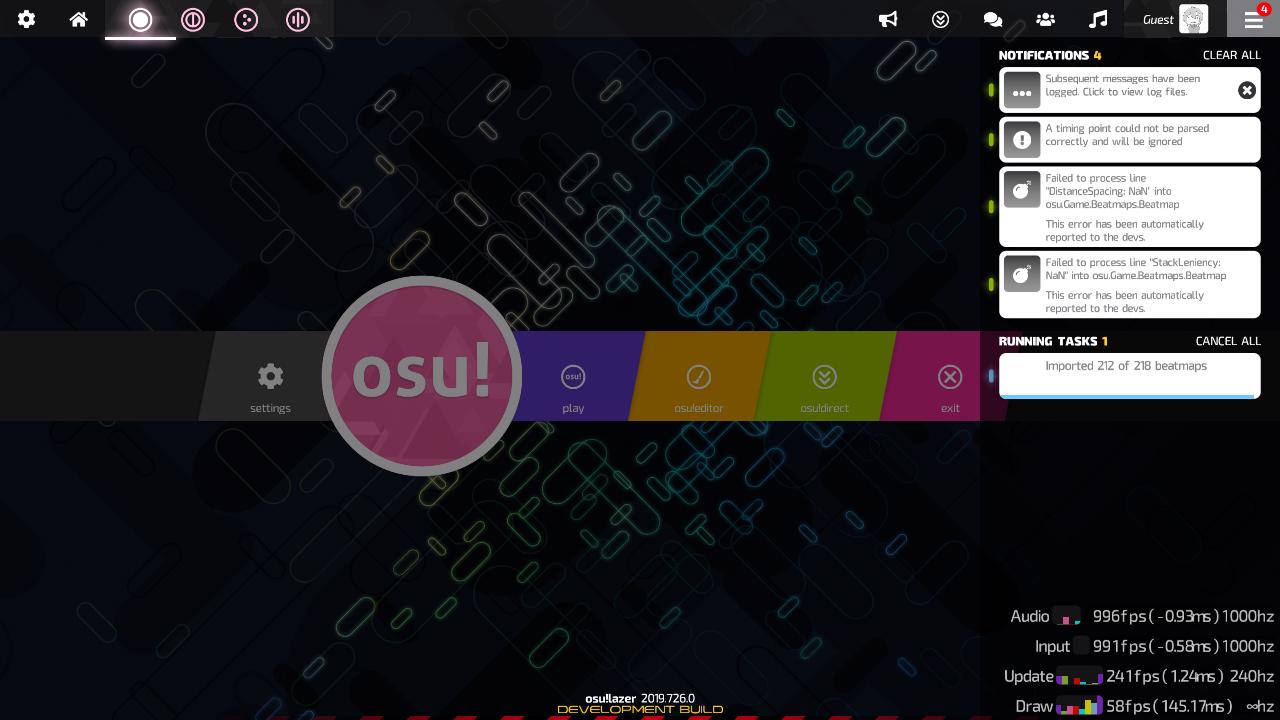
And This is An Updated photos, but this is better. https://imgur.com/a/BVGgNxK
Missed out even if i was Fullscreen, windowed, Borderless.
it's the same issue.
kravque
on 6 Sep 2019
Is the 20190727 the last build that works? Is there a build after it which works, and if so can you find the last one?
smoogipoo
on 6 Sep 2019
the last update that it worked fine ?
yes, 2019.814.0,
and this update 2019.823.0 made the problem happen.
EDIT: i meant ( 2019.814.0 ), NOT ( 2019.823.0 )
kravque
on 6 Sep 2019
@kravque you need to confirm which mode is this, the graphics bug issue for me happens on full screen mode only
frenzibyte
on 6 Sep 2019
Full screen.
kravque
on 6 Sep 2019
Happens to me too (my laptop sports an old intel hd graphics (2009 era?)).
 enoslayd
on 7 Sep 2019
enoslayd
on 7 Sep 2019
Running this on a i3-2330M laptop with HD Graphics 3000 running Arch Linux. No problem so far. (Except from performance, but not to the extent of unplayability : this GPU is years old after all)
 minhducsun2002
on 7 Sep 2019
minhducsun2002
on 7 Sep 2019
Running this on a i3-2330M laptop with HD Graphics 3000 running Arch Linux. No problem so far. (Except from performance, but not to the extent of unplayability : this GPU is years old after all)
Yeah, the issue seems to be windows only, probably the drivers not having correct support
frenzibyte
on 7 Sep 2019
The only fix that works for me is to launch the game in Window/Borderless Mode, than switch back to Fullscreen
Also you might want to update your GPU driver, with Intel HD 3000, you might want to install Intel provided driver than update it using Windows Update, since as far as I know, the one microsoft provide you is missing a lot of feature
 MeguMario
on 7 Sep 2019
MeguMario
on 7 Sep 2019
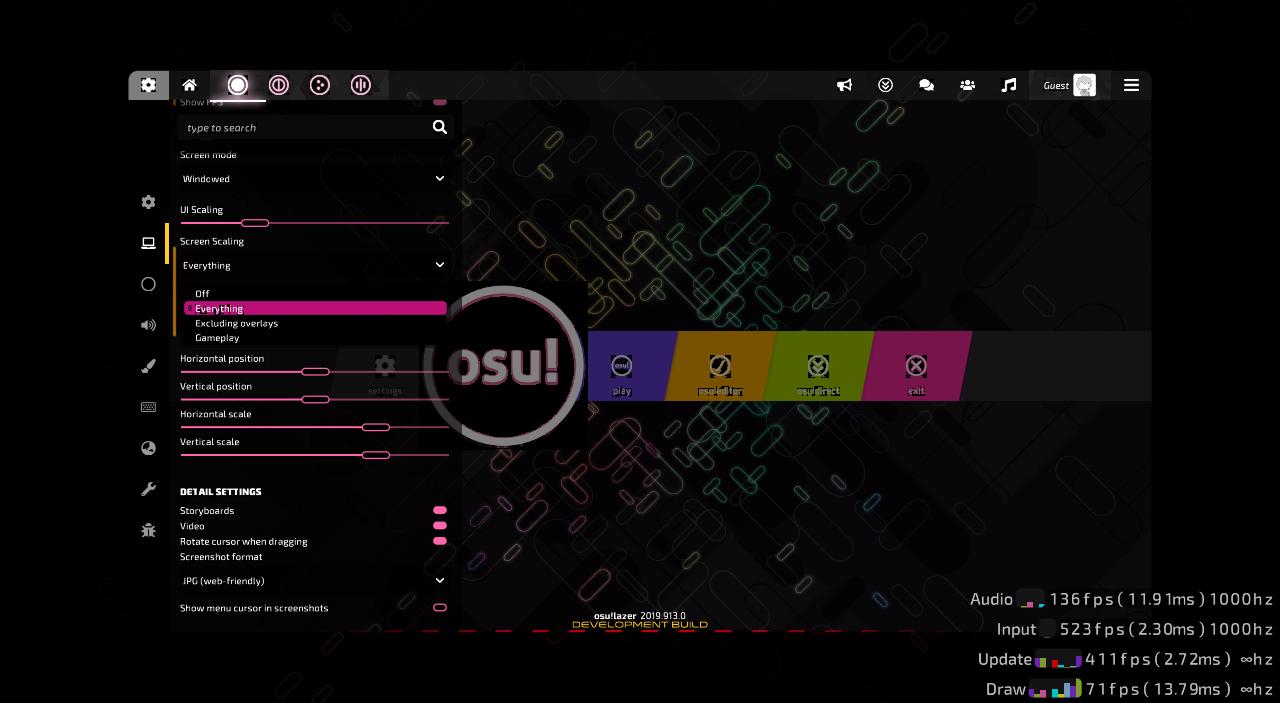
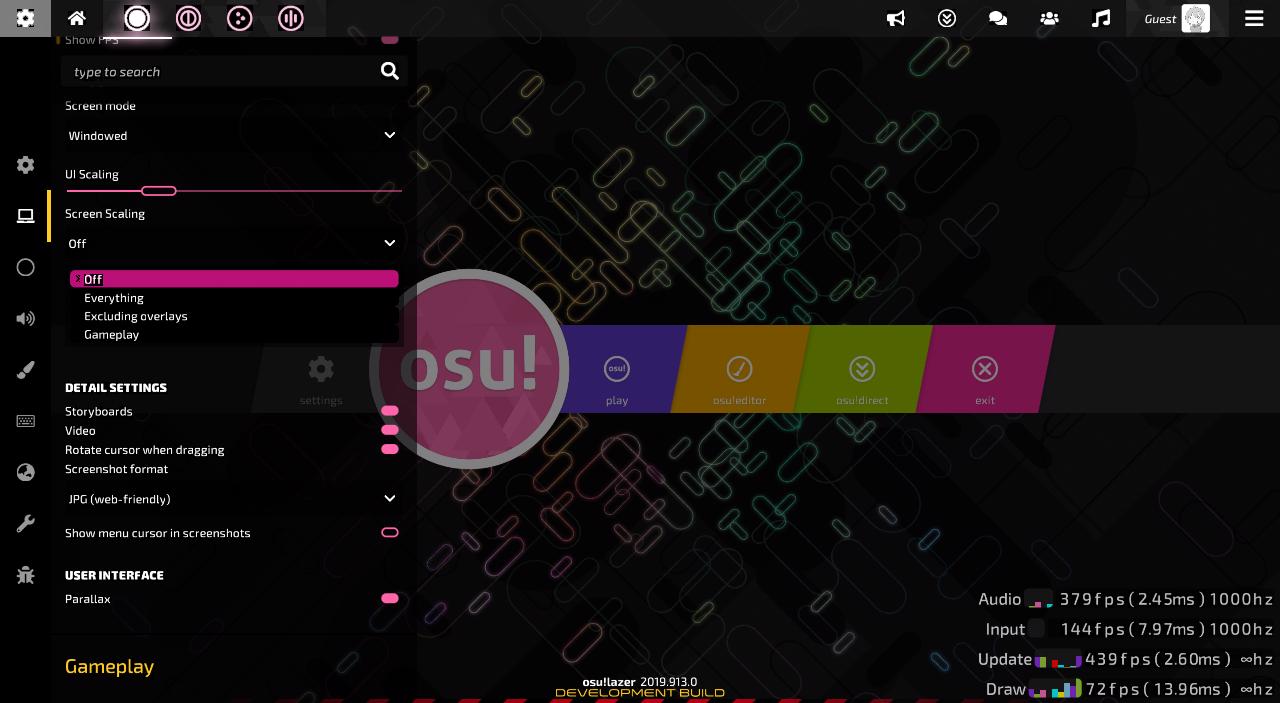
I Just Found Another issue, When i enable Screen Scaling it makes everything worse.
kravque
on 14 Sep 2019
looks like the black thing goes off after clicking the circle by 0.4s
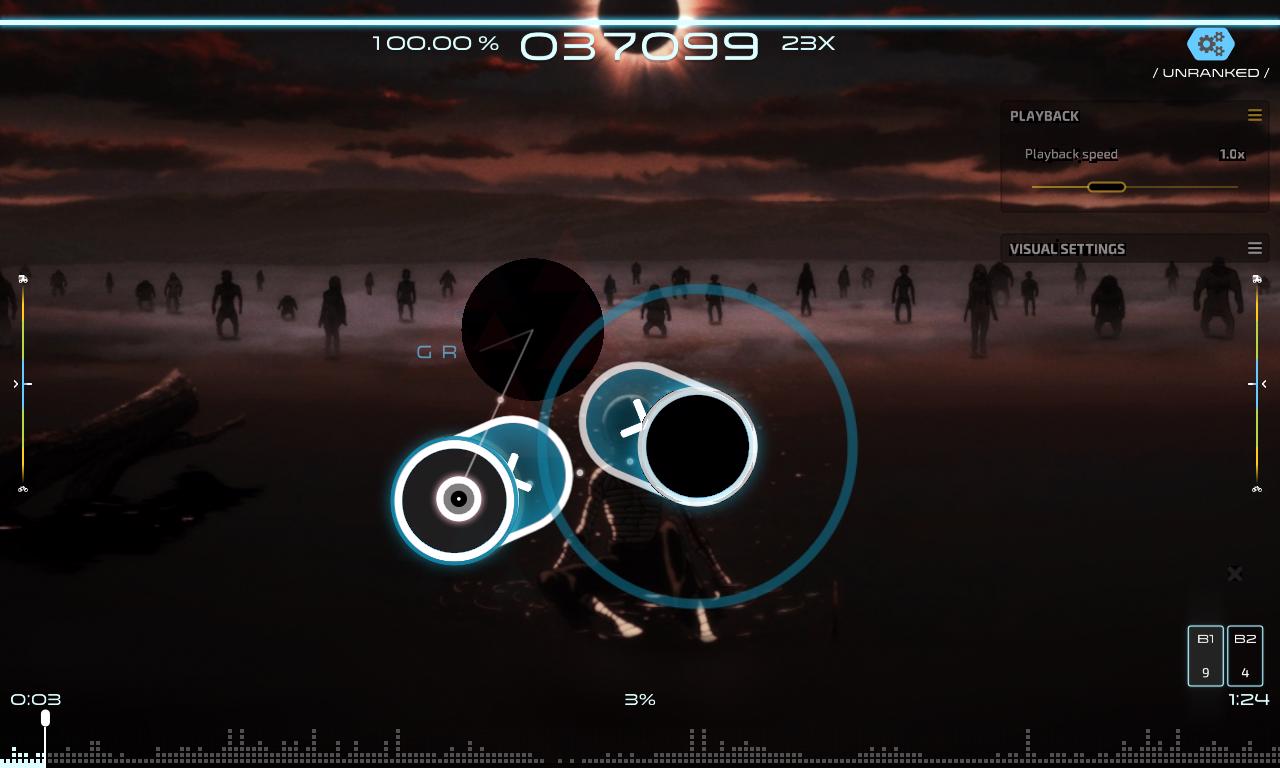
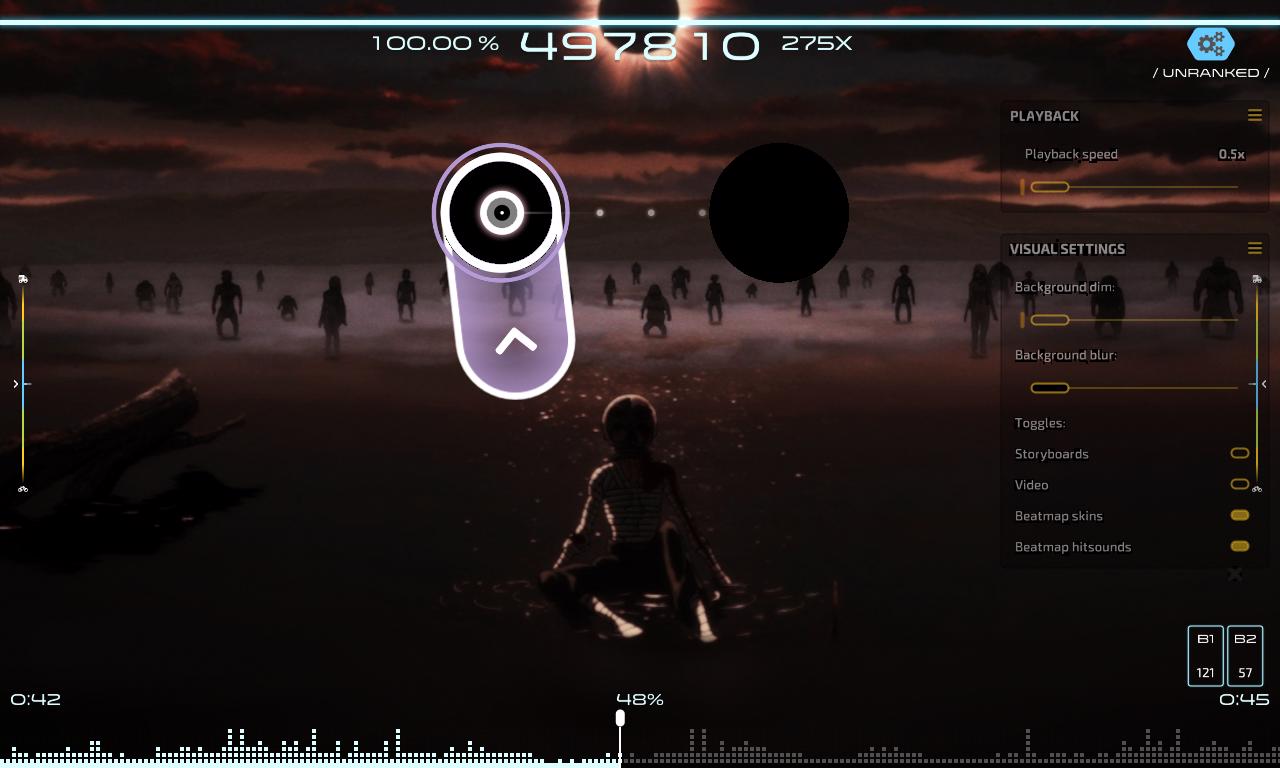
Even the text it self it has black on it so it goes off if i switch to another things or like the leaderboard when i switch from global to local the text that it has black goes off like when clicking the circle
kravque
on 14 Sep 2019
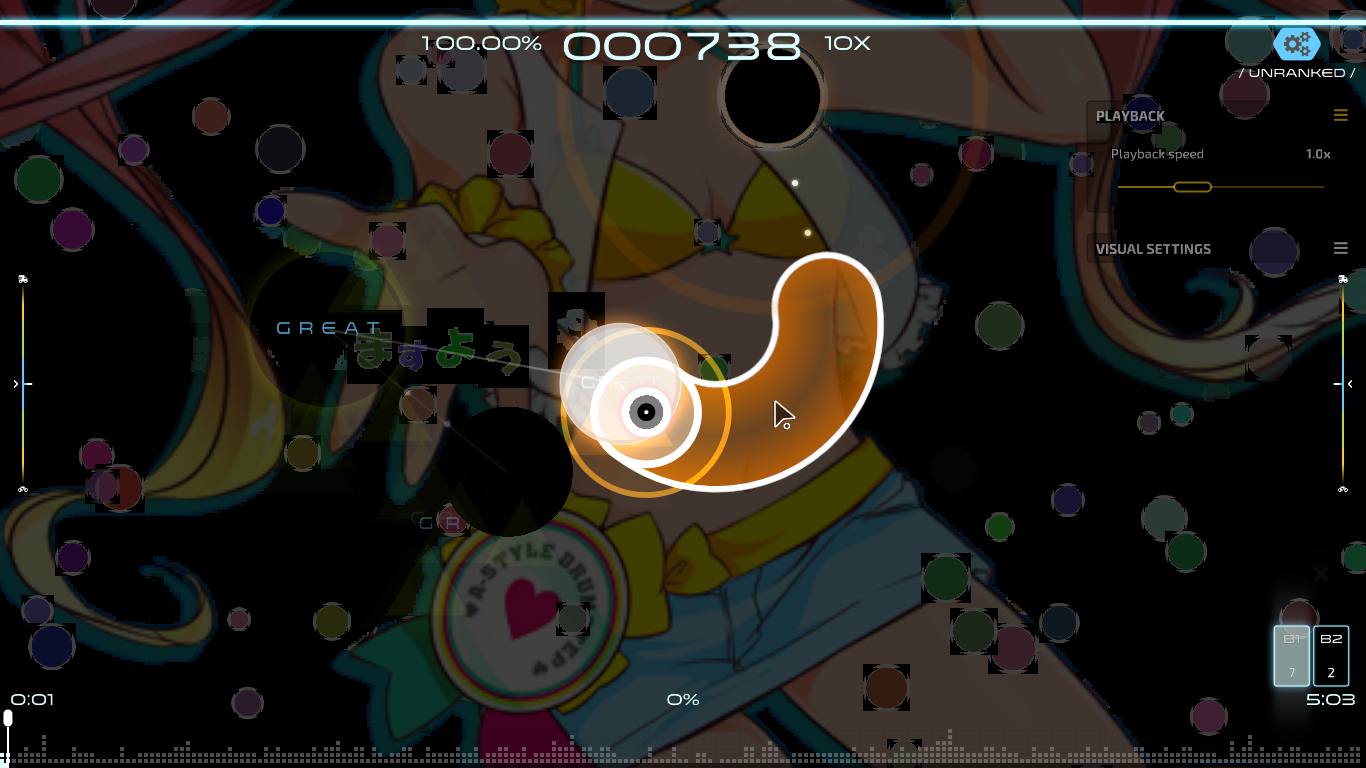
And Also, when i tried to use the osu!classic skin on osu!lazer there wasn't black thing on the circle but it was around the circle.
kravque
on 14 Sep 2019
That's because osu!lazer skin has drawable elements, not textures like other skins. the "black thing" here is because the texture white pixel having black color due to some shader problems https://github.com/ppy/osu/issues/5199#issuecomment-507452670
frenzibyte
on 14 Sep 2019
Mine was only happened when I updated to tag 2019.906.0, before that lazer would work fine
(the comment i made on this issue 9 days ago)
It's seems like it is effected mostly on transparent objects, as storyboard is also ruined with big black box
MeguMario
on 16 Sep 2019
Mine was only happened when I updated to tag 2019.906.0, before that lazer would work fine
(the comment i made on this issue 9 days ago)It's seems like it is effected mostly on transparent objects, as storyboard is also ruined with big black box
Can you confirm that running older version doesn't reproduce this issue? (2019.620.1 has the issue as can be seen in the OP screenshots)
Could you please inform us of your GPU?
frenzibyte
on 16 Sep 2019
Mine was only happened when I updated to tag 2019.906.0, before that lazer would work fine
(the comment i made on this issue 9 days ago)It's seems like it is effected mostly on transparent objects, as storyboard is also ruined with big black box
for some reason windows won't let me screenshot this properly so sorry
2019.814.0
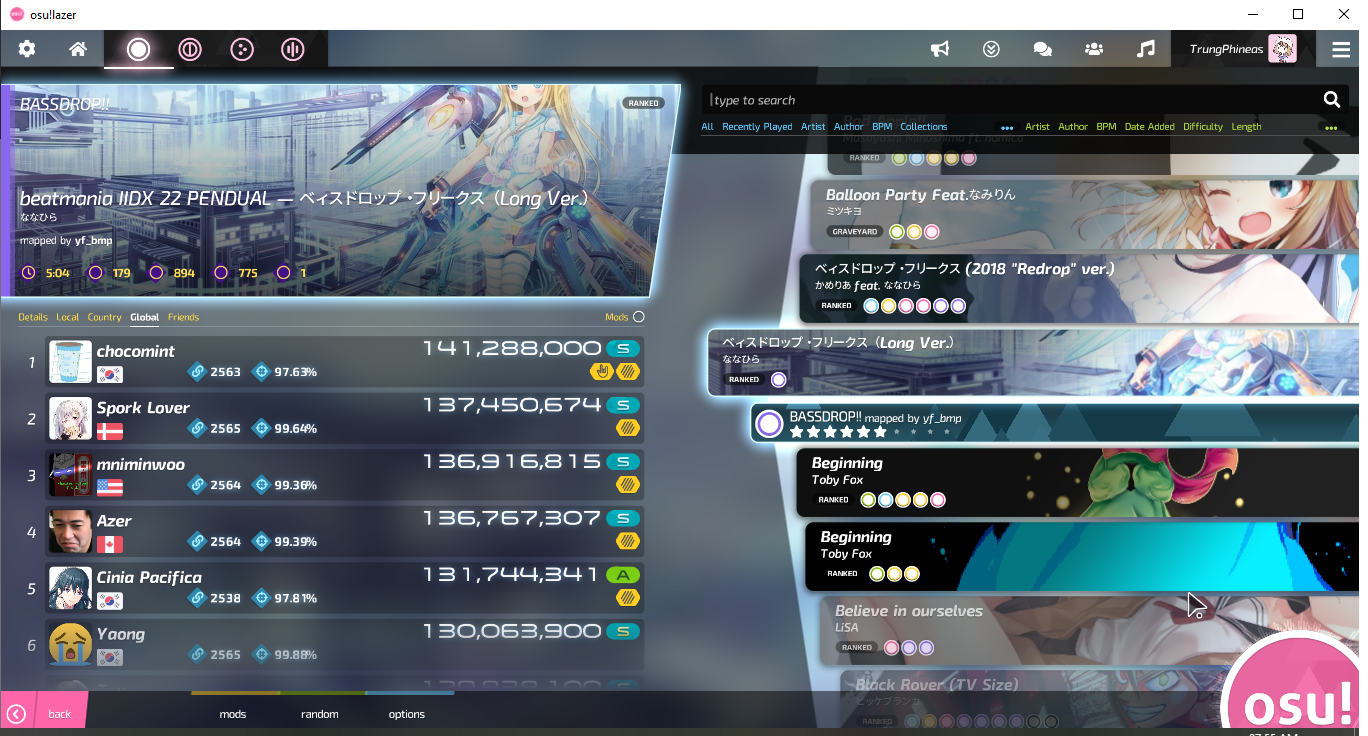
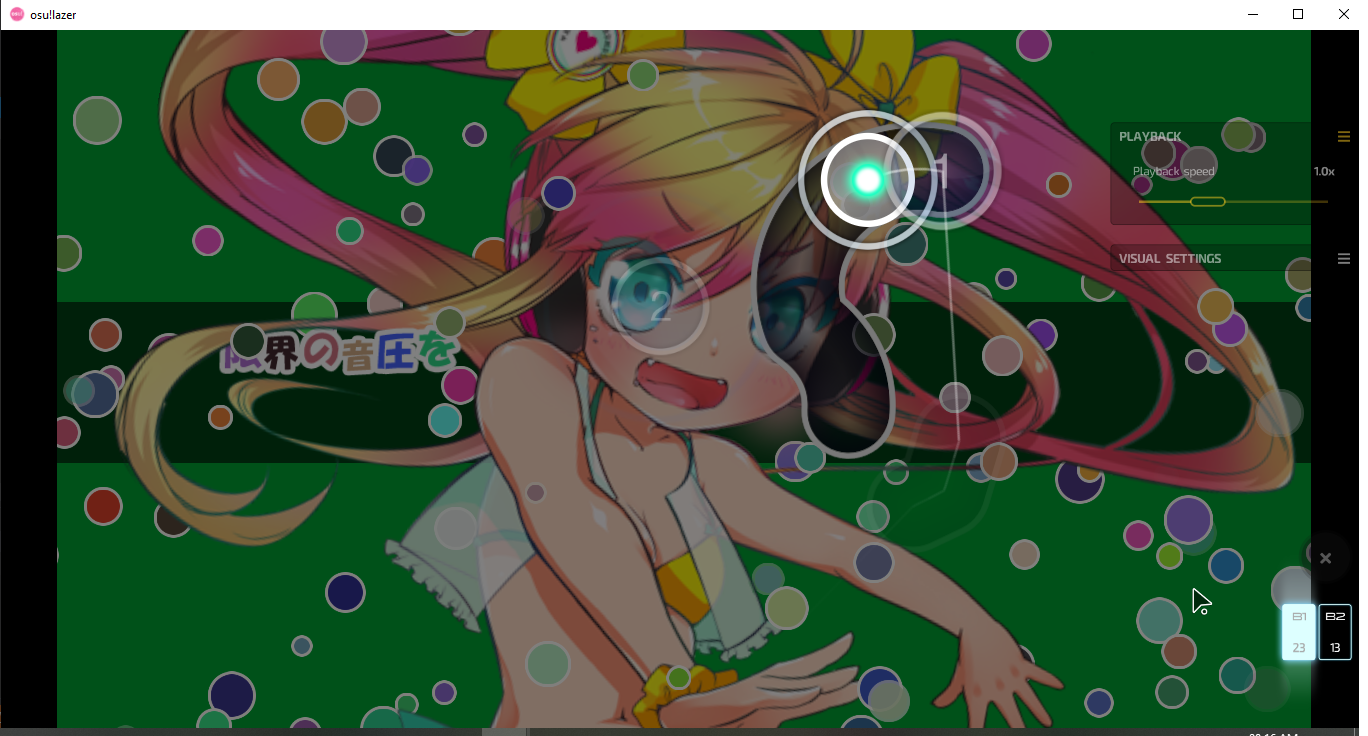
tag after 2019.823.0 is broken
Btw mine was also Intel HD Graphics 3000
MeguMario
on 17 Sep 2019
After bisecting between the two tags, I've realized the issue was indeed fixed by ppy/osu-framework#2782 🎉. this issue can be closed as the rest is tracked in #5885
frenzibyte
on 20 Sep 2019
Wait what? The poster above said the builds _after_ 2019.823.0 are broken?
smoogipoo
on 20 Sep 2019
Wait what? The poster above said the builds _after_ 2019.823.0 are broken?
So, the old issue of this was simply boxes having black colours as can be seen in the OP screenshots, i've played with the changes a bit and i applied the texture atlas padding fix PR right after framework tag 2019.814.0,and i've ended up with a fully-working lazer, i'll take furthur look at what caused the black-backgrounded fonts / icons. This issue can be closed, another can be opened about the black-backgrounded fonts.
frenzibyte
on 20 Sep 2019
Going to close this as the OP's issue was fixed (black backgrounded boxes) in https://github.com/ppy/osu-framework/pull/2782 .
smoogipoo
on 20 Sep 2019
Related issues
 czapek1337
·
3Comments
czapek1337
·
3Comments
 Axeanz
·
3Comments
Axeanz
·
3Comments
 Gonzalo-Bruna
·
3Comments
Gonzalo-Bruna
·
3Comments
 stageosu
·
3Comments
stageosu
·
3Comments
 Moltanicaa
·
3Comments
Moltanicaa
·
3Comments
Most helpful comment
Yeah, the issue seems to be windows only, probably the drivers not having correct support