Osticket: Copy / paste pics from clipboard version 1.11
I am using version 1.11 and i am to be able top copy / paste a screenshot or picture in the response field.
I have seen issues with it in older versions but i thought it was solved?
 CashDesk
All 27 comments
@CashDesk
I'm using v1.11-rc1 and I'm able to copy/paste screenshots just fine. Are you using Windows by chance? If so, we've noticed issues with copy/pasting images from Word and such. It happens to some but not others so it's hard to pinpoint the exact issue. With that being said, we are actively working to find and address the issue.
Cheers.
 JediKev
on 26 Jan 2019
JediKev
on 26 Jan 2019
@JediKev yes we are using Windows. I have tried to copy / paste from different sources like paint, word, greenshot but its seems not working. The only solutions seems to be save the images and attach it to the ticket which is not very handy these days.
CashDesk
on 26 Jan 2019
@JediKev
This is the error message we get per mail when a copy/paste was not successful.
Maybe this helps to find the solution:
[INSERT INTO ost_attachment SET file_id = 5996, type = 'D', object_id = 35287]
Duplicate entry '35287-5996-D' for key 'file-type'
---- Backtrace ----
0 (root)/include/mysqli.php(199): osTicket->logDBError('DB Error #1062', '[INSERT INTO `o...')
1 (root)/include/class.orm.php(3454): db_query('INSERT INTO `os...', true, true)
2 (root)/include/class.orm.php(658): MySqlExecutor->execute()
3 (root)/include/class.attachment.php(172): VerySimpleModel->save()
4 (root)/include/ajax.draft.php(101): GenericAttachments->upload(Array)
5 (root)/include/ajax.draft.php(301): DraftAjaxAPI->_uploadInlineImage(Object(Draft))
6 [internal function]: DraftAjaxAPI->uploadInlineImage('35287')
7 (root)/include/class.dispatcher.php(145): call_user_func_array(Array, Array)
8 (root)/include/class.dispatcher.php(38): UrlMatcher->dispatch('35287/attach', Array)
9 (root)/include/class.dispatcher.php(120): Dispatcher->resolve('35287/attach', Array)
10 (root)/include/class.dispatcher.php(38): UrlMatcher->dispatch('/draft/35287/at...', NULL)
11 (root)/scp/ajax.php(289): Dispatcher->resolve('/draft/35287/at...')
12 {main}
CashDesk
on 28 Jan 2019
@CashDesk
It’s saying that a draft tried to save with an inline attachment and there was already a record in the database for it.
What’s your database situation? Just one database server or multiple with replication, distributed read/writes, etc.?
Cheers.
JediKev
on 2 Feb 2019
@JediKev , Just one database only. It can be that the error is the result of more times paste in the message. Mostly copy/paste doesn't work but sometime it does. I cannot find a logic pattern in it
CashDesk
on 2 Feb 2019
We are having the same problem. Version 1.11, using windows.
[INSERT INTO ost_attachment SET file_id = 3451, type = 'D', object_id = 31296]
Duplicate entry '31296-3451-D' for key 'file-type'
---- Backtrace ----
0 (root)/include/mysqli.php(199): osTicket->logDBError('DB Error #1062', '[INSERT INTO `o...')
1 (root)/include/class.orm.php(3454): db_query('INSERT INTO `os...', true, true)
2 (root)/include/class.orm.php(658): MySqlExecutor->execute()
3 (root)/include/class.attachment.php(172): VerySimpleModel->save()
4 (root)/include/ajax.draft.php(101): GenericAttachments->upload(Array)
5 (root)/include/ajax.draft.php(301): DraftAjaxAPI->_uploadInlineImage(Object(Draft))
6 [internal function]: DraftAjaxAPI->uploadInlineImage('31296')
7 (root)/include/class.dispatcher.php(145): call_user_func_array(Array, Array)
8 (root)/include/class.dispatcher.php(38): UrlMatcher->dispatch('31296/attach', Array)
9 (root)/include/class.dispatcher.php(120): Dispatcher->resolve('31296/attach', Array)
10 (root)/include/class.dispatcher.php(38): UrlMatcher->dispatch('/draft/31296/at...', NULL)
11 (root)/scp/ajax.php(289): Dispatcher->resolve('/draft/31296/at...')
12 {main}
I also get errors in the console when trying to paste. Chrome (69). I don't know if it's related or not.
Uncaught TypeError: Cannot read property 'insertNode' of null
at init.nodeToCaretPositionFromPoint (eval at
at init.buildEventPaste (redactor-plugins.js?d4e240b:1048)
at HTMLDivElement.i (jquery-3.3.1.min.js?d4e240b:2)
at HTMLDivElement.dispatch (jquery-3.3.1.min.js?d4e240b:2)
at HTMLDivElement.y.handle (jquery-3.3.1.min.js?d4e240b:2)
The given range isn't in document.
 colinbarnard
on 21 Mar 2019
colinbarnard
on 21 Mar 2019
If a "me too" is helpful count me in. In my console (Firefox) I see:
IndexSizeError: Index or size is negative or greater than the allowed amount redactor.min.js:1
nodeToCaretPositionFromPoint https://example.com/ticket/js/redactor.min.js?7b1eee8 line 12 > eval:1
nodeToCaretPositionFromPoint self-hosted:976
insert https://example.com/ticket/js/redactor.min.js?7b1eee8 line 12 > eval:1
insert self-hosted:978
onreadystatechange https://example.com/ticket/js/redactor.min.js?7b1eee8 line 12 > eval:1
i jQuery
 yois615
on 17 Apr 2019
yois615
on 17 Apr 2019
If a "me too" is helpful count me in. In my console (Firefox) I see:
IndexSizeError: Index or size is negative or greater than the allowed amount redactor.min.js:1
nodeToCaretPositionFromPoint https://example.com/ticket/js/redactor.min.js?7b1eee8 line 12 > eval:1
nodeToCaretPositionFromPoint self-hosted:976
insert https://example.com/ticket/js/redactor.min.js?7b1eee8 line 12 > eval:1
insert self-hosted:978
onreadystatechange https://example.com/ticket/js/redactor.min.js?7b1eee8 line 12 > eval:1
i jQuery
I currently have this same problem, and the message presented in firefox is the same
 asesoriait
on 18 May 2019
asesoriait
on 18 May 2019
@asesoriait
Upgrade to the latest stable version of v1.12.
Cheers.
JediKev
on 18 May 2019
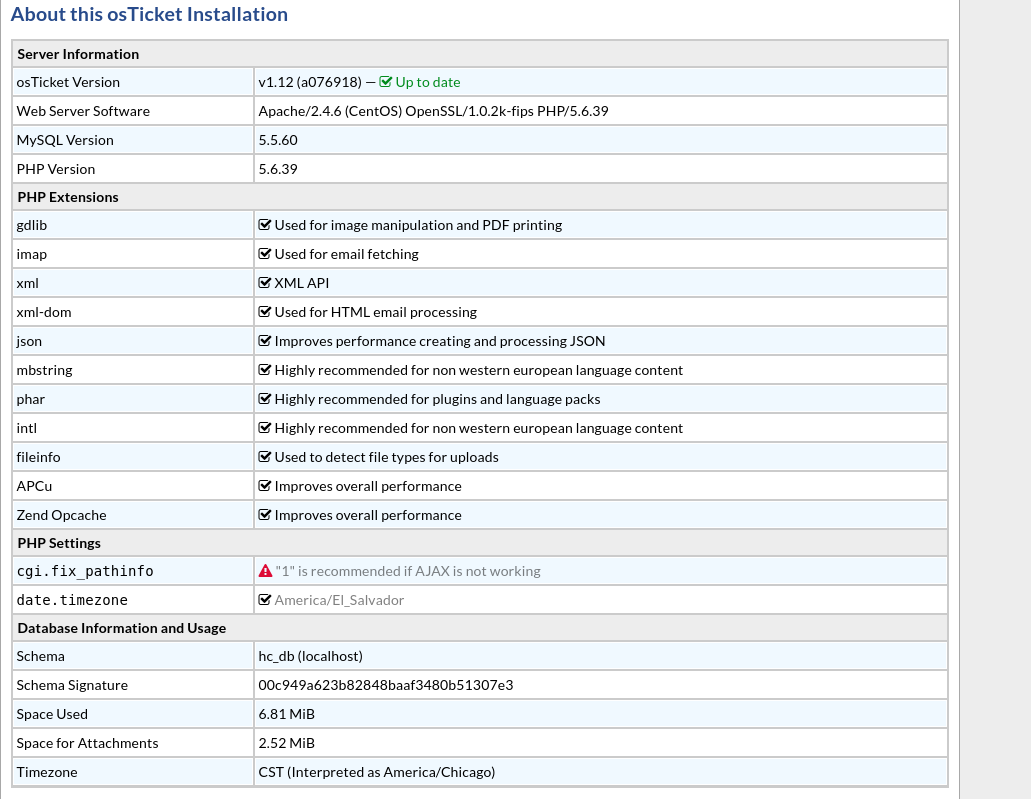
I still get this problem with Firefox
asesoriait
on 18 May 2019
Are you guys trying to paste directly from the clipboard like take a screenshot and immediately paste (on Windows)? If so it’s not going to work, you have to copy the final, saved image and paste that (like take screenshot, go to where it saves, right click + copy, then paste). We are using the latest free version of the text editor and it seems to have issues with Windows in general. We have future plans to update the text editor to a modern editor that should eliminate all problems people are experiencing currently.
Cheers.
JediKev
on 28 May 2019
same problem :(
 balojs
on 30 May 2019
balojs
on 30 May 2019
@balojs
Idk then. All I can say is try attaching the files whilst you wait for the new editor to be implemented.
Another thing I've heard people do is pasting the image until it does actually paste. Meaning, if you paste and it doesn't work, wait until the request finishes and paste again. Repeat this until it actually pastes.
Cheers.
JediKev
on 30 May 2019
It seems to work fine if you always paste at the end of a line.
Never hit enter (CR) before you paste, and never paste in an empty field.
 FG-Lars
on 31 May 2019
FG-Lars
on 31 May 2019
Just upgraded from 1.11 to 1.12.
In 1.11 I gave up trying to paste - only used the insert button after saving the snip image.
I'm getting the same results as FG-Lars (i'm creating an FAQ). If I type something and then paste it works.
On a blank line it tends to generate a 1062 error - but not every time.
 LeslieDesser
on 1 Jun 2019
LeslieDesser
on 1 Jun 2019
@LeslieDesser
Interesting. I’ll have to play around with this to see if there’s anything we can do for now.
Cheers.
JediKev
on 2 Jun 2019
I upgraded from 1.9 to 1.12 and now copy / paste only works in IE.
I get the DB Duplicate entry error with FF and Chrome. All 3 browsers worked fine in 1.9.
 denverwinks
on 23 Jul 2019
denverwinks
on 23 Jul 2019
Same here. On v1.12.2 (a5d898b), works in IE but not in Edge or Chrome - get the same Duplicate entry '40-41-D' for key 'file-type' DB error.
Reliably reproduced as a very common use case:
- [PrtSc] to take a screenshot
- Open ticket and type something, like a user may say "I am having problems with blah blah, please see screenshot below:"
- Add couple of newlines to leave a blank line, and paste
You get some brief feedback, then nothing, just the cursor goes back to the end of the text.
attach XHR request appears to have succeeded (HTTP 200) but System Logs and admin email show DB error.
Trying the paste again doesn't work. Only solution we have is to enter a single space before pasting the image. But we're expecting end users to know this, or work it out, and they are extremely frustrated by it.
 randomsock
on 12 Sep 2019
randomsock
on 12 Sep 2019
A few weeks ago I also upgraded from 1.12 to 1.12.2 and still having problems.
I use Chrome and putting some text on a line before pasting seems to work.
On FAQ editing it seems to work always. On creating a ticket I'm not so sure - I need to do some proper testing.
A user whom I asked to test it creating a new ticket reports back that typing something first does not work for him. I do not know which browser he is using - I can check if necessary.
LeslieDesser
on 12 Sep 2019
After some more testing here, it isn't quite as simple as I said above...
It EITHER
- fails to paste the image and the console shows the error from redactor "The given range isn't in document", OR
- the paste does succeed but we get the "Duplicate entry" DB error.
So I'm wondering if the attach from the first failed paste attempt did succeed, then the second paste succeeded, as people have already pointed out, but now the image attachment already exists, hence the db error. Between the two, we now have the image in the box and at least one copy in the db, so it all eventually ties up.
randomsock
on 13 Sep 2019
+1
 MattSBR
on 25 Sep 2019
MattSBR
on 25 Sep 2019
@CashDesk @colinbarnard @yois615 @asesoriait @balojs @FG-Lars @LeslieDesser @denverwinks @randomsock @MattSBR
The new editor is available with v1.14-rc1:
We don’t recommend running in production as it’s an RC but you can install a separate instance for testing.
Cheers.
JediKev
on 28 Sep 2019
Thank you.
I have installed it and will report back after some testing.
Just an install gripe I keep meaning to mention each time it catches me out.
After the the install there is a message:
_Please take a minute to delete setup/install directory (../setup/) for security reasons._
There is no such directory as: setup/install
The message should rather say:
_Please take a minute to delete the setup directory inside the upload directory, for security reasons._
LeslieDesser
on 28 Sep 2019
- Pasting an image on a blank line or following text seems to be fine. Tested in an KB article and in a new ticket.
- Pasting the same image a second time into the same page generates: DB Error #1062
- Filling out a ticket as an agent it prompts to select a User. Typing a bit shows a list (of 1) to select from. Clicking on it does not select - you have to double click. This is an old bug.
Filling out a ticket as an agent: The Cancel button does not work. Same for reset.
5. After ticket creation, option Reset does not work.
Logging in as a user: Creating a new ticket: Paste of image is OK. Pressing Reset clears Help Topic and Issue Summary but does not clear the image or any typed text.
- Cancel does nothing.
LeslieDesser
on 28 Sep 2019
@LeslieDesser
Just an install gripe I keep meaning to mention each time it catches me out.
After the the install there is a message:
Please take a minute to delete setup/install directory (../setup/) for security reasons.
There is no such directory as: setup/install
The message should rather say:Please take a minute to delete the setup directory inside the upload directory, for security reasons.
Well you are actually supposed to _upload_ all contents of the upload folder to your HTML directory. If you do it properly the message is accurate ;)
Please create your own issue thread listing all of the issues so it’s not clogging up this thread with unrelated issues. 👍🏻
Cheers.
JediKev
on 28 Sep 2019
Will copy the problems I listed as new issue. I issue for all or each one separate?
I have re-read the docs and indeed it clearly says to copy the contents of 'upload' rather than the folder itself - oops!
I think my comment about setup/install still stands. Those two words appearing together in bold with a slash in between says to me to delete folder 'install' inside folder 'setup' but there is no install folder and the intent is really to delete the whole setup folder that was used to do the install. The word install is redundant/irrelevant. (I believe). [As someone who for nearly 50 years has been trying to write clear instructions for users, I tend to be rather sensitive :)]
Anyway, I think the copy/paste issue is solved based on the limited testing I have done.
LeslieDesser
on 29 Sep 2019
@LeslieDesser
Create one issue report listing all of your findings.
We will look at this.
Cheers.
JediKev
on 29 Sep 2019
Related issues
 mlipok
·
5Comments
mlipok
·
5Comments
 cervedgroup
·
5Comments
cervedgroup
·
5Comments
 dmnc-net
·
3Comments
dmnc-net
·
3Comments
 extremesurf
·
3Comments
extremesurf
·
3Comments
 ghost
·
6Comments
ghost
·
6Comments
Most helpful comment
@balojs
Idk then. All I can say is try attaching the files whilst you wait for the new editor to be implemented.
Another thing I've heard people do is pasting the image until it does actually paste. Meaning, if you paste and it doesn't work, wait until the request finishes and paste again. Repeat this until it actually pastes.
Cheers.