Origin: Error when I whant run a build with as source an "images" input with a "git" input and as strategy, a dockerStrategy : "An error occurred while starting the build.an error on the server ("") has prevented the request from succeeding"
[provide a description of the issue]
Hello, I come here because i don't find any solution to my problem.
I try to retrieve a .war build by a gradle docker image in a precedently build to build an other docker image.
Therefore, after reading your documentation, I tried to use the "images" source in a build config with a docker strategy.
But I cannot run the build because an error occured : "An error occurred while starting the build.an error on the server ("") has prevented the request from succeeding".
This error come only with the "images" source, the "git" source alone work and build.
To build, I import two templates, the first to build the war :
kind: "Template"
apiVersion: "v1"
metadata:
    name: back-end-docker-build1
objects:
    # Creation d'une ImageStream pour la sortie du build contenant le .war
    -
        kind: "ImageStream"
        apiVersion: "v1"
        metadata:
            name: "vsphere-view-back-build"
    # Creation du BuildConfig qui va créer l'image Docker contenant le .war à partir du Git
    -
        kind: "BuildConfig"
        apiVersion: "v1"
        metadata:
            name: "vsphere-view-back-build-buildconfig"
        spec:
            runPolicy: "Serial"
            triggers:
                -
                    type: "ConfigChange"
                -
                    type: "Generic"
                    generic:
                        secret: "aSecret"
                        allowEnv: true
            source:
                type: "Git"
                git:
                    uri: "http://my-git/vsphere-view.git"
                sourceSecret:
                    name: "dhe-gitlab-exploitation-basicauth"
                contextDir: "middle-tier/"
            strategy:
                type: "Docker"
                dockerStrategy:
                    pullSecret:
                        name: "userbxxy05"
                    dockerfilePath: "DockerfileToOpenShift1"
                    forcePull: true
                    noCache: true
            output:
                to:
                    kind: "ImageStreamTag"
                    name: "vsphere-view-back-build:latest"
The DockerfileToOpenShift1 if you want :
### STAGE 0: Build ###
# Use an official gradle image as a parent image
FROM userbxxy05:9192/gradle:4.2.1-jdk8-alpine

# Copy all files to build
COPY . .

# We switch to the 'root' user to build (needed to fix an issue)
USER root

# Let's build the project with gradle
RUN gradle build
The second with the don't working build :
kind: "Template"
apiVersion: "v1"
metadata:
    name: back-end-docker-build2
objects:
    # Creation d'une ImageStream pour la sortie du build qui contiendra l'image finale du back-end
    -
        kind: "ImageStream"
        apiVersion: "v1"
        metadata:
            name: "vsphere-view-back"
    # Creation du BuildConfig qui va créer l'image Docker à partir du Git
    -
        kind: "BuildConfig"
        apiVersion: "v1"
        metadata:
            name: "vsphere-view-back-buildconfig"
        spec:
            runPolicy: "Serial"
            triggers:
                -
                    type: "imageChange"
                    imageChange:
                        from:
                            kind: "ImageStreamTag"
                            name: "vsphere-view-back-build:latest"
                -
                    type: "ConfigChange"
            source:
                git:
                    uri: "http://my-git/vsphere-view.git"
                images:
                -
                    from:
                        kind: "ImageStreamTag"
                        name: "vsphere-view-back-build:latest"
                        namespace: management-infra
                    paths:
                    -
                        destinationDir: "middle-tier/build/libs/"
                        sourcePath: "/home/gradle/build/libs/MiddleTier-VSphere.war"
                sourceSecret:
                    name: "dhe-gitlab-exploitation-basicauth"
                contextDir: "middle-tier/"
            strategy:
                type: "Docker"
                dockerStrategy:
                    pullSecret:
                        name: "userbxxy05"
                    dockerfilePath: "DockerfileToOpenShift2"
                    forcePull: true
                    noCache: true
            output:
                to:
                    kind: "ImageStreamTag"
                    name: "vsphere-view-back:latest"
The DockerfileToOpenShift2 if you want :
### STAGE 1: SETUP ###
# Use an official jetty image as a parent image
FROM userbxxy05:9192/jetty:9.4.7-jre8-alpine

# Copy the WAR in the webapps directory
COPY build/libs/MiddleTier-VSphere.war /var/lib/jetty/webapps
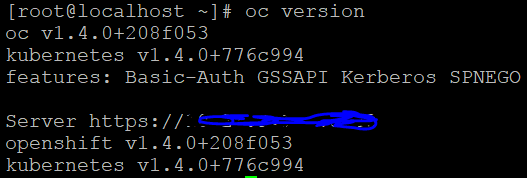
Version
 dylanBehetre
All 6 comments
please provide your full build log.
 bparees
on 6 Nov 2017
bparees
on 6 Nov 2017
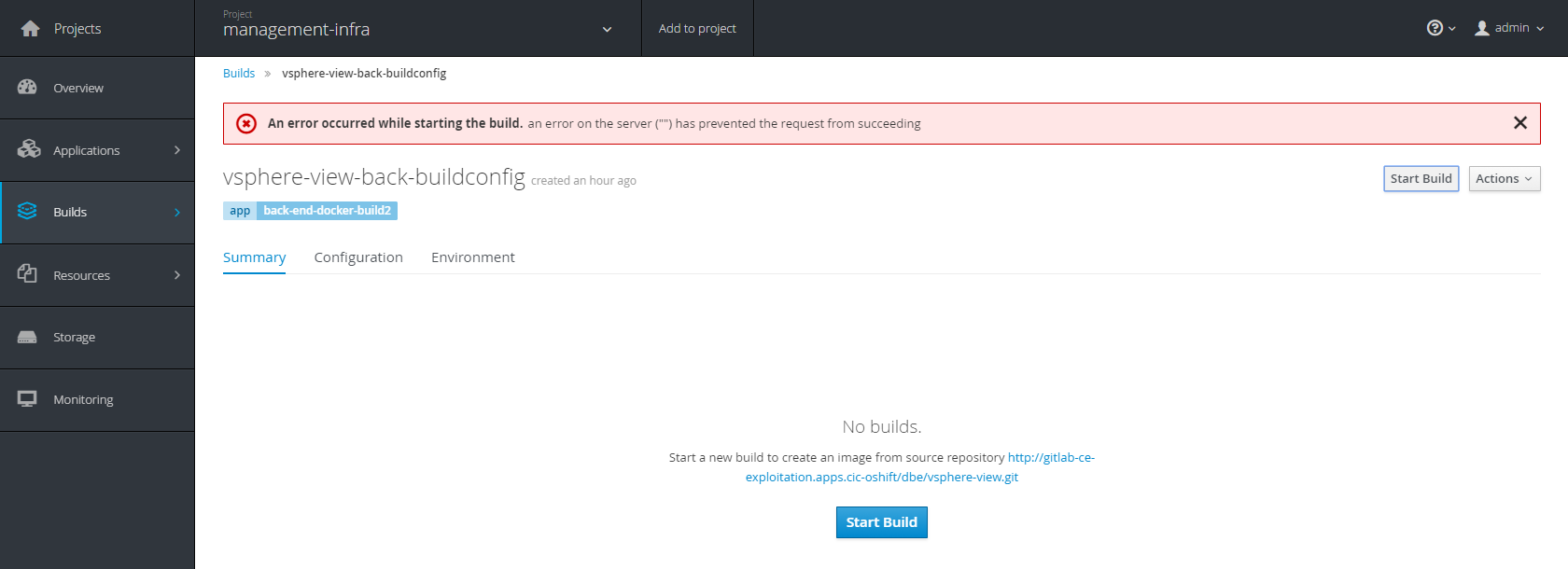
There is no build, when I click on Start build, i just have this :
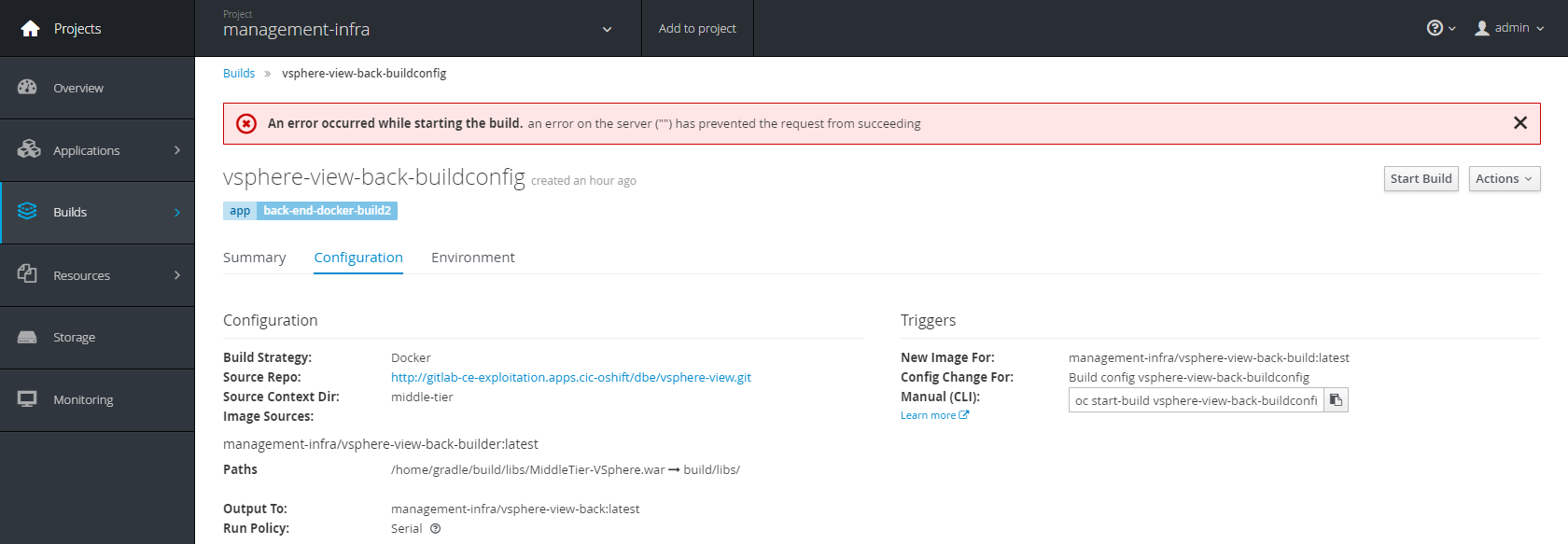
The build configuration :
The images streams :

dylanBehetre
on 8 Nov 2017
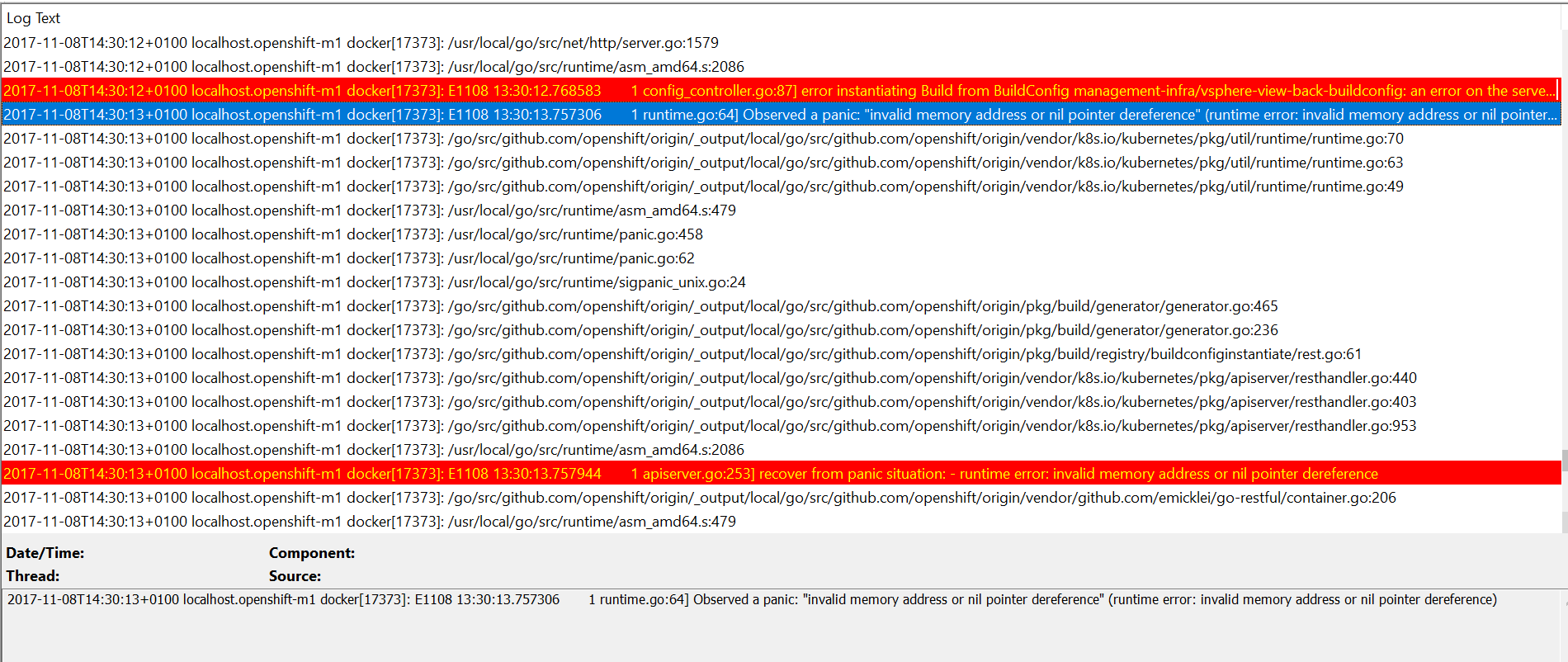
I find this in journactl :
It's interesting, i will explore it.
I think that the interesting point is :
dylanBehetre
on 8 Nov 2017
v1.4 is pretty dated at this point. I have a vague recollection we had some nil pointer issues, but rather than investigate an issue on a version this old (which we would not patch in origin anyway), can you see if you still have this issue on a newer cluster? you can use "oc cluster up" with a v3.6 client binary to bring up a v3.6 cluster and try it there. Or if you're really ambitious, you can use the 3.7.0-rc0 release:
https://github.com/openshift/origin/releases/tag/v3.7.0-rc.0
bparees
on 8 Nov 2017
Unfortunately, I cannot up my version, I should stay iso with my client. It's the same thing for my Docker version. I will try something else with pods and Permanent Volume and see with my manager to do upgrade the client :/. Thanks to your time !
dylanBehetre
on 8 Nov 2017
well it would still be worth validating that your resource definitions work on 3.6+, so we can rule out that it is a misconfiguration on your part.
bparees
on 8 Nov 2017
Related issues
 mxxk
·
52Comments
mxxk
·
52Comments
 cello86
·
44Comments
cello86
·
44Comments
 ghost
·
51Comments
ghost
·
51Comments
 gbaufake
·
46Comments
gbaufake
·
46Comments
 kargakis
·
43Comments
kargakis
·
43Comments