Origin: HPA fail to get cpu consumption and request
Hi, I've been following the issue #6239 because I have the same problem with the same configuration but the last configuration doesn't fix the problem.
I don't use persistent storage and I use auto-generated certificates.
Heapster is running in openshift-infra project while the pods and hpa are running in a different project.
This is the the hpa:
oc describe hpa frontend-scaler Name: frontend-scaler Namespace:Labels: CreationTimestamp: Fri, 11 Dec 2015 08:41:14 +0000 Reference: DeploymentConfig/jupyter-requests/scale Target CPU utilization: 70% Current CPU utilization: Min replicas: 1 Max replicas: 3
Logs in web-console:
9:40:04 AM
HorizontalPodAutoscaler
frontend-scaler
FailedComputeReplicas
failed to get cpu utilization: failed to get CPU consumption and request: metrics obtained for 0/1 of pods

9:40:04 AM
HorizontalPodAutoscaler
frontend-scaler
FailedGetMetrics
failed to get CPU consumption and request: metrics obtained for 0/1 of pods
This is the output of kubectl get dc:
...
    spec:
      containers:
      - image: .../openshift/jupyter-python
        imagePullPolicy: IfNotPresent
        name: jupyter-requests
        ports:
        - containerPort: 8000
          protocol: TCP
        resources:
          limits:
            cpu: 200m
            memory: 400Mi
          requests:
            cpu: 100m
            memory: 200Mi
....
Thanks.
 alejandronb
All 51 comments
The graph appears inside the Metrics tab pod but the value of CPU graph is 0 milicores
alejandronb
on 14 Dec 2015
If the CPU appears at 0 millicores, that might indicate that heapster is having trouble connecting to the kubelet. What do the logs on your heapster pod look like?
 DirectXMan12
on 14 Dec 2015
DirectXMan12
on 14 Dec 2015
These are logs of heapster pod:
Starting Heapster with the following arguments: --source=kubernetes:https://kubernetes.default.svc:443?useServiceAccount=true&kubeletHttps=true&kubeletPort=10250 --sink=hawkular:https://hawkular-metrics:443?tenant=_system&labelToTenant=pod_namespace&caCert=/hawkular-cert/hawkular-metrics-ca.certificate&user=hawkular&pass=WtkAghp_vKDzNjz&filter=label(container_name:^/system.slice.*|^/user.slice) --logtostderr=true --tls_cert=/secrets/heapster.cert --tls_key=/secrets/heapster.key --tls_client_ca=/secrets/heapster.client-ca --allowed_users=system:master-proxy
I1214 15:54:08.670101 1 heapster.go:60] heapster --source=kubernetes:https://kubernetes.default.svc:443?useServiceAccount=true&kubeletHttps=true&kubeletPort=10250 --sink=hawkular:https://hawkular-metrics:443?tenant=_system&labelToTenant=pod_namespace&caCert=/hawkular-cert/hawkular-metrics-ca.certificate&user=hawkular&pass=WtkAghp_vKDzNjz&filter=label(container_name:^/system.slice.*|^/user.slice) --logtostderr=true --tls_cert=/secrets/heapster.cert --tls_key=/secrets/heapster.key --tls_client_ca=/secrets/heapster.client-ca --allowed_users=system:master-proxy
I1214 15:54:08.675805 1 heapster.go:61] Heapster version 0.18.0
I1214 15:54:08.677142 1 kube_factory.go:168] Using Kubernetes client with master "https://kubernetes.default.svc:443" and version "v1"
I1214 15:54:08.677163 1 kube_factory.go:169] Using kubelet port 10250
I1214 15:54:08.678024 1 driver.go:491] Initialised Hawkular Sink with parameters {_system https://hawkular-metrics:443?tenant=_system&labelToTenant=pod_namespace&caCert=/hawkular-cert/hawkular-metrics-ca.certificate&user=hawkular&pass=WtkAghp_vKDzNjz&filter=label(container_name:^/system.slice.*|^/user.slice) 0xc2081806c0 }
I1214 15:54:10.886202 1 heapster.go:71] Starting heapster on port 8082
panic: runtime error: invalid memory address or nil pointer dereference
[signal 0xb code=0x1 addr=0x68 pc=0x4e60c6]
There seems to be an error with heapster:
panic: runtime error: invalid memory address or nil pointer dereference
alejandronb
on 14 Dec 2015
hmm... can post the version of your heapster image? Also, try removing the --sink=hawkular:... argument from the heapster rc, and see if that changes anything.
DirectXMan12
on 14 Dec 2015
This is the version of my heapster image:
docker.io/openshift/origin-metrics-heapster latest ef2c651384be 3 weeks ago 318.6 MB
I don't specity that argument in the file and the command. How can I remove the argument from heapster rc?
alejandronb
on 14 Dec 2015
It might also be useful to increase the verbosity of heapster logging by adding the --v=4 option to the heapster RC.
To edit the options used when running heapster, use:
$ oc -n openshift-infra scale rc heapster --replicas=0
$ oc -n openshift-infra edit rc heapster
[ do the aforementioned edits here]
$ oc -n openshift-infra scale rc heapster --replicas=1
You a section called "command" in the YAML that lists the commands to run, as well as the arguments to use.
DirectXMan12
on 14 Dec 2015
I've run the following commands like you said to me:
$ oc scale rc heapster --replicas=0 replicationcontroller "heapster" scaled $ oc edit rc heapster replicationcontrollers/heapster
I've removed the option:
--sink=hawkular:https://hawkular-metrics:443?tenant=_system&labelToTenant=pod_namespace&caCert=/hawkular-cert/hawkular-metrics-ca.certificate&user=%username%&pass=%password%&filter=label(container_name:^/system.slice.*|^/user.slice)
And I run this:
$ oc scale rc heapster --replicas=1 --v=4 replicationcontroller "heapster" scaled
The error disappears but although logs are running with option --v=4 these are the logs:
oc logs heapster-n01vw Starting Heapster with the following arguments: --source=kubernetes:https://kubernetes.default.svc:443?useServiceAccount=true&kubeletHttps=true&kubeletPort=10250 --logtostderr=true --tls_cert=/secrets/heapster.cert --tls_key=/secrets/heapster.key --tls_client_ca=/secrets/heapster.client-ca --allowed_users=system:master-proxy I1215 07:30:40.332036 1 heapster.go:60] heapster --source=kubernetes:https://kubernetes.default.svc:443?useServiceAccount=true&kubeletHttps=true&kubeletPort=10250 --logtostderr=true --tls_cert=/secrets/heapster.cert --tls_key=/secrets/heapster.key --tls_client_ca=/secrets/heapster.client-ca --allowed_users=system:master-proxy I1215 07:30:40.355830 1 heapster.go:61] Heapster version 0.18.0 I1215 07:30:40.357147 1 kube_factory.go:168] Using Kubernetes client with master "https://kubernetes.default.svc:443" and version "v1" I1215 07:30:40.357165 1 kube_factory.go:169] Using kubelet port 10250 I1215 07:30:40.393996 1 heapster.go:71] Starting heapster on port 8082
I've tried launching a new pod to monitor but the CPU graph goes on appearing at 0 millicores.
alejandronb
on 15 Dec 2015
Ah, no, you have to add --v=4 where you removed the --sink=hawkular option (options on the oc scale command won't affect the container command line). It may also take a couple minutes for metrics to populate.
DirectXMan12
on 15 Dec 2015
These are some interesting logs:
2-a2ff-11e5-b049-fa163e2ef128 787043 0 2015-12-15 07:46:08 +0000 UTC 2015-12-15 18:56:56 +0000 UTC
io.kubernetes.pod.name:openshift-infra/hawkular-cassandra-1-viem0 io.kubernetes.pod.terminationGracePeriod:30] HasCpu:true Cpu:{Limit:2 MaxLimit:0 Mask:0} HasMemory:true Memory:{Limit:18446744073709551615 Reservation:0 SwapLimit:18446744073709551615} HasNetwork:false HasFilesystem:false HasDiskIo:true HasCustomMetrics:false CustomMetrics:[]} Stats:[0xc208553000 0xc208553200 0xc208553400 0xc208553600 0xc208553800]}
I1215 16:57:30.141719 1 kubelet.go:99] url: "https://10.0.0.99:10250/stats/openshift-infra/hawkular-metrics-82lqm/bed9adbf-a349-11e5-b049-fa163e2ef128/hawkular-metrics", body: "{\"num_stats\":60,\"start\":\"2015-12-15T16:57:15Z\",\"end\":\"2015-12-15T16:57:20Z\"}", data: {ContainerReference:{Name:/system.slice/docker-c683211342aa2b3c38af8d4b17817a178dd11248adb59bbcae74a5d5dd6f6523.scope Aliases:[k8s_hawkular-metrics.80fdf896_hawkular-metrics-82lqm_openshift-infra_bed9adbf-a349-11e5-b049-fa163e2ef128_238a3c46 c683211342aa2b3c38af8d4b17817a178dd11248adb59bbcae74a5d5dd6f6523] Namespace:docker} Subcontainers:[] Spec:{CreationTime:2015-12-15 16:46:47.264995534 +0000 UTC Labels:map[io.kubernetes.pod.name:openshift-infra/hawkular-metrics-82lqm io.kubernetes.pod.terminationGracePeriod:30] HasCpu:true Cpu:{Limit:2 MaxLimit:0 Mask:0} HasMemory:true Memory:{Limit:18446744073709551615 Reservation:0 SwapLimit:18446744073709551615} HasNetwork:false HasFilesystem:false HasDiskIo:true HasCustomMetrics:false CustomMetrics:[]} Stats:[0xc208553e00 0xc2088fa000 0xc2088fa200 0xc2088fa400 0xc2088fa600]}
alejandronb
on 15 Dec 2015
In the future, can you please place logs in a fenced code block? You can do this by placing three backticks (```) before and after the block of logs. Otherwise, they're hard to read.
DirectXMan12
on 15 Dec 2015
Sorry, I use the label "pre" and I thought it is worse but I know it now.
alejandronb
on 16 Dec 2015
Can you please post the logs from the heapster container as well?
DirectXMan12
on 6 Jan 2016
There is a bug (https://bugzilla.redhat.com/show_bug.cgi?id=1289503, fixed in https://github.com/openshift/origin/pull/6554) in the default policy for the HPA role. Can you run this command and include the output:
oc describe clusterrole system:hpa-controller
 liggitt
on 12 Jan 2016
liggitt
on 12 Jan 2016
I'm also finding that HPA is non-functional (in 1.1.1.1 and 1.1.0.1) I have the HPA default policy fix. This is causing a bit of an issue for me, anyone know if this is likely to be fixed in a future release?
 SillyMoo
on 9 Feb 2016
SillyMoo
on 9 Feb 2016
Worth noting though that I get a slightly different error in my openshift log:
10:13:59.650413 5429 horizontal.go:190] Failed to reconcile es-master-scaler: failed to compute desired number of replicas based on CPU utilization for ReplicationController/openshift-infra/elasticsearch: failed to get cpu utilization: failed to get CPU consumption and request: failed to unmarshall heapster response: invalid character 'E' looking for beginning of value
This is with openshift 1.1.1.1
SillyMoo
on 9 Feb 2016
I have a bit more info on this issue. It appears that kubernetes is looking for the heapster API point /api/v1/model/namespaces/{namespace]/pod-list/{pods}/metrics/{metricType}. However the version of heapster currently in the image openshift/origin-metrics-heapster:latest does not seem to expose this API (it says it is running version 0.18.0 but I think this is a bit of a lie as it is actually using a version on the branch heapster-scalability).
SillyMoo
on 9 Feb 2016
Also seems the proxying is timing out for some reason. I always see 30's between:
4210 metrics_client.go:138] Sum of cpu requested: {0.100 DecimalSI}
and
4210 horizontal.go:190] Failed to reconcile es-master-scaler: failed to compute desired number of replicas based on CPU utilization for ReplicationController/elasticsearch/elasticsearch: failed to get cpu utilization: failed to get CPU consumption and request: failed to unmarshall heapster response: invalid character 'E' looking for beginning of value
And if I try to get the result using the proxy API (curl -k -H "Authorization: Bearer ilyFakaTMHEIDSNb-4h2IU4QJcAz9gXmnZI9n9h-fo4" https://10.0.2.15:8443/api/v1/proxy/namespaces/openshift-infra/services/https:heapster:/validate) it fails, also after 30s.
SillyMoo
on 10 Feb 2016
it says it is running version 0.18.0 but I think this is a bit of a lie as it is actually using a version on the branch heapster-scalability
I personally have not tested with the version on heapster-scalability -- you should probably wbe using the version that's built from master.
@mwringe has the image changed to be built off of a different version of heapster?
DirectXMan12
on 10 Feb 2016
I am talking about the official image from https://github.com/openshift/origin-metrics, if you look at the dockerfile (https://github.com/openshift/origin-metrics/blob/master/heapster-base/Dockerfile) it pulls the code from the heapster-scalability branch.
Also the official version in docker hub (https://hub.docker.com/r/openshift/origin-metrics-heapster/, image name: (openshift/origin-metrics-heapster:latest) shows version 0.18.0 when run (although as stated it does not appear to truly be 0.18.0 as it's build from the scalability branch and does not have the relevant API).
SillyMoo
on 10 Feb 2016
@DirectXMan12 origin-metric is currently using a build from the heapster-scalability branch. We don't track HPA directly, its probably something we need to add to the origin-metrics e2e tests.
@SillyMoo It should be build using the heapster-scalability branch as of a couple of days ago, not sure why its not showing the right version for you, let me check.
 mwringe
on 10 Feb 2016
mwringe
on 10 Feb 2016
@SillyMoo I figured out version issue you were seeing. We have a system in place to do the builds, but for some reason it was building the Heapster image using a specific SHA version of the heapster-base image which was too old. I have manually pushed out new images which should now be the correct version
mwringe
on 11 Feb 2016
@mwringe That's great thanks for that, just pulling down the latest image now.
SillyMoo
on 11 Feb 2016
This still leaves the proxy problem however. I finding that the proxy can not access the heapster image from the master, always saying that it can not reach the relevant IP Address (an SDN internal address). This also seems to be leading to the HPA issues (as the HPA is suffering from the same 30s timeout).
I am using a standard origin-ansible installation and I see the same problem on both 1.1.0.1 and 1.1.1.1.
Anyone have any advise on how to get the container proxy to work?
SillyMoo
on 11 Feb 2016
Does your proxy connect to other pods? Can you ping the container IP directly from the master node?
DirectXMan12
on 11 Feb 2016
it looks like something has changed and heapster is no longer accepting the connection from the api proxy. Investigating now
mwringe
on 11 Feb 2016
So I did some more digging today. I found that if I have setup the master to also be a node (set to unscheduleable), then the proxy can connect to the heapster pod. Unfortunately the pod always replies 'Unauthorised', from the proxy (trying now to see if HPA works or not, as I guess the right keys are used in that case?).
I'm guessing it works when the master is also a node because it then has openvswitch installed and is part of the SDN?
SillyMoo
on 11 Feb 2016
Well with the master as a node too the error message changes to:
Feb 11 17:48:50 openshift-master origin-master: I0211 17:48:50.526193 16102 metrics_client.go:138] Sum of cpu requested: {0.100 DecimalSI}
Feb 11 17:48:50 openshift-master origin-master: W0211 17:48:50.530452 16102 horizontal.go:190] Failed to reconcile es-master-scaler: failed to compute desired number of replicas based on CPU utilization for ReplicationController/elasticsearch/elasticsearch: failed to get cpu utilization: failed to get CPU consumption and request: failed to unmarshall heapster response: invalid character 'U' looking for beginning of value
You can see the 30s timeout does not occur anymore, the error is now instant. And it is now complaining of a U, which matches rather well with the 'Unauthorised' error message I was getting from the proxy. So one step forward, but one step left to go :)
SillyMoo
on 11 Feb 2016
Sounds like you have a cert problem. The CA accepted by heapster needs to be the Kube CA (this should be automatically setup by the installer pod, unless something has changed there). Additionally, the 'system:proxy' user must have permissions to access the metrics (again, this should be automatically set up, unless you overrode the accepted users during the setup process).
DirectXMan12
on 11 Feb 2016
Note kube certs. If I deploy heapster on a http port not a https then I get the metrics just fine.
The Unauthorised in this case is heapster saying the proxy is unauthorised to use it's https API, not kube saying heapster can't use it's API.
SillyMoo
on 11 Feb 2016
I guess more likely the latter one in that case, as you say though should be automatic as part of the deployment (I use metrics deployer).
SillyMoo
on 11 Feb 2016
@DirectXMan12 How do I check the permissions of the system:proxy user (I'm guessing this is a special user like the SA users, as it does not appear when I do 'oc get users').
SillyMoo
on 11 Feb 2016
@DirectXMan12 and is it system:proxy? or system:master-proxy (as the deployer uses system:master-proxy by the looks of it).
SillyMoo
on 11 Feb 2016
I'm in the same point that you @SillyMoo.
The following error appears to me:
failed to unmarshall heapster response: invalid character 'U' looking for beginning of value
Can it be because the secrets were created with the following command?
$ oc secrets new metrics-deployer nothing=/dev/null
In which project are you deploying the hpa? I'm deploying it in project "test" (not in openshift-infra)
alejandronb
on 11 Feb 2016
The latest origin-metrics components don't appear to be working with the HPA anymore due to an issue in Heapster that we need to resolve. I have the api proxy accessing working again locally, but I need to properly fix it and push out a PR
mwringe
on 11 Feb 2016
I pushed out a new image origin-metrics heapster image which adds back in support for accessing Heapster via the api proxy. It contains a custom patch at the moment while the pr for heapster is waiting.
Heapster issue: https://github.com/kubernetes/heapster/issues/967
PR: https://github.com/kubernetes/heapster/pull/968
In case anyone was wondering failed to unmarshall heapster response: invalid character 'U' looking for beginning of value is due to the response from Heapster being 'Unauthorized'
mwringe
on 12 Feb 2016
Thanks for the quick fix @mwringe
SillyMoo
on 12 Feb 2016
Thanks @mwringe.
@SillyMoo How do you deploy Heapster on a http port? Are you using metrics.yaml?
alejandronb
on 12 Feb 2016
@alejandronb, I have only been concerned with HPA for now, so I use metrics-heapster.yml (after following the other steps defined in the readme).
SillyMoo
on 12 Feb 2016
@mwringe @DirectXMan12 - The heapster fix works fine thanks for that. However the issue with proxying when the master is not also a node still exists and breaks HPA in that configuration. I have raised a separate issue to track that problem: #7253
SillyMoo
on 12 Feb 2016
Hi, I've also tried the new image heapster and it works, now the hpa gets the current CPU Utilization correctly.
Thank you all @SillyMoo @mwringe @DirectXMan12
alejandronb
on 12 Feb 2016
@mwringe
What's the meaning of: failed to unmarshall heapster response: invalid character 'E' looking for beginning of value?
I've that error. My cluster-metrics seems to work fine. They are showing up in the tabs but a hpa does not work (remains in waiting state). I've also a timeout when I try to curl to curl -k -H "Authorization: Bearer xxx" https://ip-172-xx-xx-xx.xx-xx-1.compute.internal:8443/api/v1/proxy/namespaces/openshift-infra/services/https:heapster:/validate (the curl works till /api and /api/v1)
 lvthillo
on 25 Feb 2016
lvthillo
on 25 Feb 2016
@lorenzvth7 For the invalid character 'E', you will need to make sure you have the latest version of the heapster image. For the timeout, is your master also a node? If not update your inventory file to make the master a node (it will be automatically unschedulable).
SillyMoo
on 25 Feb 2016
@SillyMoo We've pulled the image 2 days ago. So it's a new image. And no our master isn't a node too. But we did not see any information about the fact our master needs to be a unschedulable node too?
lvthillo
on 25 Feb 2016
It means that when the HPA goes to access the Heapster endpoint, its getting back something which starts with 'E' instead of the expected json value.
I don't know what exactly the 'E' stands for here, perhaps 'Error', the issue with seeing 'U' before was due to the message being 'Unauthorized'.
mwringe
on 25 Feb 2016
@mwringe Our cluster-metrics seems to work fine. We see the memory and cpu usage of each pod in our cluster. In the tabs on the webconsole. The issue appears when we try to create an hpa.
@SillyMoo also had the 'E' issue for some time (his logs):
10:13:59.650413 5429 horizontal.go:190] Failed to reconcile es-master-scaler: failed to compute desired number of replicas based on CPU utilization for ReplicationController/openshift-infra/elasticsearch: failed to get cpu utilization: failed to get CPU consumption and request: failed to unmarshall heapster response: invalid character 'E' looking for beginning of value
lvthillo
on 25 Feb 2016
@lorenzvth7 The master needs to be a node too, or you the proxy does not work. See https://docs.openshift.org/latest/architecture/additional_concepts/sdn.html#sdn-design-on-masters (3rd paragraph). Agree it's not overly clear, caught me out as well.
SillyMoo
on 25 Feb 2016
@SillyMoo Thanks I think that's the issue. I'm able to curl -v 10.1.x.x port 8082 on each node but not on the master.
lvthillo
on 25 Feb 2016
Issues go stale after 90d of inactivity.
Mark the issue as fresh with /remove-lifecycle stale.
Stale issues rot after an additional 30d of inactivity and eventually close.
If this issue is safe to close now please do so with /close.
/lifecycle stale
 openshift-bot
on 5 Feb 2018
openshift-bot
on 5 Feb 2018
Stale issues rot after 30d of inactivity.
Mark the issue as fresh by commenting /remove-lifecycle rotten.
Rotten issues close after an additional 30d of inactivity.
Exclude this issue from closing by commenting /lifecycle frozen.
If this issue is safe to close now please do so with /close.
/lifecycle rotten
/remove-lifecycle stale
openshift-bot
on 8 Mar 2018
What's the update on this issue? I'm experiencing something similar.
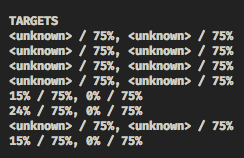
heapster log:
E0406 09:46:12.477143 1 manager.go:101] Error in scraping containers from kubelet_summary:10.88.0.10:10255: Get http://10.88.0.10:10255/stats/summary/: dial tcp 10.88.0.10:10255: getsockopt: connection timed out
GCP Nodes
                    "OSImage": "Container-Optimized OS from Google",
                    "ContainerRuntimeVersion": "docker://17.3.2",
                    "KubeletVersion": "v1.9.6-gke.0",
                    "KubeProxyVersion": "v1.9.6-gke.0",
                    "OperatingSystem": "linux",
                    "Architecture": "amd64"
Maybe the heapster is lacking some privileges?
 lfaoro
on 6 Apr 2018
lfaoro
on 6 Apr 2018
Rotten issues close after 30d of inactivity.
Reopen the issue by commenting /reopen.
Mark the issue as fresh by commenting /remove-lifecycle rotten.
Exclude this issue from closing again by commenting /lifecycle frozen.
/close
openshift-bot
on 6 May 2018
Related issues
 kargakis
·
43Comments
kargakis
·
43Comments
 csrwng
·
46Comments
csrwng
·
46Comments
 klauern
·
44Comments
klauern
·
44Comments
 mxxk
·
52Comments
kargakis
·
79Comments
mxxk
·
52Comments
kargakis
·
79Comments
Most helpful comment
What's the update on this issue? I'm experiencing something similar.
heapster log:
GCP Nodes
Maybe the heapster is lacking some privileges?