Orchardcore: How to Create Bag Content item through Create Content Task in workflow???
Content Properties
"Message": {
    "ContentItems": [
        {
            "MessageItem": {
                "ContentItems": [
                    {
                        "MessageItem": {
                            "InputFielName": {
                                "Text": "{{ Request.Form.Name }}"
                            }
                        }
                    }
                ]
            }
        }
    ]
}
 kyahyan
All 5 comments
Create one content item with a bag part item and look in the database to get a sample. Or simply export it. This doesn't look like proper JSON for a bagpart.
 Skrypt
on 30 Jan 2020
Skrypt
on 30 Jan 2020
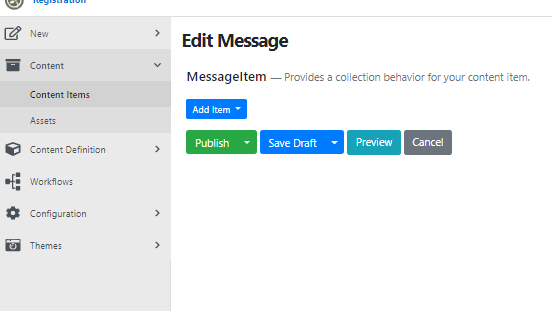
"Message" Content Type is already created with bag part "MessageItem" which have 4 fields.
We're trying to get the inputs from the form using the workflow task " Create Content Task" and put them in the MessageItem fields.
We can't figure out the JSON codes to create Message content type and have the bag part already added.
 BenPool
on 30 Jan 2020
BenPool
on 30 Jan 2020
Ok create one content item of this Content Type. Make sure you add a MessageItem to this content item. Then open this content item to edit it. Look at the url and copy the GUID part of this url which tells you the ContentItemId of this content item. Then open up your database and look at the ContentItemIndex table and do SELECT * FROM ContentItemIndex LEFT JOIN Document ON ContentItemIndex.DocumentId = Document.Id WHERE ContentItemIndex = 'YOUR COPIED GUID'.
Copy the Document.Content column content and paste it on this nice online json editor :
https://jsoneditoronline.org/
Then look at the JSON structure and try to copy it in your Workflow.
Skrypt
on 30 Jan 2020
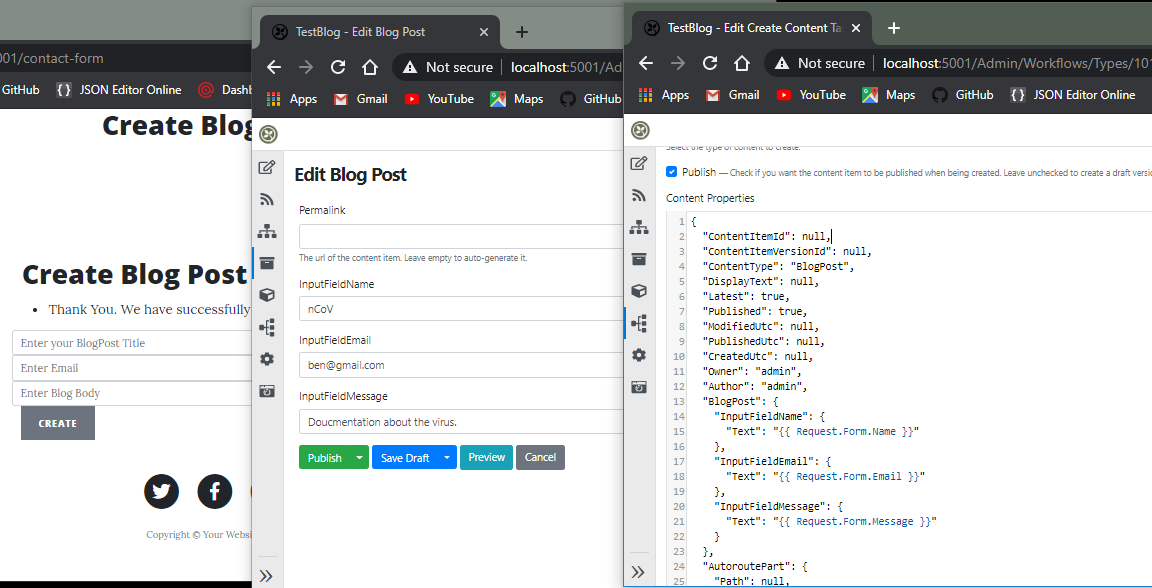
It works, Thank you. (Y)
BenPool
on 3 Feb 2020
Related #5439
Skrypt
on 3 Feb 2020
Related issues
 hishamco
·
3Comments
hishamco
·
3Comments
 JanSichula
·
3Comments
JanSichula
·
3Comments
 deanmarcussen
·
3Comments
deanmarcussen
·
3Comments
 lzw5399
·
3Comments
lzw5399
·
3Comments
 aghili371
·
3Comments
aghili371
·
3Comments
Most helpful comment
Ok create one content item of this Content Type. Make sure you add a MessageItem to this content item. Then open this content item to edit it. Look at the url and copy the GUID part of this url which tells you the ContentItemId of this content item. Then open up your database and look at the ContentItemIndex table and do
SELECT * FROM ContentItemIndex LEFT JOIN Document ON ContentItemIndex.DocumentId = Document.Id WHERE ContentItemIndex = 'YOUR COPIED GUID'.Copy the Document.Content column content and paste it on this nice online json editor :
https://jsoneditoronline.org/
Then look at the JSON structure and try to copy it in your Workflow.