Orchardcore: Need old Orchard's LayoutPart designer, it is 100% WYSIWYG
Hi, the new Orchard is cool, rewrite the LayoutPart designer, more concise, can take care of the mobile phone side, but the function is much less, there is no css and id editing, no layout template inheritance, can not cover some application scenarios, and Not 100% WYSIWYG, our customers need 100% WYSIWYG designers, don't know if Orchard Core will consider adding the features of the old version in the future?
Thanks!
 RockNHawk
All 15 comments
We even extended the Element style visual design functionality based on the old Orchard CMS, which I think is very useful, and many CMSs on the market offer this functionality.
double click the element make a popups editor inline WYSIWYG edit grid style
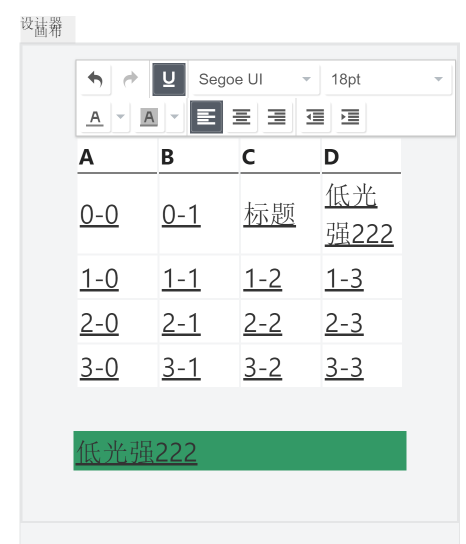
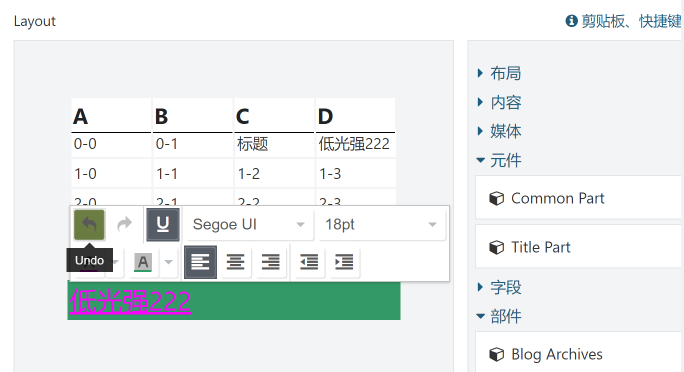
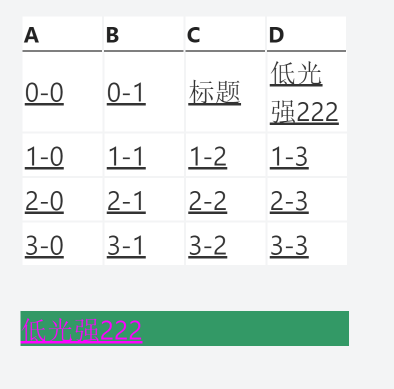
Pop-up layer editor disappears when focus is lost, 100% WYSIWYG
RockNHawk
on 11 May 2019
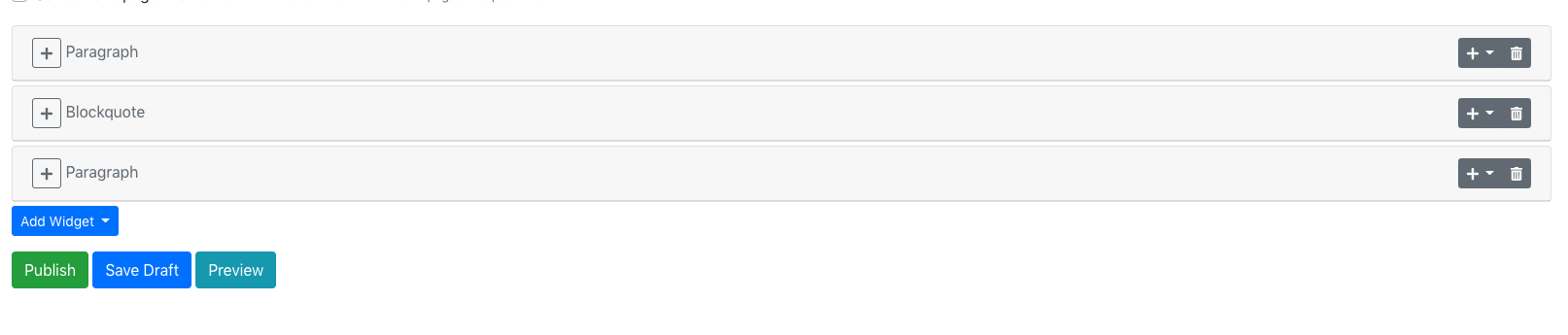
And the element custom editor is also very useful, in Orchard Core this feature is inline under the element break the original style.

RockNHawk
on 11 May 2019
This is the effect of Orchard Core

RockNHawk
on 11 May 2019
Have you tried opening the preview window side by side to see that we refresh changes as soon as they happen in that preview page? The thing that could be done here is to integrate the preview in a frame in the same page. That's mainly why we don't feel like we should implement an inline editor. The grid of the Flowpart maybe needs some work.
 Skrypt
on 11 May 2019
Skrypt
on 11 May 2019
@Skrypt I think integrating the preview on the same page would provide tremendous value for editors/copywriters. I am currently pitching OrchardCore within my organization as a nextgen CMS solution. Every developer who has played with it has loved it; however, I know that the toughest battle will be convincing non-technical users. Many of these people tend to work on small laptops and because of this the split-screen editing/previewing strategy is not as practical or effective. Perhaps each Flowpart could be individually toggled between editing and previewing mode?
 tom-mckinney
on 16 May 2019
tom-mckinney
on 16 May 2019
It's technically doable to have the preview be an expandable zone on the right, like a slide, where you could show/hide it. It could either snap on the right and the editor would get smaller, or hover the editor and you could use predefined sizes to see the effect. Technically it's a separate page/url, so we can include it in an iframe.
 sebastienros
on 16 May 2019
sebastienros
on 16 May 2019
I really like working with the flow part for building free flowing pages.
When you're adding a lot of widgets like the image above it does get difficult to find your way through - they remind me of code regions.
It could really benefit with an expand/collapse all, and possibly some kind of SummaryAdmin or TitleAspect so you can easily see what widget has the content you're looking for
 deanmarcussen
on 16 May 2019
deanmarcussen
on 16 May 2019
Orchard Core's new designer is not user friendly for non-techinal user , Orchard 1.x is more user friendly for them , and also many other CMS provied a 100% WYSIWYG page Editor.
RockNHawk
on 23 Sep 2019
@RockNHawk could you please summarize all the UI issues that you're facing
 hishamco
on 23 Sep 2019
hishamco
on 23 Sep 2019
@RockNHawk could you please summarize all the UI issues that you're facing
Thank you for your reply, it's not 100% WYSIWYG , but the old Orchard can , a WYSIWYG designer is more intuitive, such as this one https://elementor.com/
RockNHawk
on 23 Sep 2019
I will to the link, but we need a screenshots to help us what could we improve at least
hishamco
on 23 Sep 2019
@RockNHawk One flaw with a layout feature such as in O1 is that it's only really an approximation of what's to be presented on the front-end and mixes front-end with back-end concerns. Sites such as Elementor and Wix are different, because there you are working directly within the theme and the experience is actually one of designing a layout of some page. Those layout designer tools are close to 100% WYSIWYG. Orchard Layouts on the other hand is by no means 100% WYSIWYG.
 sfmskywalker
on 23 Sep 2019
sfmskywalker
on 23 Sep 2019
Please take a look at this PR that will provide something similar to Layout https://github.com/OrchardCMS/OrchardCore/pull/4106
sebastienros
on 23 Sep 2019
I forgot to mention that one
hishamco
on 23 Sep 2019
Related to #4686
 agriffard
on 12 Feb 2020
agriffard
on 12 Feb 2020
Related issues
 mobinzk
·
4Comments
mobinzk
·
4Comments
 jeffolmstead
·
4Comments
sebastienros
·
4Comments
jeffolmstead
·
4Comments
sebastienros
·
4Comments
 chillibug
·
4Comments
hishamco
·
3Comments
chillibug
·
4Comments
hishamco
·
3Comments
Most helpful comment
@Skrypt I think integrating the preview on the same page would provide tremendous value for editors/copywriters. I am currently pitching OrchardCore within my organization as a nextgen CMS solution. Every developer who has played with it has loved it; however, I know that the toughest battle will be convincing non-technical users. Many of these people tend to work on small laptops and because of this the split-screen editing/previewing strategy is not as practical or effective. Perhaps each Flowpart could be individually toggled between editing and previewing mode?