Orbit-db: Replicate orbitdb in another browser
Hi,
I am trying to replicate my orbitdb in another browser using the below address
const db= await orbitdb.docs('orbitdb/zdpuAnBgAoZ3CUNkicsdqzCtz6nubD3ubRG1feU72oKhMqoxz/Tom [email protected]');
If I try to open this address in a new tab in the same browser,then it can be accessible. But in another browser,it is not accessible. Please help me to resolve this. Am getting an orbit db ‘id’ as below, when am using the above address in another browser.
id: "/orbitdb/zdpuB37ifQdj2RVmBqyxpauYJDU2xUvDKUZpuMgeSYham6jps/orbitdb/zdpuAnBgAoZ3CUNkicsdqzCtz6nubD3ubRG1feU72oKhMqoxz/Tom [email protected]"
App.js
ipfs = new IPFSS({
start: true,
EXPERIMENTAL: {
pubsub: true
},
preload: {
enabled: false
},
config: {
Addresses: {
Swarm: [
'/dns4/ws-star.discovery.libp2p.io/tcp/443/wss/p2p-websocket-star'
]
}
}
})


ipfs.on('ready', async () => {
const identity = await Identities.createIdentity({ id: 'local-id' })

// Create OrbitDB instance

const orbitdb = await OrbitDB.createInstance(ipfs, { identity: identity })

const defaultOptions = { accessController: { write: [orbitdb.identity.id] }}

const docStoreOptions = {
defaultOptions,
indexBy: 'wallet',
}

const db = await orbitdb.docs(orbitdbname,docStoreOptions);
await db.load();
})
Environment
Npm: 6.13.4
Node: 10.19.1
libp2p : 0.26.2
libp2p-webrtc-star: 0.13.2
libp2p-websockets: 0.12.2
 kottackalsulvin
All 13 comments
Peer discovery via the webrtc star server might take a long time. Can you try explicitly connecting to the peer via ipfs.swarm.connect just to see if that works? And then we can troubleshoot from there.
 aphelionz
on 8 Oct 2020
aphelionz
on 8 Oct 2020
Can you tell how to do that? I am new to orbitdb. Currently am using websocket server for peer discovery.
kottackalsulvin
on 8 Oct 2020
Sure, in Browser A you can run const id = await ipfs.id() and see its swarm addresses inside id. OrbitDB exposes this via await orbitdb._ipfs.id()
Then in Browser B you can run await orbitdb._ipfs.swarm.conect(addr) where addr is one of the addresses from ipfs.id
aphelionz
on 8 Oct 2020
@aphelionz I am also new to OrbitDb and I am struggling against making replicate work between browsers.... I tried const id = await ipfs.id() but the address array appears to be empty. BTW, The project I am building is based on browserify.
However, I got addresses from a new temp demo node.js app which just load ipfs and orbitdb packages and print the id.
The only difference I can tell is that the ipfs version in browserify project is ^0.50.1 and the demo project is 0.46.0. so I changed the browserify project to 0.46.0, the addresses array still shows empty. So my question is, can I use orbitdb in a browserify project and how? Is there any example project available, I found very few example project out there for people like me to start with.
one more thing, I found below code is not working in ^0.46.0 but works in ^0.50.1 in my little demo project
const file = await ipfs.add("OribtDb is very cool")
console.log('successfully stored', file.cid)
With 0.46.0, it prints the successfully stored undefined, but print
successfully stored CID(Qmaf8yw2wU9QY1rQV9J1kmchYRTrdooVUJGzaUYrQk3YE8) in 0.50.1. Does that mean I should not use 0.46.0, but it is the maximum compatible with Orbitdb declared in the Github home page :[
 windseason
on 21 Oct 2020
windseason
on 21 Oct 2020
Tried to connect using ipfs.connect.swarm but nothing changed.
In browse A, I have tried the below code:
const info=await ipfs.id()
console.log("IPFS node ready with id:"+info.id);
And in browser B, tried the below code:
await ipfs.swarm.connect('/dns4/wrtc-star2.sjc.dwebops.pub/tcp/443/wss/p2p-webrtc-star/ipfs/QmVcoer53vBab2mkzgf2F71U8Xn5SEEKFd5hrqqazvr7oN')

const identity = await Identities.createIdentity({ id: 'local-id' })

const orbitdb = await OrbitDB.createInstance(ipfs, { identity: identity })

const defaultOptions = { accessController: { write: [orbitdb.identity.id] }}

const docStoreOptions = {
defaultOptions,
indexBy: 'msg',
}

const store = await orbitdb.docs('orbitdb/zdpuAomVC6YbN11jjtkZHqrLxLHbsQd5LS5v7woJU8weZhbcG/Tom [email protected]',docStoreOptions);
store.load();
console.log(store);
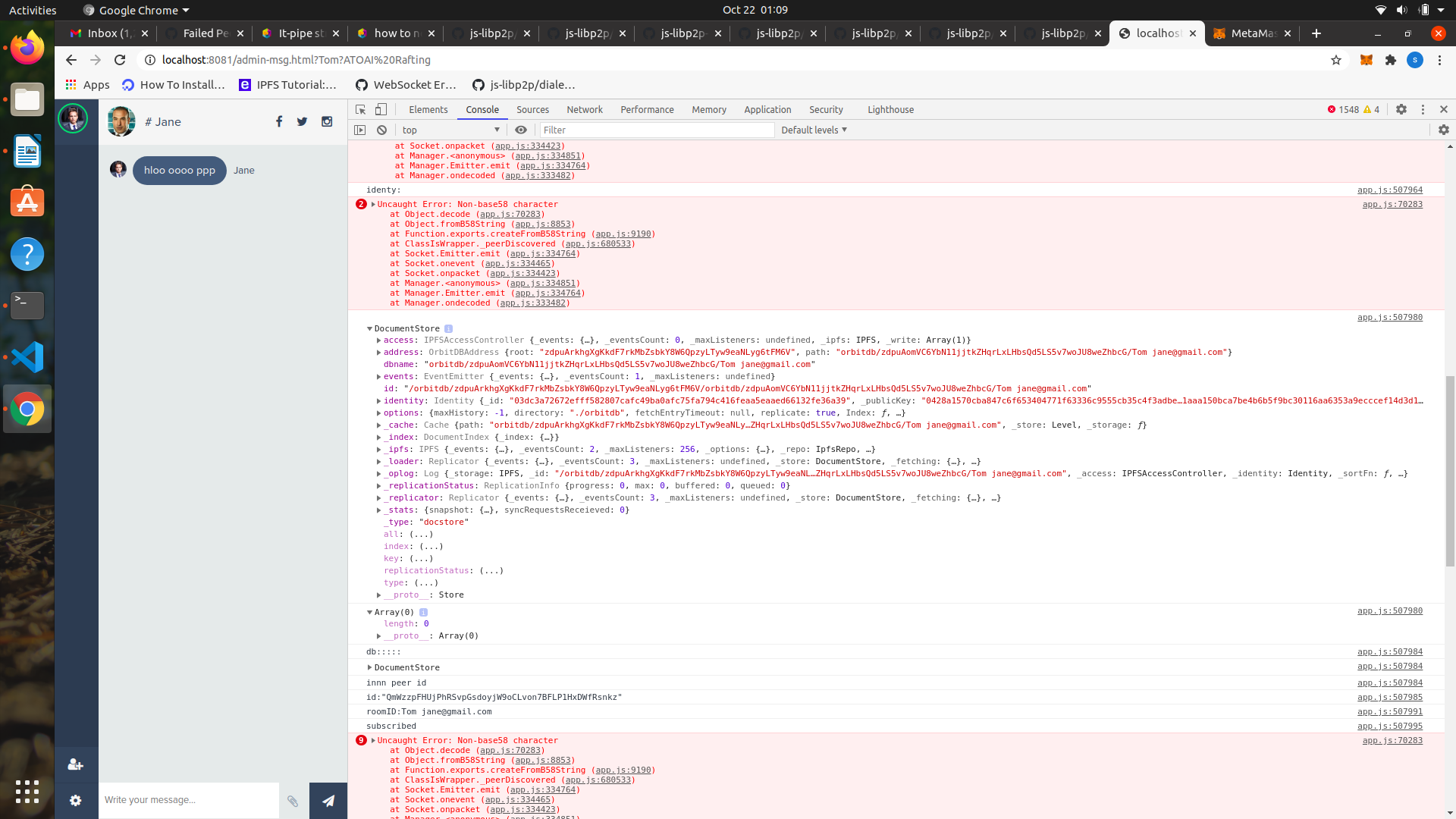
Also I am getting the error ‘Error: Non-base58 character’ when I am using signal servar as below:
Swarm: [
'/dns4/wrtc-star2.sjc.dwebops.pub/tcp/443/wss/p2p-webrtc-star'
]
kottackalsulvin
on 22 Oct 2020
I have the same question.
There is browser 1 and 2
How can I start data replication and wait for the database to be up to data ?
My app
 zababurinsv
on 18 Dec 2020
zababurinsv
on 18 Dec 2020
@zababurinsv the best way for browsers currently is to add the test webrtc servers to the ipfs config
here is an example
once that is there you can test connectivity by trying to have the nodes ipfs.ping each other. If that is successful they should be able to pubsub peer and replicate the db.
dont use the public webrtc test servers in production
 tabcat
on 18 Dec 2020
tabcat
on 18 Dec 2020
Hi. I created webrtc servers.
/dns4/web3-star.herokuapp.com/tcp/443/wss/p2p-webrtc-star/p2p/QmXCkCuP4kvKJisiWP2Xe4hC4vByQWFFumFBDJVEaqPEDE
I wanted to know. How to disable localhost checking in my code?
when connection is established localhost check starts. But in the browser version I have no node.
index.js:2 WebSocket connection to 'ws://127.0.0.1:43361/p2p/12D3KooWC9JVGTBgSaQE6pXNehjrYLgHqRJkm4XwCx98ZUSGuKrV' failed: Error in connection establishment: net::ERR_CONNECTION_REFUSED
You can see this in the page
zababurinsv
on 22 Dec 2020
@zababurinsv this error is most likely the result of remote machines advertising peers on their local network.
I wanted to know. How to disable localhost checking in my code?
when connection is established localhost check starts. But in the browser version I have no node.
I am not sure exactly what you mean by this
tabcat
on 22 Dec 2020
@zababurinsv this error is most likely the result of remote machines advertising peers on their local network.
I wanted to know. How to disable localhost checking in my code?
when connection is established localhost check starts. But in the browser version I have no node.I am not sure exactly what you mean by this
How can I catch this error?
I can't check the project because of her
zababurinsv
on 22 Dec 2020
How can I catch this error?
I'm not sure how to catch it but it's not breaking anything.
tabcat
on 22 Dec 2020
How can I catch this error?
I'm not sure how to catch it but it's not breaking anything.
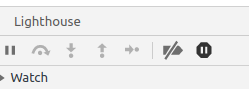
I can't use pause on exception. I can't debug my code.
And one more question how can i replication database ?
in API i see event for replication
But i can't see methods for replication.
I creating own server /dns4/web3-star.herokuapp.com/tcp/443/wss/p2p-webrtc-star/
zababurinsv
on 23 Dec 2020
I can't use pause on exception. I can't debug my code.
These errors are not a result of your code and do not affect anything. They are the result of remote ipfs peers you connect to advertising peers you are unable to connect to.
And one more question how can i replication database ?
Replication is done automatically. It will happen when you connect to a new peer over pubsub and when you make an update.
feel free to join the community chat anytime you have more questions
Edit: I understand what you are saying about 'pause on exception' now, apologies @zababurinsv . If possible, you can find where the exception is thrown and catch everything (also open an issue in the packages repo). Alternatively you can try debugging without the pause tool.
tabcat
on 23 Dec 2020
Related issues
 hugcoday
·
5Comments
hugcoday
·
5Comments
 maroodb
·
4Comments
maroodb
·
4Comments
 daviddias
·
6Comments
daviddias
·
6Comments
 whyrusleeping
·
3Comments
whyrusleeping
·
3Comments
 crazyrabbitLTC
·
6Comments
crazyrabbitLTC
·
6Comments
Most helpful comment
@zababurinsv the best way for browsers currently is to add the test webrtc servers to the ipfs config
here is an example
once that is there you can test connectivity by trying to have the nodes ipfs.ping each other. If that is successful they should be able to pubsub peer and replicate the db.
dont use the public webrtc test servers in production