Opentrons: bug: tipracks calibration is overwritten when using same tips on both pipettes
Overview
When you have two pipettes (e.g. a P300 multi mounted on left and P300 single on right) and attach to each pipette a tiprack both of the same type (eg. a 200ul filtertiprack on 7 for left pipette and a 200ul filter tiprack on 8 for right pipette):
- the calibration dialog makes you calibrate each pipette with its own tiprack;
- when you save the second pipette-tiprack calibration the values are updated also on the first pipette tiprack;
- so running the protocol the left pipette will go in a wrong position to pick up tips, while the second picks up tip correctly.
Steps to reproduce
Place a 200ul filter tiprack on 7 and 8; load a OT-2 with a 8-channel 300ul GEN2 pipette on left and a single-channel 300ul GEN2 pipette on right; run the protocol below.
Tested with OT-2 software version 4.2.1 and 4.3.1.
Current behavior
The left pick up tip does not reflect the calibrated position and the pipette go some mm away from the center of the tip;
Expected behavior
Both pipettes has to go correctly in the center of the tips for every tiprack, as each tiprack has been calibrated with its own pipette.
Test protocol
 agostinofacotti
All 6 comments
Hey @agostinofacotti, I'm sorry to hear you're seeing a difference in how one pipette accesses a tip rack vs. another pipette. To describe the current state of how the Opentrons software treats calibration data, we have:
- Labware calibration
- Intended to account for the difference between the nominal position of well A1 according to labware geometry and its actual position, universally for a given type of labware regardless of slot position
- Not intended to account for:
- Difference between nominal A1 position and where the labware sits in _a specific slot_ (this may change in the future)
- Difference between nominal A1 position and a specific piece of this labware type (this may change in the future)
- Anything to do with pipettes (pipettes are simply a measurement tool in the calibration flow)
- Deck Calibration
- Intended to teach the robot how to map its motor movements to movements in deck space
- Pipette Offset Calibration
- Intended to account for how to position a specific pipette at a specific coordinate in deck space
- This is the data that is intended to ensure both pipettes can access a given well
- Tip Length Calibration
- Intended to measure the effective tip length given a specific pipette type and a specific tip rack type
If, after calibrating a tip rack, one pipette is able to access the tips and one pipette is not able to access it, then I think we have one of three problems:
- Your Deck Calibration and/or Pipette Offset Calibration data is incorrect
- This is the easiest problem, because "Pipette Offset Calibration" is directly intended to measure and account for the difference you're describing
- A way to test this would be to see if there is a difference in how both pipettes access the same tiprack in one slot
- If you haven't done so already, I would recommend performing a factory reset of your Deck Calibration and Pipette Offset Calibration data and then re-running those calibration procedures after upgrading to 4.3.1
- The filter tip rack sits differently in slot 7 and slot 8
- This would be bad, because our software has no way to account for this
- That being said, our research has, so far, not seen much slot-to-slot variation
- A way to test this would be to see if the sae pipette can successfully access tip A1 of both tipracks
- There is a bug in how the Opentrons software is accessing or saving pipette calibration data and/or labware calibration data
- If you re-run the deck and pipette offset calibration procedures and see that one pipette is able to access tip A1 while the other is not able to access it, then this is where we would start looking
 mcous
on 11 May 2021
mcous
on 11 May 2021
Thanks @mcous for your advices...
I've just started from point 1. and discovered that the problem is still there picking up from the same position... I'l try to re-calibrate the robot to make sure to have a consistent Pipette Offset Calibration... Maybe with other labware this difference is not so evident.
I'll keep you updated
agostinofacotti
on 11 May 2021
Just recalibrated deck, pipette offset and tip length but the behaveour is the same...
See the image attached taken using the protocol below: the 8-channel pipette has still offset...
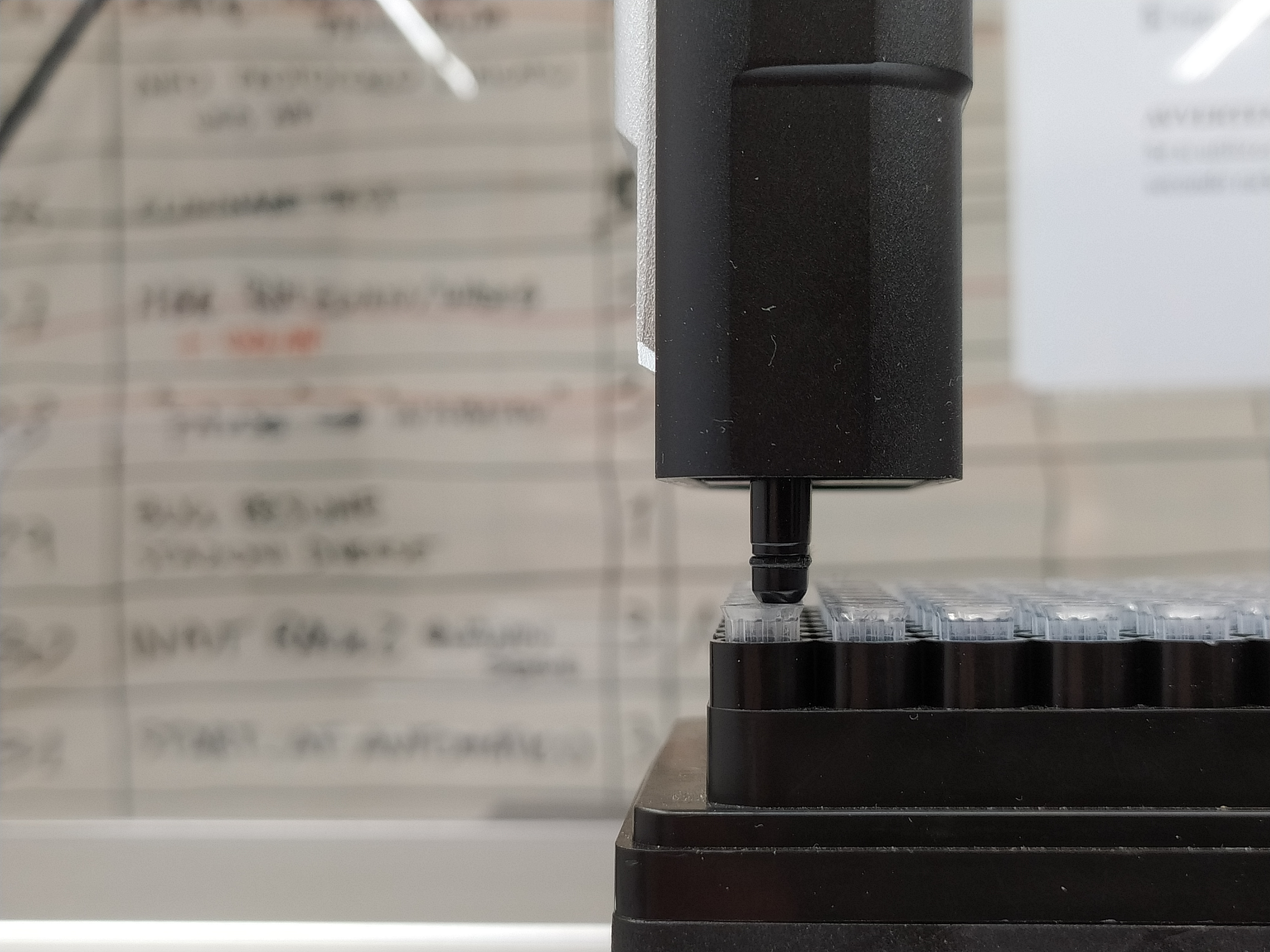
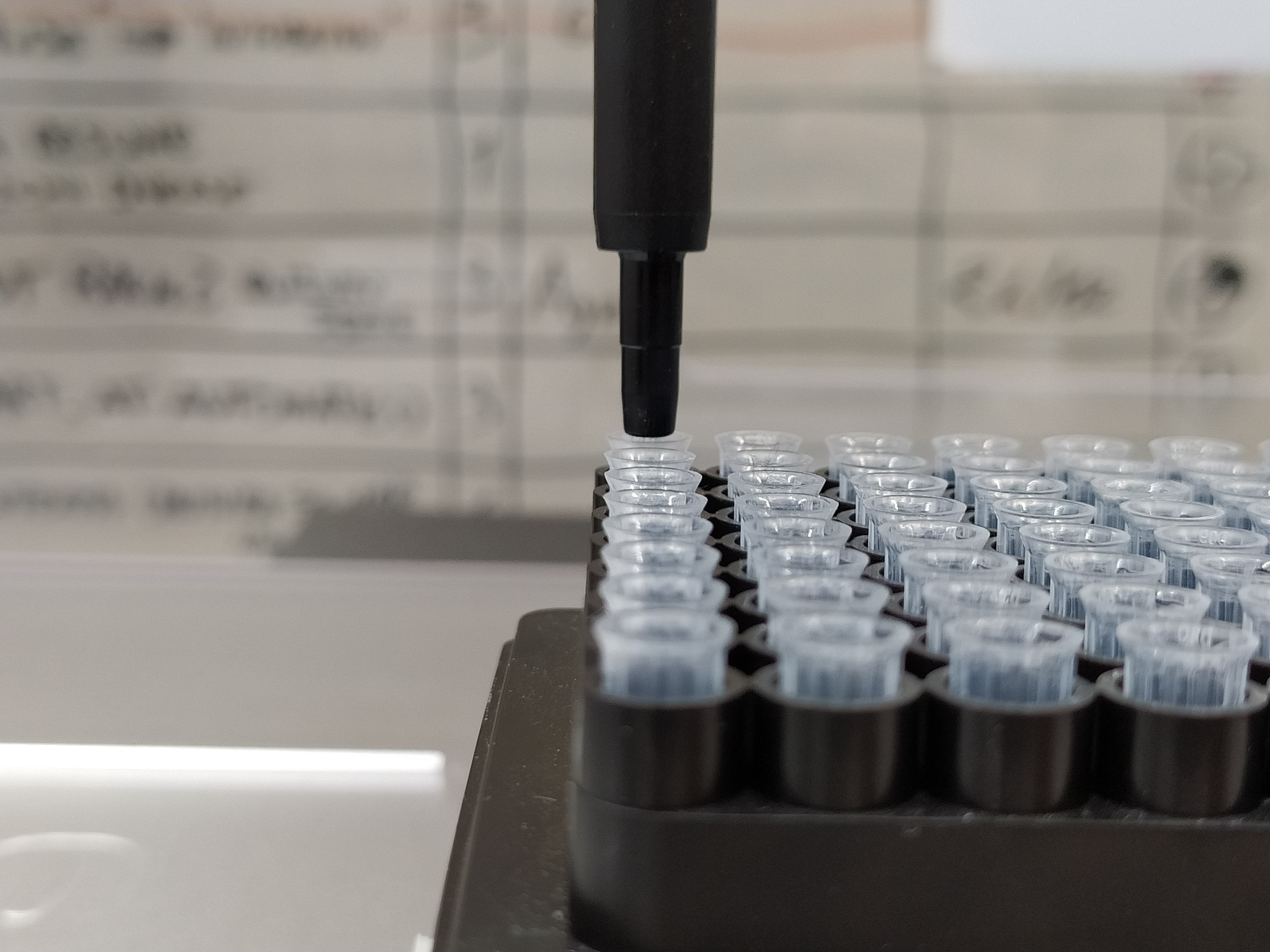
agostinofacotti
on 11 May 2021
Hi guys,
an intresting update on that:
the problem disappear if I manually change the sign of the right-pipette X offset...
I tried that with two different OT2:
- OTBK1 mounts two P300 multi
- OTBK2 mounts on left a P300 multi and on right a P300 single
I followed these steps to make the pipette access the same well:
- in Jupyter terminal execute the command
vi data/robot/pipettes/right/{pipette serial number}.json - edit the file inverting the sign of the x-offset (the first value in the list
offset) - in the OT App reload the protocol attached and do again the labware calibration.
- execute the protocol: now both pipette will go in the expected position (center of the well).
I think that the problem may be in saving one pipette offset... (and so the subject of this issue can be misleading)
Attached you can find the pre- and post- editing calibraition file.
opentrons-OTBK1-calib.zip
opentrons-OTBK2-calib.zip
agostinofacotti
on 31 May 2021
I observed the same issue described above running your "TestTwoPipettesAndTipracks_same_tip" protocol. Since i am not yet familiar with using the jupyter notebook, i could not try your inverting the x-offset value yet
 IS-SLab
on 4 Jun 2021
IS-SLab
on 4 Jun 2021
@mcous and @IS-SLab I'm closing this issue since the object is misleading... please see the #7878 thanks
agostinofacotti
on 5 Jun 2021
Related issues
 theosanderson
·
5Comments
theosanderson
·
5Comments
 alexjoel42
·
6Comments
alexjoel42
·
6Comments
 MarcelRobitaille
·
7Comments
MarcelRobitaille
·
7Comments
 ahiuchingau
·
4Comments
ahiuchingau
·
4Comments
 IanLondon
·
7Comments
IanLondon
·
7Comments
Most helpful comment
@mcous and @IS-SLab I'm closing this issue since the object is misleading... please see the #7878 thanks