Opentoonz: Expression referencing fails in sub xsheet
Describe the bug
Expression fails to reference parameter of another object in newly collapsed sub xsheet.
To Reproduce
- Load or create some level in the column 1.
- Select column1 and
Collapse. (a sub xsheet will be created.) - Select the sub xsheet and
Open Sub-xsheet. (Sub xsheet opens, containing the column you just collapsed.) - [In sub xsheet] In Function Editor, set the expression keyframe to
Col1.ewreferencing some another parameter liketable.ew. - [In sub xsheet] Try changing the referenced value (
Table.ew) and see ifCol1.ewfollows with it.
In my environment, Col1.ew seems to fail to refer the parameter.
Instead, it actually refers the same object in the parent xsheet. (i.e. in this case, Col1.ew in the sub-xsheet changes according to Table.ew in the parent xsheet.)
Note that the reference recovers once you save and reopen the scene.
_EDIT_
The same problem occurs as well, when copying column in some xsheet and pasting it in another sub-xsheet. The pasted column cannot refer the values in the pasted sub-xsheet.
Expected behavior
Expression should work properly in just-collapsed sub-xsheets.
Device Information:
- OS: Win10
- OpenToonz Version: Latest master
 shun-iwasawa
All 3 comments
Couldn't notation be extended to use the name of the relevant xsheet as part of expressions?
i.e. main.Col1.ew / sub1.Table.ew
if nothing is included (just: Col1.ew), it would refer to elements in the current xsheet.
sub-xsheets names would show and could be edited in the Scene Cast editor.
(I'm not inventing anything here, this is more or less how it works in After Effects)
 gab3d
on 5 Jun 2020
gab3d
on 5 Jun 2020
Yeah I have thought about it. I think it is possible but have no plan to tackle with it by myself for now as I'm not sure how much it is demanded.
shun-iwasawa
on 5 Jun 2020
I don’t remember where, but I raised exactly the same question (here on the video is OT version 1.2.1)
Here I tried to bind the expression to a column nested in sub-xsheet. The rotation of the first controller affects the xscale of the current sub-xsheet (that is, the first column), the rotation of the second controller rotates the first column inside the sub-xsheet.
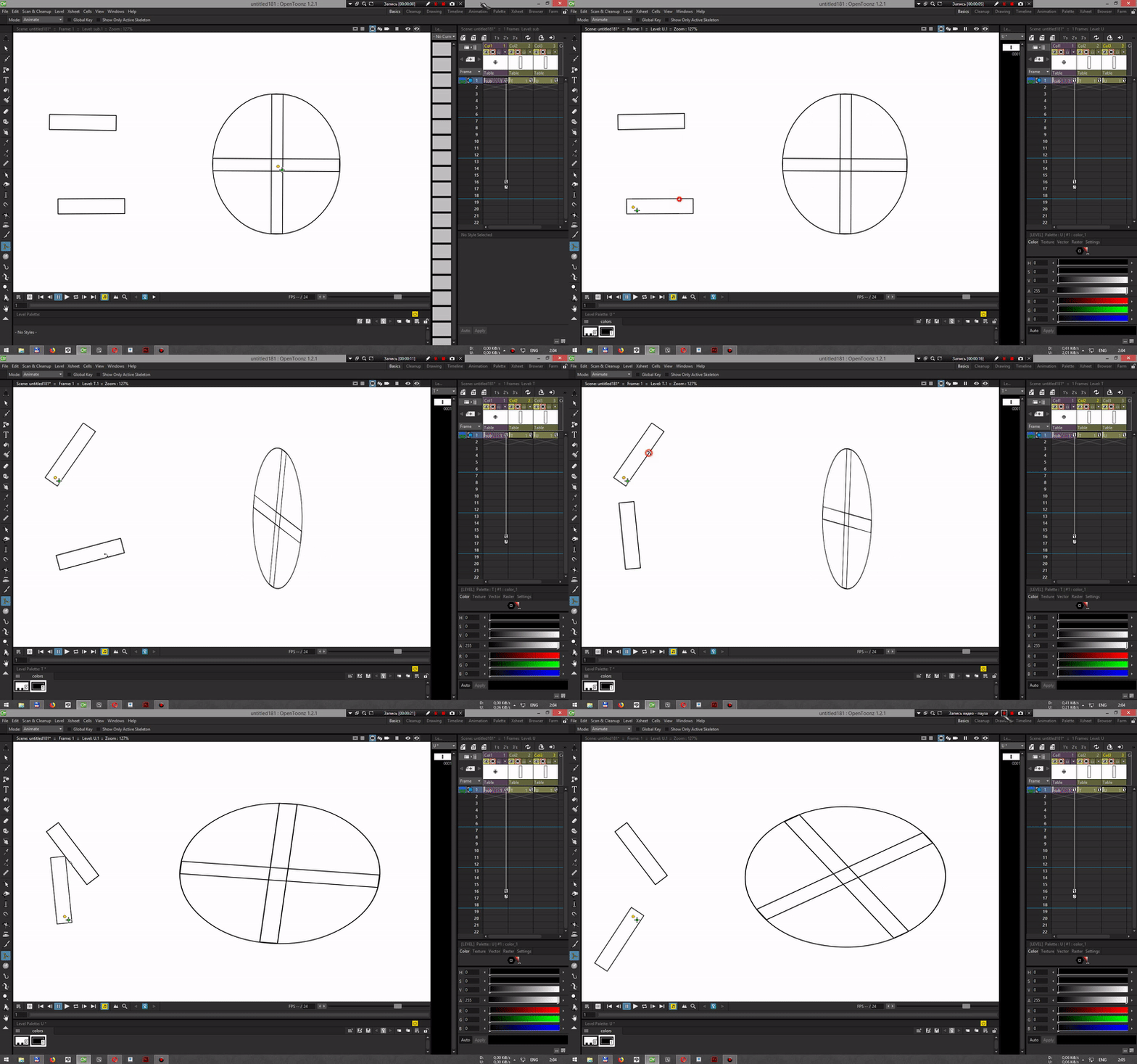
Prior to saving the scene, this works, but after restarting the expression that refers to the column inside sub-xsheet no longer works.
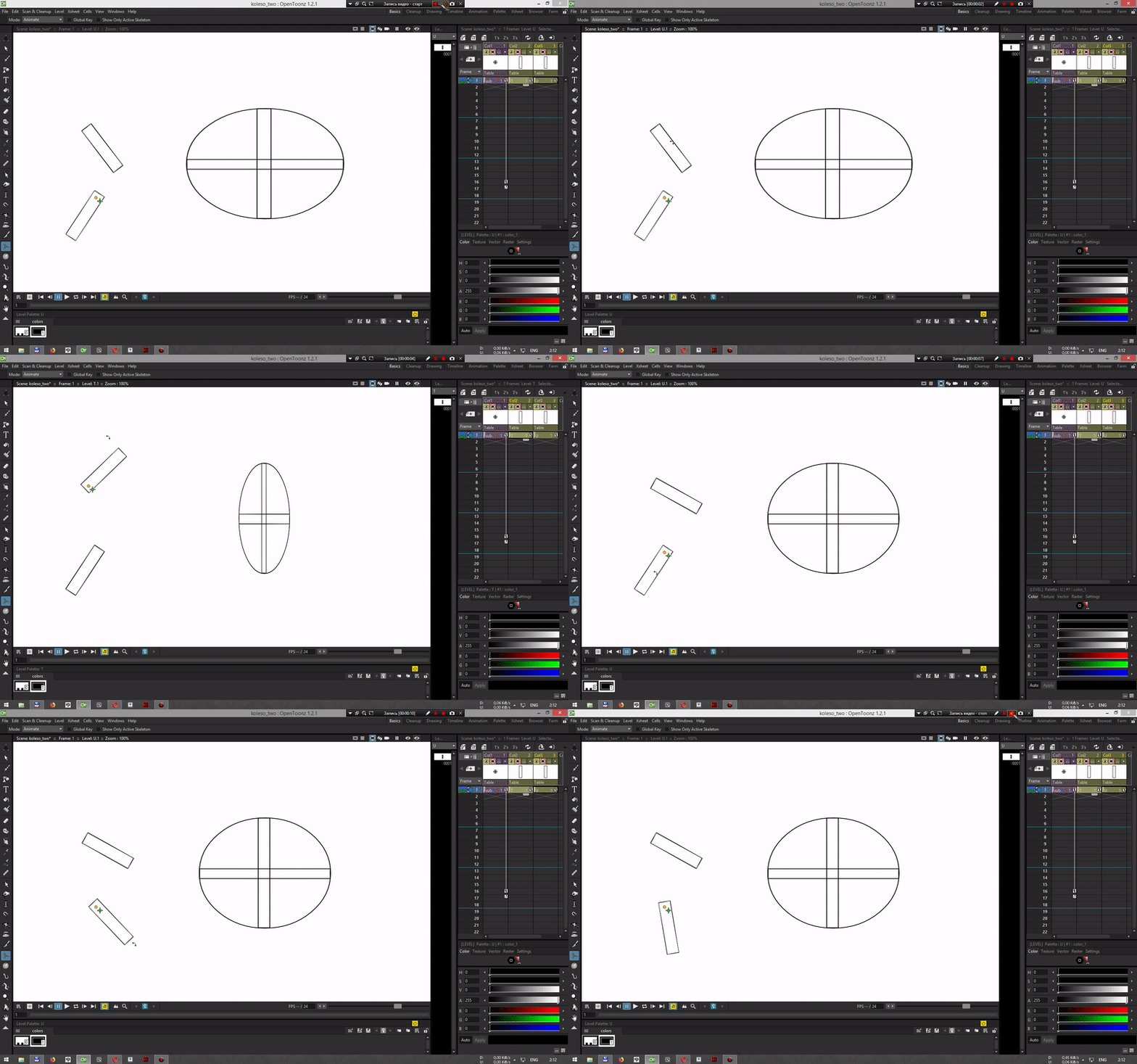
How to influence a column inside sub-xsheet?
 beeheemooth
on 5 Jun 2020
beeheemooth
on 5 Jun 2020
Related issues
 Cosmicdrawer
·
3Comments
Cosmicdrawer
·
3Comments
 2dvision
·
5Comments
gab3d
·
4Comments
2dvision
·
5Comments
gab3d
·
4Comments
 artisteacher
·
4Comments
artisteacher
·
4Comments
 blurymind
·
4Comments
blurymind
·
4Comments