Openshot-qt: jpg/transparent png errors grey screen blocks overlay in openshot
running linux mint 18.3 64 bit and ubuntu 18.04 64 bit
Hello everyone, i have serious issue with openshot
importing jpegs or transparent png's as a image sequence
openshot latest dev and rc5 will create the video file
however it puts garbage lines of blocks of grey and sometimes
other colours along side it.

as you can see by my example the picture on the left was
done in dev -136
the picture on the right was done with the latest dev 170
and even rc5.
I tried emailing the author several times and showing him
pictures, until now he has not fixed the problem.
in his 1.43 linux older version it works perfectly.
im wondering if others experiencing the same for importing
jpgs's or transparent png's as image sequence
thanks
bob
 bobcrikey
All 15 comments
Hmm... I just did a 'quick' test (which turned out to be quite long because I had to A. Get a PNG file. B. Change the colors up and make 3 versions of them. C. Figure out a bash one-liner to make copies of it, without first figuring out that there is actually a stepping mechanism now in bash's brace expansion {start..end..step}. Agh. Anyways, I was not able to reproduce this issue. Does this issue only persist in the preview or is the render also suffering?
Also, regarding the author - He is Mr. Jonathan Thomas. A great man and a talented programmer. I am very grateful that he has given us this gem of a software. But he is mostly a one man army and has to do all the work all by himself. That is why he can't really reply instantly to our messages and stuff. I have jumped in to help him out with the issues. And so has DylanC (the good sir whom I am asking to test this issue, too). This is a community project, good sir. It is our software. We are the ones that decide how far it goes. We get to help make it, or we can just sit and complain and just let this awesome thing die away. OpenShot is really popular but doesn't have many contributors. Perhaps you'd care to just us, good sir. We'd really appreciate any help we can get.
Also, thank you for the bug report. We'll try to test it and try to get the devs' attention towards this issue and get it fixed, ASAP.
Perhaps you'd like to send us the .pngs that you used? We could test using the same files, too...
Here's my output:
Openshot png test #1.mp4.tar.gz
@DylanC - Perhaps you could reproduce this bug, Cap'ain?
 peanutbutterandcrackers
on 22 Jun 2018
peanutbutterandcrackers
on 22 Jun 2018
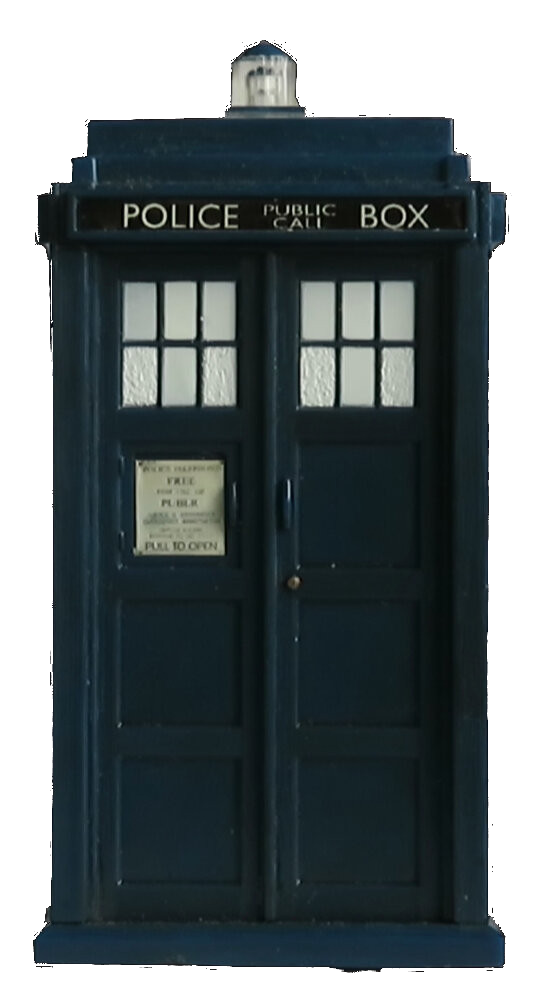
well here's the zip files with the original jpegs of the tardis spining, and its after the video is rendered
that you can see the block grays appearing if you drag the video into the time line and use the right
arrow key you will be see what im experiencing, and yes peanuts and crackers i know jonathan is working hard , i did offer to help him but its ok i know he's busy, im sure its small bug in there. if you like see all the videos iv created with openshot their on youtube just look for bob crikey , i do mainly
star trek and dr who animations, all done with openshot and kdenlive, but i prefer working with openshot personally.cheers
tardis jpegs.tar.gz
bobcrikey
on 22 Jun 2018
I haven't delved into this too far, but I just downloaded your files and noticed that the ones that you archived for us are jpg files. jpg does not support transparency.
Can you create an archive with the png files that you were originally working with?
Thanks!
 N3WWN
on 22 Jun 2018
N3WWN
on 22 Jun 2018
well heres a png picture iv just done to demostrate the transparent image sequence error in openshot
the n3wwn, have a look at this, and you can see the results ok
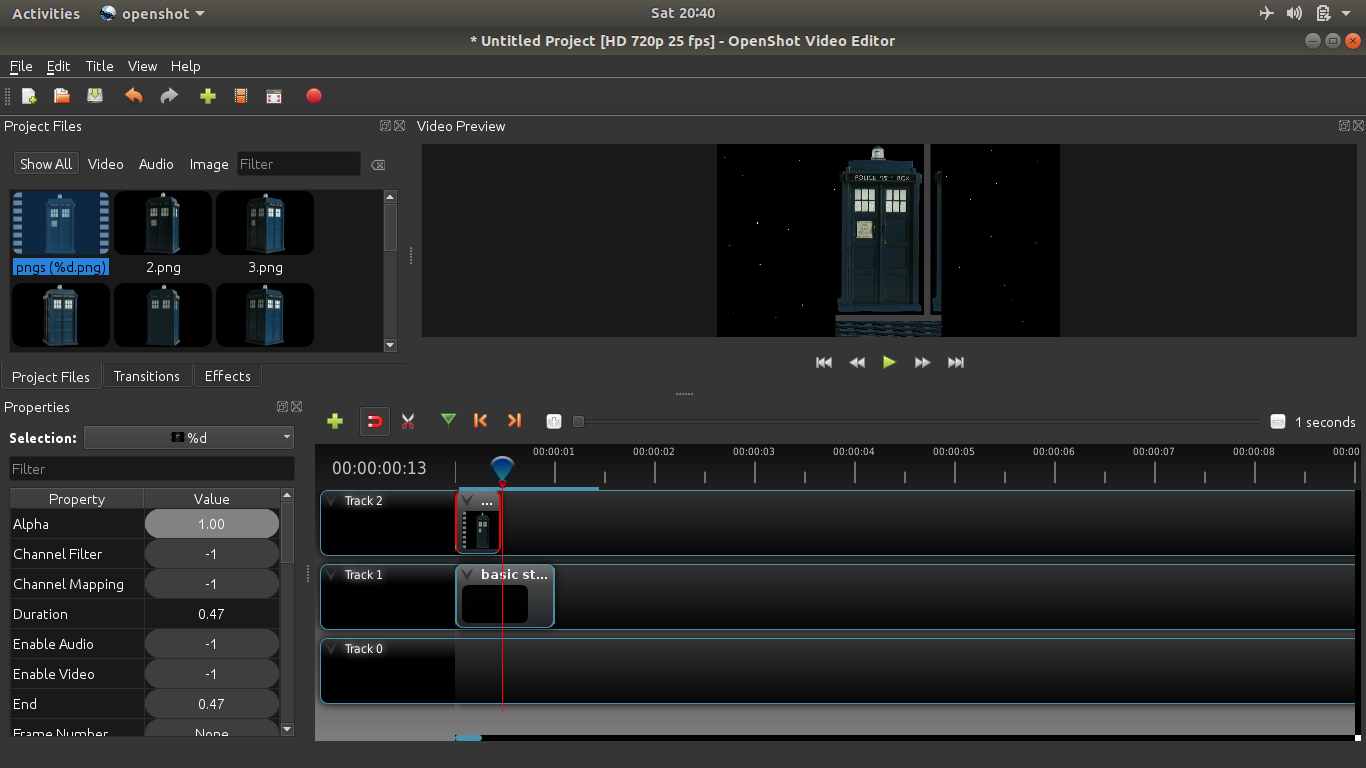
now here the png's in a zip file for you to put in the latest dev version, ok
and this was done in openshot latest dev on ubuntu 18.04
thanks bob
tardispngs.tar.gz
bobcrikey
on 23 Jun 2018
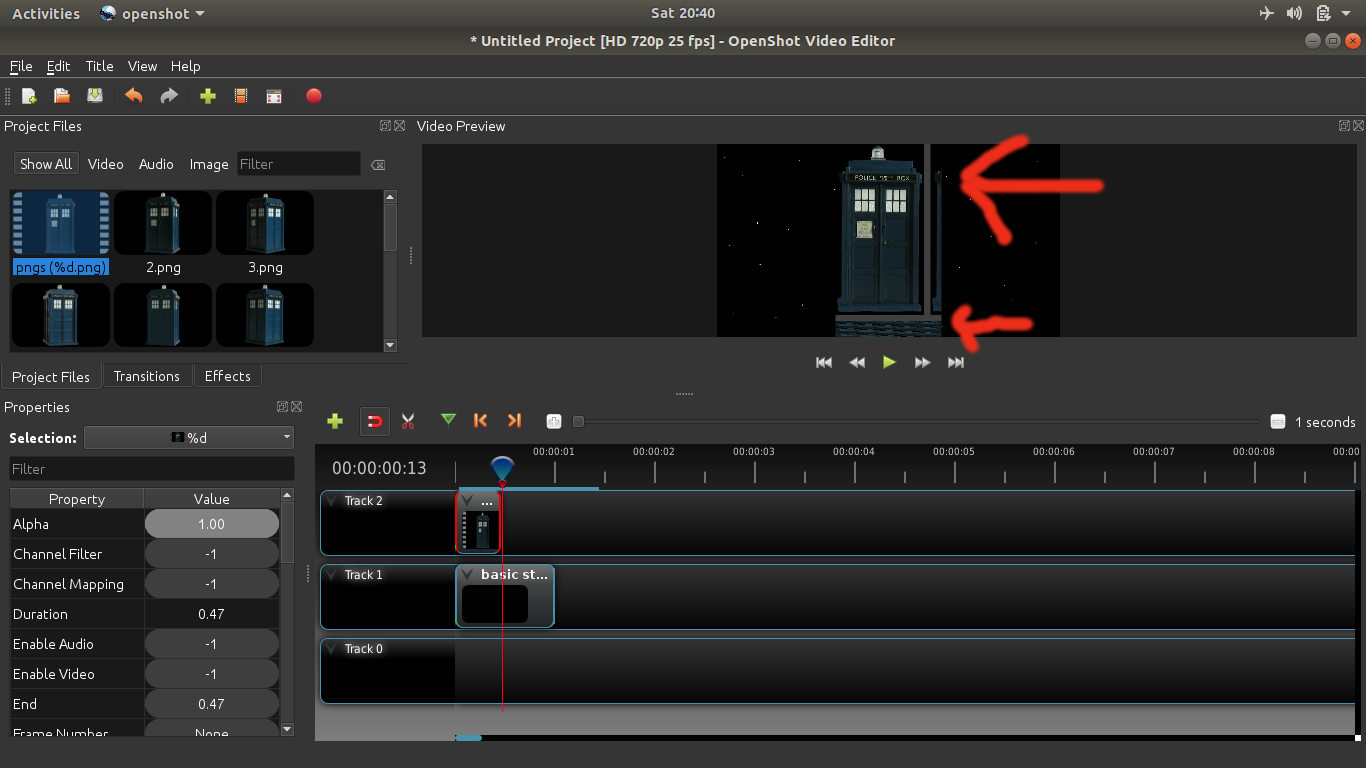
in fact iv just added the red arrows for N3WWN or any other devs to see the grey line blocks are not
part of the original png's not even present on any png's nor the jpegs of the tardis
bob
bobcrikey
on 23 Jun 2018
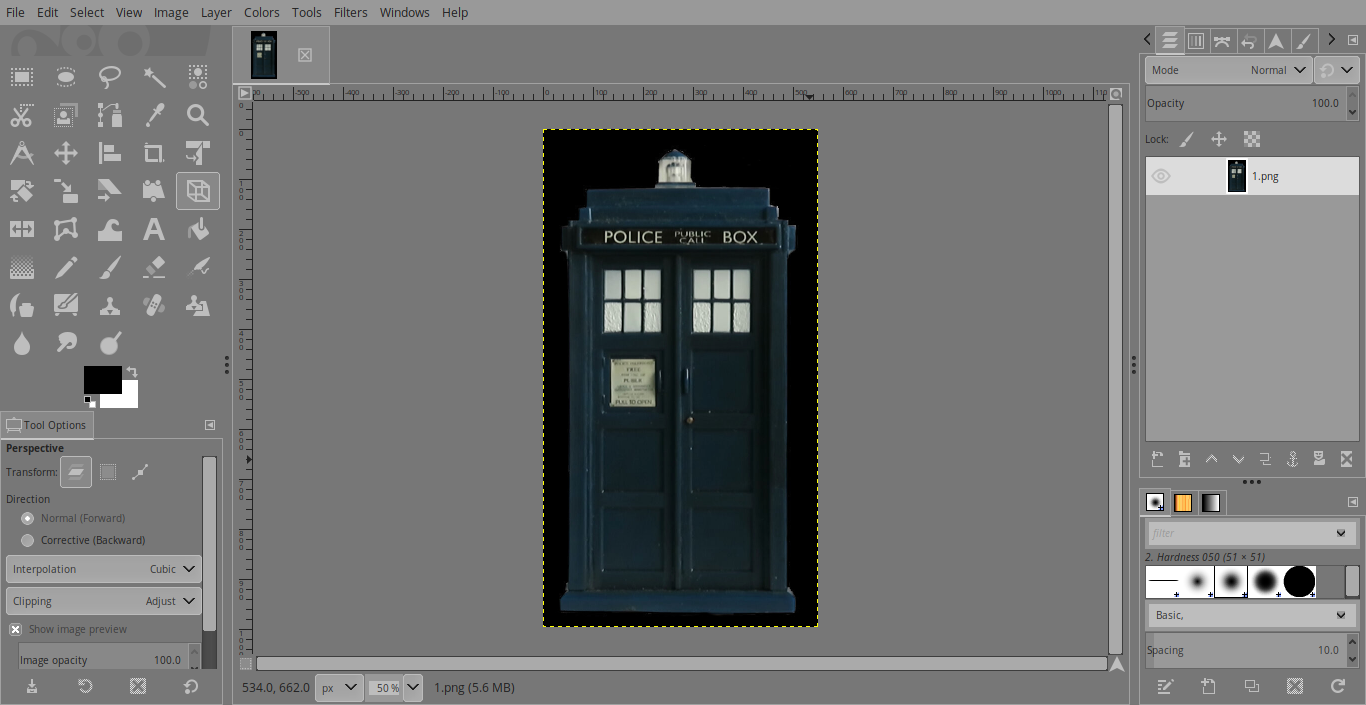
First and foremost, the .pngs that you have attached, they do not have transparency, good sir. I opened them from GIMP and photo-viewer and it does not have transparency. (If it did, it would have been shown as checker-board.)

However, on my latest daily build of OpenShot on my buddy's Elementary OS 0.4.1 'Loki' machine, OpenShot freezes when I try to import the pictures as an image sequence. Also, it should not have the grey lines on your preview, though. Could you please try rendering/exporting it? Perhaps the grey lines won't appear in the final output?
Certainly a strange case.
Update 1: I encountered a (libopenshot) crash while testing this out and have reported it over at https://github.com/OpenShot/libopenshot/issues/130.
peanutbutterandcrackers
on 24 Jun 2018
hello again, im redoing the png's again, its time consuming but i should have it done by this time tomorow night my time, and i noticed also the png's werent transparent as well and i cant find the original png's either that i did, i have the original pictures i took 14 of them to make the tardis spin on it its own.
with my kitchen wall as back drop and you dont want to see that mate.:) or maybe you do haha
And i have been experiencing crashing on my ubuntu 18.04 laptop with this problem
unfortunately my linux mint 18.3 Amd ryzen 1600 machine with 16 gigs of ram has stopped
running openshot dev 170 and rc 6, theres another problem thats just happen in 48 hours
not even the older devs not working either,
bob
bobcrikey
on 24 Jun 2018
Hmm... that is strange. I suggest you attach the logs here, along with system specs and all. Also, I suggest you delete the existing logs first so that we don't have to deal with enormous logs.
peanutbutterandcrackers
on 24 Jun 2018
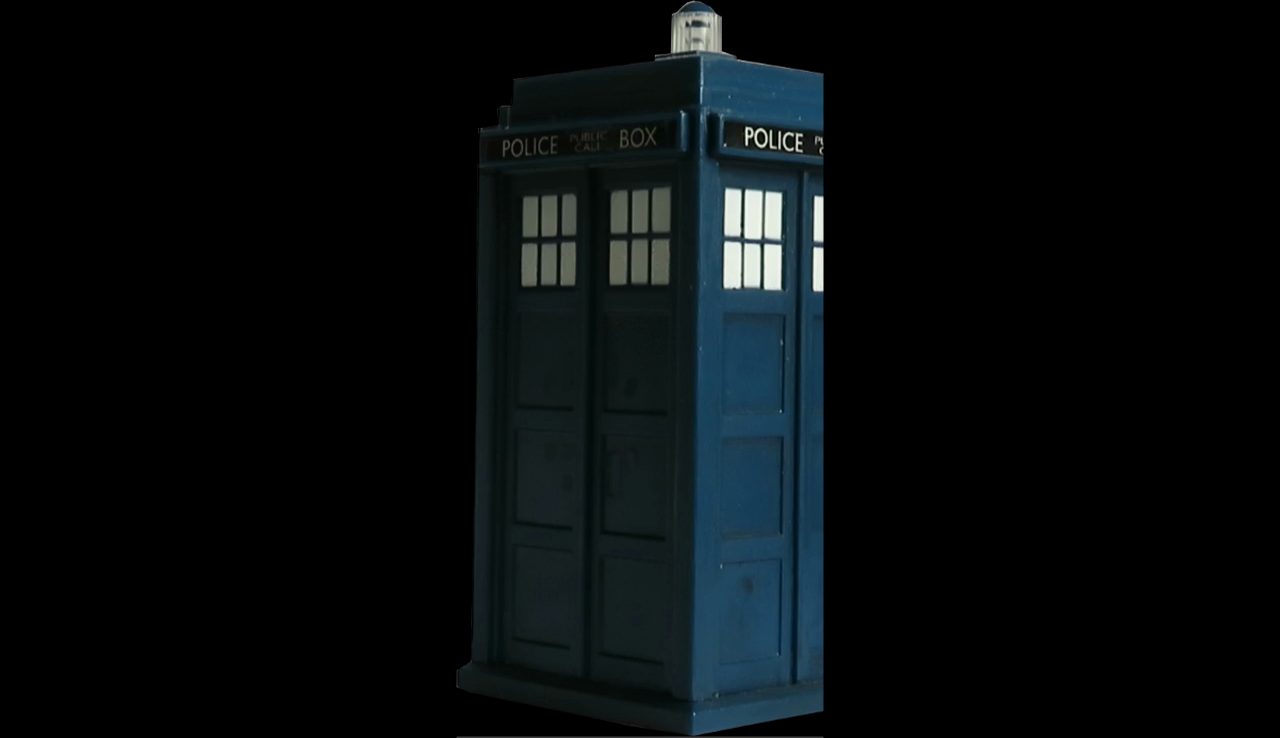
hello again, iv redone the 14 pngs again , however there is still errors in openshot including cutting off
part of the screen and after rendering it, here are the new tardis png's, a video and a still image to show you , if you look at the picture snapshot you can see the half the of the tardis right side door is missing
and you can see this also in the video
new tardis png.tar.gz
new png tardis.mp4.tar.gz
and peanuts mate, i did tell you my computer specs in the previous thread if you read it clearly i have
an amd ryzen 1600 thats 6 cores 12 thread cpu with 16 gigs of 2400mzh ram, thats running linux mint
bob
here's my dr who video made with openshot https://youtu.be/PX69kb3dWDI
bobcrikey
on 25 Jun 2018
I'm sorry. While juggling all the issues here on GitHub, I often forget the details about them and repeat the same thing over and over again. Hope you will pardon my confusion.
I have downloaded the files and will be testing out soon. I will get back at this ASAP.
peanutbutterandcrackers
on 25 Jun 2018
Good sir, I took a look at the new set of .pngs and they are still - even now - without transparency. Here:
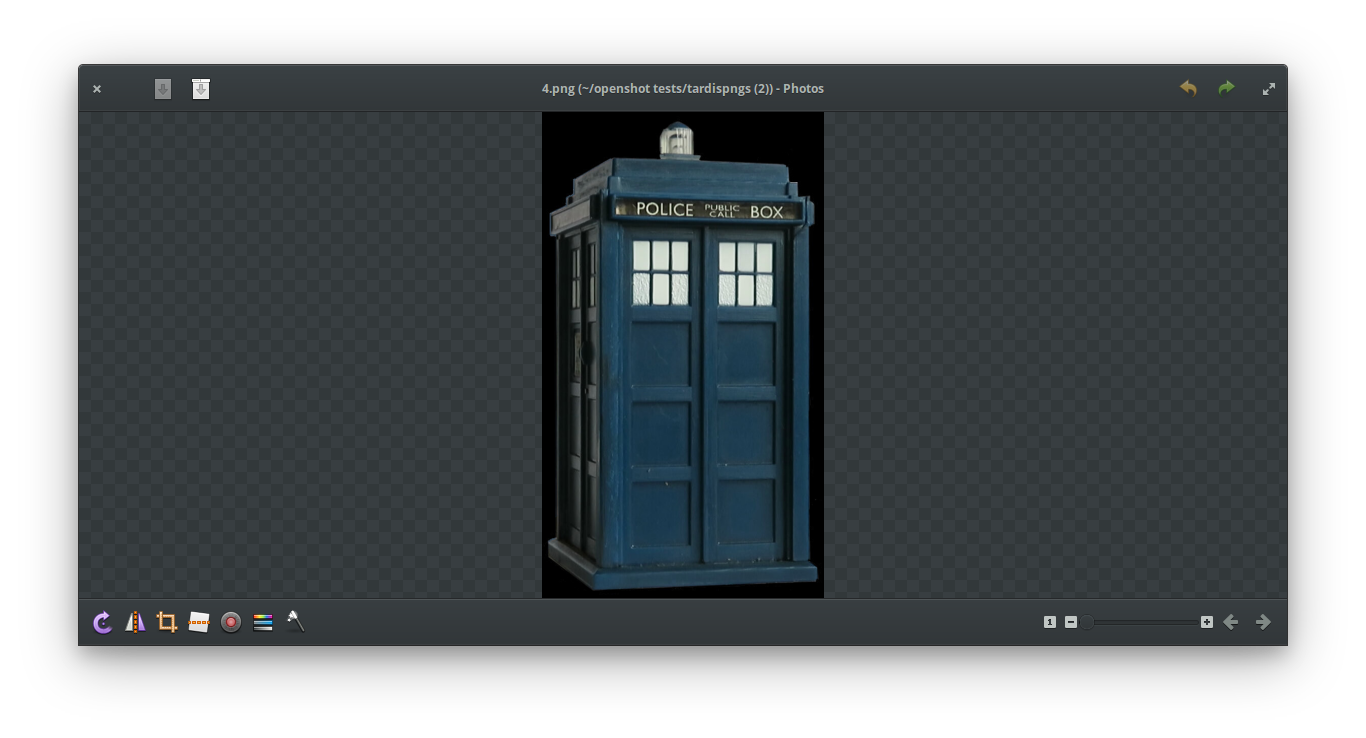
However, I think I will guide you through making .pngs with transparency using the same files.
- Open GIMP
- Open the Tardis image in GIMP
- Use the 'Fuzzy Select Tool' to select the black part in the image
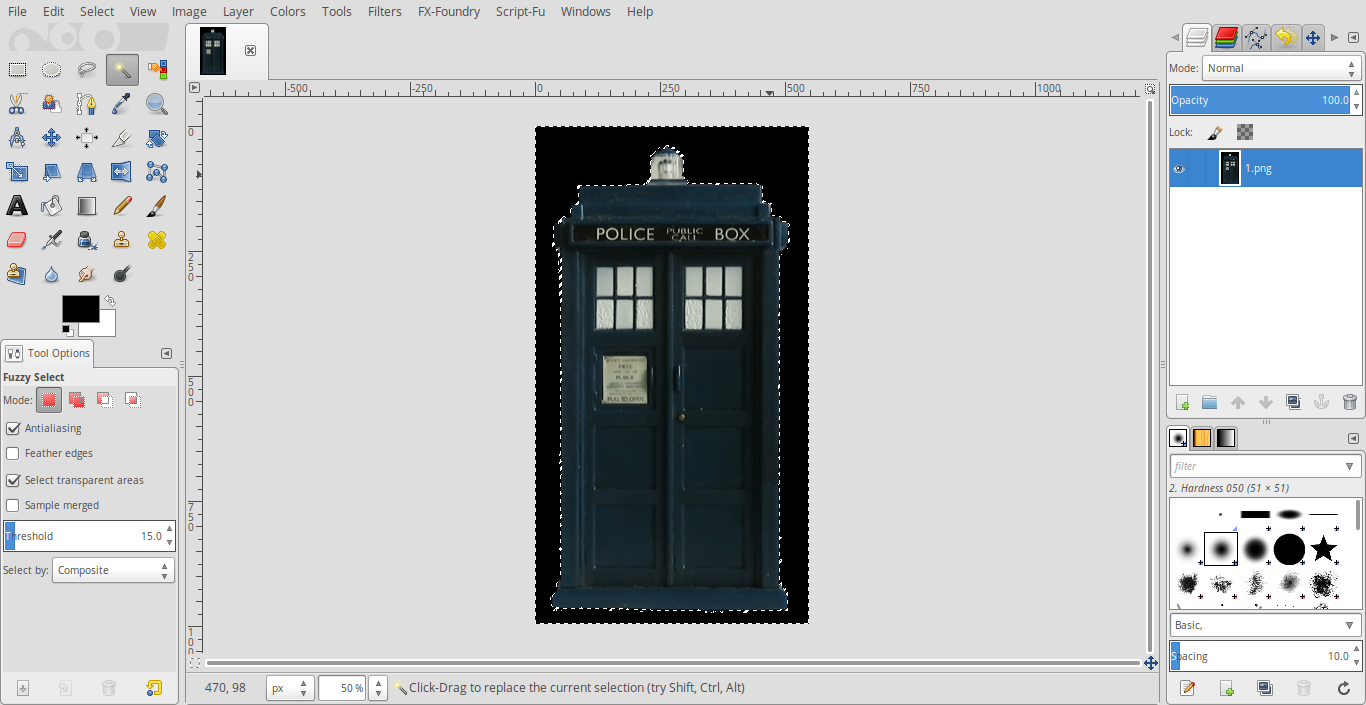
- Press 'Delete' on your keyboard
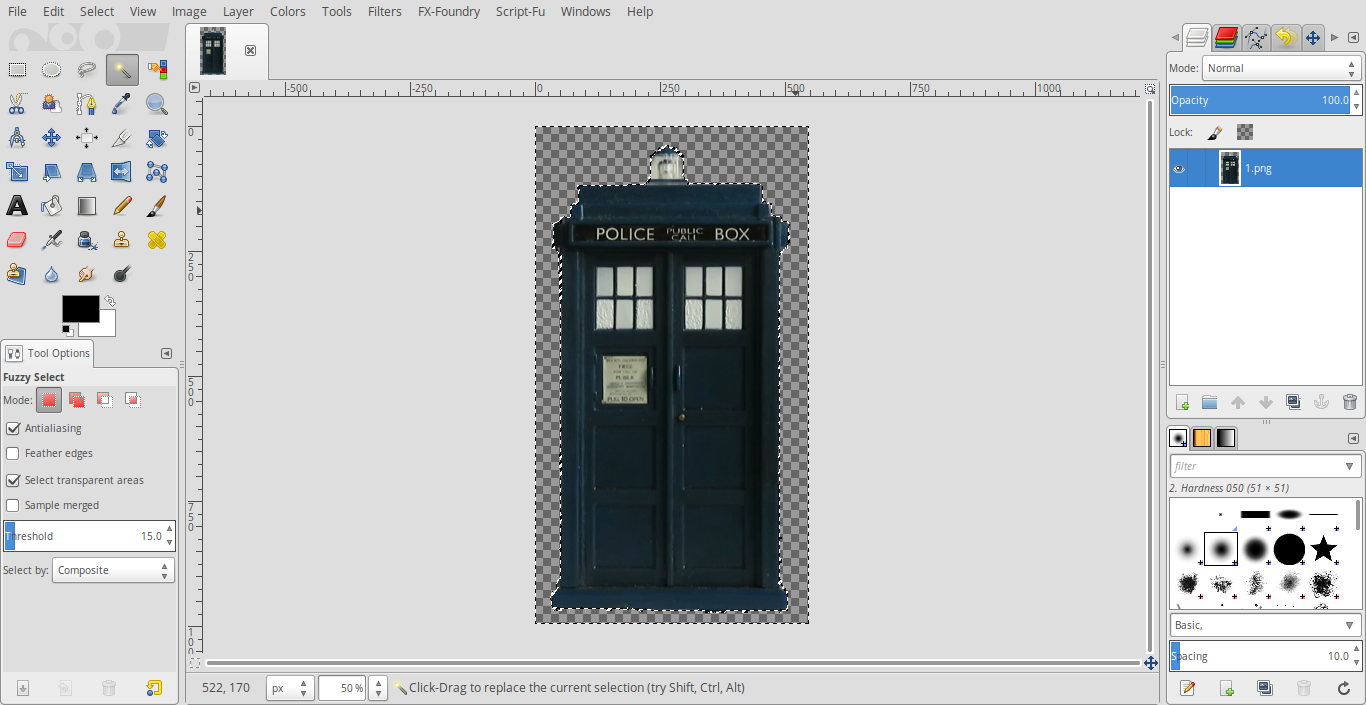
Now, export the.pngfile.
Please try with the .pngs that you get once you process the images using GIMP. All you have to do is remove the black background using the fuzzy select tool in GIMP.
For future references, you'll have to click on the layer and 'add alpha channel' if your original images do not have one. These one's did so I didn't put that step. If required, that would be step 2.5.
Hope that helps!
Edit: It seems you might have to manually select the tardis for some of the pictures. Or, use the "Foreground select" tool. I suggest you switch to GIMP 2.10 first, as it has got better foreground selection tool and all. You might have to find a PPA, first. However, here is what I did (very rough/crude):
tardispngs proper transparency.tar.gz
I am unable to test it out on this computer right now as libopenshot is crashing on me again (like the one I one reported yesterday). I might try it out on a buddy's computer soon, though. I'll try to get back on this once I can test it out. Thank you for your patience.
peanutbutterandcrackers
on 25 Jun 2018
When importing a sequence of images, the images need to be the same size or "odd" things may occur. I'm guessing that the artifacts seen in the imported sequence are due to this.
File: 1.png
Width : 474 pixels
Height : 928 pixels
File: 10.png
Width : 554 pixels
Height : 917 pixels
File: 11.png
Width : 479 pixels
Height : 907 pixels
File: 12.png
Width : 574 pixels
Height : 898 pixels
File: 13.png
Width : 557 pixels
Height : 882 pixels
File: 14.png
Width : 474 pixels
Height : 928 pixels
File: 2.png
Width : 533 pixels
Height : 920 pixels
File: 3.png
Width : 604 pixels
Height : 932 pixels
File: 4.png
Width : 533 pixels
Height : 922 pixels
File: 5.png
Width : 516 pixels
Height : 912 pixels
File: 6.png
Width : 587 pixels
Height : 906 pixels
File: 7.png
Width : 532 pixels
Height : 903 pixels
File: 8.png
Width : 533 pixels
Height : 904 pixels
File: 9.png
Width : 599 pixels
Height : 926 pixels
Creating a virtual image of 604x932 pixels and centering the images into that virtual image, I was able to create images that were all the same size and maintained the transparent background.
I did this using ImageMagick's convert tool (this command line will only work on Mac, Linux or other nx-like OS):
mkdir output; for i in *.png; do convert $i -gravity Center -background none -extent 604x932 output/$i; done
Importing your original pngs results in the same cropped frames that you see.
After importing these new images as a sequence, none of the frames are cropped anymore.
N3WWN
on 25 Jun 2018
Thats very interesting N3WWN, thanks for taking the time to look at that,
Were there any artifacts present when you recropped the images and brought
them into openshot -dev 170 or rc6 as an image sequence that you noticed?
bobcrikey
on 26 Jun 2018
Well thanks to N3WWN, i resized my png's and jpg's so each individual picture is the same width/height
and now no artifacts or grey blocks or crashing openshot(touch wood) at the moment, when brought
in as an image sequence.
cheers
bob
a 6 pack of beer is on the way to your place mate.
bobcrikey
on 26 Jun 2018
Awesome! Thank you @N3WWN! You are always a great help, good sir!
Hope you create awesome videos with OpenShot, @bobcrikey!
Closing this as resolved.
peanutbutterandcrackers
on 26 Jun 2018
Related issues
 audioclown
·
3Comments
audioclown
·
3Comments
 gbbbbb
·
3Comments
gbbbbb
·
3Comments
 sspmrsomebody1
·
3Comments
sspmrsomebody1
·
3Comments
 malinga91
·
3Comments
malinga91
·
3Comments
 CarlBicknell
·
3Comments
CarlBicknell
·
3Comments
Most helpful comment
Well thanks to N3WWN, i resized my png's and jpg's so each individual picture is the same width/height
and now no artifacts or grey blocks or crashing openshot(touch wood) at the moment, when brought
in as an image sequence.
cheers
bob
a 6 pack of beer is on the way to your place mate.