Openshot-qt: Can I produce video in 4/1 aspect ratio?
All video formats are only 16/9 or 4/3. But I need video in 4/1 !!! How to...?
 PRORACING-SK
All 24 comments
Hi @PRORACING-SK !
Give this page a look to create a custom profile: https://www.openshot.org/static/files/user-guide/profiles.html#custom-profile
I haven't tried to create a profile with a custom aspect ratio, but this would be where I would start if I did. 😀
 N3WWN
on 22 Mar 2018
N3WWN
on 22 Mar 2018
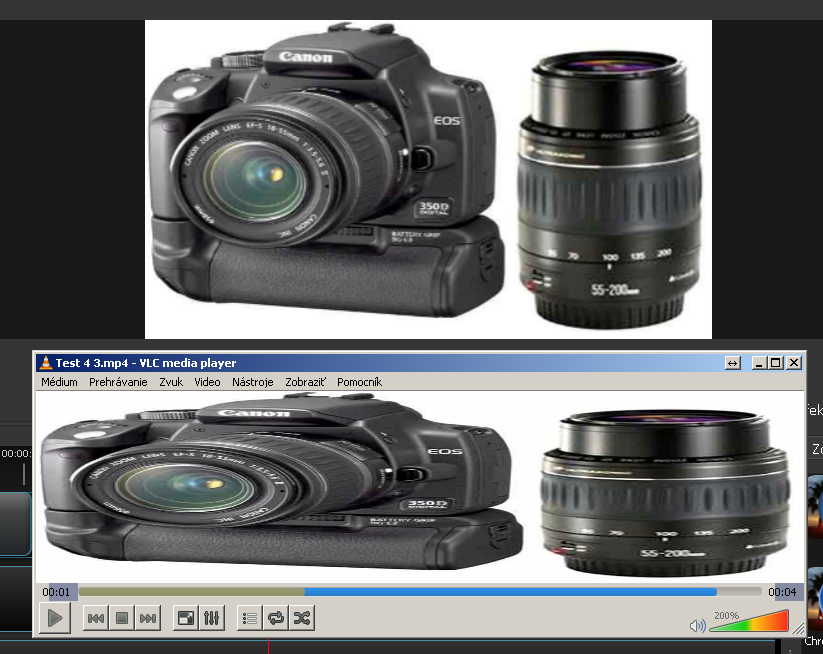
Thanks N3WWN. Something works but something not. Rendered video is in right resolution but the preview window is still 16:9 or 4:3 and you don't see how the result will be during work. :-(
PRORACING-SK
on 22 Mar 2018
Just to be certain, are you setting your custom profile for the project (using the "filmstrip" icon or the File->Choose Profile menu) or are you setting the custom profile in the Video Profile optin in the Export Video dialog?
Assuming that you're setting the project's profile, I'm looking at the code now to see if I can tackle this issue.
N3WWN
on 22 Mar 2018
Of course I changed both.
PRORACING-SK
on 22 Mar 2018
I think I've got the preview aspect ratio working now, but won't be able to submit a PR today. Perhaps tomorrow.
N3WWN
on 22 Mar 2018
@PRORACING-SK Can you post your custom profile file (inline or pastebin) if you feel it would be useful for others. Curious? what application is there for 4:1?
 gary9872
on 24 Mar 2018
gary9872
on 24 Mar 2018
I'm happy to hear you solved the problem. How can I get the changes to work? I downloaded the installer today and reinstalled it but with no success. It was still the same.
We are going to use the outdoor LED screen with the aspect ratio 4:1 as you can see on the picture (test video). We will use it to display racing results and advertising videos of our sponsors.
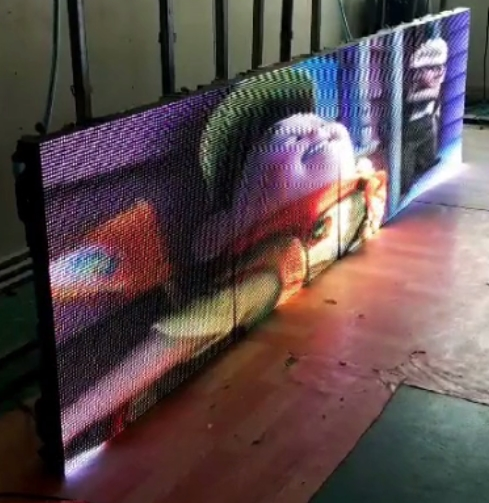
Enclosed my profile-file. Can you check if it is okay please?
PRORACING-SK
on 24 Mar 2018
@PRORACING-SK - The good @N3WWN has resolved the issue, and has submitted a PR but it hasn't yet been merged to the main source tree. Once Mr. Thomas comes around and merges it (which should be soon), the daily build should have this fixed. :)
@N3WWN - Awesome, good sir!
 peanutbutterandcrackers
on 24 Mar 2018
peanutbutterandcrackers
on 24 Mar 2018
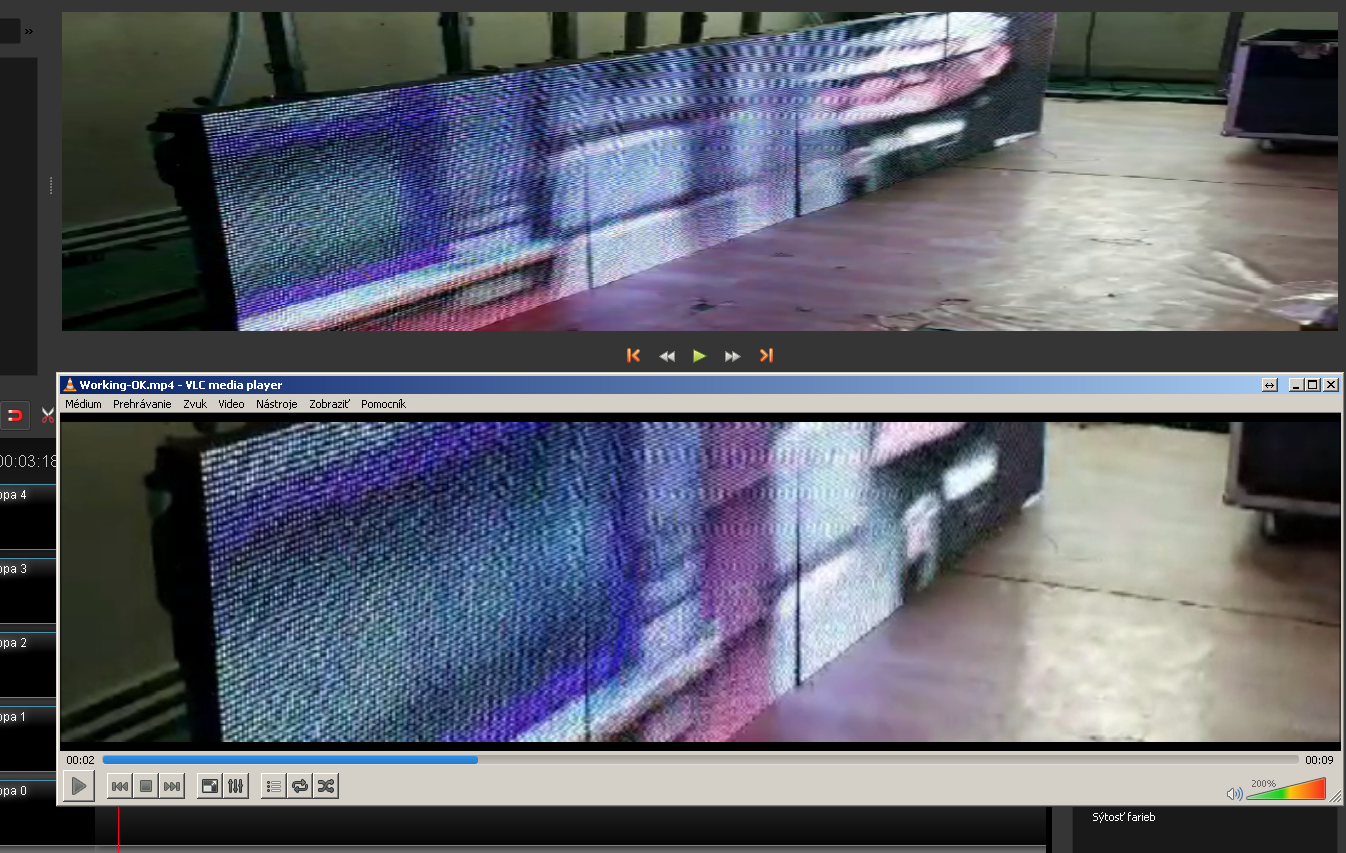
I changed the content of that files and the video preview window changed to my aspect ratio 4:1. The output video has the correct aspect ratio too. But as you can see on the picture, the preview window shows something different as the rendered video. Did I make a mistake in my profile file?
PRORACING-SK
on 24 Mar 2018
I am not really sure. Perhaps @N3WWN could help you out with this...?
peanutbutterandcrackers
on 24 Mar 2018
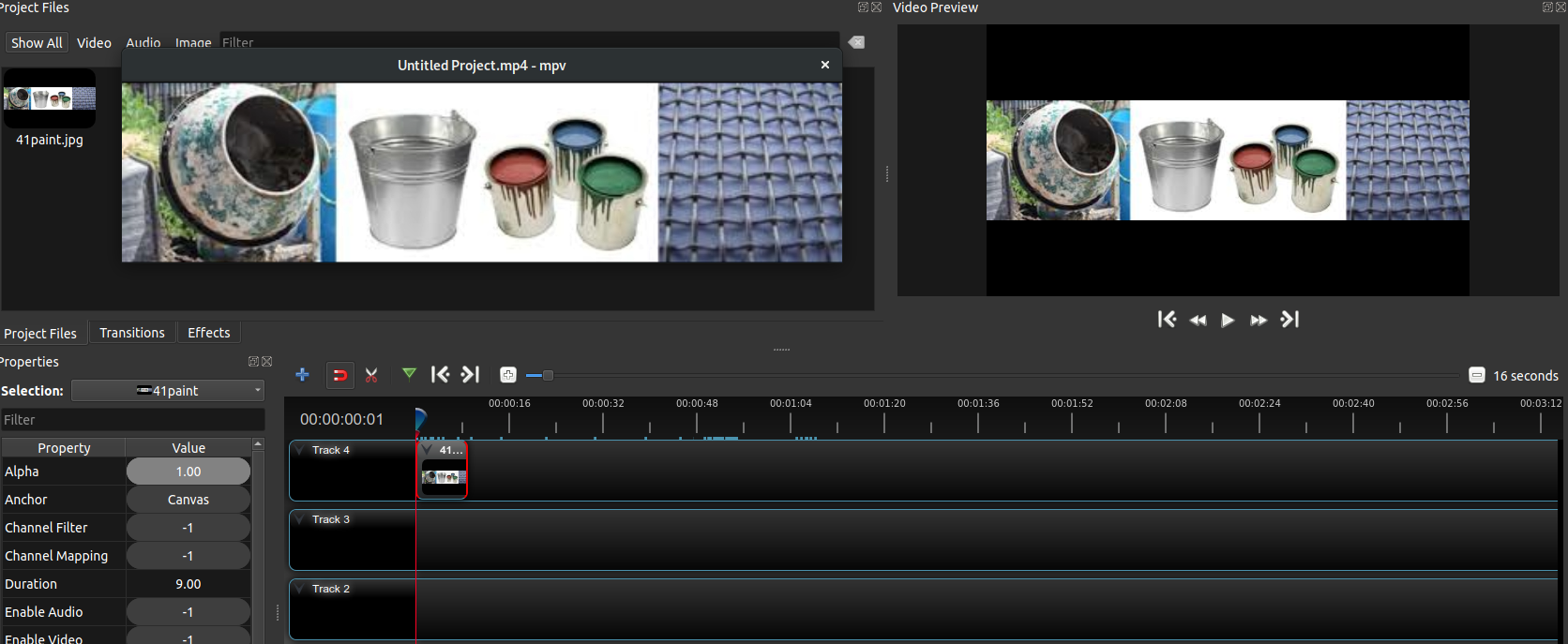
On following screenshot I can explain some issues.
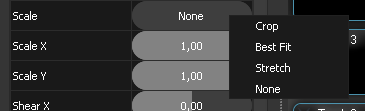
1 - I prepared a gif file with exact size of my screen in my profile (768x192 pixels) with three exact squares. In the preview window it is distorted even in the left bottom corner I have scale "none". So it is not only in my 4:1 aspect ratio profile but in other profiles too. On the rendered video my gif file is without any distortion as you can see.
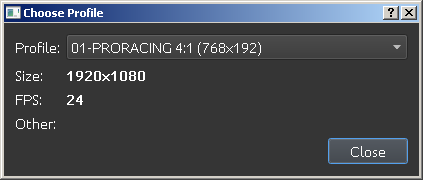
2 - When I press "choose profile" in the profile window I cannot see correct data of my profile. When I selected a different profile and returned then back to my profile, all the data was then displayed correctly.
3 - In the preferences i selected my profile as default one. After restarting program I'm always in standard "HDV 720 24p" profile.
Points 2 and 3 are mentioned only because I discovered them playing with profiles. :-)

PRORACING-SK
on 24 Mar 2018
Thanks for sharing your profile. It seems fine.
gary9872
on 24 Mar 2018
I don't really have the knowledge to give an input here... sorry. Perhaps @N3WWN can help out...
peanutbutterandcrackers
on 25 Mar 2018
Hello @N3WWN ! I tried to show my problems with video preview distortion on my short video here. @gary9872 has no problem like me. I installed the program to another computer but still the same behaviour. Maybe because I am using older Windows 7 on both???
Video cca 102MB:
http://www.proracing.sk/Data/installed-to-another-computer.mp4
PRORACING-SK
on 26 Mar 2018
@PRORACING-SK Wait. Since you're using Windows 7. I have to ask - how did you "change the files" so that you have the preview working with specified aspect ratio done? That is a patch @N3WWN has submitted but has not yet been merged to the source code. Perhaps you didn't make the complete changes? Or, maybe you'd like to wait for that to be merged into the source tree and grab the latest daily build afterwards? o.O
peanutbutterandcrackers
on 26 Mar 2018
I was able to reproduce your problem on my Linux computer.
@PRORACING-SK Scale your GIF to exactly 515x129 before you import it.
Let me know what happens.
gary9872
on 26 Mar 2018
I'm curious, too, how you were able to apply my patch to the Windows build (or perhaps you didn't).
There are definitely aspect ratio "artifacts" that show up if you change the profile of the project after adding clips to the timeline, but I think that that's a different, but related, problem and causes issues with fades, transitions, etc (anything keyframable). Basically, the existing keyframes and properties aren't updated when the project profile changes.
I think I saw a similar issue with the aspect ratio being displayed oddly when I was testing, but could resolve it by removing the clip and readding it from the project files.
N3WWN
on 26 Mar 2018
@gary9872 I changed the GIF to exactly 515x129 but nothing changed. I expected that because my GIF resolution was exactly the same like the resolution of video. :-( I made the exact GIF file only because of testing. Normally it's not necessary to play with exact sizes as you have this options in properties:
PRORACING-SK
on 26 Mar 2018
@N3WWN and @peanutbutterandcrackers , I've viewed the entire contents of the files concerned. To be sure to have complete content I checked and compared the characters at the beginning and end, copied the entire contents and exchanged for the contents of these files on my computer.
Interesting behavior also occurs when changing a profile. When I choose my profile when changing from another, it will list me the correct contents of the entire window.
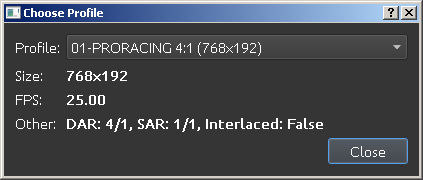
But when I'm already in my profile and pressing the "profile change" button again, it will not write the data correctly in the window.
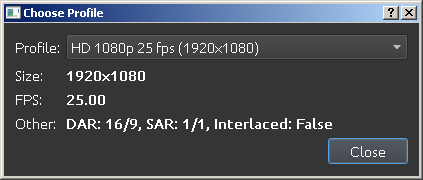
And if I select another standard profile, the data is always correct.
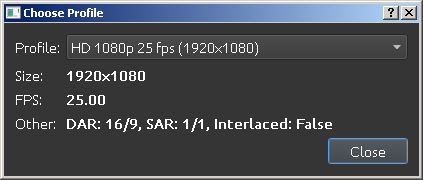
PRORACING-SK
on 26 Mar 2018
@PRORACING-SK When I made an image 515x129, there was no difference between scaling none and best fit. I was curious to see if that was the same on yours. If I make it bigger than this dimension, then it cuts part of it off in scale none, and goes the opposite if I make it smaller. This shouldn't be, I know
In regards to the changing profile thing, the same thing happens here.
Is your profile wrong? I don't think so. I tried importing a 1280X720 picture, and when I picked scale none (in a 1280x720 profile) it did exactly the same thing: cut part of it off. BUT, in the export it was correct.
So this issue can be closed? Yes because you can produce a 4:1 Video.
From this we can put a PR for a 4:1 profile (if you like)
(My suggestion can be seen here)
https://github.com/gary9872/openshot-presets-testing/tree/master/profiles
Second Item:
In regards to your to your profile dispaly issue,Get rid of any numerical characters at the beginning 01-Proracing to Proracing. That should fix it
Last item:
The scaling: None option bug seems to affect more than one aspect ratio, so let's open a new bug issue for this.
Cheers,
Gary
gary9872
on 27 Mar 2018
@gary9872 -
If I make it bigger than this dimension, then it cuts part of it off in scale none, and goes the opposite if I make it smaller. This shouldn't be, I know.
So is this the item that needs to be fixed? If so could you log this as a new issue with a clear description of the problem? This issue thread is rather long and convoluted. 😆
 DylanC
on 27 Mar 2018
DylanC
on 27 Mar 2018
@PRORACING-SK When you pull up the Profile dialog and the Other field is empty, is the title for the main project window properly populated with the profile name? Is the Other field properly populated with built-in profiles?
N3WWN
on 27 Mar 2018
@PRORACING-SK I'm going to start 2 new threads where we can talk about the unresolved issues above. Can you close this one?
gary9872
on 28 Mar 2018
@gary9872 @N3WWN I changed 01-Proracing to Proracing in my profile and the dialog box shows everything ok now.
This issue can be closed as I can produce 4:1 video. :-) Thank you very much!
You can put the profile for 4:1 among profiles. :-) But better to write display instead of sign.
The problem with incorrect size in the video preview window is of course for new issue. I don't know if another problem in the video preview window - picture distortion, should be in the same or the third issue. Thanks!
PRORACING-SK
on 28 Mar 2018
Related issues
 Emma3993
·
3Comments
Emma3993
·
3Comments
 gbbbbb
·
3Comments
gbbbbb
·
3Comments
 ghost
·
3Comments
ghost
·
3Comments
 sspmrsomebody1
·
3Comments
sspmrsomebody1
·
3Comments
 ppkakkar
·
3Comments
ppkakkar
·
3Comments