Openrefine: Provide ability to bypass Levenshtein clustering in order to run PPM clustering
_Original author: [email protected] (November 19, 2010 19:33:54)_
Current UI seems to issue the cluster command when the Method value is changed. When I change the method from key collision to nearest neighbor, the application immediately runs a nearest neighbor clustering function with the default values for Distance function, Radius, and Block Chars. I would like to manually issue a command to generate clusters after changing the values for Distance function, Radius, and Block Chars so I don't have to wait for the cluster command to execute with the default values (Levenshtein,1.0,6).
_Original issue: http://code.google.com/p/google-refine/issues/detail?id=241_
 tfmorris
All 10 comments
_From thadguidry on November 19, 2010 20:21:05:_
Yeah, I have to agree, we probably only want to execute after clicking an APPLY button. (this gets my vote)
tfmorris
on 15 Oct 2012
@thadguidry @wetneb
I am interested in picking up this issue. However, I wish to clarify some details first:
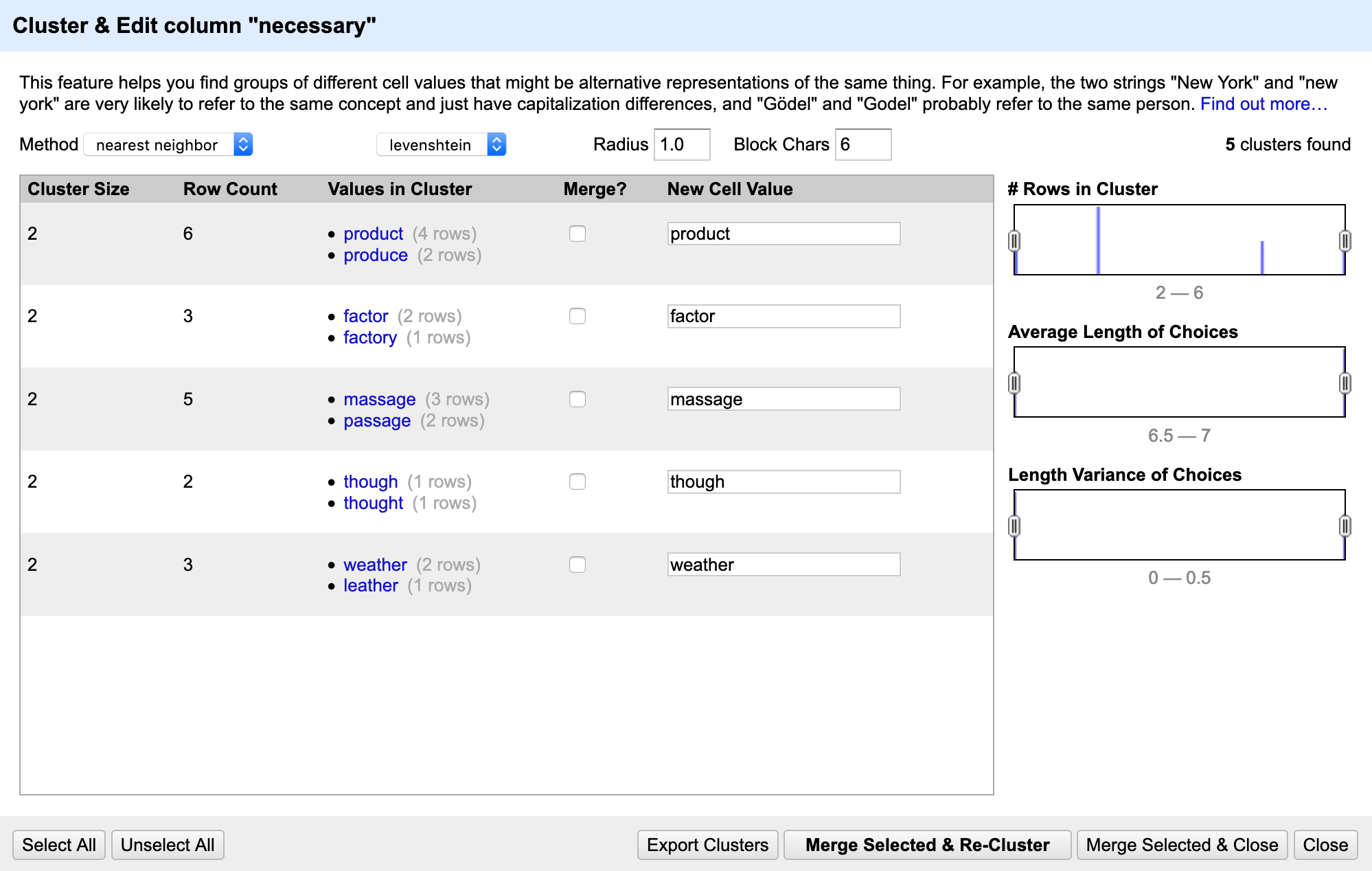
Currently, the clustering panel looks like this:
However, if we want to manually issue the cluster command, I am thinking of something like this:
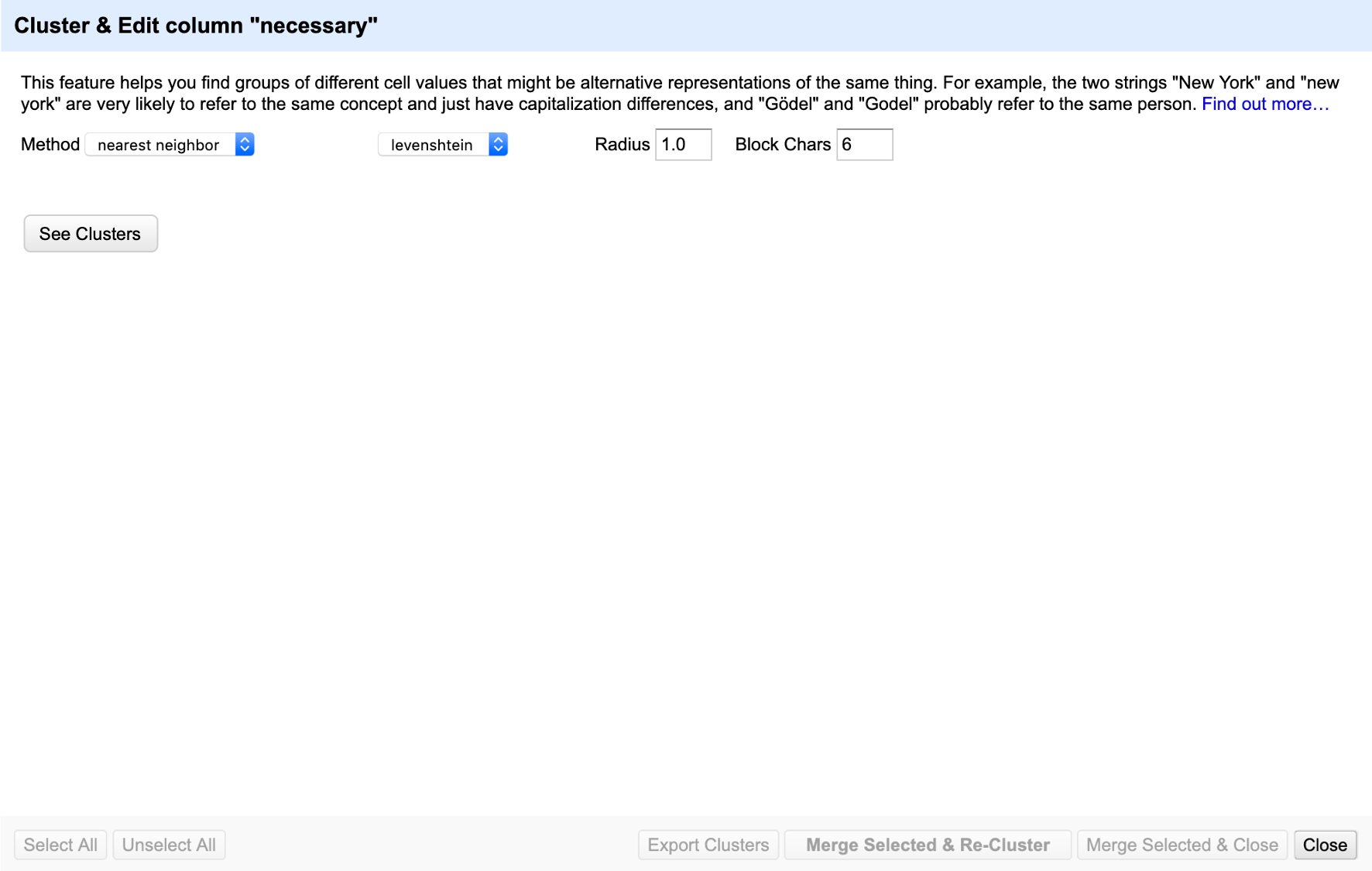
where the bottom options (e.g. "Select All", "Unselect All" etc) are unavailable until "See Cluster" is clicked and the clustering method is applied.
Is this an acceptable way to approach this issue? Any other comments on the proposed look for this? (e.g. Should just use the phrase "APPLY" etc)
P/S I understand that this has been labelled good first issue, but I have not contributed to OpenRefine in over a year now so I hope to work on this to familiarise myself with OpenRefine again!
 joanneong
on 24 Jan 2020
joanneong
on 24 Jan 2020
Hmm, I am a bit torn on this. I agree this "See Cluster" button solves this particular issue, but I am a bit reluctant not to show any clusters by default, once the dialog has been opened. I quite like the user experience of just clicking the "Cluster" action and then having initial suggestions show up without any other click required.
Perhaps an alternative way to solve this would be to let the user stop the computation of clusters manually if they want to tweak settings (that might or might not stop the actual computation in the backend).
It is also possible to have different behaviours depending on the size of the dataset - perhaps we could keep the current behaviour for projects with a small number of rows, and add a manual submit button for larger projects.
 wetneb
on 24 Jan 2020
wetneb
on 24 Jan 2020
In general, this feature in OpenRefine falls under the domain of Data Profiling and Data Quality.
Many tools have lots of ways to "consolidate" and "merge", and sometimes treat those 2 functions separately, like Informatica Developer does. Other tools present Analytic dashboards to present various views to see the shape of data column values through various lenses or perspectives.
In the future, I would like to see our Clustering feature move into a dedicated Data Profiling/Data Quality area where many contributors could extend with various Analytic dashboards and views. (I'm extremely confident the Spark backend will allow a multitude of opportunity for enhancements like that)
Right now, users who open the dialog and click on some parameters are not expecting it to automatically begin processing, and if they have a large dataset, they are stuck wondering what is happening, and unaware that just playing with parameters fires off backend processing, sometimes forever.
Let's tell and show the user and let them control the start of processing, instead of us being so automatic here and wasting their time needlessly. A simple button will do, and I would change the text of that button to that of "Analyze All..." to make it a bit more apparent that some processing will occur.
To that end, I think @joanneong has the right idea here for now with a button (until we get much more complex Data Profiling/Data Quality dashboards and views based on use cases and other algorithms).
Based on @wetneb comments I would perhaps add a 2nd button... "Preview..." next to it that would adhere to some user defined (preferences.vt) timeout in seconds for returning some clusters, but the default timeout could be 10 seconds to start.
I think placing those 2 buttons to the right of "Block Chars" would be a good fit.
 thadguidry
on 24 Jan 2020
thadguidry
on 24 Jan 2020
@wetneb @thadguidry Thanks for sharing your thoughts. Based on what @thadguidry suggested, here is what I think it might look like:
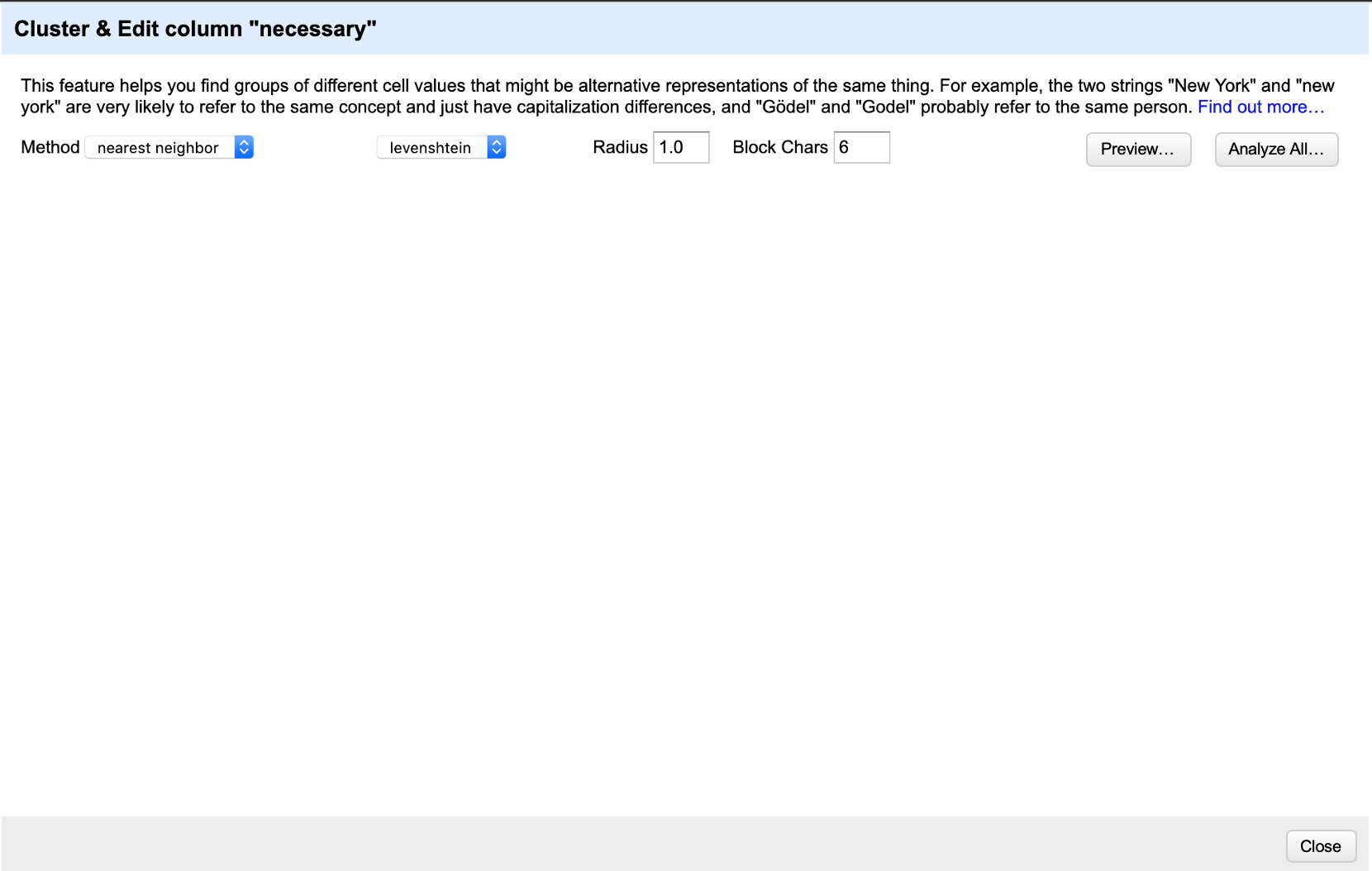
So if someone presses on "Analyze All..." it will end up like the current view:
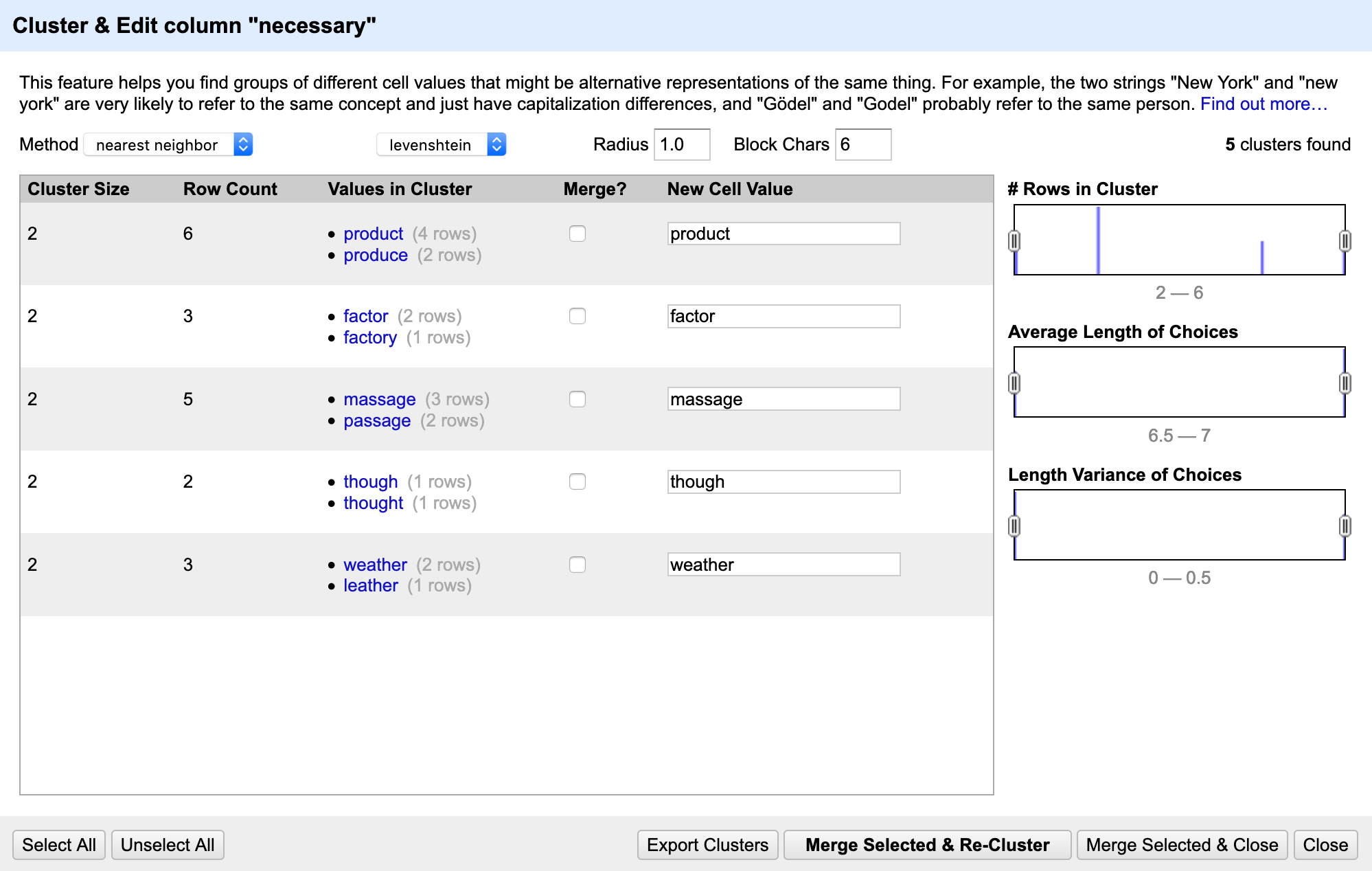
But if someone presses on "Preview...", then the clustering will run for a few seconds. If the clustering is incomplete within a few seconds, it might look like this:
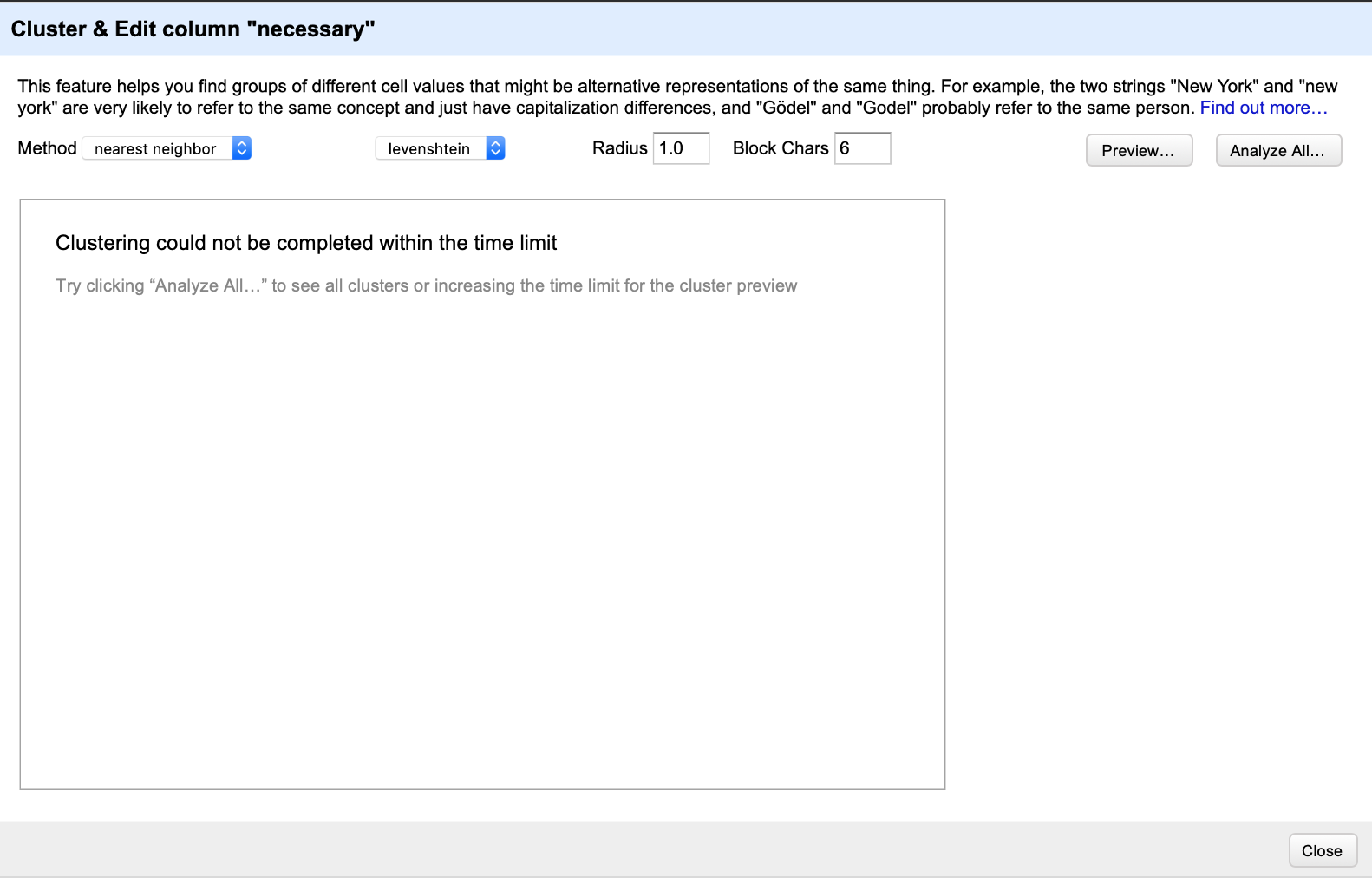
A few more questions about this:
Would this be intuitive enough for users to use? For example, would they be able to deduce what "Preview..." and "Analyze All..." serve to do?
As @wetneb suggested, should we preserve the current behaviour for "small datasets" (e.g. 1000 rows of data) and only have these buttons for large datasets? In this case, should users also be able to define what a "small" dataset is?
In the event where timeout occurs for previewing clusters, is it appropriate to just display a message like the image shown above?
joanneong
on 25 Jan 2020
Based on @wetneb comments I would perhaps add a 2nd button... "Preview..." next to it that would adhere to some user defined (preferences.vt) timeout in seconds for returning some clusters, but the default timeout could be 10 seconds to start.
I don't think having two buttons would be an improvement - I would say this adds quite a lot of complexity, no? That's basically the opposite of what I was aiming for.
If the "Preview" button just does the same thing as the "Analyze all" button with a timeout, I do not see why it would be useful - as a user I would rather like to run the full computation and be able to stop it if I see that it takes too long.
For large datasets it would be useful to have a genuine preview: that would require changing the backend to return partial results earlier (for instance by only considering the first N rows), but that is a more involved change since it requires adapting the backend too. Ideally it would also be useful to cap or paginate the clustering results, since the UI does not work very well for large clustering results (see https://github.com/OpenRefine/OpenRefine/issues/2235 for instance).
wetneb
on 25 Jan 2020
Hmm, I like the idea of Pausing! Much simpler and direct! Is there no way to Stop or Pause the processing with the current code and adding a PAUSE button? I guess your saying this needs changes that affect Engine and elsewhere?
thadguidry
on 25 Jan 2020
It would be quite hard to pause the computation and resume it later - by "stop" I meant "abort".
I guess your saying this needs changes that affect Engine and elsewhere?
No, Engine is unrelated to this (it is in charge of handling facets and rows/records mode) - it is the clusterers and the corresponding command which would need to be adapted.
wetneb
on 25 Jan 2020
I took a look at code for the clusterers and I agree with @wetneb - the changes will be more involved if we want Stop or Pause functionalities.
In this case, should I proceed with a "Stop Clustering" button, so that clustering still happens by default but can be terminated manually by a user? This sounds relatively intuitive to me. Here's a possible visualisation:
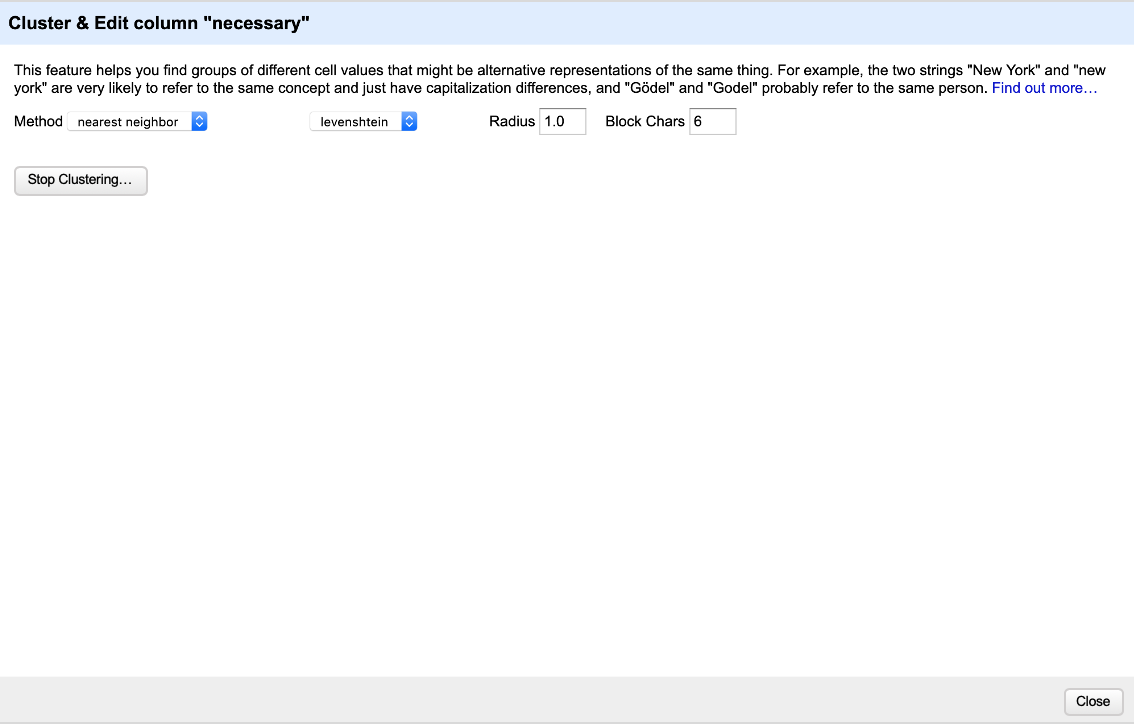
The button can disappear once the clustering is completed.
joanneong
on 26 Jan 2020
Perhaps an alternative way to solve this would be to let the user stop the computation of clusters manually if they want to tweak settings (that might or might not stop the actual computation in the backend).
@wetneb: I think this is smart. At least, for the opening of the dialog. After that, I would go for a button at the end, to Refresh. We don't know if the user want to continue seeing the data below at that stage before changing another parameter. Choosing for the user is not respectful.
For the cancel, I guess if it's not too much energy, why not, but I doubt this is something that will be use much if the user launch him/her self the operation.
Regards, Antoine
 antoine2711
on 3 Apr 2020
antoine2711
on 3 Apr 2020
Related issues
wetneb
·
26Comments
 ettorerizza
·
81Comments
ettorerizza
·
81Comments
 wentianq
·
50Comments
wetneb
·
43Comments
wentianq
·
50Comments
wetneb
·
43Comments
 ostephens
·
26Comments
ostephens
·
26Comments