Openrefine: Infinite Scroll algorithm suggestions
@lisa761 @wetneb The PR #2746 has gotten a bit unwieldy for discussion, so I've created this as a place to discuss the infinite scrolling algorithm. The current algorithm uses a "chunk" size of 100 rows and 2 (or 3?) chunks. I'm guessing that most displays have a viewport into this buffer of on the order of 40-50 rows unless the user has a large portrait mode monitor. On my reasonably fast laptop, 100 rows takes approximately 1000 msec to render, which is probably an order of magnitude more than we want.
I think by making the chunk size much smaller (on the order of 5-10 rows) we can smooth things out, reduce lag, and reduce the cost of "mistakes" where we've requested something that's no longer useful. I was envisioning something with an asymmetric sliding window with more buffer in the scrolling direction when I came across this Google blog post with its concept of "runway" which is very similar to what I was envisioning. The other thing that realized is that their "tombstone" paradigm is a much better way of addressing the blank screen problem than the spinner that I suggested.
I don't know how much work it would be to incorporate some of these ideas at this stage of the game, but some useful optimizations are:
- request data and render rows in much smaller chunks (<=10 rows)
- check that received data is still useful before rendering it (cut our losses early for any wasted work)
- delete/recycle rows as a separate lower priority background job (as long as we don't fall too far behind)
- continue to optimize the rendering by reusing elements wherever possible rather than creating them anew
- use pre-rendered "tombstone" elements as space fillers
The biggest point is to do work in smaller chunks. I think it's going to be very hard to make the current chunk size of 100 rows smooth enough.
 tfmorris
All 9 comments
check that received data is still useful before rendering it (cut our losses early for any wasted work)
@tfmorris any further thoughts on conditions to determine usefulness of data coming in? The user is scrolling down, they have numerous conditions on the data to view already applied (Facets, Text Filter, etc.), so there are already limits placed on what the user determined as "userful", or "what I really want to see". And then they are just asking with a scroll event, "show me more with those same conditions applied". So I don't understand some other check for usefulness? Enlighten me dumb brain.
 thadguidry
on 11 Aug 2020
thadguidry
on 11 Aug 2020
check that received data is still useful before rendering it (cut our losses early for any wasted work)
any further thoughts on conditions to determine usefulness of data coming in?
The goal is to avoid useless expensive operations such as rendering rows (expensive) which are already far behind the direction we're scrolling (useless). Obviously there's a tradeoff in that we don't want to waste time on unneeded checks. Breaking the work into finer grained chunks will automatically make it easier to be timely, but there still may be cases where it's valuable to keep in mind the relative costs of operations and being judicious about the expensive ones.
This is all at a much different level than facets, etc. The grid just wants rows. All the filtering has been done already.
As a concrete example, if I'm scrolling down and have requested rows(111,115), (116,120), (121,125), but by the time I get them the top of the screen is at row 117, I should start my rendering there, perhaps circling back to add the offscreen rows as a lower priority task in case the user scrolls back (unless by the time I get around to doing that they are now so far offscreen that they're no longer in our target buffer window). Or perhaps all the rows are off the screen and I'm so far behind that I should just resort to using my pregenerated tombstones to give the user something to look at.
Having said that, the goal is to implement the smallest amount of machinery which meets our performance goals, so as to keep complexity bounded. These are some ideas which can be used as elements of a design. They are not a design in and of themselves.
tfmorris
on 11 Aug 2020
Hey @tfmorris @thadguidry
I know I am late but I read the code & tried it out on my machine, I found several causes which are resulting in performance issues.
The main cause of the performance degradation & blank screen is the continuous API calls, the frontend code is not able to recognise how many rows it has already fetched, how many it should fetch & at what query per second? This is indeed one of the most difficult challenge with Infinite Scrolling. As implemented by Facebook and most of the infinite loading library, each one of the libraries requires the data to be fetched at one call so that there can be a sweet nice loader or if you don't need loader then an offset on the basis of the pointer location can be set which can trigger the API call for next query. The performance will get further degraded if you apply any of the filter or any of the row operation.
Not only this but the scrolling back above is also not smooth because of the similar issue, even virtual dom has capacity to store the loaded elements with the use case of OpenRefine where datasets are huge with >50k rows, the following approach may tend to performance inefficient.
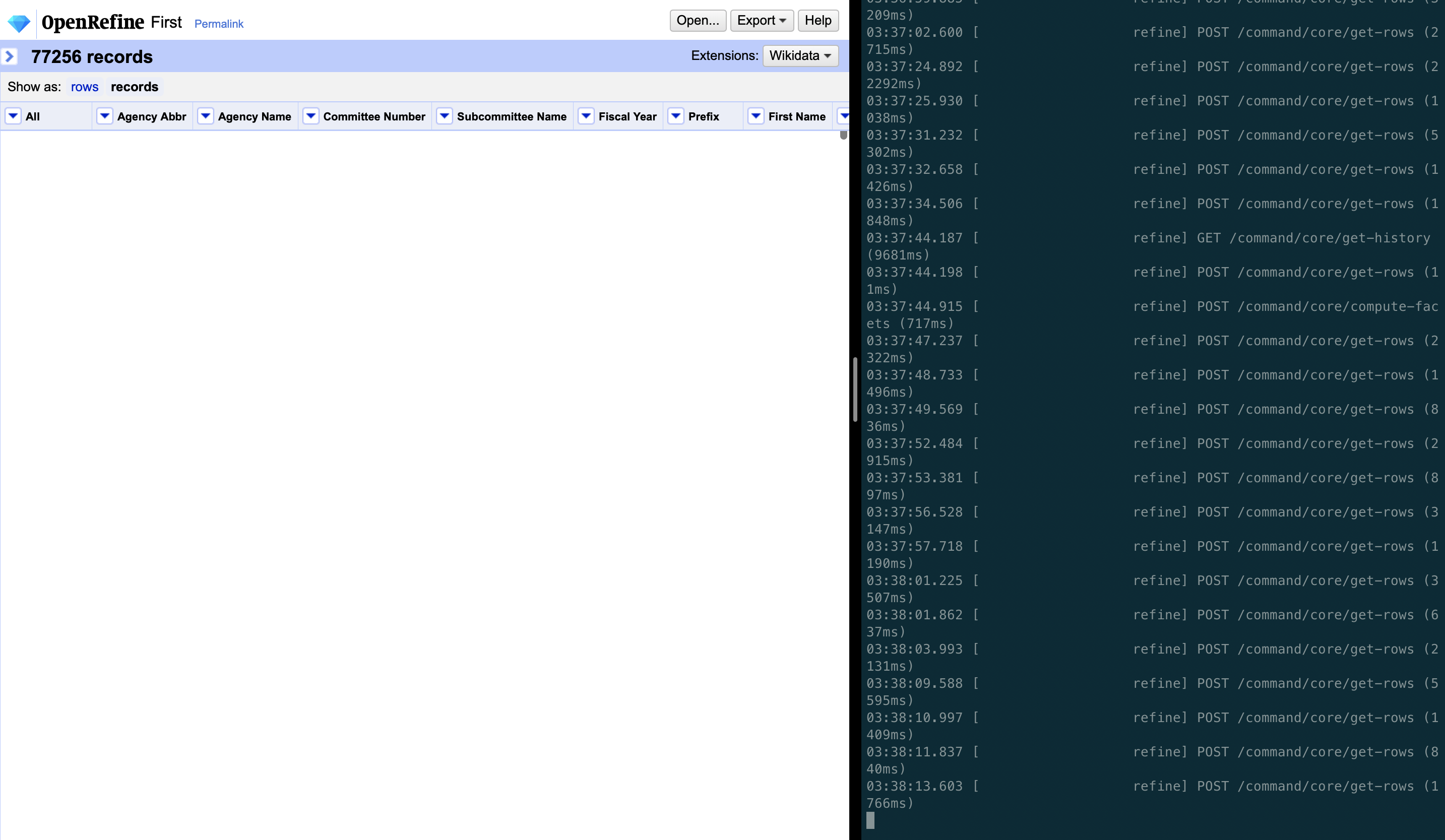
In the below image, as can be seen, the first request fetch of rows gets completed in <100ms but the successive calls to the server are very uneven based on the chunk size & data size in bytes. Some of them even exceed 6 seconds which is the main cause of the blank white screen in the web UI.
 kushthedude
on 25 Aug 2020
kushthedude
on 25 Aug 2020
It is not clear to me what you are suggesting: do you mean that all rows should be loaded in the UI upfront?
For me, if the backend performance is the limitation here, then the project is a success, as we can (and will) optimize the backend independently.
 wetneb
on 25 Aug 2020
wetneb
on 25 Aug 2020
It is not clear to me what you are suggesting: do you mean that all rows should be loaded in the UI upfront?
For me, if the backend performance is the limitation here, then the project is a success, as we can (and will) optimize the backend independently.
- The frontend should be intelligent in calling the server, as attached in the screenshot request are sent within 1 second and request are taking more than 2000ms to answer.
- Having offset or rather efficient use of scroll anchoring as mentioned in the above blog post mentioned by @tfmorris https://developers.google.com/web/updates/2016/07/infinite-scroller.
- The backend doesn't serve any important purpose in infinite loading, the backend has task of loading items according to the query params which our server is already capable of. UI should not be implemented at the cost of performance.
- As mentioned in the above statement, infinite loader to be smooth needs a loader at the end of the page or a tombstone mechanism to have smooth scrolling. None of this is implemented right now hence pure infinite scrolling will not be expected as we can see in Facebook timeline, Twitter feeds or any of the examples where you would have experienced it.
kushthedude
on 25 Aug 2020
I still don't understand why we have to resort to hand-coded efforts on this. While I appreciate @lisa761 's work I also feel very bad that we can't give @lisa761 more knowledge or support because the team is lacking in those skills as well, while @lisa761 ramps up hers. This means that she's struggling while learning, and we actually don't have a senior frontend dev to help mentor her properly, and wish we did.
My advisory hat on:
Anyways, I think a lot of time could still be salvaged (or do a 2nd phase) if we look to take advantage of other components that incorporate buffering, bidirectional support, and pulldown distancing:
https://peachscript.github.io/vue-infinite-loading/
https://github.com/vuejs/awesome-vue#infinite-scroll
Yes, the current state of her branch could still be deemed a success in the fact that "she learned, and so did we". We can then take a 2nd phase approach on what we learned did not work out so well. That might be brave enough to admit to scrapping the approach that is being tried now and drop-in and take advantage of existing components that already work for this use case, rather than struggling to roll our own.
And KUDOS to @lisa761 for still trying to pull together the seemingly impossible for us! I would have given up a long time ago. So that definitely says something about her courage and tenacity!
thadguidry
on 28 Aug 2020
@kushthedude That screen grab is completely unusable. If you are trying to convey textual information (ie a server log), please just cut & paste the text.
In my mind, server-side issues are much less of a factor, but since it doesn't look like any of my suggestions will get incorporated, I'm closing this.
tfmorris
on 28 Aug 2020
@tfmorris Screen grab shows you how illogically frontend calls the server within few microseconds which is causes the white screen and performance delay.
kushthedude
on 28 Aug 2020
@kushthedude I hope you heard my (strong) preference for text over images in the future for any textual information (particularly performance data and stack traces).
tfmorris
on 28 Aug 2020
Related issues
 davidegiunchidiennea
·
3Comments
davidegiunchidiennea
·
3Comments
 ralcazar-oeg
·
3Comments
thadguidry
·
3Comments
thadguidry
·
3Comments
ralcazar-oeg
·
3Comments
thadguidry
·
3Comments
thadguidry
·
3Comments
 ettorerizza
·
4Comments
ettorerizza
·
4Comments
Most helpful comment
The goal is to avoid useless expensive operations such as rendering rows (expensive) which are already far behind the direction we're scrolling (useless). Obviously there's a tradeoff in that we don't want to waste time on unneeded checks. Breaking the work into finer grained chunks will automatically make it easier to be timely, but there still may be cases where it's valuable to keep in mind the relative costs of operations and being judicious about the expensive ones.
This is all at a much different level than facets, etc. The grid just wants rows. All the filtering has been done already.
As a concrete example, if I'm scrolling down and have requested rows(111,115), (116,120), (121,125), but by the time I get them the top of the screen is at row 117, I should start my rendering there, perhaps circling back to add the offscreen rows as a lower priority task in case the user scrolls back (unless by the time I get around to doing that they are now so far offscreen that they're no longer in our target buffer window). Or perhaps all the rows are off the screen and I'm so far behind that I should just resort to using my pregenerated tombstones to give the user something to look at.
Having said that, the goal is to implement the smallest amount of machinery which meets our performance goals, so as to keep complexity bounded. These are some ideas which can be used as elements of a design. They are not a design in and of themselves.