Openrefine: Importing problem when we choose two or more files.
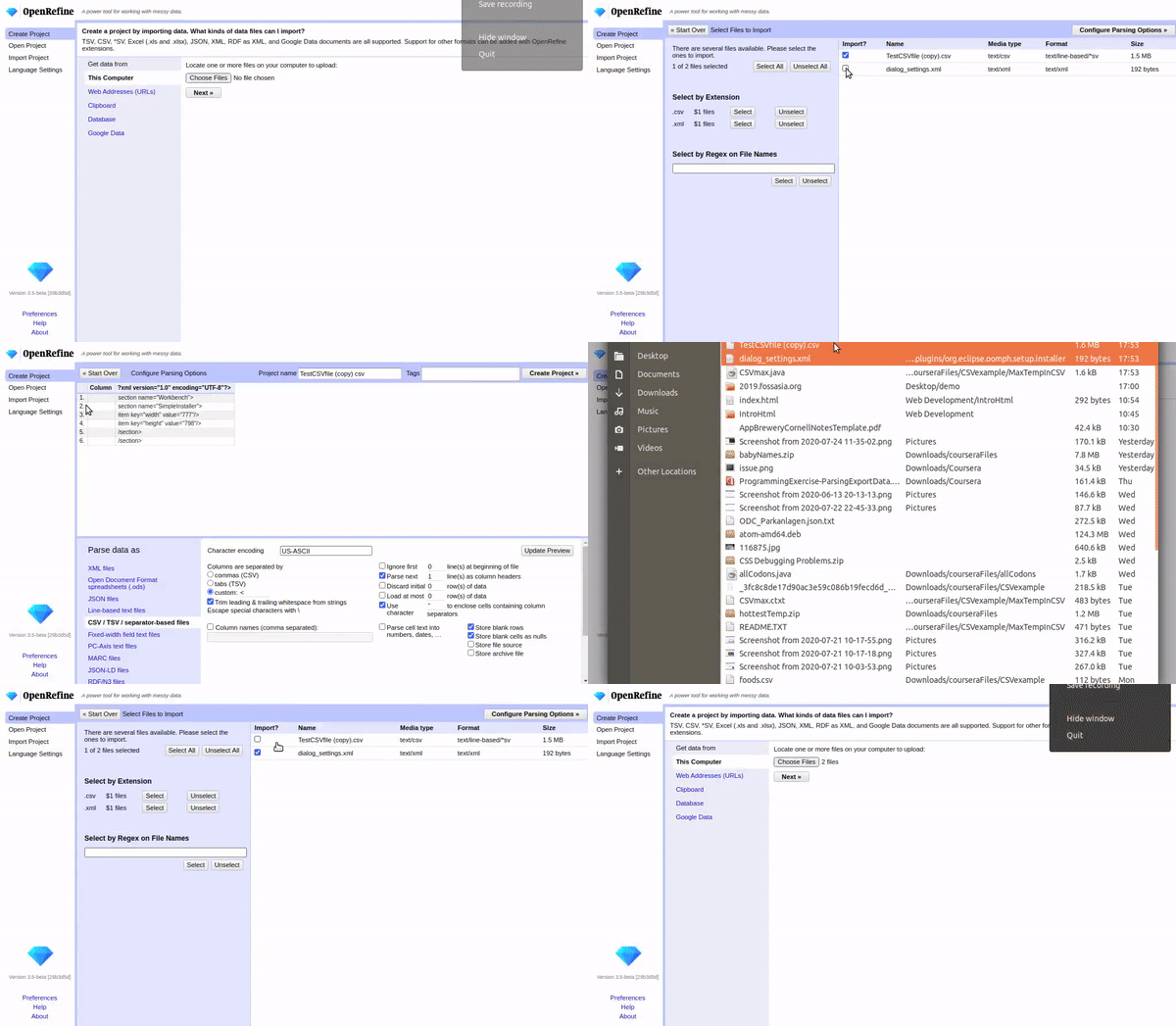
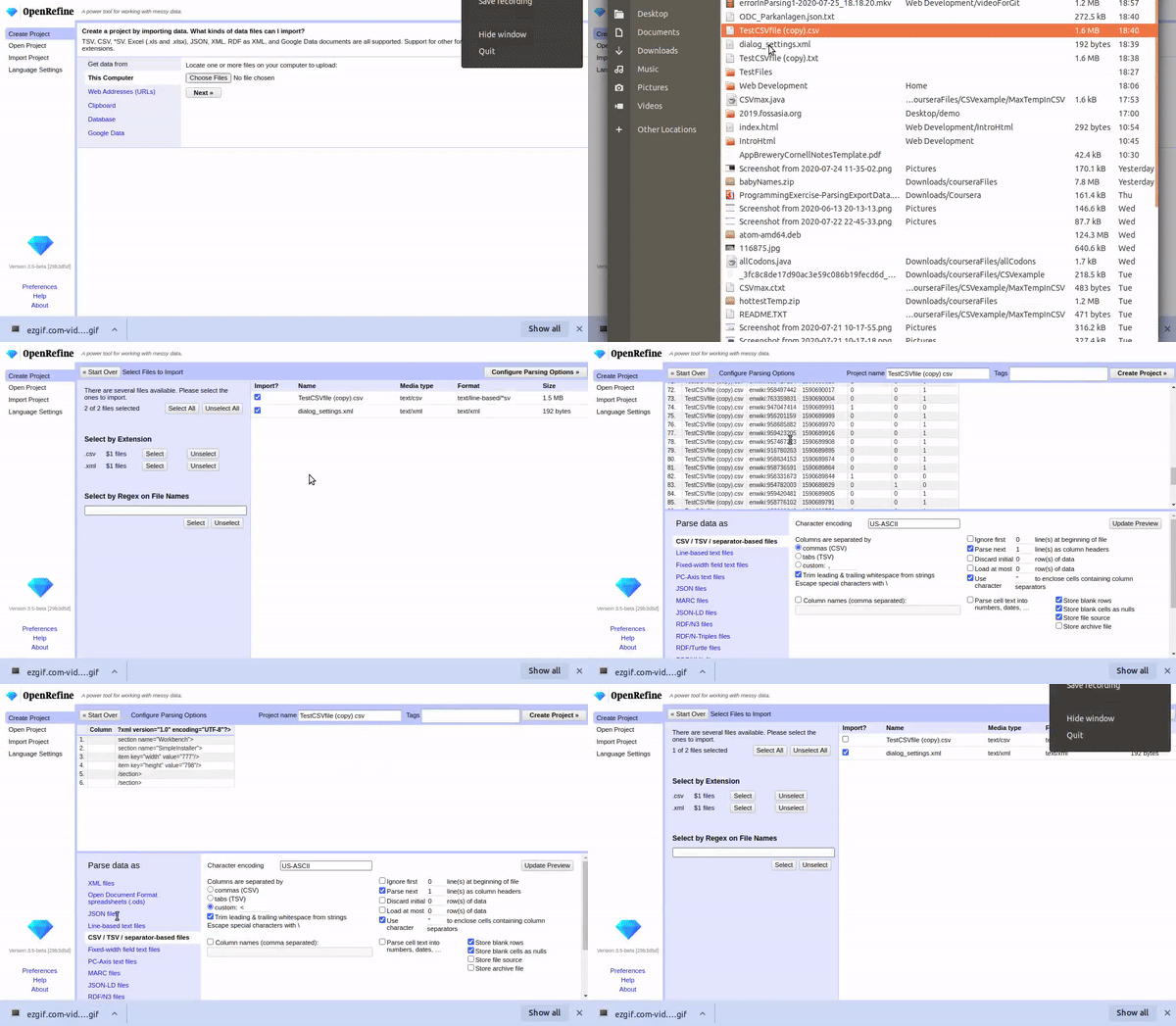
When you choose two files (.xml and .csv)extensions then it will not work properly in importing.
If we checked only one file at a time then it work fine but we click back and checked another extension file then it will not guessed the right file.
To Reproduce
Steps to reproduce the behavior:
- First, go to "This computer"
- Then, choose two files at a time TestFiles
- And press "Configure Parsing Options"
- and see what happens
Current Results
(This issue is more understand by these two videos )
Expected Behavior
give an error when we parse two file at a time.
Versions
- Operating System: Ubuntu 18.04
- Browser Version: Chrome
 chetan-v
All 14 comments
@thadguidry please look in this matter.
chetan-v
on 28 Jul 2020
@chetan-v Sorry, I don't understand. Do you want me to try to reproduce this on Windows with Chrome? What explicitly do you mean by "look into this matter"?
 thadguidry
on 28 Jul 2020
thadguidry
on 28 Jul 2020
@chetan-v Sorry, I don't understand. Do you want me to try to reproduce this on Windows with Chrome? What explicitly do you mean by "look into this matter"?
Yes I want this
And want you to suggest me some solution
chetan-v
on 28 Jul 2020
Just a side note about language, it is more polite if you avoid things like "I want you to". Instead, you can use "would like", "could you"… Your requests for help should not read like orders :)
 wetneb
on 28 Jul 2020
wetneb
on 28 Jul 2020
@wetneb it's fine, I didn't take it as an order. I automatically imply "Please, " before every user request within OpenRefine community context :-)
thadguidry
on 28 Jul 2020
I am sorry for this. I apologise mr thad.
Actually I am not a native speaker(I always Grammer mistakes).
But I am fully agree with @wetneb.
When I translated the phrase then I realize its not a right way to talk with seniors.
Next time I am very take care of it.
regards,
chetan
chetan-v
on 29 Jul 2020
It's not a problem at all, I just thought I would let you know because it can be useful in other contexts.
wetneb
on 29 Jul 2020
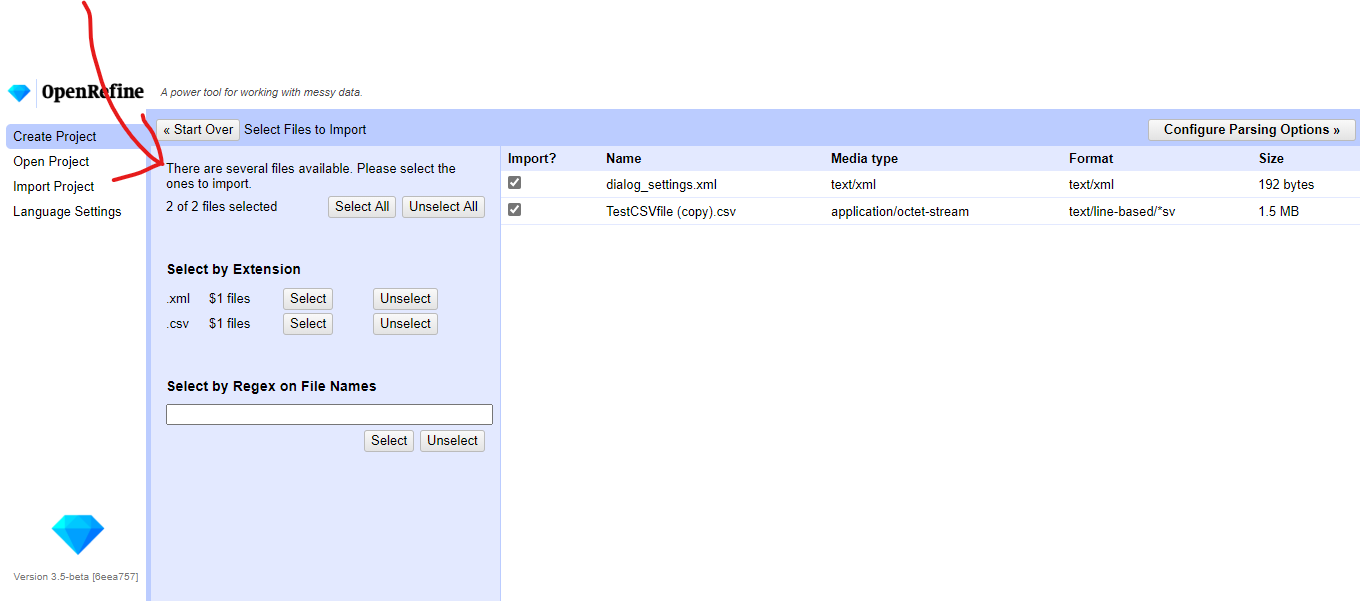
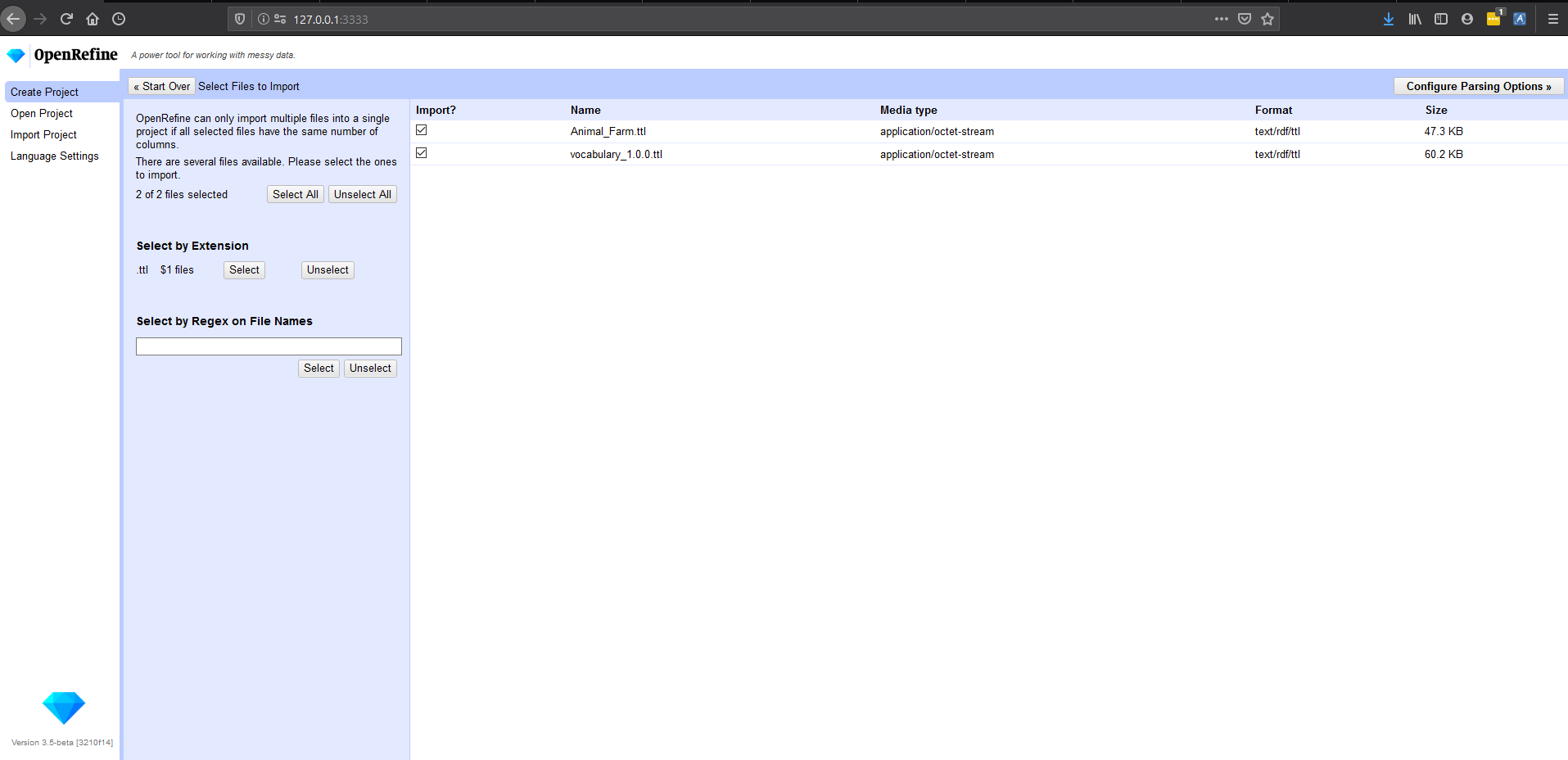
@chetan-v The expected outcome should actually be an error message like:
ERROR: the number of columns is not the same between all your selected files to import.
Additional improvement message ...
"OpenRefine can only import multiple files into a single project if all selected files have the same number of columns."
to add before this text:
thadguidry
on 29 Jul 2020
@chetan-v The expected outcome should actually be an error message like:
ERROR: the number of columns is not the same between all your selected files to import.Additional improvement message ...
"OpenRefine can only import multiple files into a single project if all selected files have the same number of columns."
to add before this text:
Oh, I thought it is a guessing problem.
can I add this line
"OpenRefine can only import multiple files into a single project if all selected files have the same number of columns."
chetan-v
on 29 Jul 2020
Just for discuss something else from this issue(related UI)-
first I thought may be I did something wrong in my branch but when I checkout master branch nothing was change.
@thadguidry Please check this.(May be its an issue)
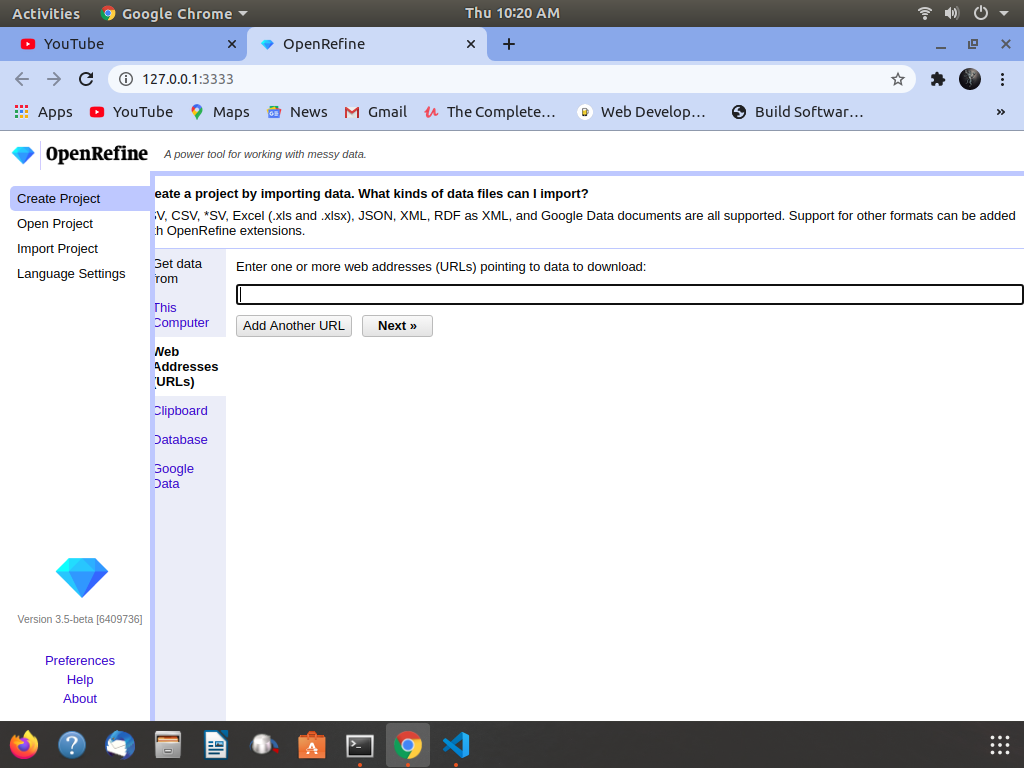
and my screen resolution is 1024 x 768 (4:3)
chetan-v
on 30 Jul 2020
@chetan-v your branch https://github.com/chetan-v/OpenRefine/tree/Extra has not been merged yet into our OpenRefine master branch as seen in your PR (merge is blocking from 1 reviewer) https://github.com/OpenRefine/OpenRefine/pull/3011
Once it is reviewed and approved for merge into our master branch, then you will see the updated messaging that you changed.
Patience.
But for now, it should show changed on your branch, correct?
thadguidry
on 30 Jul 2020
@chetan-v Indeed it is changed on your branch and seems to look fine when I check it out.
thadguidry
on 30 Jul 2020
@chetan-v your branch https://github.com/chetan-v/OpenRefine/tree/Extra has not been merged yet into our OpenRefine master branch as seen in your PR (merge is blocking from 1 reviewer) #3011
Once it is reviewed and approved for merge into our master branch, then you will see the updated messaging that you changed.
Patience.
But for now, it should show changed on your branch, correct?
Thanks but,
I said something else
Please look at this Screenshot
I said that when I click 'web address url' content get hidden from the left side.
(And it didn't happen before)
My resolution of screen is 1024 x768 (4:3)
chetan-v
on 30 Jul 2020
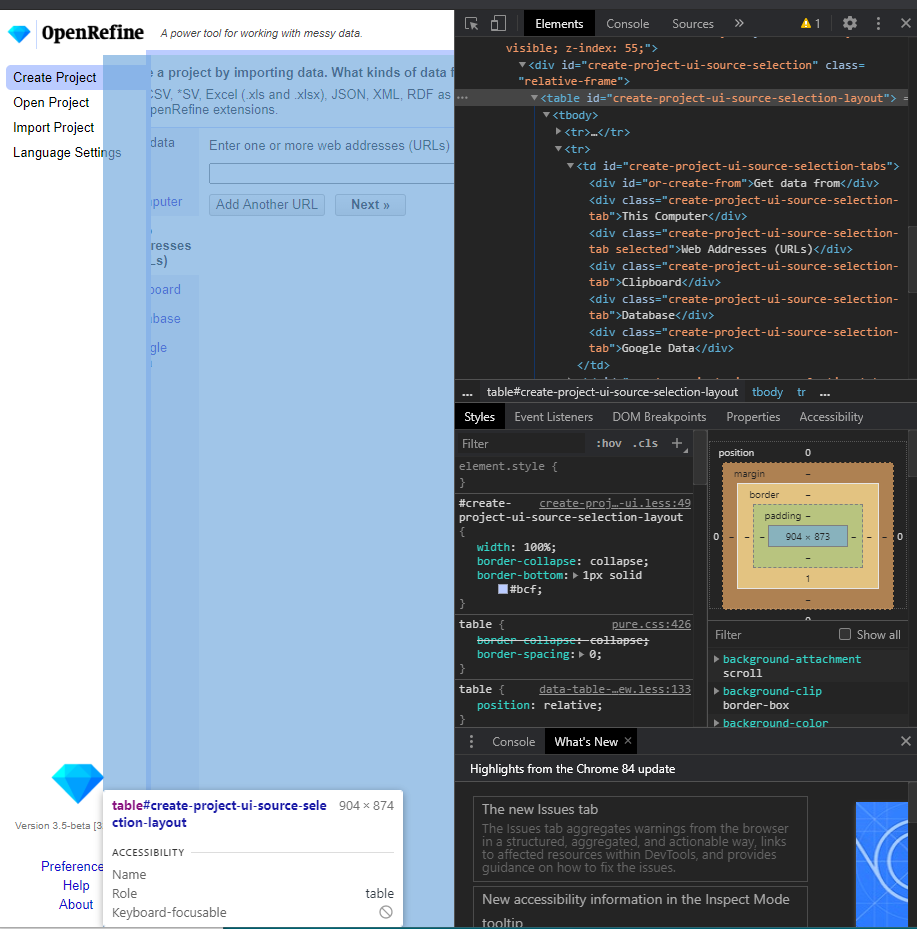
@chetan-v That's a small Chrome issue (I think) because of the way some properties are set in the .less files. So I'd open a new issue to make this more cross-browser compatible.
It does not happen in Firefox for me as shown:
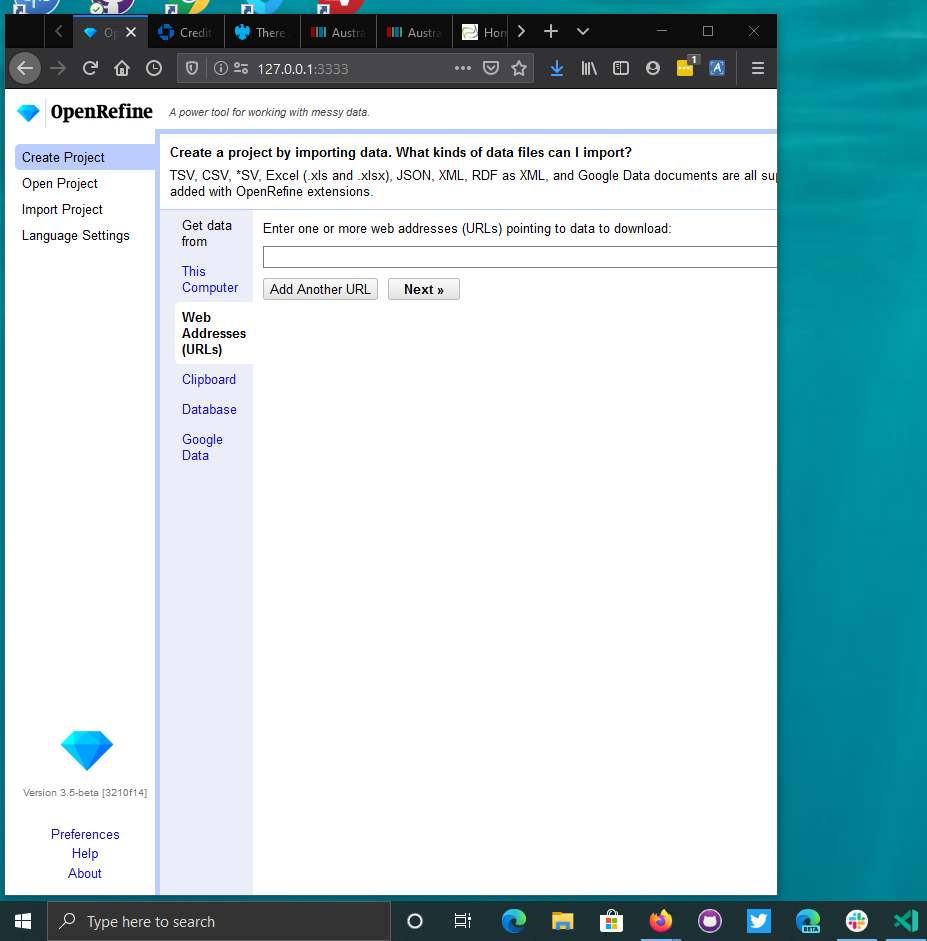 |
|
But in Chrome, yes, you can clearly see the issue with the <table id="create-project-ui-source-selection-layout"> overlapping and it's children:
thadguidry
on 30 Jul 2020
Related issues
 asyrul21
·
3Comments
asyrul21
·
3Comments
 ralcazar-oeg
·
3Comments
ralcazar-oeg
·
3Comments
 stellasia
·
4Comments
stellasia
·
4Comments
 antoine2711
·
3Comments
antoine2711
·
3Comments
 tfmorris
·
3Comments
tfmorris
·
3Comments
Most helpful comment
@wetneb it's fine, I didn't take it as an order. I automatically imply "Please, " before every user request within OpenRefine community context :-)