Openrefine: Include JSON as a possibility to be guessed for .txt files
Files sometimes have different content that does not match the file extension. For example, on Windows depending on the software you have installed, saving a file with JSON content might default to saving it with a .txt extension instead of the correct .json. On the internet, files might have various extensions or no extensions when downloaded and saved. This is not OpenRefine's direct problem, but OpenRefine should be able to inspect (guess) what content a file truly has.
Proposed solution
.txt extension and no extension are 2 of the common ways that files are sometimes found with structured data inside them.
When dealing with a .txt file or no extension, it would be preferable for OpenRefine to first read a portion of a file's beginning content and using that as the first contextual clue of what kind of file it is.
For example:
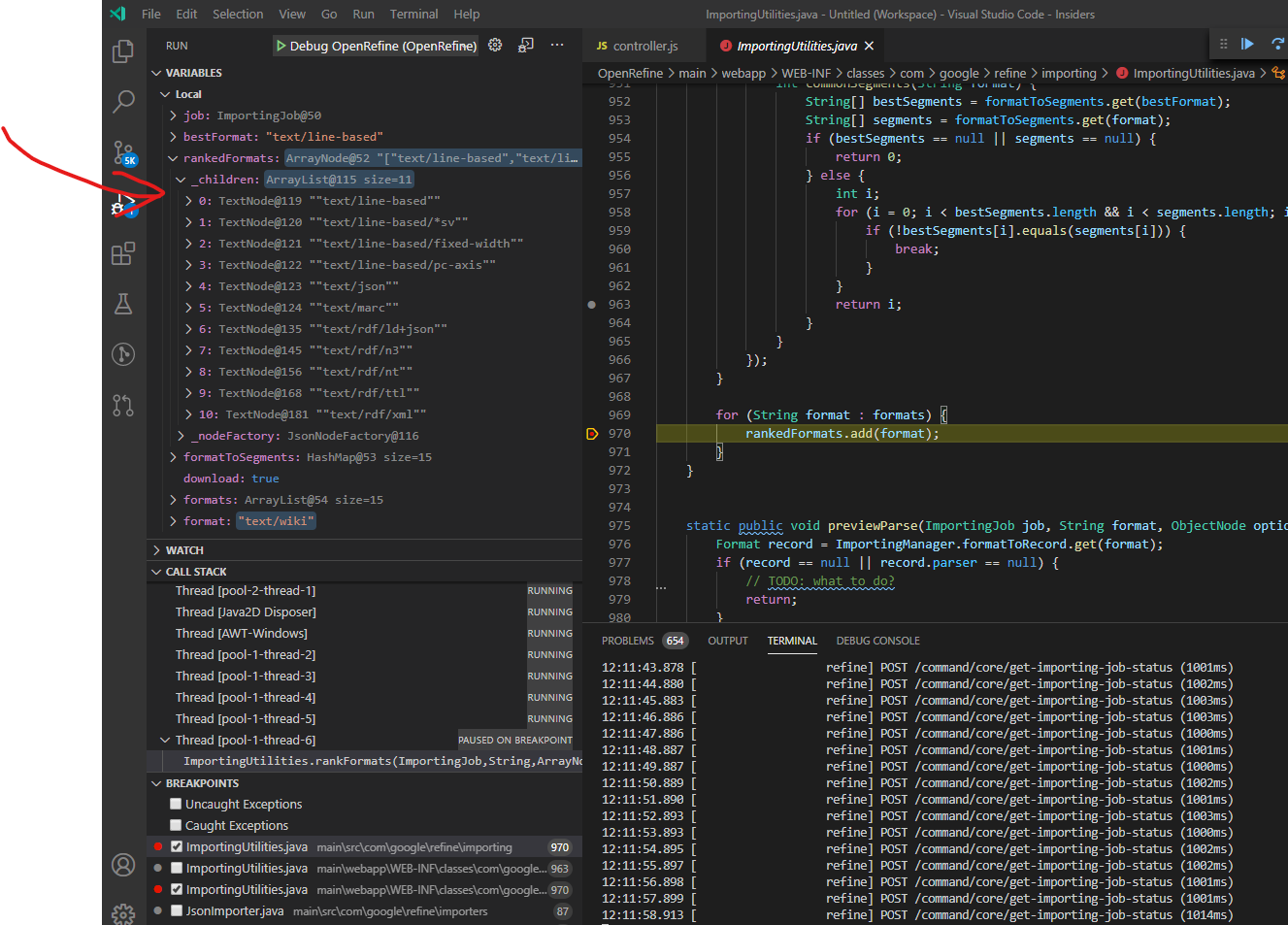
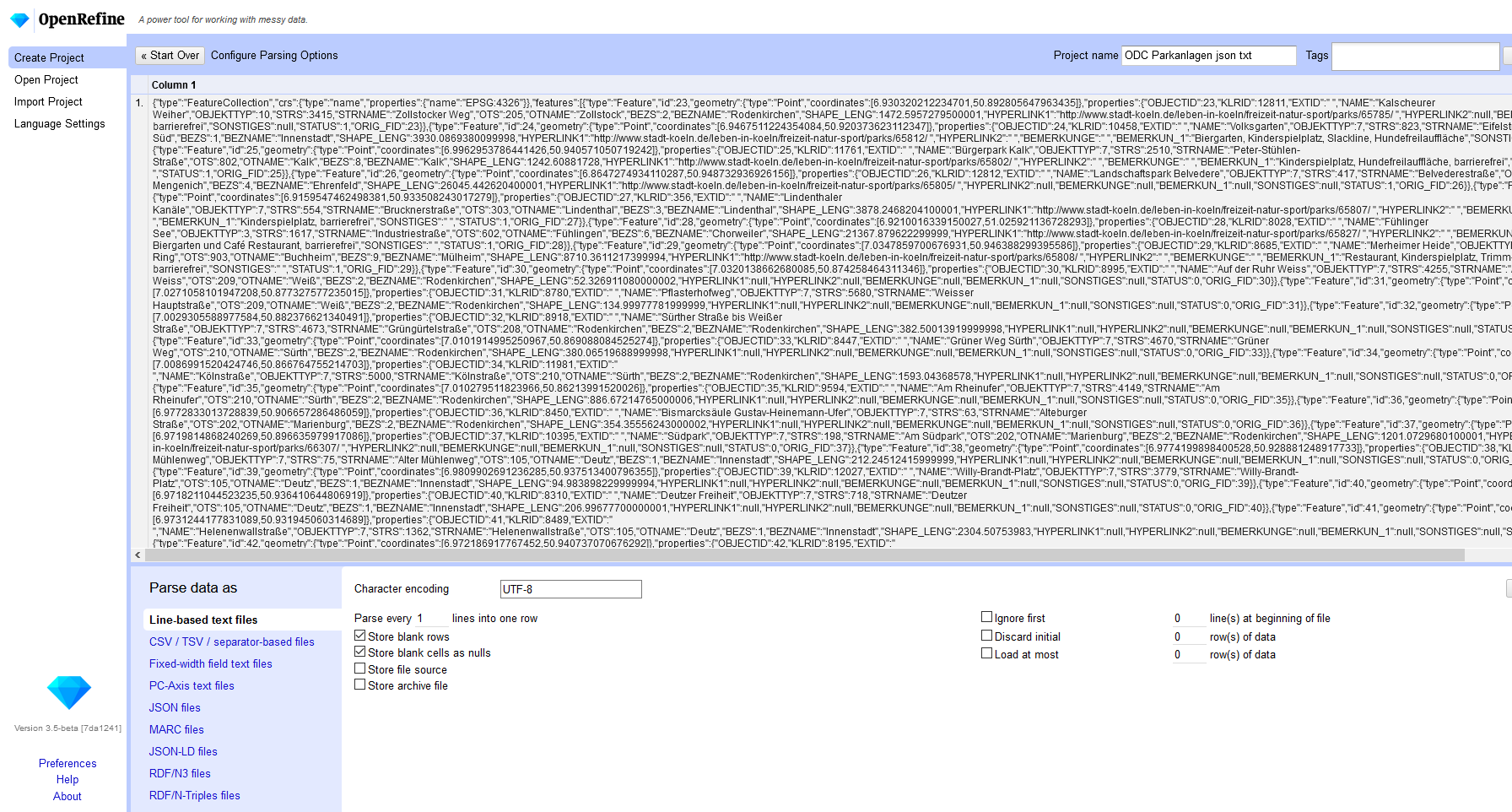
OpenRefine does not guess JSON format when opening a .txt file on Windows 10 that is 100% JSON content. It guesses line-based and uses that importer instead, incorrectly. OpenRefine should instead have guessed JSON as the bestFormat in the rankedFormats, by inspecting the beginning of the file chars are JSON content, maybe 50 chars or more?)
Other file extensions normally don't cause context problems in the wild. But .txt is the most common format and the one that software and some OS's sometimes default to saving files with and as such .txt should be treated as that, "a generic bunch of text that first needs to be inspected for some kind of structured data" in order to determine the right kind of importer.
Describe alternatives you've considered
Opening the file in Notepad and then looking at the content of the file myself to make a judgement call of what format it might contain and then clicking the appropriate importer selection on OpenRefine's UI.
Test File
Testfile.txt
Additional Context
Breakpoint on L970 in ImportingUtilities.java seems like a good start for debugging from what I saw and where it gave text/line-based as the best format in the ranked list.
 thadguidry
All 14 comments
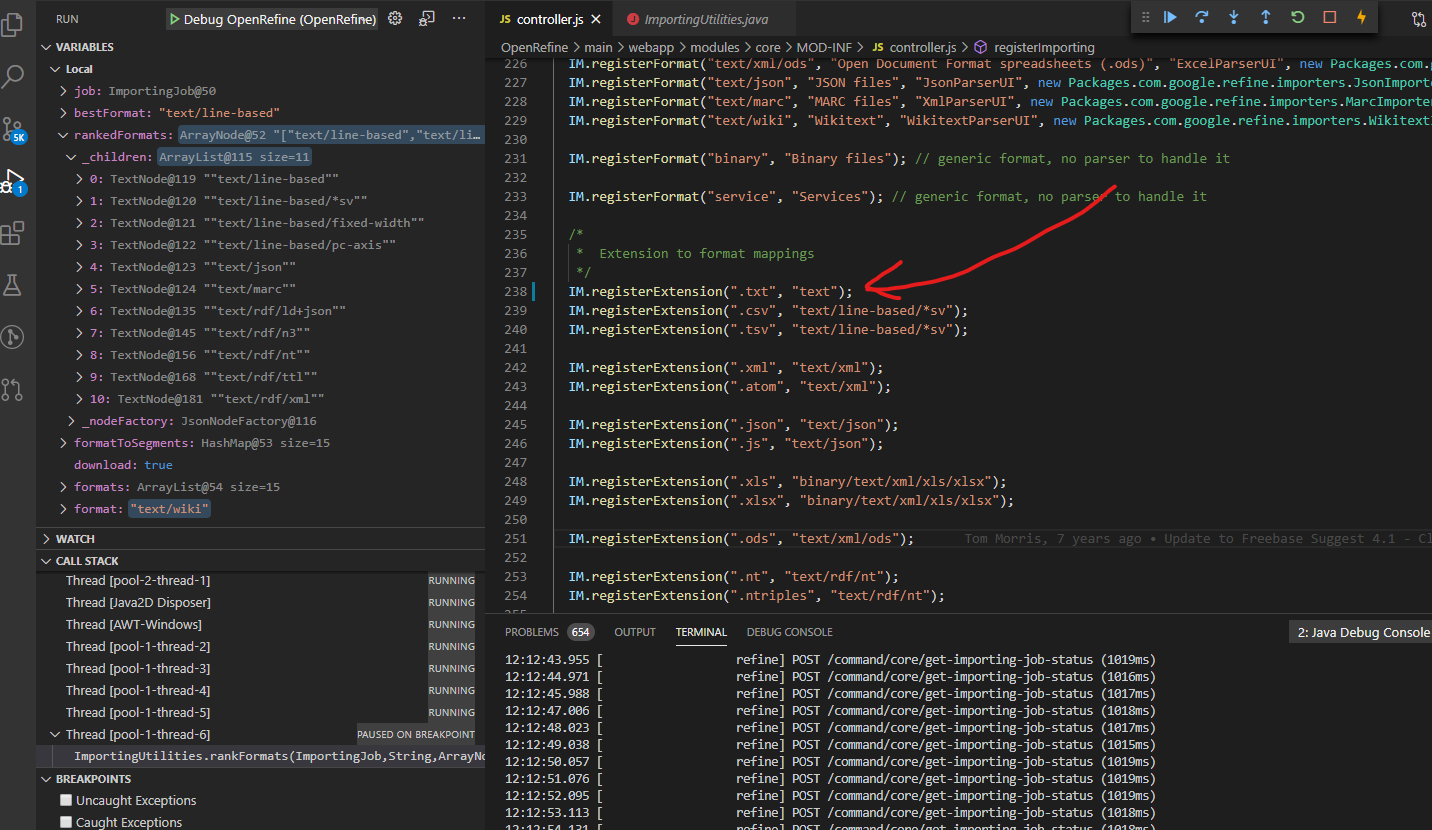
Change this line https://github.com/OpenRefine/OpenRefine/blob/4b146acc6ef8a4f41168824db0967e24d7efb45c/main/webapp/modules/core/MOD-INF/controller.js#L238
to "text" instead of "text/line-based". The line-based guesser only handles CSV, TSV, & Fixed.
 tfmorris
on 26 Jun 2020
tfmorris
on 26 Jun 2020
@tfmorris tried it, didn't make a difference in the ranking, it still automatically choose line-based in the selection after I choose to load that test file.
thadguidry
on 26 Jun 2020
@tfmorris maybe it should be IM.registerExtension(".txt", "text/json"); since sometimes (oftentimes?) JSON is saved as a regular .txt file on Windows systems? Probably need to test to see if that causes more problems for regular text detection.
thadguidry
on 26 Jun 2020
maybe it should be
IM.registerExtension(".txt", "text/json");
The vast majority of .txt files are not JSON, so that doesn't seem like a good idea. There's one more line that needs adjusting, but I think @chetan-v is looking into it for #2821.
tfmorris
on 26 Jun 2020
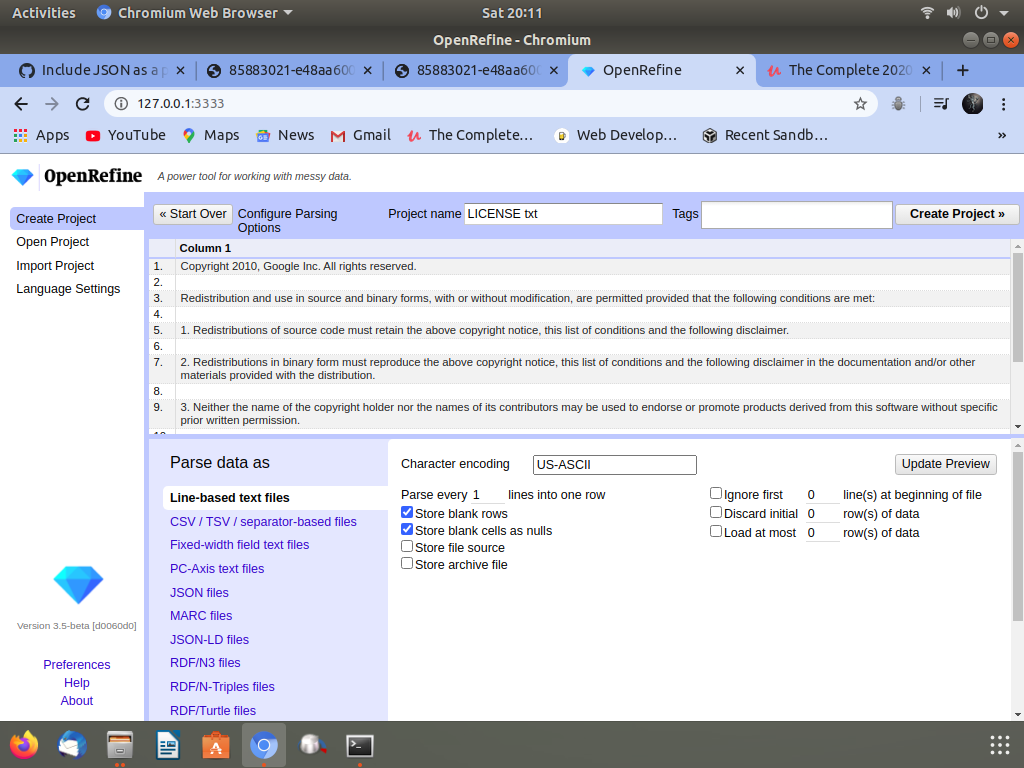
What are you expecting?
Actually I don't understand what you want.
 chetan-v
on 27 Jun 2020
chetan-v
on 27 Jun 2020
@chetan-v That doesn't look like the test file that is mentioned in the issue. It should be called "ODC_Parkanlagen.json.txt" if you are using the correct file. Please try that.
When the problem is fixed, OpenRefine should guess "JSON files" instead of "Line-based text files" for that test file.
tfmorris
on 27 Jun 2020
I send the PR #2831 Please check
@tfmorris @thadguidry
chetan-v
on 28 Jun 2020
I am sorry I messed up everything
chetan-v
on 28 Jun 2020
I am sorry I messed up everything
Don’t worry. Learning is a painful process. You can learn a lot by looking at old PR done by our core developers, Antonin & Tom.
Also, on the gGroups OpenRefine Dev, you can ask questions. It help a lot to start in a good direction.
I am myself a new contributor since a few months. Reading the documentation (Wiki, Dev sections) helped me a lot. Good luck in this endeavour.
Regards,
Antoine
 antoine2711
on 28 Jun 2020
antoine2711
on 28 Jun 2020
Hello, @tfmorris @thadguidry
IM.registerExtension(".json.txt", "text/json");
I add this line.
I used this line in my local repo it will work fine.
For this "ODC_Parkanlagen.json.txt" file and also I test .txt file all worked finely
chetan-v
on 29 Jun 2020
@chetan-v Thanks but that will not work with a file simply having a .txt extension or no extension. OpenRefine needs to always inspect .txt files and no extension files in order to properly guess the content in them. I have updated the issue comment to make this more clear of the problem and expectation. As well as updated the Test file.
thadguidry
on 29 Jun 2020
@chetan-v Thanks but that will not work with a file simply having a
.txtextension or no extension. OpenRefine needs to always inspect.txtfiles and no extension files in order to properly guess the content in them. I have updated the issue comment to make this more clear of the problem and expectation. As well as updated the Test file.
No it works actually I added this line not deleted anything
IM.registerExtension(".json.txt", "text/json"); and IM.registerExtension(".txt", "text");
We need both
Then it work perfectly.
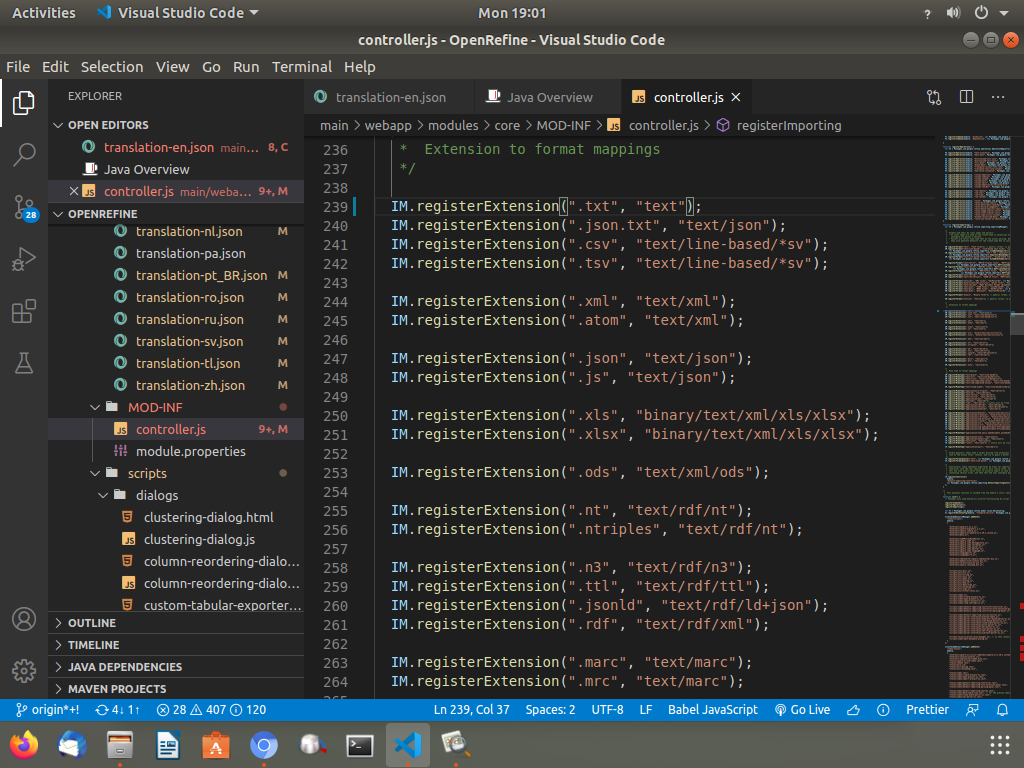
Like this
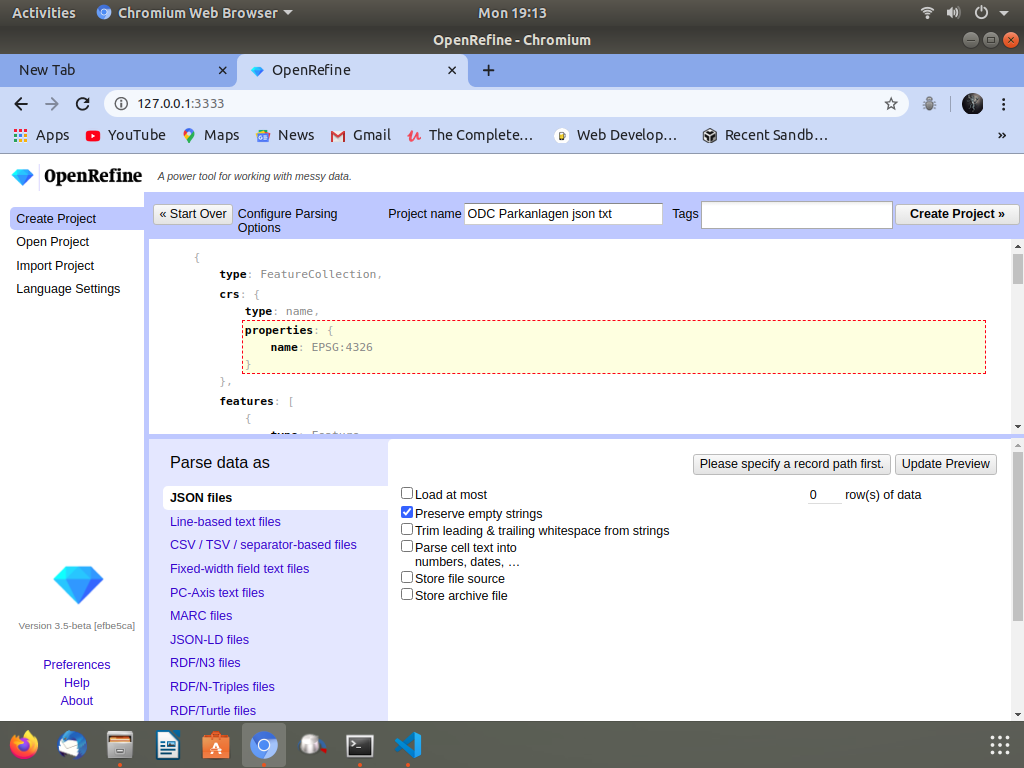
It is when I use .json.txt extension file
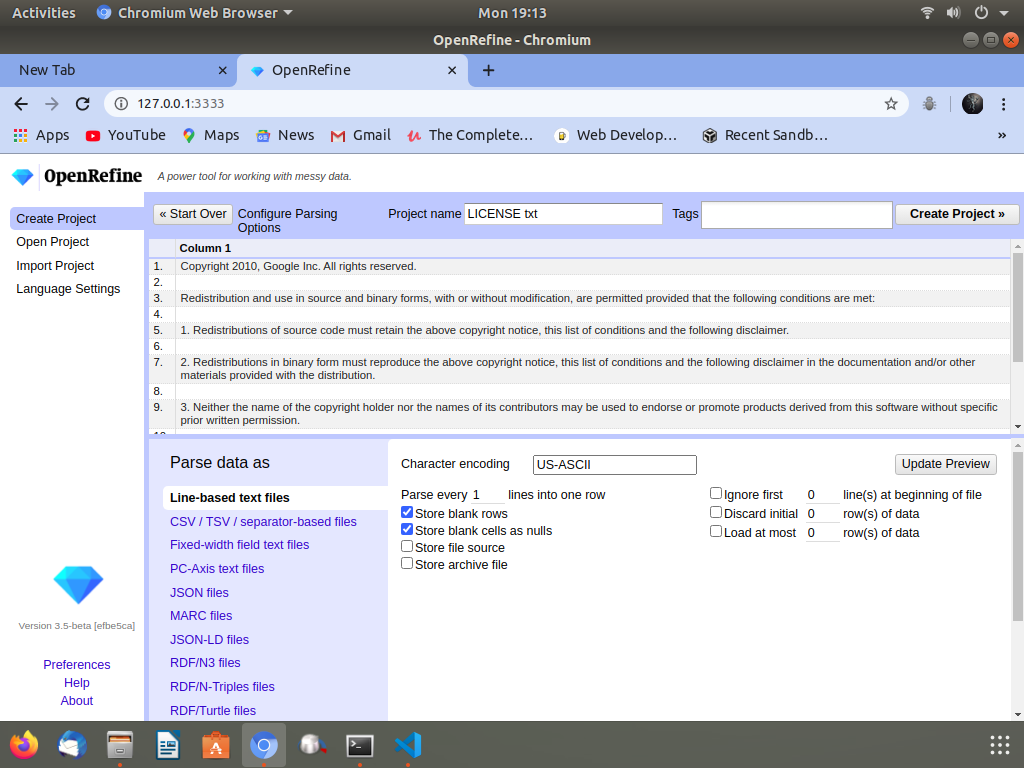
It is when I use .txt file It work for both.
chetan-v
on 29 Jun 2020
@chetan-v Thank you for continuing to work on this. As @thadguidry mentioned, we can't depend on the .json.txt fllename form. It needs to work with just `.txt'.
I suggest you investigate why the format is coming up as Line-based text, even though the .txt extension registration has been fixed to specify just text. There must be some other factor which is triggering that. If you can debug exactly what is causing that, it should lead you to discover what else needs to be changed.
tfmorris
on 29 Jun 2020
@chetan-v Thank you for continuing to work on this. As @thadguidry mentioned, we can't depend on the
.json.txtfllename form. It needs to work with just `.txt'.I suggest you investigate why the format is coming up as Line-based text, even though the
.txtextension registration has been fixed to specify justtext. There must be some other factor which is triggering that. If you can debug exactly what is causing that, it should lead you to discover what else needs to be changed.
I understand the problem
text formate guesser method not work properly may be some problem
I find it out very soon
chetan-v
on 29 Jun 2020
Related issues
 kushthedude
·
3Comments
kushthedude
·
3Comments
 dantexier
·
4Comments
tfmorris
·
3Comments
dantexier
·
4Comments
tfmorris
·
3Comments
 davidegiunchidiennea
·
3Comments
davidegiunchidiennea
·
3Comments
 katrinleinweber
·
3Comments
katrinleinweber
·
3Comments