Openrefine: TSV export escapes double quotes (") unnecessarily
I export a project in tab separated values. In the resulting TSV file I found duplicates double quotes. OR seems to escape the quotes, but I don't want this behavior
To Reproduce
Export to TSV a project containing cell values with double quote characters (") in them.
Current Results
Cells which contain double quote characters (") are wrapped in quotes and have the internal quotes escaped, even though the separate value is \t, not ". e.g. the cell value 'comme "braille mental"' (without the single quotes) gets exported as '"comme ""braille mental"""'
Expected behavior
Quote characters should be left untouched and only embedded TAB characters should be escaped.
Screenshots
In my project

In my tsv

Desktop
- OS: win10
- Browser Version: Chrome
- JRE or JDK Version:1.8.0_211
OpenRefine
- Version : OR 3.1
 msaby
msaby
All 12 comments
@msaby Looking at specifications for CSV/TSV, I feel that double quoting is the correct behaviour here - otherwise how to know what is a quote around a field, and what is a quote within a field:
"Here is "a quote" in a field"
"Here is ""a quote"" in a field"
There needs to be some escaping of the quote inside the field at least I think?
 ostephens
on 26 Jul 2019
ostephens
on 26 Jul 2019
Agree @ostephens the RFC 4180 Common Format and MIME Type for Comma-Separated Values (CSV) Files is clear about this and most CSV parsing libraries have the option turned ON as a default.
 thadguidry
on 26 Jul 2019
thadguidry
on 26 Jul 2019
Hi
I was thinking of something like this in Libreoffice : the " in string are duplicated in csv only if all the field is surrounded with "
This is controlled by the 'text delimiter' (https://help.libreoffice.org/Common/Export_text_files ) in this menu (in french : séparateur de chaîne de caractères)
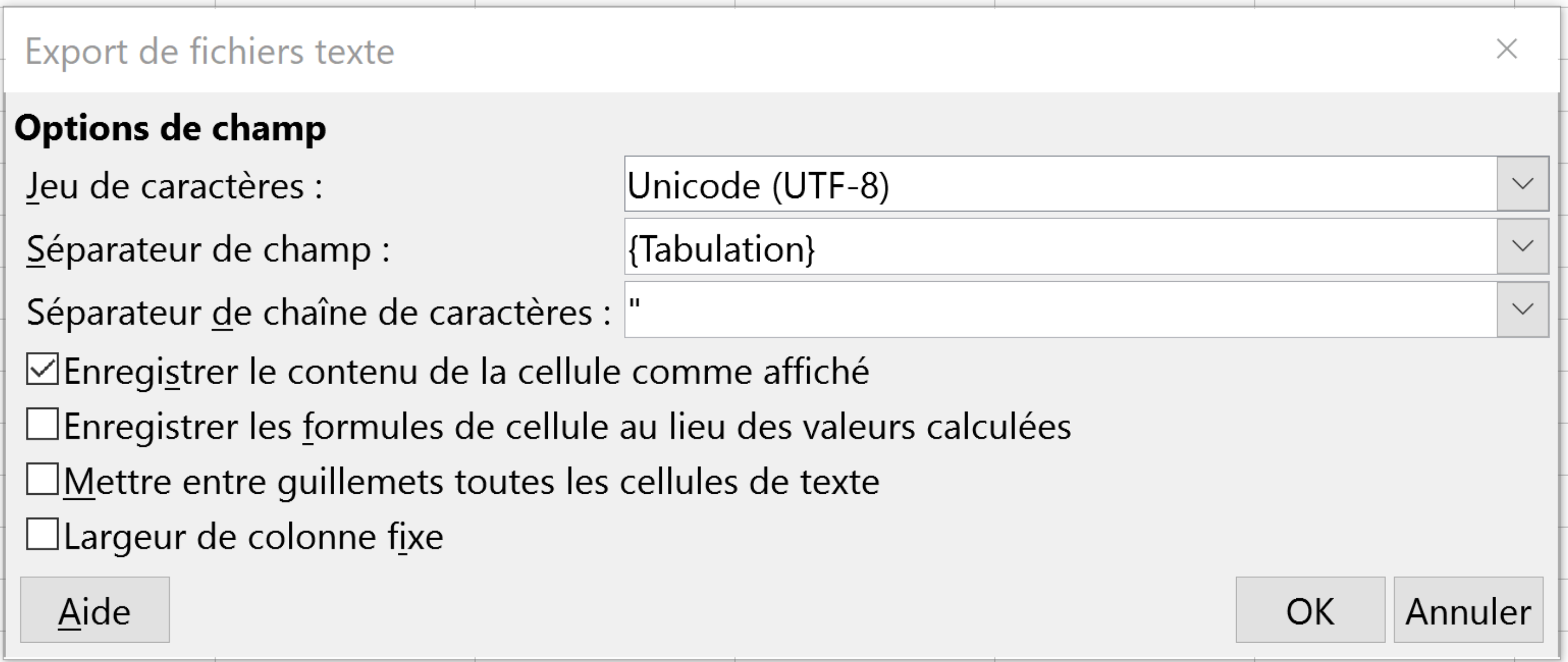
Result with TAB between fields and Field separator = "

same file, with TAB between fields and NO Filed separator

msaby
on 27 Jul 2019
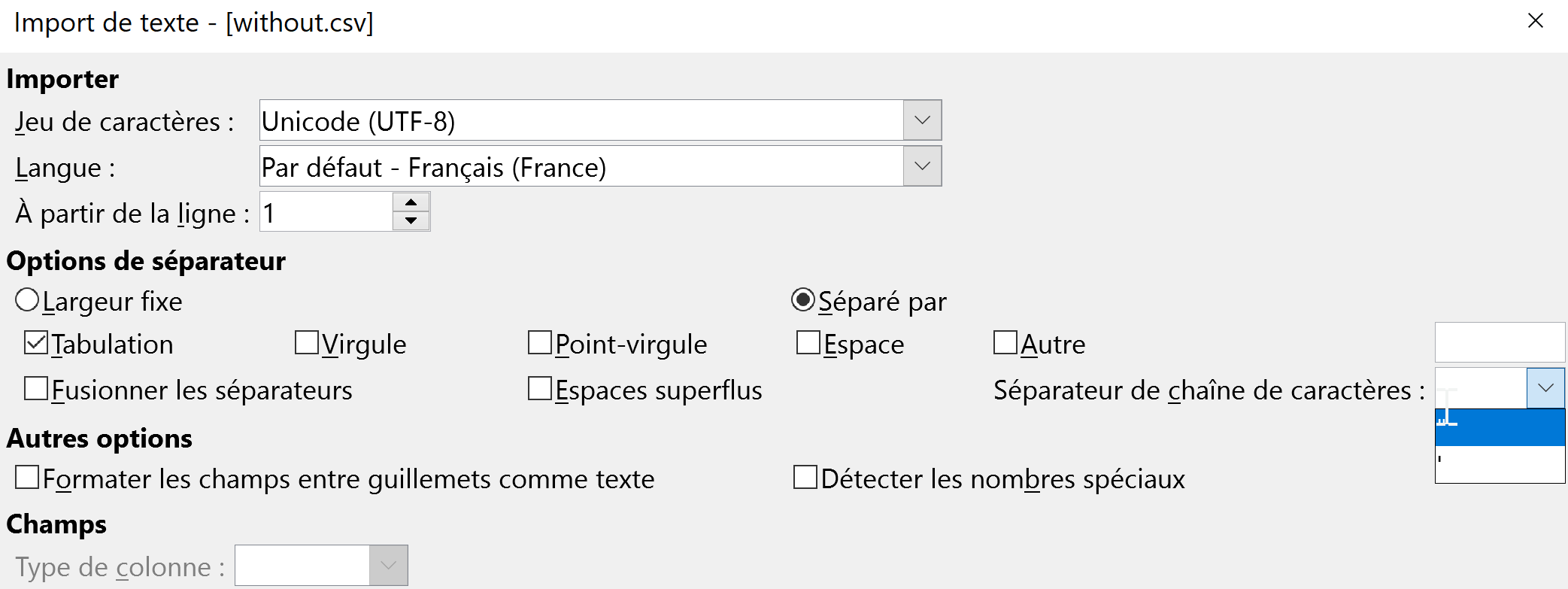
And you have the same option in LibreOffice when you open a CSV/TSV:
msaby
on 27 Jul 2019
And I would add that we cannot speak - alas ! - of CSV/TSV specification, as there is zillion of implementation. The RFC 4180 is only a memo...
But in the RFC you can read that :
If double-quotes are used to enclose fields, then a double-quote
appearing inside a field must be escaped by preceding it with
another double quote. For example:"aaa","b""bb","ccc"
In the example I gave in the 1st place, the field was not enclosed with double quotes, so there was no need of escaping the " included in the cell.
As an end user I would apreciate if Openrefine gave me the ability to tweak these export option, because it could be useful in some workflows, depending on the tool or process I am going to feed with the file exported from OR...
msaby
on 27 Jul 2019
As an end user I would apreciate if Openrefine gave me the ability to tweak these export option, because it could be useful in some workflows, depending on the tool or process I am going to feed with the file exported from OR...
Definitely understand.
In the case of the export we are (to some extent) limited by the library we use to generate the output. From what I can see (on a relatively brief investigation), the library we use (au.com.bytecode.opencsv.CSVWriter) gives the option to switch off escaping altogether, but doesn't support switching it off only where the field is not enclosed in quotes
If we added the option to switch off escaping to the custom tabular exporter, would that meet your use case? That should be relatively straightforward. Doing more than this would mean changing the csv writer library we use I think (which might make sense as an overhaul of our csv handling but it's a reasonably big job)
ostephens
on 28 Jul 2019
I still don't know why we haven't fully embraced Jackson data format module for CSV? Sure, it's a refactoring in places, but it's library has many advantages such as improved performance, being able to deal with CSVSchema and schema-less, virtual Array wrapping, etc.
Apache NiFi has some good example code of it in use, in case you are interested... https://github.com/apache/nifi/search?p=1&q=jackson+csv&unscoped_q=jackson+csv
thadguidry
on 28 Jul 2019
As a workaround you could use Templating. See attached a quickly drafted template for TSV that should be compliant with RFC 4180: openrefine-tsv-template.txt
Caveat: Generating column names (by checking variable row.index in the row template) only works if there are no active filters/facets. Templating would be more flexible if the prefix field supports GREL as well but that would be another feature request.
 felixlohmeier
on 7 Aug 2019
felixlohmeier
on 7 Aug 2019
Caveat: Generating column names (by checking variable row.index in the row template) only works if there are no active filters/facets. Templating would be more flexible if the prefix field supports GREL as well but that would be another feature request.
Hi @felixlohmeier: I have a suggestion with your template. Since you can't rely on row.index == 0, if you have a facet, you could change that for row.starred, and then you just make sure that your first found row (the one with the lowest index, so the first with no sort) has a star, and I believe that will always work… What do you think?
Regards, Antoine
P.S. I understand it's a hack on a hack, and not elegant at all.
 antoine2711
on 14 Apr 2020
antoine2711
on 14 Apr 2020
Hi @antoine2711,
Thanks for your suggestion, but how would you do that?
then you just make sure that your first found row (the one with the lowest index, so the first with no sort) has a star
felixlohmeier
on 14 Apr 2020
Yah, I wasn't sure if I was clear.
What you want to do, with row.index == 0, is to be executed on the first row. If there is a facet, and the row index 0 is filtered, then, it will never be called. But, let's say you star the first found row manually, then, row.starred will be true and the headers can be outputed before any row data.
The only thing with that is, if you have a sort, then, the first visible row on the data grid might not be the one to be used first. So, in that situation, you don't star the first row, you start the one with the lowest index, or, you Reorder rows permanently, which will make the first visible row the first one processed by OR.
I hope it clearer. Regards, Antoine
P.S. There are also other ways, with the use of the cross() function and an additional « true » column, or if cross() could use the internal indexes without an extra column, to do that without human manipulation, like not starring only the first row. If you are curious, I could show.
antoine2711
on 15 Apr 2020
This is definitely a bug and looks straightforward to fix. Heck, even if we had to write our TSV exporter, it'd be about 2 or 3 lines of code. Much of the earlier discussion seems to have been about CSV files, not TSV files, which may be why it went so badly astray.
Although the relevant parameter is passed in, it doesn't change any parameters which are passed to CSVWriter:
https://github.com/OpenRefine/OpenRefine/blob/5639f1b2f17303b03026629d763dcb6fef98550b/main/src/com/google/refine/exporters/CsvExporter.java#L94-L102
Proposed Solution: If the separator is a TAB character (ie we're writing a TSV), we should turn off all quoting and escaping, and manually escape TABs embedded in cell values to \t (in Java notation replace \t with \t)
 tfmorris
on 28 Jun 2020
tfmorris
on 28 Jun 2020
Related issues
tfmorris
·
3Comments
antoine2711
·
3Comments
 anchardo
·
3Comments
anchardo
·
3Comments
 stellasia
·
4Comments
stellasia
·
4Comments
 ettorerizza
·
3Comments
ettorerizza
·
3Comments
Most helpful comment
And I would add that we cannot speak - alas ! - of CSV/TSV specification, as there is zillion of implementation. The RFC 4180 is only a memo...
But in the RFC you can read that :
In the example I gave in the 1st place, the field was not enclosed with double quotes, so there was no need of escaping the " included in the cell.
As an end user I would apreciate if Openrefine gave me the ability to tweak these export option, because it could be useful in some workflows, depending on the tool or process I am going to feed with the file exported from OR...