Openrefine: Cannot export a file if the "blank" tab opened after a first export is not closed
When reporting a bug please provide the following information to help reproduce the bug:
Version of OpenRefine used (Google Refine 2.6, OpenRefine2.8, an other distribution?):
Version 3 beta
Operating Systems and version:
Windows 10
Browser + version used - Please note that OpenRefine doesn't support Internet Explorer but works OK in most cases:
Chrome
Steps followed to create the issue:
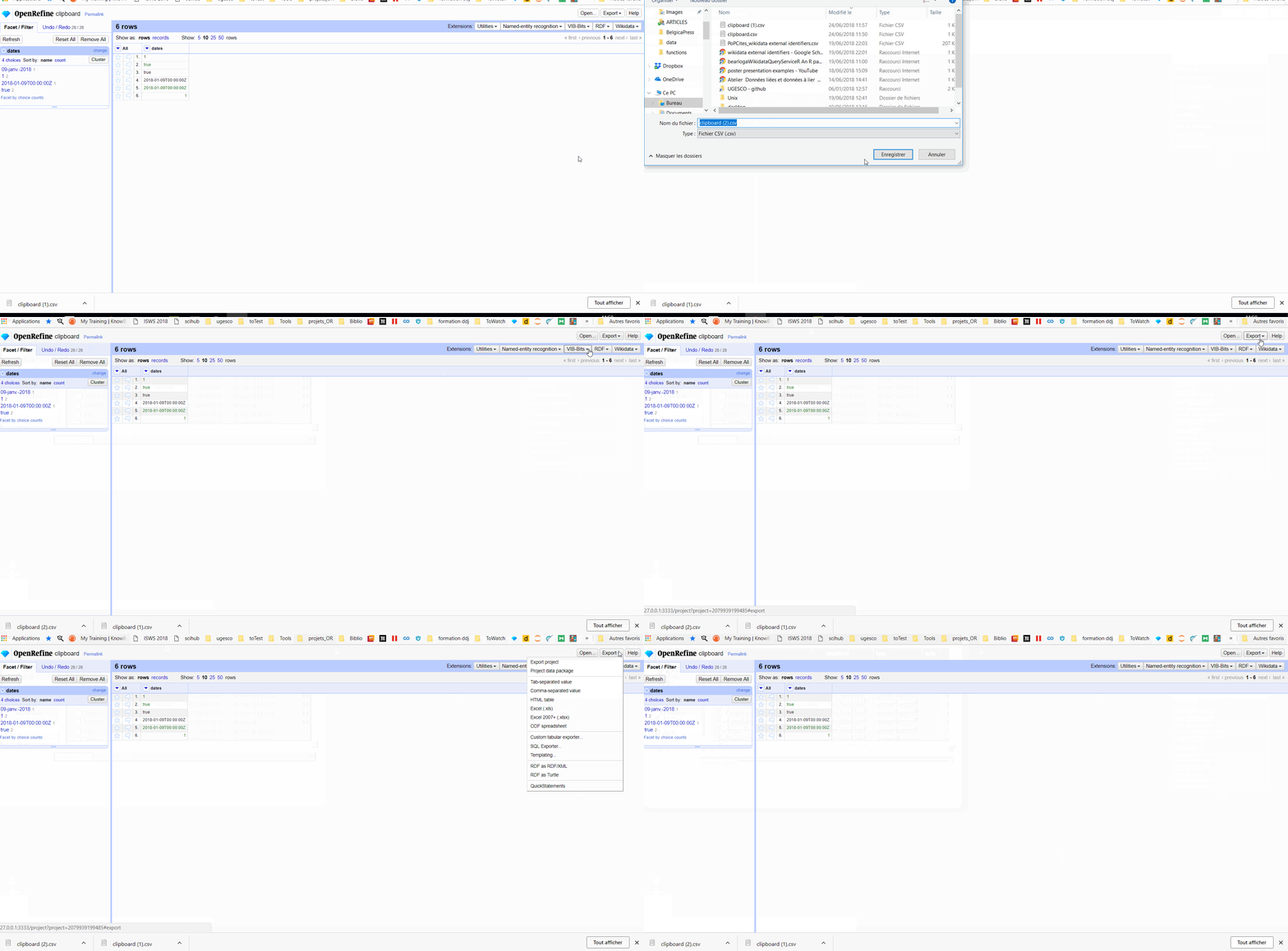
When you export a file, a new blank tab ("about: blank") opens with the download window. As long as this tab remains open, you can't download anything again. This is particularly frustrating when using "Custom tabular export": not only it does not download anything, but you have to restart the settings configuration.
Expected Results:
Automatically close the new blank tab or allow multiple download tabs.
 ettorerizza
All 7 comments
Actually, I do not see why in 2018, that a new tab has to be opened at all for a download from a webapp. We should look into handling all that seamlessly and in a better fashion across all 3 browsers.
 thadguidry
on 24 Jun 2018
thadguidry
on 24 Jun 2018
@wetneb Can I be assigned to this ?
 kushthedude
on 22 Feb 2020
kushthedude
on 22 Feb 2020
@kushthedude Sure, let us know if you have questions.
thadguidry
on 22 Feb 2020
@thadguidry The following bug is not present in Safari. Although I have fixed it on chrome too, please take a look at referenced PR.
kushthedude
on 23 Feb 2020
@kushthedude On Firefox browser, it still opens a new browser tab in order to download the file. Let's work more towards not opening a new browser tab at all, in order to download the file.
thadguidry
on 23 Feb 2020
@theadguidry The PR opens a new tab and closes it as soon as the user starts download or cancel it. Hence there is no opening of new tab now.
kushthedude
on 23 Feb 2020
@kushthedude Have you tested your PR on Firefox? For me, your PR keeps the tab open. Ideally, we don't want a tab to open at all, but if that is too complex for you at this time then I understand.
Also please test our export option "Custom tabular exporter" on both Firefox and Chrome, because both still keep a browser tab open.
thadguidry
on 23 Feb 2020
Related issues
 anchardo
·
3Comments
thadguidry
·
4Comments
kushthedude
·
3Comments
anchardo
·
3Comments
thadguidry
·
4Comments
kushthedude
·
3Comments
 antoine2711
·
3Comments
kushthedude
·
3Comments
antoine2711
·
3Comments
kushthedude
·
3Comments
Most helpful comment
Actually, I do not see why in 2018, that a new tab has to be opened at all for a download from a webapp. We should look into handling all that seamlessly and in a better fashion across all 3 browsers.