Openrefine: Visually distinguish null and empty strings
The ongoing discussions on the null vs. empty string "" distinction (#820), and the new facets related to it (#1539), reminded me that the creation of records is not well documented on the Wiki. One might think that any empty cell below a non-empty cell in the first column belongs to the same record, whereas it works only for null cells.
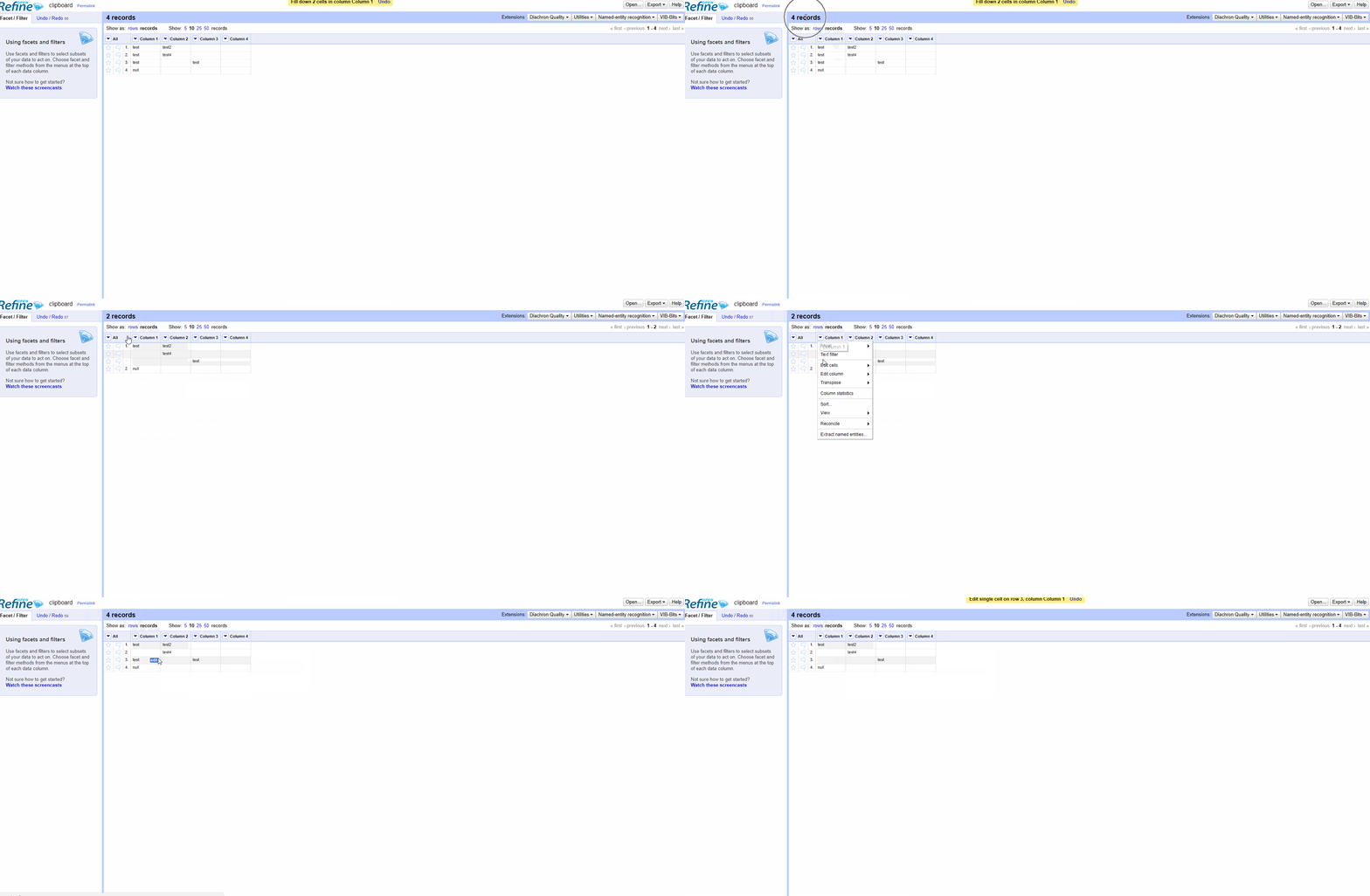
It's confusing, even for seasoned users. It would be necessary to visually distinguish the two, a bit like this.
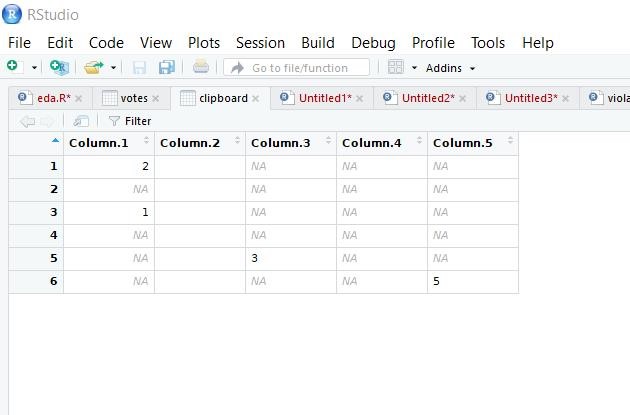
According to Owen, this is a separate issue from #1286, which concerns only non-printable chars.
EDIT : Looks like I'm wrong, it's possible to produce a record with empty strings. The problem is in the manual edit, not in the difference between null and empty string.

 ettorerizza
All 10 comments
This is what I'm proposing: null will display (as it does in the Expression preview window). Empty string - by definition there is nothing to display. I suggest we just leave this blank.
Note that we will still need a resolution to differentiate between an empty string and a string of only invisible/non-printing characters
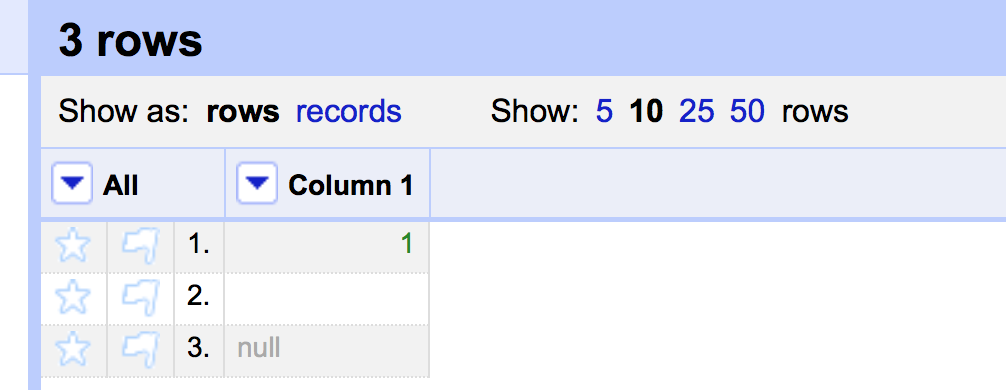
Row 2 = empty string
Row 3 = null
Adding this display of null is trivial and I can do a PR now if @ettorerizza is happy with this approach
 ostephens
on 17 Mar 2018
ostephens
on 17 Mar 2018
@ostephens This looks like a small improvement, but it helps to understand why your example certainly produces three records rather than one. In addition, users will better understand the utility of facet by null and facet by empty strings (which may seem very abstract).
ettorerizza
on 17 Mar 2018
The more I think about it and the more I think that the simplest solution would be to not authorize empty strings, to automatically turn it into null... What would be the drawbacks ?
ettorerizza
on 17 Mar 2018
My instinct is that this would be the wrong thing to do - it's definitely a much bigger discussion! My first thought is that the outcome of a transformation can be an empty string, or can be null and these happen for different reasons - so I feel they should be treated differently.
ostephens
on 17 Mar 2018
Would it make sense to be able to enable/disable displaying this? I think that is quite a big visual change that might not be of everyone's taste… (incidentally it would mean that I need to shoot again all the screenshots for the docs of the wikidata extension ^^)
 wetneb
on 17 Mar 2018
wetneb
on 17 Mar 2018
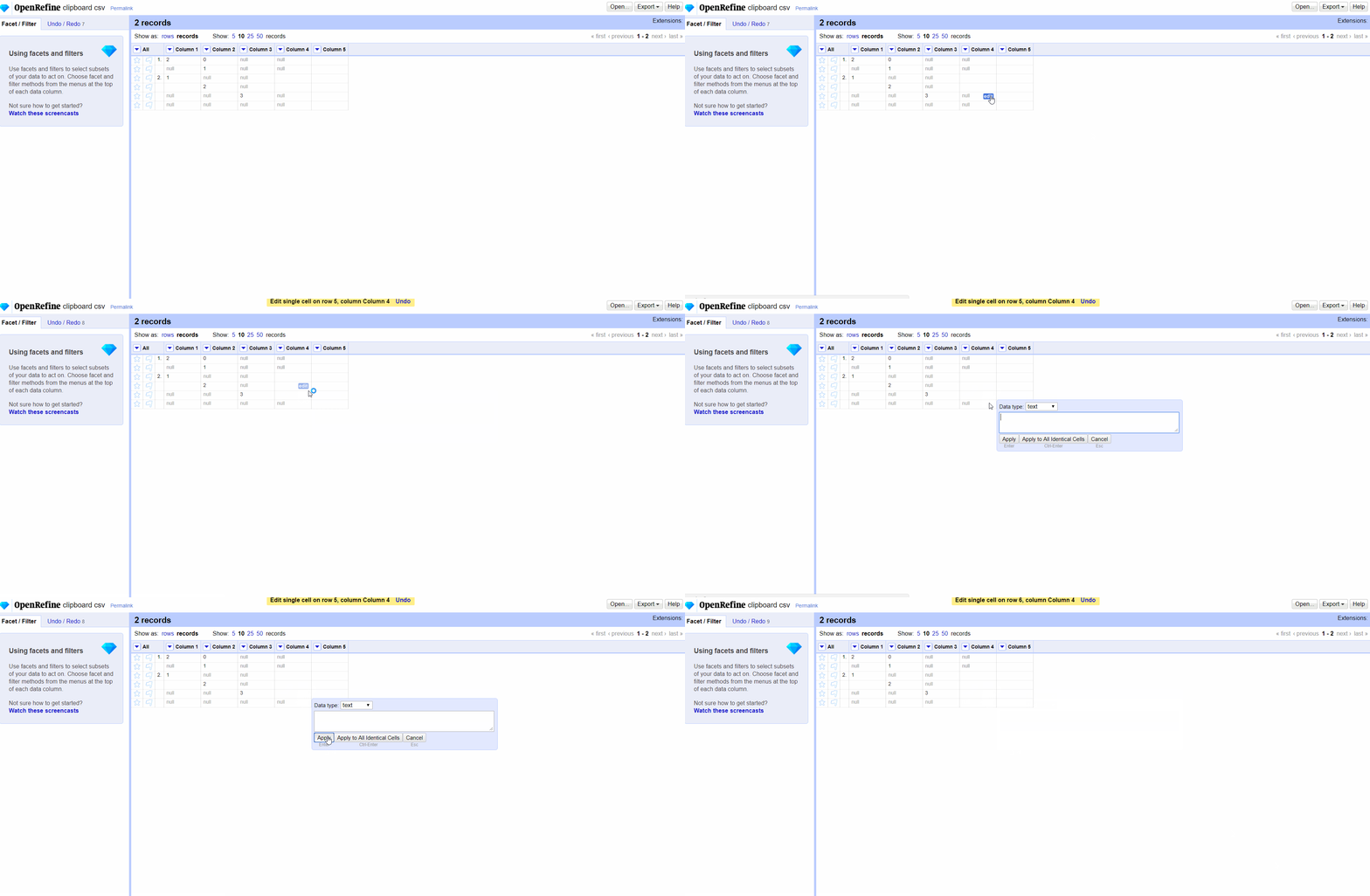
@ostephens I also feel that there is way to make big mistakes by merging the two, but the nuance seems very subtle. Based on your PR, if I manually edit a cell, even if I do nothing, the null becomes an empty string. It's hard enough to justify intellectually.
ettorerizza
on 17 Mar 2018
Agree it’s subtle :)
I’d say that behaviour you illustrate is correct- but what is missing is the option to set ‘null’ when you manually edit a cell !
ostephens
on 17 Mar 2018
I'm reading Thad's explanation, which I had not seen last month.
ettorerizza
on 17 Mar 2018
Ok, I understand better the need to keep a distinction between null and empty string. As a user, I have no problem with "do more work to take care of NULL" myself. But perhaps we can leave this choice to the user by adding an option "treat null values as empty strings/null" when importing a file (basically, it would be a "transform all" -> coalesce(value, "")). Similarly, it should be possible to choose how to treat nulls in a Custom tabular export and before exporting in data package. I'm afraid that the final operation "transform all -> coalesce(value, "INVALID"), for example, is not easy to understand for everyone (coalesce is part of standard SQL, but it's not in SQL 101 courses)
ettorerizza
on 17 Mar 2018
Fixed by #1544
ostephens
on 21 Mar 2018
Related issues
 thadguidry
·
3Comments
thadguidry
·
3Comments
 katrinleinweber
·
3Comments
katrinleinweber
·
3Comments
 lapoisse
·
3Comments
lapoisse
·
3Comments
 antoine2711
·
3Comments
ettorerizza
·
3Comments
antoine2711
·
3Comments
ettorerizza
·
3Comments
Most helpful comment
Would it make sense to be able to enable/disable displaying this? I think that is quite a big visual change that might not be of everyone's taste… (incidentally it would mean that I need to shoot again all the screenshots for the docs of the wikidata extension ^^)