Openrazer: Viper Ultimate Wireless not correctly detected in wireless mode
Distribution
Xubuntu 20.04
Support
- [x] Have you tried rebooting?
- [x] Have you looked at the Troubleshooting page?
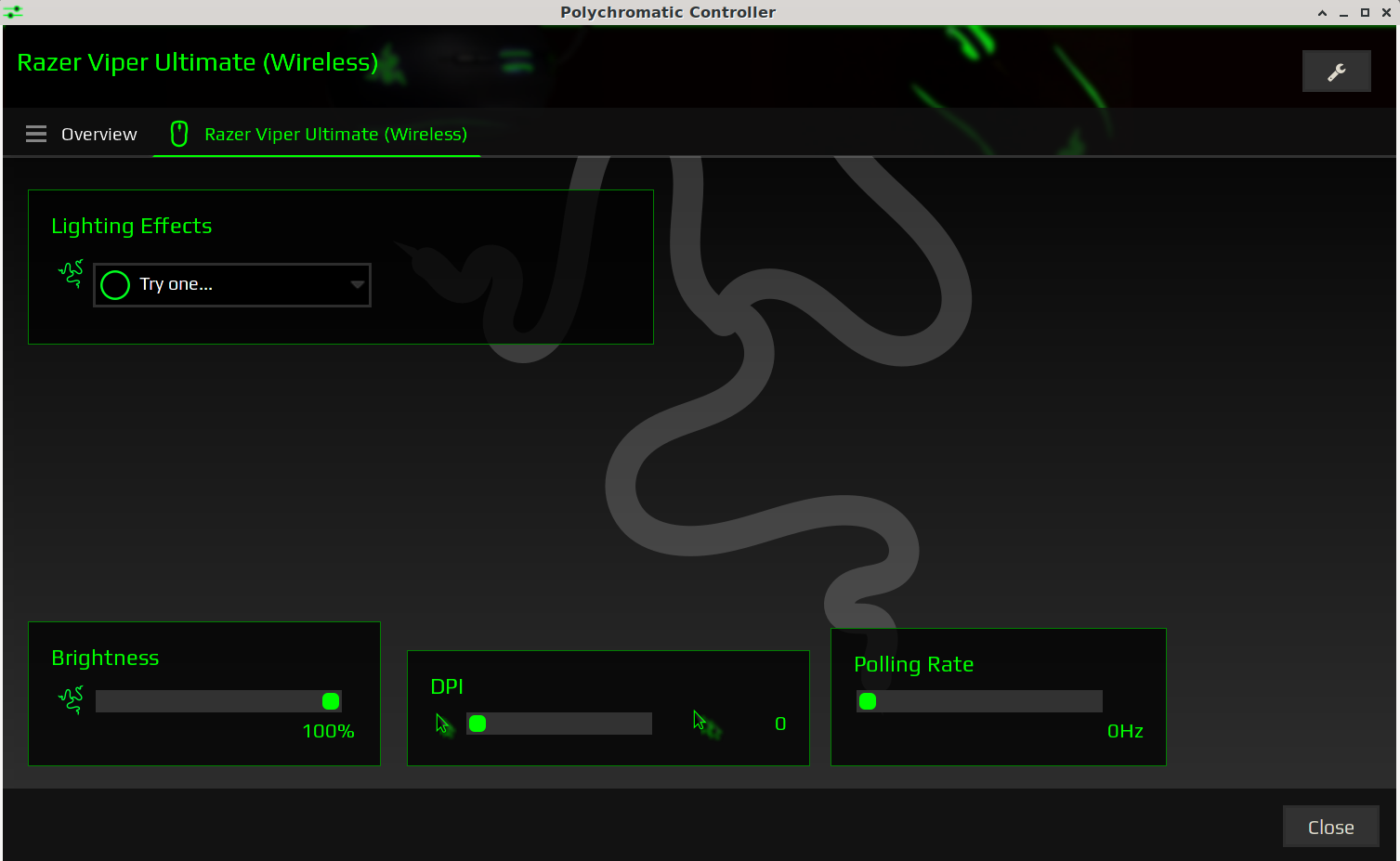
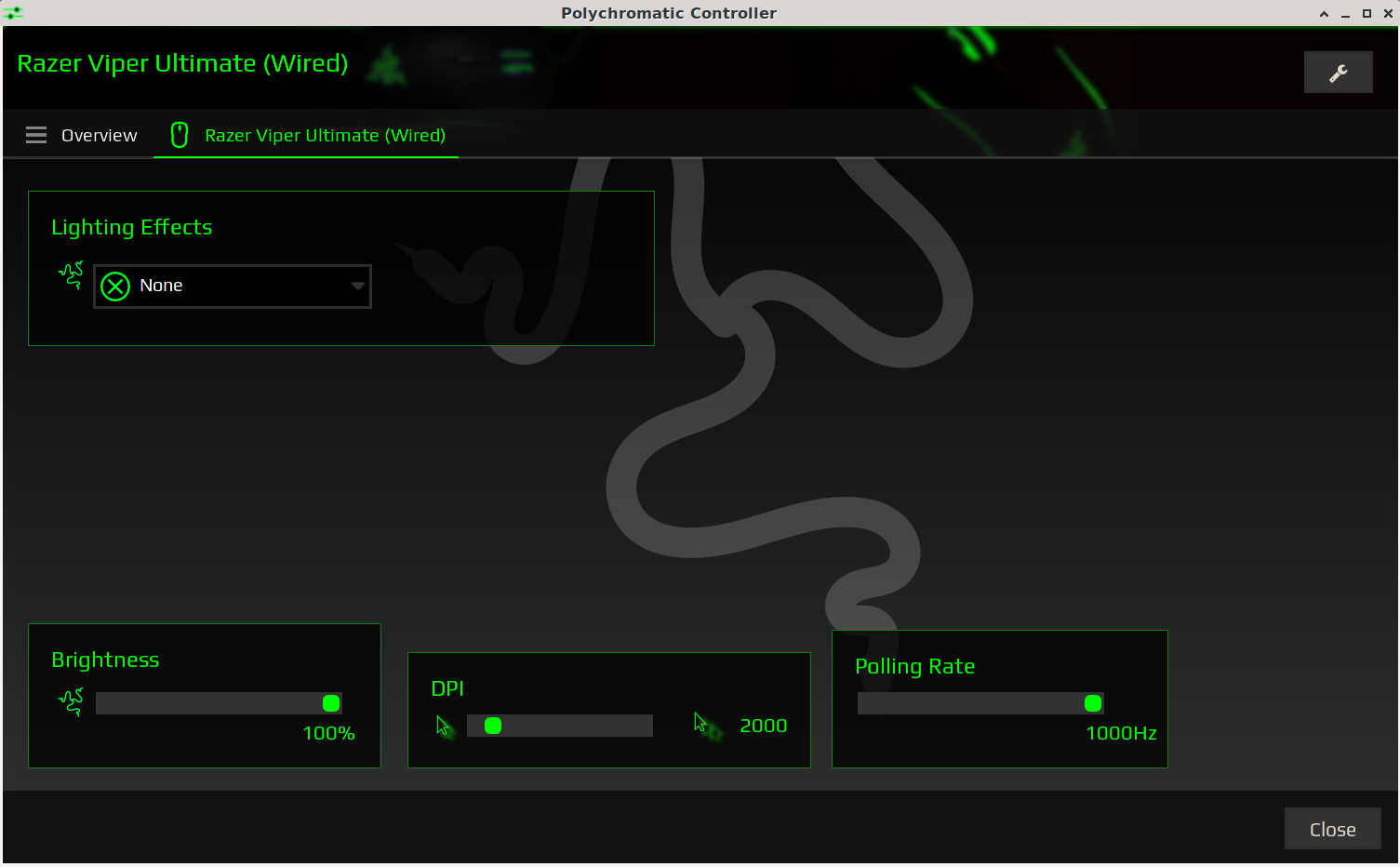
I've installed 2.8.0 and I tried with Polychromatic 0.3.12-stable and Razergenie 0.8.1 with the same result. My Viper Ultimate Wireless is correctly detected and the settings are read correctly only if connected with USB cable, while it is not with the dongle in wireless mode.
Wireless mode

Wired mode

 ddavini
All 6 comments
Please see #1164. Testing and an idea of what the appropriate timing values need to be set at would be great :)
 nightsky30
on 29 Aug 2020
nightsky30
on 29 Aug 2020
No problem, I'll see what I can do. I have a Windows 7 VM somewhere, I don't know if razer stuff works still on 7 but I'll give it a try.
ddavini
on 30 Aug 2020
The RAZER_NEW_MOUSE_RECEIVER values seem to be working fine for me:
static int razer_get_report(struct usb_device *usb_dev, struct razer_report *request_report, struct razer_report *response_report)
{
    switch (usb_dev->descriptor.idProduct) {
    // These devices require longer waits to read their firmware, serial, and other setting values
    case USB_DEVICE_ID_RAZER_LANCEHEAD_WIRELESS_RECEIVER:
    case USB_DEVICE_ID_RAZER_LANCEHEAD_WIRELESS_WIRED:
    case USB_DEVICE_ID_RAZER_MAMBA_WIRELESS_RECEIVER:
    case USB_DEVICE_ID_RAZER_MAMBA_WIRELESS_WIRED:
        return razer_get_usb_response(usb_dev, 0x00, request_report, 0x00, response_report, RAZER_NEW_MOUSE_RECEIVER_WAIT_MIN_US, RAZER_NEW_MOUSE_RECEIVER_WAIT_MAX_US);
        break;
    case USB_DEVICE_ID_RAZER_VIPER_ULTIMATE_WIRED:
    case USB_DEVICE_ID_RAZER_VIPER_ULTIMATE_WIRELESS:
        return razer_get_usb_response(usb_dev, 0x00, request_report, 0x00, response_report, RAZER_NEW_MOUSE_RECEIVER_WAIT_MIN_US, RAZER_NEW_MOUSE_RECEIVER_WAIT_MAX_US);
        break;
    default:
        return razer_get_usb_response(usb_dev, 0x00, request_report, 0x00, response_report, RAZER_MOUSE_WAIT_MIN_US, RAZER_MOUSE_WAIT_MAX_US);
    }
}
It's working well enough for me, but I can set up a Windows VM and sniff the response times if you think it's worth it.
Thanks for your help!
ddavini
on 30 Aug 2020
Hi, I wanted to add that with RAZER_NEW_MOUSE_RECEIVER, sometimes, right after the system starts Polychromatic Tray Applet shows the wrong DPI value, something like 54000 (LOL :)). If you refresh with Refresh Device List it gets it right all the times, so far anyway. So now I decided to try:
- 33000 Max
- 31000 Min
Was still happening with 32000 Max.
Also I don't think that such high values are necessary when the device is in wired mode. But I just did a quick test, I don't use my mouse that way.
I wonder if it happens with other wireless mice too. Anyway, I'll test it for a while and let you know.
ddavini
on 6 Sep 2020
Okay, I got bored of tip toeing into it and I cranked it up to 60000. Now it happens very rarely but it still happens. I mean, it happened once after I repeatedly restarted the daemon.
I also noticed that in Polychromatic the battery is always 100% even though it says otherwise when you restart the daemon from the tray applet.
Would it be possible to have the values configurable in a config file?
ddavini
on 8 Sep 2020
One more thing then I'll disappear.
On my system RAZER_VIPER_MOUSE_RECEIVER_WAIT_MIN_US 30000 and RAZER_VIPER_MOUSE_RECEIVER_WAIT_MAX_US 60000 makes it definitely more reliable with no evident side effects.
ddavini
on 8 Sep 2020
Related issues
 keponk
·
3Comments
keponk
·
3Comments
 LeithalWeapon
·
7Comments
LeithalWeapon
·
7Comments
 ghost
·
5Comments
ghost
·
5Comments
 joecatarata
·
7Comments
joecatarata
·
7Comments
 auipga
·
8Comments
auipga
·
8Comments