Openpose: Cannot create Cublas handle. Cublas won't be available.
#
Highly recommend you to read the following blog first, which records the whole process from "git clone" till now. It'll be helpful for you to understand my situation. :)
Here's my blog:
http://www.cnblogs.com/QingHuan/p/7270264.html
You can use the Google translation to trans it from Chinese to English.
And I'm a student from China, may be it's a little weird of my English. Hope you can forgive about this.
I want you to know that I have carefully read each issue related to my question. Thank you!
About the running environment
The latest clone of openpose
Issue summary
When running the example command of openpose, the problem occured.
I have made Caffe and Openpose successfully as the installation instruction.
The problem occured when I want to run the Quick Start.
Here's the command from Quick Start:
./build/examples/openpose/openpose.bin --image_dir examples/media/
Executed command (if any)
Note: add --logging_level 0 to get higher debug information.
./build/examples/openpose/openpose.bin --image_dir examples/media/
From: https://github.com/CMU-Perceptual-Computing-Lab/openpose/blob/master/doc/installation.md
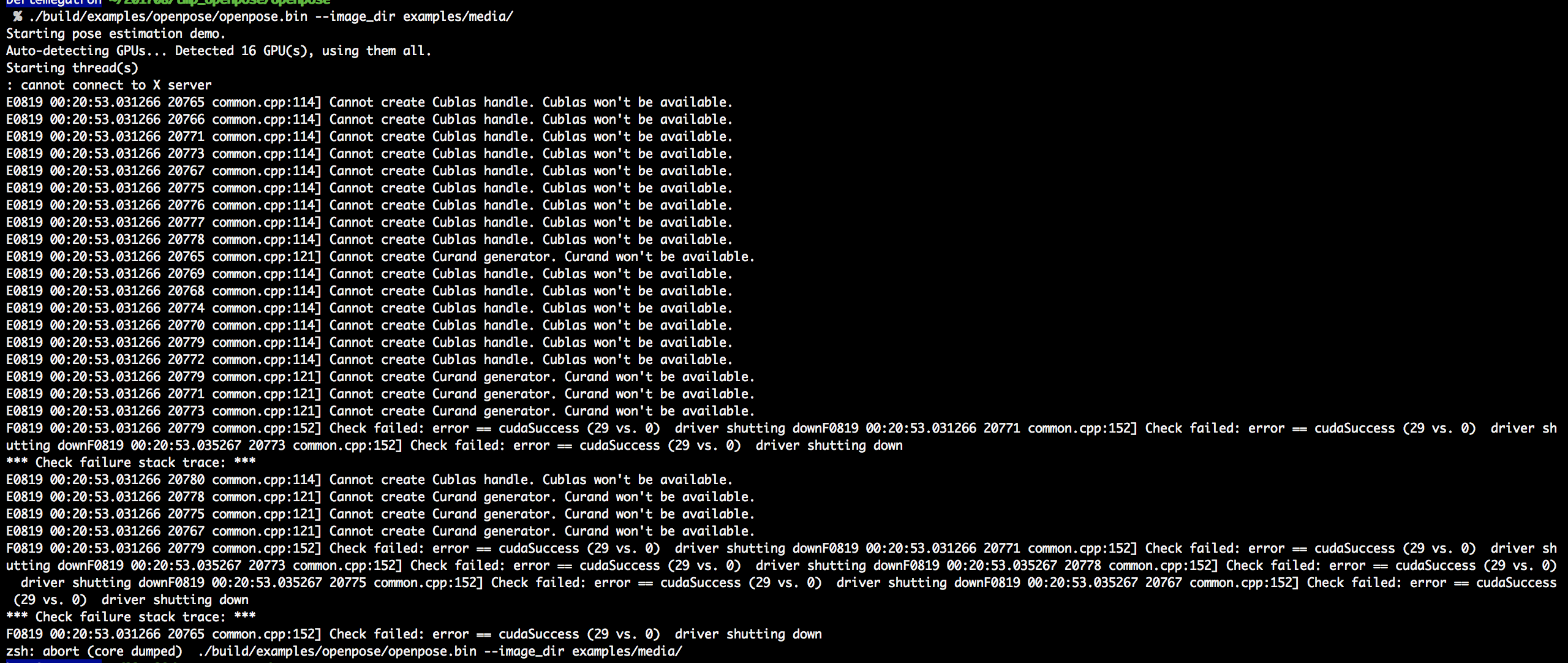
OpenPose output (if any)
You can click on the image and get a clearer one.
Here's the problem (without add --logging_level 0):
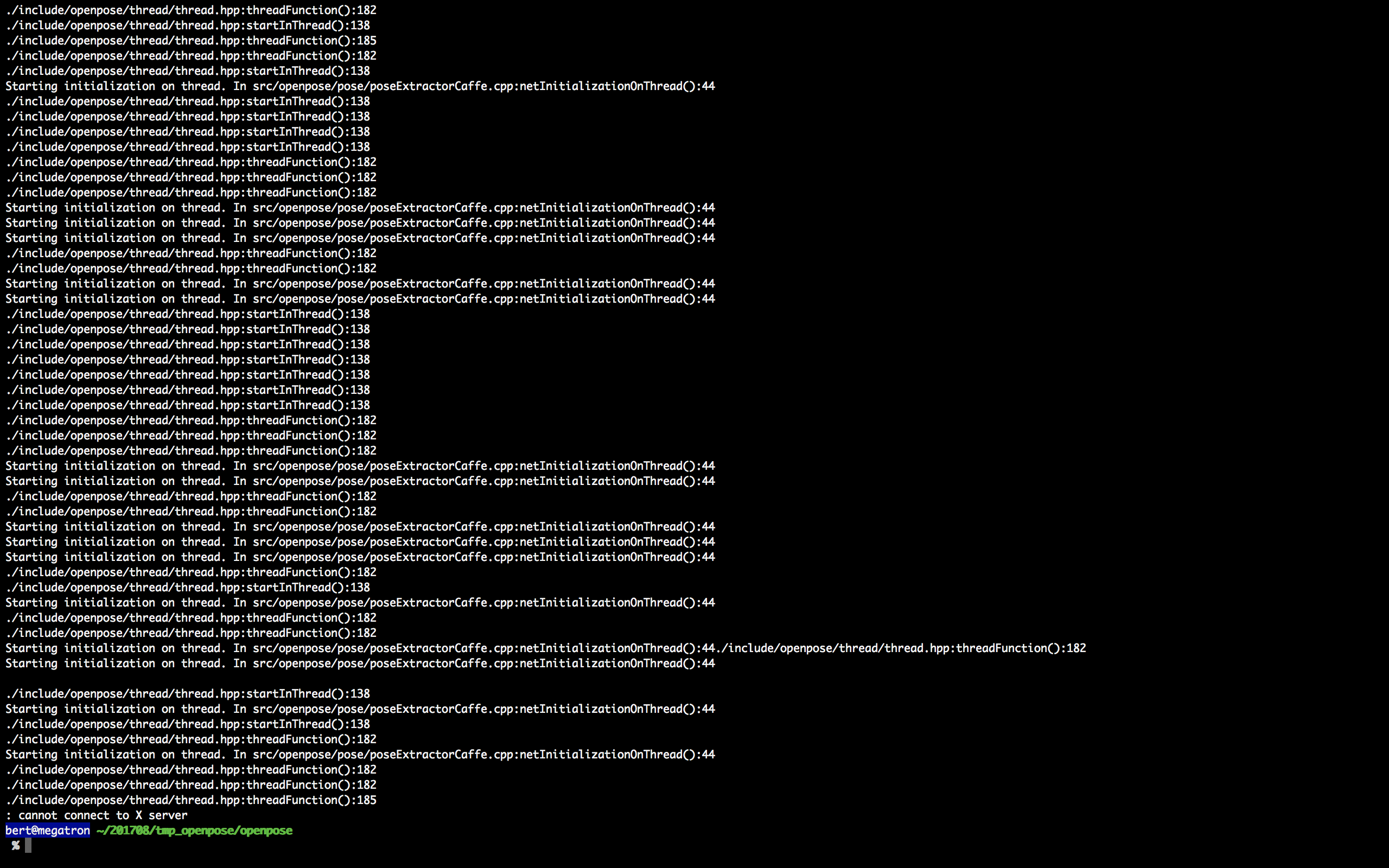
Here's the problem (after add --logging_level 0):
Type of issue
You might select multiple topics, delete the rest:
- Execution error
- Help wanted
Your system configuration
Operating system (lsb_release -a in Ubuntu): Ubuntu 16.04 LTS
CUDA version (cat /usr/local/cuda/version.txt in most cases):Cuda8
cuDNN version: 5.1.5
GPU model (nvidia-smi in Ubuntu):
| 2 Tesla K80 On | 0000:0A:00.0 Off | 0 |
| N/A 36C P8 25W / 149W | 2MiB / 11439MiB | 0% Default |
+-------------------------------+----------------------+----------------------+
| 3 Tesla K80 On | 0000:0B:00.0 Off | 0 |
| N/A 35C P8 29W / 149W | 2MiB / 11439MiB | 0% Default |
+-------------------------------+----------------------+----------------------+
| 4 Tesla K80 On | 0000:10:00.0 Off | 0 |
| N/A 25C P8 27W / 149W | 2MiB / 11439MiB | 0% Default |
+-------------------------------+----------------------+----------------------+
| 5 Tesla K80 On | 0000:11:00.0 Off | 0 |
| N/A 53C P0 149W / 149W | 7721MiB / 11439MiB | 99% Default |
+-------------------------------+----------------------+----------------------+
| 6 Tesla K80 On | 0000:14:00.0 Off | 0 |
| N/A 26C P8 28W / 149W | 2MiB / 11439MiB | 0% Default |
+-------------------------------+----------------------+----------------------+
| 7 Tesla K80 On | 0000:15:00.0 Off | 0 |
| N/A 61C P0 121W / 149W | 10480MiB / 11439MiB | 99% Default |
+-------------------------------+----------------------+----------------------+
| 8 Tesla K80 On | 0000:85:00.0 Off | 0 |
| N/A 54C P0 144W / 149W | 10480MiB / 11439MiB | 99% Default |
+-------------------------------+----------------------+----------------------+
| 9 Tesla K80 On | 0000:86:00.0 Off | 0 |
| N/A 30C P8 29W / 149W | 2MiB / 11439MiB | 0% Default |
+-------------------------------+----------------------+----------------------+
| 10 Tesla K80 On | 0000:89:00.0 Off | 0 |
| N/A 54C P0 144W / 149W | 11354MiB / 11439MiB | 92% Default |
+-------------------------------+----------------------+----------------------+
| 11 Tesla K80 On | 0000:8A:00.0 Off | 0 |
| N/A 33C P8 30W / 149W | 2MiB / 11439MiB | 0% Default |
+-------------------------------+----------------------+----------------------+
| 12 Tesla K80 On | 0000:8F:00.0 Off | 0 |
| N/A 26C P8 26W / 149W | 2MiB / 11439MiB | 0% Default |
+-------------------------------+----------------------+----------------------+
| 13 Tesla K80 On | 0000:90:00.0 Off | 0 |
| N/A 31C P8 28W / 149W | 2MiB / 11439MiB | 0% Default |
+-------------------------------+----------------------+----------------------+
| 14 Tesla K80 On | 0000:93:00.0 Off | 0 |
| N/A 27C P8 25W / 149W | 2MiB / 11439MiB | 0% Default |
+-------------------------------+----------------------+----------------------+
| 15 Tesla K80 On | 0000:94:00.0 Off | 0 |
| N/A 31C P8 29W / 149W | 2MiB / 11439MiB | 0% Default |
+-------------------------------+----------------------+----------------------+
+-----------------------------------------------------------------------------+
| Processes: GPU Memory |
| GPU PID Type Process name Usage |
|=============================================================================|
| 0 13414 C python 140MiB |
| 0 13903 C python 140MiB |
| 5 13903 C python 7715MiB |
| 7 27044 C python 10472MiB |
| 8 27882 C python 10472MiB |
| 10 13414 C python 11346MiB |
+-----------------------------------------------------------------------------+
Caffe version: Default from OpenPose
OpenCV version: installed OpenCV 2.4.13
Generation mode (only for Ubuntu): Makefile + Makefile.config (default, Ubuntu)
Compiler (gcc --version in Ubuntu):5.4.0
Thank you sincerely!
 zhixuanli
All 3 comments
According to https://askubuntu.com/questions/571116/cannot-connect-to-x-server-error
Add "export DISPLAY=your ip:0.0" in ~/.bashrc, source ~/.bashrc (ip is your host IP, where you wanna display plots or things like that. If you are using Windows, cmd-ipconfig, find your IP).
, the problem of "cannot connect to X server" is fixed and a new problem occurred as follow:
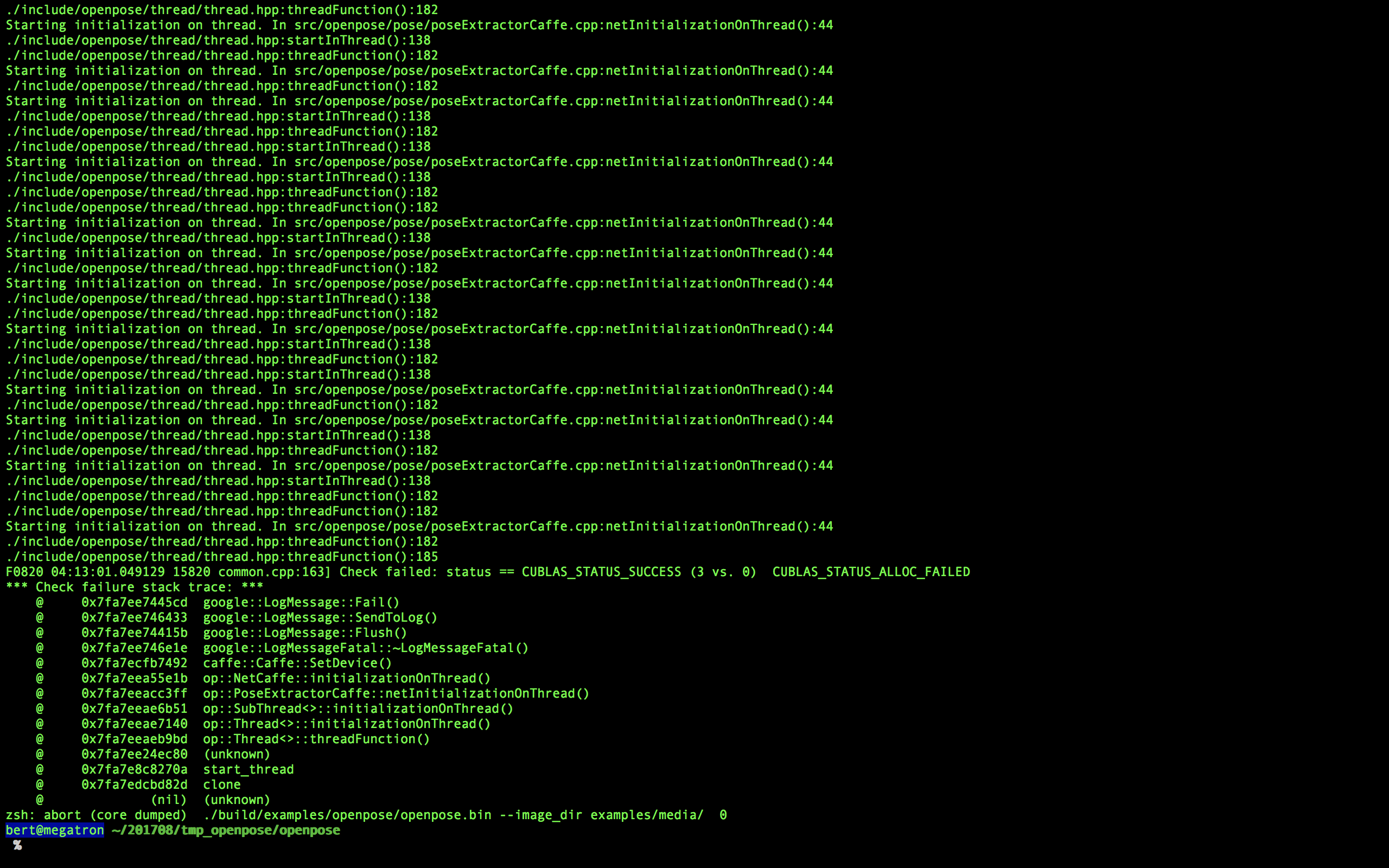
I can't find the resolution on the web, hope you can help me, thanks a lot!
zhixuanli
on 4 Aug 2017
After discussion with a Phd, I get the correct result finally.
For the "CUBLAS_STATUS_ALLOC_FAILED" problem, it's because the demo wants to use all visible devices and thus caused crash.
So here we can use this command
% CUDA_VISIBLE_DEVICES=2 ./build/examples/openpose/openpose.bin --net_resolution "160x80" --video examples/media/video.avi
to restrict the devices to be used.
Attention for OS X users:
For the shell of OS X is not convenient to display the window of the remote server and you have to download a specify software to connect the X server,
it's highly recommend for you to use MobaXterm in WIN10. The X server can be connected automatically.
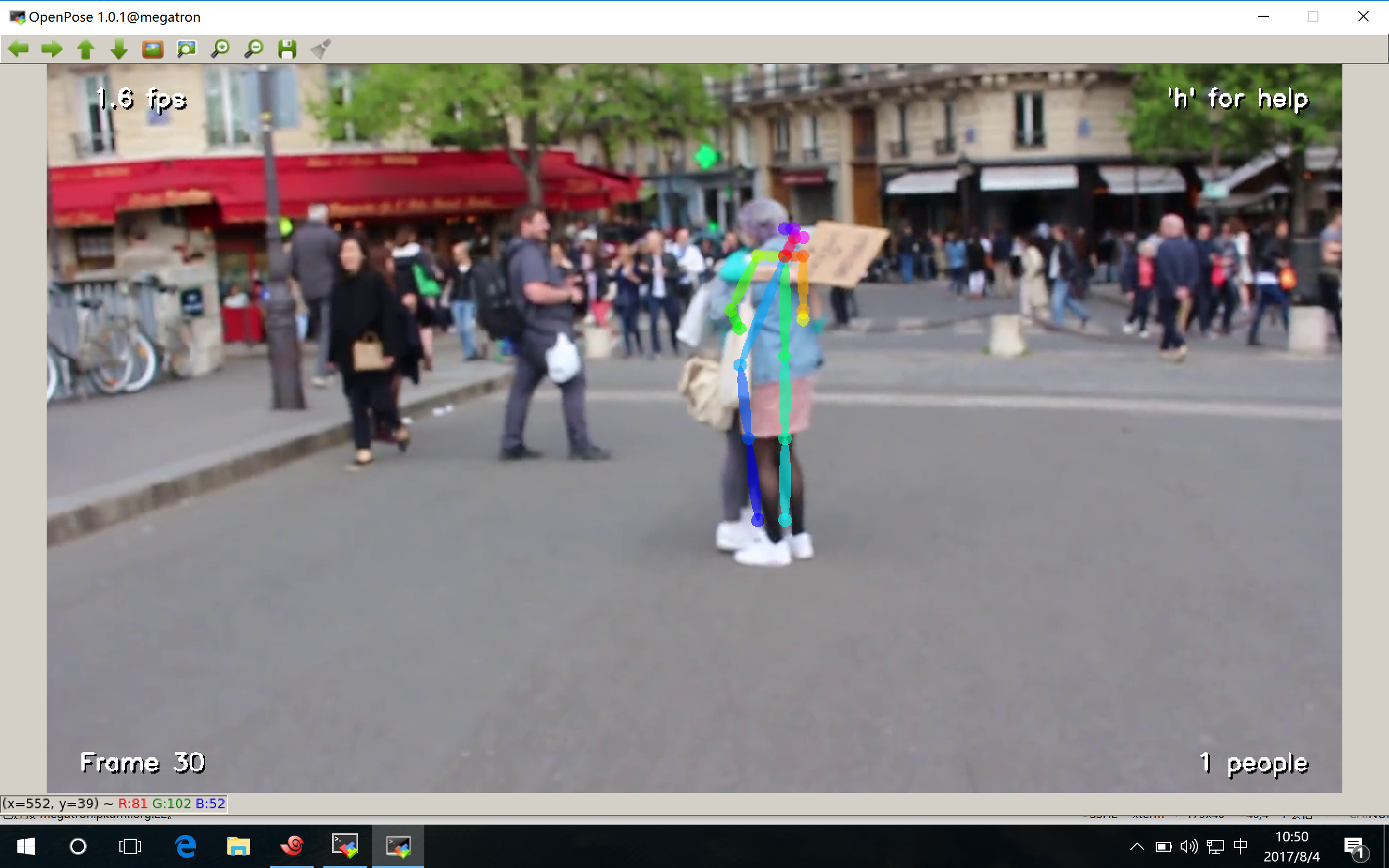
Here's the result:
zhixuanli
on 4 Aug 2017
Before closing the discussion,
I want you to know that the whole process of doing this experiment is recorded in my blog.
And may be it will help you in some way.
http://www.cnblogs.com/QingHuan/p/7270264.html
It's wrote in Chinese and you can translate it using GOOGLE.
Thank you every one!
zhixuanli
on 4 Aug 2017
Related issues
 Hunkzer
·
3Comments
Hunkzer
·
3Comments
 bowrian
·
3Comments
bowrian
·
3Comments
 shiangyoung
·
5Comments
shiangyoung
·
5Comments
 Bardo91
·
3Comments
Bardo91
·
3Comments
 jerry7767
·
3Comments
jerry7767
·
3Comments
Most helpful comment
After discussion with a Phd, I get the correct result finally.
For the "CUBLAS_STATUS_ALLOC_FAILED" problem, it's because the demo wants to use all visible devices and thus caused crash.
So here we can use this command
% CUDA_VISIBLE_DEVICES=2 ./build/examples/openpose/openpose.bin --net_resolution "160x80" --video examples/media/video.avito restrict the devices to be used.
Attention for OS X users:
For the shell of OS X is not convenient to display the window of the remote server and you have to download a specify software to connect the X server,

it's highly recommend for you to use MobaXterm in WIN10. The X server can be connected automatically.
Here's the result: