Openlibrary: Carousels no longer show titles and authors for items without covers (Regression)
Description
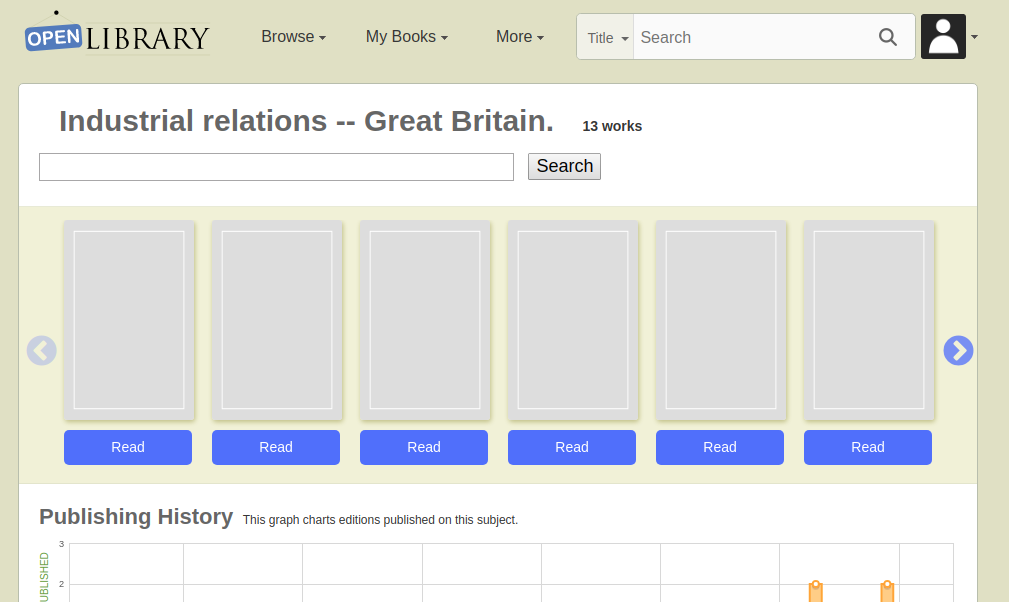
Example URL https://openlibrary.org/subjects/industrial_relations_--_great_britain.
For editions withotu covers, it is impossible to tell what the book is without mouse hovering on any carousel , e.g. Subject carousels, and the 'You might also like' ones.
Evidence / Screenshot (if possible)
Relevant url?
Expectation
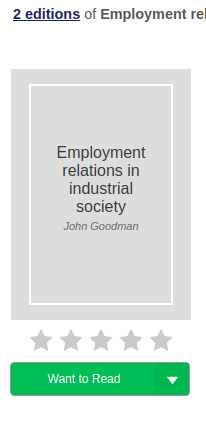
The title and author should be shown for books without cover images, similar to how the cover is displayed on the editions details page:
https://openlibrary.org/books/OL22368042M/Employment_relations_in_industrial_society
Details
- Logged in (Y/N)?
- Browser type/version?
- Operating system?
Proposal & Constraints
Stakeholders
@jdlrobson
@tabshaikh ?
@mekarpeles ?
 hornc
hornc
All 14 comments
And, of course, hovers aren't really a thing on touch screens making it doubly frustrating for mobile users.
 tfmorris
on 31 Jul 2019
tfmorris
on 31 Jul 2019
Yeh this seems like a big design flaw. It's always been this way though... right?
 jdlrobson
on 1 Aug 2019
jdlrobson
on 1 Aug 2019
To achieve
https://openlibrary.org/books/OL22368042M/Employment_relations_in_industrial_society
This would be an exercise in breaking down the Book cover component:
https://github.com/internetarchive/openlibrary/wiki/Design-Pattern-Library#book
static/css/components/book.less
and consolidating with the undocumented illustration component with:
static/css/components/illustration.less
I'd hope any refactor here would result in less code.
This is quite a bit of work, that I can't commit to right now. It's important work, but given this has been the case for some time (not a regression) I've dropped the priority.
jdlrobson
on 16 Aug 2019
@jdlrobson I'm pretty sure this is a regression, I'm not sure when it was introduced though.
hornc
on 23 Aug 2019
I think this was introduced when we switched to slick for our carousels.
 cdrini
on 23 Aug 2019
cdrini
on 23 Aug 2019
I agree that it's a regression, but don't have any insight into what front-end change it's correlated with.
tfmorris
on 23 Aug 2019
This does not appear to be regression (unless by regression we mean prior to 2015).
Wayback machine shows me this has been the case when we used jCarousel back in 2015 - you've always had to rely on the image cover and the tooltip.
Evidence:
https://web.archive.org/web/20150404173231/https://openlibrary.org/subjects/romance
That said, this is a design flaw and it also impacts the home page. I just am not sure how to solve it without showing the labels on all carousels and dealing with the problem of long titles. Personally I'm not a fan of the carousel design pattern and would want to see us do #2160 before continuing to invest in it.
jdlrobson
on 28 Aug 2019
I think your proposed fix sounds reasonable. Consolidate the templates and use the same logic as on the work's page (if it has a cover, display it; if it doesn't, display the title/author).
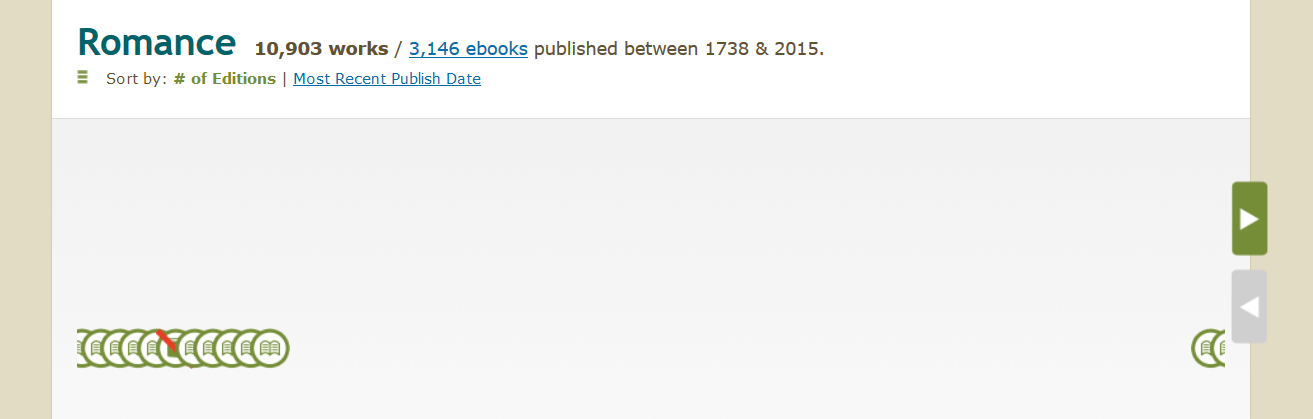
Note the wayback link shows the case from _broken_ image links; the discussion here is for when the book simply doesn't have an associated cover.
cdrini
on 29 Aug 2019
(Note this is what I'm seeing on that wbm link:)
cdrini
on 29 Aug 2019
While doing some code archaeology, I've found some dead (brittle) code that probably relates to this. I'll see if I can restore it at some point in the future. Seems if a cover was absent we'd hide the cover via JS and reveal a hidden blank cover element instead. Since we've moved to Slick none of these templates are active.
export function bookCovers(){
    $('img.cover').error(function(){
        $(this).closest('.SRPCover').hide();
        $(this).closest('.coverMagic').find('.SRPCoverBlank').show();
    });
}
    <div class="SRPCoverBlank">
        <div class="innerBorder">
            <div class="BookTitle">$:macros.TruncateString(title, 70)
                <div class="Author">$:macros.TruncateString(author_names, 30)</div>
            </div>
        </div>
    </div>
Let's fix this as part of #2084
jdlrobson
on 11 Oct 2019
I think this should be solved separately regardless of the decision on #2084 ; displaying "blank" covers isn't useful. (I'm also personally not completely sold on the proposal on #2084 as it stands.)
cdrini
on 12 Oct 2019
I was a little confused by the context for reopening. After investigating this some more I assume this relates to the slack conversation between @mekarpeles and Brittany. For those who missed it, apparently this fix is not applying to:
https://openlibrary.org/subjects/in_library#ebooks=true&sort=edition_count
when you click right arrow.
The carousel item is rendered on the server side so this is likely an issue in the template.
div class="book carousel__item">
  <div class="book-cover">
    <a href="/works/OL55532W">
      <img class="bookcover" loading="lazy"
        width="130" height="200"
        title="The three sisters by Anton Pavlovich Chekhov"
        data-lazy="//covers.openlibrary.org/b/ia/t-M.jpg?default=https://openlibrary.org/images/icons/avatar_book.png"/>
    </a>
  </div>
  <div class="book-cta"><a class="cta-btn cta-btn--available borrow-link" href="/borrow/ia/threesistersdram00chek?ref=ol" data-ol-link-track="subjects" title="Borrow The three sisters"
    data-key="subjects" data-ocaid="threesistersdram00chek">Borrow</a></div>
</div>
I suspect it only applies to carousel items which mark their images as lazy loaded.
I suspect this templating code would benefit from some refactoring as part of this fix. The very fact that there is a different code path for lazy loaded items is a bad code smell! :)
jdlrobson
on 18 Apr 2020
After some investigation @mekarpeles this bug has nothing to do with the new issue. I've raised #3393 to describe it better.
jdlrobson
on 22 Apr 2020
Related issues
 BrittanyBunk
·
4Comments
cdrini
·
5Comments
jdlrobson
·
5Comments
cdrini
·
5Comments
BrittanyBunk
·
4Comments
cdrini
·
5Comments
jdlrobson
·
5Comments
cdrini
·
5Comments
 bitnapper
·
4Comments
bitnapper
·
4Comments