Openkore: my openkore startexe run very slow can anyone help?
I have same issue with this one #1634
where my start.exe load very slow while wxstart have normal speed.
I did not understand how to fix it from #1634
this happen when I re install the window
Can someone explain to me please thank
 picolojunior
All 15 comments
this is a perl issue with windows, you can run openkore in powershell window and you will make the perl executable a little bit faster
 alisonrag
on 1 Dec 2018
alisonrag
on 1 Dec 2018
Could you teach me how to run openkore in powershell window, i try to search in google but I don t find the way to do it at all thank man.
picolojunior
on 2 Dec 2018
try these steps , hope it helps
- install
http://strawberryperl.com/download/5.12.3.0/strawberry-perl-5.12.3.0.msi - run perl cmd , and type
ppm install Win32::Console - and type "your openkoredir"openkore.pl
or create a bat file
"C:WindowsSysWOW64cmd.exe /k perl "your openkoredir"openkore.pl "
 hubertyang88
on 2 Dec 2018
hubertyang88
on 2 Dec 2018
@hubertyang88 when type "your openkoredir"openkore.pl it said thesystem can not find the path specific.
When i type "C:WindowsSysWOW64cmd.exe /k perl "your openkoredir"openkore.pl " it said the directory name is invalid. So sad haha
picolojunior
on 2 Dec 2018
"your openkoredir"openkore.pl " it said the directory name is invalid. So sad haha

 Fadreus
on 2 Dec 2018
Fadreus
on 2 Dec 2018



 c4c1n6kr3m1
on 2 Dec 2018
c4c1n6kr3m1
on 2 Dec 2018
1 - go to openkore folder
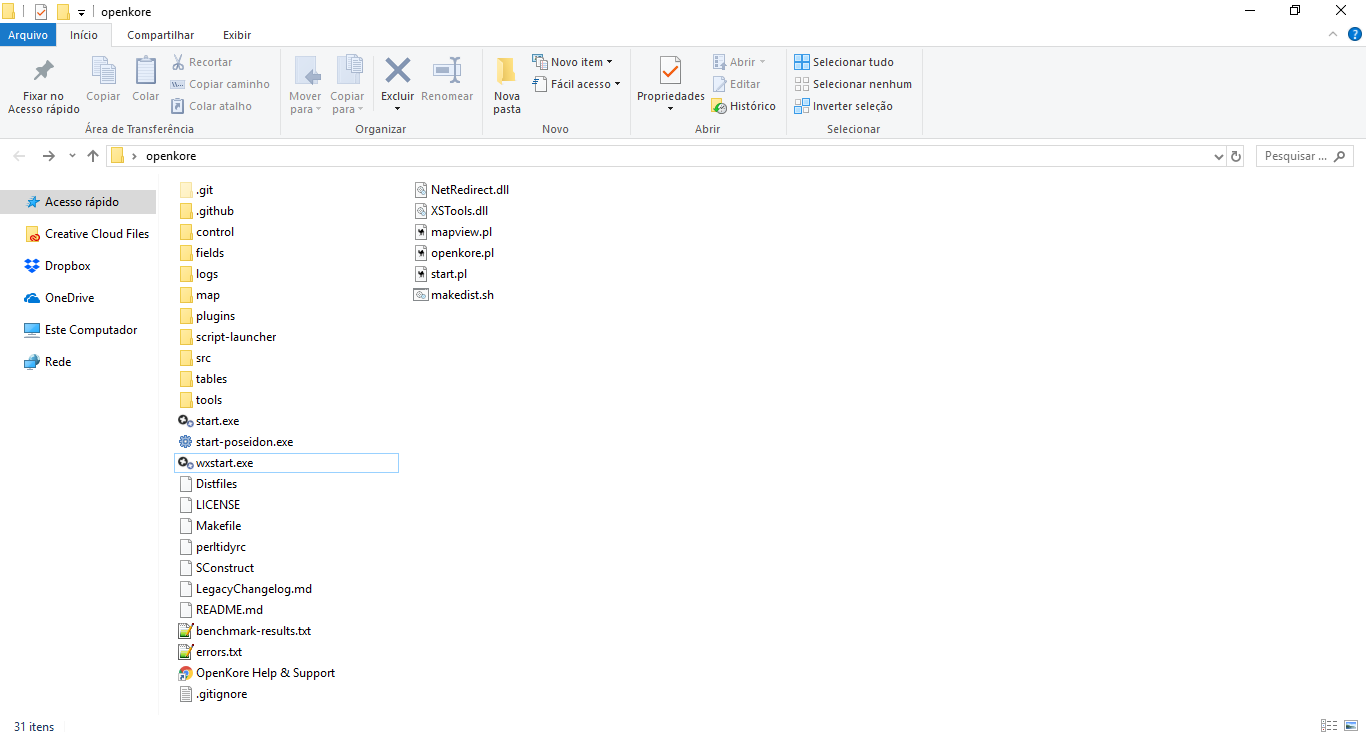
2 - press shift + mouse right buttom
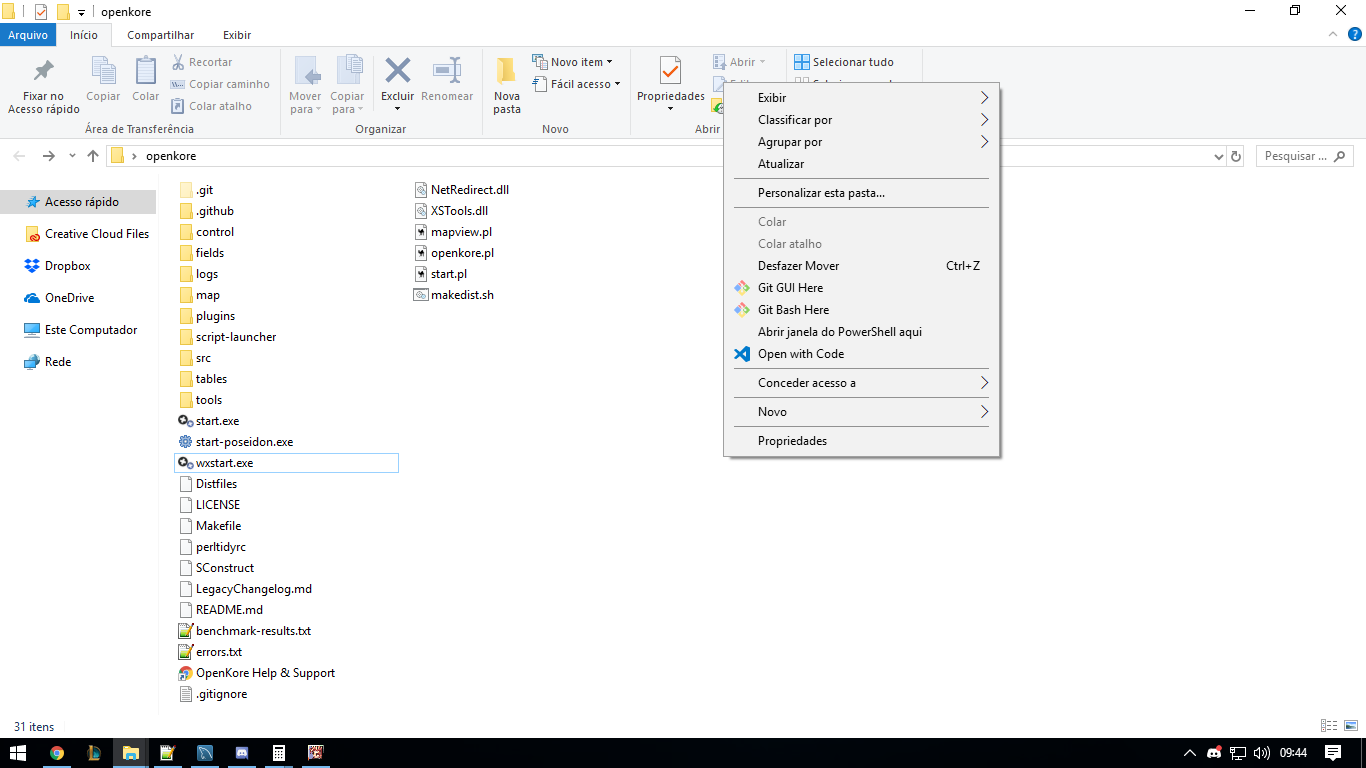
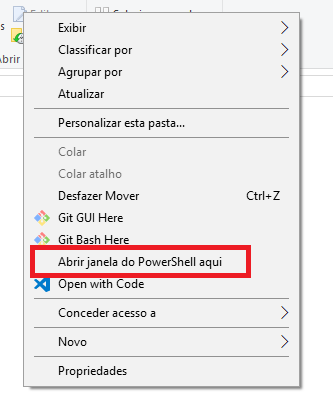
3 - select "open PowerShell here"
4 - type in powershell window: "perl .openkore.pl" and press enter
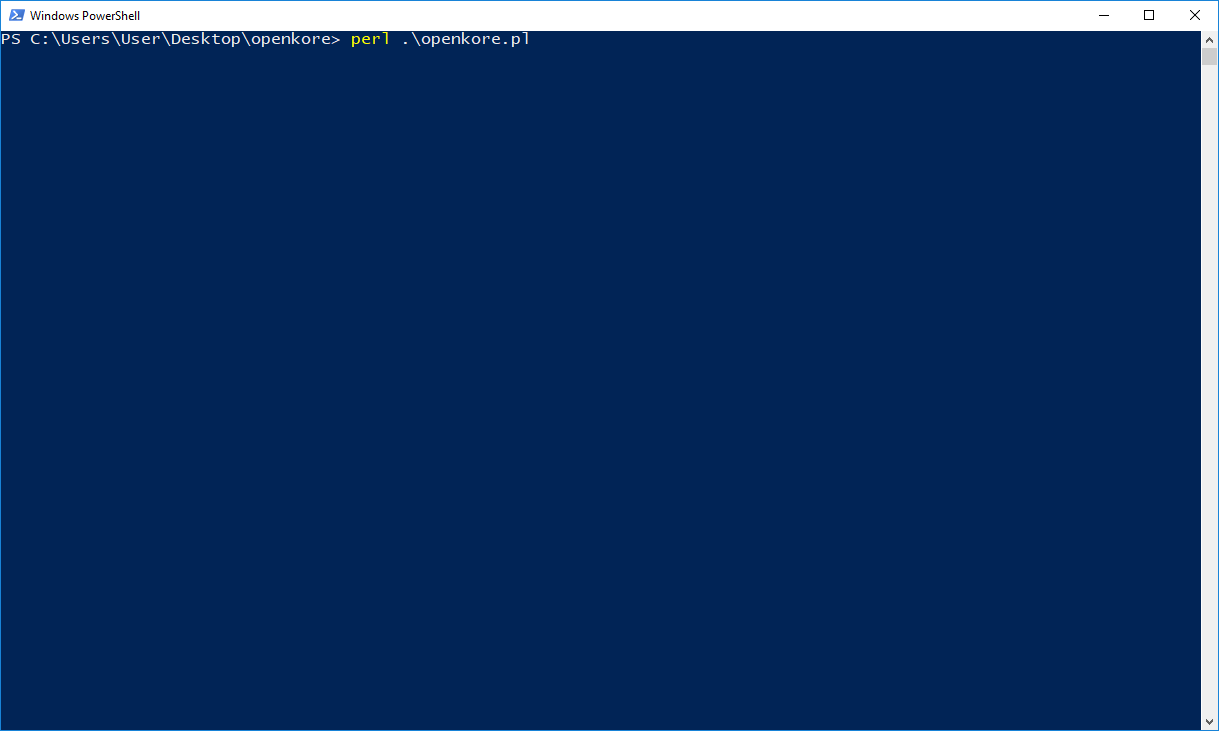
5 - see the magic:

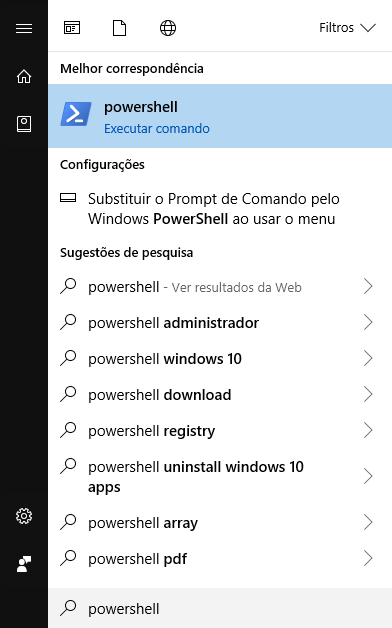
you can try to find for powershell in start menu
alisonrag
on 2 Dec 2018
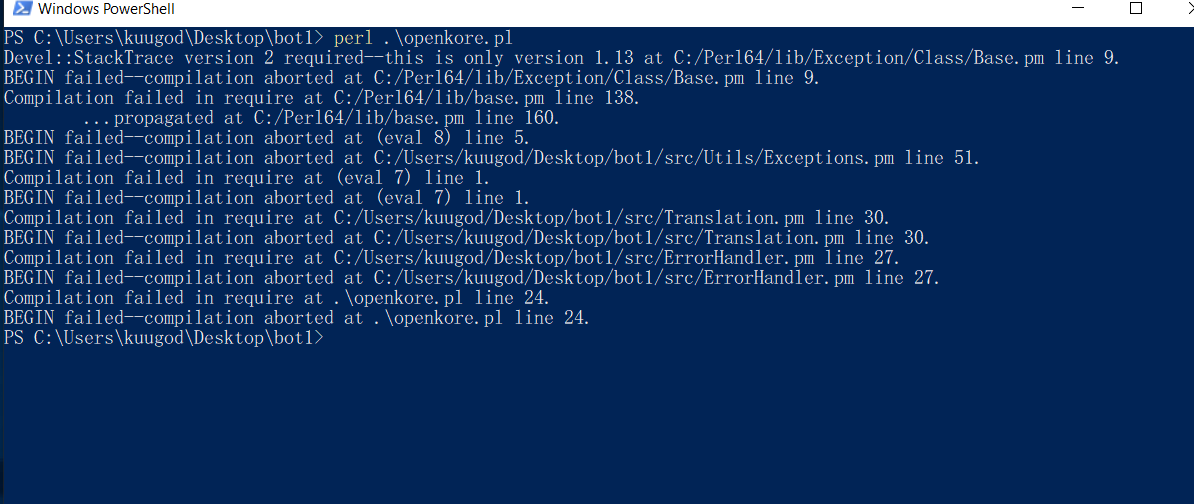
@alisonrag thank for taking your time to help bro but it still not run just wonder what is wrong with my window. Here is the result after I follow your method
picolojunior
on 2 Dec 2018
Thank for helping. I just re install window to 8.1 instead of 10.
Now it run smoothly.
picolojunior
on 2 Dec 2018
Hi, how can I run multiple bot clients using powershell? lets say that my exe name is vendor01 and so on? Thanks!
 bigspender143
on 19 Mar 2019
bigspender143
on 19 Mar 2019
チビすけ
sent me a direct email regarding this issue but its no help. What I'm asking here is running a specific exe on my openkore folder that has a different folder of configuration. Not running the default "wxstart.exe"
bigspender143
on 20 Mar 2019
Any fix around? Got exact same issue after reinstalled my windows.
 Xropsha
on 20 Mar 2019
Xropsha
on 20 Mar 2019
@bigspender143 Try this
C:UsersAdministratorDesktopopenkorewxstart.exe --control=openkoreProfilesvendor1Config
in this example , openkore is in desktop , if your "wxstart.exe" is somewhere else , you should change the path
you also can create shortcut use this
hubertyang88
on 21 Mar 2019
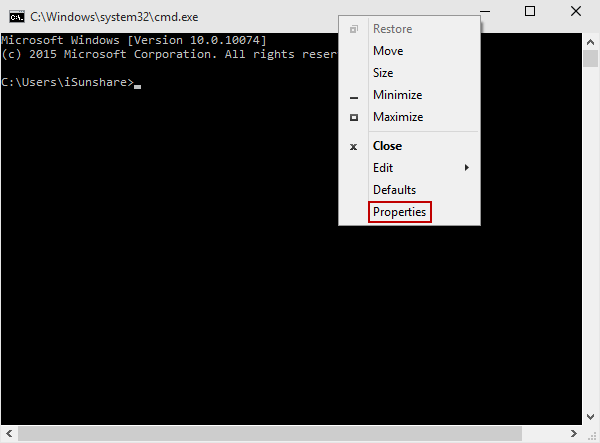
1) just run start.exe
2) Right-click the Title bar and select Properties:
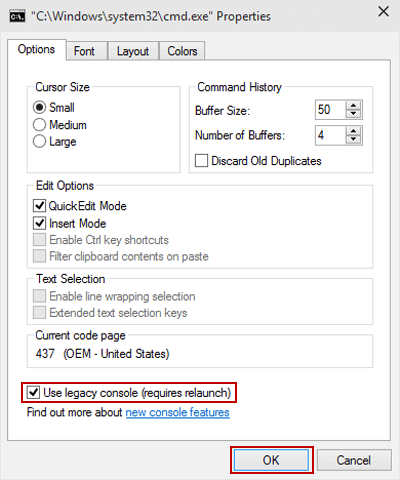
3) In Options, choose Use legacy console (requires relaunch) and tap OK:
 ya4ept
on 16 Jun 2019
ya4ept
on 1 Oct 2019
ya4ept
on 16 Jun 2019
ya4ept
on 1 Oct 2019
Related issues
 Keeynt
·
4Comments
Keeynt
·
4Comments
 ramojskie
·
5Comments
ramojskie
·
5Comments
 Sensuii
·
4Comments
Sensuii
·
4Comments
 ojuniorbezerra
·
4Comments
ojuniorbezerra
·
4Comments
 lututui
·
5Comments
lututui
·
5Comments