Openhab-addons: [gardena] Support for firmware 2.x is lacking in openHAB
Please see this thread https://community.openhab.org/t/gardena-binding-various-problems-errors/93358?u=chthsch where I documented a number of issues regarding the watering_computer in the Gardena binding.
Apologies, that I did not re-document here, what I had documented in the above mentioned thread.
 CHTHSCH
All 237 comments
This is the warning I get
2020-03-15 07:46:28.828 [WARN ] [internal.handler.GardenaThingHandler] - Channel 'gardena:watering_computer:60da5fa7:810c2728-ce1b-4b26-9a4c-68eb24a6e164:outlet#valve_open' cannot be updated as device does not contain property 'outlet:valve_open'
2020-03-15 07:46:28.834 [WARN ] [internal.handler.GardenaThingHandler] - Channel 'gardena:watering_computer:60da5fa7:810c2728-ce1b-4b26-9a4c-68eb24a6e164:outlet#manual_override' cannot be updated as device does not contain property 'outlet:manual_override'
2020-03-15 07:46:28.838 [WARN ] [internal.handler.GardenaThingHandler] - Channel 'gardena:watering_computer:60da5fa7:810c2728-ce1b-4b26-9a4c-68eb24a6e164:outlet#button_manual_override_time' cannot be updated as device does not contain property 'outlet:button_manual_override_time'
2020-03-15 07:46:28.842 [WARN ] [internal.handler.GardenaThingHandler] - Channel 'gardena:watering_computer:60da5fa7:810c2728-ce1b-4b26-9a4c-68eb24a6e164:ambient_temperature#temperature' cannot be updated as device does not contain property 'ambient_temperature:temperature'
2020-03-15 07:46:28.845 [WARN ] [internal.handler.GardenaThingHandler] - Channel 'gardena:watering_computer:60da5fa7:810c2728-ce1b-4b26-9a4c-68eb24a6e164:ambient_temperature#frost_warning' cannot be updated as device does not contain property 'ambient_temperature:frost_warning'
And this is the error, when I try to switch:
2020-03-15 07:48:54.182 [WARN ] [internal.handler.GardenaThingHandler] - Ability 'outlet' not found in device 'Wasserhahn'
org.openhab.binding.gardena.internal.exception.GardenaException: Ability 'outlet' not found in device 'Wasserhahn'
    at org.openhab.binding.gardena.internal.model.Device.getAbility(Device.java:115) ~[bundleFile:?]
    at org.openhab.binding.gardena.internal.GardenaSmartImpl.sendCommand(GardenaSmartImpl.java:331) ~[bundleFile:?]
    at org.openhab.binding.gardena.internal.handler.GardenaThingHandler.handleCommand(GardenaThingHandler.java:228) [bundleFile:?]
    at sun.reflect.GeneratedMethodAccessor139.invoke(Unknown Source) ~[?:?]
    at sun.reflect.DelegatingMethodAccessorImpl.invoke(DelegatingMethodAccessorImpl.java:43) ~[?:1.8.0_222]
    at java.lang.reflect.Method.invoke(Method.java:498) ~[?:1.8.0_222]
    at org.eclipse.smarthome.core.internal.common.AbstractInvocationHandler.invokeDirect(AbstractInvocationHandler.java:152) [bundleFile:?]
    at org.eclipse.smarthome.core.internal.common.InvocationHandlerSync.invoke(InvocationHandlerSync.java:59) [bundleFile:?]
    at com.sun.proxy.$Proxy1783.handleCommand(Unknown Source) [?:?]
    at org.eclipse.smarthome.core.thing.internal.profiles.ProfileCallbackImpl.handleCommand(ProfileCallbackImpl.java:74) [bundleFile:?]
    at org.eclipse.smarthome.core.thing.internal.profiles.SystemDefaultProfile.onCommandFromItem(SystemDefaultProfile.java:48) [bundleFile:?]
    at sun.reflect.NativeMethodAccessorImpl.invoke0(Native Method) ~[?:1.8.0_222]
    at sun.reflect.NativeMethodAccessorImpl.invoke(NativeMethodAccessorImpl.java:62) ~[?:1.8.0_222]
    at sun.reflect.DelegatingMethodAccessorImpl.invoke(DelegatingMethodAccessorImpl.java:43) ~[?:1.8.0_222]
    at java.lang.reflect.Method.invoke(Method.java:498) ~[?:1.8.0_222]
    at org.eclipse.smarthome.core.internal.common.AbstractInvocationHandler.invokeDirect(AbstractInvocationHandler.java:152) [bundleFile:?]
    at org.eclipse.smarthome.core.internal.common.Invocation.call(Invocation.java:52) [bundleFile:?]
    at java.util.concurrent.FutureTask.run(FutureTask.java:266) [?:1.8.0_222]
    at java.util.concurrent.ThreadPoolExecutor.runWorker(ThreadPoolExecutor.java:1149) [?:1.8.0_222]
    at java.util.concurrent.ThreadPoolExecutor$Worker.run(ThreadPoolExecutor.java:624) [?:1.8.0_222]
    at java.lang.Thread.run(Thread.java:748) [?:1.8.0_222]
There seem to be some more changes to the API (speaking of mower here):
Many status informations are not reported anymore (e.g. collisions) and the duration_property is seconds (not minutes now).
 mplutka
on 25 Mar 2020
mplutka
on 25 Mar 2020
@gerrieg Did you already start your spring season and could comment here?
 kaikreuzer
on 25 Mar 2020
kaikreuzer
on 25 Mar 2020
I did firmware updates over the weekend and since then the same problems. I am trying to find out what has changed. Some properties i can receive via the official API (websocket), but some i haven't discovered yet. All in all, it will be a major change in the binding.
Therefore I recommend everyone not to do a firmware update at the moment.
 gerrieg
on 31 Mar 2020
gerrieg
on 31 Mar 2020
Therefore I recommend everyone not to do a firmware update at the moment.
Just a note: I purchased the Gardena system new a few weeks ago. When I installed it, the firmware update started automatically.
CHTHSCH
on 31 Mar 2020
Just a note: I purchased the Gardena system new a few weeks ago. When I installed it, the firmware update started automatically.
Same for me.
Some properties i can receive via the official API (websocket), but some i haven't discovered yet. All in all, it will be a major change in the binding.
I did also some research with the official API via cURL commands. I think the most important props are available (signal level, battery, state) they are available for polling, too. But until now I did not figure out how to use the /command/{serviceId}-Control. I always getting error 401: Error: Unauthorized. Unfortunately this error is not documented.
 andrexp
on 1 Apr 2020
andrexp
on 1 Apr 2020
I think it will be a mix of polling and websocket service. I'm running some tests and I think I have almost all the data now. I still have to check everything and then change the binding accordingly.
gerrieg
on 1 Apr 2020
Hi.
If there is something that requires a polling and can not be received over the websocket - then this probably is a bug. I doubt though that there is something because over the websocket you receive exactly same content as from GET /locations/{locationId}.
About 401 errors: could you provide more details? In particular, I'm concerned about your "-Control" part. Do you really have that in your URL? You shouldn't.
Besides that, pay attention to the content type you are sending, the system is sensitive to that.
All in all, this should be something like the example below. Please note that this is from memory so might be incorrect. I have also just found a bug in our README, we'll fix that ASAP (data must not be an array).
PUT /v1/command/2ea54f47-27ed-48b3-9fad-84bbe8f2277c:1 HTTP/1.1
Host: api.smart.gardena.dev
Content-type: application/vnd.api+json

{
  "data": {
          "type": "VALVE_CONTROL",
          "id": "some-random-id",
          "attributes":
          {
              "command": "START_SECONDS_TO_OVERRIDE",
              "seconds": 60
          }
    }
}
 snakeru
on 3 Apr 2020
snakeru
on 3 Apr 2020
Hey Alexey,
About 401 errors: could you provide more details? In particular, I'm concerned about your "-Control" part. Do you really have that in your URL? You shouldn't.
I just followed the examples in the swagger-tab from the documentation section.
See screenshots below. Maybe I did something wrong?


All other examples (GET locations, websocket etc.) are working properly for me.
andrexp
on 3 Apr 2020
Hi @andrexp.
I do not see Authorization header in your screenshot. Please compare this request to the GET /locations one and add the missing part.
snakeru
on 3 Apr 2020
Hi again,
I do not see Authorization header in your screenshot. Please compare this request to the GET /locations one and add the missing part.
You are absolutely right. But as the example says there is no Authorization header required, i did not try it. Now I am getting code 202 - everything is fine. Maybe you could also correct this issue in the example in future.
andrexp
on 3 Apr 2020
Hi, I have the same issue here after updating the firmware.
I have 2 watering computer at the moment, one with old (still working) and one with new firmware (not working). If you need me to test something, let me know.
 SeeAge
on 7 Apr 2020
SeeAge
on 7 Apr 2020
Same issue here. Bought the watering computer in early March 2020, everything worked well. But then immediately received an update which made the device useless for OpenHAB. I talked to a developer at Gardena who told me that they know about an OpenHAB binding, but they are not supporting it (yet), whatever that means.
At the moment I use IFTTT for controlling the valve (Webhook opens/closes it), but the delay is awful. Not talking about "Open for 50 minutes" means "Open for 50 seconds" in reality...
So I will also try to help if some testing is needed.
 RauleNR
on 8 Apr 2020
RauleNR
on 8 Apr 2020
Hi there, just wanted to say that I face the same issue here. If there's anything I can test, let me know!
 kojid0
on 8 Apr 2020
kojid0
on 8 Apr 2020
Guys, could you please explicitly mention, what problems you are facing instead of "same issue here"?
I tried following the original ticket mentioned in the first post, but it doesn't seem to have a clear listing either.
The issue of OpenHab not supporting new firmware could only be fixed by updating the OpenHab bindings. I could provide assistance in migrating to new API, should any questions arise.
snakeru
on 8 Apr 2020
My OpenHAB Log shows the following errors since the firmware of watering computer was updated. The bundled sensor can be accessed normally.
I think that's the same problem the other users have.
I receive the error once a minute.
2020-04-08 11:12:22.257 [WARN ] [internal.handler.GardenaThingHandler] - Channel 'gardena:watering_computer:b2f5a72e:52fcbea7-8886-4766-9694-ea66478e4760:outlet#valve_open' cannot be updated as device does not contain property 'outlet:valve_open'
2020-04-08 11:12:22.257 [WARN ] [internal.handler.GardenaThingHandler] - Channel 'gardena:watering_computer:b2f5a72e:52fcbea7-8886-4766-9694-ea66478e4760:outlet#manual_override' cannot be updated as device does not contain property 'outlet:manual_override'
2020-04-08 11:12:22.257 [WARN ] [internal.handler.GardenaThingHandler] - Channel 'gardena:watering_computer:b2f5a72e:52fcbea7-8886-4766-9694-ea66478e4760:outlet#button_manual_override_time' cannot be updated as device does not contain property 'outlet:button_manual_override_time'
2020-04-08 11:12:22.257 [WARN ] [internal.handler.GardenaThingHandler] - Channel 'gardena:watering_computer:b2f5a72e:52fcbea7-8886-4766-9694-ea66478e4760:ambient_temperature#temperature' cannot be updated as device does not contain property 'ambient_temperature:temperature'
2020-04-08 11:12:22.258 [WARN ] [internal.handler.GardenaThingHandler] - Channel 'gardena:watering_computer:b2f5a72e:52fcbea7-8886-4766-9694-ea66478e4760:ambient_temperature#frost_warning' cannot be updated as device does not contain property 'ambient_temperature:frost_warning'
In this case this ticket would really benefit from renaming into:
[gardena] Support for firmware 2.x is lacking in OpenHab.
@CHTHSCH would you mind renaming it?
snakeru
on 8 Apr 2020
In this case this ticket would really benefit from renaming into:
[gardena] Support for firmware 2.x is lacking in OpenHab.@CHTHSCH would you mind renaming it?
Done
CHTHSCH
on 8 Apr 2020
Does this issue only concern the watering computer or also any other devices?
My lawn mower is working perfectly with the current binding...
kaikreuzer
on 8 Apr 2020
Affected devices:
- Water Control - for sure.
- Irrigation Control - totally sure that it is affected as well.
- Sensor - possible but unlikely.
- Smart Power - possible, perhaps even probable.
- Electronic Pressure Pump and Mower - I believe, not yet.
snakeru
on 8 Apr 2020
Ok, good to know, thanks! So I am just on the lucky side with the mower ;-)
kaikreuzer
on 8 Apr 2020
The Sensor seems to have no issues.
I just have to actively poll a new status for e.g. light level by sending a refresh command. But I don't know if it's bug, or a feature (battery device). :-)
RauleNR
on 8 Apr 2020
The Sensor seems to have no issues.
I just have to actively poll a new status for e.g. light level by sending a refresh command. But I don't know if it's bug, or a feature (battery device). :-)
Yes, you are most certainly draining your battery with that. Though polling for soil moisture would drain it faster, so you still have some room for improvement ;-)
snakeru
on 9 Apr 2020
The Sensor seems to have no issues.
I just have to actively poll a new status for e.g. light level by sending a refresh command. But I don't know if it's bug, or a feature (battery device). :-)Yes, you are most certainly draining your battery with that. Though polling for soil moisture would drain it faster, so you still have some room for improvement ;-)
I know, I know :-)
Actually polling period is 30min, I'm not sure about how often the sensor refreshes the values itself and I need the actual light level for switching on a bulb...
But doing smart home stuff is a constant improvement process, isn't it :-)
RauleNR
on 9 Apr 2020
The issues with firmware 2.x also occur using the smart irrigation control, but in a slightly different way.
I know you are working on the general topic and I am glad you do so.
But in the case it can help for your work:
All sensors are working quite fine
The irrigation control is initializing well, but the control command does not do anything and also don't send any warn/failure.
Here my logs-file:
2020-04-12 10:42:35.649 [ome.event.ItemCommandEvent] - Item 'Garten_IC_Hecke_Bewaesserungstimer' received command 10
2020-04-12 10:42:35.695 [nt.ItemStatePredictedEvent] - Garten_IC_Hecke_Bewaesserungstimer predicted to become 10
2020-04-12 10:42:35.793 [vent.ItemStateChangedEvent] - Garten_IC_Hecke_Bewaesserungstimer changed from 0 to 10
2020-04-12 10:42:37.537 [vent.ItemStateChangedEvent] - Garten_IC_Hecke_Bewaesserungstimer changed from 10 to 0
In the gardena app it is writing "Unbekannter Fehler" - in english "unknown error" i assume, and when I click on it I can delete the issue.
At the timestamps you can see that it rechange the value from 10 to 0 automatically after 2 seconds, this is no manual command from my side. All the time the valve is doing nothing, while doing everything fine when I use the original app.
One remark: The only issue it sends is the following warnings, but they are not new since the new firmware (and did not lead to issues last year, except filling the logs-file every 2 seconds, so when you are on it it would be great to get a fix):
2020-04-12 10:46:10.180 [WARN ] [internal.handler.GardenaThingHandler] - Channel 'gardena:ic24:home:Bewaesserung:ic24#error' cannot be updated as device does not contain property 'ic24:error'
2020-04-12 10:46:10.190 [WARN ] [internal.handler.GardenaThingHandler] - Channel 'gardena:ic24:home:Bewaesserung:ic24#valve_error_0' cannot be updated as device does not contain property 'ic24:valve_error_0'
2020-04-12 10:46:10.193 [WARN ] [internal.handler.GardenaThingHandler] - Channel 'gardena:ic24:home:Bewaesserung:ic24#valve_error_1' cannot be updated as device does not contain property 'ic24:valve_error_1'
2020-04-12 10:46:10.199 [WARN ] [internal.handler.GardenaThingHandler] - Channel 'gardena:ic24:home:Bewaesserung:ic24#valve_error_2' cannot be updated as device does not contain property 'ic24:valve_error_2'
2020-04-12 10:46:10.202 [WARN ] [internal.handler.GardenaThingHandler] - Channel 'gardena:ic24:home:Bewaesserung:ic24#valve_error_3' cannot be updated as device does not contain property 'ic24:valve_error_3'
2020-04-12 10:46:10.206 [WARN ] [internal.handler.GardenaThingHandler] - Channel 'gardena:ic24:home:Bewaesserung:ic24#valve_error_4' cannot be updated as device does not contain property 'ic24:valve_error_4'
2020-04-12 10:46:10.208 [WARN ] [internal.handler.GardenaThingHandler] - Channel 'gardena:ic24:home:Bewaesserung:ic24#valve_error_5' cannot be updated as device does not contain property 'ic24:valve_error_5'
2020-04-12 10:46:10.212 [WARN ] [internal.handler.GardenaThingHandler] - Channel 'gardena:ic24:home:Bewaesserung:ic24#valve_error_6' cannot be updated as device does not contain property 'ic24:valve_error_6'
Thanks a lot for all your great work and thank you for fixing the issues.
 BernhelmB
on 12 Apr 2020
BernhelmB
on 12 Apr 2020
I just want to let you know that i'm currently working hard on a new version of the binding. It is a complete rewrite and i now use the official API: https://developer.1689.cloud/apis
Reading and receiving the data in real time is already working, now i will implement the commands. As soon as i am ready i will release a new version.
gerrieg
on 12 Apr 2020
I can confirm issue with
- Irrigation Control (issue starts last year, but this year I can't even start any irrigation using OH)
- Watering Computer (update occurs right after I put batteries in)
There was no yet any firmware update available for Sensor
Happy to assist in testing, but do not have deep knowledge in Java :-/
 int5749
on 12 Apr 2020
int5749
on 12 Apr 2020
Hello,
i have currently issues with my mover as well, just updated the latest firmware and receive warnings in the log:
2020-04-13 10:58:23.138 [WARN ] [internal.handler.GardenaThingHandler] - Channel 'gardena:mower:home:73e83fc8-0ef4-4682-a80e-xxxxxxxxxxxx:mower#override_end_time' cannot be updated as device does not contain property 'mower:override_end_time'
Same issue is described her: https://community.openhab.org/t/problem-with-smart-sileno-life-mower-error-503-service-unavailable/95103/4
This means the mover device is affected from the API change as well. I would be happy supporting by testing the updated binding.
 lmicheel
on 13 Apr 2020
lmicheel
on 13 Apr 2020
Same for me, I'm ready for testing
- water control
- sensor
- mower
thx @gerrieg
 tarabas73
on 13 Apr 2020
tarabas73
on 13 Apr 2020
I just want to let you know that i'm currently working hard on a new version of the binding. It is a complete rewrite and i now use the official API: https://developer.1689.cloud/apis
Reading and receiving the data in real time is already working, now i will implement the commands. As soon as i am ready i will release a new version.
Just imagine if you already looking for some testers ;-)
int5749
on 17 Apr 2020
OK, i have something to test for you: Download
Tested with mower, water control and sensor. Feedback welcome, especially for the other devices.
Important: This is a complete rewrite of the binding, all channels for the items are new. You also need a Gardena API key, please read the readme how to obtain one.
gerrieg
on 21 Apr 2020
I've never had this error. Please post a TRACE log when the binding starts, but remove your password from the logfile!
gerrieg
on 21 Apr 2020
I've never had this error. Please post a TRACE log when the binding starts, but remove your password from the logfile!
After uninstall/remove/install the JAR file again everything works. I will test now the binding / items.
First thing I see is a problem with the UTF8 locales I think. I don‘t get the german äöü in the names of discription.
 RobZe89
on 21 Apr 2020
RobZe89
on 21 Apr 2020
I can confirm "issue" with UTF8
In addition I have got the following warning
20:32:05.575 [INFO ] [ome.event.ThingStatusInfoChangedEvent] - 'gardena:irrigation_control:home:Irrigation' changed from INITIALIZING to ONLINE
20:32:05.887 [WARN ] [ommon.WrappedScheduledExecutorService] - Scheduled runnable ended with an exception:
java.lang.NullPointerException: null
        at org.openhab.binding.gardena.internal.handler.GardenaThingHandler.convertToState(GardenaThingHandler.java:117) ~[?:?]
        at org.openhab.binding.gardena.internal.handler.GardenaThingHandler.updateChannel(GardenaThingHandler.java:104) ~[?:?]
        at org.openhab.binding.gardena.internal.handler.GardenaAccountHandler.onDeviceUpdated(GardenaAccountHandler.java:148) ~[?:?]
        at org.openhab.binding.gardena.internal.GardenaSmartImpl.lambda$2(GardenaSmartImpl.java:357) ~[?:?]
        at java.util.concurrent.Executors$RunnableAdapter.call(Unknown Source) ~[?:1.8.0_171]
        at java.util.concurrent.FutureTask.run(Unknown Source) ~[?:1.8.0_171]
        at java.util.concurrent.ScheduledThreadPoolExecutor$ScheduledFutureTask.access$201(Unknown Source) ~[?:1.8.0_171]
        at java.util.concurrent.ScheduledThreadPoolExecutor$ScheduledFutureTask.run(Unknown Source) ~[?:1.8.0_171]
        at java.util.concurrent.ThreadPoolExecutor.runWorker(Unknown Source) [?:1.8.0_171]
        at java.util.concurrent.ThreadPoolExecutor$Worker.run(Unknown Source) [?:1.8.0_171]
        at java.lang.Thread.run(Unknown Source) [?:1.8.0_171]
20:32:06.793 [WARN ] [ommon.WrappedScheduledExecutorService] - Scheduled runnable ended with an exception:
java.lang.NullPointerException: null
        at org.openhab.binding.gardena.internal.handler.GardenaThingHandler.convertToState(GardenaThingHandler.java:117) ~[?:?]
        at org.openhab.binding.gardena.internal.handler.GardenaThingHandler.updateChannel(GardenaThingHandler.java:104) ~[?:?]
        at org.openhab.binding.gardena.internal.handler.GardenaAccountHandler.onDeviceUpdated(GardenaAccountHandler.java:148) ~[?:?]
        at org.openhab.binding.gardena.internal.GardenaSmartImpl.lambda$2(GardenaSmartImpl.java:357) ~[?:?]
        at java.util.concurrent.Executors$RunnableAdapter.call(Unknown Source) ~[?:1.8.0_171]
        at java.util.concurrent.FutureTask.run(Unknown Source) ~[?:1.8.0_171]
        at java.util.concurrent.ScheduledThreadPoolExecutor$ScheduledFutureTask.access$201(Unknown Source) ~[?:1.8.0_171]
        at java.util.concurrent.ScheduledThreadPoolExecutor$ScheduledFutureTask.run(Unknown Source) ~[?:1.8.0_171]
        at java.util.concurrent.ThreadPoolExecutor.runWorker(Unknown Source) [?:1.8.0_171]
        at java.util.concurrent.ThreadPoolExecutor$Worker.run(Unknown Source) [?:1.8.0_171]
        at java.lang.Thread.run(Unknown Source) [?:1.8.0_171]
I have uninstalled embedded Binding
removed all manual things
let all tasks finish
installed jar (by adding to addons)
wait for everything to finish
created bridge in *.things which was fine
Error occurs when I have added first thing to bridge
I did a restart and of OH and same issue arises once thing (not bridge) is being initialized
Afterwards it seems to work in general as I can get name for IC as well as name for valve.
Now need to create all items to start more testing
int5749
on 21 Apr 2020
Starte Bewässerung mit Dauer
gardena:irrigation_control:home:Irrigation:valve_1_commands#start_seconds_to_override
Switch
From things config in PaperUI.
I'm struggling as this shall be a switch, but should be duration? So shouldn't this be a Number instead?
int5749
on 21 Apr 2020
This should fix the encoding: Download
start_seconds_to_override is a Switch and it uses the commandDuration for the duration.
Do you still have the NullPointerException?
gerrieg
on 21 Apr 2020
Everything is working fine on OH2.5
I've uninstalled the old binding. Afterwards I copied the new binding to the OH addons folder, added the new account data including API key in PaperUI (no things file needed here). Then I found both things (sensor and water control) in inbox via auto discovery.
The new things have a bunch of new channels and the old channels won't work anymore, so I deleted them.
Switching the valve now works again, now in combination with a timer as in the Gardena app.
So big thanks to @gerrieg
I suppose valve_commands#commandDuration is set back to 20mins after a restart of OH, but that's ok.
Unfortunately not all channels have refreshed since yesterday. I'm not sure whether it depends on an issue, or if it's just energy saving:
Water Control:
- common#batteryLevel_timestamp
- common#batteryState_timestamp
- valve#lastErrorCode_timestamp
- valveSet#state_timestamp
- valveSet#lastErrorCode_timestamp
- common#rfLinkState_timestamp and valve#state_timestamp stay NULL
Sensor:
- common#batteryLevel_timestamp
- common#batteryState_timestamp
- common#rfLinkState_timestamp stays NULL
RauleNR
on 21 Apr 2020
Hi, I have just installed latest version and still got
22:32:18.832 [WARN ] [ommon.WrappedScheduledExecutorService] - Scheduled runnable ended with an exception:
java.lang.NullPointerException: null
        at org.openhab.binding.gardena.internal.handler.GardenaThingHandler.convertToState(GardenaThingHandler.java:117) ~[?:?]
        at org.openhab.binding.gardena.internal.handler.GardenaThingHandler.updateChannel(GardenaThingHandler.java:104) ~[?:?]
        at org.openhab.binding.gardena.internal.handler.GardenaAccountHandler.onDeviceUpdated(GardenaAccountHandler.java:148) ~[?:?]
        at org.openhab.binding.gardena.internal.GardenaSmartImpl.lambda$2(GardenaSmartImpl.java:357) ~[?:?]
        at java.util.concurrent.Executors$RunnableAdapter.call(Unknown Source) ~[?:1.8.0_171]
        at java.util.concurrent.FutureTask.run(Unknown Source) ~[?:1.8.0_171]
        at java.util.concurrent.ScheduledThreadPoolExecutor$ScheduledFutureTask.access$201(Unknown Source) ~[?:1.8.0_171]
        at java.util.concurrent.ScheduledThreadPoolExecutor$ScheduledFutureTask.run(Unknown Source) ~[?:1.8.0_171]
        at java.util.concurrent.ThreadPoolExecutor.runWorker(Unknown Source) [?:1.8.0_171]
        at java.util.concurrent.ThreadPoolExecutor$Worker.run(Unknown Source) [?:1.8.0_171]
        at java.lang.Thread.run(Unknown Source) [?:1.8.0_171]
Seems to be less warning, but still some.
I'm currently running on 2.5.4-snapshot
UTF-8 issue is solved in PaperUI
Do you think it's worth to test on 2.5.5??
Regards
int5749
int5749
on 21 Apr 2020
Just recognized that there is still a minor UTF-8 coding issue for sensor
Lichtintensität
and I'm currently missing frostwaring on Sensor and watering computer. Are those no longer supported?
int5749
on 21 Apr 2020
Hi,
I also have some null-pointer exceptions to offer:
I installed the latest binding after the "encoding"-fix and added my account settings and API key. Afterwards I wanted to discover my SILENO life but PaperUI says Internal Server Error 500 and the following shows up in log file:
22:37:02.780 [ERROR] [ig.discovery.internal.PersistentInbox] - Could not post event of type 'updated'.
java.lang.NullPointerException: null
    at org.eclipse.smarthome.config.discovery.dto.DiscoveryResultDTOMapper.map(DiscoveryResultDTOMapper.java:41) ~[?:?]
    at org.eclipse.smarthome.config.discovery.inbox.events.InboxEventFactory.map(InboxEventFactory.java:129) ~[?:?]
    at org.eclipse.smarthome.config.discovery.inbox.events.InboxEventFactory.createUpdatedEvent(InboxEventFactory.java:115) ~[?:?]
    at org.eclipse.smarthome.config.discovery.internal.PersistentInbox.postEvent(PersistentInbox.java:538) ~[?:?]
    at org.eclipse.smarthome.config.discovery.internal.PersistentInbox.notifyListeners(PersistentInbox.java:524) ~[?:?]
    at org.eclipse.smarthome.config.discovery.internal.PersistentInbox.add(PersistentInbox.java:230) ~[?:?]
    at org.eclipse.smarthome.config.discovery.internal.PersistentInbox.thingDiscovered(PersistentInbox.java:376) ~[?:?]
    at org.eclipse.smarthome.config.discovery.internal.DiscoveryServiceRegistryImpl$1.run(DiscoveryServiceRegistryImpl.java:265) ~[?:?]
    at org.eclipse.smarthome.config.discovery.internal.DiscoveryServiceRegistryImpl$1.run(DiscoveryServiceRegistryImpl.java:1) ~[?:?]
    at java.security.AccessController.doPrivileged(Native Method) ~[?:1.8.0_152]
    at org.eclipse.smarthome.config.discovery.internal.DiscoveryServiceRegistryImpl.thingDiscovered(DiscoveryServiceRegistryImpl.java:262) ~[?:?]
    at org.eclipse.smarthome.config.discovery.AbstractDiscoveryService.thingDiscovered(AbstractDiscoveryService.java:279) ~[?:?]
    at org.openhab.binding.gardena.internal.discovery.GardenaDeviceDiscoveryService.deviceDiscovered(GardenaDeviceDiscoveryService.java:160) ~[?:?]
    at org.openhab.binding.gardena.internal.discovery.GardenaDeviceDiscoveryService.lambda$0(GardenaDeviceDiscoveryService.java:111) ~[?:?]
    at java.util.concurrent.Executors$RunnableAdapter.call(Executors.java:511) [?:1.8.0_152]
    at java.util.concurrent.FutureTask.run(FutureTask.java:266) [?:1.8.0_152]
    at java.util.concurrent.ScheduledThreadPoolExecutor$ScheduledFutureTask.access$201(ScheduledThreadPoolExecutor.java:180) [?:1.8.0_152]
    at java.util.concurrent.ScheduledThreadPoolExecutor$ScheduledFutureTask.run(ScheduledThreadPoolExecutor.java:293) [?:1.8.0_152]
    at java.util.concurrent.ThreadPoolExecutor.runWorker(ThreadPoolExecutor.java:1149) [?:1.8.0_152]
    at java.util.concurrent.ThreadPoolExecutor$Worker.run(ThreadPoolExecutor.java:624) [?:1.8.0_152]
    at java.lang.Thread.run(Thread.java:748) [?:1.8.0_152]
I think there was also an error when I was creating the openhab-thing Gardena Smart Home Account:
22:33:23.624 [ERROR] [ig.discovery.internal.PersistentInbox] - Could not post event of type 'added'.
java.lang.NullPointerException: null
    at org.eclipse.smarthome.config.discovery.dto.DiscoveryResultDTOMapper.map(DiscoveryResultDTOMapper.java:41) ~[?:?]
    at org.eclipse.smarthome.config.discovery.inbox.events.InboxEventFactory.map(InboxEventFactory.java:129) ~[?:?]
    at org.eclipse.smarthome.config.discovery.inbox.events.InboxEventFactory.createAddedEvent(InboxEventFactory.java:85) ~[?:?]
    at org.eclipse.smarthome.config.discovery.internal.PersistentInbox.postEvent(PersistentInbox.java:532) ~[?:?]
    at org.eclipse.smarthome.config.discovery.internal.PersistentInbox.notifyListeners(PersistentInbox.java:524) ~[?:?]
    at org.eclipse.smarthome.config.discovery.internal.PersistentInbox.add(PersistentInbox.java:222) ~[?:?]
    at org.eclipse.smarthome.config.discovery.internal.PersistentInbox.thingDiscovered(PersistentInbox.java:376) ~[?:?]
    at org.eclipse.smarthome.config.discovery.internal.DiscoveryServiceRegistryImpl$1.run(DiscoveryServiceRegistryImpl.java:265) ~[?:?]
    at org.eclipse.smarthome.config.discovery.internal.DiscoveryServiceRegistryImpl$1.run(DiscoveryServiceRegistryImpl.java:1) ~[?:?]
    at java.security.AccessController.doPrivileged(Native Method) ~[?:1.8.0_152]
    at org.eclipse.smarthome.config.discovery.internal.DiscoveryServiceRegistryImpl.thingDiscovered(DiscoveryServiceRegistryImpl.java:262) ~[?:?]
    at org.eclipse.smarthome.config.discovery.AbstractDiscoveryService.thingDiscovered(AbstractDiscoveryService.java:279) ~[?:?]
    at org.openhab.binding.gardena.internal.discovery.GardenaDeviceDiscoveryService.deviceDiscovered(GardenaDeviceDiscoveryService.java:160) ~[?:?]
    at org.openhab.binding.gardena.internal.discovery.GardenaDeviceDiscoveryService.lambda$0(GardenaDeviceDiscoveryService.java:111) ~[?:?]
    at java.util.concurrent.Executors$RunnableAdapter.call(Executors.java:511) [?:1.8.0_152]
    at java.util.concurrent.FutureTask.run(FutureTask.java:266) [?:1.8.0_152]
    at java.util.concurrent.ScheduledThreadPoolExecutor$ScheduledFutureTask.access$201(ScheduledThreadPoolExecutor.java:180) [?:1.8.0_152]
    at java.util.concurrent.ScheduledThreadPoolExecutor$ScheduledFutureTask.run(ScheduledThreadPoolExecutor.java:293) [?:1.8.0_152]
    at java.util.concurrent.ThreadPoolExecutor.runWorker(ThreadPoolExecutor.java:1149) [?:1.8.0_152]
    at java.util.concurrent.ThreadPoolExecutor$Worker.run(ThreadPoolExecutor.java:624) [?:1.8.0_152]
    at java.lang.Thread.run(Thread.java:748) [?:1.8.0_152]
I am currently on OH 2.5.3
Greetings
Andre
andrexp
on 21 Apr 2020
started to test and I can activate the Valve again and also the Status Feedback is working.
Still struggling with the commandDuration:
I use Thing and items files
Items:
Number:Time GardenaSmartControl_1_Duration "Gardena Smart Control 1 - Vorne - Bewässerungsdauer"  {channel="gardena:water_control:MyGardena:Gardena_Smart_Controller_1:valve#duration"}

Number:Time GardenaSmartControl_1_CommandDuration "Gardena Smart Control 1 - Vorne - Bewässerungsdauer"  {channel="gardena:water_control:MyGardena:Gardena_Smart_Controller_1:valve_commands#commandDuration"}
Duration is working, but commandDuration not ?
2020-04-22 00:02:08.450 [WARN ] [rest.core.internal.item.ItemResource] - Received HTTP POST request at 'items/GardenaSmartControl_1_CommandDuration' with an invalid status value '20 %unit%'.
2020-04-22 00:02:09.351 [WARN ] [rest.core.internal.item.ItemResource] - Received HTTP POST request at 'items/GardenaSmartControl_1_CommandDuration' with an invalid status value '19 %unit%'.
2020-04-22 00:02:13.887 [WARN ] [rest.core.internal.item.ItemResource] - Received HTTP POST request at 'items/GardenaSmartControl_1_CommandDuration' with an invalid status value '18 %unit%'.
2020-04-22 00:02:14.185 [WARN ] [rest.core.internal.item.ItemResource] - Received HTTP POST request at 'items/GardenaSmartControl_1_CommandDuration' with an invalid status value '17 %unit%'.
2020-04-22 00:02:14.818 [WARN ] [rest.core.internal.item.ItemResource] - Received HTTP POST request at 'items/GardenaSmartControl_1_CommandDuration' with an invalid status value '18 %unit%'.
2020-04-22 00:02:14.928 [WARN ] [rest.core.internal.item.ItemResource] - Received HTTP POST request at 'items/GardenaSmartControl_1_CommandDuration' with an invalid status value '19 %unit%'.
tarabas73
on 22 Apr 2020
@RauleNR
yes, commandDuration is reset after a restart. This is not a Gardena property, it is only available in the binding itself.
This is partly energy-saving and partly not all time stamps seem to be sent. My rfLinkState_timestamp is also empty.
@int5749
Frostwarning is not supported anymore. I'll report it to Gardena, maybe they'll implement it.
I checked all Lichtintensität translations, they are all OK.
@andrexp
This looks like another issue and not related to the binding. Did you uninstall and reinstall the binding? I have a sileno and it is working.
@tarabas73
Where do the POST's come from? And why is %unit% included there as value?
Can you set the commandDuration on the console?
Today i try to simulate a irrigation_control and fix the NullPointerException.
gerrieg
on 22 Apr 2020
@int5749
Frostwarning is not supported anymore. I'll report it to Gardena, maybe they'll implement it.
I checked all Lichtintensität translations, they are all OK.
Thanks for checking with Gardena, even this is not that important, just recognized this. UTF Error still visible in PAperUI but also not an urgent topic.
Just recognized, that Values seems not being updated for Sensor? :-/ There is a huge difference between Gardena App and Openhab thing? soilHumidity 28% (App) vs. 52% (openHAB).
Regards
int5749
on 22 Apr 2020
For the mower I am missing the property in the new binding. It shows the next start while charging or the next schedule
mower#timestamp_next_start
RobZe89
on 22 Apr 2020
Fixed NullPointerException in state conversion with irrigation control: Download
@RobZe89
I miss it too. According to Gardena, this will be delivered later.
gerrieg
on 22 Apr 2020
@gerrieg: I just moved the downloaded .jar file into my addons-folder and fixed the permissions. The "old" gardena binding was not installed. There was only a snapshot .jar file which I was playing with. Of course I removed this file first. Should I do something else?
andrexp
on 22 Apr 2020
@andrexp
What devices do you have? Do they all have a name in the Gardena App?
gerrieg
on 22 Apr 2020
@andrexp
What devices do you have? Do they all have a name in the Gardena App?
Yes they have. I have currently only a SILENO life 750 mower which is named "Robocut" :-) I also tried to clean OH cache and updated to OH 2.5.4. Still the same error. The addition of a Gardena Acount Thing seems to fail already. After adding the account information I get the null-pointer exception for 'added'-event as decribed above.
andrexp
on 22 Apr 2020
I have a suspicion. I have a normal Sileno and not a Sileno life. Maybe this mower sends another device type.
I need a TRACE log when the binding starts. Please send the log by mail.
gerrieg
on 22 Apr 2020
I have a suspicion. I have a normal Sileno and not a Sileno life. Maybe this mower sends another device type.
I need a TRACE log when the binding starts. Please send the log by mail.
done.
andrexp
on 22 Apr 2020
@andrexp
Thanks, as i suspected:
"modelType": { "value": "GARDENA device" }
This is definitely wrong. I'll implement a workaround and inform Gardena.
gerrieg
on 22 Apr 2020
Sorry for confusing!
after deleting and define a new item, commandDuration is without error!
tarabas73
on 22 Apr 2020
Ive got the same problem. How do i use this fix? How do i update?
 ascreator13
on 22 Apr 2020
ascreator13
on 22 Apr 2020
Added modelType workaround and other small bugfixes: Download
gerrieg
on 22 Apr 2020
woah thats easy. an i am compiling whole openhab addons now for an hour or so
ascreator13
on 22 Apr 2020
ok sorry. how do i install it?
i first uninstalled the 2.4.0 one in the paper ui.
but what then?
i copied it to addons but paper ui doesnt allow me to add things
ascreator13
on 22 Apr 2020
Added modelType workaround and other small bugfixes: Download
Great work @gerrieg, it works! After removing Gardena Account-Thing and re-adding it again I was able to discover my SILENO life mower. All properties I currently use were filled. Thank you!
andrexp
on 22 Apr 2020
ok sorry. how do i install it?
i first uninstalled the 2.4.0 one in the paper ui.
but what then?i copied it to addons but paper ui doesnt allow me to add things
Did you fix the permissions? chown openhab:openhab to binding-jar? What does the log-file say?
andrexp
on 22 Apr 2020
oh i see i got this:
2020-04-22 15:22:35.914 [ERROR] [org.openhab.binding.gardena ] - FrameworkEvent ERROR - org.openhab.binding.gardena^M
org.osgi.framework.BundleException: Could not resolve module: org.openhab.binding.gardena [223]
Unresolved requirement: Import-Package: com.google.gson; version="[2.8.0,3.0.0)"
<------>at org.eclipse.osgi.container.Module.start(Module.java:444) ~[?:?]
<------>at org.eclipse.osgi.container.ModuleContainer$ContainerStartLevel.incStartLevel(ModuleContainer.java:1634) ~[?:?]
<------>at org.eclipse.osgi.container.ModuleContainer$ContainerStartLevel.incStartLevel(ModuleContainer.java:1614) ~[?:?]
<------>at org.eclipse.osgi.container.ModuleContainer$ContainerStartLevel.doContainerStartLevel(ModuleContainer.java:1585) ~[?:?]
<------>at org.eclipse.osgi.container.ModuleContainer$ContainerStartLevel.dispatchEvent(ModuleContainer.java:1528) ~[?:?]
<------>at org.eclipse.osgi.container.ModuleContainer$ContainerStartLevel.dispatchEvent(ModuleContainer.java:1) ~[?:?]
<------>at org.eclipse.osgi.framework.eventmgr.EventManager.dispatchEvent(EventManager.java:230) [?:?]
<------>at org.eclipse.osgi.framework.eventmgr.EventManager$EventThread.run(EventManager.java:340) [?:?]
ascreator13
on 22 Apr 2020
Yes, there is the problem: You have to fix the dependency. Which openHAB version do you use?
2020-04-22 15:22:35.914 [ERROR] [org.openhab.binding.gardena ] - FrameworkEvent ERROR - org.openhab.binding.gardena^M
org.osgi.framework.BundleException: Could not resolve module: org.openhab.binding.gardena [223]
Unresolved requirement: Import-Package: com.google.gson; version="[2.8.0,3.0.0)"
You could try to fix it manually as described over here:
https://community.openhab.org/t/problem-dependencies/73037
Maybe you could also upgrade your OH version? I am not sure if this will fix this depenency problem automatically...
andrexp
on 22 Apr 2020
ok i installed the recent version of openhab. the addon loads perfectly.
but now it asks me for an "The Gardena smart system integration API key"
ascreator13
on 22 Apr 2020
ok i installed the recent version of openhab. the addon loads perfectly.
but now it asks me for an "The Gardena smart system integration API key"
As @gerrieg wrote before you have to request an API key from official GARDENA cloud services. According to README of this binding.
andrexp
on 22 Apr 2020
ok got the key. What do i do with the secret?
but now i get the following message in paper ui:
OFFLINE - COMMUNICATION_ERROR org.eclipse.jetty.client.HttpResponseException: HTTP protocol violation: Authentication challenge without WWW-Authenticate header
password is correct
ascreator13
on 22 Apr 2020
ok got the key. What do i do with the secret?
but now i get the following message in paper ui:
OFFLINE - COMMUNICATION_ERROR org.eclipse.jetty.client.HttpResponseException: HTTP protocol violation: Authentication challenge without WWW-Authenticate headerpassword is correct
HAve you read => https://github.com/gerrieg/openhab2-addons/blob/gardena/bundles/org.openhab.binding.gardena/README.md
Have you connected your api in dev-portal?
int5749
on 22 Apr 2020
Oh got it. i needed to do it with the things file. paper ui didnt work.
ascreator13
on 22 Apr 2020
@ascreator13
I just tried it with paper ui, no problem.
gerrieg
on 22 Apr 2020
@gerrieg Thank you very much for the updated binding. I am successfully running sensor, watering computer and powerplug.
May I ask for the unit of measurement of sensor's light intensity? Does Gardena explicitly report it in their docs or transmission? Earlier binding provided lux, now suggested Number:Intensity refers to W/m². But output is pretty high number, today ~80 KW/m² in Cologne, equivalent to 54,640,000 lx. At same time, astro binding reports a total of "just" ~700 W/m².
Btw. I am aware that the light intensity measured by this sensor type is far from being precise.
Older binding reported also temperature at watering computer. Just like frost warning it is not part of API data, correct? Was somewhat interesting to see the temperature at sun lit wall of house.
 cwihne
on 23 Apr 2020
cwihne
on 23 Apr 2020
light intensitiy is in lux
These properties will be provided by Gardena later:
mower: timer_next_start
water control: ambient_temperature and frost_warning
When they are available I can't say, but as soon as they are available I will adjust the binding accordingly
gerrieg
on 23 Apr 2020
@gerrieg
Have you probably also heard/read if it's planned to report "Last Online" as timestamp? This as usefull sometimes and is not yet available for none of the devices.
int5749
on 23 Apr 2020
@gerrieg
Today I really wanted to try out the new binding and got a new error. After I tried to start my SILENO life manually the following shows up in my log file:
18:15:22.779 [INFO ] [smarthome.event.ItemCommandEvent     ] - Item 'Maehroboter_Mow' received command ON
18:15:22.846 [DEBUG] [.internal.handler.GardenaThingHandler] - Received Gardena command: MowerCommand, START_SECONDS_TO_OVERRIDE
18:15:22.847 [INFO ] [arthome.event.ItemStatePredictedEvent] - Maehroboter_Mow predicted to become ON
18:15:22.858 [TRACE] [ing.gardena.internal.GardenaSmartImpl] - >>> PUT https://api.smart.gardena.dev/v1/command/xxxxxxx-xxxx-xxxx-xxxx-xxxxxxxxxxxx data: {"data":{"id":"mcid","type":"MOWER_CONTROL","attributes":{"command":"START_SECONDS_TO_OVERRIDE","seconds":3600}}}
18:15:22.866 [DEBUG] [ing.gardena.internal.GardenaSmartImpl] - Gardena API token valid
18:15:22.873 [DEBUG] [ing.gardena.internal.GardenaSmartImpl] - Token expiration: accessToken: 2020-04-23T19:09:21.728+02:00[Europe/Berlin], refreshToken: 2020-05-02T15:05:16.492+02:00[Europe/Berlin]
18:15:23.427 [TRACE] [ing.gardena.internal.GardenaSmartImpl] - <<< status:502, {"errors":[{"id":"xxxxxxx-xxxx-xxxx-xxxx-xxxxxxxxxxxx","status":"SG_BACKEND_ERROR","code":"502","title":"error communicating with the backend"}]}
18:15:23.433 [WARN ] [.internal.handler.GardenaThingHandler] - Error 502 Bad Gateway
org.openhab.binding.gardena.internal.exception.GardenaException: Error 502 Bad Gateway
    at org.openhab.binding.gardena.internal.GardenaSmartImpl.executeRequest(GardenaSmartImpl.java:201) ~[bundleFile:?]
    at org.openhab.binding.gardena.internal.GardenaSmartImpl.sendCommand(GardenaSmartImpl.java:382) ~[bundleFile:?]
    at org.openhab.binding.gardena.internal.handler.GardenaThingHandler.handleCommand(GardenaThingHandler.java:190) [bundleFile:?]
    at sun.reflect.GeneratedMethodAccessor183.invoke(Unknown Source) ~[?:?]
    at sun.reflect.DelegatingMethodAccessorImpl.invoke(DelegatingMethodAccessorImpl.java:43) ~[?:1.8.0_152]
    at java.lang.reflect.Method.invoke(Method.java:498) ~[?:1.8.0_152]
    at org.eclipse.smarthome.core.internal.common.AbstractInvocationHandler.invokeDirect(AbstractInvocationHandler.java:152) [bundleFile:?]
    at org.eclipse.smarthome.core.internal.common.InvocationHandlerSync.invoke(InvocationHandlerSync.java:59) [bundleFile:?]
    at com.sun.proxy.$Proxy5210.handleCommand(Unknown Source) [?:?]
    at org.eclipse.smarthome.core.thing.internal.profiles.ProfileCallbackImpl.handleCommand(ProfileCallbackImpl.java:74) [bundleFile:?]
    at org.eclipse.smarthome.core.thing.internal.profiles.SystemDefaultProfile.onCommandFromItem(SystemDefaultProfile.java:48) [bundleFile:?]
    at sun.reflect.GeneratedMethodAccessor182.invoke(Unknown Source) ~[?:?]
    at sun.reflect.DelegatingMethodAccessorImpl.invoke(DelegatingMethodAccessorImpl.java:43) ~[?:1.8.0_152]
    at java.lang.reflect.Method.invoke(Method.java:498) ~[?:1.8.0_152]
    at org.eclipse.smarthome.core.internal.common.AbstractInvocationHandler.invokeDirect(AbstractInvocationHandler.java:152) [bundleFile:?]
    at org.eclipse.smarthome.core.internal.common.Invocation.call(Invocation.java:52) [bundleFile:?]
    at java.util.concurrent.FutureTask.run(FutureTask.java:266) [?:1.8.0_152]
    at java.util.concurrent.ThreadPoolExecutor.runWorker(ThreadPoolExecutor.java:1149) [?:1.8.0_152]
    at java.util.concurrent.ThreadPoolExecutor$Worker.run(ThreadPoolExecutor.java:624) [?:1.8.0_152]
    at java.lang.Thread.run(Thread.java:748) [?:1.8.0_152]
Caused by: org.openhab.binding.gardena.internal.exception.GardenaException: Error 502 Bad Gateway
    at org.openhab.binding.gardena.internal.GardenaSmartImpl.executeRequest(GardenaSmartImpl.java:193) ~[bundleFile:?]
    ... 19 more
Nothing happens. My mower does not start.
andrexp
on 23 Apr 2020
light intensitiy is in lux
So Number:Intensity is wrong as this - according to openHAB Docu - is valued in W/m²
It possible to convert => A watt per square centimeter at 555 nm (W·cm⁻²) is the derived SI unit of illuminance and luminous emittance, measuring luminous flux per unit area and equal to 6,830,000 lux. The wavelength of 555 nanometers, which is in the middle of the visible-light spectrum, corresponds to the frequency of 540 terahertz.
But if value is Lux already which suit to mine as this is currently at 2847 => 2,8klx
Regards
int5749
on 23 Apr 2020
Nothing happens. My mower does not start.
Hi,
how about your smart gateway? Is this connected properly? Meaning both LED are Green, no flashing and no RED? Because I have it ocassional that my gateway is not connected properly - likely because of to much testing - but all is working fine once both LED are green => Connection succesfull
int5749
on 23 Apr 2020
Yes, it is. Everything else, e.g. getting battery percentage and mower state, is working.
andrexp
on 23 Apr 2020
Yes, it is. Everything else, e.g. getting battery percentage and mower state, is working.
Hello I have the same issue with my mower (brand new Sileno City). All status indicators and battery percentage working well (I am plotting it to get a nice graph of the mowing cycles), but the 4 switch items (manual start, park, resume schedule, pause schedule) do not seem to do anything? I am also getting the Gateway error when I try to use the manual start switch. All the switches go back to 0 after a few seconds (I assume this is wanted behaviour?). The park switch is also not working after a manual start using the Gardena app.
Thanks for the good work!
 scalmes
on 23 Apr 2020
scalmes
on 23 Apr 2020
@scalmes
Maybe you could post also some lines out of your log file for debug purposes
andrexp
on 23 Apr 2020
I imagine the difference between
WateringComputer:valve#duration
and
WateringComputer:valve_commands#commandDuration
Is it "only" about 1st is read-only and 2nd can be changed??
int5749
on 24 Apr 2020
@int5749
Last Online:
Use the latest timestamp of each timestamp channel
Number:Intensity
Thank you for the hint, i will change it
WateringComputer:valve#duration
Is the value the API is sending. Does not count to 0, you have to do this with a rule
WateringComputer:valve_commands#commandDuration
This is a local value that is sent via the command. So first set the commandDuration and then open the value with the start_seconds_to_override Switch
I will describe this even better in the readme
@andrexp & @scalmes
This is a Gardena backend error. Does it still exist? If yes i can forward it to Gardena.
gerrieg
on 24 Apr 2020
@gerrieg
just recognized a small cosmetic topic
Translation of activity differs between Irrigation and Water Control
Irrigation
Ventil geschlossen
Water Control
VENTIL GESCHLOSSEN
Mayby you like to correct this with next build?
int5749
on 24 Apr 2020
Gardena is now aware of the problem with some mowers (was reported by a few users in this thread) and will be working on fixing it.
snakeru
on 24 Apr 2020
Can someone point me to Gardena's feature request thread or portal? I'd like to suggest API support of boolean info for winter break "Winterschlaf" per device, to react occordingly in rules etc.
cwihne
on 24 Apr 2020
I have a water control and the text is Ventil geschlossen. It's the same line in the i18n file as for the irrigation control.
gerrieg
on 24 Apr 2020
@cwihne I don't know about such thread, sorry. But your feature request is now reported, too.
snakeru
on 24 Apr 2020
Maybe you could post also some lines out of your log file for debug purposes
Here is the error I get when I try to start the mower manually:
11:47:04.310 [WARN ] [.internal.handler.GardenaThingHandler] - Error 502 Bad Gateway
org.openhab.binding.gardena.internal.exception.GardenaException: Error 502 Bad Gateway
        at org.openhab.binding.gardena.internal.GardenaSmartImpl.executeRequest(GardenaSmartImpl.java:201) ~[bundleFile:?]
        at org.openhab.binding.gardena.internal.GardenaSmartImpl.sendCommand(GardenaSmartImpl.java:382) ~[bundleFile:?]
        at org.openhab.binding.gardena.internal.handler.GardenaThingHandler.handleCommand(GardenaThingHandler.java:190) [bundleFile:?]
        at sun.reflect.GeneratedMethodAccessor86.invoke(Unknown Source) ~[?:?]
        at sun.reflect.DelegatingMethodAccessorImpl.invoke(DelegatingMethodAccessorImpl.java:43) ~[?:1.8.0_242]
        at java.lang.reflect.Method.invoke(Method.java:498) ~[?:1.8.0_242]
        at org.eclipse.smarthome.core.internal.common.AbstractInvocationHandler.invokeDirect(AbstractInvocationHandler.java:152) [bundleFile:?]
        at org.eclipse.smarthome.core.internal.common.InvocationHandlerSync.invoke(InvocationHandlerSync.java:59) [bundleFile:?]
        at com.sun.proxy.$Proxy3995.handleCommand(Unknown Source) [?:?]
        at org.eclipse.smarthome.core.thing.internal.profiles.ProfileCallbackImpl.handleCommand(ProfileCallbackImpl.java:74) [bundleFile:?]
        at org.eclipse.smarthome.core.thing.internal.profiles.SystemDefaultProfile.onCommandFromItem(SystemDefaultProfile.java:48) [bundleFile:?]
        at sun.reflect.GeneratedMethodAccessor98.invoke(Unknown Source) ~[?:?]
        at sun.reflect.DelegatingMethodAccessorImpl.invoke(DelegatingMethodAccessorImpl.java:43) ~[?:1.8.0_242]
        at java.lang.reflect.Method.invoke(Method.java:498) ~[?:1.8.0_242]
        at org.eclipse.smarthome.core.internal.common.AbstractInvocationHandler.invokeDirect(AbstractInvocationHandler.java:152) [bundleFile:?]
        at org.eclipse.smarthome.core.internal.common.Invocation.call(Invocation.java:52) [bundleFile:?]
        at java.util.concurrent.FutureTask.run(FutureTask.java:266) [?:1.8.0_242]
        at java.util.concurrent.ThreadPoolExecutor.runWorker(ThreadPoolExecutor.java:1149) [?:1.8.0_242]
        at java.util.concurrent.ThreadPoolExecutor$Worker.run(ThreadPoolExecutor.java:624) [?:1.8.0_242]
        at java.lang.Thread.run(Thread.java:748) [?:1.8.0_242]
Caused by: org.openhab.binding.gardena.internal.exception.GardenaException: Error 502 Bad Gateway
        at org.openhab.binding.gardena.internal.GardenaSmartImpl.executeRequest(GardenaSmartImpl.java:193) ~[bundleFile:?]
        ... 19 more
scalmes
on 24 Apr 2020
I have a water control and the text is
Ventil geschlossen. It's the same line in the i18n file as for the irrigation control.
Yes, wording is the same, but in my Water Control all is in upper letters, while in Irrigation it's start with capital and continues in lower letters. Is this both same for you?
int5749
on 24 Apr 2020
Thanks @gerrieg, my sensor is recognized again and is fully working with my items.
Both my watering computer and ic24 are online as reported by the Paper UI but do not have any channels. I see in the TRACE output no obvious problem. If I restart the binding I see my given names from the App for the ic24 valves in the response from Gardena. So I assume the connection works, yet it has no channels.
I configure everything via a things file. I removed the old gardena binding, removed old things file, added new binding to the addons folder, added the new things file, restarted in between.
Did anybody had similar problems (and knows how to solve?)
 oliverwehrens
on 25 Apr 2020
oliverwehrens
on 25 Apr 2020
@int5749
yes, it's the same, see the translation file
@oliverwehrens
but do not have any channels
Do you mean that PaperUI does not display the channels or that you can't bind a channel to an Item? Try to manually add an Item, e.g common#batteryLevel
gerrieg
on 25 Apr 2020
So first set the
commandDurationand then open the value with thestart_seconds_to_overrideSwitch
I will describe this even better in the readme
Hello, first of all, great work!
After using this binding with my new gardena smart sensor / water control, most info is getting in.
I just have an issue with the 'send' command.
To test, I send 1 (minute?) to commandDuration, and then a ON to start_seconds_to_override, but it's like Gardena doesn't like the 'Duration time.
when
Item ValveStartXmin received update
then
sendCommand(ValveDurCmd, 1)
sendCommand(ValveStart, ON)
end`
I'm always getting back a 'changed from 0.0 m to 60.0 m' from the duration after the 'CLOSED to MANUAL_WATERING'?
2020-04-25 09:53:26.266 - Item 'ValveDurCmd' received command 1
2020-04-25 09:53:26.269 - Item 'ValveStart' received command ON
2020-04-25 09:53:26.270 - ValveDurCmd predicted to become 1
2020-04-25 09:53:26.272 - ValveStart predicted to become ON
2020-04-25 09:53:26.274 - ValveDurCmd changed from 0 to 1
2020-04-25 09:53:26.275 - ValveStart changed from OFF to ON
2020-04-25 09:53:31.606 - ValveStart changed from ON to OFF
2020-04-25 09:53:31.608 - ValveAct changed from CLOSED to MANUAL_WATERING
2020-04-25 09:53:31.609 - ValveActTime changed from 2020-04-25T09:38:43.150+0200 to 2020-04-25T09:53:29.080+0200
2020-04-25 09:53:31.609 - ValveDur changed from 0.0 m to 60.0 m
2020-04-25 09:53:31.609 - ValveDurCmd changed from 1 to 60
`
 brononius
on 25 Apr 2020
brononius
on 25 Apr 2020
@int5749
yes, it's the same, see the translation file@oliverwehrens
but do not have any channels
Do you mean that PaperUI does not display the channels or that you can't bind a channel to an Item? Try to manually add an Item, e.g common#batteryLevel
My bad, the Thing name changed to water_control and irrigation_control and stayed the same for sensor. I was overlooking this. Now it works. Thanks again for the work!
oliverwehrens
on 25 Apr 2020
That's weird. Any idea/hint where the difference might come from?

Things are configured in same way and both are showing "CLOSED" as value 🤔
int5749
on 25 Apr 2020
I have just recognized another phenomenon
Icons which are assigned in *.items files are properly used for irrigation and water control, but not for all items of sensor. As soon I do assign them in *.sitemap, they are used :-/
This is for sure not an urgent topic, just sharing my experience on this. Do anyone else experence same behavior or is it working for someone else with sensor.
Seems that not all items are effected, but at least soilhumidity, soil- and ambientTemp. are on my end.
int5749
on 25 Apr 2020
@brononius
I just tried it, works for me. Check your channel mapping for the duration item. Make sure ValveDurCmd is mapped to valve_commands#commandDuration and ValveDur to valve#duration.
@int5749
Strange thing with the uppercase message ... are you perhaps using a map in the item?
gerrieg
on 25 Apr 2020
Should be ok. Or I must be missing something. :$
Number:Time ValveDur "Duur [%d m]" { channel="gardena:water_control:fc4f3582:a1a30cdf-6a40-49c4-9c1f-1abc49758161:valve#duration" }
Number:Time ValveDurCmd "Duur [%d]" { channel="gardena:water_control:fc4f3582:a1a30cdf-6a40-49c4-9c1f-1abc49758161:valve_commands#commandDuration" }
Switch ValveStart "Start" { channel="gardena:water_control:fc4f3582:a1a30cdf-6a40-49c4-9c1f-1abc49758161:valve_commands#start_seconds_to_override" }sendCommand(ValveDurCmd, 2)
sendCommand(ValveStart, ON)
brononius
on 25 Apr 2020
sendCommand(ValveDurCmd, 2)
sendCommand(ValveStart, ON)
Hmm, I usually use
ValveDurCmd.sendCommand(2)
ValveStart.sendCommand(ON)
@gerrieg
No, I don't use any map there nor does any map contain something about Valves/Ventile
This is the weird stuff
int5749
on 25 Apr 2020
the ValveDurCmd.sendCommand gives me the same endresult.
0:28:50.009 [ome.event.ItemCommandEvent] - Item 'ValveDurCmd' received command 1
20:28:50.016 [ome.event.ItemCommandEvent] - Item 'ValveStart' received command ON
20:28:50.020 [nt.ItemStatePredictedEvent] - ValveDurCmd predicted to become 1
20:28:50.023 [nt.ItemStatePredictedEvent] - ValveStart predicted to become ON
20:28:50.025 [vent.ItemStateChangedEvent] - ValveDurCmd changed from 60 to 1
20:28:50.026 [vent.ItemStateChangedEvent] - ValveStart changed from OFF to ON
ps I'll install tomorrow a test server, and try it from scratch...
brononius
on 25 Apr 2020
With a new OH installation on a test server, and only Gardena binding 2.5.5.202004221227, I'm encountering the same issue.
Below an error I noticed now. I've just noticed this also in my 'production' installation.
2020-04-26 07:31:07.292 [WARN ] [internal.handler.GardenaThingHandler] - org.eclipse.smarthome.core.library.types.DecimalType cannot be cast to org.eclipse.smarthome.core.library.types.QuantityType
java.lang.ClassCastException: org.eclipse.smarthome.core.library.types.DecimalType cannot be cast to org.eclipse.smarthome.core.library.types.QuantityType
at org.openhab.binding.gardena.internal.handler.GardenaThingHandler.handleCommand(GardenaThingHandler.java:177) [bundleFile:?]
at sun.reflect.NativeMethodAccessorImpl.invoke0(Native Method) ~[?:1.8.0_242]
at sun.reflect.NativeMethodAccessorImpl.invoke(NativeMethodAccessorImpl.java:62) ~[?:1.8.0_242]
at sun.reflect.DelegatingMethodAccessorImpl.invoke(DelegatingMethodAccessorImpl.java:43) ~[?:1.8.0_242]
at java.lang.reflect.Method.invoke(Method.java:498) ~[?:1.8.0_242]
at org.eclipse.smarthome.core.internal.common.AbstractInvocationHandler.invokeDirect(AbstractInvocationHandler.java:152) [bundleFile:?]
at org.eclipse.smarthome.core.internal.common.InvocationHandlerSync.invoke(InvocationHandlerSync.java:59) [bundleFile:?]
at com.sun.proxy.$Proxy157.handleCommand(Unknown Source) [?:?]
at org.eclipse.smarthome.core.thing.internal.profiles.ProfileCallbackImpl.handleCommand(ProfileCallbackImpl.java:74) [bundleFile:?]
at org.eclipse.smarthome.core.thing.internal.profiles.SystemDefaultProfile.onCommandFromItem(SystemDefaultProfile.java:48) [bundleFile:?]
at sun.reflect.NativeMethodAccessorImpl.invoke0(Native Method) ~[?:1.8.0_242]
at sun.reflect.NativeMethodAccessorImpl.invoke(NativeMethodAccessorImpl.java:62) ~[?:1.8.0_242]
at sun.reflect.DelegatingMethodAccessorImpl.invoke(DelegatingMethodAccessorImpl.java:43) ~[?:1.8.0_242]
at java.lang.reflect.Method.invoke(Method.java:498) ~[?:1.8.0_242]
at org.eclipse.smarthome.core.internal.common.AbstractInvocationHandler.invokeDirect(AbstractInvocationHandler.java:152) [bundleFile:?]
at org.eclipse.smarthome.core.internal.common.Invocation.call(Invocation.java:52) [bundleFile:?]
at java.util.concurrent.FutureTask.run(FutureTask.java:266) [?:1.8.0_242]
at java.util.concurrent.ThreadPoolExecutor.runWorker(ThreadPoolExecutor.java:1149) [?:1.8.0_242]
at java.util.concurrent.ThreadPoolExecutor$Worker.run(ThreadPoolExecutor.java:624) [?:1.8.0_242]
at java.lang.Thread.run(Thread.java:748) [?:1.8.0_242]
brononius
on 26 Apr 2020
@gerrieg
Today I really wanted to try out the new binding and got a new error. After I tried to start my SILENO life manually the following shows up in my log file:18:15:22.779 [INFO ] [smarthome.event.ItemCommandEvent ] - Item 'Maehroboter_Mow' received command ON 18:15:22.846 [DEBUG] [.internal.handler.GardenaThingHandler] - Received Gardena command: MowerCommand, START_SECONDS_TO_OVERRIDE 18:15:22.847 [INFO ] [arthome.event.ItemStatePredictedEvent] - Maehroboter_Mow predicted to become ON 18:15:22.858 [TRACE] [ing.gardena.internal.GardenaSmartImpl] - >>> PUT https://api.smart.gardena.dev/v1/command/xxxxxxx-xxxx-xxxx-xxxx-xxxxxxxxxxxx data: {"data":{"id":"mcid","type":"MOWER_CONTROL","attributes":{"command":"START_SECONDS_TO_OVERRIDE","seconds":3600}}} 18:15:22.866 [DEBUG] [ing.gardena.internal.GardenaSmartImpl] - Gardena API token valid 18:15:22.873 [DEBUG] [ing.gardena.internal.GardenaSmartImpl] - Token expiration: accessToken: 2020-04-23T19:09:21.728+02:00[Europe/Berlin], refreshToken: 2020-05-02T15:05:16.492+02:00[Europe/Berlin] 18:15:23.427 [TRACE] [ing.gardena.internal.GardenaSmartImpl] - <<< status:502, {"errors":[{"id":"xxxxxxx-xxxx-xxxx-xxxx-xxxxxxxxxxxx","status":"SG_BACKEND_ERROR","code":"502","title":"error communicating with the backend"}]} 18:15:23.433 [WARN ] [.internal.handler.GardenaThingHandler] - Error 502 Bad Gateway org.openhab.binding.gardena.internal.exception.GardenaException: Error 502 Bad GatewayNothing happens. My mower does not start.
Hi, did you solve this problem? I've got an equal error for an iobroker adapter https://forum.iobroker.net/post/420684
r jpgorganizer
 jpgorganizer
on 27 Apr 2020
jpgorganizer
on 27 Apr 2020
@jpgorganizer unfortunately, no. I am still waiting for the fix. It is a Gardena backend error as Gerhard said. @snakeru (Gardena employee) also got notice of the problem so we can hope for a fix in near future.
andrexp
on 28 Apr 2020
@andrexp thanks for your reply
I've been in contact with Gardena support yesterday and I've got the information that Gardena knows about that problem and is working on it. Gardena has classified this issue as a LIVE issue.
jpgorganizer
on 28 Apr 2020
Even IFTTT doesn't work anymore and this is also a supported standard feature from Gardena.
 shizophren83
on 29 Apr 2020
shizophren83
on 29 Apr 2020
Hey all. I've tried to use the new binding. I found out, that if my Irrigation Duration (#commandDuration) is >= 60 min the starts_seconds_to_override command will not work with this error:
2020-05-04 19:50:53.864 [WARN ] [internal.handler.GardenaThingHandler] - Error 502 Bad Gateway
org.openhab.binding.gardena.internal.exception.GardenaException: Error 502 Bad Gateway
    at org.openhab.binding.gardena.internal.GardenaSmartImpl.executeRequest(GardenaSmartImpl.java:201) ~[bundleFile:?]
    at org.openhab.binding.gardena.internal.GardenaSmartImpl.sendCommand(GardenaSmartImpl.java:382) ~[bundleFile:?]
    at org.openhab.binding.gardena.internal.handler.GardenaThingHandler.handleCommand(GardenaThingHandler.java:190) [bundleFile:?]
    at sun.reflect.GeneratedMethodAccessor291.invoke(Unknown Source) ~[?:?]
    at sun.reflect.DelegatingMethodAccessorImpl.invoke(DelegatingMethodAccessorImpl.java:43) ~[?:1.8.0_251]
    at java.lang.reflect.Method.invoke(Method.java:498) ~[?:1.8.0_251]
    at org.eclipse.smarthome.core.internal.common.AbstractInvocationHandler.invokeDirect(AbstractInvocationHandler.java:152) [bundleFile:?]
    at org.eclipse.smarthome.core.internal.common.InvocationHandlerSync.invoke(InvocationHandlerSync.java:59) [bundleFile:?]
    at com.sun.proxy.$Proxy6810.handleCommand(Unknown Source) [?:?]
    at org.eclipse.smarthome.core.thing.internal.profiles.ProfileCallbackImpl.handleCommand(ProfileCallbackImpl.java:74) [bundleFile:?]
    at org.eclipse.smarthome.core.thing.internal.profiles.SystemDefaultProfile.onCommandFromItem(SystemDefaultProfile.java:48) [bundleFile:?]
    at sun.reflect.GeneratedMethodAccessor290.invoke(Unknown Source) ~[?:?]
    at sun.reflect.DelegatingMethodAccessorImpl.invoke(DelegatingMethodAccessorImpl.java:43) ~[?:1.8.0_251]
    at java.lang.reflect.Method.invoke(Method.java:498) ~[?:1.8.0_251]
    at org.eclipse.smarthome.core.internal.common.AbstractInvocationHandler.invokeDirect(AbstractInvocationHandler.java:152) [bundleFile:?]
    at org.eclipse.smarthome.core.internal.common.Invocation.call(Invocation.java:52) [bundleFile:?]
    at java.util.concurrent.FutureTask.run(FutureTask.java:266) [?:1.8.0_251]
    at java.util.concurrent.ThreadPoolExecutor.runWorker(ThreadPoolExecutor.java:1149) [?:1.8.0_251]
    at java.util.concurrent.ThreadPoolExecutor$Worker.run(ThreadPoolExecutor.java:624) [?:1.8.0_251]
    at java.lang.Thread.run(Thread.java:748) [?:1.8.0_251]
Caused by: org.openhab.binding.gardena.internal.exception.GardenaException: Error 502 Bad Gateway
    at org.openhab.binding.gardena.internal.GardenaSmartImpl.executeRequest(GardenaSmartImpl.java:193) ~[bundleFile:?]
    ... 19 more
Anyone else with this issue? Or is this the same as @scalmes already mentioned with the mower?
 integerer
on 4 May 2020
integerer
on 4 May 2020
Hi,
I'm not familiar with openhab, but I'm the devloper of the GARDENA adapter of ioBroker. I assume, that I can answer your question. There are several limits for valves. Please have a look here under SERVICE_VALVE, https://github.com/jpgorganizer/ioBroker.smartgarden#for-service_valve
r
jpgorganizer
jpgorganizer
on 4 May 2020
Hi all. Would you mind giving the issues you observed another go? The Gardena's API was updated yesterday evening.
snakeru
on 5 May 2020
Hi,
I'm not familiar with openhab, but I'm the devloper of the GARDENA adapter of ioBroker. I assume, that I can answer your question. There are several limits for valves. Please have a look here under SERVICE_VALVE, https://github.com/jpgorganizer/ioBroker.smartgarden#for-service_valver
jpgorganizer
Okey, that was it. thank you!
integerer
on 5 May 2020
Hi all. Would you mind giving the issues you observed another go? The Gardena's API was updated yesterday evening.
I just tried the first command (start schedule) and my mower (GARDENA sileno life 750) is running. Great! I am going to implement some rules and also try the other commands.
andrexp
on 5 May 2020
Hi all. Would you mind giving the issues you observed another go? The Gardena's API was updated yesterday evening.
hi, is there a list of issues which shall be fixed by this??
rgds
int5749
on 5 May 2020
hi, is there a list of issues which shall be fixed by this??
The support for the new mower firmware should have been added. That is: mower control commands should return 2xx code and mower should react.
snakeru
on 5 May 2020
Hi all. Would you mind giving the issues you observed another go? The Gardena's API was updated yesterday evening.
I have just freshly installed a Gardena watering computer+sensor and the default Gardena binding 2.5.4.
I still have the issues with the following items/error messages that they're missing:
'gardena:watering_computer:home:wateringcomputer:outlet#valve_open' 'gardena:watering_computer:home:wateringcomputer:outlet#manual_override'
'gardena:watering_computer:home:wateringcomputer:outlet#button_manual_override_time'
'gardena:watering_computer:home:wateringcomputer:ambient_temperature#temperature'
For the watering computer its'only Battery Level, Signal Strength and Valve Open available.
Edit:
upgraded to binding 2.5.5.202005051703 via openhab-cli (https://openhab.jfrog.io/openhab/libs-pullrequest-local/org/openhab/addons/bundles/org.openhab.binding.gardena/2.5.5-SNAPSHOT/org.openhab.binding.gardena-2.5.5-SNAPSHOT.jar), but the issue still seems to be the same
 Jagohu
on 5 May 2020
Jagohu
on 5 May 2020
Hi all. Would you mind giving the issues you observed another go? The Gardena's API was updated yesterday evening.
I have just freshly installed a Gardena watering computer+sensor and the default Gardena binding 2.5.4.
I still have the issues with the following items/error messages that they're missing:'gardena:watering_computer:home:wateringcomputer:outlet#valve_open' 'gardena:watering_computer:home:wateringcomputer:outlet#manual_override' 'gardena:watering_computer:home:wateringcomputer:outlet#button_manual_override_time' 'gardena:watering_computer:home:wateringcomputer:ambient_temperature#temperature'For the watering computer its'only Battery Level, Signal Strength and Valve Open available.
Edit:
upgraded to binding 2.5.5.202005051703 via openhab-cli (https://openhab.jfrog.io/openhab/libs-pullrequest-local/org/openhab/addons/bundles/org.openhab.binding.gardena/2.5.5-SNAPSHOT/org.openhab.binding.gardena-2.5.5-SNAPSHOT.jar), but the issue still seems to be the same
You need to download and use the binding @gerrieg made available (look here, in this thread). His changes are not merged upstream yet.
snakeru
on 6 May 2020
Hi,
a question to the openhab Gardena users.
You know that I'm not a user of openhab but of iobroker. But the issues are mostly the same here and there :-)
I've an ugly issue with the API for the mower: I get a different number for the operating hours via the API than the value displayed in my Gardena App. Currently I get 985 via API and 1048 in the Gardena App.
Do you have a similar issue in your implementation? It woud be very helpful to know.
This issue is not related to the new backend from yesterday. I've seen that issue before and I've told it to Gardena, but no answer so far.
r
jpgorganizer
jpgorganizer
on 6 May 2020
Hello,
i can confirm the same issue in the Openhab binding. Must be caused by the API.
regards,
Lars
lmicheel
on 6 May 2020
Hi all. Would you mind giving the issues you observed another go? The Gardena's API was updated yesterday evening.
I have just freshly installed a Gardena watering computer+sensor and the default Gardena binding 2.5.4.
I still have the issues with the following items/error messages that they're missing:'gardena:watering_computer:home:wateringcomputer:outlet#valve_open' 'gardena:watering_computer:home:wateringcomputer:outlet#manual_override' 'gardena:watering_computer:home:wateringcomputer:outlet#button_manual_override_time' 'gardena:watering_computer:home:wateringcomputer:ambient_temperature#temperature'For the watering computer its'only Battery Level, Signal Strength and Valve Open available.
Edit:
upgraded to binding 2.5.5.202005051703 via openhab-cli (https://openhab.jfrog.io/openhab/libs-pullrequest-local/org/openhab/addons/bundles/org.openhab.binding.gardena/2.5.5-SNAPSHOT/org.openhab.binding.gardena-2.5.5-SNAPSHOT.jar), but the issue still seems to be the sameYou need to download and use the binding @gerrieg made available (look here, in this thread). His changes are not merged upstream yet.
Hi,
Thanks for the hint!
Sorry, a stupid question but I'm only getting into this level of OpenHAB manipulation - how do I download/install it? It was quite straightforward with the .jar above, but to be honest I have no clue how to do this one.
Edit: okay, I found the post, it was in the auto-hidden bit, thanks github :)
Jagohu
on 6 May 2020
Hi,
I try to follow the readme as @gerrieg mentioned in his post 15days ago to get the API Key... but I cannot find any hint in the readme how to obtain the key.
May I am overstressed and have overseen it but pls point me to where I can get.
Thx a lot!
 Mav63
on 6 May 2020
Mav63
on 6 May 2020
Hello,
for the APIKey you need to creat an account on https://developer.1689.cloud/ where you can create an application with an individual APIkey.
lmicheel
on 6 May 2020
Hi,
thanks for your fast response! Since I am not a developer I am struggling a bit here. I logged in at the mentioned site, created an application test... got an Application key but this isn't working.
org.openhab.binding.gardena.internal.exception.GardenaException: Error 400 Bad Request
Do I miss something? is there a doc somewhere to follow?
Thx again!
Mav63
on 6 May 2020
Hi,
thanks for your fast response! Since I am not a developer I am struggling a bit here. I logged in at the mentioned site, created an application test... got an Application key but this isn't working.
org.openhab.binding.gardena.internal.exception.GardenaException: Error 400 Bad RequestDo I miss something? is there a doc somewhere to follow?
Thx again!
How did you created things? With PaperUI or with things file?
I can remember that it worked only with things file for me.
integerer
on 6 May 2020
Hello,
for me the PaperUI method worked well, anyhow sometimes it is a good idea restarting openhab completely. Have you done this?
lmicheel
on 6 May 2020
In conclusion, the install process for @gerrieg's updated and working Gardena binding:
- Remove old bindings through PaperUI, remove references to gardena from _/etc/openhab2/services/addons.cfg_, and uninstall the ones from console (
bundle:uninstall) + delete .things file2. Stop OpenHAB - Download, copy the .jar to _/usr/share/openhab2/addons_ folder -> Download link
chown openhab:openhab /usr/share/openhab/addons/org.openhab.binding.gardena-2.5.5-SNAPSHOT.jar- Start OpenHAB and wait until it is completely started up to register all your changes.
- PaperUI: Inbox, Add items, Gardena smart system binding / Account
- Get your API key from here: https://developer.1689.cloud/
- Sign in with your Gardena account credentials, create API key.
- On the API request page go to CONNECT API and connect it to your devices, otherwise it won't work! Test it with the terminal link provided, but BE SURE TO REPLACE
with your password. If it works, you get an expiration time back. - OpenHAB PaperUI: complete the form with your Gardena credentials+the API key you just got. If you have no other Gardena binding running you shouldn't get an error message I guess - I only did while I still had the other one running in the background which I didn't notice.
- You'll get your things in the inbox. If not, check if the account's status is "Online" in PaperUI/Things, and if it is just stop/start OpenHAB.
Thanks a lot @gerrieg for your work, much appreciated!
Jagohu
on 7 May 2020
Solved it!
Reason behind: Within the Gardena developer site (https://developer.1689.cloud/apps) I created an app but haven't linked the "GARDENA smart system API" after that the key worked fine.
@integerer:
I usually create the things with PaperUI, the items with files and link them in PaperUI as well.
So I'd done here.
@lmicheel:
During this process I started many times anyhow, so I am not sure if this was beneficial for the solution.
@Jagohu:
Thanks for the sum! This is exactly what was missed! May it is helpful to guide a bit deeper in the process of creating the API key (creating an application, link the "GARDENA smart system API", etc.). Since for those binding users which are not very familiar with this process, like me, it is a bit confusing why a dummy app need to be created and referenced... It is likely because your own dummy app like to command your garden items in the cloud.
May I am dumb but this I missed initially. Thanks!
Thanks to all of you for your help!!
Mav63
on 7 May 2020
I've an ugly issue with the API for the mower: I get a different number for the _operating hours_ via the API than the value displayed in my Gardena App. Currently I get 985 via API and 1048 in the Gardena App.
I have just looked at this issue and there are two counters that are exposed by each mower: cutting_time and running_time. Apparently, the Gardena APP uses the second while the public API uses the first. I'll ask about that, we might want to get it in sync.
snakeru
on 12 May 2020
@snakeru
Thanks for the clarification. Both values would also be nice.
jpgorganizer
on 12 May 2020
@snakeru
I'm sure that the serial number of the mower is different between the API and the Gardena APP. I never recognized this, but I'm sure that this issue was there all the time.
Would be glad if you could check this too.
Thanks, jpgorganizer
jpgorganizer
on 13 May 2020
As of today, Gardena requires me to accept the new terms and conditions. After reading it, I do not necessarily agree with it. Does the binding (new version) work here without accepting the terms and conditions or without having installed the Gardena app (i.e. no account)?
kojid0
on 14 May 2020
I have accepted it, the binding still seems to be working after the firmware update.
Jagohu
on 14 May 2020
Short question(s):
where do I find the version number of the installed binding (the one with the " cannot be updated as device does not contain property 'mower:override_end_time'" issue for a mower)? In the jar I see v1.0.0.0 a couple of times. It seems to be from March, 18th (installed one month later).
To update, do I just need to deinstall/install the gardena binding or will anything break during this process?!
Finally: does the latest binding already contain a fix for the mower part (including the above "cosmetical" logging issue but also the actual steering of the mower seems to be broken as well).
Great work! Pls continue :-)
Thx. Gerrit
 GerritJahn
on 14 May 2020
GerritJahn
on 14 May 2020
Short question(s):
- where do I find the version number of the installed binding (the one with the " cannot be updated as device does not contain property 'mower:override_end_time'" issue for a mower)? In the jar I see v1.0.0.0 a couple of times. It seems to be from March, 18th (installed one month later).
- To update, do I just need to deinstall/install the gardena binding or will anything break during this process?!
- Finally: does the latest binding already contain a fix for the mower part (including the above "cosmetical" logging issue but also the actual steering of the mower seems to be broken as well).
- Great work! Pls continue :-)
Thx. Gerrit
openhab-cli console
[default password: habopen]
bundle:list | grep -i "Gardena" -> to see which number we need
225 x Active x 80 x 2.5.5.202004221227 x openHAB Add-ons :: Bundles :: Gardena Binding
bundle:stop <number of your gardena binding ie. 225> -> stop bundle
bundle:update <number of your gardena binding ie. 225>https://openhab.jfrog.io/openhab/libs-pullrequest-local/org/openhab/addons/bundles/org.openhab.binding.gardena/2.5.5-SNAPSHOT/org.openhab.binding.gardena-2.5.5-SNAPSHOT.jar -> updates the bundle to this last snapshot
bundle:start <number of your gardena binding ie. 225> -> restarts the new bundle
Then check in PaperUI that is ONLINE and running.
Normally it doesn't break anything for me, not even the settings.
Jagohu
on 14 May 2020
In conclusion, the install process for @gerrieg's updated and working Gardena binding:
- Remove old bindings through PaperUI, remove references to gardena from _/etc/openhab2/services/addons.cfg_, and uninstall the ones from console (
bundle:uninstall) + delete .things file2. Stop OpenHAB- Download, copy the .jar to _/usr/share/openhab2/addons_ folder -> Download link
chown openhab:openhab /usr/share/openhab/addons/org.openhab.binding.gardena-2.5.5-SNAPSHOT.jar- Start OpenHAB and wait until it is completely started up to register all your changes.
- PaperUI: Inbox, Add items, Gardena smart system binding / Account
- Get your API key from here: https://developer.1689.cloud/
- Sign in with your Gardena account credentials, create API key.
- On the API request page go to CONNECT API and connect it to your devices, otherwise it won't work! Test it with the terminal link provided, but BE SURE TO REPLACE with your password. If it works, you get an expiration time back.
- OpenHAB PaperUI: complete the form with your Gardena credentials+the API key you just got. If you have no other Gardena binding running you shouldn't get an error message I guess - I only did while I still had the other one running in the background which I didn't notice.
- You'll get your things in the inbox. If not, check if the account's status is "Online" in PaperUI/Things, and if it is just stop/start OpenHAB.
Thanks a lot @gerrieg for your work, much appreciated!
Is there any plan to merge the changes to the main branch so it would be accessible via regular apt-get update? I'm not very into creating DEV-accounts with API Keys.
RGDS
 JimboJones3101
on 14 May 2020
JimboJones3101
on 14 May 2020
OFFTOPIC
You can't imagine how much I do hate forced Updates like I have just received from Gardena 👎
If they were not that expensive, I would put them to bin for this as it should be my (owner) decision if I like to update!!
Hope Gardena reads here too and does see this.
OPTOPIC OFF
int5749
on 14 May 2020
Is there any plan to merge the changes to the main branch so it would be accessible via regular apt-get update? I'm not very into creating DEV-accounts with API Keys.
I trust this will remain even when it's merged as this is to connect to new Gardena API which is used by new Binding. But honestly: if you will strictly follow the guide avaialble, you can't get wrong :-) It's staight forward just follow each steps.
int5749
on 14 May 2020
Since today my Gardena Bridge is offline again:
2020-05-14 22:44:09.176 [WARN ] [ng.gardena.internal.GardenaSmartImpl] - Error 429 null
=> seems i reached the Limits
//
Rate Limits
Rate limits are in place to prevent malicious use of the API that would impact other users.
Each application has the following limits:
Throttling occurs if average call rate exceeds one call every fifteen minutes.
Quota of 3'000 requests per month.
//
Not sure why I hit the Limits. Unfortunately I've to wait two weeks until I can proceed :-(
tarabas73
on 14 May 2020
@tarabas73: that's good info, I didn't know about any limits... I don't even know how often does the binding refresh itself, I can't find it in PaperUI...
Jagohu
on 14 May 2020
Question: Has the updated binding made it into openHAB 2.5.5?
CHTHSCH
on 19 May 2020
Question: Has the updated binding made it into openHAB 2.5.5?
I just updated to 2.5.5 and tried the official version. It has no API key field in its configuration, so the answer is no.
SeeAge
on 19 May 2020
I have 2 watering computer and 1 smart pressure pump. I installed the version from here and created the API key and everything was working fine.
Yesterday I found that the connection to Gardena is somehow not working anymore. The Gardene Account as well as all 3 devices are "online" without errors, but they do not receive updates when I set things via the Gardena App and if I set the items in OpenHab nothing happens on the device side. So the connection is broken but the system does not notice.
I restarted my Openhabian some days ago, maybe this the start of the disconnection, but I am not sure.
Today I updated to Openhab 2.5.5 and also removed and reinstalled the Gardena Binding from here and now everything is working fine again.
Anyone else experiencing similar issues?
Is there anything I can log or test when/if it happens again?
SeeAge
on 19 May 2020
Quick question: has this already being integrated to v2.5.5 stable - released last Monday?
Just asking if it's save to remove "Dev. Version of Binding" and to installed integrated again?
int5749
on 23 May 2020
The issue here as well as the associated PR https://github.com/openhab/openhab-addons/pull/7463 is in status "Open". This shall answer your question in every detail ;-)
And besides this, please see https://github.com/openhab/openhab-addons/pull/7463#issuecomment-625952418.
kaikreuzer
on 23 May 2020
From now on you can always find the latest version in the Eclipse Marketplace
gerrieg
on 26 May 2020
From now on you can always find the latest version in the Eclipse Marketplace
Are you going to start new Rev. numbering? As this is counted as 1.0.0 now or is this part of being integrated to OpenHab 3?
int5749
on 26 May 2020
Hi,
again a question to the openhab Gardena specialists. With an very similar integration of the Gardena smart API to iobroker I've seen the following and I'm wondering if someone else has seen this before with openhab and/or can explain this behavior.
As shown in the API documentation an identifier can have the following format
Identifier: string
example: d8a1faef-2ee3-421d-a3f8-f8ed577c2ad3:suffix
see https://developer.husqvarnagroup.cloud/apis/GARDENA+smart+system+API#/swagger
Till now I've seen the :suffix only for valves with an irrigation control, e.g. xxxxx:1, xxxxx:2, ...
But today I've seen a suffix for a mower, and just for the mower, the corresponding common document doesn't have this suffix.
The id is 3a9e2763-8128-5143-2235-fda6835e2a38:cbtg
Why does a mower have a suffix within its identifier? What is the meaning of this suffix? Does someone have an explanation for that?
Thanks for your support.
regards,
jpgorganizer
jpgorganizer
on 26 May 2020
@int5749
Thank you for the hint, i took the wrong file name. I renamed it now.
@jpgorganizer
I've never seen it at a mower
gerrieg
on 28 May 2020
I have make a API Key on https://developer.1689.cloud/ and connect the API to GARDENA smart system API.
I have connect the API as follow
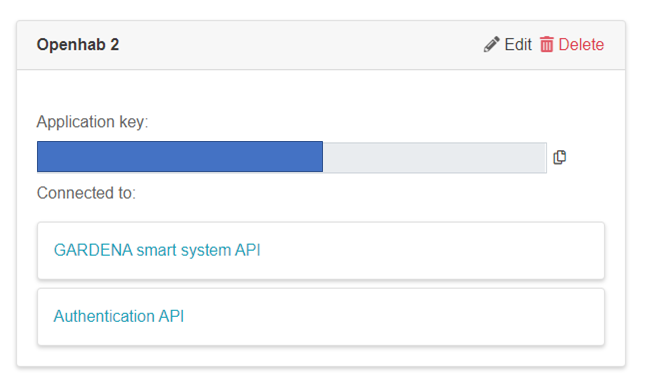
Now the Binding don´t connect. (403 Forbidden)
What is the fault ?? Anybody can help me
Thank a lot nice weekend !
 Maddin2020
on 31 May 2020
Maddin2020
on 31 May 2020
I have make a API Key on https://developer.1689.cloud/ and connect the API to GARDENA smart system API.
I have connect the API as follow
Now the Binding don´t connect. (403 Forbidden)
What is the fault ?? Anybody can help me
Thank a lot nice weekend !
Same Problem here. But sometimes I will getting a bad request error.
 volbrene
on 1 Jun 2020
volbrene
on 1 Jun 2020
@Maddin2020 , @volbrene
wow, crazy, I get similar feedbacks from more and more users of my iobroker implementation for the Gardena smart API. And that's not openhab but a similar implementation.
One question, you have created your API key today (ok, this night), right? If yes, that's the picture I have in mind with my users. All or many new created API keys don't work immediately. For some it worked after one day (I don't know for all). I have no idea what's wrong.
r jpgorganizer
jpgorganizer
on 1 Jun 2020
@jpgorganizer I have create the api key, yesterday.
volbrene
on 1 Jun 2020
if you are able to run python3 scripts, then you can make a test, see https://github.com/jpgorganizer/test4smartgarden/tree/master/apitestscript
It's a script from Gardena website.
There's a Readme available, but only in German
jpgorganizer
on 1 Jun 2020
if you are able to run python3 scripts, then you can make a test, see https://github.com/jpgorganizer/test4smartgarden/tree/master/apitestscript
It's a script from Gardena website.
There's a Readme available, but only in German
I will get a token, but it returns a 403:
### get locations ###
Traceback (most recent call last):
  File "apitest.py", line 69, in <module>
    assert r.status_code == 200, r
AssertionError: <Response [403]>
this is exact the same behaviour as for my users ,e.g. https://forum.iobroker.net/topic/31289/neuer-adapter-smartgarden-adapter-for-gardena-smart-system/421. Strange
@snakeru, could you please have a look on that. Would be very helpful. Thanks in advance
Regards, jpgorganizer
jpgorganizer
on 1 Jun 2020
So, i have debug the Husqvarna Api Platform and there is an error on adding the permission to the token for the gardena smart api.

Has anyone a email to contact gardena for this problem?
volbrene
on 2 Jun 2020
Has anyone a email to contact gardena for this problem?
https://developer.husqvarnagroup.cloud/, at the bottom of the site, see Contact us and leave feedback
jpgorganizer
on 2 Jun 2020
@volbrene, @jpgorganizer & co. Hi guys, sorry. There were some other things to attend to. The issue with Gardena API not working as expected for some people is being looked at since yesterday, but it would be nice if you can provide some more debug info:
1) what exact request did you send. For example: GET /v1/locations
2) what HTTP headers you had on your request. Sensitive headers should definitely be censored.
3) full response that you got back. That is - HTTP status line, headers (again with anything sensitive censored out) and JSON body.
Also, while at it - if you log in to the official app (web or mobile) - does it require any action from you?
snakeru
on 2 Jun 2020
@snakeru
Thanks for your attention to this issue.
I'm the developer of an Gardena integration with the provided API. I do not have the issue myself, but many of my users. And @volbrene has the similar issue with the integration in openhab.
I asked @volbrene and my users to make a check with the python3 Script available at https://developer.husqvarnagroup.cloud/apis/GARDENA+smart+system+API#/readme
(I've cloned this script to https://github.com/jpgorganizer/test4smartgarden/tree/master/apitestscript to make use more comfortable)
@volbrene posted the following as response from this script (and a few other users had the same response)
https://github.com/openhab/openhab-addons/issues/7169#issuecomment-636812488
Maybe @volbrene could give you more script output.
jpgorganizer
on 2 Jun 2020
@jpgorganizer I believe, I managed to reproduce the problem with that script. I sent you a PR btw with some improvement to debug output (it's an interesting feeling to send a PR to orignally your own script that came back to you over github).
We'll continue looking into the issue.
snakeru
on 2 Jun 2020
@snakeru
Thanks, PR is accepted
I assume that the users with the problem should try the new script version and you need the output?
jpgorganizer
on 2 Jun 2020
Hi, here's the output with curl:
curl -i -X GET "https://api.smart.gardena.dev/v1/locations" -H  "accept: application/vnd.api+json" -H  "X-Api-Key: f993435b-****-****-****-********" -H  "Authorization: Bearer eyJh****G3Ug" -H  "Authorization-Provider: husqvarna"
HTTP/2 403
content-type: application/json
content-length: 23
date: Mon, 01 Jun 2020 15:21:50 GMT
x-amzn-requestid: e54b0b96-****-****-****-********"
x-amzn-errortype: ForbiddenException
x-amz-apigw-id: Nd******=
x-cache: Error from cloudfront
via: 1.1 a93cc4cff5c450718aa682ae0fc55be3.cloudfront.net (CloudFront)
x-amz-cf-pop: CDG50-C1
x-amz-cf-id: Uz******==
The same behavior happens the online API tools too:
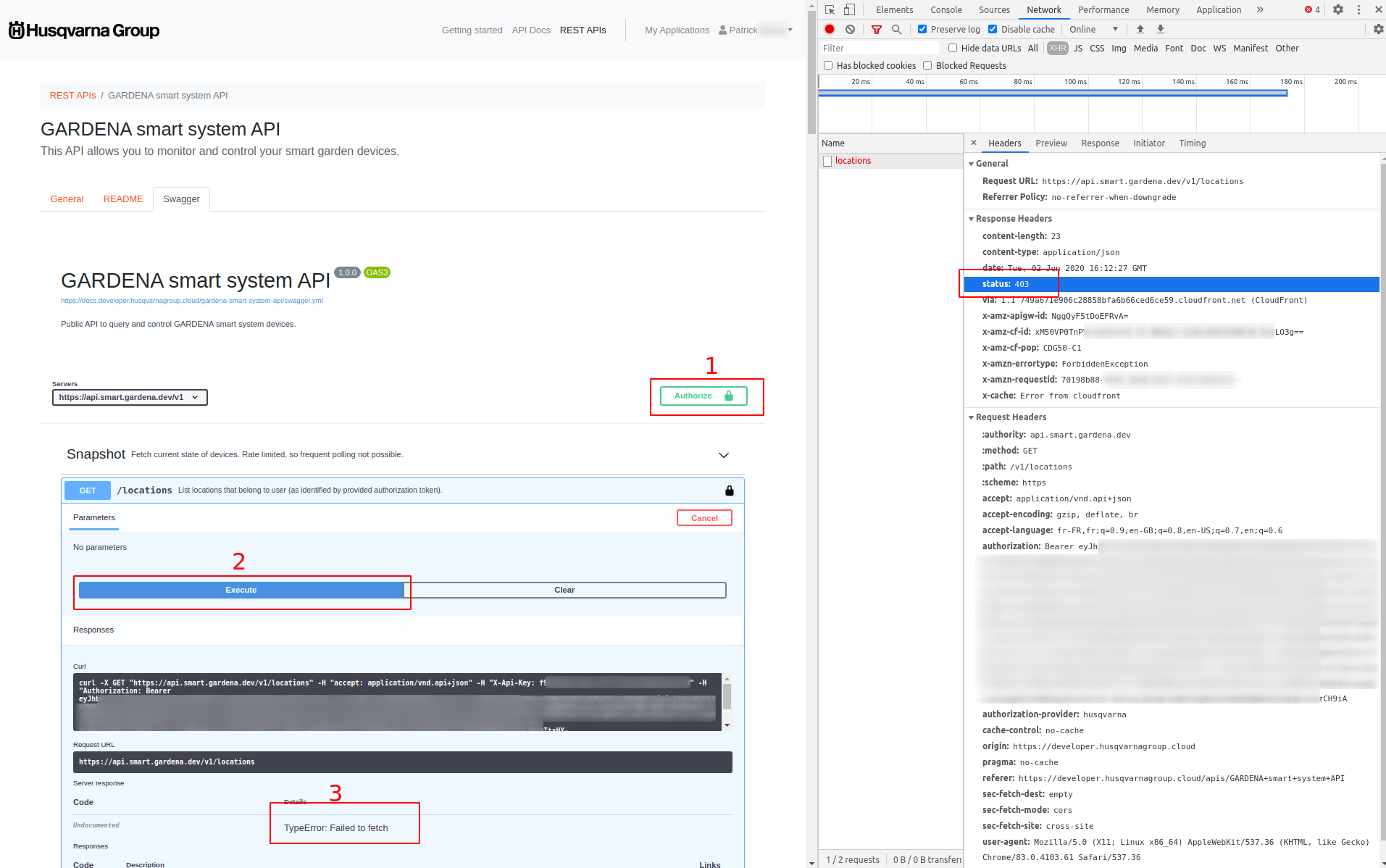
PS: we are facing the same issue here.
 pdecat
on 2 Jun 2020
pdecat
on 2 Jun 2020
Thanks. I was able to reproduce the problem with my account as well. We will be further troubleshooting it.
snakeru
on 2 Jun 2020
Hi snakeru. Do you have same news for us ?
Thanks a lot
Maddin2020
on 3 Jun 2020
Hi @Maddin2020
The problem was identified and the solution is being negotiated. Unfortunately I don't know if I'm allowed to disclose details, so i'll prefer to err on the safe side. My personal expectation is "real soon now", though it might be that affected people will have to reconnect their API keys to APIs.
snakeru
on 3 Jun 2020
Hi all. Could you try your bindings now? The problem should have been resolved. As I said - you might need to delete and re-create your API key.
snakeru
on 4 Jun 2020
Can confirm clicking Renew API key was necessary to resolve the issue.
curl -X GET "https://api.smart.gardena.dev/v1/locations" -H  "accept: application/vnd.api+json" -H "Authorization-Provider: husqvarna" -H "X-Api-Key: $GARDENA_CLIENT_ID" -H "Authoriz
ation: Bearer $GARDENA_AUTHORIZATION_BEARER"
{"data":[{"id":"86277b80-****-****-****-**********","type":"LOCATION","attributes":{"name":"My Garden"}}]}
Bridge is now working, but I will get OFFLINE - COMMUNICATION_ERROR from the Thing. I will add my mower as a think.
Bridge gardena:account:home [ email="<email>", password="<password>", apiKey="<apikey>", refresh=15 ]
{
  Thing mower Smart_Sileno_City_Vorne [ deviceId="2f66b73a-*********************" ]
}
volbrene
on 4 Jun 2020
created new API key (aside of older key), modified key info in bridge config, restarted binding. Result is status "INITIALIZING", not more. Same for original API key info.
cwihne
on 4 Jun 2020
worked ok after full openhab service restart, with new API key.
cwihne
on 4 Jun 2020
Bridge is now working, but I will get OFFLINE - COMMUNICATION_ERROR from the Thing. I will add my mower as a think.
Bridge gardena:account:home [ email="<email>", password="<password>", apiKey="<apikey>", refresh=15 ] { Thing mower Smart_Sileno_City_Vorne [ deviceId="2f66b73a-*********************" ] }
Did anyone has an items and thing example for me? :)
volbrene
on 4 Jun 2020
Hi all. Could you try your bindings now? The problem should have been resolved. As I said - you might need to delete and re-create your API key.
@snakeru
I've got positive feedback from the first few user who had this issue before. It worked after deleting and re-creating the API key.
Thank you for your help. Many thanks also to your colleagues and to Gardena for supporting us.
one more question :
I don't know if you read a former post in this thread. Maybe you can answer this question. Please see at
https://github.com/openhab/openhab-addons/issues/7169#issuecomment-634273589
Regards,
jpgorganizer
jpgorganizer
on 4 Jun 2020
@volbrene Here you find an example for gardena.things:
Bridge gardena:account:koelle[ email="<emailaddress>", password="<password-for-app-access>", apiKey="<API-Key-not-secret>" ]
{
    Thing water_control gardenawasser "Gardena Smart Wasser" [ deviceId="39c7aaaa-xxxx-yyyy-zzzz-abcdefghijkl" ]
    Thing sensor gardenasensor "Gardena Smart Sensor" [ deviceId="38b8aaaa-xxxx-yyyy-zzzz-abcdefghijkl" ]
    Thing power gardenastrom "Gardena Smart Dose" [deviceId="40a6aaaa-xxxx-yyyy-zzzz-abcdefghijkl" ]
}
and this a sniplet from gardena.items:
Number gardenasensor_soiltemperature "Bodentemperatur [%.1f °C]" {channel="gardena:sensor:koelle:gardenasensor:sensor#soilTemperature"}
....
Number:Time gardenawater_wateringduration "Bewässerungsdauer [%d min]" {channel="gardena:water_control:koelle:gardenawasser:valve_commands#commandDuration"}
....
Switch gardenastrom_timer "Einschalten mit Dauer" { channel="gardena:power:koelle:gardenastrom:powerSocket_commands#start_seconds_to_override" }
Till now I've seen the :suffix only for valves with an irrigation control, e.g.
xxxxx:1, xxxxx:2, ...
But today I've seen a suffix for a mower, and just for the mower, the corresponding common document doesn't have this suffix.
I wish I had foreseen that when we were only starting the development of the public API. You are FAR from the first one who misinterprets this. This is by far the largest source of bugs in the products that use the public API. Even I myself made this mistake in the integration with IFTTT (that is fixed now).
The "suffix" is never mentioned in the documentation, the IDs are always described as just "string". Note - not "UUID with suffix". Unfortunately for technical reasons it was easier if id field for the COMMON and DEVICE and whatever service of that device matched (*EDIT) and the idea seemed to be innocent enough. And of course - people notice the pattern and decide that they can take the shortcut and then their users hit bugs, bugs, bugs...
Even the binding that came out of this very thread has this problem (ping @gerrieg)
PLEASE, PRETTY PLEASE: close your eyes and pretend to not notice that ids from COMMON/DEVICE/WHATEVER_SERICE match. Always go through the relationships. This is the only way you can avoid problems.
Luckily, I have an idea of how to fix that. It will take some time, but one day you won't see matching IDs anymore and using relationships would be the only option. Don't ask me about details - you'll see it once it comes.
*EDIT: match most of the time. The source of bugs is of course the fact that they match often enough to trick people into believing that they match always, but that is not so.
EDIT 2: I stay corrected. The suffix is indeed mentioned. Though it is only mentioned as an example and not in actual text. I'll try to get the documentation corrected. The suffix is an internal thing and should have been described differently.
snakeru
on 5 Jun 2020
@snakeru
Thank you for clarifying this point.
PLEASE, PRETTY PLEASE: close your eyes and pretend to not notice that
ids from COMMON/DEVICE/WHATEVER_SERICE match. Always go through therelationships. This is the only way you can avoid problems.
Ok, then I've to go through my implementation and have to change some functions
Regards, jpgorganizer
jpgorganizer
on 5 Jun 2020
@snakeru
Thanks for the ping, i understood 😉 I didn't know that you work at Gardena
gerrieg
on 5 Jun 2020
@snakeru
Thank you for clarifying this point.PLEASE, PRETTY PLEASE: close your eyes and pretend to not notice that
ids from COMMON/DEVICE/WHATEVER_SERICE match. Always go through therelationships. This is the only way you can avoid problems.Ok, then I've to go through my implementation and have to change some functions
Regards, jpgorganizer
I went through my implementation and I was surprised that I only had one part where I used the "shortcut'. But when I changed this I stumbled over a question, how to get the location out of a message, e.g. from a mower service
Let me give the following example. This is a very typical message from a mower.
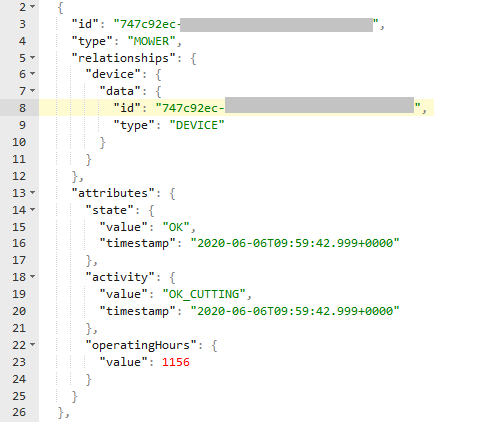
I get the device from line 8 in the picture, but where do I get the location? I know, currently there's only one location, but in future it's possible that there will be more than one.
Do I really need to search in my internal representation?
Edit: and now I've got the following message - no relationships available ???
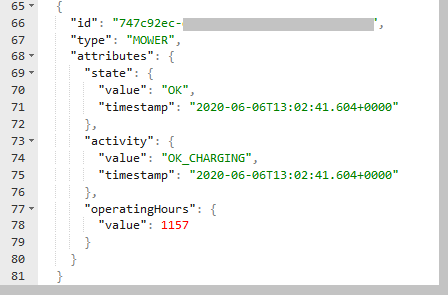
So, how to get device and location?
jpgorganizer
on 6 Jun 2020
GET /locations -> gives you a list of locations
GET /locations/{locationId} -OR- POST /websocket -> gives you everything else
Everything else is linked to each other through relationships:
- every LOCATION is linked to all DEVICEs
- every DEVICE is linked to a LOCATION and all services
- every service is linked to a DEVICE.
Therefore you have a tree structure: a virtual root having many locations, each having many devices, each having many services. The links between services are not directly reported but you can reconstruct that by going up to the device level and then down to the needed service type.
Does that help or did you ask about something else?
In addition to that some services might be present only sometimes. For example, a "Gardena electronic pressure pump" can work in two modes: automatic and scheduled. In automatic mode it you don't have control over when it runs (or rather, you control that by changing the water pressure in the outlet) and therefore, the VALVE service is not present.
Similarly, particular fields in a service might be present if they make sense and be missing if they don't (I don't remember examples from the top of my head - but I think that lastErrorCode is allowed to be missing if serviceState is neither a WARNING nor an ERROR).
EDIT: I do not know if that would ever be implemented, but it might happen that GET /locations/ (without ID) would one day also give back some cut-down versions of services - for example - device types&names.
snakeru
on 6 Jun 2020
@snakeru
Therefore you have a tree structure: a virtual root having many locations, each having many devices, each having many services. The links between services are not directly reported but you can reconstruct that by going up to the device level and then down to the needed service type.
yes this was understood.
But I receive messages for example from my mower where I just have the id of the service, no relation to a device or to a location.
So I have to search (in my internal data structure) within all received services to get the device and location.
That's possible, of course. I just like to be sure, that I didn't missed something.
jpgorganizer
on 6 Jun 2020
@snakeru
And something completely different:
The mower serial number differs between Gardena App and smart API
Should I send an email with this issue?
jpgorganizer
on 6 Jun 2020
So I have to search (in my internal data structure) within all received services to get the device and location.
Yes, you have to traverse your internal data structure.
Should I send an email with this issue?
If you want me to respond to you over email - sure :) I have opened a ticket now and assigned to myself. I expect the fix to take some time though because of other machinery that would be involved.
snakeru
on 6 Jun 2020
So I have to search (in my internal data structure) within all received services to get the device and location.
Yes, you have to traverse your internal data structure.
Thanks, then I didn't miss something.
Should I send an email with this issue?
If you want me to respond to you over email - sure :) I have opened a ticket now and assigned to myself. I expect the fix to take some time though because of other machinery that would be involved.
Perfect, don't hurry, that's a real minor issue
Thank you for your outstanding support.
jpgorganizer
jpgorganizer
on 6 Jun 2020
Hello together
thanks now the connection is working !
But i have a question. Before the new Api i have some more information from my mower. Now i missing the follow information. If it possible to add the information again in the binding
DateTime MowerTimenextStart
"Nächster Start [%1$td.%1$tm.%1$tY - %1$tH:%1$tM]"
String GardenaSmartSilenoMHer_MowerSourceForNextStart
"Quelle [MAP(Gardena.map):%s]"

Number  GardenaSmartSilenoMHer_MowerStatsChargingCycles
"Ladezyklen [%d Zyklen]"
Number  GardenaSmartSilenoMHer_MowerStatsCollisions
"Kollisionen"
Thanks a lot for answers
Maddin2020
on 6 Jun 2020
@Maddin2020 this information is not exposed in the new API, therefore the new binding can't access it.
snakeru
on 8 Jun 2020
Hello, I had my Gardena equipment working for quite a while with the new API, but some days ago the bridge went offline with communication error "connection lost".
I got lots of those in the log:
2020-06-07 19:50:52.751 [WARN ] [ng.gardena.internal.GardenaSmartImpl] - Error 400 Bad Request
org.openhab.binding.gardena.internal.exception.GardenaException: Error 400 Bad Request
    at org.openhab.binding.gardena.internal.GardenaSmartImpl.executeRequest(GardenaSmartImpl.java:201) ~[?:?]
    at org.openhab.binding.gardena.internal.GardenaSmartImpl.verifyToken(GardenaSmartImpl.java:219) ~[?:?]
    at org.openhab.binding.gardena.internal.GardenaSmartImpl.start(GardenaSmartImpl.java:109) ~[?:?]
    at org.openhab.binding.gardena.internal.GardenaSmartImpl.init(GardenaSmartImpl.java:94) ~[?:?]
    at org.openhab.binding.gardena.internal.handler.GardenaAccountHandler.lambda$0(GardenaAccountHandler.java:82) ~[?:?]
    at java.util.concurrent.Executors$RunnableAdapter.call(Executors.java:511) [?:1.8.0_252]
    at java.util.concurrent.FutureTask.run(FutureTask.java:266) [?:1.8.0_252]
    at java.util.concurrent.ScheduledThreadPoolExecutor$ScheduledFutureTask.access$201(ScheduledThreadPoolExecutor.java:180) [?:1.8.0_252]
    at java.util.concurrent.ScheduledThreadPoolExecutor$ScheduledFutureTask.run(ScheduledThreadPoolExecutor.java:293) [?:1.8.0_252]
    at java.util.concurrent.ThreadPoolExecutor.runWorker(ThreadPoolExecutor.java:1149) [?:1.8.0_252]
    at java.util.concurrent.ThreadPoolExecutor$Worker.run(ThreadPoolExecutor.java:624) [?:1.8.0_252]
    at java.lang.Thread.run(Thread.java:748) [?:1.8.0_252]
Caused by: org.openhab.binding.gardena.internal.exception.GardenaException: Error 400 Bad Request
    at org.openhab.binding.gardena.internal.GardenaSmartImpl.executeRequest(GardenaSmartImpl.java:193) ~[?:?]
Yesterday I removed the bridge, renewed the API key and readded it and it went online again, but today it is offline again.
In the logs I can see this from today:
2020-06-08 12:50:26.626 [WARN ] [ng.gardena.internal.GardenaSmartImpl] - Restarting GardenaSmart Webservice failed: Error 504 Gateway Timeout, try restart in 10 seconds
2020-06-08 12:50:40.700 [WARN ] [ng.gardena.internal.GardenaSmartImpl] - Restarting GardenaSmart Webservice failed: Error 504 Gateway Timeout, try restart in 10 seconds
2020-06-08 12:51:06.742 [WARN ] [rdena.internal.GardenaSmartWebSocket] - Gardena Webservice error: Failed to upgrade to websocket: Unexpected HTTP Response Status Code: 410 Gone, restarting
When I try to restart it by changing the configuration I get:
2020-06-08 19:48:54.980 [WARN ] [ng.gardena.internal.GardenaSmartImpl] - Restarting GardenaSmart Webservice failed: null, try restart in 10 seconds
The Gardena App is working fine though.
Now restarting Openhab and readding everything does not help. I get the following error although I have no Gardena Thing installed:
2020-06-08 21:01:52.725 [WARN ] [ng.gardena.internal.GardenaSmartImpl] - Error 429
org.openhab.binding.gardena.internal.exception.GardenaException: Error 429 null
    at org.openhab.binding.gardena.internal.GardenaSmartImpl.executeRequest(GardenaSmartImpl.java:201) ~[?:?]
    at org.openhab.binding.gardena.internal.GardenaSmartImpl.verifyToken(GardenaSmartImpl.java:219) ~[?:?]
    at org.openhab.binding.gardena.internal.GardenaSmartImpl.start(GardenaSmartImpl.java:109) ~[?:?]
    at org.openhab.binding.gardena.internal.GardenaSmartImpl.init(GardenaSmartImpl.java:94) ~[?:?]
    at org.openhab.binding.gardena.internal.handler.GardenaAccountHandler.lambda$0(GardenaAccountHandler.java:82) ~[?:?]
    at java.util.concurrent.Executors$RunnableAdapter.call(Executors.java:511) [?:1.8.0_252]
    at java.util.concurrent.FutureTask.run(FutureTask.java:266) [?:1.8.0_252]
    at java.util.concurrent.ScheduledThreadPoolExecutor$ScheduledFutureTask.access$201(ScheduledThreadPoolExecutor.java:180) [?:1.8.0_252]
    at java.util.concurrent.ScheduledThreadPoolExecutor$ScheduledFutureTask.run(ScheduledThreadPoolExecutor.java:293) [?:1.8.0_252]
    at java.util.concurrent.ThreadPoolExecutor.runWorker(ThreadPoolExecutor.java:1149) [?:1.8.0_252]
    at java.util.concurrent.ThreadPoolExecutor$Worker.run(ThreadPoolExecutor.java:624) [?:1.8.0_252]
    at java.lang.Thread.run(Thread.java:748) [?:1.8.0_252]
Caused by: org.openhab.binding.gardena.internal.exception.GardenaException: Error 429 null
    at org.openhab.binding.gardena.internal.GardenaSmartImpl.executeRequest(GardenaSmartImpl.java:193) ~[?:?]
    ... 11 more
Any ideas on this?
SeeAge
on 8 Jun 2020
Hello, I have one bugreport, I think: For me the channel gardena:mower:home:Smart_Sileno_City:mower_commands#park_until_further_notice doesen´t do anything. The mower is ignoring this command. If I am using gardena:mower:home:Smart_Sileno_City:mower_commands#park_until_next_task. The mower is parking.
volbrene
on 9 Jun 2020
@SeeAge
I have the same problem, after
2020-06-08 12:51:06.742 [WARN ] [rdena.internal.GardenaSmartWebSocket] - Gardena Webservice error: Failed to upgrade to websocket: Unexpected HTTP Response Status Code: 410 Gone, restarting
the restart does not work. I'm still experimenting with some changes to the restart code. But i have to wait until the problem occurs again. Therefore the solution will take some time.
gerrieg
on 9 Jun 2020
@volbrene
Just tried it, works for me. My mower (Sileno) reacts to the commands.
gerrieg
on 9 Jun 2020
@gerrieg newest Firmware?
volbrene
on 9 Jun 2020
@volbrene
I just saw the update in the Gardena app. I will update and try again.
gerrieg
on 9 Jun 2020
@gerrieg
Is it possible to get some debug output (for example requests responses) from Gardena api?
volbrene
on 9 Jun 2020
@volbrene
Firmware updated, commands are working
yes, go to the Marketplace and click on full documentation (see Debugging and Tracing)
gerrieg
on 9 Jun 2020
@gerrieg
Can you try:
start_seconds_to_override -> #park_until_further_notice -> #start_seconds_to_override and then park_until_further_notice doesen´t work.
2020-06-09 19:42:17.791 [DEBUG] [internal.handler.GardenaThingHandler] - Received Gardena command: MowerCommand, PARK_UNTIL_FURTHER_NOTICE

2020-06-09 19:42:17.798 [TRACE] [ng.gardena.internal.GardenaSmartImpl] - >>> PUT https://api.smart.gardena.dev/v1/command/******-****-****-****-************:cbtg, data: {"data":{"id":"mcid","type":"MOWER_CONTROL","attributes":{"command":"PARK_UNTIL_FURTHER_NOTICE","seconds":3600}}}

2020-06-09 19:42:17.803 [DEBUG] [ng.gardena.internal.GardenaSmartImpl] - Gardena API token valid

2020-06-09 19:42:17.809 [DEBUG] [ng.gardena.internal.GardenaSmartImpl] - Token expiration: accessToken: 2020-06-09T19:50:30.057+02:00[Europe/Berlin], refreshToken: 2020-06-18T20:48:25.257+02:00[Europe/Berlin]

2020-06-09 19:42:18.664 [TRACE] [ng.gardena.internal.GardenaSmartImpl] - <<< status:202,
That´s it. No more output. No return from the api.
Edit:
If I replace the channel park_until_further_notice with park_until_next_task. It works normally. Is this a bug in Gardena API?
Resolve:
park_until_further_notice is not the command to park the mower and ignore the schedule. This command only pause the schedule.
volbrene
on 9 Jun 2020
@gerrieg
the restart does not work. I'm still experimenting with some changes to the restart code. But i have to wait until the problem occurs again. Therefore the solution will take some time.
In the latest release it says:
Dead connection handling
What is this about?
FYI, I have issues with my Internet connection, meaning I am offline from time to time. Is that what causes the "restarting"?
SeeAge
on 9 Jun 2020
Dead connection handling is another problem I found. Sometimes the Gardena web service does not disconnect the connection to the web socket when the token expires.
But now the restart hangs sometimes. I am running a version with a lot of debug statements now and I hope that I will find the problem when it occurs again.
gerrieg
on 10 Jun 2020
I found a bug in the restart code that can also fix the hanging, please try the new version on the Marketplace.
gerrieg
on 11 Jun 2020
I found a bug in the restart code that can also fix the hanging, please try the new version on the Marketplace.
@gerrieg For me as a dummy :), whats the best way for this upgrade? Can I just replace the jar file and restart OH or do I need to remove the things and the old binding first?
SeeAge
on 11 Jun 2020
@SeeAge Minutes ago I succeeded with this process:
- download (not install) the new binding version from Marketplace, download icon below "Install"
- login in to openhab via SSH
- open openhab console,
sudo openhab-cli console, enter password, default ishabopen - change to bundles
bundle - list them
list - find gardena binding number, e.g. 269
- stop and "uninstall":
stop 269+uninstall 269(replace ID with your finding) - remove old .jar file from openhab-addons folder
- place previously downloaded new .jar file in that same location
- wait a couple of seconds, openHAB log should show recreation of bridge and things soon
That's it. You can restart the binding in console byrestart <newID>if you want, items should be updated right away
cwihne
on 11 Jun 2020
@cwihne Thank you.
As far as I could see from the log, by removing the jar file, openhab tries to uninstall anyway. Also it automatically started when I put the new jar file.
@gerrieg Thanks for bugfixing, I will report if I see the restart issue again.
SeeAge
on 11 Jun 2020
There is an easier way: Just copy the new jar file into the addons folder, overwrite the old one. OpenHab reloads the jar file after a few seconds, you can see ThingStatusInfoChangedEvent's in the events.log
gerrieg
on 11 Jun 2020
please try the new version on the Marketplace.
Hi, I thought I was able to download without account on Marketplace, but this time it doesn't work any longer? Am I required to register just for downloads??
Don't mind, just got it ;-)
int5749
on 13 Jun 2020
Just installed latest version but to get the following "error" :-/
>
> 22:15:37.675 [WARN ] [e.core.thing.binding.BaseThingHandler] - Handler GardenaAccountHandler tried updating the thing status although the handler was already dispose
> d.
> 22:15:37.675 [WARN ] [ing.gardena.internal.GardenaSmartImpl] - Restarting GardenaSmart Webservice failed: null, try restart in 10 seconds
> 22:15:38.707 [WARN ] [e.core.thing.binding.BaseThingHandler] - Handler GardenaAccountHandler tried updating the thing status although the handler was already dispose
> d.
> 22:15:38.707 [WARN ] [ing.gardena.internal.GardenaSmartImpl] - Restarting GardenaSmart Webservice failed: null, try restart in 10 seconds
@int5749 I had similar issues sometimes. There is something still hanging in your installation.
In my case it helped to remove all things and the binding and to reboot my Raspi.
SeeAge
on 13 Jun 2020
@int5749 I had similar issues sometimes. There is something still hanging in your installation.
In my case it helped to remove all things and the binding and to reboot my Raspi.
Reboot of the system does the job ;-)
int5749
on 16 Jun 2020
Hi guys,
at first I want to thank @gerrieg for his great work and effort to maintain and fix his great binding :-)
I really appreciate that.
I installed the new binding and everything works fine again except valve_commands#commandDuration which throws following exception for my 2 watering devices:
[WARN ] [internal.handler.GardenaThingHandler] - org.eclipse.smarthome.core.library.types.DecimalType cannot be cast to org.eclipse.smarthome.core.library.types.QuantityType
I wonder if this is a general problem or if someone of you does have an idea what I am doing wrong.
This is my rule I'm using:
rule "Dummy"
when
Item i_Gardena_dummy changed from OFF to ON
then
logInfo("dummy","CommandDuration")
i_Gardena_WateringComputer_01_CommandDuration.sendCommand(15)
logInfo("dummy","End")
end
My item:
Number i_Gardena_WateringComputer_01_CommandDuration "Watering #01 Watering Duration" { channel="gardena:water_control:c72c2641:18020a7b-8b6f-4422-9001-17408fbc210b:valve_commands#commandDuration" }
Thanks a lot in advance for your help!
 Wiggerl26
on 19 Jun 2020
Wiggerl26
on 19 Jun 2020
@Wiggerl26
Replace Number with Number:Time in your Item.
gerrieg
on 20 Jun 2020
Great! Number:Time did the job :-)
Wiggerl26
on 20 Jun 2020
Hello, first of all: Thanks for this great Binding.
Now, my problem: My duration is not accepted by the binding. If I change the duration per rule (see below) it will not be changed but simply reset to 60.
rule:
var duration = 120
Gardena_Sileno_City_MowerCommandsCommandDuration.postUpdate(duration)
item:
Number Gardena_Sileno_City_MowerCommandsCommandDuration "Mähdauer [%d min]" <time> (gGardenaSilenoCity) {channel="gardena:mower:home:Smart_Sileno_City:mower_commands#commandDuration"}
@volbrene
Same as @Wiggerl26, Replace Number with Number:Time in your Item.
gerrieg
on 23 Jun 2020
I try it, but nothing changed.
Here some logs:

volbrene
on 23 Jun 2020
Switch the binding into TRACE mode (see docs) and send the command. Then post the log please.
gerrieg
on 24 Jun 2020
@gerrieg
Gardena_Sileno_City_Vorne_MowerCommandsStart is only a dummy switch for me, to trigger the garage door for the mower before I switch the MowerCommandsStartSecondsToOverride to ON
2020-06-24 21:34:29.396 [vent.ItemStateChangedEvent] - Gardena_Sileno_City_Vorne_MowerCommandsCommandDuration changed from 60.0 min to 120.0 min

2020-06-24 21:34:29.412 [ome.event.ItemCommandEvent] - Item 'Gardena_Sileno_City_Vorne_MowerCommandsStart' received command ON

2020-06-24 21:34:29.435 [vent.ItemStateChangedEvent] - Gardena_Sileno_City_Vorne_Command_Selection changed from 1 to 0

2020-06-24 21:34:29.437 [vent.ItemStateChangedEvent] - Gardena_Sileno_City_Vorne_MowerCommandsStart changed from OFF to ON

2020-06-24 21:34:29.467 [ome.event.ItemCommandEvent] - Item 'Maehroboter_Garage' received command 0

2020-06-24 21:34:29.471 [nt.ItemStatePredictedEvent] - Maehroboter_Garage predicted to become 0

2020-06-24 21:34:29.488 [vent.ItemStateChangedEvent] - Maehroboter_Garage changed from 100 to 0

2020-06-24 21:34:29.677 [vent.ItemStateChangedEvent] - Maehroboter_Garage changed from 0 to 100

2020-06-24 21:34:39.392 [vent.ItemStateChangedEvent] - Maehroboter_Garage changed from 100 to 0

2020-06-24 21:34:39.490 [ome.event.ItemCommandEvent] - Item 'Gardena_Sileno_City_Vorne_MowerCommandsStartSecondsToOverride' received command ON

2020-06-24 21:34:39.501 [ome.event.ItemCommandEvent] - Item 'Gardena_Sileno_City_Vorne_MowerCommandsStart' received command OFF

2020-06-24 21:34:39.511 [nt.ItemStatePredictedEvent] - Gardena_Sileno_City_Vorne_MowerCommandsStartSecondsToOverride predicted to become OFF

2020-06-24 21:34:39.525 [vent.ItemStateChangedEvent] - Gardena_Sileno_City_Vorne_MowerCommandsStart changed from ON to OFF

==> /var/log/openhab2/openhab.log <==

2020-06-24 21:34:39.537 [DEBUG] [internal.handler.GardenaThingHandler] - Received Gardena command: MowerCommand, START_SECONDS_TO_OVERRIDE

2020-06-24 21:34:39.543 [TRACE] [ng.gardena.internal.GardenaSmartImpl] - >>> PUT https://api.smart.gardena.dev/v1/command/2f44xxxxx-xxxx-xxxx-xxxx-xxxxxxxxxx:cbtg, data: {"data":{"id":"mcid","type":"MOWER_CONTROL","attributes":{"command":"START_SECONDS_TO_OVERRIDE","seconds":3600}}}

2020-06-24 21:34:39.545 [DEBUG] [ng.gardena.internal.GardenaSmartImpl] - Gardena API token valid

2020-06-24 21:34:39.547 [DEBUG] [ng.gardena.internal.GardenaSmartImpl] - Token expiration: accessToken: 2020-06-24T21:53:39.591+02:00[Europe/Berlin], refreshToken: 2020-07-03T20:51:25.086+02:00[Europe/Berlin]

2020-06-24 21:34:40.781 [TRACE] [ng.gardena.internal.GardenaSmartImpl] - <<< status:202,

==> /var/log/openhab2/openhab.log <==

2020-06-24 21:34:41.908 [TRACE] [rdena.internal.GardenaSmartWebSocket] - <<< event: {"id":"2f44xxxxx-xxxx-xxxx-xxxx-xxxxxxxxxx:cbtg","type":"MOWER","attributes":{"state":{"value":"OK","timestamp":"2020-06-24T19:22:16.434+0000"},"activity":{"value":"PARKED_PARK_SELECTED","timestamp":"2020-06-24T19:22:16.434+0000"},"operatingHours":{"value":25}}}

2020-06-24 21:34:41.947 [TRACE] [rdena.internal.GardenaSmartWebSocket] - <<< event: {"id":"2f44xxxxx-xxxx-xxxx-xxxx-xxxxxxxxxx","type":"COMMON","attributes":{"name":{"value":"Sileno Vorne"},"batteryLevel":{"value":100,"timestamp":"2020-06-24T19:22:38.943+0000"},"batteryState":{"value":"OK","timestamp":"2020-06-24T19:22:16.434+0000"},"rfLinkLevel":{"value":50,"timestamp":"2020-06-24T19:00:23.786+0000"},"serial":{"value":"00005485"},"modelType":{"value":"GARDENA smart Mower"},"rfLinkState":{"value":"UNKNOWN"}}}

==> /var/log/openhab2/events.log <==

2020-06-24 21:34:43.051 [vent.ItemStateChangedEvent] - Gardena_Sileno_City_Vorne_MowerCommandsCommandDuration changed from 120.0 min to 60.0 min

==> /var/log/openhab2/openhab.log <==

2020-06-24 21:34:43.862 [TRACE] [rdena.internal.GardenaSmartWebSocket] - <<< event: {"id":"2f44xxxxx-xxxx-xxxx-xxxx-xxxxxxxxxx:cbtg","type":"MOWER","attributes":{"state":{"value":"OK","timestamp":"2020-06-24T19:22:16.434+0000"},"activity":{"value":"PARKED_PARK_SELECTED","timestamp":"2020-06-24T19:22:16.434+0000"},"operatingHours":{"value":25}}}

2020-06-24 21:34:43.879 [TRACE] [rdena.internal.GardenaSmartWebSocket] - <<< event: {"id":"2f44xxxxx-xxxx-xxxx-xxxx-xxxxxxxxxx","type":"COMMON","attributes":{"name":{"value":"Sileno Vorne"},"batteryLevel":{"value":100,"timestamp":"2020-06-24T19:22:38.943+0000"},"batteryState":{"value":"OK","timestamp":"2020-06-24T19:22:16.434+0000"},"rfLinkLevel":{"value":50,"timestamp":"2020-06-24T19:00:23.786+0000"},"serial":{"value":"00005485"},"modelType":{"value":"GARDENA smart Mower"},"rfLinkState":{"value":"UNKNOWN"}}}

2020-06-24 21:34:44.012 [TRACE] [rdena.internal.GardenaSmartWebSocket] - <<< event: {"id":"2f44xxxxx-xxxx-xxxx-xxxx-xxxxxxxxxx:cbtg","type":"MOWER","attributes":{"state":{"value":"OK","timestamp":"2020-06-24T19:34:43.264+0000"},"activity":{"value":"PARKED_TIMER","timestamp":"2020-06-24T19:34:43.264+0000"},"operatingHours":{"value":25}}}

2020-06-24 21:34:44.026 [TRACE] [rdena.internal.GardenaSmartWebSocket] - <<< event: {"id":"2f44xxxxx-xxxx-xxxx-xxxx-xxxxxxxxxx","type":"COMMON","attributes":{"name":{"value":"Sileno Vorne"},"batteryLevel":{"value":100,"timestamp":"2020-06-24T19:22:38.943+0000"},"batteryState":{"value":"OK","timestamp":"2020-06-24T19:22:16.434+0000"},"rfLinkLevel":{"value":50,"timestamp":"2020-06-24T19:00:23.786+0000"},"serial":{"value":"00005485"},"modelType":{"value":"GARDENA smart Mower"},"rfLinkState":{"value":"UNKNOWN"}}}

2020-06-24 21:34:44.045 [TRACE] [rdena.internal.GardenaSmartWebSocket] - <<< event: {"id":"2f44xxxxx-xxxx-xxxx-xxxx-xxxxxxxxxx:cbtg","type":"MOWER","attributes":{"state":{"value":"OK","timestamp":"2020-06-24T19:34:43.264+0000"},"activity":{"value":"PARKED_TIMER","timestamp":"2020-06-24T19:34:43.264+0000"},"operatingHours":{"value":25}}}

2020-06-24 21:34:44.058 [TRACE] [rdena.internal.GardenaSmartWebSocket] - <<< event: {"id":"2f44xxxxx-xxxx-xxxx-xxxx-xxxxxxxxxx","type":"COMMON","attributes":{"name":{"value":"Sileno Vorne"},"batteryLevel":{"value":100,"timestamp":"2020-06-24T19:22:38.943+0000"},"batteryState":{"value":"OK","timestamp":"2020-06-24T19:22:16.434+0000"},"rfLinkLevel":{"value":50,"timestamp":"2020-06-24T19:00:23.786+0000"},"serial":{"value":"00005485"},"modelType":{"value":"GARDENA smart Mower"},"rfLinkState":{"value":"UNKNOWN"}}}

2020-06-24 21:34:44.077 [TRACE] [rdena.internal.GardenaSmartWebSocket] - <<< event: {"id":"2f44xxxxx-xxxx-xxxx-xxxx-xxxxxxxxxx:cbtg","type":"MOWER","attributes":{"state":{"value":"OK","timestamp":"2020-06-24T19:34:43.264+0000"},"activity":{"value":"PARKED_TIMER","timestamp":"2020-06-24T19:34:43.264+0000"},"operatingHours":{"value":25}}}

2020-06-24 21:34:44.091 [TRACE] [rdena.internal.GardenaSmartWebSocket] - <<< event: {"id":"2f44xxxxx-xxxx-xxxx-xxxx-xxxxxxxxxx","type":"COMMON","attributes":{"name":{"value":"Sileno Vorne"},"batteryLevel":{"value":100,"timestamp":"2020-06-24T19:22:38.943+0000"},"batteryState":{"value":"OK","timestamp":"2020-06-24T19:22:16.434+0000"},"rfLinkLevel":{"value":50,"timestamp":"2020-06-24T19:00:23.786+0000"},"serial":{"value":"00005485"},"modelType":{"value":"GARDENA smart Mower"},"rfLinkState":{"value":"UNKNOWN"}}}

==> /var/log/openhab2/events.log <==

2020-06-24 21:34:44.980 [vent.ItemStateChangedEvent] - Gardena_Sileno_City_Vorne_MowerActivity changed from PARKED_PARK_SELECTED to PARKED_TIMER

==> /var/log/openhab2/openhab.log <==

2020-06-24 21:34:46.867 [TRACE] [rdena.internal.GardenaSmartWebSocket] - <<< event: {"id":"2f44xxxxx-xxxx-xxxx-xxxx-xxxxxxxxxx:cbtg","type":"MOWER","attributes":{"state":{"value":"OK","timestamp":"2020-06-24T19:34:46.153+0000"},"activity":{"value":"OK_LEAVING","timestamp":"2020-06-24T19:34:46.153+0000"},"operatingHours":{"value":25}}}

2020-06-24 21:34:46.882 [TRACE] [rdena.internal.GardenaSmartWebSocket] - <<< event: {"id":"2f44xxxxx-xxxx-xxxx-xxxx-xxxxxxxxxx","type":"COMMON","attributes":{"name":{"value":"Sileno Vorne"},"batteryLevel":{"value":100,"timestamp":"2020-06-24T19:22:38.943+0000"},"batteryState":{"value":"OK","timestamp":"2020-06-24T19:22:16.434+0000"},"rfLinkLevel":{"value":50,"timestamp":"2020-06-24T19:00:23.786+0000"},"serial":{"value":"00005485"},"modelType":{"value":"GARDENA smart Mower"},"rfLinkState":{"value":"UNKNOWN"}}}

==> /var/log/openhab2/events.log <==

2020-06-24 21:34:47.947 [vent.ItemStateChangedEvent] - Gardena_Sileno_City_Vorne_MowerActivity changed from PARKED_TIMER to OK_LEAVING

==> /var/log/openhab2/openhab.log <==

2020-06-24 21:35:01.949 [TRACE] [rdena.internal.GardenaSmartWebSocket] - <<< event: {"id":"2f44xxxxx-xxxx-xxxx-xxxx-xxxxxxxxxx:cbtg","type":"MOWER","attributes":{"state":{"value":"OK","timestamp":"2020-06-24T19:35:00.479+0000"},"activity":{"value":"OK_CUTTING_TIMER_OVERRIDDEN","timestamp":"2020-06-24T19:35:00.479+0000"},"operatingHours":{"value":25}}}

2020-06-24 21:35:01.960 [TRACE] [rdena.internal.GardenaSmartWebSocket] - <<< event: {"id":"2f44xxxxx-xxxx-xxxx-xxxx-xxxxxxxxxx","type":"COMMON","attributes":{"name":{"value":"Sileno Vorne"},"batteryLevel":{"value":100,"timestamp":"2020-06-24T19:22:38.943+0000"},"batteryState":{"value":"OK","timestamp":"2020-06-24T19:22:16.434+0000"},"rfLinkLevel":{"value":50,"timestamp":"2020-06-24T19:00:23.786+0000"},"serial":{"value":"00005485"},"modelType":{"value":"GARDENA smart Mower"},"rfLinkState":{"value":"UNKNOWN"}}}

2020-06-24 21:35:01.971 [TRACE] [rdena.internal.GardenaSmartWebSocket] - <<< event: {"id":"2f44xxxxx-xxxx-xxxx-xxxx-xxxxxxxxxx:cbtg","type":"MOWER","attributes":{"state":{"value":"OK","timestamp":"2020-06-24T19:35:00.479+0000"},"activity":{"value":"OK_CUTTING_TIMER_OVERRIDDEN","timestamp":"2020-06-24T19:35:00.479+0000"},"operatingHours":{"value":25}}}

2020-06-24 21:35:01.980 [TRACE] [rdena.internal.GardenaSmartWebSocket] - <<< event: {"id":"2f44xxxxx-xxxx-xxxx-xxxx-xxxxxxxxxx","type":"COMMON","attributes":{"name":{"value":"Sileno Vorne"},"batteryLevel":{"value":100,"timestamp":"2020-06-24T19:22:38.943+0000"},"batteryState":{"value":"OK","timestamp":"2020-06-24T19:22:16.434+0000"},"rfLinkLevel":{"value":50,"timestamp":"2020-06-24T19:00:23.786+0000"},"serial":{"value":"00005485"},"modelType":{"value":"GARDENA smart Mower"},"rfLinkState":{"value":"UNKNOWN"}}}

2020-06-24 21:35:01.992 [TRACE] [rdena.internal.GardenaSmartWebSocket] - <<< event: {"id":"2f44xxxxx-xxxx-xxxx-xxxx-xxxxxxxxxx:cbtg","type":"MOWER","attributes":{"state":{"value":"OK","timestamp":"2020-06-24T19:35:00.479+0000"},"activity":{"value":"OK_CUTTING_TIMER_OVERRIDDEN","timestamp":"2020-06-24T19:35:00.479+0000"},"operatingHours":{"value":25}}}

2020-06-24 21:35:02.000 [TRACE] [rdena.internal.GardenaSmartWebSocket] - <<< event: {"id":"2f44xxxxx-xxxx-xxxx-xxxx-xxxxxxxxxx","type":"COMMON","attributes":{"name":{"value":"Sileno Vorne"},"batteryLevel":{"value":100,"timestamp":"2020-06-24T19:22:38.943+0000"},"batteryState":{"value":"OK","timestamp":"2020-06-24T19:22:16.434+0000"},"rfLinkLevel":{"value":50,"timestamp":"2020-06-24T19:00:23.786+0000"},"serial":{"value":"00005485"},"modelType":{"value":"GARDENA smart Mower"},"rfLinkState":{"value":"UNKNOWN"}}}

==> /var/log/openhab2/events.log <==

2020-06-24 21:35:03.000 [vent.ItemStateChangedEvent] - Gardena_Sileno_City_Vorne_MowerActivity changed from OK_LEAVING to OK_CUTTING_TIMER_OVERRIDDEN

2020-06-24 21:35:03.052 [ome.event.ItemCommandEvent] - Item 'Gardena_Sileno_City_Vorne_Today_Mowing_Start' received command 2020-06-24T21:35:03.023+0200

2020-06-24 21:35:03.067 [vent.ItemStateChangedEvent] - Gardena_Sileno_City_Vorne_Today_Mowing_Start changed from NULL to 2020-06-24T21:35:03.023+0200

==> /var/log/openhab2/openhab.log <==

2020-06-24 21:35:06.936 [TRACE] [rdena.internal.GardenaSmartWebSocket] - <<< event: {"id":"2f44xxxxx-xxxx-xxxx-xxxx-xxxxxxxxxx:cbtg","type":"MOWER","attributes":{"state":{"value":"OK","timestamp":"2020-06-24T19:35:00.479+0000"},"activity":{"value":"OK_CUTTING_TIMER_OVERRIDDEN","timestamp":"2020-06-24T19:35:00.479+0000"},"operatingHours":{"value":25}}}

2020-06-24 21:35:06.941 [TRACE] [rdena.internal.GardenaSmartWebSocket] - <<< event: {"id":"2f44xxxxx-xxxx-xxxx-xxxx-xxxxxxxxxx","type":"COMMON","attributes":{"name":{"value":"Sileno Vorne"},"batteryLevel":{"value":99,"timestamp":"2020-06-24T19:35:06.612+0000"},"batteryState":{"value":"OK","timestamp":"2020-06-24T19:22:16.434+0000"},"rfLinkLevel":{"value":50,"timestamp":"2020-06-24T19:00:23.786+0000"},"serial":{"value":"00005485"},"modelType":{"value":"GARDENA smart Mower"},"rfLinkState":{"value":"UNKNOWN"}}}

==> /var/log/openhab2/events.log <==

2020-06-24 21:35:07.950 [vent.ItemStateChangedEvent] - Gardena_Sileno_City_Vorne_CommonBatteryLevel changed from 100 to 99

2020-06-24 21:35:13.058 [ome.event.ItemCommandEvent] - Item 'Maehroboter_Garage' received command 100

2020-06-24 21:35:13.078 [nt.ItemStatePredictedEvent] - Maehroboter_Garage predicted to become 100

2020-06-24 21:35:13.112 [vent.ItemStateChangedEvent] - Maehroboter_Garage changed from 0 to 100

2020-06-24 21:35:13.276 [vent.ItemStateChangedEvent] - Maehroboter_Garage changed from 100 to 0
Dear @gerrieg
I have upgraded my openHAB installation to 2.5.6 - where can I download the jar-File for the new Gardena binding?
CHTHSCH
on 24 Jun 2020
You can find the latest addon IMHO in the Eclipse Marketplace: https://marketplace.eclipse.org/content/gardena-api-binding
andrexp
on 24 Jun 2020
@volbrene
Don't use postUpdate for the commandDuration, use sendCommand
gerrieg
on 25 Jun 2020
@volbrene
Don't usepostUpdatefor the commandDuration, usesendCommand
Thank you. Thats solve my problem. Whats the different between postUpdate and sendCommand?
volbrene
on 25 Jun 2020
@volbrene You might find your answer here: https://www.openhab.org/docs/configuration/rules-dsl.html#manipulating-item-states
cwihne
on 25 Jun 2020
New version published: https://marketplace.eclipse.org/content/gardena-api-binding
I have optimized the reconnection again. In the event of an error, a complete restart is now done to avoid getting stuck.
gerrieg
on 1 Jul 2020
I have optimized the reconnection again. In the event of an error, a complete restart is now done to avoid getting stuck.
@gerrieg Thank you, I will update asap. FYI, after the update you made before, I did not have any connection loss again.
SeeAge
on 2 Jul 2020
I did see several connection losses even with version as of June 11th, mostly related to Internet connection loss + no binding recovery, but could resolve with clean-cache for the last couple of days. Will watch closely with newest version.
cwihne
on 3 Jul 2020
Just bought a Gardena smart system and the binding is working well on my openhab 2.5.5 system. Thanks for the good work.
While playing around with the system, I noticed that there might be an issue with the use of units of measurement. I noticed that the Smart Sensor app on my phone reports the light intensity in Lux whereas the binding in openhab reports it in W/m2. I use the autogenerated Number:Intensity item in Openhab The Gardena API documentation (Swagger) mentions that the intensity is reported in Lux:
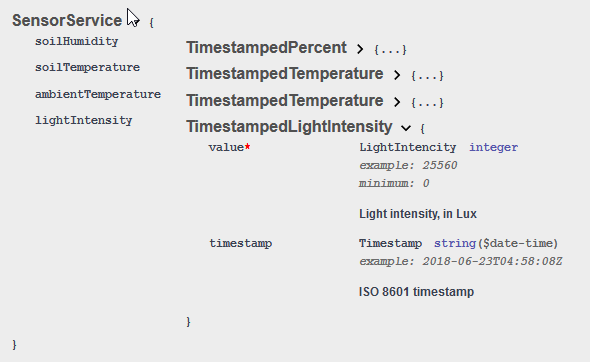
According to Openhab's Unit of Measurement definitions the correct term is Illuminance. So either the Smart Sensor reports illuminance after all and the api uses the wrong name, or it is intensity and the app uses the wrong unit. Could you fix this is the binding?
 ArdKuijpers
on 13 Jul 2020
ArdKuijpers
on 13 Jul 2020
@ArdKuijpers
Thanks for the info, i will change it soon.
gerrieg
on 15 Jul 2020
Anyone else experiencing issues with lost cloud connection?
I had like 3-4 times since I made the last update, that my connection to the outside world (Openhab cloud connector) did not recover. Controlling via Alexa and other cloud things where completely unavailable and I had to restart Openhab to get it running again.
In addition I want to mention that I had 2 times since then a OutOfMemoryError (Java heap space) and had to restart Openhab. Since I did not change anything else, I wanted to mention this. Maybe someone has an idea. According to some posts in the openhab forum, the main reason is memory leaking within an installed binding.
SeeAge
on 22 Aug 2020
@SeeAge On openhAB 2.5.7-1 having 24 bindings installed and active with hundreds of items, incl. the Gardena binding (still July release) discussed in this thread. Although it happens to go offline for a couple of seconds once in a while (~1 per week), it easily reconnects after availability of online connection or Gardena cloud service, usually within a couple of seconds or a minute. I get notified by a rule detecting a state change.
I let openHAB server (RPi4, 1GB RAM) restart every 15 days, for sanity reasons only. The server OS is kept up to date with generic updates.
Your issue seems to be more of a general concern or linked to recent change of Java version e.g. in openhabian? Anyways, it might need a little more drilling to the source. Changing log levels of bindings that you are concerned about might be helpful.
cwihne
on 22 Aug 2020
@cwihne Thx for the fast feedback. Then I guess it is more of a general issue. I will observe and discuss in the community if necessary.
SeeAge
on 22 Aug 2020
https://github.com/openhab/openhab-addons/issues/8342 maybe related?
 bd8392
on 15 Oct 2020
bd8392
on 15 Oct 2020
Hi, since today I'm not able to use the binding anymore. The logs mentioned:
[WARN ] [ng.gardena.internal.GardenaSmartImpl] - org.eclipse.jetty.client.HttpResponseException: HTTP protocol violation: Authentication challenge without WWW-Authenticate header
org.openhab.binding.gardena.internal.exception.GardenaException: org.eclipse.jetty.client.HttpResponseException: HTTP protocol violation: Authentication challenge without WWW-Authenticate header
    at org.openhab.binding.gardena.internal.GardenaSmartImpl.executeRequest(GardenaSmartImpl.java:200) ~[?:?]
    at org.openhab.binding.gardena.internal.GardenaSmartImpl.loadLocations(GardenaSmartImpl.java:246) ~[?:?]
    at org.openhab.binding.gardena.internal.GardenaSmartImpl.start(GardenaSmartImpl.java:107) ~[?:?]
    at org.openhab.binding.gardena.internal.GardenaSmartImpl.init(GardenaSmartImpl.java:91) ~[?:?]
    at org.openhab.binding.gardena.internal.handler.GardenaAccountHandler.lambda$0(GardenaAccountHandler.java:82) ~[?:?]
    at java.util.concurrent.Executors$RunnableAdapter.call(Executors.java:511) [?:1.8.0_252]
    at java.util.concurrent.FutureTask.run(FutureTask.java:266) [?:1.8.0_252]
    at java.util.concurrent.ScheduledThreadPoolExecutor$ScheduledFutureTask.access$201(ScheduledThreadPoolExecutor.java:180) [?:1.8.0_252]
    at java.util.concurrent.ScheduledThreadPoolExecutor$ScheduledFutureTask.run(ScheduledThreadPoolExecutor.java:293) [?:1.8.0_252]
    at java.util.concurrent.ThreadPoolExecutor.runWorker(ThreadPoolExecutor.java:1149) [?:1.8.0_252]
    at java.util.concurrent.ThreadPoolExecutor$Worker.run(ThreadPoolExecutor.java:624) [?:1.8.0_252]
    at java.lang.Thread.run(Thread.java:748) [?:1.8.0_252]
Caused by: java.util.concurrent.ExecutionException: org.eclipse.jetty.client.HttpResponseException: HTTP protocol violation: Authentication challenge without WWW-Authenticate header
    at org.eclipse.jetty.client.util.FutureResponseListener.getResult(FutureResponseListener.java:118) ~[?:?]
    at org.eclipse.jetty.client.util.FutureResponseListener.get(FutureResponseListener.java:101) ~[?:?]
    at org.eclipse.jetty.client.HttpRequest.send(HttpRequest.java:685) ~[?:?]
    at org.openhab.binding.gardena.internal.GardenaSmartImpl.executeRequest(GardenaSmartImpl.java:185) ~[?:?]
    ... 11 more
can anyone point me to the issue?
Thanks!
Mav63
on 23 Oct 2020
Same here
SeeAge
on 24 Oct 2020
I had also errors connecting my binding to the Gardena cloud. For me in log view appeared something like "Error 429 null". Unfortunately I forgot to copy.
My solution was deleting my things, log in to Gardena cloud service and create a NEW application (API Key). I noticed that I have to Accept some new agreements. Maybe there was a change in Gardena API again? After recreating my Gardena Account Thing with the new API key my Gardena Sileno Life was detected but after adding it and connecting with my items it does not come up as ONLINE but all values seem to be received correctly.
andrexp
on 24 Oct 2020
Hi, I'm the developer of an ioBroker adapter for Gardena smart system, similar to your binding here.
I've seen an error 401 Unauthorized yesterday and reported this error to Gardena. Gardena is working on this issue now.
Another user reported an error 429. Error 429 means that you reached your limits. Some weeks ago we have seen that error for some ioBroker users but we didn't found a real solution/reason for it. Then it seemed that the error was gone, but now it was reported again.
Maybe thats the same issue here.
Regards, jpgorganizer
jpgorganizer
on 24 Oct 2020
I have the same problem "Error 429 null". I have tried to create a new API Key, but either i did something wrong or it is not working either. I could not find the place where it was explained how to do it. It is not on the openhab help page.
edit: I found the problem. I added the thing with a line in a .thing file
ascreator13
on 25 Oct 2020
Seems as if the recent Authentication issue was resolved by Gardena. Connections were successfully established on late Sunday.
cwihne
on 27 Oct 2020
Unfortunately my issue still exists... no change!
Mav63
on 27 Oct 2020
Unfortunately my issue still exists... no change!
Same
volbrene
on 27 Oct 2020
Hello, i faced the same issue and fixed this with an API Key renewal. The link for the Husqvarna Developer Portal you can fin here: https://developer.husqvarnagroup.cloud
lmicheel
on 28 Oct 2020
I have the same problem "Error 429 null".
I have similar issue :-/
Hello, i faced the same issue and fixed this with an API Key renewal. The link for the Husqvarna Developer Portal you can fin here: https://developer.husqvarnagroup.cloud
That doesn't work for me :-(
Anyone working on this or have a different hint??
int5749
on 29 Oct 2020
Hi all,
I also had that issue with the "Error 429 null" topic. Yesterday evening i created a new API key and updated it in my .things file. After the things file has been reloaded i still had that issue.
I restarted my hole openhab environment (basically my OpenHABian) today in the morning and after that the error hasn't been logged in the openhab.log
I have the same problem "Error 429 null".
I have similar issue :-/
Hello, i faced the same issue and fixed this with an API Key renewal. The link for the Husqvarna Developer Portal you can fin here: https://developer.husqvarnagroup.cloud
That doesn't work for me :-(
Anyone working on this or have a different hint??
Did you tried restarting your environment?
 mySocke
on 29 Oct 2020
mySocke
on 29 Oct 2020
Did you tried restarting your environment?
Sure, did this several times today.
One thing I haven't tried =>> update to latest binding version 2.5.8 which solved the issue ;-)
Apologies for inconvinence this caused, my binding seems to be back online
int5749
on 29 Oct 2020
update to latest binding version 2.5.8
How can I update the binding? Do I have to update whole OpenHab? Does this normally go automatically? Or is there a special way?
bd8392
on 29 Oct 2020
Hi @bd8392 ,
my doing is the following (write it from my memory so please feel free if i'm wrong
1) uninstall the gardena binding through PaperUI
2) Download the latest Binding from https://marketplace.eclipse.org/content/gardena-api-binding
3) Copy the .jar file to (in openhabian) /srv/openhab2-addons/
4) chown openhab:openhab org.openhab.binding.gardena-*.jar
5) install it through PaperUI
mySocke
on 29 Oct 2020
Unfortunately I noticed today my Error 429 seem to be back again. I also have the latest binding from the eclipse marketplace installed.
So I did a bit of research in Husqvarna Cloud documentation and found a hint in the rate limits: "Throttling occurs if average call rate exceeds one call every fifteen minutes." I'm not sure but I think there were more calls than one every 15 mins. before my binding stopped working. I think we have to Update the binding @gerrieg what do you think? I have something in my mind you have implemented some throtting feature already. Could it be that Gardena updated their rate limits?
andrexp
on 29 Oct 2020
How can I update the binding? Do I have to update whole OpenHab? Does this normally go automatically? Or is there a special way?
my doing is the following (write it from my memory so please feel free if i'm wrong
I diid i slightly different as there is not much to configure (nothing ;-) ) in PaperUI
1) delete old *jar from Folder Addon
2) you will see in log that this will be removed by opehHab => bridge and things went offline
3) download latest version from marketplace and simply place jar to folder addon
4) you will recognice that openHab will automatically install binding and bridge/thnings come back onlie
5) restart openHab (as I usually do this to avoid any legacy stuff remaining(
Please bear in mind that I created (renewd) a new AP kex before, so not sure if you also have to do this,
int5749
on 30 Oct 2020
@mySocke @int5749 Thanks for the Help :-)
bd8392
on 30 Oct 2020
Update: Tested today, willing to renew API or create a second application in the Gardena developer area, but nothing needed to do... it`s back online... everything works. Not sure since when, because I haven't tested it the days before.
Anyhow, thanks for your help.
Mav63
on 31 Oct 2020
Related issues
 LukasA83
·
5Comments
LukasA83
·
5Comments
 kubawolanin
·
4Comments
kubawolanin
·
4Comments
 smyrman
·
4Comments
smyrman
·
4Comments
 d3rh3ld
·
4Comments
d3rh3ld
·
4Comments
 martinvw
·
5Comments
martinvw
·
5Comments
Most helpful comment
I just want to let you know that i'm currently working hard on a new version of the binding. It is a complete rewrite and i now use the official API: https://developer.1689.cloud/apis
Reading and receiving the data in real time is already working, now i will implement the commands. As soon as i am ready i will release a new version.