Openhab-addons: [meteoblue] no condition image
It looks like this issue
https://github.com/openhab/openhab-addons/issues/4924
the condition Image is not loaded, my comments there was deleted.
the images are named like day-1 or iday-1 and 1-day or 1-iday it still not load anything. I am using latest openhab and current meteoblue binding.
the same error as above.
Request URL: http://openhab:8080/icon/iday?state=2&format=svg&anyFormat=true
Request Method: GET
Status Code: 404 Not Found
Request URL: http://openhab:8080/icon/number?state=4&format=svg&anyFormat=true
Request Method: GET
Status Code: 404 Not Found
how must be the correct file names or what can i do to see the images.
this is the current meteoblue api json
{
    "metadata":
    {
        "name": "Berlin",
        "latitude": 52.52,
        "longitude": 13.41,
        "height": 175,
        "timezone_abbrevation": "CET",
        "utc_timeoffset": 1.00,
        "modelrun_utc": "2020-01-15 00:00",
        "modelrun_updatetime_utc": "2020-01-15 07:20"
    },
    "units":
    {
        "time": "YYYY-MM-DD hh:mm",
        "predictability": "percent",
        "precipitation_probability": "percent",
        "pressure": "hPa",
        "relativehumidity": "percent",
        "co": "ug/m3",
        "temperature": "C",
        "winddirection": "degree",
        "precipitation": "mm",
        "windspeed": "ms-1"
    },
    "data_day":
    {
        "time": ["2020-01-15", "2020-01-16", "2020-01-17", "2020-01-18", "2020-01-19", "2020-01-20", "2020-01-21"],
        "pictocode": [2, 2, 2, 12, 4, 4, 4],
        "uvindex": [0, 0, 0, 0, 0, 0, 0],
        "temperature_max": [12.41, 9.12, 7.39, 7.51, 6.06, 4.19, 3.98],
        "temperature_min": [8.41, 4.28, 2.88, 3.43, 2.93, 1.36, 0.60],
        "temperature_mean": [10.19, 7.12, 4.56, 5.91, 4.31, 2.76, 2.35],
        "felttemperature_max": [7.35, 6.32, 2.89, 3.29, 1.69, 0.50, -0.96],
        "felttemperature_min": [3.66, 0.78, -0.97, 0.06, -0.77, -2.21, -4.36],
        "winddirection": [225, 270, 135, 270, 0, 315, 270],
        "precipitation_probability": [16, 0, 0, 61, 5, 2, 10],
        "rainspot": ["1111111911111190000990900000900000090000009000000", "0000000000000000000000000000000000000000000000000", "0000000000000000000000000000000000000000000000000", "1222222222121112111111111119111101011191001119100", "0000000000000000000000000000000000000000000000000", "0000000000000000000000000000000000000000000000000", "0000000000000000000000000000000000000000000000000"],
        "predictability_class": [4, 4, 4, 3, 4, 4, 3],
        "predictability": [78, 78, 76, 56, 65, 69, 51],
        "precipitation": [0.00, 0.00, 0.00, 1.00, 0.00, 0.00, 0.00],
        "snowfraction": [0.00, 0.00, 0.00, 0.00, 0.00, 0.00, 0.00],
        "sealevelpressure_max": [1018, 1030, 1028, 1027, 1040, 1045, 1044],
        "sealevelpressure_min": [1012, 1019, 1016, 1016, 1028, 1040, 1035],
        "sealevelpressure_mean": [1015, 1027, 1022, 1022, 1033, 1043, 1039],
        "windspeed_max": [5.62, 4.37, 4.23, 4.68, 3.90, 2.74, 4.85],
        "windspeed_mean": [5.17, 2.87, 3.36, 3.73, 3.14, 2.37, 4.01],
        "windspeed_min": [4.55, 1.71, 2.56, 2.34, 2.72, 1.99, 2.93],
        "relativehumidity_max": [76, 95, 99, 98, 96, 100, 94],
        "relativehumidity_min": [59, 74, 76, 87, 80, 84, 82],
        "relativehumidity_mean": [69, 86, 89, 92, 90, 92, 89],
        "convective_precipitation": [0.00, 0.00, 0.00, 0.00, 0.00, 0.00, 0.00],
        "precipitation_hours": [0.00, 0.00, 0.00, 1.00, 0.00, 0.00, 0.00],
        "humiditygreater90_hours": [0.00, 10.00, 12.00, 13.00, 13.00, 12.00, 9.00]
    }
}
 Schnuecks
All 21 comments
Please provide your configuration related to the binding, the location where you placed the image files, and a debug log.
 9037568
on 15 Jan 2020
9037568
on 15 Jan 2020
Hi,
the icons are stored under /etc/openhab2/icons/classic and named like 1-day 1-iday and day-1 and iday-1
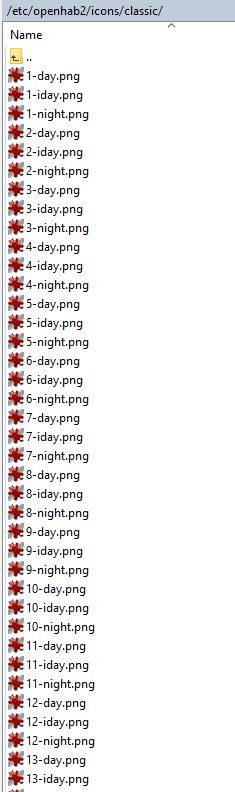
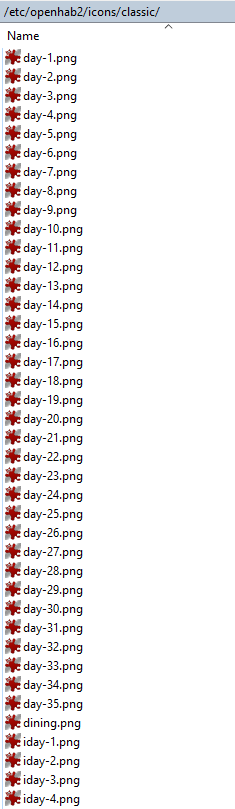
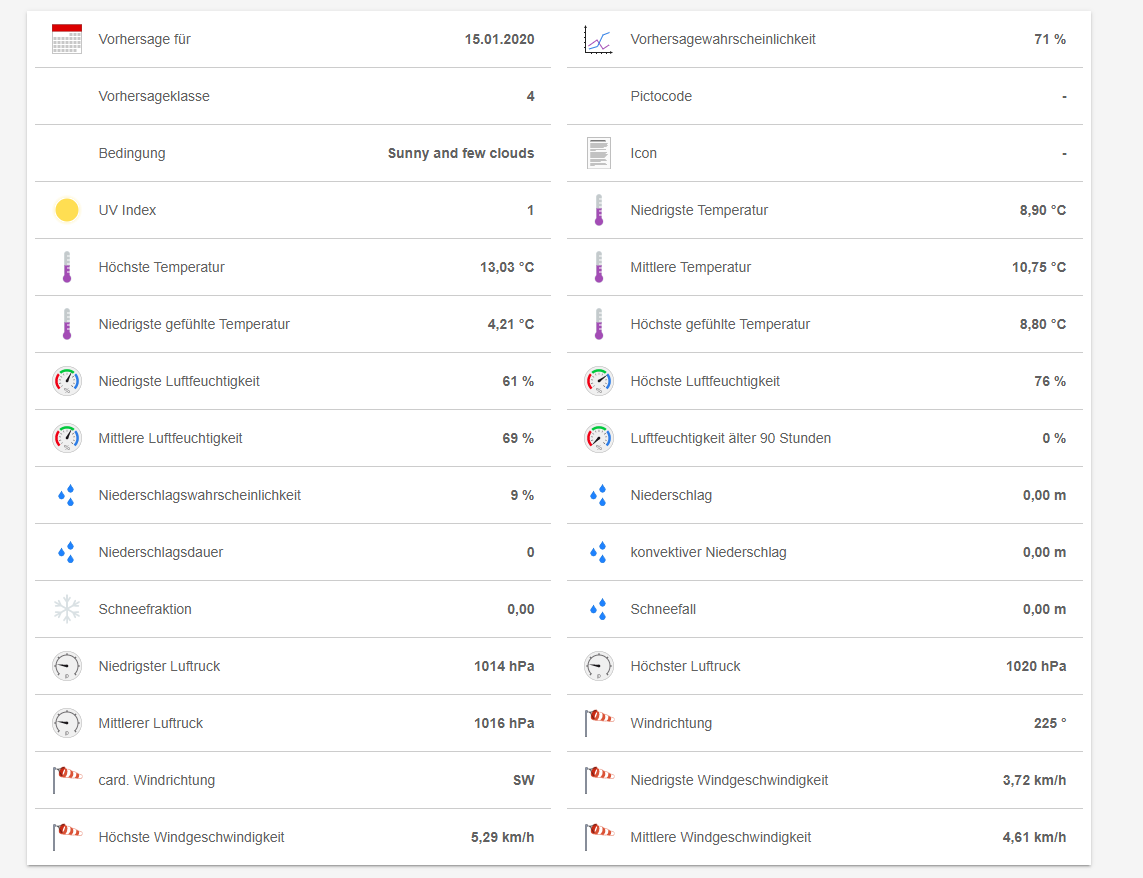
i setup a logger for meteoblue if i have some date i attach it asap
Schnuecks
on 15 Jan 2020
here the debug log
so the last on before logging disabled
i hope you could find anything seems like a path error
Schnuecks
on 15 Jan 2020
As the documentation states, the image files need to be named iday*.png or iday*.svg.
Yours are not.
And your log files clearly show this:
2020-01-15 17:27:05.325 [DEBUG] [.binding.meteoblue.internal.Forecast] - Image file '/var/lib/openhab2/../conf/icons/classic/iday-2.png' does not exist. Unable to create imageIcon.
9037568
on 16 Jan 2020
Hello,
for my understanding the error says it awaits iday-2.png, sorry but with renaming still not working.
iday-2.png not exists, thats wrong it exist and now with iday2.png still nothing there.
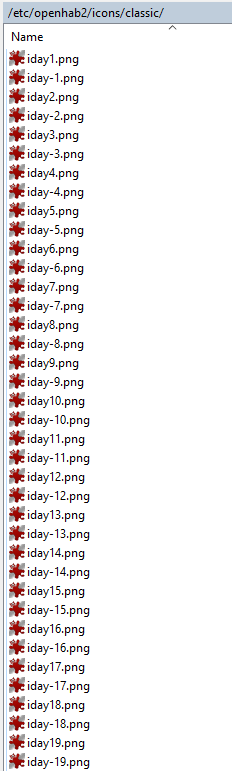
I do not yet know the exact structure of openhab and I would like to solve this problem, either in my installation or just in the binding.
but there is no path like that my icons are in $OPENHAB_CONF/icons/classic that resolves to /etc/openhab2/icons/classic
nothing of that is in debug.log
2020-01-16 07:58:01.854 [DEBUG] [.binding.meteoblue.internal.Forecast] - Image file '/var/lib/openhab2/../conf/icons/classic/iday-3.png' does not exist. Unable to create imageIcon.
2020-01-16 07:58:01.913 [DEBUG] [.binding.meteoblue.internal.Forecast] - Image file '/var/lib/openhab2/../conf/icons/classic/iday-1.png' does not exist. Unable to create imageIcon.
2020-01-16 07:58:01.957 [DEBUG] [.binding.meteoblue.internal.Forecast] - Image file '/var/lib/openhab2/../conf/icons/classic/iday-12.png' does not exist. Unable to create imageIcon.
2020-01-16 07:58:01.995 [DEBUG] [.binding.meteoblue.internal.Forecast] - Image file '/var/lib/openhab2/../conf/icons/classic/iday-16.png' does not exist. Unable to create imageIcon.
2020-01-16 07:58:02.036 [DEBUG] [.binding.meteoblue.internal.Forecast] - Image file '/var/lib/openhab2/../conf/icons/classic/iday-3.png' does not exist. Unable to create imageIcon.
2020-01-16 07:58:02.078 [DEBUG] [.binding.meteoblue.internal.Forecast] - Image file '/var/lib/openhab2/../conf/icons/classic/iday-2.png' does not exist. Unable to create imageIcon.
2020-01-16 07:58:02.166 [DEBUG] [.binding.meteoblue.internal.Forecast] - Image file '/var/lib/openhab2/../conf/icons/classic/iday-4.png' does not exist. Unable to create imageIcon.
Schnuecks
on 16 Jan 2020
I think i missing something here, don't be mad at me i really try to understand whats going on.
i read https://docs.openhab.org/v2.2/installation/linux.html#file-locations
you describe in docs the path conf/icons/classic where must that created i haven't this structure
so the icons lay in/var/lib/openhab2/conf/icons/classic and /etc/openhab2/icons/classic
but still nothing found
i really don't get it
under
https://docs.openhab.org/v2.2/installation/linux.html#file-locations
is only at manually installation /etc/openhab2/conf i have a repository installation
Schnuecks
on 16 Jan 2020
I'd never seen this file-locations table before.
I don't know why the directory structure should be so radically different, and I don't see any reasonable way to compensate for it.
Perhaps one of the @openhab/maintainers knows of a platform method for obtaining the location of the conf directory?
While you wait for a fix, the simple workaround is to create the directory structure that's currently expected.
9037568
on 17 Jan 2020
ok thanks for your answer
could you tell me which structure i must create.
i tried multiple paths without success.
for the path i think you could use the env $OPENHAB_CONF to get the current path, but i don't know if this is set on every installation.
Schnuecks
on 17 Jan 2020
Dear all,
I not a java developer . But I have made an attempt to read the code which is being used to read the icons.
In the github binding file strucure I believe this is related to the /meteoblue/internal/Forecast.java file line 459 ( see below)
when the filepath for the icon is being concatenated I think there is a syntax issue. But again I am not a java developer
to my mind the hardcoded path should be : /etc/openhab2/icons/classic then you concatenate a "/" plus the filename of the image wanted.
could someone tell us if this code is correct ? What confuses me is that there this 2 time a new "File(".
File dataFile = new File(new File("../conf/icons/classic/"), imageFileName);
should be more like (bare my syntax idea)
File dataFile = new File("/etc/openhab2/icons/classic/" + imageFileName);
Relative path for Full file/code for verification
bundles/org.openhab.binding.meteoblue/src/main/java/org/openhab/binding/meteoblue/internal/forecast.java (line 459
 bkumio
on 17 Jan 2020
bkumio
on 17 Jan 2020
Perhaps one of the @openhab/maintainers knows of a platform method for obtaining the location of the conf directory?
openHAB 2's paths can indeed be split, and Linux's installation does this so that it more closely aligns with the Filesystem Hierarchy Standard.
The line in forecast.java implies that the conf directory is always located at $OPENHAB_HOME/../, but this
is not always the case.
Are we able to use the OPENHAB_CONF environment variable (which should be set at openHAB's launch) instead?
 BClark09
on 17 Jan 2020
BClark09
on 17 Jan 2020
@9037568 There's GitHub Team @openhab/add-ons-maintainers. Please poke them if you help from a addon maintainer.
 mueller-ma
on 17 Jan 2020
mueller-ma
on 17 Jan 2020
Are we able to use the OPENHAB_CONF environment variable (which should be set at openHAB's launch) instead?
Yes, we are. One can use the util class ConfigConstants to read the user-defined paths for configuration or user data. Does that help?
 cweitkamp
on 17 Jan 2020
cweitkamp
on 17 Jan 2020
First time I'd seen that alias, @mueller-ma. Thanks!
9037568
on 18 Jan 2020
Thanks, @cweitkamp ! I'll play with those and see if I can figure out a way to redefine without breaking windows.
9037568
on 18 Jan 2020
@Schnuecks please install this updated jar
That should fix the problem. If not, please provide an updated log.
9037568
on 18 Jan 2020
Hi,
thanks for the fix the source looks good.
I don't know how to update in manually.
How long would it take for the update to be ready regularly?
Schnuecks
on 18 Jan 2020
Ok, found a way to install.
Looks good, but in items i had to change
String todayIcon "Icon [%s]" (weatherDay0) {channel="meteoblue:weather:metBridge:A51:forecastToday#icon"}
to
Image todayIcon "Icon [%s]" (weatherDay0) {channel="meteoblue:weather:metBridge:A51:forecastToday#icon"}
and the images must named iday-* not iday* as current in docs
now its shown, thank you very very much and have a nice weekend
Schnuecks
on 18 Jan 2020
Sounds promising,
hey Schnuecks could you write a couple lines for me on how to manually update the binding use the provided jar file? I dont know how to do this.
Then I can confirm on a 2nd installation that this patch works.
thanks
bkumio
on 18 Jan 2020
@bkumio
Sure, uninstall the current one via PaperUI.
copy the jar to /usr/share/openhab2/addons chown openhab:openhab and restart openhab.
the image files in /etc/openhab2/icons/classicmust be named with iday-* not iday*
in the log you should now the something like that
2020-01-18 21:17:57.967 [DEBUG] [ue.internal.handler.MeteoBlueHandler] - Value for datapoint 'icon' is 'BufferedImage@23c47c: type = 0 ColorModel: #pixelBits = 64 numComponents = 4 color space = java.awt.color.ICC_ColorSpace@a82817 transparency = 3 has alpha = true isAlphaPre = false ShortInterleavedRaster: width = 480 height = 420 #numDataElements 4'
or
2020-01-18 21:17:58.955 [vent.ItemStateChangedEvent] - todayIcon changed from raw type (image/png): 19734 bytes to raw type (image/png): 25200 bytes
Schnuecks
on 18 Jan 2020
confirmed to be working with my OH2.5 environment. Thanks @Schnuecks and to the OH maintainers.
Had a bit difficulties as I only do textural config. So PaperUI remove did not work. Had to remove meteoblu from cfg file, reboot and then install/uninstall from paperui before the jar file went properly active, but this should not be a problem once this is pushed to production I guess....
Question : I do we switch back to the most current snapshot / production? I can I do this via Openhabian and then remove the addon jar file once this is published?
Thanks again
@bkumio
bkumio
on 19 Jan 2020
I can I do this via Openhabian and then remove the addon jar file once this is published?
Sounds like that should work.
9037568
on 20 Jan 2020
Related issues
 IOOOTAlan
·
3Comments
IOOOTAlan
·
3Comments
 pfink
·
4Comments
pfink
·
4Comments
 LukasA83
·
5Comments
LukasA83
·
5Comments
 UrsusS
·
5Comments
UrsusS
·
5Comments
 Ingenieur89
·
4Comments
Ingenieur89
·
4Comments
Most helpful comment
Yes, we are. One can use the util class ConfigConstants to read the user-defined paths for configuration or user data. Does that help?