Openhab-addons: JuPnP failing - causing devices to go offline
Refer to https://community.openhab.org/t/too-much-time-before-a-sonos-thing-becomes-definitively-online/62214
For no observed reason, JuPnP seems to fail randomly and cause things to go offline. Sonos speakers seem to be the biggest culprit. Once this condition is reached, all things that rely on JuPnP seem to fall offline quickly. I've seen this happen between 3 days and 2 weeks, no specific time length causes the failure.
This can be mitigated currently by having a rule monitor getThingStatusInfo(mything).getStatus().toString() and when it goes offline it executes "executeCommandLine(”/usr/bin/ssh -p 8101 -i /home/openhab/karaf_keys/openhab.id_rsa openhab@localhost bundle:restart org.jupnp", 120000)"
 morph166955
All 380 comments
Do you think this issue should be solved in openhab-core or the jupnp library @lolodomo?
 wborn
on 14 Sep 2019
wborn
on 14 Sep 2019
I am not 100% sure, my analysis was done several months ago. But I guess it is more a bug in the JUPnP library. If it was a bug in the openHAB core framework, I would have probably already fixed it.
 lolodomo
on 14 Sep 2019
lolodomo
on 14 Sep 2019
Thanks! It might help to also create an issue for this in the jupnp issue tracker.
wborn
on 14 Sep 2019
 jaywiseman1971
on 10 Nov 2019
jaywiseman1971
on 10 Nov 2019
Sonos & jUPNP Bounty to Resolve Communication Errors on OpenHAB
Environment:
OpenHAB 2.4
Sonos Binding (tried 2.4Mx to 2.5.0.201903252254)
jUPNP Binding - 2.5.2
Sonos Devices:
10 Sonos One's (4 in pairs)
4 Sonos Amp's
Runining latest firmware on speakers and the latest Sonos Application version
This situation below has been happening to me and others for over a year now.
OpenHAB Forum Postings:
https://community.openhab.org/t/sonos-communication-error-after-speaker-firmware-update/84135
https://community.openhab.org/t/oh-2-4-0-m7-sonos-online-and-immediately-offline-again/59253
https://community.openhab.org/t/too-much-time-before-a-sonos-thing-becomes-definitively-online/62214
https://community.openhab.org/t/sonos-things-offline-after-some-time/88870
Scenarios:
1) Fresh start of OH everything is fine between startup till around 24 hours with starting/stopping/pausing Sonos either via the Sonos App or rules for Sonos. After X hours; units will go into Communication Error states and sometimes recovery. What I have noticed when it does recovery; its exactly 10 minutes from when it went into Communication Error state. If a unit doesn't recovery then the rest of the units will soon after go into Communication Error state.
2) Restarting the Sonos Binding does NOT recover the Sonos THINGS. They sit in a Error Handler State after a Sonos Binding restart.
3) Restarting the jUPNP Binding does recover the Sonos THINGS but then puts other THINGS in a bad state which they do NOT recovery from. There is a posting about restarting JUPNP as a solution to the Sonos Communications Error state.
4) There is a recommendation on the Sonos binding and a discussions about setting the TTL higher on the Sonos Devices which I tried and this did NOT resolve it.
https://community.openhab.org/t/oh-2-4-0-m7-sonos-online-and-immediately-offline-again/59253/9
I have turned on DEBUG logging on the Sonos binding and have NOT seen anything that shows a direct result of this Communication Error behaviour. I believe this issue to be a situation where both the 2 bindings (Sonos and jUPNP) are at fault partially.
Best, Jay
jaywiseman1971
on 29 Jan 2020
Thanks for adding the big bounty @jaywiseman1971!
For the bounty see: https://www.bountysource.com/issues/80365719-jupnp-failing-causing-devices-to-go-offline
 cweitkamp
on 31 Jan 2020
cweitkamp
on 31 Jan 2020
I decided to turn on jupnp debugging for a few minutes while my Sonos PlayBar was in a bad state. Every second I get this message set:
2020-02-02 13:40:34.657 [DEBUG] [org.jupnp.transport.Router ] - Sending via TCP unicast stream: (OutgoingActionRequestMessage) POST http://REDACTED:1400/DeviceProperties/Control
2020-02-02 13:40:34.657 [DEBUG] [org.jupnp.transport.spi.StreamClient] - Will not attempt request because it failed in the last 600 seconds: (OutgoingActionRequestMessage) POST http://REDACTED:1400/DeviceProperties/Control
Then, every 600 seconds I get:
2020-02-02 13:44:11.804 [DEBUG] [org.jupnp.transport.Router ] - Sending via TCP unicast stream: (OutgoingActionRequestMessage) POST http://REDACTED:1400/DeviceProperties/Control
2020-02-02 13:44:21.804 [INFO ] [org.jupnp.transport.spi.StreamClient] - Timeout of 10 seconds while waiting for HTTP request to complete, aborting: (OutgoingActionRequestMessage) POST http://REDACTED:1400/DeviceProperties/Control
2020-02-02 13:54:22.222 [DEBUG] [org.jupnp.transport.Router ] - Sending via TCP unicast stream: (OutgoingActionRequestMessage) POST http://REDACTED:1400/DeviceProperties/Control
2020-02-02 13:54:32.222 [INFO ] [org.jupnp.transport.spi.StreamClient] - Timeout of 10 seconds while waiting for HTTP request to complete, aborting: (OutgoingActionRequestMessage) POST http://REDACTED:1400/DeviceProperties/Control
A CURL (with POST) to the URL gives me:
NOTE: I get this from ALL Sonos speakers I have. I'm not sure if I'm missing something on the query to get a bad authentication.
I have verified that I have <1ms ping times to the bar (no packet loss) and they are on the same network so the Sonos TTL=1 is not an issue here.
I let this go for about an hour with the same result. Then I restarted OH2. All of my speakers immediately came online and are stable. Given this, I do NOT believe the issue to be the Sonos itself as a "random" restart of OH2 should not clear out the issue on the Sonos.
Going through the debug of the OH2 restart it looks like OH2 effectively registers as an endpoint with the Sonos speaker. My assumption (since I can't just make one fail at will) is that this registration becomes invalid at some point. Assuming that this theory is correct, at this point I would suggest that the Sonos binding be modified to detect this issue and "self heal" by restarting the registration process with that specific speaker when the HTTP request to the control URL fails to reply.
morph166955
on 2 Feb 2020
Are you powering off sometimes your Sonos devices?
lolodomo
on 3 Feb 2020
They are almost never powered off. Software upgrade reboots would be the exception. I don't think my playbar has been unplugged in over a year.
morph166955
on 3 Feb 2020
Is there any way to adjust the 600 second wait/hold timer on JuPnP so things at least come back faster when this happens?
morph166955
on 8 Feb 2020
Is there anyway to exclude devices (Sonos Units) that the JuPnP binding tries to update the status on. Just another option to keep the Sonos devices online with openHAB.
Best, Jay
jaywiseman1971
on 12 Feb 2020
If the JUPnP library sees devices as offline then any binding using UPnP commands will not work properly for these devices. So the last suggestion makes no real sense IMHO.
lolodomo
on 12 Feb 2020
Does this problem concern everybody or just few users ?
I never noticed it on my side. At the same time, I am not checking the status of my things all the day lol
If this problem concerns only few users, it might be a good idea to identify what could be the origin, Maybe something relative to an "unstable" network ?
lolodomo
on 12 Feb 2020
good idea to identify what could be the origin
I'd be happy to provide any logs you want; please let me know what logging you want DEBUG enabled on?
My network is extremely solid with 3 Unifi AP's and and 3 Sonos Connect's all on the same subnet. I never have music drop outs on my 14 Sonos units due to connectivity/routing. As you can see; below this has been happening for quite some time now.
Everything works fine when OH is restarted from scratch then unidentified things trigger the Sonos units to go offline into communication-error status. Sometimes they will recover (usually after 10 minutes). Certain Sonos related activities trigger a domino affect like starting and stopping Sonos units across the house (this starting/stopping can either be by the App or via OH rules) seems to make it worse quicker.
https://community.openhab.org/t/sonos-communication-error-after-speaker-firmware-update/84135
https://community.openhab.org/t/oh-2-4-0-m7-sonos-online-and-immediately-offline-again/59253
https://community.openhab.org/t/too-much-time-before-a-sonos-thing-becomes-definitively-online/62214
https://community.openhab.org/t/sonos-things-offline-after-some-time/88870
Best, Jay
jaywiseman1971
on 12 Feb 2020
Hey @lolodomo,
Just turned on DEBUG on org.jupnp binding and here's just a small snapshot which all my Sonos units are in communication error now.
2020-02-12 12:30:41.641 [DEBUG] [upnp.transport.spi.MulticastReceiver] - UDP datagram received from: 192.168.0.130:49611 on local interface: eth0 and address: 192.168.0.230
2020-02-12 12:30:41.642 [DEBUG] [org.jupnp.transport.Router          ] - Received asynchronous message: (IncomingDatagramMessage) NOTIFY
2020-02-12 12:30:41.824 [DEBUG] [org.jupnp.transport.Router          ] - Sending via TCP unicast stream: (OutgoingActionRequestMessage) POST http://192.168.0.115:1400/DeviceProperties/Control
2020-02-12 12:30:41.875 [DEBUG] [upnp.transport.spi.MulticastReceiver] - UDP datagram received from: 192.168.0.130:49611 on local interface: eth0 and address: 192.168.0.230
2020-02-12 12:30:41.875 [DEBUG] [org.jupnp.transport.Router          ] - Received asynchronous message: (IncomingDatagramMessage) NOTIFY
2020-02-12 12:30:42.090 [DEBUG] [upnp.transport.spi.MulticastReceiver] - UDP datagram received from: 192.168.0.130:49611 on local interface: eth0 and address: 192.168.0.230
2020-02-12 12:30:42.091 [DEBUG] [org.jupnp.transport.Router          ] - Received asynchronous message: (IncomingDatagramMessage) NOTIFY
2020-02-12 12:30:42.363 [DEBUG] [upnp.transport.spi.MulticastReceiver] - UDP datagram received from: 192.168.0.130:49611 on local interface: eth0 and address: 192.168.0.230
2020-02-12 12:30:42.363 [DEBUG] [org.jupnp.transport.Router          ] - Received asynchronous message: (IncomingDatagramMessage) NOTIFY
2020-02-12 12:30:42.591 [DEBUG] [upnp.transport.spi.MulticastReceiver] - UDP datagram received from: 192.168.0.130:49611 on local interface: eth0 and address: 192.168.0.230
2020-02-12 12:30:42.591 [DEBUG] [org.jupnp.transport.Router          ] - Received asynchronous message: (IncomingDatagramMessage) NOTIFY
2020-02-12 12:30:42.713 [DEBUG] [org.jupnp.transport.Router          ] - Sending via TCP unicast stream: (OutgoingActionRequestMessage) POST http://192.168.0.119:1400/DeviceProperties/Control
2020-02-12 12:30:42.715 [DEBUG] [org.jupnp.transport.Router          ] - Sending via TCP unicast stream: (OutgoingActionRequestMessage) POST http://192.168.0.178:1400/DeviceProperties/Control
2020-02-12 12:30:42.842 [DEBUG] [upnp.transport.spi.MulticastReceiver] - UDP datagram received from: 192.168.0.130:49611 on local interface: eth0 and address: 192.168.0.230
2020-02-12 12:30:42.842 [DEBUG] [org.jupnp.transport.Router          ] - Received asynchronous message: (IncomingDatagramMessage) NOTIFY
2020-02-12 12:30:43.091 [DEBUG] [upnp.transport.spi.MulticastReceiver] - UDP datagram received from: 192.168.0.130:49611 on local interface: eth0 and address: 192.168.0.230
2020-02-12 12:30:43.092 [DEBUG] [org.jupnp.transport.Router          ] - Received asynchronous message: (IncomingDatagramMessage) NOTIFY
2020-02-12 12:30:43.342 [DEBUG] [upnp.transport.spi.MulticastReceiver] - UDP datagram received from: 192.168.0.130:49611 on local interface: eth0 and address: 192.168.0.230
2020-02-12 12:30:43.342 [DEBUG] [org.jupnp.transport.Router          ] - Received asynchronous message: (IncomingDatagramMessage) NOTIFY
2020-02-12 12:30:43.592 [DEBUG] [upnp.transport.spi.MulticastReceiver] - UDP datagram received from: 192.168.0.130:49611 on local interface: eth0 and address: 192.168.0.230
2020-02-12 12:30:43.592 [DEBUG] [org.jupnp.transport.Router          ] - Received asynchronous message: (IncomingDatagramMessage) NOTIFY
2020-02-12 12:30:43.845 [DEBUG] [upnp.transport.spi.MulticastReceiver] - UDP datagram received from: 192.168.0.130:49611 on local interface: eth0 and address: 192.168.0.230
2020-02-12 12:30:43.846 [DEBUG] [org.jupnp.transport.Router          ] - Received asynchronous message: (IncomingDatagramMessage) NOTIFY
2020-02-12 12:30:44.093 [DEBUG] [upnp.transport.spi.MulticastReceiver] - UDP datagram received from: 192.168.0.130:49611 on local interface: eth0 and address: 192.168.0.230
2020-02-12 12:30:44.093 [DEBUG] [org.jupnp.transport.Router          ] - Received asynchronous message: (IncomingDatagramMessage) NOTIFY
2020-02-12 12:30:44.343 [DEBUG] [upnp.transport.spi.MulticastReceiver] - UDP datagram received from: 192.168.0.130:49611 on local interface: eth0 and address: 192.168.0.230
2020-02-12 12:30:44.343 [DEBUG] [org.jupnp.transport.Router          ] - Received asynchronous message: (IncomingDatagramMessage) NOTIFY
**2020-02-12 12:30:44.439 [INFO ] [org.jupnp.transport.spi.StreamClient] - Timeout of 10 seconds while waiting for HTTP request to complete, aborting: (OutgoingActionRequestMessage) POST http://192.168.0.145:1400/DeviceProperties/Control**
**2020-02-12 12:30:44.441 [INFO ] [org.jupnp.transport.spi.StreamClient] - Timeout of 10 seconds while waiting for HTTP request to complete, aborting: (OutgoingActionRequestMessage) POST http://192.168.0.74:1400/DeviceProperties/Control**
2020-02-12 12:30:44.593 [DEBUG] [upnp.transport.spi.MulticastReceiver] - UDP datagram received from: 192.168.0.130:49611 on local interface: eth0 and address: 192.168.0.230
2020-02-12 12:30:44.594 [DEBUG] [org.jupnp.transport.Router          ] - Received asynchronous message: (IncomingDatagramMessage) NOTIFY
2020-02-12 12:30:44.845 [DEBUG] [upnp.transport.spi.MulticastReceiver] - UDP datagram received from: 192.168.0.130:49611 on local interface: eth0 and address: 192.168.0.230
2020-02-12 12:30:44.845 [DEBUG] [org.jupnp.transport.Router          ] - Received asynchronous message: (IncomingDatagramMessage) NOTIFY
2020-02-12 12:30:45.038 [DEBUG] [upnp.transport.spi.MulticastReceiver] - UDP datagram received from: 192.168.0.65:50594 on local interface: eth0 and address: 192.168.0.230
2020-02-12 12:30:45.039 [DEBUG] [org.jupnp.transport.Router          ] - Received asynchronous message: (IncomingDatagramMessage) NOTIFY
2020-02-12 12:30:45.094 [DEBUG] [upnp.transport.spi.MulticastReceiver] - UDP datagram received from: 192.168.0.130:49611 on local interface: eth0 and address: 192.168.0.230
2020-02-12 12:30:45.094 [DEBUG] [org.jupnp.transport.Router          ] - Received asynchronous message: (IncomingDatagramMessage) NOTIFY
**2020-02-12 12:30:45.290 [INFO ] [org.jupnp.transport.spi.StreamClient] - Timeout of 10 seconds while waiting for HTTP request to complete, aborting: (OutgoingActionRequestMessage) POST http://192.168.0.103:1400/DeviceProperties/Control**
2020-02-12 12:30:45.352 [DEBUG] [upnp.transport.spi.MulticastReceiver] - UDP datagram received from: 192.168.0.130:49611 on local interface: eth0 and address: 192.168.0.230
2020-02-12 12:30:45.356 [DEBUG] [org.jupnp.transport.Router          ] - Received asynchronous message: (IncomingDatagramMessage) NOTIFY
2020-02-12 12:30:45.595 [DEBUG] [upnp.transport.spi.MulticastReceiver] - UDP datagram received from: 192.168.0.130:49611 on local interface: eth0 and address: 192.168.0.230
2020-02-12 12:30:45.595 [DEBUG] [org.jupnp.transport.Router          ] - Received asynchronous message: (IncomingDatagramMessage) NOTIFY
2020-02-12 12:30:45.845 [DEBUG] [upnp.transport.spi.MulticastReceiver] - UDP datagram received from: 192.168.0.130:49611 on local interface: eth0 and address: 192.168.0.230
2020-02-12 12:30:45.845 [DEBUG] [org.jupnp.transport.Router          ] - Received asynchronous message: (IncomingDatagramMessage) NOTIFY
2020-02-12 12:30:45.902 [DEBUG] [upnp.transport.spi.MulticastReceiver] - UDP datagram received from: 192.168.0.230:40768 on local interface: eth0 and address: 192.168.0.230
2020-02-12 12:30:45.903 [DEBUG] [org.jupnp.transport.Router          ] - Received asynchronous message: (IncomingDatagramMessage) M-SEARCH
2020-02-12 12:30:46.520 [DEBUG] [org.jupnp.transport.Router          ] - Sending via TCP unicast stream: (OutgoingActionRequestMessage) POST http://192.168.0.130:1400/DeviceProperties/Control
2020-02-12 12:30:46.902 [DEBUG] [upnp.transport.spi.MulticastReceiver] - UDP datagram received from: 192.168.0.230:40768 on local interface: eth0 and address: 192.168.0.230
2020-02-12 12:30:46.903 [DEBUG] [org.jupnp.transport.Router          ] - Received asynchronous message: (IncomingDatagramMessage) M-SEARCH
**2020-02-12 12:30:47.543 [INFO ] [org.jupnp.transport.spi.StreamClient] - Timeout of 10 seconds while waiting for HTTP request to complete, aborting: (OutgoingActionRequestMessage) POST http://192.168.0.154:1400/DeviceProperties/Control**
2020-02-12 12:30:47.823 [DEBUG] [org.jupnp.transport.Router          ] - Sending via TCP unicast stream: (OutgoingActionRequestMessage) POST http://192.168.0.189:1400/DeviceProperties/Control
2020-02-12 12:30:47.902 [DEBUG] [upnp.transport.spi.MulticastReceiver] - UDP datagram received from: 192.168.0.230:40768 on local interface: eth0 and address: 192.168.0.230
2020-02-12 12:30:47.903 [DEBUG] [org.jupnp.transport.Router          ] - Received asynchronous message: (IncomingDatagramMessage) M-SEARCH
2020-02-12 12:30:48.352 [INFO ] [org.jupnp.transport.spi.StreamClient] - Timeout of 10 seconds while waiting for HTTP request to complete, aborting: (StreamRequestMessage) GET http://192.168.0.169:7676/smp_2_
2020-02-12 12:30:48.353 [WARN ] [p.protocol.RetrieveRemoteDescriptors] - Device descriptor retrieval failed, no response: http://192.168.0.169:7676/smp_2_
2020-02-12 12:30:48.433 [DEBUG] [upnp.transport.spi.MulticastReceiver] - UDP datagram received from: 192.168.0.169:24234 on local interface: eth0 and address: 192.168.0.230
2020-02-12 12:30:48.434 [DEBUG] [org.jupnp.transport.Router          ] - Received asynchronous message: (IncomingDatagramMessage) NOTIFY
2020-02-12 12:30:48.435 [DEBUG] [p.protocol.RetrieveRemoteDescriptors] - Sending device descriptor retrieval message: (StreamRequestMessage) GET http://192.168.0.169:7676/smp_2_
2020-02-12 12:30:48.435 [DEBUG] [org.jupnp.transport.Router          ] - Sending via TCP unicast stream: (StreamRequestMessage) GET http://192.168.0.169:7676/smp_2_
2020-02-12 12:30:48.454 [DEBUG] [upnp.transport.spi.MulticastReceiver] - UDP datagram received from: 192.168.0.169:24234 on local interface: eth0 and address: 192.168.0.230
2020-02-12 12:30:48.454 [DEBUG] [org.jupnp.transport.Router          ] - Received asynchronous message: (IncomingDatagramMessage) NOTIFY
2020-02-12 12:30:48.474 [DEBUG] [upnp.transport.spi.MulticastReceiver] - UDP datagram received from: 192.168.0.169:24234 on local interface: eth0 and address: 192.168.0.230
2020-02-12 12:30:48.474 [DEBUG] [org.jupnp.transport.Router          ] - Received asynchronous message: (IncomingDatagramMessage) NOTIFY
2020-02-12 12:30:48.495 [DEBUG] [upnp.transport.spi.MulticastReceiver] - UDP datagram received from: 192.168.0.169:24234 on local interface: eth0 and address: 192.168.0.230
2020-02-12 12:30:48.495 [DEBUG] [org.jupnp.transport.Router          ] - Received asynchronous message: (IncomingDatagramMessage) NOTIFY
2020-02-12 12:30:48.939 [DEBUG] [org.jupnp.transport.Router          ] - Sending via TCP unicast stream: (OutgoingActionRequestMessage) POST http://192.168.0.158:1400/DeviceProperties/Control
2020-02-12 12:30:48.943 [DEBUG] [org.jupnp.transport.Router          ] - Sending via TCP unicast stream: (OutgoingActionRequestMessage) POST http://192.168.0.167:1400/DeviceProperties/Control
2020-02-12 12:30:50.002 [DEBUG] [upnp.transport.spi.MulticastReceiver] - UDP datagram received from: 192.168.0.20:63393 on local interface: eth0 and address: 192.168.0.230
2020-02-12 12:30:50.003 [DEBUG] [org.jupnp.transport.Router          ] - Received asynchronous message: (IncomingDatagramMessage) M-SEARCH
2020-02-12 12:30:50.003 [DEBUG] [upnp.transport.spi.MulticastReceiver] - UDP datagram received from: 192.168.0.21:63394 on local interface: eth0 and address: 192.168.0.230
2020-02-12 12:30:50.003 [DEBUG] [org.jupnp.transport.Router          ] - Received asynchronous message: (IncomingDatagramMessage) M-SEARCH
2020-02-12 12:30:50.039 [DEBUG] [upnp.transport.spi.MulticastReceiver] - UDP datagram received from: 192.168.0.65:50594 on local interface: eth0 and address: 192.168.0.230
2020-02-12 12:30:50.039 [DEBUG] [org.jupnp.transport.Router          ] - Received asynchronous message: (IncomingDatagramMessage) NOTIFY
**2020-02-12 12:30:50.044 [INFO ] [org.jupnp.transport.spi.StreamClient] - Timeout of 10 seconds while waiting for HTTP request to complete, aborting: (OutgoingActionRequestMessage) POST http://192.168.0.98:1400/DeviceProperties/Control**
2020-02-12 12:30:50.119 [DEBUG] [upnp.transport.spi.MulticastReceiver] - UDP datagram received from: 192.168.0.169:24234 on local interface: eth0 and address: 192.168.0.230
2020-02-12 12:30:50.119 [DEBUG] [org.jupnp.transport.Router          ] - Received asynchronous message: (IncomingDatagramMessage) NOTIFY
2020-02-12 12:30:50.120 [DEBUG] [p.protocol.RetrieveRemoteDescriptors] - Sending device descriptor retrieval message: (StreamRequestMessage) GET http://192.168.0.169:7676/smp_11_
2020-02-12 12:30:50.121 [DEBUG] [org.jupnp.transport.Router          ] - Sending via TCP unicast stream: (StreamRequestMessage) GET http://192.168.0.169:7676/smp_11_
2020-02-12 12:30:50.139 [DEBUG] [upnp.transport.spi.MulticastReceiver] - UDP datagram received from: 192.168.0.169:24234 on local interface: eth0 and address: 192.168.0.230
2020-02-12 12:30:50.140 [DEBUG] [org.jupnp.transport.Router          ] - Received asynchronous message: (IncomingDatagramMessage) NOTIFY
2020-02-12 12:30:50.160 [DEBUG] [upnp.transport.spi.MulticastReceiver] - UDP datagram received from: 192.168.0.169:24234 on local interface: eth0 and address: 192.168.0.230
2020-02-12 12:30:50.160 [DEBUG] [org.jupnp.transport.Router          ] - Received asynchronous message: (IncomingDatagramMessage) NOTIFY
2020-02-12 12:30:50.180 [DEBUG] [upnp.transport.spi.MulticastReceiver] - UDP datagram received from: 192.168.0.169:24234 on local interface: eth0 and address: 192.168.0.230
2020-02-12 12:30:50.181 [DEBUG] [org.jupnp.transport.Router          ] - Received asynchronous message: (IncomingDatagramMessage) NOTIFY
**2020-02-12 12:30:51.825 [INFO ] [org.jupnp.transport.spi.StreamClient] - Timeout of 10 seconds while waiting for HTTP request to complete, aborting: (OutgoingActionRequestMessage) POST http://192.168.0.115:1400/DeviceProperties/Control**
**2020-02-12 12:30:52.714 [INFO ] [org.jupnp.transport.spi.StreamClient] - Timeout of 10 seconds while waiting for HTTP request to complete, aborting: (OutgoingActionRequestMessage) POST http://192.168.0.119:1400/DeviceProperties/Control**
**2020-02-12 12:30:52.715 [INFO ] [org.jupnp.transport.spi.StreamClient] - Timeout of 10 seconds while waiting for HTTP request to complete, aborting: (OutgoingActionRequestMessage) POST http://192.168.0.178:1400/DeviceProperties/Control**
2020-02-12 12:30:52.918 [DEBUG] [upnp.transport.spi.MulticastReceiver] - UDP datagram received from: 192.168.0.103:34240 on local interface: eth0 and address: 192.168.0.230
2020-02-12 12:30:52.918 [DEBUG] [org.jupnp.transport.Router          ] - Received asynchronous message: (IncomingDatagramMessage) NOTIFY
2020-02-12 12:30:52.919 [DEBUG] [upnp.transport.spi.MulticastReceiver] - UDP datagram received from: 192.168.0.103:34240 on local interface: eth1 and address: 192.168.0.230
2020-02-12 12:30:52.919 [DEBUG] [org.jupnp.transport.Router          ] - Received asynchronous message: (IncomingDatagramMessage) NOTIFY
2020-02-12 12:30:52.919 [DEBUG] [upnp.transport.spi.MulticastReceiver] - UDP datagram received from: 192.168.0.103:34240 on local interface: eth0 and address: 192.168.0.230
If I copy/paste one of the /control URL's into a browser (http://192.168.0.158:1400/DeviceProperties/Control) - here's the result which is a upnp 401 error.
<s:Envelope xmlns:s="http://schemas.xmlsoap.org/soap/envelope/" s:encodingStyle="http://schemas.xmlsoap.org/soap/encoding/">
<s:Body>
<s:Fault>
<faultcode>s:Client</faultcode>
<faultstring>UPnPError</faultstring>
<detail>
<UPnPError xmlns="urn:schemas-upnp-org:control-1-0">
<errorCode>401</errorCode>
</UPnPError>
</detail>
</s:Fault>
</s:Body>
</s:Envelope>
Best, Jay
jaywiseman1971
on 12 Feb 2020
I agree that I don't believe this to be a networking issue. Among all of the other evidence, my playbar seems to be the biggest offender to this issue. The oddity here is that the playbar is actually the device I have connected via Ethernet. With the Sonos wifi mesh, all of the other Sonos devices connect to my network through the playbar. Those devices seem to not be impacted by the playbar going offline. And before it's asked, yes I have unplugged the playbar and moved the Ethernet wire to three other speakers in the house and there is no change in the behavior.
As far as noticing when it's offline, again I notice most on my playbar. I use the Neeo remote via my OH2 server to control volume in my livingroom (and everything else for that matter). When the playbar goes offline, I can't change the volume. So 9/10 times I notice it's offline because I'm jamming on the button and nothing is happening. The playbar has actually been offline for almost 48 hours now yet my other speakers are up and chugging passing their data through the playbar.
morph166955
on 12 Feb 2020
What would be the best solution to check on a long period if my Sonos things are sometimes going offline ?
Edit: change of thing state should be in events.log. I am going to check that.
lolodomo
on 15 Feb 2020
Sonos things are sometimes going offline
Please make sure your running the latest firmware for Sonos; there are some folks that have not upgraded from v8.x to 10.6.1 which this is not affecting them.
How I monitor my sonos devices is two ways - OH network connection which never goes offline and one long Thing status monitoring rule. Here's the example of mine.
`
rule "Checking Physical Status of Sonos Units"
when
Thing "sonos:CONNECTAMP:RINCON_ABC123" changed or
 then

    var SonosThingGym = getThingStatusInfo("sonos:CONNECTAMP:RINCON_ABC123").getStatus()
        Thread::sleep(200)


    // OFFLINE
    if (systemStarted.state != ON && gInternet.state == ON && SonosThingGym.toString() != 'ONLINE') {

        logInfo("Sonos", "-----------------------------------------------------------------------------")
        logInfo("Sonos", 'SonosThingGym Status is ' + SonosThingGym.toString())
        logInfo("Sonos", "-----------------------------------------------------------------------------")

        if (systemStarted.state != ON && gInternet.state == ON && currHour.state != 1) {

            val String subjectemailSonosThingGym    = "openHAB - SonosThingGym"
            val String bodyemailSonosThingGym   = "openHAB - SonosThingGym is OFFLINE."

            sendMail(JaygMail, subjectemailSonosThingGym, bodyemailSonosThingGym)
                Thread::sleep(200)
        }
    }
end
`
Best, Jay
jaywiseman1971
on 15 Feb 2020
My devices are with the firmware 10.6.1. I see no status change to OFFLINE for my 3 Sonos things in my file events.log since the beginnign of February.
lolodomo
on 15 Feb 2020
One of my device is connected to my LAN with a RJ45 cable, the 2 others are connected to SonosNet without any physical connection (cable).
lolodomo
on 15 Feb 2020
That's fine, I have the same setup.
What version of the jupnp and sonos binding are you using?
Best, Jay
jaywiseman1971
on 15 Feb 2020
I am running the official openHAB distribution 2.5.1.
lolodomo
on 15 Feb 2020
bundle:list -s | grep onos
248 x Active x  80 x 2.5.1                   x org.openhab.binding.sonos
bundle:list -s | grep upnp
236 x Active x  80 x 2.5.2                   x org.jupnp
253 x Active x  80 x 2.5.0                   x org.openhab.core.config.discovery.upnp
260 x Active x  80 x 2.5.0                   x org.openhab.core.io.transport.upnp
Can you confirm what version org.jupnp is under Karaf? If its higher than 2.5.2, I will upgrade my version to your level.
jaywiseman1971
on 15 Feb 2020
I will try to manually upgrade mine to your same versions today.
jaywiseman1971
on 15 Feb 2020
At my knowledge there was no recent changes.
lolodomo
on 15 Feb 2020
I can say this only became an issue for me when I moved from 2.4 stable up to the nightly 2.5 release when it was very early in development. my Sonos is on 10.6.1. I'm on the current OH2 2.5 release.
My belief is that the issue is with JuPnP. I can have a device offline for days and restarting JuPnP instantly fixes the issue. I would expand the question to say "how many devices in your network use JuPnP" instead of just Sonos. For example, my Samsung TVs occasionally have this issue. It's less obvious because those are offline unless the TV is turned on.
morph166955
on 15 Feb 2020
My belief is that the issue is with JuPnP
I have 224 Things in PaperUI; not all of them are tied to jupnp. Yes, I have the same issue with my Samsung binding also.
What is the karaf query to find out the exact number of jupnp tied things?
Best, Jay
jaywiseman1971
on 15 Feb 2020
248 x Active x 80 x 2.5.1 x org.openhab.binding.sonos
Can you post the URL for this version of Sonos? I can't seem to find it within https://openhab.jfrog.io/openhab/webapp/#/home OR https://ci.openhab.org/job/openHAB2.5.x-Addons/
Best, Jay
jaywiseman1971
on 15 Feb 2020
I'm not sure of how to see that minus turning on debugging in karaf for org.jupnp and watching for a few minutes. This does give me an idea however to test. I have no idea how much effort it would be to do this, but is it possible to add an option to the Sonos binding to NOT use JuPnP (eg specify IP address in the thing)? That may help rule out the Sonos binding as the culprit.
morph166955
on 15 Feb 2020
manually upgrade mine
The manual upgrade didn't work as I wanted it to BUT everything is up and running after 2 OH restarts. I'm going to leave this config setup in place to see if it happens even though the new discovery.upnp and transport.upnp aren't active to match up with @lolodomo configs. Keep in mind, I'm still on OH 2.4.
Here's the before and after of mine.
`
Original:
213 │ Active │ 80 │ 2.5.2 │ org.jupnp
220 │ Active │ 80 │ 0.11.0.oh250M1 │ org.eclipse.smarthome.config.discovery.upnp
244 │ Active │ 80 │ 0.11.0.oh250M1 │ org.eclipse.smarthome.io.transport.upnp
210 │ Active │ 80 │ 2.5.0.201903252254 │ org.openhab.binding.sonos
Cleared /cache and /tmp
Now:
210 │ Active │ 80 │ 2.5.0.201903252254 │ org.openhab.binding.sonos
211 │ Installed │ 80 │ 2.5.0 │ org.openhab.core.config.discovery.upnp
214 │ Active │ 80 │ 2.5.2 │ org.jupnp
219 │ Installed │ 80 │ 2.5.0 │ org.openhab.core.io.transport.upnp
251 │ Active │ 80 │ 0.10.0.oh240 │ org.eclipse.smarthome.config.discovery.upnp
252 │ Active │ 80 │ 0.10.0.oh240 │ org.eclipse.smarthome.io.transport.upnp
263 │ Active │ 80 │ 2.5.1 │ org.jupnp
`
Best, Jay
jaywiseman1971
on 15 Feb 2020
You have not 2 instances of org.jupnp. Looks bad.
lolodomo
on 15 Feb 2020
I have been manually uninstalling the 2.5.1 version as you can see from my original config. I'm going to give this way a try. The 2.5.1 is for OH 2.4 bindings and the 2.5.2 is for OH 2.5.x bindings. I do know if I uninstall the 2.5.1 everything still works. Just seeing what happens leaving both of them in as Active and if it helps at all with Sonos going into communication errors again.
jaywiseman1971
on 15 Feb 2020
leaving both of them in as Active
Still happening; attached is the screen shot of PaperUI.

Best, Jay
jaywiseman1971
on 16 Feb 2020
The last merge in JUPnP is dated 24 April 2019.
lolodomo
on 16 Feb 2020
To answer to the question, I found at least this list of OH2 bindings relying on JUPnP:
- avmfritz
- autelis
- deconz
- fsinternetradio
- heos
- homematic
- hue
- hueemulation
- kodi
- konnected
- lametrictime
- lgwebos
- loxone
- miele*
- onkyo
- pioneeravr
- pulseaudio*
- samsungtv
- sonos
- sonyaudio
- squeezebox
- yamahareceiver
- wemo
lolodomo
on 16 Feb 2020
I believe the issue was seen before that. Is there a merge somewhere just after 2.4.0 maybe in the December 2018 range?
morph166955
on 16 Feb 2020
OH2 bindings relying on JUPnP
My system is using these bindings. The only binding that is having issues going into communications-error state is the Sonos one out of these below.
- hue
- hueemulation
- lgwebos
- onkyo
- samsungtv
- sonos
- wemo - recently put a bounty up to fix this one with Hans-Jorg which its completely fixed now.
Best, Jay
jaywiseman1971
on 16 Feb 2020
When you open the thing in Paper UI, what is the message behind COMMUNICATION_ERROR?
lolodomo
on 16 Feb 2020
It is probably: The UPnP device {0} is not yet registered.
Is it?
lolodomo
on 16 Feb 2020
Is it?
I restarted my OH and put it back to my original jUpNp config above; once Sonos goes offline again I will post the results.
Best, Jay
jaywiseman1971
on 16 Feb 2020
The binding is checking every minute (configuration setting) that the device is still registered in JUPnP.
What is the general duration when the binding or more exactly JUPnP is no more detecting your device. Is it a short time, I mean few minutes?
lolodomo
on 16 Feb 2020
Mine go on and offline at no specific interval. I'll try to dump the logs from the past few days with timestamps and post later. Also to note, mine usually only go on and off one or two at a time. It's rare to see all of them go at once. Usually when that happens JuPnP is so dead that it doesn't recover without a restart.
morph166955
on 16 Feb 2020
general duration
From a clean start of OH w/o using any Sonos devices - it could last up to 24 hours w/o any of them going offline.
From a clean start of OH using Sonos devices (either via the App or via OH controlling them). It seems to be around 10 min - 4 hours based on the usage. This is all dependent on using either the App or via OH controlling them. For example; here's a scenario that always takes them offline pretty quickly.
Walk down stairs and the two living room Sonos speakers start playing Spotify based on a HUE Motion trigger. Walk back up stairs to take a shower, based on a WeMo light turning in the shower - OH turns off the Sonos speakers in the living room and starts playing Spotify on an Echo in the bathroom. Turn off the WeMo light in the shower, OH stops Echo from playing Spotify and starts playing Spotify back in the living room on the two Sonos downstairs.
That Start and Stop on the Sonos in the living room (two times around 30+ minutes) starts the cause for them to go into communication-error state.
Another example (has nothing to do with OH); If I start using the app and joining/dejoin speakers that will start units going into communications errors also based on the amount of times I do it. It's NOT a guarantee that it does it the first time I do it.
Hope this helps?
Best, Jay
jaywiseman1971
on 16 Feb 2020
JuPnP is so dead that it doesn't recover without a restart.
Agreed; I've never gotten everything back online (WeMo, Onkyo, Samsung, etc.) after just doing a JuPnP restart. I always have to restart OH from scratch. Trying to restart JuPnP as an option - it just hangs on the restart in Karaf console.
Best, Jay
jaywiseman1971
on 16 Feb 2020
My question is how much time does it remain OFFLINE ?
lolodomo
on 16 Feb 2020
much time does it remain OFFLINE
Forever when it's Communications-Error state.
If it's just "Offline" - it will come back online exactly at 10 minutes. The just "Offline" scenarios don't happen often thought; Sonos in general always goes into "Communication-Errors" state.
Best, Jay
jaywiseman1971
on 16 Feb 2020
Mine is the exact opposite. I can go weeks before the full crash. The offline state is multiple times a day per device.
morph166955
on 16 Feb 2020
This looks clearly like a problem in JUPnP and not in the Sonos binding.
One of your UPnP devices (not Sonos) is probably "breaking" JUPnP.
lolodomo
on 16 Feb 2020
@morph166955
Out of that jUpNp binding list @lolodomo provided; can you list the bindings your using? Maybe a common binding between us? SamsungTV maybe?
Best, Jay
jaywiseman1971
on 16 Feb 2020
Yeah that's about it. Just SamsungTV and Sonos here. I had wemo but removed them about a month ago. Odd question, do you have a samsung fridge or anything else that broadcasts? I notice my fridge IP show up in JuPnP on occasion.
morph166955
on 16 Feb 2020
samsung fridge or anything else that broadcasts
No, only 8 Samsung TV's and they are using 3 different communication methods (native, socket and secure socket) in the Samsung binding.
Best, Jay
jaywiseman1971
on 16 Feb 2020
In this case, please power off (not standby) your Samsung TVs and see if it fixes the problem.
Note that you can use on a Windows PC the app DeviceSpy to identity all the UPnP devices on your network (weird, I see my Sonos devices are no more detected by this app !).
lolodomo
on 16 Feb 2020
My TV's being On or Off doesn't affect it; the reason I know this is we listen to music 90% of the time vs. watching TV. It could be days before we turn the TV on - along with this happening sometimes over night when nothing is on in the house.
I could disable all the Samsung TV Things as an option though.
Best, Jay
jaywiseman1971
on 16 Feb 2020
If your TVs are in standby mode, the network stuff probably continue.
The idea is to power them off fully.
Disabling the openHAB things will have no effect IMHO.
lolodomo
on 16 Feb 2020
What I suspect is a problem while JUPnP is directly exchanging with one of your UPnP device (Samsung TV as good candidatess). Due to a bug in JUPnP, data are then corrupted and your Sonos devices then disappeared for JUPnP.
lolodomo
on 16 Feb 2020
I can eliminate the SamsungTVs as the culprit. My TVs fully shut the network port off when powered down. This was a huge issue for me because I couldn't send a signal to power on. I had to use IR blasters for power on. Same also here, I can go days with the TVs off.
morph166955
on 16 Feb 2020
Please check if you don't have unidentified UPnP devices (Samsung fridge was a good example).
lolodomo
on 16 Feb 2020
There were not a lot of changes in JUPnP since December 2018:

The most important was the one merged the third of December 2018.
lolodomo
on 16 Feb 2020
My Sonos devices finally appeared in Device Spy. So let it run a certain time.
In my case, Device Spy is identifying my Hue bridge and my 3 Sonos.
lolodomo
on 16 Feb 2020
Device Spy
Can you post the URL for this software for a Windows platform?
This one? https://www.meshcommander.com/upnptools
Best, Jay
jaywiseman1971
on 16 Feb 2020
It has moved apparently but Google gives me this new URL: https://www.meshcommander.com/upnptools
lolodomo
on 16 Feb 2020
I'm currently using the Sonos app on the PC; here's the only upnp devices my workstation is seeing right now.

Best, Jay
jaywiseman1971
on 16 Feb 2020
You have a very big setup including even several Sonos Boost.
Your Samsung TVs are not found.
Your hue bridge is not found too. Do you own a hue bridge ? If not, you may try to stop the hue and hueemulation bindings to see if it helps.
We cannot exclude a bug in one of the bindings using the JUPnP library (through the openHAB core IO transport UPnP bundle).
lolodomo
on 16 Feb 2020
In such a big Sonos setup, each Sonos Boost is defining a SonosNet network ? Your Sonos are then dispatched in different SonosNet networks ?
lolodomo
on 16 Feb 2020
I have 2 Hue Bridges and 8 Samsung TVs and the Device Spy hasn't seen the traffic. I have a flat network with NO VLan's. Each SonosNet is on the same network. I have a Boost on each floor. My setup is a combo of hardwired and SonosNet. I also have over 20+ WeMo devices it's not seeing either.
My guess why it's not seeing the HUE or Samsung stuff is it's because my entire network is on 6 switches and the PC doesn't need to see/access it?
Yes, I have 214 Things in PaperUI, very large home automation setup.
My next test I'm doing, is to disabling the Samsung TV Things from a clean startup of OH to see if that has any affect on anything.
I agree about not excluding openHAB core IO transport UPnP bundle
Best, Jay
jaywiseman1971
on 16 Feb 2020
You have clearly a very big and very uncommon setup. I imagine you encounter a problem due to this amount of UPnP devices.
If DeviceSpy don't see some of your UPnP devices, I can imagine JUPnP is probably not seeing them too.
lolodomo
on 16 Feb 2020
Running DeviceSpy on your openHAB server wouldl be interesting.
lolodomo
on 16 Feb 2020
JUPnP is probably not seeing them
Everything is working with OH for the last 2 years starting with OH 2.3 when I set it up. Sonos is the only thing NOT working and it just started not working a little over a year ago. There are some folks that think it's the combo of Sonos firmware changes and jUpNp causing this.
DeviceSpy on your openHAB server
I would love to but I'm running OH on a Synology NAS in HA mode and I'm not really sure how to take the Linux package of DeviceSpy and get it to work on a Synology. I am NOT running Docker; just the basic Synology setup.
You would think if OH sees the devices on a clean boot-up and they stay online until actions occur; that it would be something to do with Sonos and jUpNp bindings (part fault of each).
Best, Jay
jaywiseman1971
on 16 Feb 2020
Running OH on a Synology NAS in another not very common thing lol
Checking very quickly the code, I see that few other bindings like Sonos are checking if the device is registered in JUPnP. That is the case of Wemo and SamsungTV. A difference is probably that the thing is not set to OFFLINE when the device is no more registered while in Sonos binding the thing status is set to OFFLINE in this case.
I could avoid this status set but IMHO this is not a good solution because when the device is no more registered in JUPnP the binding will no more work properly (all commands will fail and no data will be received by the binding).
The real question is why JUPnP unregisters the UPnP devices. I see two reasons, either due to a bug in the library or because your NAS is really no more able to exchange with these devices.
lolodomo
on 16 Feb 2020
This will require someone knowing the JUPnP library more than me that could add few logs at the right place in the library to debug in your special environment.
lolodomo
on 16 Feb 2020
Is there a Linux version of DeviceSpy you are aware of? My OH2 instance is running on Ubuntu.
Stepping back, I think there are 3 failure states here we need to be understanding
1) Single device failure, restored after 10 minute window
2) Single device failure, never comes back
3) All device failure, JuPnP hard failure.
Failure seems proportionate to the number of devices. This makes me believe it is a memory issue somewhere.
As far as my home network, I see the following
6x Roku devices (not in OH2)
6x Sonos devices (all in OH2. To note, I have 7 in total configured in OH2, one is physically powered off right now)
1x Denon receiver (thing configured in OH2, but not using uPnP)
1x Synology disk station (Interesting that we both have a synology)
3x HD Homerun TV tuners (not in OH2)
Also to note, I turned some of the Samsung TVs on and off and I see them only when they are powered up.
When going through the debugs it looks like the query has just failed. Is there a way to force JuPnP to retry the URL a few times before marking it offline? Specifically the http://[sonos-ip]:1400/DeviceProperties/Control URL.
morph166955
on 16 Feb 2020
NAS is really no more able to exchange with these devices
Did you scrape my jupnp log in this thread above and look at the entries? It's showing the bnding is talking to the Sonos devices but the devices are returning a jUpNp 401 error when they go into Communications-Error state. XML is coming back from them to jUpNp binding. You'll see in the log it waits 10 ms for a response that is valid.
<s:Envelope xmlns:s="http://schemas.xmlsoap.org/soap/envelope/" s:encodingStyle="http://schemas.xmlsoap.org/soap/encoding/"> <s:Body> <s:Fault> <faultcode>s:Client</faultcode> <faultstring>UPnPError</faultstring> <detail> <UPnPError xmlns="urn:schemas-upnp-org:control-1-0"> <errorCode>401</errorCode> </UPnPError> </detail> </s:Fault> </s:Body> </s:Envelope>
Best, Jay
jaywiseman1971
on 16 Feb 2020
Interesting thing to note after looking at DeviceSpy for a bit now. My playbar has been offline for DAYS (I've left it this way for troubleshooting). DeviceSpy sees my playbar and seems to be getting info from it.
morph166955
on 16 Feb 2020
memory issue
I have up'd my memory (2 GB to 8 GB) on my Synology's over a year ago and tweak the OH memory settings for it. Its seem pretty solid now. My Synology runs around 35% RAM and 40% CPU most of the time.
Here's the lines for tweaking the memory settings in OH which I got off the forums from another foundation member.
runtime.cfg
org.eclipse.smarthome.threadpool:thingHandler=50
org.eclipse.smarthome.threadpool:discovery=20
org.eclipse.smarthome.threadpool:safeCall=50
org.eclipse.smarthome.threadpool:ruleEngine=50

org.eclipse.smarthome.webclient:minThreadsShared=10
org.eclipse.smarthome.webclient:maxThreadsShared=60
org.eclipse.smarthome.webclient:minThreadsCustom=10
org.eclipse.smarthome.webclient:maxThreadsCustom=30
Best, Jay
jaywiseman1971
on 16 Feb 2020
I have similar configs on my side. Those won't impact the memory though. Those configs deal with the multithreading capabilities of the CPU. My OH2 instance is a VM with 8GB RAM allocated to it.
As a test, I'm firing up a new OH2 instance and ONLY putting the Sonos binding in it to see if it has this problem.
morph166955
on 16 Feb 2020
on my side
Are you running Unifi Controller & AP's also?
Best, Jay
jaywiseman1971
on 16 Feb 2020
I was referring to the runtime.cfg configurations you posted. My home network is all Cisco.
morph166955
on 16 Feb 2020
Did you scrape my jupnp log in this thread above and look at the entries? It's showing the bnding is talking to the Sonos devices but the devices are returning a jUpNp 401 error when they go into Communications-Error state. XML is coming back from them to jUpNp binding. You'll see in the log it waits 10 ms for a response that is valid.
My understanding is that your OH server through the JUPnP library is sending a command to your Sono device through a HTTP POST request. This request is failing in timeout after 10 seconds. That means this Sonos could be just unreachable on your network from the OH server.
lolodomo
on 16 Feb 2020
could be just unreachable on your network from the OH server
If it was unreachable? then wouldn't it not respond vs. returning a 401 error? Not sure what side of the communication is returning the XML piece.
Keep in mind, all my Sonos devices are being monitored by the network binding also which they are never unreachable.
I first tried port 1400 to see if that helped with them going into communications-error then I changed it to 1443 which it didn't change anything. Both ports are used by Sonos . . .
Thing network:servicedevice:sonosbasementleft       "Basement Left Speaker"         [ hostname="192.168.0.189",   port=1443,  retry=3, timeout=5000, refreshInterval=60000 ]
Thing network:servicedevice:sonosbasementright      "Basement Right Speaker"        [ hostname="192.168.0.154",   port=1443,  retry=3, timeout=5000, refreshInterval=60005 ]
Thing network:servicedevice:sonosbedroomleft        "Bedroom Left Speaker"          [ hostname="192.168.0.74",    port=1443,  retry=3, timeout=5000, refreshInterval=60010 ]
Thing network:servicedevice:sonosbedroomright       "Bedroom Right Speaker"         [ hostname="192.168.0.98",    port=1443,  retry=3, timeout=5000, refreshInterval=60015 ]
Thing network:servicedevice:sonosgym                "Gym AMP Speakers"              [ hostname="192.168.0.158",   port=1443,  retry=3, timeout=5000, refreshInterval=60020 ]
Thing network:servicedevice:sonosinground           "In Ground AMP Speakers"        [ hostname="192.168.0.163",   port=1443,  retry=3, timeout=5000, refreshInterval=60025 ]
Thing network:servicedevice:sonosjays               "Jays AMP Speakers"             [ hostname="192.168.0.178",   port=1443,  retry=3, timeout=5000, refreshInterval=60030 ]
Thing network:servicedevice:sonoskitchen            "Kitchen Speaker"               [ hostname="192.168.0.83",    port=1443,  retry=3, timeout=5000, refreshInterval=60035 ]
Thing network:servicedevice:sonoslivingroomleft     "Living Room Left Speaker"      [ hostname="192.168.0.103",   port=1443,  retry=3, timeout=5000, refreshInterval=60040 ]
Thing network:servicedevice:sonoslivingroomright    "Living Room Right Speaker"     [ hostname="192.168.0.130",   port=1443,  retry=3, timeout=5000, refreshInterval=60045 ]
Thing network:servicedevice:sonosloftleft           "Loft Left Speaker"             [ hostname="192.168.0.145",   port=1443,  retry=3, timeout=5000, refreshInterval=60050 ]
Thing network:servicedevice:sonosloftright          "Loft Right Speaker"            [ hostname="192.168.0.115",   port=1443,  retry=3, timeout=5000, refreshInterval=60055 ]
Thing network:servicedevice:sonosonwall             "On Wall AMP Speakers"          [ hostname="192.168.0.190",   port=1443,  retry=3, timeout=5000, refreshInterval=60060 ]
Thing network:servicedevice:sonosryan               "Ryan Speaker"                  [ hostname="192.168.0.167",   port=1443,  retry=3, timeout=5000, refreshInterval=60065 ]
Thing network:servicedevice:sonostricia             "Tricia Speaker"                [ hostname="192.168.0.119",   port=1443,  retry=3, timeout=5000, refreshInterval=60070 ]
Thing network:servicedevice:sonosboostbasement      "Boost Basement"                [ hostname="192.168.0.61",    port=1443,  retry=3, timeout=5000, refreshInterval=60075 ]
Thing network:servicedevice:sonosboostledge         "Boost Loft Ledge"              [ hostname="192.168.0.126",   port=1443,  retry=3, timeout=5000, refreshInterval=60080 ]
Thing network:servicedevice:sonosboostoffice        "Boost Office"                  [ hostname="192.168.0.62",    port=1443,  retry=3, timeout=5000, refreshInterval=60085 ]
Best, Jay
jaywiseman1971
on 16 Feb 2020
Did you try not monitoring these devices with the network binding?
lolodomo
on 16 Feb 2020
Did you try not monitoring these devices with the network binding?
Yes, the first 9 months of of 2019 there was no monitoring done. Woke up one morning thinking about keeping a monitor going would help - it didn't.
Best, Jay
jaywiseman1971
on 16 Feb 2020
Your manual HTTP request was not run from the same server (NAS) ?
lolodomo
on 16 Feb 2020
Your manual HTTP request
Your correct; it was run from my PC - so that error wasn't valid for the NAS connection. Good catch!
Best, Jay
jaywiseman1971
on 16 Feb 2020
I have also had my sonos devices monitored through the network binding. They are solid. It's rare for me to even miss one ping.
morph166955
on 16 Feb 2020
I just restarted my primary OH2 instance. The speakers started flapping within 4 minutes. They have been flapping randomly now for about 15 minutes. Interestingly enough, the second OH2 instance has been 100% stable for the last hour. I would expect a device issue to impact both OH2 instances. As a note, both OH2 instances are running on the exact same hypervisor.
morph166955
on 16 Feb 2020
@jaywiseman1971 Please run a test for me. Uninstall the wemo binding completely and see if it stabilizes everything. I went back through my configs and noticed I didn't actually remove the binding from my system when I removed the things/items. My things have been completely stable since removing the wemo binding.
morph166955
on 16 Feb 2020
Without any things, the binding will just do nothing. But why not testing.
lolodomo
on 16 Feb 2020
Won't it be still searching for items to add to the inbox?
morph166955
on 16 Feb 2020
Yes you're right.
lolodomo
on 16 Feb 2020
Nevermind, they just started failing
morph166955
on 16 Feb 2020
Nevermind, they just started failing
The test I'm running is I have all my Samsung Things disabled after a clean startup. I have defined things and jupnp discovered things for Samsung.
I'll let you know what happens.
jaywiseman1971
on 16 Feb 2020
@morph166955 : so your only UPnP devices are a Samsung TV and few Sonos ?
Your only running bindings using JUPnP are sonos and samsungtv ?
And you run OH in a VM.
If this is the case, could you uninstall the samsungtv binding to see if it changes something ?
lolodomo
on 16 Feb 2020
Correct. I'm going to see if I can make this start failing on the second OH2 VM I rolled so that I can break it without breaking my primary instance.
morph166955
on 16 Feb 2020
Here's an example of the 10 min situation to recover:
-----Original Message-----
From: openHAB openHAB@abc.com
Sent: Sunday, February 16, 2020 3:29 PM
To: Jay
Subject: openHAB - SonosThingJay
openHAB - SonosThingJay is OFFLINE.
eMail showing everything is back online below:
-----Original Message-----
From: openHAB openHAB@abc.com
Sent: Sunday, February 16, 2020 3:38 PM
To: Jay
Subject: openHAB - Sonos Report
* Sonos Units OFFLINE Now *
- SonosThingGround (OFFLINE Nov - Apr)
- SonosThingOnWall (OFFLINE Nov - Apr)
* Sonos Units ONLINE Now *
- SonosThingGym
- SonosThingJay
- SonosThingBasement1R
- SonosThingBasement2L
- SonosThingLR1
- SonosThingLR2
- SonosThingLoft1
- SonosThingLoft2
- SonosThingRyan
- SonosThingTricia
- SonosThingKitchen
- SonosThingMB
- SonosThingMB2
* End of Report *
jaywiseman1971
on 16 Feb 2020
my Samsung Things disabled after a clean startup
So far so good since I've done this. My normal morning OH routine that flips the playing of the Sonos from living room to the bathroom back to the living room worked perfectly today. I'll keep you posted . . .
Best, Jay
jaywiseman1971
on 17 Feb 2020
Looking at the code, I just discovered that few bindings directly acceed the JUPnP bundle without going through the OH core framework: wemo, hueemulation, lgwebos and samsungtv.
Some are doing that only to trigger a new UPnP search: wemo and lgwebos.
But 2 bindings are directly using the service registry from the library: hueemulation and samsungtv.
This is very probably not an expected usage. Normally JUPnP library should be used only by the OH core framework (IO transport UPnP bundle).
And to be honest, after a quick look, I don't understand what is doing the samsungtv binding...
lolodomo
on 17 Feb 2020
Perhaps someone should tag the SamsungTV binding owner to get their attention (I would but I'm not sure who that is).
morph166955
on 17 Feb 2020
SamsungTV binding owner
I'm going to wait another 24 hours and see if everything continues to work w/Sonos. If it does, I'm pretty sure I know the person to loop in is and I'll tag them to this issue.
If the Samsung binding is the culprit; I plan to roll back to either 2.4m1 or 2.3 Samsung binding as the next step on my system.
Best, Jay
jaywiseman1971
on 17 Feb 2020
SamsungTV Code Owner = https://github.com/Cossey
From: Stewart Cossey notifications@github.com
Sent: Thursday, December 19, 2019 4:24 AM
To: openhab/openhab2-addons openhab2-addons@noreply.github.com
Cc: Subscribed subscribed@noreply.github.com
Subject: Re: [openhab/openhab2-addons] [samsungtv] Binding does not work properly with UE55H6290 (#1216)
Whilst the updates now make the binding more useful for 2017/2018/2019 models there's still some issues with getting Power On/Off working reliably which I hope to improve in the next 3 weeks. Overall Samsung seemed to have dropped the ball on the IP control side of things with the later model TVs 👎 Remote Control protocol had to be reversed engineered by a group of people working on the samsungctl app, reduced features - no way to send Notifications to the TV, no way to list the TV channels. Mind you this may still actually be possible, but its all undocumented so it'll only be by shear luck if someone discovers this functionality.
—
You are receiving this because you are subscribed to this thread.
Reply to this email directly, view it on GitHub, or unsubscribe.
jaywiseman1971
on 17 Feb 2020
For the record, now at the 24 hour mark the standalone OH instance which only has the Sonos binding loaded has not had a single device flap. I just installed the SamsungTV binding on that instance, waiting to see what happens.
morph166955
on 17 Feb 2020
48 hours and 2 morning OH routines that normally causes Sonos to go into communications-errors has worked perfectly both times. I would say with 99% certainty that the Samsung binding has been causing this for me. Lets see if @morph166955 has the same results with this stand alone OH instance.
I'm running this version of it.
`
openhab> list -s | grep samsung
234 │ Active │ 80 │ 2.5.0.201908041228 │ org.openhab.binding.samsungtv
`
Best, Jay
jaywiseman1971
on 18 Feb 2020
Hi all
Just stumbled on this issue a few days back. I'm running pretty much the standard OH 2.5 release, with the Sonos and Samsung TV binding.
I disabled the Samsung TV binding today and so far didn't have any offline Sonos devices either.
If everything is still running by tomorrow, I can give you an additional confirmation that it's the Samsung TV binding.
 pgruetter
on 18 Feb 2020
pgruetter
on 18 Feb 2020
I have rolled back my Samsung TV Binding to 2.4RC1 now. I have also re-enabled all my Samsung TV Things via PaperUI.
Here's the version I grabbed - this one will NOT have as many functionalities based on the year of the TV your using. I'm connecting to the TV's on the default port=55000 via Thing definitions which newer TV's don't respond to.
282 │ Active │ 80 │ 2.4.0.RC1 │ org.openhab.binding.samsungtv
Best, Jay
jaywiseman1971
on 18 Feb 2020
Even if the code of the Samsung TV binding looks complex with the creation of multiple services, I see only UPnP actions invocations and reading of the JUPnP registry, nothing obvious that could corrupt internal JUPnP data.
lolodomo
on 18 Feb 2020
Little idea: maybe the SamsungTV binding is considering UPnP Sonos devices as SamsungTV UPnP devices when going amongst all UPnP devices returned by the JUPnP library ?
https://github.com/openhab/openhab-addons/blob/2.5.x/bundles/org.openhab.binding.samsungtv/src/main/java/org/openhab/binding/samsungtv/internal/handler/SamsungTvHandler.java#L226
I don't understand in this test why the UDN is not used ? It would have been more secure than the host name in the description URL.
I assume everyone is setting an IP address in the host name configuration setting of their SamsungTV thing ?
lolodomo
on 18 Feb 2020
Enabling DEBUG logs in the SamsungTV binding could help eliminating the case I mentioned jus above.
The interesting logs to catch with the current binding version are:
- Creating a Samsung TV MainTVServer service
- Creating a Samsung TV MediaRenderer service
- Creating a Samsung TV RemoteController service: {}
- Restarting service in UPnP mode for: {}, {} ({})
- Started service for: {}, {} ({})
- Service rediscovered, clearing caches: {}, {} ({})
One additional question: have all of you several SamsungTV things setup ?
lolodomo
on 18 Feb 2020
One additional question: have all of you several SamsungTV things setup ?
I only have one Samsung TV so only one thing set up.
Just realized: I uninstalled the binding, but the thing is still visible in the Paper UI because I defined it in a file.
pgruetter
on 18 Feb 2020
I don't understand in this test why the UDN is not used ? It would have been more secure than the host name in the description URL.
Reason is the following (UDN is unique per UPnP service):
https://github.com/openhab/openhab-addons/blob/d70f2795acb613fbd9ce347931c4eef932c67ad7/bundles/org.openhab.binding.samsungtv/src/main/java/org/openhab/binding/samsungtv/internal/handler/SamsungTvHandler.java#L208-L212
SamsungTV's should have a static Ip address or DHCP should always give a same IP to TV.
 paulianttila
on 18 Feb 2020
paulianttila
on 18 Feb 2020
everyone is setting an IP address in the host name configuration
My original thing file looked like this; IP, Port and MAC.
Thing samsungtv:tv:livingroom       "Samsung Living Room"       [ hostName="192.168.0.169", port=55000, refreshInterval=15, macAddress="0c:89:XXXXX" ]
Thing samsungtv:tv:parker       "Samsung Parker"        [ hostName="192.168.0.142", port=55000, refreshInterval=15, macAddress="40:16:XXXXX" ]
Thing samsungtv:tv:ryan         "Samsung Ryan"          [ hostName="192.168.0.184", port=55000, refreshInterval=15, macAddress="40:16:XXXXX" ]
Thing samsungtv:tv:basement         "Samsung Basement WiFi"     [ hostName="192.168.0.180", port=8002,  refreshInterval=15, macAddress="84:c0:XXXXX" ]
Thing samsungtv:tv:basementwired    "Samsung Basement Wired"    [ hostName="192.168.0.128", port=8002,  refreshInterval=15, macAddress="9c:8c:XXXXX" ]
Thing samsungtv:tv:bedroom      "Samsung Master Bedroom"    [ hostName="192.168.0.183", port=55000, refreshInterval=15, macAddress="54:88:XXXXX" ]
Thing samsungtv:tv:gym          "Samsung Gym"           [ hostName="192.168.0.176", port=8002,  refreshInterval=15, macAddress="64:1c:XXXXX" ]
Best, Jay
jaywiseman1971
on 18 Feb 2020
defined it in a file.
All I did was "disable" the Samsung TV things and my problems went away. The binding was still running but nothing to run against.
Best, Jay
jaywiseman1971
on 18 Feb 2020
This code looks strange/unusual to me too:
https://github.com/openhab/openhab-addons/blob/2.5.x/bundles/org.openhab.binding.samsungtv/src/main/java/org/openhab/binding/samsungtv/internal/handler/SamsungTvHandler.java#L302
It looks like the thing configuration is updated based on a discovery result.
A thing handler can edit thing properties through an API but is a binding allowed to update the configuration of its thing in its thing handler ?
lolodomo
on 18 Feb 2020
I don't understand in this test why the UDN is not used ? It would have been more secure than the host name in the description URL.
Reason is the following (UDN is unique per UPnP service):
Ok, I understand.
lolodomo
on 18 Feb 2020
This code looks strange/unusual to me too:
https://github.com/openhab/openhab-addons/blob/2.5.x/bundles/org.openhab.binding.samsungtv/src/main/java/org/openhab/binding/samsungtv/internal/handler/SamsungTvHandler.java#L302
It looks like the thing configuration is updated based on a discovery result.
A thing handler can edit thing properties through an API but is a binding allowed to update the configuration of its thing in its thing handler ?
The code is in fact setting two configuration parameters: port and protocol.
My feeling is that it should be the discovery service that sets these properties.
lolodomo
on 18 Feb 2020
@lolodomo, those changes seems to be done when websocket support has been added.
https://github.com/openhab/openhab-addons/commit/c141bb1a498cc2e9305a7512839ea3bee94232a2#diff-ec381ab97c6b214506ffa2b9ce8cfd1d
Websocket tokens seems to be stored also in binding configuration. Not sure what happens when thing is introduced via thing files.
paulianttila
on 18 Feb 2020
I have a doubt if this is normal (and without any danger) for a thing handler to update its thing configuration, with a total bypass of the thing manager in this case.
If this is done there, I understand it is to update any thing that was created, even those not created from the inbox (so those created manually in Paper UI or coming from a configuration file).
It would have been probably cleaner to store these values (port and protocol) in the thing handler but outside the thing configuration. And the idea was to update these settings as soon as the device is discovered through UPnP and so available.
By the way, I doubt it is the origin of the problem with things going to OFFLINE.
lolodomo
on 18 Feb 2020
which newer TV's don't respond to.
Here's an example of the issue with the older SamsungTV 2.4RC1 binding.
2020-02-18 17:08:13.420 [WARN ] [tv.internal.handler.SamsungTvHandler] - Channel 'samsungtv:tv:livingroom:power' not supported
2020-02-18 17:08:18.078 [WARN ] [tv.internal.handler.SamsungTvHandler] - Channel 'samsungtv:tv:livingroom:power' not supported
Best, Jay
jaywiseman1971
on 19 Feb 2020
So I'm not going to say that it's much to go on, but I did have two sonos speakers flap at the same time today on the test setup. Like normal they came back after 10 minutes. This happened almost exactly (it was one minute off) 27 hours after OH started. This is the entirety of what I have running on that test VM right now:
more /var/lib/openhab2/config/org/openhab/addons.config
:org.apache.felix.configadmin.revision:=L"4"
binding="sonos,samsungtv"
package="expert"
service.pid="org.openhab.addons"
transformation="map,regex,xslt,exec,javascript,scale,xpath,jsonpath"
ui="classic,basic,paper,habpanel,habmin,restdocs"
morph166955
on 19 Feb 2020
At least, you all know the workaround now: disable your SamsungTV things or uninstall this binding.
lolodomo
on 19 Feb 2020
Can confirm, all my Sonos things are still online after disabling the Samsung TV binding yesterday
pgruetter
on 19 Feb 2020
I can try updating the SamsungTV binding but is there at least one of you running the official 2.5.1 distribution?
lolodomo
on 19 Feb 2020
is there at least one of you running the official 2.5.1 distribution?
I'm on the openHAB 2.5.0 release build and have installed the binding directly through Paper UI so that's the 2.5.1 version, yes.
pgruetter
on 19 Feb 2020
Can someone enable DEBUG logs and provide the log entries I requested yesterday?
lolodomo
on 19 Feb 2020
did have two sonos speakers flap
Even with the 2.4RC1 SamsungTV binding; my Sonos speakers "just once a while" flap (10 minute interval). I believe this flap is in the Sonos binding; not in the SamsungTV Binding.
The reason I believe this is because it happened a couple times with the 2.5.x SamsungTV binding when I had the SamsungTV Things disabled.
I just find it strange it takes exactly 10 minutes for it to correct itself consistently. No big deal - just happy all the Sonos devices are staying online now with 2.4RC1 Samsung binding.
Best, Jay
jaywiseman1971
on 19 Feb 2020
If the bug was in the Sonos binding, how do you explain that the binding is working perfectly except when you have the SamsungTV binding setup ?
In the Sonos binding, one reason to go OFFLINE would be because the JUPnP declares the device as not registered. To confirm that, I am still waiting for the message in front of your Sonos thing status (in Paper UI) when the thing goes OFFLINE with a communication error. To be clear, I try to confirm that it is the Sonos binding itself that sets the thing OFFLINE and if it is what is the code part that sets it to OFFLINE.
If the thing is set to OFFLINE outside the binding, that would be interesting to know it.
For me, all leads to a problem with the SamsungTV binding, even more when you see the uncommon things this binding is doing (even if after a first look, I don't understand how it could corrupt JUPnP or set a Sonos thing OFFLINE).
lolodomo
on 19 Feb 2020
@openhab/add-ons-maintainers : can you please confirm if there is a danger or not for a thing handler to update its thing configuration (updating the value of a configuration setting). Doing that, it bypasses the thing lifecycle. Could this lead to "corruption" in the thing registry ?
PS: the Samsung TV binding is doing such a thing.
lolodomo
on 19 Feb 2020
exactly 10 minutes for it to correct itself consistently
Which binding (SamsungTV, Sonos, jUpNp, io.transport.upnp, config.discovery.upnp ) has the 10 minute timer in it?
Best, Jay
jaywiseman1971
on 19 Feb 2020
For me, all leads to a problem with the SamsungTV binding, even more when you see the uncommon things this binding is doing (even if after a first look, I don't understand how it could corrupt JUPnP or set a Sonos thing OFFLINE)
Most of the Samsung TV have faulty/ragged UPnP implementation (at least older models), which could cause JUPnP crash.
paulianttila
on 19 Feb 2020
The only refresh timer in the Sonos binding is set by default to 60 seconds. But anyone can update it as it is a thing configuration setting. It checks at this time if the device is registered in JUPnP.
lolodomo
on 19 Feb 2020
For me, all leads to a problem with the SamsungTV binding, even more when you see the uncommon things this binding is doing (even if after a first look, I don't understand how it could corrupt JUPnP or set a Sonos thing OFFLINE)
Most of the Samsung TV have faulty/ragged UPnP implementation (at least older models), which could cause JUPnP crash.
That's one of the most probable explanation. But in this case why doesn't it happen when the SamsungTV binding is not running ?
lolodomo
on 19 Feb 2020
On its side, the SamsungTV binding is refreshing every second and checks at this time if the device is registered in JUPnP . This default refresh interval looks very short.
lolodomo
on 19 Feb 2020
But in this case why doesn't it happen when the SamsungTV binding is not running ?
Maybe it happens only when binding fetch data via UPnP.
If I understand correctly from @jaywiseman1971, the problem occurs only with 2.5 binding version? Which could mean that functionality or change which is introduced to 2.5 binding cause the issue to JUPnP.
paulianttila
on 19 Feb 2020
Maybe it happens only when binding fetch data via UPnP.
Yes, you're right. Enabling the logs in the core IO transport UPnP bundle should allow showing what UPnP action is called in the minute beofre the Sonos things are going OFFLINE.
We can also add logs in the Samsung TV binding.
lolodomo
on 19 Feb 2020
problem occurs only with 2.5 binding version?
Correct, what I don't know is what version of the SamsungTV 2.5.x is when it started? Below is the screen shot of the actual binding I was using (Snapshot) around Aug 04, 2019.

Best, Jay
jaywiseman1971
on 19 Feb 2020
I understand why the refresh interval is so short. There is no subscription mechanism like in the Sonos binding.
lolodomo
on 19 Feb 2020
Please enable DEBUG logs for org.eclipse.smarthome.core.io.transport.upnp and provide the logs in the last minute just before the Sonos things gone OFFLINE. It should show the UPnP actions called by any bindings in this frame and potential errors.
And you could even check more generally if there are errors when UPnP actions are invoked.
lolodomo
on 19 Feb 2020
Please enable DEBUG logs
Hey @morph166955, can you help @lolodomo with this? This is the first time I've had a 100% stable OH system in over a year now. (wife is happy!) You having an isolated dev. stand alone Sonos / Samsung setup which is a great setup to gather these isolated UPnP logs.
With over 214 Things; it would not be a good thing to enable this on my production side.
Best, Jay
jaywiseman1971
on 19 Feb 2020
Maybe someone else. By the way, I would prefer someone using recent versions of core and bindings,
lolodomo
on 19 Feb 2020
@openhab/add-ons-maintainers : can you please confirm if there is a danger or not for a thing handler to update its thing configuration (updating the value of a configuration setting). Doing that, it bypasses the thing lifecycle. Could this lead to "corruption" in the thing registry ?
PS: the Samsung TV binding is doing such a thing.
IMO the configuration should not be altered by the thing handler and the configuration of existing things should not be altered by the discovery service (no matter if the thing was auto-discovered or manually added).
I didn’t check the binding, but: if the thing handler is able to automatically determine the correct settings, those should not be configuration parameters but thing properties and those can be altered easily and in a safe way via methods in the BaseThingHandler. In the case of manually configured things this leads to re-setting of the properties each time the thing is created, because those properties are not stored in the database.
 J-N-K
on 19 Feb 2020
J-N-K
on 19 Feb 2020
I can try to run the debugs later. I don't have access to the system right now.
As far as the 10 mins, it's JuPnP. I get this in debugs:
2020-02-02 13:40:34.657 [DEBUG] [org.jupnp.transport.spi.StreamClient] - Will not attempt request because it failed in the last 600 seconds: (OutgoingActionRequestMessage) POST http://REDACTED:1400/DeviceProperties/Control
morph166955
on 19 Feb 2020
Thank you @J-N-K for your answer. In fact, there are not properties but configuration settings. But when they are not set, the binding tries to identify them. That is the case for the MAC address and the kind of protocol.
I think I can easily fix that. I will propose a fix in few minutes.
lolodomo
on 19 Feb 2020
I can test easily if someone drops me a test binding.
morph166955
on 19 Feb 2020
Please look at PR #7036
I included a jar for testing. This PR fixes the "problem" with thing configuration updates and adds few new DEBUG logs that could help us. So please enable DEBUG logs for the binding too, at least until the problem appears.
lolodomo
on 19 Feb 2020
Sorry for butting in on this but I have a quick question about what @J-N-K said...
the configuration of existing things should not be altered by the discovery service
I've always assumed the use case is where ip addresses or ports change - the discovery 'discovers' the new ip address/port, puts out a new discovery result which then updates existing thing configuration given the thing ID (so the thing goes offline, then back online with the new ipaddress/port)?
 tmrobert8
on 19 Feb 2020
tmrobert8
on 19 Feb 2020
I forgot to mention this - maybe an additional piece to test.
I noticed when I did a clean startup of OH with the bad SamsungTV binding that it could take up to 24 hours for the Sonos Things to go into Communication-Error state to fail across the board. A faster way to make Sonos Things fail was to push a bunch of rule changes so the system refreshed the rules base and the Sonos Communication-Error state failed across the board much faster then.
Just something to do . . . Keep in mind I'm running OH 2.4 when I was doing this.
Best, Jay
jaywiseman1971
on 20 Feb 2020
Sorry to insist so much but can we know the detailed status of the Sonos thing when it goes OFFLINE. This is something easy to get, it is displayed by Paper UI. You just have to open your thing.
lolodomo
on 20 Feb 2020
Sorry for butting in on this but I have a quick question about what @J-N-K said...
the configuration of existing things should not be altered by the discovery service
I've always assumed the use case is where ip addresses or ports change - the discovery 'discovers' the new ip address/port, puts out a new discovery result which then updates existing thing configuration given the thing ID (so the thing goes offline, then back online with the new ipaddress/port)?
By the way, this is not what is doing the Samsung TV binding. This is not the discovery result which was updated but the thiong configuration itself.
More generally, keep in mind that the things created in config files have a read-only config and their config cannoit be updated.
lolodomo
on 20 Feb 2020
Of course, with my change, the rediscovery of MAC address and protocol/port will be triggered at each reinit of the thing (in case the MAC address is not set or the protocol is set to none in the thing configuration).
lolodomo
on 20 Feb 2020
I loaded the jar and I get the following error:
2020-02-23 08:10:28.641 [WARN ] [tv.internal.handler.SamsungTvHandler] - Catching all exceptions because otherwise the thread would silently fail
java.lang.ClassCastException: java.math.BigDecimal cannot be cast to java.lang.Integer
at org.openhab.binding.samsungtv.internal.handler.SamsungTvHandler.checkCreateManualConnection(SamsungTvHandler.java:286) [bundleFile:?]
at org.openhab.binding.samsungtv.internal.handler.SamsungTvHandler.checkAndCreateServices(SamsungTvHandler.java:231) [bundleFile:?]
at org.openhab.binding.samsungtv.internal.handler.SamsungTvHandler.initialize(SamsungTvHandler.java:164) [bundleFile:?]
at sun.reflect.NativeMethodAccessorImpl.invoke0(Native Method) ~[?:1.8.0_242]
at sun.reflect.NativeMethodAccessorImpl.invoke(NativeMethodAccessorImpl.java:62) ~[?:1.8.0_242]
at sun.reflect.DelegatingMethodAccessorImpl.invoke(DelegatingMethodAccessorImpl.java:43) ~[?:1.8.0_242]
at java.lang.reflect.Method.invoke(Method.java:498) ~[?:1.8.0_242]
at org.eclipse.smarthome.core.internal.common.AbstractInvocationHandler.invokeDirect(AbstractInvocationHandler.java:152) [bundleFile:?]
at org.eclipse.smarthome.core.internal.common.Invocation.call(Invocation.java:52) [bundleFile:?]
at java.util.concurrent.FutureTask.run(FutureTask.java:266) [?:1.8.0_242]
at java.util.concurrent.ThreadPoolExecutor.runWorker(ThreadPoolExecutor.java:1149) [?:1.8.0_242]
at java.util.concurrent.ThreadPoolExecutor$Worker.run(ThreadPoolExecutor.java:624) [?:1.8.0_242]
at java.lang.Thread.run(Thread.java:748) [?:1.8.0_242]
I updated the OH install to 2.5.2-1
210 │ Active │ 80 │ 2.5.2.202002192222 │ org.openhab.binding.samsungtv
226 │ Active │ 80 │ 2.5.2 │ org.jupnp
228 │ Active │ 80 │ 2.5.0 │ org.openhab.core.config.discovery.upnp
229 │ Active │ 80 │ 2.5.0 │ org.openhab.core.io.transport.upnp
morph166955
on 23 Feb 2020
This Is IMHO fully out of the original issue. You just make in evidence another issue in that binding that could be due to the use of int rather than Integer in the config class.
I will fix my PR.
lolodomo
on 23 Feb 2020
@morph166955 : I just updated my PR and uploaded a new jar file. Please test again.
lolodomo
on 23 Feb 2020
I will update with the new jar shortly. From the original, system notes start time at 0820 this morning. I had one speaker flap for 10 minutes at 1317.
morph166955
on 23 Feb 2020
openhab> bundle:list -s | grep samsung
210 │ Active │ 80 │ 2.5.2.202002231734 │ org.openhab.binding.samsungtv
Does not resolve the error message:
2020-02-23 13:56:41.461 [WARN ] [tv.internal.handler.SamsungTvHandler] - Catching all exceptions because otherwise the thread would silently fail
java.lang.ClassCastException: java.math.BigDecimal cannot be cast to java.lang.Integer
at org.openhab.binding.samsungtv.internal.handler.SamsungTvHandler.checkCreateManualConnection(SamsungTvHandler.java:287) [bundleFile:?]
at org.openhab.binding.samsungtv.internal.handler.SamsungTvHandler.checkAndCreateServices(SamsungTvHandler.java:231) [bundleFile:?]
at org.openhab.binding.samsungtv.internal.handler.SamsungTvHandler.initialize(SamsungTvHandler.java:164) [bundleFile:?]
at sun.reflect.NativeMethodAccessorImpl.invoke0(Native Method) ~[?:1.8.0_242]
at sun.reflect.NativeMethodAccessorImpl.invoke(NativeMethodAccessorImpl.java:62) ~[?:1.8.0_242]
at sun.reflect.DelegatingMethodAccessorImpl.invoke(DelegatingMethodAccessorImpl.java:43) ~[?:1.8.0_242]
at java.lang.reflect.Method.invoke(Method.java:498) ~[?:1.8.0_242]
at org.eclipse.smarthome.core.internal.common.AbstractInvocationHandler.invokeDirect(AbstractInvocationHandler.java:152) [bundleFile:?]
at org.eclipse.smarthome.core.internal.common.Invocation.call(Invocation.java:52) [bundleFile:?]
at java.util.concurrent.FutureTask.run(FutureTask.java:266) [?:1.8.0_242]
at java.util.concurrent.ThreadPoolExecutor.runWorker(ThreadPoolExecutor.java:1149) [?:1.8.0_242]
at java.util.concurrent.ThreadPoolExecutor$Worker.run(ThreadPoolExecutor.java:624) [?:1.8.0_242]
at java.lang.Thread.run(Thread.java:748) [?:1.8.0_242]
Also to note, I went through the logs of the past few hours and periodically see this:
2020-02-23 13:57:10.184 [ERROR] [org.jupnp.transport.spi.StreamClient] - Request: HttpRequest[GET /capability HTTP/1.1]@611c1d62 failed
java.lang.NullPointerException: Missing SslContextFactory
at java.util.Objects.requireNonNull(Objects.java:228) ~[?:1.8.0_242]
at org.eclipse.jetty.io.ssl.SslClientConnectionFactory.
at org.eclipse.jetty.client.HttpClient.newSslClientConnectionFactory(HttpClient.java:1175) ~[bundleFile:9.4.20.v20190813]
at org.eclipse.jetty.client.HttpDestination.newSslClientConnectionFactory(HttpDestination.java:137) ~[bundleFile:9.4.20.v20190813]
at org.eclipse.jetty.client.HttpDestination.
at org.eclipse.jetty.client.PoolingHttpDestination.
at org.eclipse.jetty.client.http.HttpDestinationOverHTTP.
at org.eclipse.jetty.client.http.HttpClientTransportOverHTTP.newHttpDestination(HttpClientTransportOverHTTP.java:51) ~[bundleFile:9.4.20.v20190813]
at org.eclipse.jetty.client.HttpClient.destinationFor(HttpClient.java:546) ~[bundleFile:9.4.20.v20190813]
at org.eclipse.jetty.client.HttpClient.send(HttpClient.java:579) ~[bundleFile:9.4.20.v20190813]
at org.eclipse.jetty.client.HttpRequest.send(HttpRequest.java:728) ~[bundleFile:9.4.20.v20190813]
at org.eclipse.jetty.client.HttpRequest.send(HttpRequest.java:681) ~[bundleFile:9.4.20.v20190813]
at org.jupnp.transport.impl.jetty.JettyStreamClientImpl$1.call(JettyStreamClientImpl.java:155) [bundleFile:?]
at org.jupnp.transport.impl.jetty.JettyStreamClientImpl$1.call(JettyStreamClientImpl.java:1) [bundleFile:?]
at org.jupnp.transport.spi.AbstractStreamClient$RequestWrapper.call(AbstractStreamClient.java:204) [bundleFile:?]
at org.jupnp.transport.spi.AbstractStreamClient$RequestWrapper.call(AbstractStreamClient.java:1) [bundleFile:?]
at java.util.concurrent.FutureTask.run(FutureTask.java:266) [?:1.8.0_242]
at java.util.concurrent.ThreadPoolExecutor.runWorker(ThreadPoolExecutor.java:1149) [?:1.8.0_242]
at java.util.concurrent.ThreadPoolExecutor$Worker.run(ThreadPoolExecutor.java:624) [?:1.8.0_242]
at java.lang.Thread.run(Thread.java:748) [?:1.8.0_242]
morph166955
on 23 Feb 2020
I added 4 DEBUG logs just before the line generating the exception to understand what's wrong.
It looks like the value (port) has a BigDecimal type while it should be an Integer.
Please try again and provide the 4 additional log entries, at least to confirm this weird BigDecimal type.
org.openhab.binding.samsungtv-2.5.2-SNAPSHOT.zip
Rgerading your other error, it looks like JUPnP is trying to run a HTTPS request. Why HTTPS ? Does it mean that one of your UPnP device is providing such an URL ?
lolodomo
on 24 Feb 2020
Why HTTPS
Some of the newer Samsung TVs use secure socket communication. My house had three different Samsung TV communication methods based on the age of the TV. Standard port, web socket port and a secure web socket port.
EDIT
Thing samsungtv:tv:livingroom "Samsung Living Room"         [ hostName="192.168.0.169", port=55000, refreshInterval=15, macAddress="0c:89:10:ABC123" ]

Thing samsungtv:tv:parker "Samsung Parker"          [ hostName="192.168.0.142", port=55000, refreshInterval=15, macAddress="40:16:3b:ABC123" ]

Thing samsungtv:tv:ryan "Samsung Ryan"              [ hostName="192.168.0.184", port=55000, refreshInterval=15, macAddress="40:16:3b:ABC123" ]

Thing samsungtv:tv:basement "Samsung Basement WiFi"         [ hostName="192.168.0.180", port=8002,  refreshInterval=15, macAddress="84:c0:ef:ABC123" ]

Thing samsungtv:tv:basementwired "Samsung Basement Wired"   [ hostName="192.168.0.128", port=8002,  refreshInterval=15, macAddress="9c:8c:6e:ABC123" ]

Thing samsungtv:tv:bedroom "Samsung Master Bedroom"         [ hostName="192.168.0.183", port=55000, refreshInterval=15, macAddress="54:88:0e:ABC123" ]

Thing samsungtv:tv:gym "Samsung Gym"                [ hostName="192.168.0.176", port=8002,  refreshInterval=15, macAddress="64:1c:ae:ABC123" ]
Default = 55000
Web Socket = 8002
Secure Web Socket = 8002 (at least I think it uses the same port)
Best, Jay
jaywiseman1971
on 24 Feb 2020
The problem with BigDecimal is certainly only due to my updated code. I am waiting for your logs to confirm that but I have already in mind a way to fix it and I will do it quickly.
lolodomo
on 24 Feb 2020
It might be interesting to delete the things for TV using secure HTTP and power them off and see if everything is then resolved.
lolodomo
on 24 Feb 2020
Ckearly, JUPnP is creating a Jetty HTTP client without setting any SSL context.
https://github.com/jupnp/jupnp/blob/master/bundles/org.jupnp/src/main/java/org/jupnp/transport/impl/jetty/JettyStreamClientImpl.java#L62
Any HTTPS request will then fail as shown in @morph166955 logs due to a missing SSL context.
https://github.com/jupnp/jupnp/blob/master/bundles/org.jupnp/src/main/java/org/jupnp/transport/impl/jetty/JettyStreamClientImpl.java#L155
Is it the source of the OFFLINE problem affecting Sonos devices or just an additional problem ? What is sure is that JUPnP will not be able to communicate with these devices.
lolodomo
on 24 Feb 2020
And if the log level has been set to TRACE in JUPnP, we will have known exactly what call is triggering this exception and so what UPnP device (TV) is concerned. And please don't forget to enable the TRACE logs in the openHAB core IO transport UPnP bundle too (as I already requested), we will then know if this request is coming from openHAB or not.
lolodomo
on 24 Feb 2020
power them off
Keep in mind; when I had my Samsung Discovered & Defined TV Things disabled and the binding was still running; the problem went away.
Best, Jay
jaywiseman1971
on 24 Feb 2020
What is sure is that JUPnP will not be able to communicate with these devices.
Some of the issues the Samsung binding had was; it was only communicating one way for "certain TV's". Some TV's could be powered OFF but could not be powered ON ( or visa/versa). Some TV's, once you power them off manually the Item for Power was never updated either.
Just some more info . . .
Best, Jay
jaywiseman1971
on 24 Feb 2020
power them off
Keep in mind; when I had my Samsung Discovered & Defined TV Things disabled and the binding was still running; the problem went away.
So, just disabling these things using HTTPS should be enough for the test, I agree. Can you do it ?
lolodomo
on 24 Feb 2020
And we can probably try to update JUPnP to add a SSL context that will trust all certificates.
I can try fixing that later in JUPnP but do it step by step, keeping a focus on the main problem (the original issue described here).
lolodomo
on 24 Feb 2020
@lolodomo , let me know if you aren't getting enough feedback on your changes? I'm willing to put the latest JAR into a OH 2.4 setup with DEBUG turned on - just know I have a lot of jUpNp THINGS in my setup.
Best, Jay
jaywiseman1971
on 26 Feb 2020
Yes, I am in standby waiting for different feedbacks:
- DEBUG logs for my fixed SamsungTV binding to investiguate the issue with BigDecimal
- A try with all SamsungTV things using secured communication disabled (using the original binding) to check if that solves the OFFLINE issue
- All the logs in the minute before the Sonos device going to OFFLINE with TRACE logs enabled in JUPnP, the OH core IO transport UPnP bundle and the SamsungTV binding.
lolodomo
on 26 Feb 2020
I don't use Sonos but I thought I would just post in here to mention something similar I noticed in my setup. I had to stop using the Samsung TV binding because it was causing all my Mi Home Binding devices to go into Offline states, even though they were still fine according to the Mi Home app.
I use the secure websockets mode in the Samsung TV binding but using that mode still uses UPnP to get the current Volume and Mute state like all the other modes in the Binding use. The Mi Home binding hasn't had a problem since I stopped using the Samsung Binding. I only noticed this issue when I updated from 2.5.0 m2 -> 2.5.0 m5 but I don't recall if I was using the Samsung binding then (I was using snapshot builds of the Samsung binding for testing the websocket features).
When my Mi Devices went offline - all of them did, but they are all connected to the one bridge so no surprise. It could be anywhere from 2-24 hours before the issue happens - I am wondering if its related to something happening on the TV - like being turned on/off or running something like Netflix.
Fixing the issue required a restart of the Docker container, then things would run fine until it happened again. I haven't tested restarting anything in karaf since restarting the container was easier for me.
If it helps I could run a dedicated instance of openHAB for testing but it'll have to be on a Raspberry PI 1A.
Environment:
openHAB 2.5.1 - Docker; Raspberry Pi 3B.
Samsung NU7090
Xiaomi Bridge v2 (Round)
 Cossey
on 27 Feb 2020
Cossey
on 27 Feb 2020
At least I hope this will convince everyone that the culpit is not the Sonos binding but certainly the SamsungTV binding.
And the secured connection seems to be more and more a good candidate for the source of the problem,
lolodomo
on 27 Feb 2020
Here are my plans to help SamsungTV users. Of course, as I am coding in full blind mode without the ability to run the binding, I need feedbacks from users and if possible not with a delay of 10 days or more. If not, I will probably give up.
First, fix and finish my first fix: for this, I need the DEBUG logs with the provided jar to maybe confirm where is coming the BigDecimal exception.
Secondly, I will provide a fix in the SamsungTV binding that will temporarly disable any call of UPnP actions for devices having a control point URL using HTTPS. If the OFFLINE problem is then fixed, we will known exactly what is the source of the OFFLINE issue. In this case, I will undo the changes in the SamsungTV binding and include them in the JUPnP library (avoid any UPnP actions when the control point URL is using HTTPS). In parallel, I can try to add support for SSL in JUPnP library but SSL and Jetty can be a real nightmare (recently experimented) so that would be without any garantee.
lolodomo
on 27 Feb 2020
Ill spin up openhab on the pi1 when i get up today. Link to your gh repo too so i can follow the changes, i’ve worked with the ss binding code before (only made a few small changes to the code) so i might be able to provide very limited assistance. Ill trace log out the ss, mi home bindings and ill browse back through the history in this issue to find the name of the pnp for karaf to trace log it too. Ill also assume you’ll want those three logged to a separate file; just let me know of others youll want logged out to the file as well. Im happy to spend time to solve this problem; as i want to improve the ss binding later to better handle its off and on states for secure websockets (its totally unreliavle at the moment).
Cossey
on 27 Feb 2020
Thanks @lolodomo & @Cossey ! I do have a $50 bounty tied to this thread when you guys fix this issue. Once you think you have identified the issue in the SamsungTV binding; LMK and I'll drop it in my production environment (8 SamsungTv's using 3 different ports configs and 13 Sonos devices) using OH 2.4
Best, Jay
jaywiseman1971
on 27 Feb 2020
@jaywiseman1971 : will it to much for you to disable the SamsungTV things that you know are using a secured communication to see if the problem is solved ?
lolodomo
on 27 Feb 2020
@lolodomo : how about I put the new binding in (that you modified) and leave all the port configs at 55000 which is what the OLD SamsungTV binding I'm using now is at - this will compare apples to apples for the same config? If this sounds good; please post latest JAR URL and I'll try it now.
jaywiseman1971
on 27 Feb 2020
Are you running a version of the binding that exhibits the OFFLINE problem ? If not, that is a pity, you cannoit help at all.
My idea was terribly simple and can be done by everyone having the issue with the official 2.5 version of the bindingn : just disable the things using a secured connection. If the problem is then solved, bingo we have a more precise hint on what is the issue.
lolodomo
on 27 Feb 2020
@Cossey : regarding my fixed version, I just need the DEBUG logs of that binding, there is something wrong in my fix, probably something stupid. This fixed version cannot help so much until this stupid fix is ... fixed.
lolodomo
on 27 Feb 2020
My apples to apples test would show if it wasn't the https part of the binding also if it starts to cause issues again.
jaywiseman1971
on 27 Feb 2020
@jaywiseman1971 : sorry I don't understand at all what you want to do. I have no idea what was the old samsung TV binding. What I want to test and fix is the current binding by first finding what trigger the issue.
It was previously shown that disabling all SamsungTV things solved the problem. Now, I would like to disable only the things running a secured connection.
lolodomo
on 27 Feb 2020
Just to be clear, the current hypothesis that I would like to confirm is that the binding is invoking UPnP actions for devices providing a secured connection. This would "corrupt" JUPnP. By avoiding such calls, I would like to see if the problem is then solved.
lolodomo
on 27 Feb 2020
I have no idea what was the old samsung TV binding
version 2.4 which ONLY uses port 55000 to the TV's. When version 2.5 came around is when Sonos devices start getting pushed off the network with different port configs.
No worries; I'll let @Cossey & @morph166955 use their DEV OH environments for the tests.
Best, Jay
jaywiseman1971
on 27 Feb 2020
Trying to make things moving a little faster. I updated the JUPnP library to ignore all UPnP action calls when the control URL is HTTPS.
Here is the jar file for testing:
jupnp.zip
How to replace the JUPnP library in your environment with this new jar.
First unzip the downloaded file and upload it on your server for example in /home/openhab/jupnp.jar
Log in your openHAB console and update the bundle using these commands (replace the bundle id by your bundle id):
openhab> bundle:list -s | grep jupnp
236 x Active x  80 x 2.5.2                   x org.jupnp
openhab> bundle:update 236 file:///home/openhab/jupnp.jar
openhab> bundle:list -s | grep jupnp
236 x Active   x  80 x 2.6.0.202002271938      x org.jupnp
Bundles depending on JUPnP will not restart correctly as you can see with this command:
openhab> bundle:list -s | grep -v Active
START LEVEL 100 , List Threshold: 50
 ID x State   x Lvl x Version                 x Symbolic name
qqqqnqqqqqqqqqnqqqqqnqqqqqqqqqqqqqqqqqqqqqqqqqnqqqqqqqqqqqqqqqqqqqqqqqqqqqqqqqqqqqqqqqqqqqqqqqqqqqqqqqqqqqqqqqqqqqqqqqqqqqqqqq
248 x Waiting x  80 x 2.5.1                   x org.openhab.binding.sonos
253 x Waiting x  80 x 2.5.0                   x org.openhab.core.config.discovery.upnp
260 x Waiting x  80 x 2.5.0                   x org.openhab.core.io.transport.upnp
So restart your openHAB server and everything should be now ok with the new JUPnP library.
Finally, give me a feedback. Does it solve the OFFLINE issue ?
You can check what UPnP actions are ignored by setting the log level to DEBUG:
log:set DEBUG org.jupnp
I'll try to do this over the weekend. Sorry for not getting the debugs over yet, it's been a crazy week and I haven't had a chance to even login to the environment since last Sunday.
morph166955
on 27 Feb 2020
I closed the PR relative to the SamsungTV binding, no need to debug it anymore.
lolodomo
on 6 Mar 2020
I'm sorry you didn't get the feedback from the requested testing on this issue. As we know, the latest 2.5.x SamsungTV binding is basically causes havoc to OH with juPnP devices.
Best, Jay
jaywiseman1971
on 6 Mar 2020
My patched version of the JUPnP bundle is still to be tested.
lolodomo
on 6 Mar 2020
Sorry for the incredibly long delay, I ended up going out of town on work travel. I have installed the jupnp patched version on my test system as of a few minutes ago and I'm waiting to see what happens.
morph166955
on 7 Mar 2020
I have been thrown both the following errors with the new jupnp installed (which are basically the same as the old errors)
2020-03-07 13:22:16.771 [ERROR] [org.jupnp.transport.spi.StreamClient] - Request: HttpRequest[GET /capability HTTP/1.1]@522b8a21 failed
java.lang.NullPointerException: Missing SslContextFactory
at java.util.Objects.requireNonNull(Objects.java:228) ~[?:1.8.0_242]
at org.eclipse.jetty.io.ssl.SslClientConnectionFactory.(SslClientConnectionFactory.java:54) ~[bundleFile:9.4.20.v20190813]
at org.eclipse.jetty.client.HttpClient.newSslClientConnectionFactory(HttpClient.java:1175) ~[bundleFile:9.4.20.v20190813]
at org.eclipse.jetty.client.HttpDestination.newSslClientConnectionFactory(HttpDestination.java:137) ~[bundleFile:9.4.20.v20190813]
at org.eclipse.jetty.client.HttpDestination.(HttpDestination.java:94) ~[bundleFile:9.4.20.v20190813]
at org.eclipse.jetty.client.PoolingHttpDestination.(PoolingHttpDestination.java:25) ~[bundleFile:9.4.20.v20190813]
at org.eclipse.jetty.client.http.HttpDestinationOverHTTP.(HttpDestinationOverHTTP.java:32) ~[bundleFile:9.4.20.v20190813]
at org.eclipse.jetty.client.http.HttpClientTransportOverHTTP.newHttpDestination(HttpClientTransportOverHTTP.java:51) ~[bundleFile:9.4.20.v20190813]
at org.eclipse.jetty.client.HttpClient.destinationFor(HttpClient.java:546) ~[bundleFile:9.4.20.v20190813]
at org.eclipse.jetty.client.HttpClient.send(HttpClient.java:579) ~[bundleFile:9.4.20.v20190813]
at org.eclipse.jetty.client.HttpRequest.send(HttpRequest.java:728) ~[bundleFile:9.4.20.v20190813]
at org.eclipse.jetty.client.HttpRequest.send(HttpRequest.java:681) ~[bundleFile:9.4.20.v20190813]
at org.jupnp.transport.impl.jetty.JettyStreamClientImpl$1.call(JettyStreamClientImpl.java:155) [bundleFile:?]
at org.jupnp.transport.impl.jetty.JettyStreamClientImpl$1.call(JettyStreamClientImpl.java:1) [bundleFile:?]
at org.jupnp.transport.spi.AbstractStreamClient$RequestWrapper.call(AbstractStreamClient.java:204) [bundleFile:?]
at org.jupnp.transport.spi.AbstractStreamClient$RequestWrapper.call(AbstractStreamClient.java:1) [bundleFile:?]
at java.util.concurrent.FutureTask.run(FutureTask.java:266) [?:1.8.0_242]
at java.util.concurrent.ThreadPoolExecutor.runWorker(ThreadPoolExecutor.java:1149) [?:1.8.0_242]
at java.util.concurrent.ThreadPoolExecutor$Worker.run(ThreadPoolExecutor.java:624) [?:1.8.0_242]
at java.lang.Thread.run(Thread.java:748) [?:1.8.0_242]2020-03-07 13:21:23.166 [WARN ] [tv.internal.handler.SamsungTvHandler] - Catching all exceptions because otherwise the thread would silently fail
java.lang.ClassCastException: java.math.BigDecimal cannot be cast to java.lang.Integer
at org.openhab.binding.samsungtv.internal.handler.SamsungTvHandler.checkCreateManualConnection(SamsungTvHandler.java:287) [bundleFile:?]
at org.openhab.binding.samsungtv.internal.handler.SamsungTvHandler.checkAndCreateServices(SamsungTvHandler.java:231) [bundleFile:?]
at org.openhab.binding.samsungtv.internal.handler.SamsungTvHandler.initialize(SamsungTvHandler.java:164) [bundleFile:?]
at sun.reflect.NativeMethodAccessorImpl.invoke0(Native Method) ~[?:1.8.0_242]
at sun.reflect.NativeMethodAccessorImpl.invoke(NativeMethodAccessorImpl.java:62) ~[?:1.8.0_242]
at sun.reflect.DelegatingMethodAccessorImpl.invoke(DelegatingMethodAccessorImpl.java:43) ~[?:1.8.0_242]
at java.lang.reflect.Method.invoke(Method.java:498) ~[?:1.8.0_242]
at org.eclipse.smarthome.core.internal.common.AbstractInvocationHandler.invokeDirect(AbstractInvocationHandler.java:152) [bundleFile:?]
at org.eclipse.smarthome.core.internal.common.Invocation.call(Invocation.java:52) [bundleFile:?]
at java.util.concurrent.FutureTask.run(FutureTask.java:266) [?:1.8.0_242]
at java.util.concurrent.ThreadPoolExecutor.runWorker(ThreadPoolExecutor.java:1149) [?:1.8.0_242]
at java.util.concurrent.ThreadPoolExecutor$Worker.run(ThreadPoolExecutor.java:624) [?:1.8.0_242]
at java.lang.Thread.run(Thread.java:748) [?:1.8.0_242]
morph166955
on 7 Mar 2020
If this does work for a few days I would like to install it on my main install. In the event there is an issue, could I go back to the 2.5.2 jupnp easily?
morph166955
on 7 Mar 2020
I haven't had a single flap all night. I'm upgrading my main OH2 instance with the patched jupnp to see if a more complex system will break it.
morph166955
on 8 Mar 2020
Before installing the patched version, you can get the original jar in runtime/system/org/jupnp/org.jupnp/2.5.2/org.jupnp-2.5.2.jar.
So make a copy.
lolodomo
on 8 Mar 2020
Done and done. I'll let this sit for a few days to see if it fails.
morph166955
on 8 Mar 2020
The updated JuPnP has NOT resolved the issue on my production OH2 by itself. I have not put the updated Samsung binding in yet. Should I do that next? Should I clear cache and try again first?
morph166955
on 8 Mar 2020
You can forget my updated Samsung binding.
lolodomo
on 8 Mar 2020
Understood. Is there any benefit to clearing the oh cache? It's generally a pain on my setup so I avoid it if possible.
morph166955
on 8 Mar 2020
So while I wouldn't call it a fix, could you reduce the wait timer from 10 minutes to something much lower (5 seconds maybe)? Or even better just make it a variable in a config file and let us adjust if we want to? Even better better would be something I could put into more services/runtime.cfg so that it persists upgrades. This would at least greatly reduce the impact of this issue (having a speaker offline for 5 seconds vs 10 minutes would be massive to me). The log message below is what I get in debug when one of my sonos speakers goes offline.
2020-02-02 13:40:34.657 [DEBUG] [org.jupnp.transport.Router ] - Sending via TCP unicast stream: (OutgoingActionRequestMessage) POST http://REDACTED:1400/DeviceProperties/Control
2020-02-02 13:40:34.657 [DEBUG] [org.jupnp.transport.spi.StreamClient] - Will not attempt request because it failed in the last 600 seconds: (OutgoingActionRequestMessage) POST http://REDACTED:1400/DeviceProperties/Control
morph166955
on 8 Mar 2020
If I correctly understand the code of JUPnP, we probably have in openHAB a bundle that carry the JUPnP configuration.
The 10 min is in a private part of this configuration, so not updatable but we could imagine to update the library to make it updatable. Here is where is defined this configuration setting:
https://github.com/jupnp/jupnp/blob/master/bundles/org.jupnp/src/main/java/org/jupnp/transport/spi/AbstractStreamClientConfiguration.java#L30
I will check this evening if I find this bundle in my openHAB server.
lolodomo
on 9 Mar 2020
Ok, I found the JUPnP settings in the file etc/org.jupnp.cfg:
multicastResponsePort=0
asyncThreadPoolSize=30
threadPoolSize=15
And it could be triggered by the file config/org/jupnp.config. Note sure how it works.
I can add and handle a new setting but to be honest with you I doubt it could be of any help with the OFFLINE problem.
lolodomo
on 9 Mar 2020
Here is a new patched version of the JUPnP library that allows setting the parameter.
org.jupnp-2.6.0-SNAPSHOT.zip
Just create a file conf/services/jupnp.cfg (you have the choice of the name) with this content:
org.jupnp:retryAfterSeconds=300
In this case, it will set the retry delay to 5 minutes (60*5). You can even set it to 0 to disable any retry control meaning that the requests will always be executed.
lolodomo
on 10 Mar 2020
I've installed the latest jupnp snapshot and I've set my timer to 10 seconds. Let's see how this plays out for the next few days.
morph166955
on 13 Mar 2020
Random question for the crowd. Does anyone who is having the problem have Roku's in the house? I keep seeing jupnp errors pointing towards my Roku IPs.
morph166955
on 13 Mar 2020
For information, you can see what are my changes here: https://github.com/jupnp/jupnp/compare/master...lolodomo:offline?expand=1
lolodomo
on 13 Mar 2020
pointing towards my Roku IP
I have 12 Roku's models 3 and 4 and never saw anything like that but I'm NOT using the modify jUpNp binding though above.
Best, Jay
jaywiseman1971
on 13 Mar 2020
So about 48 hours in. I have no devices that are in a permanent offline state at this point. I do have devices still flapping off/on but with the retry dialed down it's no where near as disruptive as it was with them being offline for 10 minutes at a time.
morph166955
on 14 Mar 2020
Still no full device failures. They are constantly flapping but seem to come back with no issue even with the retry set to 10 seconds. I'm not a huge fan of the fact that this is still happening but my system is substantially more stable now that it recovers so quickly.
morph166955
on 15 Mar 2020
I have officially now had two speakers fall off and not come back. It took about a week.
morph166955
on 21 Mar 2020
As I already requested, I think the only way to make progress will be to enable traces in all bundles we are interested in and then analyze the logs in the time region when the problem occur.
lolodomo
on 21 Mar 2020
Is there a way to have those specific debugs go to a different file than openhab.log? Turning on trace really floods out my ability to monitor everything else going on.
morph166955
on 21 Mar 2020
I think it is possible but I have not the knowledge to do it.
lolodomo
on 21 Mar 2020
Is there a way to have those specific debugs go to a different file than openhab.log? Turning on trace really floods out my ability to monitor everything else going on.
I do this for all my bindings. I will provide the syntax to do this later today.
Best, Jay
jaywiseman1971
on 21 Mar 2020
provide the syntax
/homes/openhab/userdata/etc/org.ops4j.pax.logging.cfg
Each binding you want to log separately requires 2 blocks of code in this file (org.ops4j.pax.logging.cfg). Each of these blocks reference a parameter (which you decide in each other, i.e. jupnp).
I have created a sub-directory with in (/homes/openhab/userdata/logs) called -> Archive <- where the rotated logs go after they hit their size limits.
log4j2.logger.jupnp.name is the line you tell it what binding you want to monitor. The binding name is what you get while in the Karaf console doing a -> list -s | grep <binding>
If I recall; you may have to stop/start OH in order for the logging to redirect the logging to the new file for that binding. It will create the file immediately after you add this code but I don't think it will start logging to it though.
Block 1
#
# jupnp
#
log4j2.logger.jupnp.name = org.jupnp
log4j2.logger.jupnp.level = ERROR
log4j2.logger.jupnp.additivity = false
log4j2.logger.jupnp.appenderRefs = jupnp
log4j2.logger.jupnp.appenderRef.jupnp.ref = jupnp
Block 2
# File appender - jupnp.log
log4j2.appender.jupnp.type = RollingRandomAccessFile
log4j2.appender.jupnp.name = jupnp
log4j2.appender.jupnp.fileName = ${openhab.logdir}/jupnp.log
log4j2.appender.jupnp.filePattern = ${openhab.logdir}/Archived/jupnp.%i.log
log4j2.appender.jupnp.immediateFlush = true
log4j2.appender.jupnp.append = true
log4j2.appender.jupnp.layout.type = PatternLayout
log4j2.appender.jupnp.layout.pattern = %d{yyyy-MM-dd HH:mm:ss.SSS} [%-5.5p] [%-36.36c] - %m%n
log4j2.appender.jupnp.policies.type = Policies
log4j2.appender.jupnp.policies.size.type = SizeBasedTriggeringPolicy
log4j2.appender.jupnp.policies.size.size = 3MB
log4j2.appender.jupnp.strategy.type = DefaultRolloverStrategy
log4j2.appender.jupnp.strategy.max = 10
Example 2
#
# Sonos
#
log4j2.logger.Sonos.name = org.eclipse.smarthome.binding.sonos
log4j2.logger.Sonos.level = WARN
log4j2.logger.Sonos.additivity = false
log4j2.logger.Sonos.appenderRefs = Sonos
log4j2.logger.Sonos.appenderRef.Sonos.ref = Sonos
# File appender - Sonos.log
log4j2.appender.Sonos.type = RollingRandomAccessFile
log4j2.appender.Sonos.name = Sonos
log4j2.appender.Sonos.fileName = ${openhab.logdir}/Sonos.log
log4j2.appender.Sonos.filePattern = ${openhab.logdir}/Archived/Sonos.%i.log
log4j2.appender.Sonos.immediateFlush = true
log4j2.appender.Sonos.append = true
log4j2.appender.Sonos.layout.type = PatternLayout
log4j2.appender.Sonos.layout.pattern = %d{yyyy-MM-dd HH:mm:ss.SSS} [%-5.5p] [%-36.36c] - %m%n
log4j2.appender.Sonos.policies.type = Policies
log4j2.appender.Sonos.policies.size.type = SizeBasedTriggeringPolicy
log4j2.appender.Sonos.policies.size.size = 3MB
log4j2.appender.Sonos.strategy.type = DefaultRolloverStrategy
log4j2.appender.Sonos.strategy.max = 10
Best, Jay
jaywiseman1971
on 21 Mar 2020
Don't forget the SamsungTV binding and the IO transport UPnP bundle too.
lolodomo
on 21 Mar 2020
I've made the changes and restarted OH. Now we play the waiting game...
morph166955
on 22 Mar 2020
Just checking in. Still waiting for one to go fully offline. Logs are confirmed generating.
morph166955
on 28 Mar 2020
One other note, the io transport upnp bundle has not been generating any logs. This is the config I used for it. I pushed the level to TRACE from DEBUG to see if it would do anything and it did not.
log4j2.logger.ioupnp.name = org.openhab.core.io.transport.upnp
log4j2.logger.ioupnp.level = TRACE
log4j2.logger.ioupnp.additivity = false
log4j2.logger.ioupnp.appenderRefs = ioupnp
log4j2.logger.ioupnp.appenderRef.ioupnp.ref = ioupnp
log4j2.appender.ioupnp.type = RollingRandomAccessFile
log4j2.appender.ioupnp.name = ioupnp
log4j2.appender.ioupnp.fileName = ${openhab.logdir}/ioupnp.log
log4j2.appender.ioupnp.filePattern = ${openhab.logdir}/Archived/ioupnp.%i.log
log4j2.appender.ioupnp.immediateFlush = true
log4j2.appender.ioupnp.append = true
log4j2.appender.ioupnp.layout.type = PatternLayout
log4j2.appender.ioupnp.layout.pattern = %d{yyyy-MM-dd HH:mm:ss.SSS} [%-5.5p] [%-36.36c] - %m%n
log4j2.appender.ioupnp.policies.type = Policies
log4j2.appender.ioupnp.policies.size.type = SizeBasedTriggeringPolicy
log4j2.appender.ioupnp.policies.size.size = 3MB
log4j2.appender.ioupnp.strategy.type = DefaultRolloverStrategy
log4j2.appender.ioupnp.strategy.max = 10
morph166955
on 28 Mar 2020
io transport upnp bundle
Mine IO bindings is different with OH 2.4
213 │ Active │ 80 │ 2.5.2 │ org.jupnp
220 │ Active │ 80 │ 0.11.0.oh250M1 │ org.eclipse.smarthome.config.discovery.upnp
244 │ Active │ 80 │ 0.11.0.oh250M1 │ org.eclipse.smarthome.io.transport.upnp
Did you do a list -s | grep upnp at the Karaf console to see what it shows you for your installation?
Best, Jay
jaywiseman1971
on 28 Mar 2020
Yes. This is what get:
234 │ Active │ 80 │ 2.6.0.202003100702 │ org.jupnp
258 │ Active │ 80 │ 2.5.0 │ org.openhab.core.config.discovery.upnp
265 │ Active │ 80 │ 2.5.0 │ org.openhab.core.io.transport.upnp
morph166955
on 28 Mar 2020
More spam. I've been watching the logs and I did catch an instance of where it goes offline for a short period of time and then comes back after the retryAfterSeconds interval. Not sure if this helps at all...
2020-03-28 13:30:20.242 [WARN ] [org.jupnp.transport.spi.StreamClient] - HTTP request failed: (OutgoingActionRequestMessage) POST http://REDACTED:1400/DeviceProperties/Control
java.nio.channels.AsynchronousCloseException: null
at org.eclipse.jetty.client.http.HttpConnectionOverHTTP.close(HttpConnectionOverHTTP.java:181) ~[?:?]
at org.eclipse.jetty.client.http.HttpConnectionOverHTTP.onFillable(HttpConnectionOverHTTP.java:160) ~[?:?]
at org.eclipse.jetty.io.AbstractConnection$ReadCallback.succeeded(AbstractConnection.java:311) ~[?:?]
at org.eclipse.jetty.io.FillInterest.fillable(FillInterest.java:103) ~[?:?]
at org.eclipse.jetty.io.ChannelEndPoint$2.run(ChannelEndPoint.java:117) ~[?:?]
at org.eclipse.jetty.util.thread.strategy.EatWhatYouKill.runTask(EatWhatYouKill.java:336) ~[?:?]
at org.eclipse.jetty.util.thread.strategy.EatWhatYouKill.doProduce(EatWhatYouKill.java:313) ~[?:?]
at org.eclipse.jetty.util.thread.strategy.EatWhatYouKill.tryProduce(EatWhatYouKill.java:171) ~[?:?]
at org.eclipse.jetty.util.thread.strategy.EatWhatYouKill.run(EatWhatYouKill.java:129) ~[?:?]
at org.eclipse.jetty.util.thread.ReservedThreadExecutor$ReservedThread.run(ReservedThreadExecutor.java:367) ~[?:?]
at org.eclipse.jetty.util.thread.QueuedThreadPool.runJob(QueuedThreadPool.java:782) ~[?:?]
at org.eclipse.jetty.util.thread.QueuedThreadPool$Runner.run(QueuedThreadPool.java:918) ~[?:?]
at java.lang.Thread.run(Thread.java:748) [?:1.8.0_242]
2020-03-28 13:30:20.245 [DEBUG] [.controlpoint.ActionCallback$Default] - Default ActionCallback: GetLEDState failed: Error: Current state of service prevents invoking that action. Connection error or no response received.
2020-03-28 13:30:21.309 [DEBUG] [org.jupnp.transport.spi.StreamClient] - Will not attempt request because it failed in the last 10 seconds: (OutgoingActionRequestMessage) POST http://REDACTED:1400/DeviceProperties/Control
2020-03-28 13:30:21.310 [DEBUG] [.controlpoint.ActionCallback$Default] - Default ActionCallback: GetZoneInfo failed: Error: Current state of service prevents invoking that action. Connection error or no response received.
morph166955
on 28 Mar 2020
At least your short extract allows me to understand that at a certain time the pooling job of the Sonos binding encounters a problem when invoking the action GetLEDState. Then the next call to action GetZoneInfo is rejected. Without the logs of the Sonos binding, I can't be sure but I guess this is by 2 different thing handlers as in the pooling job the action GetZoneInfo is called before the action GetLEDState. And yes, if the result of the action is empty, the Sonos thing state will be switched to OFFLINE. In this case, you should find a log in the Sonos binding that says "Sonos player xxx is not available in local network" and your thing status in Paper UI should be communication error with something like "The Sonos player xxx is not available in local network.". I realize that I requested this information and never got it... But if it could be confirmed, that would be appreciated.
So, If the thing status is the one I mention above, that would mean that I understand now how the Sonos thing status is going OFFLINE. This is the binding itself that triggers this change because a particular action invokation (GetZoneInfo) is failing.
Now remains to understand what is wrong in the JUPnP library (or maybe the core framework) that could lead to this error. Maybe there are others logs before that could help to understand.
lolodomo
on 29 Mar 2020
At least one log I added in the JUPnP library helped us:
2020-03-28 13:30:20.245 [DEBUG] [.controlpoint.ActionCallback$Default] - Default ActionCallback: GetLEDState failed: Error: Current state of service prevents invoking that action. Connection error or no response received.
Trying to understand what leads to this error.
lolodomo
on 29 Mar 2020
Did you enable TRACE level in JUPnP ? I have a big doubt because I should have more information.
I understand that it would generate massive data but that would have been of a big help.
lolodomo
on 29 Mar 2020
The following method is returning null. With TRACE logs, this would have been clearer but I assume a ExecutionException is caught by this method (the exception we found in the logs):
So the exception is probably coming from this call (sending the request with the Jetty HTTP client):
So the exception is triggered by the Jetty HTTP client, I found this general description for the exception: "Checked exception received by a thread when another thread closes the channel or the part of the channel upon which it is blocked in an I/O operation.". So this looks like a problem in the Jetty HTTP client when closing the connection. Weird.
lolodomo
on 29 Mar 2020
This is probably not the version of the code we are using but it at least explains that Jetty HTTP client is triggering this exception when closing the connection.
This is a pitty that the Jetty HTTP client is not able to close a connection silently.
Could it be due to concurrent requests sending ?
One bad solution could be to catch this exception in the JUPnP library and then maybe retry the request.
lolodomo
on 29 Mar 2020
I'll modify to trace and monitor.
morph166955
on 29 Mar 2020
Wait a little, I will add few additional DEBUG logs to avoid the TRACE level.
Can you identify if this is always the same exception (AsynchronousCloseException) ?
lolodomo
on 29 Mar 2020
I can try to correlate in a few hours. I am pulling debug from the sonos and SamsungTV bindings so I can probably line them up and get you a bigger clip.
morph166955
on 29 Mar 2020
Yes, you make me think that I don't understand what is the correlation with the SamsungTV binding.
Maybe this exception occurs due to a concurrent call by the SamsungTV binding ? If I correctly remember, the SamsungTV binding is executing UPnP actions very frequently. But the connections are to different devices so that is not clear.
But yes, having the Sonos and SamsungTV logs at the time and just before this exception could probably help. But maybe the IO transport UPnP bundle logs would be even better.
lolodomo
on 29 Mar 2020
My web browser crashed and I lost a longer reply. Long story short, yes, this is the same error every time I get the OFFLINE/ONLINE outages. I have not seen one of the speakers go OFFLINE and stay offline yet.
2020-03-29 14:28:22.049 [DEBUG] [s.internal.handler.ZonePlayerHandler] - Sonos player RINCON_7828CAC278C001400 is not available in local network
2020-03-29 14:28:21.043 [WARN ] [org.jupnp.transport.spi.StreamClient] - HTTP request failed: (OutgoingActionRequestMessage) POST http://REDACTED:1400/DeviceProperties/Control
java.nio.channels.AsynchronousCloseException: null
at org.eclipse.jetty.client.http.HttpConnectionOverHTTP.close(HttpConnectionOverHTTP.java:181) ~[?:?]
at org.eclipse.jetty.client.http.HttpConnectionOverHTTP.onFillable(HttpConnectionOverHTTP.java:160) ~[?:?]
at org.eclipse.jetty.io.AbstractConnection$ReadCallback.succeeded(AbstractConnection.java:311) ~[?:?]
at org.eclipse.jetty.io.FillInterest.fillable(FillInterest.java:103) ~[?:?]
at org.eclipse.jetty.io.ChannelEndPoint$2.run(ChannelEndPoint.java:117) ~[?:?]
at org.eclipse.jetty.util.thread.strategy.EatWhatYouKill.runTask(EatWhatYouKill.java:336) ~[?:?]
at org.eclipse.jetty.util.thread.strategy.EatWhatYouKill.doProduce(EatWhatYouKill.java:313) ~[?:?]
at org.eclipse.jetty.util.thread.strategy.EatWhatYouKill.tryProduce(EatWhatYouKill.java:171) ~[?:?]
at org.eclipse.jetty.util.thread.strategy.EatWhatYouKill.run(EatWhatYouKill.java:129) ~[?:?]
at org.eclipse.jetty.util.thread.ReservedThreadExecutor$ReservedThread.run(ReservedThreadExecutor.java:367) ~[?:?]
at org.eclipse.jetty.util.thread.QueuedThreadPool.runJob(QueuedThreadPool.java:782) ~[?:?]
at org.eclipse.jetty.util.thread.QueuedThreadPool$Runner.run(QueuedThreadPool.java:918) ~[?:?]
at java.lang.Thread.run(Thread.java:748) [?:1.8.0_242]
morph166955
on 29 Mar 2020
Also note, there is very literally nothing in the SamsungTV log for that same time. In fact, none of the TVs are even on. I have no idea how it is even remotely impacting the sonos binding when it's not doing anything. The only thing I can think of is that it's doing something and not sending any messages at all even at the TRACE level. I'll try to enable some additional debugs to see if I can find something that correlates.
morph166955
on 29 Mar 2020
I just had a speaker go offline and not come back. The only thing I see in the logs are:
2020-03-29 15:16:20.604 [DEBUG] [s.internal.handler.ZonePlayerHandler] - Sonos player RINCON_REDACTED is not available in local network
and
2020-03-29 15:16:20.601 [WARN ] [org.jupnp.transport.spi.StreamClient] - HTTP request failed: (OutgoingActionRequestMessage) POST http://REDACTED:1400/DeviceProperties/Control
Interestingly, I did NOT get the AsynchronousCloseException error this time.
morph166955
on 29 Mar 2020
Odd note. That device did actually come back hours later. I've not had that happen before.
morph166955
on 30 Mar 2020
Things are still calmish here. Devices fall off and on all the time, but none of them have failed and not come back in a long time now.
Is it worth it to submit the JuPnP 2.6.0 update with the retryAfterSeconds since it's a positive change at this point? Would that even make it into a OH 2.5.x drop at this point or is that considered core and would be pushed to OH3?
morph166955
on 4 Apr 2020
Interestingly, I did NOT get the AsynchronousCloseException error this time.
The log is different depending on the log level, DEBUG vs not DEBUG. You certainly moved to TRACE level and so lost details ! I will update the code to consider DEBUG or TRACE for the more detailed log.
That would be very interesting to know if the original exception is always the same or not. If this is always a AsynchronousCloseException, my idea would be to try ignoring it.
lolodomo
on 9 Apr 2020
Is it worth it to submit the JuPnP 2.6.0 update with the retryAfterSeconds since it's a positive change at this point?
In my opinion, a more interesting enhancement would be to disable this feature by default.
Or alternatively, we can avoid any unexpected exception like AsynchronousCloseException and see if that solves the problem.
Would that even make it into a OH 2.5.x drop at this point or is that considered core and would be pushed to OH3?
JUPnP is part of the core framework so there is no real chance to see any change in 2.5.x as 2.5 core is now frozen.
As this issue only impact few users, this is not dramatic, especially when a way to replace the library exists.
lolodomo
on 9 Apr 2020
Here is a new version that ignores AsynchronousCloseException for the retryAfterSeconds feature. You have a new DEBUG log when this exception occurs (without the stack trace) and this exception will no more prevent from running next requests.
Ideally, the solution would be to avoid the AsynchronousCloseException exception but I don't know if the bug is inside the Jetty HTTP client or the JUPnP library.
@morph166955 : please try again and let me know what happens.
Note that if a Sonos thing remains OFFLINE during a long time, it could be because all requests are leading to the AsynchronousCloseException.
In case the AsynchronousCloseException only occurs sometimes, the change should help keeping the Sonos things ONLINE.
lolodomo
on 9 Apr 2020
In case the error is always AsynchronousCloseException, then we could probably remove the configuration parameter I previously added. This could be tested in a second time by updating the parameter to 10 minutes again.
lolodomo
on 9 Apr 2020
@lolodomo In case you identify a bug in JUPnP and create a suitable PR as a fix, I'll happily do a new release of JUPnP soon.
 kaikreuzer
on 10 Apr 2020
kaikreuzer
on 10 Apr 2020
I'll get the updated version loaded tonight or tomorrow.
morph166955
on 10 Apr 2020
I've installed the new version and I've set logging to DEBUG for jupnp. I did NOT clear the openhab cache this time, I'm not planning on it unless someone tells me otherwise.
openhab> bundle:list -s | grep jupnp
306 │ Active │ 80 │ 2.6.0.202004091438 │ org.jupnp
morph166955
on 11 Apr 2020
I've had several devices go offline and online again since loading the new library. This is everything of relevance that I can see in the jupnp log:
2020-04-12 14:31:35.016 [WARN ] [org.jupnp.transport.spi.StreamClient] - HTTP request failed: (OutgoingActionRequestMessage) POST http://REDACTED:1400/DeviceProperties/Control
2020-04-12 14:31:35.019 [DEBUG] [.controlpoint.ActionCallback$Default] - Default ActionCallback: GetLEDState failed: Error: Current state of service prevents invoking that action. Connection error or no response received.
2020-04-12 14:31:35.019 [DEBUG] [org.jupnp.transport.Router ] - Sending via TCP unicast stream: (OutgoingActionRequestMessage) POST http://REDACTED:1400/MediaRenderer/AVTransport/Control
2020-04-12 14:31:35.089 [INFO ] [np.transport.impl.async.AsyncServlet] - HttpServlet.service(): id: 35425, request URI: /upnpcallback/dev/RINCON_7828CAF8F30C01400/svc/upnp-org/ZoneGroupTopology/event/cb
2020-04-12 14:31:35.089 [DEBUG] [np.transport.impl.async.AsyncServlet] - Handling Servlet request asynchronously: Request(NOTIFY //REDACTED-OH-SERVER:8080/upnpcallback/dev/RINCON_7828CAF8F30C01400/svc/upnp-org/ZoneGroupTopology/event/cb)@6019acb9
2020-04-12 14:31:35.089 [DEBUG] [org.jupnp.transport.Router ] - Received synchronous stream: 2129687835
2020-04-12 14:31:35.098 [DEBUG] [np.transport.impl.async.AsyncServlet] - AsyncListener.onComplete(): id: 35425, duration: 10, response: HTTP/1.1 200
2020-04-12 14:31:36.022 [DEBUG] [org.jupnp.transport.Router ] - Sending via TCP unicast stream: (OutgoingActionRequestMessage) POST http://REDACTED:1400/DeviceProperties/Control
2020-04-12 14:31:36.022 [DEBUG] [org.jupnp.transport.spi.StreamClient] - Will not attempt request because it failed in the last 10 seconds: (OutgoingActionRequestMessage) POST http://REDACTED:1400/DeviceProperties/Control
2020-04-12 14:31:36.022 [DEBUG] [.controlpoint.ActionCallback$Default] - Default ActionCallback: GetZoneInfo failed: Error: Current state of service prevents invoking that action. Connection error or no response received.
The last two messages repeat every second for 10 seconds and then the device comes back with:
2020-04-12 14:31:45.030 [DEBUG] [org.jupnp.transport.Router ] - Sending via TCP unicast stream: (OutgoingSubscribeRequestMessage) SUBSCRIBE http://REDACTED:1400/MediaRenderer/AVTransport/Event
2020-04-12 14:31:45.030 [DEBUG] [org.jupnp.transport.Router ] - Sending via TCP unicast stream: (OutgoingSubscribeRequestMessage) SUBSCRIBE http://REDACTED:1400/DeviceProperties/Event
2020-04-12 14:31:45.030 [DEBUG] [org.jupnp.transport.Router ] - Sending via TCP unicast stream: (OutgoingActionRequestMessage) POST http://REDACTED:1400/DeviceProperties/Control
2020-04-12 14:31:45.031 [DEBUG] [org.jupnp.transport.Router ] - Sending via TCP unicast stream: (OutgoingSubscribeRequestMessage) SUBSCRIBE http://REDACTED:1400/GroupManagement/Event
2020-04-12 14:31:45.031 [DEBUG] [org.jupnp.transport.Router ] - Sending via TCP unicast stream: (OutgoingSubscribeRequestMessage) SUBSCRIBE http://REDACTED:1400/ZoneGroupTopology/Event
2020-04-12 14:31:45.031 [DEBUG] [org.jupnp.transport.Router ] - Sending via TCP unicast stream: (OutgoingSubscribeRequestMessage) SUBSCRIBE http://REDACTED:1400/MediaRenderer/RenderingControl/Event
2020-04-12 14:31:45.031 [DEBUG] [org.jupnp.transport.Router ] - Sending via TCP unicast stream: (OutgoingSubscribeRequestMessage) SUBSCRIBE http://REDACTED:1400/MediaServer/ContentDirectory/Event
morph166955
on 12 Apr 2020
It looks like I had a speaker fall off at 0943 this morning and not come back. I've backed up the logs so nothing is cycled out. I'll see if I can find the errors when I get some more time tomorrow or Sunday and post.
morph166955
on 17 Apr 2020
Making everyone aware of this posting around SamsungTv's.
https://github.com/openhab/openhab-addons/issues/7406
Best, Jay
jaywiseman1971
on 18 Apr 2020
I have 3 devices now offline. All 3 seem to show the same progression of logs. Here is a snip from the first thing I can see as "abnormal". The thing is marked as offline at "2020-04-17 09:48:31.386" according to my event log.
From jupnp.log:
2020-04-17 09:48:20.381 [WARN ] [org.jupnp.transport.spi.StreamClient] - HTTP request failed: (OutgoingActionRequestMessage) POST http://REDACTED:1400/MediaRenderer/AVTransport/Control
2020-04-17 09:48:20.581 [DEBUG] [org.jupnp.transport.Router ] - Sending via TCP unicast stream: (OutgoingRenewalRequestMessage) SUBSCRIBE http://REDACTED:1400/MediaServer/ContentDirectory/Event
2020-04-17 09:48:21.383 [DEBUG] [org.jupnp.transport.Router ] - Sending via TCP unicast stream: (OutgoingActionRequestMessage) POST http://REDACTED:1400/DeviceProperties/Control
2020-04-17 09:48:26.585 [DEBUG] [org.jupnp.transport.Router ] - Sending via TCP unicast stream: (OutgoingRenewalRequestMessage) SUBSCRIBE http://REDACTED:1400/MediaRenderer/AVTransport/Event
2020-04-17 09:48:26.585 [DEBUG] [org.jupnp.transport.Router ] - Sending via TCP unicast stream: (OutgoingRenewalRequestMessage) SUBSCRIBE http://REDACTED:1400/MediaServer/ContentDirectory/Event
2020-04-17 09:48:27.585 [DEBUG] [org.jupnp.transport.Router ] - Sending via TCP unicast stream: (OutgoingRenewalRequestMessage) SUBSCRIBE http://REDACTED:1400/ZoneGroupTopology/Event
2020-04-17 09:48:28.586 [DEBUG] [org.jupnp.transport.Router ] - Sending via TCP unicast stream: (OutgoingRenewalRequestMessage) SUBSCRIBE http://REDACTED:1400/MediaRenderer/AVTransport/Event
2020-04-17 09:48:30.581 [INFO ] [org.jupnp.transport.spi.StreamClient] - Timeout of 10 seconds while waiting for HTTP request to complete, aborting: (OutgoingRenewalRequestMessage) SUBSCRIBE http://REDACTED:1400/MediaServer/ContentDirectory/Event
2020-04-17 09:48:30.582 [DEBUG] [org.jupnp.transport.Router ] - Sending via TCP unicast stream: (OutgoingSubscribeRequestMessage) SUBSCRIBE http://REDACTED:1400/MediaServer/ContentDirectory/Event
2020-04-17 09:48:30.582 [DEBUG] [org.jupnp.transport.spi.StreamClient] - Will not attempt request because it failed in the last 10 seconds: (OutgoingSubscribeRequestMessage) SUBSCRIBE http://REDACTED:1400/MediaServer/ContentDirectory/Event
2020-04-17 09:48:31.383 [INFO ] [org.jupnp.transport.spi.StreamClient] - Timeout of 10 seconds while waiting for HTTP request to complete, aborting: (OutgoingActionRequestMessage) POST http://REDACTED:1400/DeviceProperties/Control
2020-04-17 09:48:31.383 [DEBUG] [.controlpoint.ActionCallback$Default] - Default ActionCallback: GetZoneInfo failed: Error: Current state of service prevents invoking that action. Connection error or no response received.
2020-04-17 09:48:32.384 [DEBUG] [org.jupnp.transport.spi.StreamClient] - Will not attempt request because it failed in the last 10 seconds: (OutgoingActionRequestMessage) POST http://REDACTED:1400/DeviceProperties/Control
2020-04-17 09:48:32.384 [DEBUG] [.controlpoint.ActionCallback$Default] - Default ActionCallback: GetZoneInfo failed: Error: Current state of service prevents invoking that action. Connection error or no response received.
2020-04-17 09:48:33.384 [DEBUG] [org.jupnp.transport.spi.StreamClient] - Will not attempt request because it failed in the last 10 seconds: (OutgoingActionRequestMessage) POST http://REDACTED:1400/DeviceProperties/Control
2020-04-17 09:48:33.384 [DEBUG] [.controlpoint.ActionCallback$Default] - Default ActionCallback: GetZoneInfo failed: Error: Current state of service prevents invoking that action. Connection error or no response received.
2020-04-17 09:48:34.384 [DEBUG] [org.jupnp.transport.spi.StreamClient] - Will not attempt request because it failed in the last 10 seconds: (OutgoingActionRequestMessage) POST http://REDACTED:1400/DeviceProperties/Control
2020-04-17 09:48:34.384 [DEBUG] [.controlpoint.ActionCallback$Default] - Default ActionCallback: GetZoneInfo failed: Error: Current state of service prevents invoking that action. Connection error or no response received.
2020-04-17 09:48:35.385 [DEBUG] [org.jupnp.transport.spi.StreamClient] - Will not attempt request because it failed in the last 10 seconds: (OutgoingActionRequestMessage) POST http://REDACTED:1400/DeviceProperties/Control
2020-04-17 09:48:35.385 [DEBUG] [.controlpoint.ActionCallback$Default] - Default ActionCallback: GetZoneInfo failed: Error: Current state of service prevents invoking that action. Connection error or no response received.
2020-04-17 09:48:36.385 [DEBUG] [org.jupnp.transport.spi.StreamClient] - Will not attempt request because it failed in the last 10 seconds: (OutgoingActionRequestMessage) POST http://REDACTED:1400/DeviceProperties/Control
2020-04-17 09:48:36.385 [DEBUG] [.controlpoint.ActionCallback$Default] - Default ActionCallback: GetZoneInfo failed: Error: Current state of service prevents invoking that action. Connection error or no response received.
2020-04-17 09:48:36.585 [INFO ] [org.jupnp.transport.spi.StreamClient] - Timeout of 10 seconds while waiting for HTTP request to complete, aborting: (OutgoingRenewalRequestMessage) SUBSCRIBE http://REDACTED:1400/MediaRenderer/AVTransport/Event
2020-04-17 09:48:36.585 [INFO ] [org.jupnp.transport.spi.StreamClient] - Timeout of 10 seconds while waiting for HTTP request to complete, aborting: (OutgoingRenewalRequestMessage) SUBSCRIBE http://REDACTED:1400/MediaServer/ContentDirectory/Event
2020-04-17 09:48:37.386 [DEBUG] [org.jupnp.transport.spi.StreamClient] - Will not attempt request because it failed in the last 10 seconds: (OutgoingActionRequestMessage) POST http://REDACTED:1400/DeviceProperties/Control
2020-04-17 09:48:37.386 [DEBUG] [.controlpoint.ActionCallback$Default] - Default ActionCallback: GetZoneInfo failed: Error: Current state of service prevents invoking that action. Connection error or no response received.
From there the same pattern repeats and has repeated every second since the device went offline. I can tell you the speaker is still definitely online as it has been streaming music all morning.
The sonos.log only shows:
2020-04-17 09:48:31.383 [DEBUG] [s.internal.handler.ZonePlayerHandler] - Sonos player RINCON_7828CAC2780A01400 is not available in local network
morph166955
on 18 Apr 2020
Something to note. I can't say "every time" because I've honestly not taken enough notes to, but I do find it interesting that devices seem to take on the order of 5-7 days before they fall off permanently. I can't remember an instance where a device fell off and stayed off before that. That almost seems like some sort of resource exhaustion (memory, sockets, etc).
morph166955
on 18 Apr 2020
I've had several devices go offline and online again since loading the new library. This is everything of relevance that I can see in the jupnp log:
2020-04-12 14:31:35.016 [WARN ] [org.jupnp.transport.spi.StreamClient] - HTTP request failed: (OutgoingActionRequestMessage) POST http://REDACTED:1400/DeviceProperties/Control
2020-04-12 14:31:35.019 [DEBUG] [.controlpoint.ActionCallback$Default] - Default ActionCallback: GetLEDState failed: Error: Current state of service prevents invoking that action. Connection error or no response received.
The UPnP action failed at the same place but with a different exception. Unfortunately, the code extracting the cause of the exception leads to no display of the stack trace !!!
I will update the logs to display 3 "HTTP request failed" logs for each error when in DEBUG or TRACE level. We should get a stack trace after that.
lolodomo
on 19 Apr 2020
I have 3 devices now offline. All 3 seem to show the same progression of logs. Here is a snip from the first thing I can see as "abnormal". The thing is marked as offline at "2020-04-17 09:48:31.386" according to my event log.
From jupnp.log:
2020-04-17 09:48:20.381 [WARN ] [org.jupnp.transport.spi.StreamClient] - HTTP request failed: (OutgoingActionRequestMessage) POST http://REDACTED:1400/MediaRenderer/AVTransport/Control
2020-04-17 09:48:20.581 [DEBUG] [org.jupnp.transport.Router ] - Sending via TCP unicast stream: (OutgoingRenewalRequestMessage) SUBSCRIBE http://REDACTED:1400/MediaServer/ContentDirectory/Event
2020-04-17 09:48:21.383 [DEBUG] [org.jupnp.transport.Router ] - Sending via TCP unicast stream: (OutgoingActionRequestMessage) POST http://REDACTED:1400/DeviceProperties/Control
2020-04-17 09:48:26.585 [DEBUG] [org.jupnp.transport.Router ] - Sending via TCP unicast stream: (OutgoingRenewalRequestMessage) SUBSCRIBE http://REDACTED:1400/MediaRenderer/AVTransport/Event
2020-04-17 09:48:26.585 [DEBUG] [org.jupnp.transport.Router ] - Sending via TCP unicast stream: (OutgoingRenewalRequestMessage) SUBSCRIBE http://REDACTED:1400/MediaServer/ContentDirectory/Event
2020-04-17 09:48:27.585 [DEBUG] [org.jupnp.transport.Router ] - Sending via TCP unicast stream: (OutgoingRenewalRequestMessage) SUBSCRIBE http://REDACTED:1400/ZoneGroupTopology/Event
2020-04-17 09:48:28.586 [DEBUG] [org.jupnp.transport.Router ] - Sending via TCP unicast stream: (OutgoingRenewalRequestMessage) SUBSCRIBE http://REDACTED:1400/MediaRenderer/AVTransport/Event
2020-04-17 09:48:30.581 [INFO ] [org.jupnp.transport.spi.StreamClient] - Timeout of 10 seconds while waiting for HTTP request to complete, aborting: (OutgoingRenewalRequestMessage) SUBSCRIBE http://REDACTED:1400/MediaServer/ContentDirectory/Event
2020-04-17 09:48:30.582 [DEBUG] [org.jupnp.transport.Router ] - Sending via TCP unicast stream: (OutgoingSubscribeRequestMessage) SUBSCRIBE http://REDACTED:1400/MediaServer/ContentDirectory/Event
2020-04-17 09:48:30.582 [DEBUG] [org.jupnp.transport.spi.StreamClient] - Will not attempt request because it failed in the last 10 seconds: (OutgoingSubscribeRequestMessage) SUBSCRIBE http://REDACTED:1400/MediaServer/ContentDirectory/Event
2020-04-17 09:48:31.383 [INFO ] [org.jupnp.transport.spi.StreamClient] - Timeout of 10 seconds while waiting for HTTP request to complete, aborting: (OutgoingActionRequestMessage) POST http://REDACTED:1400/DeviceProperties/Control
This one is new ! Your requests are failing due a reached timeout of 10 seconds.
In this case, the exception is clear. The Sonos did not answer to the request.
lolodomo
on 19 Apr 2020
Please try with this new jar.
In addition to your current log "HTTP request failed: xxxxxxxxx", I expect 2 additionnal logs:
- "HTTP request failed: xxxxxxxxx - ExecutionException yyyyyy" + a stack trace
- "HTTP request failed: xxxxxxxxx - cause zzzzzzz" + a stack trace
I hope it could help...
lolodomo
on 19 Apr 2020
The 10 second failure is the same as the 600 second. I set the new variable to 10 from 600 so it recovers faster. I'll load your jar in a few and restart.
I'm still confused by the logic of what is happening here. I don't understand how OH/JuPnP has things go offline, stay offline for potentially days, and then just magically everything comes back on a restart of OH or JuPnP. I highly doubt that it's the Sonos speaker doing anything at all. In fact, I would theorize that JuPnP may not even be actually sending the HTTP request despite it saying that it is. Is there a way to monitor JuPnP to see that the HTTP request is actually making it to the kernel to be put on the wire? It would make a whole lot more sense to me that we aren't even sending the request than the Sonos magically not replying to it. Option 2, we could be sending the request and some how the socket is not staying open to listen for a reply.
Thoughts?
morph166955
on 19 Apr 2020
tcpdump -i <interface> -A dst <address>
e.g. (interface eth0, device-address 192.168.0.253):
tcpdump -i eth0 -A dst 192.168.0.253
J-N-K
on 19 Apr 2020
The 10 second failure is the same as the 600 second. I set the new variable to 10 from 600 so it recovers faster. I'll load your jar in a few and restart.
No this is not exactly the same thing.
In the first case, the request is just ignored by the library because of a previous failure in the last 10 seconds (or 600 seconds with the official library).
In the second case (Timeout of 10 seconds while waiting for HTTP request to complete, aborting: (OutgoingRenewalRequestMessage)), your request was sent but failed in timeout.
lolodomo
on 19 Apr 2020
With my last version, we should finally have the exception and the stack trace when the request is failing. It should help a little, I hope. But we will discover an exception thrown by the Jetty HTTP client and I don't know what we will do with that !
lolodomo
on 19 Apr 2020
You have to know that the SamsungTV binding is calling several UPnP actions each second (this is a thing configuration setting) to refresh the channels. This becomes many UPnP action calls after days. A small memory leak somewhere could lead to problems considering the intensive usage of the library.
The Sonos binding does not work like that. It subscribes to events to be informed when a data is changed. This leads to a very small traffic on the network and a low usage of the library.
lolodomo
on 19 Apr 2020
And we can probably not exclude a problem in the Jetty HTTP client too.
lolodomo
on 19 Apr 2020
The SamsungTV binding will produce, for each thing (TV), 6 (MediaRendererService) +4 (MainTVServerService) =10 calls to UPnP actions each second, that is 864 000 calls per day.
lolodomo
on 19 Apr 2020
Understood. Any issue with me going to 2.5.4? I would like to implement the new ecobee binding.
morph166955
on 19 Apr 2020
That sounds wrong. In my case (two TVs) that would result in 1.7 million calls per day. From your knowledge of UPnP, do you think this can be refactored?
J-N-K
on 19 Apr 2020
That sounds wrong. In my case (two TVs) that would result in 1.7 million calls per day. From your knowledge of UPnP, do you think this can be refactored?
Yes of course, except if it was implemented like that in the SamsungTV binding due to a terribly bad support of UPnP by Samsung TVs. But I can't imagine Samsung to be so bad.
Using the Windows app "Device Spy", it would be easy to check if event subscription is supported by the Samsung TVs.
lolodomo
on 19 Apr 2020
openhab> bundle:list -s | grep jupnp
242 │ Active │ 80 │ 2.6.0.202004191213 │ org.jupnp
And now we play the waiting game. Again...
morph166955
on 19 Apr 2020
Just had one go offline...
2020-04-19 14:48:21.216 [WARN ] [org.jupnp.transport.spi.StreamClient] - HTTP request failed: (OutgoingActionRequestMessage) POST http://REDACTED:1400/DeviceProperties/Control
java.nio.channels.AsynchronousCloseException: null
at org.eclipse.jetty.client.http.HttpConnectionOverHTTP.close(HttpConnectionOverHTTP.java:181) ~[?:?]
at org.eclipse.jetty.client.http.HttpConnectionOverHTTP.onFillable(HttpConnectionOverHTTP.java:160) ~[?:?]
at org.eclipse.jetty.io.AbstractConnection$ReadCallback.succeeded(AbstractConnection.java:311) ~[?:?]
at org.eclipse.jetty.io.FillInterest.fillable(FillInterest.java:103) ~[?:?]
at org.eclipse.jetty.io.ChannelEndPoint$2.run(ChannelEndPoint.java:117) ~[?:?]
at org.eclipse.jetty.util.thread.strategy.EatWhatYouKill.runTask(EatWhatYouKill.java:336) ~[?:?]
at org.eclipse.jetty.util.thread.strategy.EatWhatYouKill.doProduce(EatWhatYouKill.java:313) ~[?:?]
at org.eclipse.jetty.util.thread.strategy.EatWhatYouKill.tryProduce(EatWhatYouKill.java:171) ~[?:?]
at org.eclipse.jetty.util.thread.strategy.EatWhatYouKill.run(EatWhatYouKill.java:129) ~[?:?]
at org.eclipse.jetty.util.thread.ReservedThreadExecutor$ReservedThread.run(ReservedThreadExecutor.java:367) ~[?:?]
at org.eclipse.jetty.util.thread.QueuedThreadPool.runJob(QueuedThreadPool.java:782) ~[?:?]
at org.eclipse.jetty.util.thread.QueuedThreadPool$Runner.run(QueuedThreadPool.java:918) ~[?:?]
at java.lang.Thread.run(Thread.java:748) [?:1.8.0_252]
2020-04-19 14:48:22.224 [hingStatusInfoChangedEvent] - 'sonos:One:RINCON_REDACTED' changed from ONLINE to OFFLINE (COMMUNICATION_ERROR): The Sonos player RINCON_7828CAC2780A01400 is not available in local network.
2020-04-19 14:58:21.591 [hingStatusInfoChangedEvent] - 'sonos:One:RINCON_7828CAC2780A01400' changed from OFFLINE (COMMUNICATION_ERROR): The Sonos player RINCON_7828CAC2780A01400 is not available in local network. to ONLINE
It looks like this version is ignoring the 10 second timer I set and is back to the 600 second timer.
morph166955
on 19 Apr 2020
Weird !!!
The last change is over the previous ones and you should get the same changes as with the previous version.
One of these changes was the interception of AsynchronousCloseException.
And you have not the 2 additional logs.
I am still on my special git branch and I compiled from this branch.
I don't understand what could be wrong with my jar.
Are you sure we did not make a mistake when updating the jar ?
lolodomo
on 19 Apr 2020
I had no errors when I installed the jar. The 2.6.0.202004191213 version stamp looks like it should be right based on the date stamp.
I have another one offline. The other logs do seem to show up on this one. I must have missed it on the last pass.
2020-04-19 16:10:20.805 [WARN ] [org.jupnp.transport.spi.StreamClient] - HTTP request failed: (OutgoingActionRequestMessage) POST http://REDACTED:1400/DeviceProperties/Control
java.nio.channels.AsynchronousCloseException: null
at org.eclipse.jetty.client.http.HttpConnectionOverHTTP.close(HttpConnectionOverHTTP.java:181) ~[bundleFile:9.4.20.v20190813]
at org.eclipse.jetty.client.http.HttpConnectionOverHTTP.onFillable(HttpConnectionOverHTTP.java:160) ~[bundleFile:9.4.20.v20190813]
at org.eclipse.jetty.io.AbstractConnection$ReadCallback.succeeded(AbstractConnection.java:311) ~[bundleFile:9.4.20.v20190813]
at org.eclipse.jetty.io.FillInterest.fillable(FillInterest.java:103) ~[bundleFile:9.4.20.v20190813]
at org.eclipse.jetty.io.ChannelEndPoint$2.run(ChannelEndPoint.java:117) ~[bundleFile:9.4.20.v20190813]
at org.eclipse.jetty.util.thread.strategy.EatWhatYouKill.runTask(EatWhatYouKill.java:336) ~[bundleFile:9.4.20.v20190813]
at org.eclipse.jetty.util.thread.strategy.EatWhatYouKill.doProduce(EatWhatYouKill.java:313) ~[bundleFile:9.4.20.v20190813]
at org.eclipse.jetty.util.thread.strategy.EatWhatYouKill.tryProduce(EatWhatYouKill.java:171) ~[bundleFile:9.4.20.v20190813]
at org.eclipse.jetty.util.thread.strategy.EatWhatYouKill.run(EatWhatYouKill.java:129) ~[bundleFile:9.4.20.v20190813]
at org.eclipse.jetty.util.thread.ReservedThreadExecutor$ReservedThread.run(ReservedThreadExecutor.java:367) ~[bundleFile:9.4.20.v20190813]
at org.eclipse.jetty.util.thread.QueuedThreadPool.runJob(QueuedThreadPool.java:782) ~[bundleFile:9.4.20.v20190813]
at org.eclipse.jetty.util.thread.QueuedThreadPool$Runner.run(QueuedThreadPool.java:918) ~[bundleFile:9.4.20.v20190813]
at java.lang.Thread.run(Thread.java:748) [?:1.8.0_252]
2020-04-19 16:10:20.871 [DEBUG] [org.jupnp.transport.Router ] - Sending via TCP unicast stream: (OutgoingActionRequestMessage) POST http://REDACTED:1400/DeviceProperties/Control
2020-04-19 16:10:20.871 [DEBUG] [org.jupnp.transport.spi.StreamClient] - Will not attempt request because it failed in the last 600 seconds: (OutgoingActionRequestMessage) POST http://REDACTED:1400/DeviceProperties/Control
2020-04-19 16:10:20.872 [DEBUG] [org.jupnp.transport.Router ] - Sending via TCP unicast stream: (OutgoingActionRequestMessage) POST http://REDACTED:1400/DeviceProperties/Control
2020-04-19 16:10:20.872 [DEBUG] [org.jupnp.transport.spi.StreamClient] - Will not attempt request because it failed in the last 600 seconds: (OutgoingActionRequestMessage) POST http://REDACTED:1400/DeviceProperties/Control
2020-04-19 16:10:21.876 [DEBUG] [org.jupnp.transport.Router ] - Sending via TCP unicast stream: (OutgoingActionRequestMessage) POST http://REDACTED:1400/DeviceProperties/Control
2020-04-19 16:10:21.876 [DEBUG] [org.jupnp.transport.spi.StreamClient] - Will not attempt request because it failed in the last 600 seconds: (OutgoingActionRequestMessage) POST http://REDACTED:1400/DeviceProperties/Control
2020-04-19 16:10:22.877 [DEBUG] [org.jupnp.transport.Router ] - Sending via TCP unicast stream: (OutgoingActionRequestMessage) POST http://REDACTED:1400/DeviceProperties/Control
2020-04-19 16:10:22.877 [DEBUG] [org.jupnp.transport.spi.StreamClient] - Will not attempt request because it failed in the last 600 seconds: (OutgoingActionRequestMessage) POST http://REDACTED:1400/DeviceProperties/Control
morph166955
on 19 Apr 2020
I don't see what's new in the last logs, you are not using the right version of the library, or this version does not include my changes.
Here is a new jar I just compiled.
org.jupnp-2.6.0-SNAPSHOT.zip
lolodomo
on 20 Apr 2020
That sounds wrong. In my case (two TVs) that would result in 1.7 million calls per day. From your knowledge of UPnP, do you think this can be refactored?
Yes of course, except if it was implemented like that in the SamsungTV binding due to a terribly bad support of UPnP by Samsung TVs. But I can't imagine Samsung to be so bad.
Using the Windows app "Device Spy", it would be easy to check if event subscription is supported by the Samsung TVs.
Regarding the refactoring of the SamsungTV binding, I would suggest to:
- use UPnP event subscription to avoid massive calls to UPnP actions
- check if the thing handler is really updating the thing configuration and if this is necessary if true
- think if a so hard link to JUPnP could be avoided
Regarding the last point, unfortunately, I think there is no solution by using only the openHAB core framework. The problem is that the Samsung TV is exposing several UPnP devices. So we can't link the openHAB thing to a simple UPnP device during the discovery process, like it is done by several other bindings.
lolodomo
on 20 Apr 2020
Checking again what are the bindings using JUPnP for other than just consulting the remote device properties, I found SamsungTV, Wemo and HueEmulation.
@J-N-K : is it normal to find a dependency to jupnp in the POM file of the hueemulation binding and not in any others ?
PS: Any other bindings implementing UPnP discovery depends directly on JUPnP due to the use of the JUPnP object RemoteDevice in the API of the openHAB core framework (interface UpnpDiscoveryParticipant). The core framework bundle should have abstracted this class. This may be something to enhance in the core framework to make bindings implementing UPnP discovery through the core framework not depending directly to JUPnP.
lolodomo
on 20 Apr 2020
think if a so hard link to JUPnP could be avoided
Regarding the last point, unfortunately, I think there is no solution by using only the openHAB core framework. The problem is that the Samsung TV is exposing several UPnP devices. So we can't link the openHAB thing to a simple UPnP device during the discovery process, like it is done by several other bindings.
Thinking about it, I think it could be avoided. For that, the discovery result should include as properties the UDN of each device the binding is interested into. It would require some caching of the different UDN for a particular host in the class SamsungTvDiscoveryParticipant. To say that in a different way, the thing discovery will combine expected information from different UPnP devices.
Then the thing handler would retrieve these UDN from the thing properties.
lolodomo
on 20 Apr 2020
Rgearding the hueemulation: I think this is probably a leftover. the same entry is also part of the core compile-bom, so the dependency should be available in any case. I'm not 100% sure that the explicit dependency is needed for bnd to resolve the itest.
J-N-K
on 20 Apr 2020
Not sure what isn't working, but I have pushed your new jar. Log below...
openhab@openhab:~$ md5sum org.jupnp-2.6.0-SNAPSHOT.jar
6aad679ff1092b01d38001c4214903a8 org.jupnp-2.6.0-SNAPSHOT.jar
openhab@openhab:~$ ssh -p 8101 openhab@localhost
Password authentication
Password:
__ _____ ____
____ ____ ___ ____ / / / / | / __ )
/ __ / __ / _ / __ / /_/ / /| | / __ |
/ /_/ / /_/ / __/ / / / __ / ___ |/ /_/ /
____/ .___/___/_/ /_/_/ /_/_/ |_/_____/
/_/ 2.5.3
Release Build
Hit '
and '[cmd] --help' for help on a specific command.
Hit '
openhab> bundle:list -s | grep jupnp
302 │ Active │ 80 │ 2.6.0.202004191213 │ org.jupnp
openhab> bundle:update 302 file:///home/openhab/org.jupnp-2.6.0-SNAPSHOT.jar
openhab> bundle:list -s | grep jupnp
302 │ Active │ 80 │ 2.6.0.202004200851 │ org.jupnp
openhab> logout
morph166955
on 20 Apr 2020
Thinking about it, I think it could be avoided. For that, the discovery result should include as properties the UDN of each device the binding is interested into. It would require some caching of the different UDN for a particular host in the class
SamsungTvDiscoveryParticipant. To say that in a different way, the thing discovery will combine expected information from different UPnP devices.
Then the thing handler would retrieve these UDN from the thing properties.
Thinking about it a little more, my solution would be really hack. Finally, the current implementation using upnpService.getRegistry().getDevices() is not so terrible. The only little problem I guess with the current implementation is that the trigger for creating the different services is the discovery oif the MediaRenderer UPnP device. In case the other(s) UPnP device(s) are created by Samsung a little later, they could be ignored by the thing handler. A little delay in thingDiscovered just before calling checkAndCreateServices could be a good security.
lolodomo
on 21 Apr 2020
I created the PR #7436 for the SamsungTV binding with small enhancements.
Integrating UPnP event subscription in the Samsung TV binding would be certainly easy and would not require a full refactoring of the binding, but it is necessary to own one Samsung TV to analyze the content of each received event.
lolodomo
on 21 Apr 2020
I have two Samsung TVs. If you tell me what you need (or what I need to do), I‘m happy to help.
J-N-K
on 21 Apr 2020
I added event subscription in this test version. Please look at the next messages for the right jar.
I am interested by these 2 logs:
        logger.debug("{}: Subscription to service {} {}", getUDN(), service, succeeded ? "succeeded" : "failed");
        logger.debug("{}: Received variable {} value {} from service {}", getUDN(), variable, value, service);
First one will tell us if event subscription is working. You should have one for MediaRenderer and one for MainTVServer2.
You will be flooded by the second log as the method is still called with the result of each action call (10 per second) but some of them will contain the event you subscribed to. The variable could be named "LastChange" for example.
lolodomo
on 21 Apr 2020
It will not work, the service name I used is very probably more a device type. For example for MediaRender, the service should probably be RenderingControl.
In this new version, I log the description URLs. Search for these DEBUG logs:
- MediaRenderer description URL: xxx
- MainTVServer2 description URL: xxx
In this new version I used "RenderingControl" as service name for MediaRenderer UPnP device.
For the other UPnP device, MainTVServer2, I can guess with the code that the service is named "MainTVAgent2".
So new version, I hope the two subsxcriptions will work with this one.
lolodomo
on 21 Apr 2020
First one will tell us if event subscription is working. You should have one for MediaRenderer and one for MainTVServer2.
At least TV which against initial implementation was done, subscription was successful, but TV didn't send any updates. So subscription could work for some TV's but not all.
Edit: @lolodomo I tested binding against UE46E5505 (several years and FW updates since initial testing) and subscription works now with MainTVAgent2 service but NOT with RenderingControl service (even subscription was successful).
Logs (polling interval is 60sec):
18:13:35.116 [INFO ] [del.core.internal.ModelRepositoryImpl] - Loading model 'samsungtv.things'
18:13:35.150 [DEBUG] [gtv.internal.handler.SamsungTvHandler] - Create a Samsung TV Handler for thing 'samsungtv:tv:UE46E5505'
18:13:35.151 [INFO ] [ome.event.ThingStatusInfoChangedEvent] - 'samsungtv:tv:UE46E5505' changed from UNINITIALIZED to INITIALIZING
18:13:35.154 [DEBUG] [gtv.internal.handler.SamsungTvHandler] - Initializing Samsung TV handler for uid 'samsungtv:tv:UE46E5505'
18:13:35.154 [INFO ] [ome.event.ThingStatusInfoChangedEvent] - 'samsungtv:tv:UE46E5505' changed from INITIALIZING to UNKNOWN
18:13:35.155 [DEBUG] [gtv.internal.handler.SamsungTvHandler] - thingDiscovered: 192.168.30.38, DiscoveryResult [thingUID=samsungtv:tv:0d1cef00_00dc_1000_98a1_1c5a3ea52262, properties={hostName=192.168.30.38}, representationProperty=null, flag=NEW, label=[TV]UE46ES5505, bridgeUID=null, ttl=-1, timestamp=1587481008338]
18:13:35.156 [DEBUG] [gtv.internal.handler.SamsungTvHandler] - thingDiscovered, thingUID=samsungtv:tv:UE46E5505, discoveredUID=samsungtv:tv:0d1cef00_00dc_1000_98a1_1c5a3ea52262
18:13:37.156 [DEBUG] [gtv.internal.handler.SamsungTvHandler] - Check and create missing UPnP services
18:13:37.157 [DEBUG] [ernal.service.RemoteControllerService] - Creating a Samsung TV RemoteController service: true
18:13:37.160 [INFO ] [ernal.service.RemoteControllerService] - Using Legacy interface
18:13:37.160 [DEBUG] [ernal.protocol.RemoteControllerLegacy] - Open connection to host '192.168.30.38:55000'
18:13:37.165 [DEBUG] [ernal.protocol.RemoteControllerLegacy] - Connection successfully opened...querying access
18:13:37.280 [DEBUG] [ernal.protocol.RemoteControllerLegacy] - Access granted
18:13:37.281 [DEBUG] [gtv.internal.handler.SamsungTvHandler] - Started service for: UE46ES5505, RemoteControlReceiver (0bebc200-00c8-1000-958e-1c5a3ea52262)
18:13:37.281 [DEBUG] [internal.service.MediaRendererService] - Creating a Samsung TV MediaRenderer service
18:13:37.282 [INFO ] [ome.event.ThingStatusInfoChangedEvent] - 'samsungtv:tv:UE46E5505' changed from UNKNOWN to ONLINE
18:13:37.282 [DEBUG] [internal.service.MediaRendererService] - Start refresh task, interval=60000
18:13:37.283 [DEBUG] [gtv.internal.handler.SamsungTvHandler] - Started service for: UE46ES5505, MediaRenderer (0d1cef00-00dc-1000-98a1-1c5a3ea52262)
18:13:37.284 [TRACE] [gtv.internal.handler.SamsungTvHandler] - Skipping unknown UPnP service: UE46ES5505, dialreceiver (08f0d180-0096-1000-82d5-1c5a3ea52262)
18:13:37.285 [DEBUG] [.internal.service.MainTVServerService] - Creating a Samsung TV MainTVServer service
18:13:37.286 [DEBUG] [.internal.service.MainTVServerService] - Start refresh task, interval=60000
18:13:37.287 [DEBUG] [gtv.internal.handler.SamsungTvHandler] - Started service for: UE46ES5505, MainTVServer2 (0c845880-00d2-1000-9380-1c5a3ea52262)
18:13:37.288 [DEBUG] [gtv.internal.handler.SamsungTvHandler] - Check and create missing UPnP services
18:13:37.288 [DEBUG] [gtv.internal.handler.SamsungTvHandler] - Service rediscovered, clearing caches: UE46ES5505, RemoteControlReceiver (0bebc200-00c8-1000-958e-1c5a3ea52262)
18:13:37.289 [DEBUG] [gtv.internal.handler.SamsungTvHandler] - Service rediscovered, clearing caches: UE46ES5505, MediaRenderer (0d1cef00-00dc-1000-98a1-1c5a3ea52262)
18:13:37.289 [TRACE] [gtv.internal.handler.SamsungTvHandler] - Skipping unknown UPnP service: UE46ES5505, dialreceiver (08f0d180-0096-1000-82d5-1c5a3ea52262)
18:13:37.290 [DEBUG] [gtv.internal.handler.SamsungTvHandler] - Service rediscovered, clearing caches: UE46ES5505, MainTVServer2 (0c845880-00d2-1000-9380-1c5a3ea52262)
18:13:37.306 [DEBUG] [internal.service.MediaRendererService] - 0d1cef00-00dc-1000-98a1-1c5a3ea52262: Subscription to service RenderingControl succeeded
18:13:37.308 [DEBUG] [internal.service.MediaRendererService] - 0d1cef00-00dc-1000-98a1-1c5a3ea52262: Received variable CurrentVolume value 5 from service RenderingControl
18:13:37.309 [DEBUG] [internal.service.MediaRendererService] - 0d1cef00-00dc-1000-98a1-1c5a3ea52262: Received variable LastChange value <Event xmlns="urn:schemas-upnp-org:metadata-1-0/RCS/"><InstanceID val="0"><PresetNameList val="FactoryDefaults"/><Brightness val="45"/><Contrast val="100"/><Sharpness val="45"/><ColorTemperature val="3"/><Mute channel="Master" val="0"/><Volume channel="Master" val="5"/><X_AudioPID val="0"/><X_AudioEncoding val=""/><X_VideoPID val="0"/><X_VideoEncoding val=""/></InstanceID></Event> from service RenderingControl
18:13:37.329 [DEBUG] [.internal.service.MainTVServerService] - 0c845880-00d2-1000-9380-1c5a3ea52262: Subscription to service MainTVAgent2 succeeded
18:13:37.310 [DEBUG] [gtv.internal.handler.SamsungTvHandler] - Received value 'volume':'5' for thing 'samsungtv:tv:UE46E5505'
18:13:37.334 [DEBUG] [.internal.service.MainTVServerService] - 0c845880-00d2-1000-9380-1c5a3ea52262: Received variable A_ARG_TYPE_LastChange value <?xml version="1.0" encoding="UTF-8" ?><StateEvent><EventID>0</EventID></StateEvent> from service MainTVAgent2
18:13:37.376 [DEBUG] [internal.service.MediaRendererService] - 0d1cef00-00dc-1000-98a1-1c5a3ea52262: Received variable CurrentMute value false from service RenderingControl
18:13:37.377 [DEBUG] [gtv.internal.handler.SamsungTvHandler] - Received value 'mute':'OFF' for thing 'samsungtv:tv:UE46E5505'
18:13:37.384 [DEBUG] [.internal.service.MainTVServerService] - 0c845880-00d2-1000-9380-1c5a3ea52262: Received variable CurrentChannel value <?xml version="1.0" encoding="UTF-8" ?><Channel><ChType>CDTV</ChType><MajorCh>21</MajorCh><MinorCh>65534</MinorCh><PTC>32</PTC><ProgNum>1501</ProgNum></Channel> from service MainTVAgent2
18:13:37.385 [DEBUG] [gtv.internal.handler.SamsungTvHandler] - Received value 'channel':'21' for thing 'samsungtv:tv:UE46E5505'
18:13:37.386 [DEBUG] [.internal.service.MainTVServerService] - 0c845880-00d2-1000-9380-1c5a3ea52262: Received variable Result value OK from service MainTVAgent2
18:13:37.388 [DEBUG] [internal.service.MediaRendererService] - 0d1cef00-00dc-1000-98a1-1c5a3ea52262: Received variable CurrentBrightness value 45 from service RenderingControl
18:13:37.391 [DEBUG] [gtv.internal.handler.SamsungTvHandler] - Received value 'brightness':'45' for thing 'samsungtv:tv:UE46E5505'
18:13:37.406 [DEBUG] [internal.service.MediaRendererService] - 0d1cef00-00dc-1000-98a1-1c5a3ea52262: Received variable CurrentContrast value 100 from service RenderingControl
18:13:37.407 [DEBUG] [gtv.internal.handler.SamsungTvHandler] - Received value 'contrast':'100' for thing 'samsungtv:tv:UE46E5505'
18:13:37.416 [DEBUG] [.internal.service.MainTVServerService] - 0c845880-00d2-1000-9380-1c5a3ea52262: Received variable ID value 0 from service MainTVAgent2
18:13:37.417 [DEBUG] [gtv.internal.handler.SamsungTvHandler] - Received value 'sourceId':'0' for thing 'samsungtv:tv:UE46E5505'
18:13:37.417 [DEBUG] [.internal.service.MainTVServerService] - 0c845880-00d2-1000-9380-1c5a3ea52262: Received variable CurrentExternalSource value TV from service MainTVAgent2
18:13:37.418 [DEBUG] [gtv.internal.handler.SamsungTvHandler] - Received value 'sourceName':'TV' for thing 'samsungtv:tv:UE46E5505'
18:13:37.418 [DEBUG] [.internal.service.MainTVServerService] - 0c845880-00d2-1000-9380-1c5a3ea52262: Received variable Result value OK from service MainTVAgent2
18:13:37.418 [TRACE] [.internal.service.MainTVServerService] - Value 'OK' for Result hasn't changed, ignoring update
18:13:37.420 [DEBUG] [internal.service.MediaRendererService] - 0d1cef00-00dc-1000-98a1-1c5a3ea52262: Received variable CurrentSharpness value 45 from service RenderingControl
18:13:37.420 [DEBUG] [gtv.internal.handler.SamsungTvHandler] - Received value 'sharpness':'45' for thing 'samsungtv:tv:UE46E5505'
18:13:37.429 [DEBUG] [internal.service.MediaRendererService] - 0d1cef00-00dc-1000-98a1-1c5a3ea52262: Received variable CurrentColorTemperature value 3 from service RenderingControl
18:13:37.429 [DEBUG] [gtv.internal.handler.SamsungTvHandler] - Received value 'colorTemperature':'3' for thing 'samsungtv:tv:UE46E5505'
18:13:37.441 [DEBUG] [.internal.service.MainTVServerService] - 0c845880-00d2-1000-9380-1c5a3ea52262: Received variable ChannelName value Yle TV1 HD from service MainTVAgent2
18:13:37.442 [DEBUG] [gtv.internal.handler.SamsungTvHandler] - Received value 'channelName':'Yle TV1 HD' for thing 'samsungtv:tv:UE46E5505'
18:13:37.450 [DEBUG] [.internal.service.MainTVServerService] - 0c845880-00d2-1000-9380-1c5a3ea52262: Received variable ProgramTitle value Yle Uutiset from service MainTVAgent2
18:13:37.450 [DEBUG] [gtv.internal.handler.SamsungTvHandler] - Received value 'programTitle':'Yle Uutiset' for thing 'samsungtv:tv:UE46E5505'
18:13:37.451 [DEBUG] [.internal.service.MainTVServerService] - 0c845880-00d2-1000-9380-1c5a3ea52262: Received variable Result value OK from service MainTVAgent2
18:13:37.451 [TRACE] [.internal.service.MainTVServerService] - Value 'OK' for Result hasn't changed, ignoring update
18:14:21.190 [DEBUG] [.internal.service.MainTVServerService] - 0c845880-00d2-1000-9380-1c5a3ea52262: Received variable A_ARG_TYPE_LastChange value <?xml version="1.0" encoding="UTF-8" ?><StateEvent><CurMode>MainTV</CurMode><Channel><ChType>CDTV</ChType><MajorCh>40</MajorCh><MinorCh>65534</MinorCh><PTC>24</PTC><ProgNum>10251</ProgNum></Channel><EventID>1</EventID></StateEvent> from service MainTVAgent2
18:14:22.734 [DEBUG] [.internal.service.MainTVServerService] - 0c845880-00d2-1000-9380-1c5a3ea52262: Received variable A_ARG_TYPE_LastChange value <?xml version="1.0" encoding="UTF-8" ?><StateEvent><CurMode>MainTV</CurMode><Channel><ChType>CDTV</ChType><MajorCh>21</MajorCh><MinorCh>65534</MinorCh><PTC>32</PTC><ProgNum>1501</ProgNum></Channel><EventID>2</EventID></StateEvent> from service MainTVAgent2
18:14:37.453 [DEBUG] [internal.service.MediaRendererService] - 0d1cef00-00dc-1000-98a1-1c5a3ea52262: Received variable CurrentVolume value 5 from service RenderingControl
18:14:37.454 [TRACE] [internal.service.MediaRendererService] - Value '5' for CurrentVolume hasn't changed, ignoring update
18:14:37.468 [DEBUG] [internal.service.MediaRendererService] - 0d1cef00-00dc-1000-98a1-1c5a3ea52262: Received variable CurrentMute value false from service RenderingControl
18:14:37.468 [TRACE] [internal.service.MediaRendererService] - Value 'false' for CurrentMute hasn't changed, ignoring update
18:14:37.487 [DEBUG] [internal.service.MediaRendererService] - 0d1cef00-00dc-1000-98a1-1c5a3ea52262: Received variable CurrentBrightness value 45 from service RenderingControl
18:14:37.488 [TRACE] [internal.service.MediaRendererService] - Value '45' for CurrentBrightness hasn't changed, ignoring update
18:14:37.504 [DEBUG] [.internal.service.MainTVServerService] - 0c845880-00d2-1000-9380-1c5a3ea52262: Received variable CurrentChannel value <?xml version="1.0" encoding="UTF-8" ?><Channel><ChType>CDTV</ChType><MajorCh>21</MajorCh><MinorCh>65534</MinorCh><PTC>32</PTC><ProgNum>1501</ProgNum></Channel> from service MainTVAgent2
18:14:37.505 [TRACE] [.internal.service.MainTVServerService] - Value '<?xml version="1.0" encoding="UTF-8" ?><Channel><ChType>CDTV</ChType><MajorCh>21</MajorCh><MinorCh>65534</MinorCh><PTC>32</PTC><ProgNum>1501</ProgNum></Channel>' for CurrentChannel hasn't changed, ignoring update
18:14:37.505 [DEBUG] [.internal.service.MainTVServerService] - 0c845880-00d2-1000-9380-1c5a3ea52262: Received variable Result value OK from service MainTVAgent2
18:14:37.505 [TRACE] [.internal.service.MainTVServerService] - Value 'OK' for Result hasn't changed, ignoring update
18:14:37.511 [DEBUG] [internal.service.MediaRendererService] - 0d1cef00-00dc-1000-98a1-1c5a3ea52262: Received variable CurrentContrast value 100 from service RenderingControl
18:14:37.512 [TRACE] [internal.service.MediaRendererService] - Value '100' for CurrentContrast hasn't changed, ignoring update
18:14:37.530 [DEBUG] [internal.service.MediaRendererService] - 0d1cef00-00dc-1000-98a1-1c5a3ea52262: Received variable CurrentSharpness value 45 from service RenderingControl
18:14:37.531 [TRACE] [internal.service.MediaRendererService] - Value '45' for CurrentSharpness hasn't changed, ignoring update
18:14:37.537 [DEBUG] [.internal.service.MainTVServerService] - 0c845880-00d2-1000-9380-1c5a3ea52262: Received variable ID value 0 from service MainTVAgent2
18:14:37.537 [TRACE] [.internal.service.MainTVServerService] - Value '0' for ID hasn't changed, ignoring update
18:14:37.538 [DEBUG] [.internal.service.MainTVServerService] - 0c845880-00d2-1000-9380-1c5a3ea52262: Received variable CurrentExternalSource value TV from service MainTVAgent2
18:14:37.553 [DEBUG] [internal.service.MediaRendererService] - 0d1cef00-00dc-1000-98a1-1c5a3ea52262: Received variable CurrentColorTemperature value 3 from service RenderingControl
18:14:37.566 [TRACE] [.internal.service.MainTVServerService] - Value 'TV' for CurrentExternalSource hasn't changed, ignoring update
18:14:37.566 [TRACE] [internal.service.MediaRendererService] - Value '3' for CurrentColorTemperature hasn't changed, ignoring update
18:14:37.566 [DEBUG] [.internal.service.MainTVServerService] - 0c845880-00d2-1000-9380-1c5a3ea52262: Received variable Result value OK from service MainTVAgent2
18:14:37.567 [TRACE] [.internal.service.MainTVServerService] - Value 'OK' for Result hasn't changed, ignoring update
18:14:37.595 [DEBUG] [.internal.service.MainTVServerService] - 0c845880-00d2-1000-9380-1c5a3ea52262: Received variable ChannelName value Yle TV1 HD from service MainTVAgent2
18:14:37.596 [TRACE] [.internal.service.MainTVServerService] - Value 'Yle TV1 HD' for ChannelName hasn't changed, ignoring update
18:14:37.596 [DEBUG] [.internal.service.MainTVServerService] - 0c845880-00d2-1000-9380-1c5a3ea52262: Received variable ProgramTitle value Yle Uutiset from service MainTVAgent2
18:14:37.596 [TRACE] [.internal.service.MainTVServerService] - Value 'Yle Uutiset' for ProgramTitle hasn't changed, ignoring update
18:14:37.597 [DEBUG] [.internal.service.MainTVServerService] - 0c845880-00d2-1000-9380-1c5a3ea52262: Received variable Result value OK from service MainTVAgent2
18:14:37.619 [TRACE] [.internal.service.MainTVServerService] - Value 'OK' for Result hasn't changed, ignoring update
18:15:37.995 [DEBUG] [internal.service.MediaRendererService] - 0d1cef00-00dc-1000-98a1-1c5a3ea52262: Received variable CurrentVolume value 5 from service RenderingControl
18:15:37.995 [DEBUG] [.internal.service.MainTVServerService] - 0c845880-00d2-1000-9380-1c5a3ea52262: Received variable CurrentChannel value <?xml version="1.0" encoding="UTF-8" ?><Channel><ChType>CDTV</ChType><MajorCh>21</MajorCh><MinorCh>65534</MinorCh><PTC>32</PTC><ProgNum>1501</ProgNum></Channel> from service MainTVAgent2
18:15:37.997 [TRACE] [.internal.service.MainTVServerService] - Value '<?xml version="1.0" encoding="UTF-8" ?><Channel><ChType>CDTV</ChType><MajorCh>21</MajorCh><MinorCh>65534</MinorCh><PTC>32</PTC><ProgNum>1501</ProgNum></Channel>' for CurrentChannel hasn't changed, ignoring update
18:15:37.997 [TRACE] [internal.service.MediaRendererService] - Value '5' for CurrentVolume hasn't changed, ignoring update
18:15:37.997 [DEBUG] [.internal.service.MainTVServerService] - 0c845880-00d2-1000-9380-1c5a3ea52262: Received variable Result value OK from service MainTVAgent2
18:15:37.998 [TRACE] [.internal.service.MainTVServerService] - Value 'OK' for Result hasn't changed, ignoring update
18:15:38.011 [DEBUG] [internal.service.MediaRendererService] - 0d1cef00-00dc-1000-98a1-1c5a3ea52262: Received variable CurrentMute value false from service RenderingControl
18:15:38.012 [TRACE] [internal.service.MediaRendererService] - Value 'false' for CurrentMute hasn't changed, ignoring update
18:15:38.028 [DEBUG] [.internal.service.MainTVServerService] - 0c845880-00d2-1000-9380-1c5a3ea52262: Received variable ID value 0 from service MainTVAgent2
18:15:38.028 [DEBUG] [internal.service.MediaRendererService] - 0d1cef00-00dc-1000-98a1-1c5a3ea52262: Received variable CurrentBrightness value 45 from service RenderingControl
18:15:38.028 [TRACE] [.internal.service.MainTVServerService] - Value '0' for ID hasn't changed, ignoring update
18:15:38.029 [TRACE] [internal.service.MediaRendererService] - Value '45' for CurrentBrightness hasn't changed, ignoring update
18:15:38.029 [DEBUG] [.internal.service.MainTVServerService] - 0c845880-00d2-1000-9380-1c5a3ea52262: Received variable CurrentExternalSource value TV from service MainTVAgent2
18:15:38.029 [TRACE] [.internal.service.MainTVServerService] - Value 'TV' for CurrentExternalSource hasn't changed, ignoring update
18:15:38.043 [DEBUG] [.internal.service.MainTVServerService] - 0c845880-00d2-1000-9380-1c5a3ea52262: Received variable Result value OK from service MainTVAgent2
18:15:38.043 [TRACE] [.internal.service.MainTVServerService] - Value 'OK' for Result hasn't changed, ignoring update
18:15:38.177 [DEBUG] [internal.service.MediaRendererService] - 0d1cef00-00dc-1000-98a1-1c5a3ea52262: Received variable CurrentContrast value 100 from service RenderingControl
18:15:38.178 [TRACE] [internal.service.MediaRendererService] - Value '100' for CurrentContrast hasn't changed, ignoring update
18:15:38.191 [DEBUG] [internal.service.MediaRendererService] - 0d1cef00-00dc-1000-98a1-1c5a3ea52262: Received variable CurrentSharpness value 45 from service RenderingControl
18:15:38.192 [TRACE] [internal.service.MediaRendererService] - Value '45' for CurrentSharpness hasn't changed, ignoring update
18:15:38.201 [DEBUG] [.internal.service.MainTVServerService] - 0c845880-00d2-1000-9380-1c5a3ea52262: Received variable ChannelName value Yle TV1 HD from service MainTVAgent2
18:15:38.202 [TRACE] [.internal.service.MainTVServerService] - Value 'Yle TV1 HD' for ChannelName hasn't changed, ignoring update
18:15:38.202 [DEBUG] [.internal.service.MainTVServerService] - 0c845880-00d2-1000-9380-1c5a3ea52262: Received variable ProgramTitle value Yle Uutiset from service MainTVAgent2
18:15:38.205 [DEBUG] [internal.service.MediaRendererService] - 0d1cef00-00dc-1000-98a1-1c5a3ea52262: Received variable CurrentColorTemperature value 3 from service RenderingControl
18:15:38.212 [TRACE] [.internal.service.MainTVServerService] - Value 'Yle Uutiset' for ProgramTitle hasn't changed, ignoring update
18:15:38.212 [TRACE] [internal.service.MediaRendererService] - Value '3' for CurrentColorTemperature hasn't changed, ignoring update
18:15:38.212 [DEBUG] [.internal.service.MainTVServerService] - 0c845880-00d2-1000-9380-1c5a3ea52262: Received variable Result value OK from service MainTVAgent2
18:15:38.212 [TRACE] [.internal.service.MainTVServerService] - Value 'OK' for Result hasn't changed, ignoring update
18:16:38.230 [DEBUG] [internal.service.MediaRendererService] - 0d1cef00-00dc-1000-98a1-1c5a3ea52262: Received variable CurrentVolume value 5 from service RenderingControl
18:16:38.230 [TRACE] [internal.service.MediaRendererService] - Value '5' for CurrentVolume hasn't changed, ignoring update
18:16:38.253 [DEBUG] [internal.service.MediaRendererService] - 0d1cef00-00dc-1000-98a1-1c5a3ea52262: Received variable CurrentMute value false from service RenderingControl
18:16:38.253 [TRACE] [internal.service.MediaRendererService] - Value 'false' for CurrentMute hasn't changed, ignoring update
18:16:38.399 [DEBUG] [internal.service.MediaRendererService] - 0d1cef00-00dc-1000-98a1-1c5a3ea52262: Received variable CurrentBrightness value 45 from service RenderingControl
18:16:38.400 [TRACE] [internal.service.MediaRendererService] - Value '45' for CurrentBrightness hasn't changed, ignoring update
18:16:38.410 [DEBUG] [.internal.service.MainTVServerService] - 0c845880-00d2-1000-9380-1c5a3ea52262: Received variable CurrentChannel value <?xml version="1.0" encoding="UTF-8" ?><Channel><ChType>CDTV</ChType><MajorCh>21</MajorCh><MinorCh>65534</MinorCh><PTC>32</PTC><ProgNum>1501</ProgNum></Channel> from service MainTVAgent2
18:16:38.411 [TRACE] [.internal.service.MainTVServerService] - Value '<?xml version="1.0" encoding="UTF-8" ?><Channel><ChType>CDTV</ChType><MajorCh>21</MajorCh><MinorCh>65534</MinorCh><PTC>32</PTC><ProgNum>1501</ProgNum></Channel>' for CurrentChannel hasn't changed, ignoring update
18:16:38.411 [DEBUG] [.internal.service.MainTVServerService] - 0c845880-00d2-1000-9380-1c5a3ea52262: Received variable Result value OK from service MainTVAgent2
18:16:38.412 [TRACE] [.internal.service.MainTVServerService] - Value 'OK' for Result hasn't changed, ignoring update
18:16:38.423 [DEBUG] [internal.service.MediaRendererService] - 0d1cef00-00dc-1000-98a1-1c5a3ea52262: Received variable CurrentContrast value 100 from service RenderingControl
18:16:38.423 [TRACE] [internal.service.MediaRendererService] - Value '100' for CurrentContrast hasn't changed, ignoring update
18:16:38.453 [DEBUG] [internal.service.MediaRendererService] - 0d1cef00-00dc-1000-98a1-1c5a3ea52262: Received variable CurrentSharpness value 45 from service RenderingControl
18:16:38.453 [DEBUG] [.internal.service.MainTVServerService] - 0c845880-00d2-1000-9380-1c5a3ea52262: Received variable ID value 0 from service MainTVAgent2
18:16:38.453 [TRACE] [internal.service.MediaRendererService] - Value '45' for CurrentSharpness hasn't changed, ignoring update
18:16:38.453 [TRACE] [.internal.service.MainTVServerService] - Value '0' for ID hasn't changed, ignoring update
18:16:38.454 [DEBUG] [.internal.service.MainTVServerService] - 0c845880-00d2-1000-9380-1c5a3ea52262: Received variable CurrentExternalSource value TV from service MainTVAgent2
18:16:38.461 [TRACE] [.internal.service.MainTVServerService] - Value 'TV' for CurrentExternalSource hasn't changed, ignoring update
18:16:38.461 [DEBUG] [.internal.service.MainTVServerService] - 0c845880-00d2-1000-9380-1c5a3ea52262: Received variable Result value OK from service MainTVAgent2
18:16:38.462 [TRACE] [.internal.service.MainTVServerService] - Value 'OK' for Result hasn't changed, ignoring update
18:16:38.470 [DEBUG] [internal.service.MediaRendererService] - 0d1cef00-00dc-1000-98a1-1c5a3ea52262: Received variable CurrentColorTemperature value 3 from service RenderingControl
18:16:38.471 [TRACE] [internal.service.MediaRendererService] - Value '3' for CurrentColorTemperature hasn't changed, ignoring update
18:16:38.491 [DEBUG] [.internal.service.MainTVServerService] - 0c845880-00d2-1000-9380-1c5a3ea52262: Received variable ChannelName value Yle TV1 HD from service MainTVAgent2
18:16:38.492 [TRACE] [.internal.service.MainTVServerService] - Value 'Yle TV1 HD' for ChannelName hasn't changed, ignoring update
18:16:38.492 [DEBUG] [.internal.service.MainTVServerService] - 0c845880-00d2-1000-9380-1c5a3ea52262: Received variable ProgramTitle value Yle Uutiset from service MainTVAgent2
18:16:38.492 [TRACE] [.internal.service.MainTVServerService] - Value 'Yle Uutiset' for ProgramTitle hasn't changed, ignoring update
18:16:38.493 [DEBUG] [.internal.service.MainTVServerService] - 0c845880-00d2-1000-9380-1c5a3ea52262: Received variable Result value OK from service MainTVAgent2
18:16:38.493 [TRACE] [.internal.service.MainTVServerService] - Value 'OK' for Result hasn't changed, ignoring update
18:17:38.531 [DEBUG] [internal.service.MediaRendererService] - 0d1cef00-00dc-1000-98a1-1c5a3ea52262: Received variable CurrentVolume value 5 from service RenderingControl
18:17:38.531 [TRACE] [internal.service.MediaRendererService] - Value '5' for CurrentVolume hasn't changed, ignoring update
18:17:38.540 [DEBUG] [internal.service.MediaRendererService] - 0d1cef00-00dc-1000-98a1-1c5a3ea52262: Received variable CurrentMute value false from service RenderingControl
18:17:38.541 [TRACE] [internal.service.MediaRendererService] - Value 'false' for CurrentMute hasn't changed, ignoring update
18:17:38.552 [DEBUG] [internal.service.MediaRendererService] - 0d1cef00-00dc-1000-98a1-1c5a3ea52262: Received variable CurrentBrightness value 45 from service RenderingControl
18:17:38.552 [TRACE] [internal.service.MediaRendererService] - Value '45' for CurrentBrightness hasn't changed, ignoring update
18:17:38.563 [DEBUG] [internal.service.MediaRendererService] - 0d1cef00-00dc-1000-98a1-1c5a3ea52262: Received variable CurrentContrast value 100 from service RenderingControl
18:17:38.563 [TRACE] [internal.service.MediaRendererService] - Value '100' for CurrentContrast hasn't changed, ignoring update
18:17:38.708 [DEBUG] [internal.service.MediaRendererService] - 0d1cef00-00dc-1000-98a1-1c5a3ea52262: Received variable CurrentSharpness value 45 from service RenderingControl
18:17:38.708 [TRACE] [internal.service.MediaRendererService] - Value '45' for CurrentSharpness hasn't changed, ignoring update
18:17:38.720 [DEBUG] [internal.service.MediaRendererService] - 0d1cef00-00dc-1000-98a1-1c5a3ea52262: Received variable CurrentColorTemperature value 3 from service RenderingControl
18:17:38.720 [TRACE] [internal.service.MediaRendererService] - Value '3' for CurrentColorTemperature hasn't changed, ignoring update
18:17:38.723 [DEBUG] [.internal.service.MainTVServerService] - 0c845880-00d2-1000-9380-1c5a3ea52262: Received variable CurrentChannel value <?xml version="1.0" encoding="UTF-8" ?><Channel><ChType>CDTV</ChType><MajorCh>21</MajorCh><MinorCh>65534</MinorCh><PTC>32</PTC><ProgNum>1501</ProgNum></Channel> from service MainTVAgent2
18:17:38.723 [TRACE] [.internal.service.MainTVServerService] - Value '<?xml version="1.0" encoding="UTF-8" ?><Channel><ChType>CDTV</ChType><MajorCh>21</MajorCh><MinorCh>65534</MinorCh><PTC>32</PTC><ProgNum>1501</ProgNum></Channel>' for CurrentChannel hasn't changed, ignoring update
18:17:38.740 [DEBUG] [.internal.service.MainTVServerService] - 0c845880-00d2-1000-9380-1c5a3ea52262: Received variable Result value OK from service MainTVAgent2
18:17:38.740 [TRACE] [.internal.service.MainTVServerService] - Value 'OK' for Result hasn't changed, ignoring update
18:17:38.895 [DEBUG] [.internal.service.MainTVServerService] - 0c845880-00d2-1000-9380-1c5a3ea52262: Received variable ID value 0 from service MainTVAgent2
18:17:38.896 [TRACE] [.internal.service.MainTVServerService] - Value '0' for ID hasn't changed, ignoring update
18:17:38.896 [DEBUG] [.internal.service.MainTVServerService] - 0c845880-00d2-1000-9380-1c5a3ea52262: Received variable CurrentExternalSource value TV from service MainTVAgent2
18:17:38.896 [TRACE] [.internal.service.MainTVServerService] - Value 'TV' for CurrentExternalSource hasn't changed, ignoring update
18:17:38.897 [DEBUG] [.internal.service.MainTVServerService] - 0c845880-00d2-1000-9380-1c5a3ea52262: Received variable Result value OK from service MainTVAgent2
18:17:38.897 [TRACE] [.internal.service.MainTVServerService] - Value 'OK' for Result hasn't changed, ignoring update
18:17:38.920 [DEBUG] [.internal.service.MainTVServerService] - 0c845880-00d2-1000-9380-1c5a3ea52262: Received variable ChannelName value Yle TV1 HD from service MainTVAgent2
18:17:38.920 [TRACE] [.internal.service.MainTVServerService] - Value 'Yle TV1 HD' for ChannelName hasn't changed, ignoring update
18:17:38.920 [DEBUG] [.internal.service.MainTVServerService] - 0c845880-00d2-1000-9380-1c5a3ea52262: Received variable ProgramTitle value Yle Uutiset from service MainTVAgent2
18:17:38.921 [TRACE] [.internal.service.MainTVServerService] - Value 'Yle Uutiset' for ProgramTitle hasn't changed, ignoring update
18:17:38.921 [DEBUG] [.internal.service.MainTVServerService] - 0c845880-00d2-1000-9380-1c5a3ea52262: Received variable Result value OK from service MainTVAgent2
18:17:38.927 [TRACE] [.internal.service.MainTVServerService] - Value 'OK' for Result hasn't changed, ignoring update
18:18:38.731 [DEBUG] [internal.service.MediaRendererService] - 0d1cef00-00dc-1000-98a1-1c5a3ea52262: Received variable CurrentVolume value 5 from service RenderingControl
18:18:38.732 [TRACE] [internal.service.MediaRendererService] - Value '5' for CurrentVolume hasn't changed, ignoring update
18:18:38.742 [DEBUG] [internal.service.MediaRendererService] - 0d1cef00-00dc-1000-98a1-1c5a3ea52262: Received variable CurrentMute value false from service RenderingControl
18:18:38.743 [TRACE] [internal.service.MediaRendererService] - Value 'false' for CurrentMute hasn't changed, ignoring update
18:18:38.755 [DEBUG] [internal.service.MediaRendererService] - 0d1cef00-00dc-1000-98a1-1c5a3ea52262: Received variable CurrentBrightness value 45 from service RenderingControl
18:18:38.755 [TRACE] [internal.service.MediaRendererService] - Value '45' for CurrentBrightness hasn't changed, ignoring update
18:18:38.767 [DEBUG] [internal.service.MediaRendererService] - 0d1cef00-00dc-1000-98a1-1c5a3ea52262: Received variable CurrentContrast value 100 from service RenderingControl
18:18:38.768 [TRACE] [internal.service.MediaRendererService] - Value '100' for CurrentContrast hasn't changed, ignoring update
18:18:38.793 [DEBUG] [internal.service.MediaRendererService] - 0d1cef00-00dc-1000-98a1-1c5a3ea52262: Received variable CurrentSharpness value 45 from service RenderingControl
18:18:38.793 [TRACE] [internal.service.MediaRendererService] - Value '45' for CurrentSharpness hasn't changed, ignoring update
18:18:38.812 [DEBUG] [internal.service.MediaRendererService] - 0d1cef00-00dc-1000-98a1-1c5a3ea52262: Received variable CurrentColorTemperature value 3 from service RenderingControl
18:18:38.813 [TRACE] [internal.service.MediaRendererService] - Value '3' for CurrentColorTemperature hasn't changed, ignoring update
18:18:39.060 [DEBUG] [.internal.service.MainTVServerService] - 0c845880-00d2-1000-9380-1c5a3ea52262: Received variable CurrentChannel value <?xml version="1.0" encoding="UTF-8" ?><Channel><ChType>CDTV</ChType><MajorCh>21</MajorCh><MinorCh>65534</MinorCh><PTC>32</PTC><ProgNum>1501</ProgNum></Channel> from service MainTVAgent2
18:18:39.060 [TRACE] [.internal.service.MainTVServerService] - Value '<?xml version="1.0" encoding="UTF-8" ?><Channel><ChType>CDTV</ChType><MajorCh>21</MajorCh><MinorCh>65534</MinorCh><PTC>32</PTC><ProgNum>1501</ProgNum></Channel>' for CurrentChannel hasn't changed, ignoring update
18:18:39.061 [DEBUG] [.internal.service.MainTVServerService] - 0c845880-00d2-1000-9380-1c5a3ea52262: Received variable Result value OK from service MainTVAgent2
18:18:39.061 [TRACE] [.internal.service.MainTVServerService] - Value 'OK' for Result hasn't changed, ignoring update
18:18:39.094 [DEBUG] [.internal.service.MainTVServerService] - 0c845880-00d2-1000-9380-1c5a3ea52262: Received variable ID value 0 from service MainTVAgent2
18:18:39.095 [TRACE] [.internal.service.MainTVServerService] - Value '0' for ID hasn't changed, ignoring update
18:18:39.095 [DEBUG] [.internal.service.MainTVServerService] - 0c845880-00d2-1000-9380-1c5a3ea52262: Received variable CurrentExternalSource value TV from service MainTVAgent2
18:18:39.095 [TRACE] [.internal.service.MainTVServerService] - Value 'TV' for CurrentExternalSource hasn't changed, ignoring update
18:18:39.095 [DEBUG] [.internal.service.MainTVServerService] - 0c845880-00d2-1000-9380-1c5a3ea52262: Received variable Result value OK from service MainTVAgent2
18:18:39.098 [TRACE] [.internal.service.MainTVServerService] - Value 'OK' for Result hasn't changed, ignoring update
18:18:39.133 [DEBUG] [.internal.service.MainTVServerService] - 0c845880-00d2-1000-9380-1c5a3ea52262: Received variable ChannelName value Yle TV1 HD from service MainTVAgent2
18:18:39.133 [TRACE] [.internal.service.MainTVServerService] - Value 'Yle TV1 HD' for ChannelName hasn't changed, ignoring update
18:18:39.133 [DEBUG] [.internal.service.MainTVServerService] - 0c845880-00d2-1000-9380-1c5a3ea52262: Received variable ProgramTitle value Yle Uutiset from service MainTVAgent2
18:18:39.134 [TRACE] [.internal.service.MainTVServerService] - Value 'Yle Uutiset' for ProgramTitle hasn't changed, ignoring update
18:18:39.134 [DEBUG] [.internal.service.MainTVServerService] - 0c845880-00d2-1000-9380-1c5a3ea52262: Received variable Result value OK from service MainTVAgent2
18:18:39.134 [TRACE] [.internal.service.MainTVServerService] - Value 'OK' for Result hasn't changed, ignoring update
18:19:38.838 [DEBUG] [internal.service.MediaRendererService] - 0d1cef00-00dc-1000-98a1-1c5a3ea52262: Received variable CurrentVolume value 5 from service RenderingControl
18:19:38.840 [TRACE] [internal.service.MediaRendererService] - Value '5' for CurrentVolume hasn't changed, ignoring update
18:19:38.856 [DEBUG] [internal.service.MediaRendererService] - 0d1cef00-00dc-1000-98a1-1c5a3ea52262: Received variable CurrentMute value false from service RenderingControl
18:19:38.857 [TRACE] [internal.service.MediaRendererService] - Value 'false' for CurrentMute hasn't changed, ignoring update
18:19:38.872 [DEBUG] [internal.service.MediaRendererService] - 0d1cef00-00dc-1000-98a1-1c5a3ea52262: Received variable CurrentBrightness value 45 from service RenderingControl
18:19:38.872 [TRACE] [internal.service.MediaRendererService] - Value '45' for CurrentBrightness hasn't changed, ignoring update
18:19:38.898 [DEBUG] [internal.service.MediaRendererService] - 0d1cef00-00dc-1000-98a1-1c5a3ea52262: Received variable CurrentContrast value 100 from service RenderingControl
18:19:38.899 [TRACE] [internal.service.MediaRendererService] - Value '100' for CurrentContrast hasn't changed, ignoring update
18:19:38.916 [DEBUG] [internal.service.MediaRendererService] - 0d1cef00-00dc-1000-98a1-1c5a3ea52262: Received variable CurrentSharpness value 45 from service RenderingControl
18:19:38.917 [TRACE] [internal.service.MediaRendererService] - Value '45' for CurrentSharpness hasn't changed, ignoring update
18:19:38.936 [DEBUG] [internal.service.MediaRendererService] - 0d1cef00-00dc-1000-98a1-1c5a3ea52262: Received variable CurrentColorTemperature value 3 from service RenderingControl
18:19:38.937 [TRACE] [internal.service.MediaRendererService] - Value '3' for CurrentColorTemperature hasn't changed, ignoring update
18:19:39.206 [DEBUG] [.internal.service.MainTVServerService] - 0c845880-00d2-1000-9380-1c5a3ea52262: Received variable CurrentChannel value <?xml version="1.0" encoding="UTF-8" ?><Channel><ChType>CDTV</ChType><MajorCh>21</MajorCh><MinorCh>65534</MinorCh><PTC>32</PTC><ProgNum>1501</ProgNum></Channel> from service MainTVAgent2
18:19:39.207 [TRACE] [.internal.service.MainTVServerService] - Value '<?xml version="1.0" encoding="UTF-8" ?><Channel><ChType>CDTV</ChType><MajorCh>21</MajorCh><MinorCh>65534</MinorCh><PTC>32</PTC><ProgNum>1501</ProgNum></Channel>' for CurrentChannel hasn't changed, ignoring update
18:19:39.207 [DEBUG] [.internal.service.MainTVServerService] - 0c845880-00d2-1000-9380-1c5a3ea52262: Received variable Result value OK from service MainTVAgent2
18:19:39.207 [TRACE] [.internal.service.MainTVServerService] - Value 'OK' for Result hasn't changed, ignoring update
18:19:39.236 [DEBUG] [.internal.service.MainTVServerService] - 0c845880-00d2-1000-9380-1c5a3ea52262: Received variable ID value 0 from service MainTVAgent2
18:19:39.236 [TRACE] [.internal.service.MainTVServerService] - Value '0' for ID hasn't changed, ignoring update
18:19:39.236 [DEBUG] [.internal.service.MainTVServerService] - 0c845880-00d2-1000-9380-1c5a3ea52262: Received variable CurrentExternalSource value TV from service MainTVAgent2
18:19:39.237 [TRACE] [.internal.service.MainTVServerService] - Value 'TV' for CurrentExternalSource hasn't changed, ignoring update
18:19:39.237 [DEBUG] [.internal.service.MainTVServerService] - 0c845880-00d2-1000-9380-1c5a3ea52262: Received variable Result value OK from service MainTVAgent2
18:19:39.252 [TRACE] [.internal.service.MainTVServerService] - Value 'OK' for Result hasn't changed, ignoring update
18:19:39.291 [DEBUG] [.internal.service.MainTVServerService] - 0c845880-00d2-1000-9380-1c5a3ea52262: Received variable ChannelName value Yle TV1 HD from service MainTVAgent2
18:19:39.292 [TRACE] [.internal.service.MainTVServerService] - Value 'Yle TV1 HD' for ChannelName hasn't changed, ignoring update
18:19:39.292 [DEBUG] [.internal.service.MainTVServerService] - 0c845880-00d2-1000-9380-1c5a3ea52262: Received variable ProgramTitle value Yle Uutiset from service MainTVAgent2
18:19:39.293 [TRACE] [.internal.service.MainTVServerService] - Value 'Yle Uutiset' for ProgramTitle hasn't changed, ignoring update
18:19:39.293 [DEBUG] [.internal.service.MainTVServerService] - 0c845880-00d2-1000-9380-1c5a3ea52262: Received variable Result value OK from service MainTVAgent2
18:19:39.294 [TRACE] [.internal.service.MainTVServerService] - Value 'OK' for Result hasn't changed, ignoring update
18:20:10.144 [DEBUG] [.internal.service.MainTVServerService] - 0c845880-00d2-1000-9380-1c5a3ea52262: Received variable A_ARG_TYPE_LastChange value <?xml version="1.0" encoding="UTF-8" ?><StateEvent><CurMode>MainTV</CurMode><Channel><ChType>CDTV</ChType><MajorCh>40</MajorCh><MinorCh>65534</MinorCh><PTC>24</PTC><ProgNum>10251</ProgNum></Channel><EventID>3</EventID></StateEvent> from service MainTVAgent2
18:20:11.881 [DEBUG] [.internal.service.MainTVServerService] - 0c845880-00d2-1000-9380-1c5a3ea52262: Received variable A_ARG_TYPE_LastChange value <?xml version="1.0" encoding="UTF-8" ?><StateEvent><CurMode>MainTV</CurMode><Channel><ChType>CDTV</ChType><MajorCh>21</MajorCh><MinorCh>65534</MinorCh><PTC>32</PTC><ProgNum>1501</ProgNum></Channel><EventID>4</EventID></StateEvent> from service MainTVAgent2
18:20:15.186 [DEBUG] [.internal.service.MainTVServerService] - 0c845880-00d2-1000-9380-1c5a3ea52262: Received variable A_ARG_TYPE_LastChange value <?xml version="1.0" encoding="UTF-8" ?><StateEvent><CurMode>MainTV</CurMode><Channel><ChType>CDTV</ChType><MajorCh>40</MajorCh><MinorCh>65534</MinorCh><PTC>24</PTC><ProgNum>10251</ProgNum></Channel><EventID>5</EventID></StateEvent> from service MainTVAgent2
18:20:16.296 [DEBUG] [.internal.service.MainTVServerService] - 0c845880-00d2-1000-9380-1c5a3ea52262: Received variable A_ARG_TYPE_LastChange value <?xml version="1.0" encoding="UTF-8" ?><StateEvent><CurMode>MainTV</CurMode><Channel><ChType>CDTV</ChType><MajorCh>21</MajorCh><MinorCh>65534</MinorCh><PTC>32</PTC><ProgNum>1501</ProgNum></Channel><EventID>6</EventID></StateEvent> from service MainTVAgent2
18:20:22.293 [DEBUG] [.internal.service.MainTVServerService] - 0c845880-00d2-1000-9380-1c5a3ea52262: Received variable A_ARG_TYPE_LastChange value <?xml version="1.0" encoding="UTF-8" ?><StateEvent><PowerOFF>PowerOFF</PowerOFF><EventID>7</EventID></StateEvent> from service MainTVAgent2
18:20:23.683 [DEBUG] [scovery.SamsungTvDiscoveryParticipant] - MediaRenderer description URL: http://192.168.30.38:7676/smp_18_
18:20:23.683 [DEBUG] [internal.service.MediaRendererService] - onStatusChanged: status=false
18:20:23.683 [DEBUG] [scovery.SamsungTvDiscoveryParticipant] - Retrieved Thing UID for a Samsung TV '[TV]UE46ES5505' model 'UE46ES5505' thing with UDN '0d1cef00_00dc_1000_98a1_1c5a3ea52262'
18:20:23.686 [DEBUG] [gtv.internal.handler.SamsungTvHandler] - Thing Removed: samsungtv:tv:0d1cef00_00dc_1000_98a1_1c5a3ea52262
18:20:23.687 [DEBUG] [gtv.internal.handler.SamsungTvHandler] - Shutdown all Samsung services
18:20:23.688 [INFO ] [ome.event.ThingStatusInfoChangedEvent] - 'samsungtv:tv:UE46E5505' changed from ONLINE to OFFLINE
18:20:23.780 [DEBUG] [scovery.SamsungTvDiscoveryParticipant] - MainTVServer2 description URL: http://192.168.30.38:7676/smp_10_
RenderingControl subscription is working, I find that in your logs:
18:13:37.306 [DEBUG] [internal.service.MediaRendererService] - 0d1cef00-00dc-1000-98a1-1c5a3ea52262: Subscription to service RenderingControl succeeded
18:13:37.309 [DEBUG] [internal.service.MediaRendererService] - 0d1cef00-00dc-1000-98a1-1c5a3ea52262: Received variable LastChange value <Event xmlns="urn:schemas-upnp-org:metadata-1-0/RCS/"><InstanceID val="0"><PresetNameList val="FactoryDefaults"/><Brightness val="45"/><Contrast val="100"/><Sharpness val="45"/><ColorTemperature val="3"/><Mute channel="Master" val="0"/><Volume channel="Master" val="5"/><X_AudioPID val="0"/><X_AudioEncoding val=""/><X_VideoPID val="0"/><X_VideoEncoding val=""/></InstanceID></Event> from service RenderingControl
Please try this new version, now I only log something when it comes from the subscription.
org.openhab.binding.samsungtv-2.5.5-SNAPSHOT.zip
And please try mute and change the volume to see that you got a notification.
If we handle RenderingControl through the subscription, it already reduces the number of calls by 60% (from 10 to 4 calls per second). That's already a first step.
lolodomo
on 21 Apr 2020
No, TV doesn't send any updated to RenderingControl service subscription. Reason for logs is that polling use same method to update the state than subscription (onValueReceived). First poll is done immediately after service is initialized.
paulianttila
on 21 Apr 2020
Please try again with the last jar, just to have a clear situation.
And after the subscriptions, be sure to change one data for each service, like volume and source.
lolodomo
on 21 Apr 2020
In case UPnP event subscription is not implemented by Samsung, I would suggest to increase the refresh interval which is very agressive with its default value set to 1 second. Maybe 5 seconds could be something more reasonable.
lolodomo
on 21 Apr 2020
@J-N-K : please try yourself with the last jar, in case the behaviour is different with your TV models.
lolodomo
on 21 Apr 2020
In case UPnP event subscription is not implemented by Samsung, I would suggest to increase the refresh interval which is very agressive with its default value set to 1 second. Maybe 5 seconds could be something more reasonable.
If subscriptions doesn't work, I think binding could update only channels which are linked (most of the users are not interest in all available channels). Refresh interval could also be channel specific, then user could define more aggressive/passive intervals for different channels. And if subscriptions work for some services, user could disable or define very long refresh interval for those channels.
paulianttila
on 21 Apr 2020
Agree.
First, avoiding calling an action to refresh a channel which is not linked makes sense and is already a first good optimization.
lolodomo
on 21 Apr 2020
Debugs ahoy! I had two devices go offline at the same moment. Everything I see is below...
2020-04-21 14:50:20.706 [DEBUG] [org.jupnp.transport.spi.StreamClient] - HTTP request failed: (OutgoingActionRequestMessage) POST http://REDACTED177:1400/DeviceProperties/Control - ExecutionException java.util.concu
rrent.ExecutionException: java.nio.channels.AsynchronousCloseException
java.util.concurrent.ExecutionException: java.util.concurrent.ExecutionException: java.nio.channels.AsynchronousCloseException
        at java.util.concurrent.FutureTask.report(FutureTask.java:122) ~[?:1.8.0_252]
        at java.util.concurrent.FutureTask.get(FutureTask.java:206) ~[?:1.8.0_252]
        at org.jupnp.transport.spi.AbstractStreamClient.sendRequest(AbstractStreamClient.java:79) ~[?:?]
        at org.jupnp.transport.RouterImpl.send(RouterImpl.java:327) ~[?:?]
        at org.jupnp.protocol.sync.SendingAction.sendRemoteRequest(SendingAction.java:115) ~[?:?]
        at org.jupnp.protocol.sync.SendingAction.invokeRemote(SendingAction.java:72) ~[?:?]
        at org.jupnp.protocol.sync.SendingAction.executeSync(SendingAction.java:62) ~[?:?]
        at org.jupnp.protocol.sync.SendingAction.executeSync(SendingAction.java:1) ~[?:?]
        at org.jupnp.protocol.SendingSync.execute(SendingSync.java:53) ~[?:?]
        at org.jupnp.protocol.SendingAsync.run(SendingAsync.java:52) ~[?:?]
        at org.jupnp.controlpoint.ActionCallback.run(ActionCallback.java:163) ~[?:?]
        at org.eclipse.smarthome.io.transport.upnp.internal.UpnpIOServiceImpl.invokeAction(UpnpIOServiceImpl.java:311) ~[?:?]
        at org.openhab.binding.sonos.internal.handler.ZonePlayerHandler.updateLed(ZonePlayerHandler.java:897) ~[?:?]
        at org.openhab.binding.sonos.internal.handler.ZonePlayerHandler.lambda$0(ZonePlayerHandler.java:175) ~[?:?]
        at java.util.concurrent.Executors$RunnableAdapter.call(Executors.java:511) [?:1.8.0_252]
        at java.util.concurrent.FutureTask.runAndReset(FutureTask.java:308) [?:1.8.0_252]
        at java.util.concurrent.ScheduledThreadPoolExecutor$ScheduledFutureTask.access$301(ScheduledThreadPoolExecutor.java:180) [?:1.8.0_252]
        at java.util.concurrent.ScheduledThreadPoolExecutor$ScheduledFutureTask.run(ScheduledThreadPoolExecutor.java:294) [?:1.8.0_252]
        at java.util.concurrent.ThreadPoolExecutor.runWorker(ThreadPoolExecutor.java:1149) [?:1.8.0_252]
        at java.util.concurrent.ThreadPoolExecutor$Worker.run(ThreadPoolExecutor.java:624) [?:1.8.0_252]
        at java.lang.Thread.run(Thread.java:748) [?:1.8.0_252]
Caused by: java.util.concurrent.ExecutionException: java.nio.channels.AsynchronousCloseException
        at org.eclipse.jetty.client.util.FutureResponseListener.getResult(FutureResponseListener.java:118) ~[?:?]
        at org.eclipse.jetty.client.util.FutureResponseListener.get(FutureResponseListener.java:101) ~[?:?]
        at org.eclipse.jetty.client.HttpRequest.send(HttpRequest.java:685) ~[?:?]
        at org.jupnp.transport.impl.jetty.JettyStreamClientImpl$1.call(JettyStreamClientImpl.java:156) ~[?:?]
        at org.jupnp.transport.impl.jetty.JettyStreamClientImpl$1.call(JettyStreamClientImpl.java:1) ~[?:?]
        at org.jupnp.transport.spi.AbstractStreamClient$RequestWrapper.call(AbstractStreamClient.java:210) ~[?:?]
        at org.jupnp.transport.spi.AbstractStreamClient$RequestWrapper.call(AbstractStreamClient.java:1) ~[?:?]
        at java.util.concurrent.FutureTask.run(FutureTask.java:266) ~[?:1.8.0_252]
        ... 3 more
Caused by: java.nio.channels.AsynchronousCloseException
        at org.eclipse.jetty.client.http.HttpConnectionOverHTTP.close(HttpConnectionOverHTTP.java:181) ~[?:?]
        at org.eclipse.jetty.client.http.HttpConnectionOverHTTP.onFillable(HttpConnectionOverHTTP.java:160) ~[?:?]
        at org.eclipse.jetty.io.AbstractConnection$ReadCallback.succeeded(AbstractConnection.java:311) ~[?:?]
        at org.eclipse.jetty.io.FillInterest.fillable(FillInterest.java:103) ~[?:?]
        at org.eclipse.jetty.io.ChannelEndPoint$2.run(ChannelEndPoint.java:117) ~[?:?]
        at org.eclipse.jetty.util.thread.strategy.EatWhatYouKill.runTask(EatWhatYouKill.java:336) ~[?:?]
        at org.eclipse.jetty.util.thread.strategy.EatWhatYouKill.doProduce(EatWhatYouKill.java:313) ~[?:?]
        at org.eclipse.jetty.util.thread.strategy.EatWhatYouKill.tryProduce(EatWhatYouKill.java:171) ~[?:?]
        at org.eclipse.jetty.util.thread.strategy.EatWhatYouKill.run(EatWhatYouKill.java:129) ~[?:?]
        at org.eclipse.jetty.util.thread.ReservedThreadExecutor$ReservedThread.run(ReservedThreadExecutor.java:367) ~[?:?]
        at org.eclipse.jetty.util.thread.QueuedThreadPool.runJob(QueuedThreadPool.java:782) ~[?:?]
        at org.eclipse.jetty.util.thread.QueuedThreadPool$Runner.run(QueuedThreadPool.java:918) ~[?:?]
        ... 1 more
2020-04-21 14:50:20.732 [DEBUG] [org.jupnp.transport.spi.StreamClient] - HTTP request failed: (OutgoingActionRequestMessage) POST http://REDACTED177:1400/DeviceProperties/Control - cause java.nio.channels.Asynchrono
usCloseException
java.util.concurrent.ExecutionException: java.nio.channels.AsynchronousCloseException
        at org.eclipse.jetty.client.util.FutureResponseListener.getResult(FutureResponseListener.java:118) ~[?:?]
        at org.eclipse.jetty.client.util.FutureResponseListener.get(FutureResponseListener.java:101) ~[?:?]
        at org.eclipse.jetty.client.HttpRequest.send(HttpRequest.java:685) ~[?:?]
        at org.jupnp.transport.impl.jetty.JettyStreamClientImpl$1.call(JettyStreamClientImpl.java:156) ~[?:?]
        at org.jupnp.transport.impl.jetty.JettyStreamClientImpl$1.call(JettyStreamClientImpl.java:1) ~[?:?]
        at org.jupnp.transport.spi.AbstractStreamClient$RequestWrapper.call(AbstractStreamClient.java:210) ~[?:?]
        at org.jupnp.transport.spi.AbstractStreamClient$RequestWrapper.call(AbstractStreamClient.java:1) ~[?:?]
        at java.util.concurrent.FutureTask.run(FutureTask.java:266) ~[?:1.8.0_252]
        at java.util.concurrent.ThreadPoolExecutor.runWorker(ThreadPoolExecutor.java:1149) [?:1.8.0_252]
        at java.util.concurrent.ThreadPoolExecutor$Worker.run(ThreadPoolExecutor.java:624) [?:1.8.0_252]
        at java.lang.Thread.run(Thread.java:748) [?:1.8.0_252]
Caused by: java.nio.channels.AsynchronousCloseException
        at org.eclipse.jetty.client.http.HttpConnectionOverHTTP.close(HttpConnectionOverHTTP.java:181) ~[?:?]
        at org.eclipse.jetty.client.http.HttpConnectionOverHTTP.onFillable(HttpConnectionOverHTTP.java:160) ~[?:?]
        at org.eclipse.jetty.io.AbstractConnection$ReadCallback.succeeded(AbstractConnection.java:311) ~[?:?]
        at org.eclipse.jetty.io.FillInterest.fillable(FillInterest.java:103) ~[?:?]
        at org.eclipse.jetty.io.ChannelEndPoint$2.run(ChannelEndPoint.java:117) ~[?:?]
        at org.eclipse.jetty.util.thread.strategy.EatWhatYouKill.runTask(EatWhatYouKill.java:336) ~[?:?]
        at org.eclipse.jetty.util.thread.strategy.EatWhatYouKill.doProduce(EatWhatYouKill.java:313) ~[?:?]
        at org.eclipse.jetty.util.thread.strategy.EatWhatYouKill.tryProduce(EatWhatYouKill.java:171) ~[?:?]
        at org.eclipse.jetty.util.thread.strategy.EatWhatYouKill.run(EatWhatYouKill.java:129) ~[?:?]
        at org.eclipse.jetty.util.thread.ReservedThreadExecutor$ReservedThread.run(ReservedThreadExecutor.java:367) ~[?:?]
        at org.eclipse.jetty.util.thread.QueuedThreadPool.runJob(QueuedThreadPool.java:782) ~[?:?]
        at org.eclipse.jetty.util.thread.QueuedThreadPool$Runner.run(QueuedThreadPool.java:918) ~[?:?]
        ... 1 more
2020-04-21 14:50:20.738 [WARN ] [org.jupnp.transport.spi.StreamClient] - HTTP request failed: (OutgoingActionRequestMessage) POST http://REDACTED177:1400/DeviceProperties/Control
java.nio.channels.AsynchronousCloseException: null
        at org.eclipse.jetty.client.http.HttpConnectionOverHTTP.close(HttpConnectionOverHTTP.java:181) ~[?:?]
        at org.eclipse.jetty.client.http.HttpConnectionOverHTTP.onFillable(HttpConnectionOverHTTP.java:160) ~[?:?]
        at org.eclipse.jetty.io.AbstractConnection$ReadCallback.succeeded(AbstractConnection.java:311) ~[?:?]
        at org.eclipse.jetty.io.FillInterest.fillable(FillInterest.java:103) ~[?:?]
        at org.eclipse.jetty.io.ChannelEndPoint$2.run(ChannelEndPoint.java:117) ~[?:?]
        at org.eclipse.jetty.util.thread.strategy.EatWhatYouKill.runTask(EatWhatYouKill.java:336) ~[?:?]
        at org.eclipse.jetty.util.thread.strategy.EatWhatYouKill.doProduce(EatWhatYouKill.java:313) ~[?:?]
        at org.eclipse.jetty.util.thread.strategy.EatWhatYouKill.tryProduce(EatWhatYouKill.java:171) ~[?:?]
        at org.eclipse.jetty.util.thread.strategy.EatWhatYouKill.run(EatWhatYouKill.java:129) ~[?:?]
        at org.eclipse.jetty.util.thread.ReservedThreadExecutor$ReservedThread.run(ReservedThreadExecutor.java:367) ~[?:?]
        at org.eclipse.jetty.util.thread.QueuedThreadPool.runJob(QueuedThreadPool.java:782) ~[?:?]
        at org.eclipse.jetty.util.thread.QueuedThreadPool$Runner.run(QueuedThreadPool.java:918) ~[?:?]
        at java.lang.Thread.run(Thread.java:748) [?:1.8.0_252]
2020-04-21 14:50:20.742 [DEBUG] [.controlpoint.ActionCallback$Default] - Default ActionCallback: GetLEDState failed: Error: Current state of service prevents invoking that action. Connection error or no response rece
ived.
2020-04-21 14:50:20.742 [DEBUG] [org.jupnp.transport.Router          ] - Sending via TCP unicast stream: (OutgoingActionRequestMessage) POST http://REDACTED177:1400/MediaRenderer/AVTransport/Control
2020-04-21 14:50:20.707 [DEBUG] [org.jupnp.transport.spi.StreamClient] - HTTP request failed: (OutgoingActionRequestMessage) POST http://REDACTED176:1400/DeviceProperties/Control - ExecutionException java.util.concu
rrent.ExecutionException: org.eclipse.jetty.io.EofException
java.util.concurrent.ExecutionException: java.util.concurrent.ExecutionException: org.eclipse.jetty.io.EofException
        at java.util.concurrent.FutureTask.report(FutureTask.java:122) ~[?:1.8.0_252]
        at java.util.concurrent.FutureTask.get(FutureTask.java:206) ~[?:1.8.0_252]
        at org.jupnp.transport.spi.AbstractStreamClient.sendRequest(AbstractStreamClient.java:79) ~[?:?]
        at org.jupnp.transport.RouterImpl.send(RouterImpl.java:327) ~[?:?]
        at org.jupnp.protocol.sync.SendingAction.sendRemoteRequest(SendingAction.java:115) ~[?:?]
        at org.jupnp.protocol.sync.SendingAction.invokeRemote(SendingAction.java:72) ~[?:?]
        at org.jupnp.protocol.sync.SendingAction.executeSync(SendingAction.java:62) ~[?:?]
        at org.jupnp.protocol.sync.SendingAction.executeSync(SendingAction.java:1) ~[?:?]
        at org.jupnp.protocol.SendingSync.execute(SendingSync.java:53) ~[?:?]
        at org.jupnp.protocol.SendingAsync.run(SendingAsync.java:52) ~[?:?]
        at org.jupnp.controlpoint.ActionCallback.run(ActionCallback.java:163) ~[?:?]
        at org.eclipse.smarthome.io.transport.upnp.internal.UpnpIOServiceImpl.invokeAction(UpnpIOServiceImpl.java:311) ~[?:?]
        at org.openhab.binding.sonos.internal.handler.ZonePlayerHandler.updateZoneInfo(ZonePlayerHandler.java:940) ~[?:?]
        at org.openhab.binding.sonos.internal.handler.ZonePlayerHandler.lambda$0(ZonePlayerHandler.java:174) ~[?:?]
        at java.util.concurrent.Executors$RunnableAdapter.call(Executors.java:511) [?:1.8.0_252]
        at java.util.concurrent.FutureTask.runAndReset(FutureTask.java:308) [?:1.8.0_252]
        at java.util.concurrent.ScheduledThreadPoolExecutor$ScheduledFutureTask.access$301(ScheduledThreadPoolExecutor.java:180) [?:1.8.0_252]
        at java.util.concurrent.ScheduledThreadPoolExecutor$ScheduledFutureTask.run(ScheduledThreadPoolExecutor.java:294) [?:1.8.0_252]
        at java.util.concurrent.ThreadPoolExecutor.runWorker(ThreadPoolExecutor.java:1149) [?:1.8.0_252]
        at java.util.concurrent.ThreadPoolExecutor$Worker.run(ThreadPoolExecutor.java:624) [?:1.8.0_252]
        at java.lang.Thread.run(Thread.java:748) [?:1.8.0_252]
Caused by: java.util.concurrent.ExecutionException: org.eclipse.jetty.io.EofException
        at org.eclipse.jetty.client.util.FutureResponseListener.getResult(FutureResponseListener.java:118) ~[?:?]
        at org.eclipse.jetty.client.util.FutureResponseListener.get(FutureResponseListener.java:101) ~[?:?]
        at org.eclipse.jetty.client.HttpRequest.send(HttpRequest.java:685) ~[?:?]
        at org.jupnp.transport.impl.jetty.JettyStreamClientImpl$1.call(JettyStreamClientImpl.java:156) ~[?:?]
        at org.jupnp.transport.impl.jetty.JettyStreamClientImpl$1.call(JettyStreamClientImpl.java:1) ~[?:?]
        at org.jupnp.transport.spi.AbstractStreamClient$RequestWrapper.call(AbstractStreamClient.java:210) ~[?:?]
        at org.jupnp.transport.spi.AbstractStreamClient$RequestWrapper.call(AbstractStreamClient.java:1) ~[?:?]
        at java.util.concurrent.FutureTask.run(FutureTask.java:266) ~[?:1.8.0_252]
        ... 3 more
Caused by: org.eclipse.jetty.io.EofException
        at org.eclipse.jetty.io.ChannelEndPoint.flush(ChannelEndPoint.java:283) ~[?:?]
        at org.eclipse.jetty.io.WriteFlusher.flush(WriteFlusher.java:422) ~[?:?]
        at org.eclipse.jetty.io.WriteFlusher.write(WriteFlusher.java:277) ~[?:?]
        at org.eclipse.jetty.io.AbstractEndPoint.write(AbstractEndPoint.java:381) ~[?:?]
        at org.eclipse.jetty.client.http.HttpSenderOverHTTP$HeadersCallback.process(HttpSenderOverHTTP.java:249) ~[?:?]
        at org.eclipse.jetty.util.IteratingCallback.processing(IteratingCallback.java:241) ~[?:?]
        at org.eclipse.jetty.util.IteratingCallback.iterate(IteratingCallback.java:223) ~[?:?]
        at org.eclipse.jetty.client.http.HttpSenderOverHTTP.sendHeaders(HttpSenderOverHTTP.java:62) ~[?:?]
        at org.eclipse.jetty.client.HttpSender.send(HttpSender.java:212) ~[?:?]
        at org.eclipse.jetty.client.http.HttpChannelOverHTTP.send(HttpChannelOverHTTP.java:85) ~[?:?]
        at org.eclipse.jetty.client.HttpChannel.send(HttpChannel.java:128) ~[?:?]
        at org.eclipse.jetty.client.HttpConnection.send(HttpConnection.java:201) ~[?:?]
        at org.eclipse.jetty.client.http.HttpConnectionOverHTTP$Delegate.send(HttpConnectionOverHTTP.java:252) ~[?:?]
        at org.eclipse.jetty.client.http.HttpConnectionOverHTTP.send(HttpConnectionOverHTTP.java:121) ~[?:?]
        at org.eclipse.jetty.client.http.HttpDestinationOverHTTP.send(HttpDestinationOverHTTP.java:38) ~[?:?]
        at org.eclipse.jetty.client.HttpDestination.process(HttpDestination.java:346) ~[?:?]
        at org.eclipse.jetty.client.HttpDestination.process(HttpDestination.java:304) ~[?:?]
        at org.eclipse.jetty.client.HttpDestination.send(HttpDestination.java:294) ~[?:?]
        at org.eclipse.jetty.client.HttpDestination.succeeded(HttpDestination.java:228) ~[?:?]
        at org.eclipse.jetty.client.AbstractConnectionPool.proceed(AbstractConnectionPool.java:153) ~[?:?]
        at org.eclipse.jetty.client.AbstractConnectionPool$1.succeeded(AbstractConnectionPool.java:131) ~[?:?]
        at org.eclipse.jetty.client.AbstractConnectionPool$1.succeeded(AbstractConnectionPool.java:123) ~[?:?]
        at org.eclipse.jetty.util.Promise$Wrapper.succeeded(Promise.java:130) ~[?:?]
        at org.eclipse.jetty.client.http.HttpConnectionOverHTTP.onOpen(HttpConnectionOverHTTP.java:129) ~[?:?]
        at org.eclipse.jetty.io.SelectorManager.connectionOpened(SelectorManager.java:324) ~[?:?]
        at org.eclipse.jetty.io.ManagedSelector.createEndPoint(ManagedSelector.java:270) ~[?:?]
        at org.eclipse.jetty.io.ManagedSelector.access$1900(ManagedSelector.java:61) ~[?:?]
        at org.eclipse.jetty.io.ManagedSelector$CreateEndPoint.run(ManagedSelector.java:923) ~[?:?]
        at org.eclipse.jetty.util.thread.QueuedThreadPool.runJob(QueuedThreadPool.java:782) ~[?:?]
        at org.eclipse.jetty.util.thread.QueuedThreadPool$Runner.run(QueuedThreadPool.java:918) ~[?:?]
        ... 1 more
Caused by: java.nio.channels.ClosedChannelException
        at sun.nio.ch.SocketChannelImpl.ensureWriteOpen(SocketChannelImpl.java:267) ~[?:1.8.0_252]
        at sun.nio.ch.SocketChannelImpl.write(SocketChannelImpl.java:491) ~[?:1.8.0_252]
        at org.eclipse.jetty.io.ChannelEndPoint.flush(ChannelEndPoint.java:263) ~[?:?]
        at org.eclipse.jetty.io.WriteFlusher.flush(WriteFlusher.java:422) ~[?:?]
        at org.eclipse.jetty.io.WriteFlusher.write(WriteFlusher.java:277) ~[?:?]
        at org.eclipse.jetty.io.AbstractEndPoint.write(AbstractEndPoint.java:381) ~[?:?]
        at org.eclipse.jetty.client.http.HttpSenderOverHTTP$HeadersCallback.process(HttpSenderOverHTTP.java:249) ~[?:?]
        at org.eclipse.jetty.util.IteratingCallback.processing(IteratingCallback.java:241) ~[?:?]
        at org.eclipse.jetty.util.IteratingCallback.iterate(IteratingCallback.java:223) ~[?:?]
        at org.eclipse.jetty.client.http.HttpSenderOverHTTP.sendHeaders(HttpSenderOverHTTP.java:62) ~[?:?]
        at org.eclipse.jetty.client.HttpSender.send(HttpSender.java:212) ~[?:?]
        at org.eclipse.jetty.client.http.HttpChannelOverHTTP.send(HttpChannelOverHTTP.java:85) ~[?:?]
        at org.eclipse.jetty.client.HttpChannel.send(HttpChannel.java:128) ~[?:?]
        at org.eclipse.jetty.client.HttpConnection.send(HttpConnection.java:201) ~[?:?]
        at org.eclipse.jetty.client.http.HttpConnectionOverHTTP$Delegate.send(HttpConnectionOverHTTP.java:252) ~[?:?]
        at org.eclipse.jetty.client.http.HttpConnectionOverHTTP.send(HttpConnectionOverHTTP.java:121) ~[?:?]
        at org.eclipse.jetty.client.http.HttpDestinationOverHTTP.send(HttpDestinationOverHTTP.java:38) ~[?:?]
        at org.eclipse.jetty.client.HttpDestination.process(HttpDestination.java:346) ~[?:?]
        at org.eclipse.jetty.client.HttpDestination.process(HttpDestination.java:304) ~[?:?]
        at org.eclipse.jetty.client.HttpDestination.send(HttpDestination.java:294) ~[?:?]
        at org.eclipse.jetty.client.HttpDestination.succeeded(HttpDestination.java:228) ~[?:?]
        at org.eclipse.jetty.client.AbstractConnectionPool.proceed(AbstractConnectionPool.java:153) ~[?:?]
        at org.eclipse.jetty.client.AbstractConnectionPool$1.succeeded(AbstractConnectionPool.java:131) ~[?:?]
        at org.eclipse.jetty.client.AbstractConnectionPool$1.succeeded(AbstractConnectionPool.java:123) ~[?:?]
        at org.eclipse.jetty.util.Promise$Wrapper.succeeded(Promise.java:130) ~[?:?]
        at org.eclipse.jetty.client.http.HttpConnectionOverHTTP.onOpen(HttpConnectionOverHTTP.java:129) ~[?:?]
        at org.eclipse.jetty.io.SelectorManager.connectionOpened(SelectorManager.java:324) ~[?:?]
        at org.eclipse.jetty.io.ManagedSelector.createEndPoint(ManagedSelector.java:270) ~[?:?]
        at org.eclipse.jetty.io.ManagedSelector.access$1900(ManagedSelector.java:61) ~[?:?]
        at org.eclipse.jetty.io.ManagedSelector$CreateEndPoint.run(ManagedSelector.java:923) ~[?:?]
        at org.eclipse.jetty.util.thread.QueuedThreadPool.runJob(QueuedThreadPool.java:782) ~[?:?]
        at org.eclipse.jetty.util.thread.QueuedThreadPool$Runner.run(QueuedThreadPool.java:918) ~[?:?]
        ... 1 more
2020-04-21 14:50:20.755 [DEBUG] [org.jupnp.transport.spi.StreamClient] - HTTP request failed: (OutgoingActionRequestMessage) POST http://REDACTED176:1400/DeviceProperties/Control - cause org.eclipse.jetty.io.EofExce
ption
java.util.concurrent.ExecutionException: org.eclipse.jetty.io.EofException
        at org.eclipse.jetty.client.util.FutureResponseListener.getResult(FutureResponseListener.java:118) ~[?:?]
        at org.eclipse.jetty.client.util.FutureResponseListener.get(FutureResponseListener.java:101) ~[?:?]
        at org.eclipse.jetty.client.HttpRequest.send(HttpRequest.java:685) ~[?:?]
        at org.jupnp.transport.impl.jetty.JettyStreamClientImpl$1.call(JettyStreamClientImpl.java:156) ~[?:?]
        at org.jupnp.transport.impl.jetty.JettyStreamClientImpl$1.call(JettyStreamClientImpl.java:1) ~[?:?]
        at org.jupnp.transport.spi.AbstractStreamClient$RequestWrapper.call(AbstractStreamClient.java:210) ~[?:?]
        at org.jupnp.transport.spi.AbstractStreamClient$RequestWrapper.call(AbstractStreamClient.java:1) ~[?:?]
        at java.util.concurrent.FutureTask.run(FutureTask.java:266) ~[?:1.8.0_252]
        at java.util.concurrent.ThreadPoolExecutor.runWorker(ThreadPoolExecutor.java:1149) [?:1.8.0_252]
        at java.util.concurrent.ThreadPoolExecutor$Worker.run(ThreadPoolExecutor.java:624) [?:1.8.0_252]
        at java.lang.Thread.run(Thread.java:748) [?:1.8.0_252]
Caused by: org.eclipse.jetty.io.EofException
        at org.eclipse.jetty.io.ChannelEndPoint.flush(ChannelEndPoint.java:283) ~[?:?]
        at org.eclipse.jetty.io.WriteFlusher.flush(WriteFlusher.java:422) ~[?:?]
        at org.eclipse.jetty.io.WriteFlusher.write(WriteFlusher.java:277) ~[?:?]
        at org.eclipse.jetty.io.AbstractEndPoint.write(AbstractEndPoint.java:381) ~[?:?]
        at org.eclipse.jetty.client.http.HttpSenderOverHTTP$HeadersCallback.process(HttpSenderOverHTTP.java:249) ~[?:?]
        at org.eclipse.jetty.util.IteratingCallback.processing(IteratingCallback.java:241) ~[?:?]
        at org.eclipse.jetty.util.IteratingCallback.iterate(IteratingCallback.java:223) ~[?:?]
        at org.eclipse.jetty.client.http.HttpSenderOverHTTP.sendHeaders(HttpSenderOverHTTP.java:62) ~[?:?]
        at org.eclipse.jetty.client.HttpSender.send(HttpSender.java:212) ~[?:?]
        at org.eclipse.jetty.client.http.HttpChannelOverHTTP.send(HttpChannelOverHTTP.java:85) ~[?:?]
        at org.eclipse.jetty.client.HttpChannel.send(HttpChannel.java:128) ~[?:?]
        at org.eclipse.jetty.client.HttpConnection.send(HttpConnection.java:201) ~[?:?]
        at org.eclipse.jetty.client.http.HttpConnectionOverHTTP$Delegate.send(HttpConnectionOverHTTP.java:252) ~[?:?]
        at org.eclipse.jetty.client.http.HttpConnectionOverHTTP.send(HttpConnectionOverHTTP.java:121) ~[?:?]
        at org.eclipse.jetty.client.http.HttpDestinationOverHTTP.send(HttpDestinationOverHTTP.java:38) ~[?:?]
        at org.eclipse.jetty.client.HttpDestination.process(HttpDestination.java:346) ~[?:?]
        at org.eclipse.jetty.client.HttpDestination.process(HttpDestination.java:304) ~[?:?]
        at org.eclipse.jetty.client.HttpDestination.send(HttpDestination.java:294) ~[?:?]
        at org.eclipse.jetty.client.HttpDestination.succeeded(HttpDestination.java:228) ~[?:?]
        at org.eclipse.jetty.client.AbstractConnectionPool.proceed(AbstractConnectionPool.java:153) ~[?:?]
        at org.eclipse.jetty.client.AbstractConnectionPool$1.succeeded(AbstractConnectionPool.java:131) ~[?:?]
        at org.eclipse.jetty.client.AbstractConnectionPool$1.succeeded(AbstractConnectionPool.java:123) ~[?:?]
        at org.eclipse.jetty.util.Promise$Wrapper.succeeded(Promise.java:130) ~[?:?]
        at org.eclipse.jetty.client.http.HttpConnectionOverHTTP.onOpen(HttpConnectionOverHTTP.java:129) ~[?:?]
        at org.eclipse.jetty.io.SelectorManager.connectionOpened(SelectorManager.java:324) ~[?:?]
        at org.eclipse.jetty.io.ManagedSelector.createEndPoint(ManagedSelector.java:270) ~[?:?]
        at org.eclipse.jetty.io.ManagedSelector.access$1900(ManagedSelector.java:61) ~[?:?]
        at org.eclipse.jetty.io.ManagedSelector$CreateEndPoint.run(ManagedSelector.java:923) ~[?:?]
        at org.eclipse.jetty.util.thread.QueuedThreadPool.runJob(QueuedThreadPool.java:782) ~[?:?]
        at org.eclipse.jetty.util.thread.QueuedThreadPool$Runner.run(QueuedThreadPool.java:918) ~[?:?]
        ... 1 more
Caused by: java.nio.channels.ClosedChannelException
        at sun.nio.ch.SocketChannelImpl.ensureWriteOpen(SocketChannelImpl.java:267) ~[?:1.8.0_252]
        at sun.nio.ch.SocketChannelImpl.write(SocketChannelImpl.java:491) ~[?:1.8.0_252]
        at org.eclipse.jetty.io.ChannelEndPoint.flush(ChannelEndPoint.java:263) ~[?:?]
        at org.eclipse.jetty.io.WriteFlusher.flush(WriteFlusher.java:422) ~[?:?]
        at org.eclipse.jetty.io.WriteFlusher.write(WriteFlusher.java:277) ~[?:?]
        at org.eclipse.jetty.io.AbstractEndPoint.write(AbstractEndPoint.java:381) ~[?:?]
        at org.eclipse.jetty.client.http.HttpSenderOverHTTP$HeadersCallback.process(HttpSenderOverHTTP.java:249) ~[?:?]
        at org.eclipse.jetty.util.IteratingCallback.processing(IteratingCallback.java:241) ~[?:?]
        at org.eclipse.jetty.util.IteratingCallback.iterate(IteratingCallback.java:223) ~[?:?]
        at org.eclipse.jetty.client.http.HttpSenderOverHTTP.sendHeaders(HttpSenderOverHTTP.java:62) ~[?:?]
        at org.eclipse.jetty.client.HttpSender.send(HttpSender.java:212) ~[?:?]
        at org.eclipse.jetty.client.http.HttpChannelOverHTTP.send(HttpChannelOverHTTP.java:85) ~[?:?]
        at org.eclipse.jetty.client.HttpChannel.send(HttpChannel.java:128) ~[?:?]
        at org.eclipse.jetty.client.HttpConnection.send(HttpConnection.java:201) ~[?:?]
        at org.eclipse.jetty.client.http.HttpConnectionOverHTTP$Delegate.send(HttpConnectionOverHTTP.java:252) ~[?:?]
        at org.eclipse.jetty.client.http.HttpConnectionOverHTTP.send(HttpConnectionOverHTTP.java:121) ~[?:?]
        at org.eclipse.jetty.client.http.HttpDestinationOverHTTP.send(HttpDestinationOverHTTP.java:38) ~[?:?]
        at org.eclipse.jetty.client.HttpDestination.process(HttpDestination.java:346) ~[?:?]
        at org.eclipse.jetty.client.HttpDestination.process(HttpDestination.java:304) ~[?:?]
        at org.eclipse.jetty.client.HttpDestination.send(HttpDestination.java:294) ~[?:?]
        at org.eclipse.jetty.client.HttpDestination.succeeded(HttpDestination.java:228) ~[?:?]
        at org.eclipse.jetty.client.AbstractConnectionPool.proceed(AbstractConnectionPool.java:153) ~[?:?]
        at org.eclipse.jetty.client.AbstractConnectionPool$1.succeeded(AbstractConnectionPool.java:131) ~[?:?]
        at org.eclipse.jetty.client.AbstractConnectionPool$1.succeeded(AbstractConnectionPool.java:123) ~[?:?]
        at org.eclipse.jetty.util.Promise$Wrapper.succeeded(Promise.java:130) ~[?:?]
        at org.eclipse.jetty.client.http.HttpConnectionOverHTTP.onOpen(HttpConnectionOverHTTP.java:129) ~[?:?]
        at org.eclipse.jetty.io.SelectorManager.connectionOpened(SelectorManager.java:324) ~[?:?]
        at org.eclipse.jetty.io.ManagedSelector.createEndPoint(ManagedSelector.java:270) ~[?:?]
        at org.eclipse.jetty.io.ManagedSelector.access$1900(ManagedSelector.java:61) ~[?:?]
        at org.eclipse.jetty.io.ManagedSelector$CreateEndPoint.run(ManagedSelector.java:923) ~[?:?]
        at org.eclipse.jetty.util.thread.QueuedThreadPool.runJob(QueuedThreadPool.java:782) ~[?:?]
        at org.eclipse.jetty.util.thread.QueuedThreadPool$Runner.run(QueuedThreadPool.java:918) ~[?:?]
        ... 1 more
2020-04-21 14:50:20.760 [WARN ] [org.jupnp.transport.spi.StreamClient] - HTTP request failed: (OutgoingActionRequestMessage) POST http://REDACTED176:1400/DeviceProperties/Control
java.nio.channels.ClosedChannelException: null
        at sun.nio.ch.SocketChannelImpl.ensureWriteOpen(SocketChannelImpl.java:267) ~[?:1.8.0_252]
        at sun.nio.ch.SocketChannelImpl.write(SocketChannelImpl.java:491) ~[?:1.8.0_252]
        at org.eclipse.jetty.io.ChannelEndPoint.flush(ChannelEndPoint.java:263) ~[?:?]
        at org.eclipse.jetty.io.WriteFlusher.flush(WriteFlusher.java:422) ~[?:?]
        at org.eclipse.jetty.io.WriteFlusher.write(WriteFlusher.java:277) ~[?:?]
        at org.eclipse.jetty.io.AbstractEndPoint.write(AbstractEndPoint.java:381) ~[?:?]
        at org.eclipse.jetty.client.http.HttpSenderOverHTTP$HeadersCallback.process(HttpSenderOverHTTP.java:249) ~[?:?]
        at org.eclipse.jetty.util.IteratingCallback.processing(IteratingCallback.java:241) ~[?:?]
        at org.eclipse.jetty.util.IteratingCallback.iterate(IteratingCallback.java:223) ~[?:?]
        at org.eclipse.jetty.client.http.HttpSenderOverHTTP.sendHeaders(HttpSenderOverHTTP.java:62) ~[?:?]
        at org.eclipse.jetty.client.HttpSender.send(HttpSender.java:212) ~[?:?]
        at org.eclipse.jetty.client.http.HttpChannelOverHTTP.send(HttpChannelOverHTTP.java:85) ~[?:?]
        at org.eclipse.jetty.client.HttpChannel.send(HttpChannel.java:128) ~[?:?]
        at org.eclipse.jetty.client.HttpConnection.send(HttpConnection.java:201) ~[?:?]
        at org.eclipse.jetty.client.http.HttpConnectionOverHTTP$Delegate.send(HttpConnectionOverHTTP.java:252) ~[?:?]
        at org.eclipse.jetty.client.http.HttpConnectionOverHTTP.send(HttpConnectionOverHTTP.java:121) ~[?:?]
        at org.eclipse.jetty.client.http.HttpDestinationOverHTTP.send(HttpDestinationOverHTTP.java:38) ~[?:?]
        at org.eclipse.jetty.client.HttpDestination.process(HttpDestination.java:346) ~[?:?]
        at org.eclipse.jetty.client.HttpDestination.process(HttpDestination.java:304) ~[?:?]
        at org.eclipse.jetty.client.HttpDestination.send(HttpDestination.java:294) ~[?:?]
        at org.eclipse.jetty.client.HttpDestination.succeeded(HttpDestination.java:228) ~[?:?]
        at org.eclipse.jetty.client.AbstractConnectionPool.proceed(AbstractConnectionPool.java:153) ~[?:?]
        at org.eclipse.jetty.client.AbstractConnectionPool$1.succeeded(AbstractConnectionPool.java:131) ~[?:?]
        at org.eclipse.jetty.client.AbstractConnectionPool$1.succeeded(AbstractConnectionPool.java:123) ~[?:?]
        at org.eclipse.jetty.util.Promise$Wrapper.succeeded(Promise.java:130) ~[?:?]
        at org.eclipse.jetty.client.http.HttpConnectionOverHTTP.onOpen(HttpConnectionOverHTTP.java:129) ~[?:?]
        at org.eclipse.jetty.io.SelectorManager.connectionOpened(SelectorManager.java:324) ~[?:?]
        at org.eclipse.jetty.io.ManagedSelector.createEndPoint(ManagedSelector.java:270) ~[?:?]
        at org.eclipse.jetty.io.ManagedSelector.access$1900(ManagedSelector.java:61) ~[?:?]
        at org.eclipse.jetty.io.ManagedSelector$CreateEndPoint.run(ManagedSelector.java:923) ~[?:?]
        at org.eclipse.jetty.util.thread.QueuedThreadPool.runJob(QueuedThreadPool.java:782) ~[?:?]
        at org.eclipse.jetty.util.thread.QueuedThreadPool$Runner.run(QueuedThreadPool.java:918) ~[?:?]
        at java.lang.Thread.run(Thread.java:748) [?:1.8.0_252]
2020-04-21 14:50:20.764 [DEBUG] [.controlpoint.ActionCallback$Default] - Default ActionCallback: GetZoneAttributes failed: Error: Current state of service prevents invoking that action. Connection error or no respons
e received.
2020-04-21 14:50:20.765 [DEBUG] [org.jupnp.transport.Router          ] - Sending via TCP unicast stream: (OutgoingActionRequestMessage) POST http://REDACTED176:1400/DeviceProperties/Control
2020-04-21 14:50:20.765 [DEBUG] [org.jupnp.transport.spi.StreamClient] - Will not attempt request because it failed in the last 10 seconds: (OutgoingActionRequestMessage) POST http://REDACTED176:1400/DevicePropertie
s/Control
2020-04-21 14:50:20.765 [DEBUG] [.controlpoint.ActionCallback$Default] - Default ActionCallback: GetLEDState failed: Error: Current state of service prevents invoking that action. Connection error or no response rece
ived.
I think binding could update only channels which are linked (most of the users are not interest in all available channels).
@paulianttila : any good idea how to do it properly and efficiently ? As the polling jobs are run every second, we have to trake care to have a simple code to know whether each channel is linked or not. The method isLinked is not available in each service class.
I see 2 options:
- the easiest, we check every seconds whether the channels are linked or not
- the more difficult, we inform each service when a channel is linked/unlinked
lolodomo
on 22 Apr 2020
You could keep track of the linked channels in the thing. There are methods in the basethinghandler that you can override (IIRC channelLinked and channelUnlinked).
J-N-K
on 22 Apr 2020
You could keep track of the linked channels in the thing. There are methods in the basethinghandler that you can override (IIRC channelLinked and channelUnlinked).
Yes, I know that. Then it should be pushed to each service class of the binding. That is part of the solution 2 I was talking about.
lolodomo
on 22 Apr 2020
One possibility is to remove polling from the services and let handler take care of it. Handler could send refresh command to services when refresh is needed (and channel is linked). Then it should be rather easy to introduce also channel based refresh intervals.
paulianttila
on 22 Apr 2020
@morph166955 : your last logs help.
First, they allow to identify that my try to "ignore" java.nio.channels.AsynchronousCloseException was badly implemented, sorry fo that.
Second, you identified a new exception, java.nio.channels.ClosedChannelException. As both errors occur in a very short frame, I think the second could be a consequence of the first one, I mean the closure of the first request could finally occur during the execution of the second request.
I have the feeling that the general problem could be due to concurrent HTTP requests.
lolodomo
on 22 Apr 2020
One possibility is to remove polling from the services and let handler take care of it. Handler could send refresh command to services when refresh is needed (and channel is linked). Then it should be rather easy to introduce also channel based refresh intervals.
Yes, that looks like a good idea. As a first step, at least define the polling job inside the thing handler rather than in each "service" class.
lolodomo
on 22 Apr 2020
@morph166955 : in the following log:
(OutgoingActionRequestMessage) POST http://REDACTED177:1400/DeviceProperties/Control
Is it you replacing the IP address by REDACTED177 ???
I would like to be sure that the two errors occured when requesting the same Sonos device (same IP).
I am trying to understand how the Sonos binding can produce concurrent calls to actions GetZoneAttributes and GetLEDState. They are both called by the polling job of the Sonos binding but in sequence. And the action GetZoneAttributes is called before the action GetLEDState.
lolodomo
on 22 Apr 2020
@morph166955 : can you please check that you don't have several things for the same Sonos device ?
smarthome:things list | grep sonos
lolodomo
on 22 Apr 2020
Unbelievable ! I think I identified in the Sonos binding a case where concurrent run of the polling job can occur.
https://github.com/openhab/openhab-addons/blob/2.5.x/bundles/org.openhab.binding.sonos/src/main/java/org/openhab/binding/sonos/internal/handler/ZonePlayerHandler.java#L2945
When UPnP discovers a new Sonos device, the Sonos binding runs the polling job. In parallel, the polling job runs every minute.
But that would mean that at a certain time your Sonos device is no more visible by UPnP and then again visible; That is the trigger to have onStatusChanged called in the Sonos binding.
I will propose a fix for the Sonos binding to confirm this hypothesis.
lolodomo
on 22 Apr 2020
This is really unbelievable that you got htese errors so often because the probability of a conflict call is so small.
Please note that it is not the root cause of the thing going OFFLINE, unfortunately.
If my hypothesis is good, it could happen when your thing is discovered again by UPnP.
This will be very interesting to see how many times onStatusChanged is called in the Sonos binding. I will add a log for that.
lolodomo
on 22 Apr 2020
I had two devices go offline at the same time, hence the duplication of some of the errors. I only redacted the first 3 octets for that log posting to attempt to keep separation. One ended 176, the other ended 177. I checked the things, I have no duplicates. The only thing I can report is that I have one that is offline because it isn't plugged in at the moment.
morph166955
on 22 Apr 2020
@morph166955 : please try the Sonos binding with the jar I included in PR #7445 . It avoids running the polling job twice at the same time and it also includes a very interesting new INFO log that will tell us when your Sonos UPnP devices are appearing/disappearing at UPnP level. The logs to search for are:
UPnP device xxx is present (thing yyy)
UPnP device xxx is absent (thing yyy)
And here is a new version of the JUPnP library in which I reduced again from 3 to 1 log entry and suppressed the specific stuff I previously added (wrongly) with AsynchronousCloseException
org.jupnp-2.6.0-SNAPSHOT.zip
lolodomo
on 22 Apr 2020
I'll pull them and load them this afternoon.
morph166955
on 22 Apr 2020
I had two devices go offline at the same time, hence the duplication of some of the errors. I only redacted the first 3 octets for that log posting to attempt to keep separation. One ended 176, the other ended 177.
Zut, I thought it was the same device.
Ok, I think these errors can probably occur in case the UPnP device disappears while an action is running. That is what we will discover with the new INFO log I added in the Sonos binding.
I have more and more the feeling that the problem could be an unreliable UPnP detection on your local network leading to UPnP devices appearing and disappearing. To be confirmed by the new logs in the Sonos binding.
lolodomo
on 22 Apr 2020
I deployed myself the Sonos binding version to check if my Sonos UPnP devices disappear/appear with the time.
lolodomo
on 22 Apr 2020
Done...
openhab@openhab:~$ md5sum org.jupnp-2.6.0-SNAPSHOT.jar
18269ce00bd910e1e6967b843598e2da  org.jupnp-2.6.0-SNAPSHOT.jar
openhab@openhab:~$ md5sum org.openhab.binding.sonos-2.5.5-SNAPSHOT.jar
c31f40ebeb78c16fa3e001fa16ebeb1f  org.openhab.binding.sonos-2.5.5-SNAPSHOT.jar

openhab> bundle:list -s | grep jupnp
302 │ Active │  80 │ 2.6.0.202004200851      │ org.jupnp
openhab> bundle:list -s | grep sonos
263 │ Active │  80 │ 2.5.4                   │ org.openhab.binding.sonos
openhab> bundle:update 302 file:///home/openhab/org.jupnp-2.6.0-SNAPSHOT.jar
openhab> bundle:update 263 file:///home/openhab/org.openhab.binding.sonos-2.5.5-SNAPSHOT.jar
openhab> bundle:list -s | grep sonos
263 │ Waiting │  80 │ 2.5.5.202004221427      │ org.openhab.binding.sonos
openhab> bundle:list -s | grep jupnp
302 │ Active  │  80 │ 2.6.0.202004221451      │ org.jupnp
openhab> logout
Connection to localhost closed.
openhab@openhab:~$ sudo systemctl stop openhab2
openhab@openhab:~$ sudo systemctl start openhab2
openhab@openhab:~$ ssh -p 8101 openhab@localhost
openhab> bundle:list -s | grep jupnp
302 │ Active │  80 │ 2.6.0.202004221451      │ org.jupnp
openhab> bundle:list -s | grep sonos
263 │ Active │  80 │ 2.5.5.202004221427      │ org.openhab.binding.sonos
openhab>
Searching in the code when a search of UPnP devices is requested, I discovered a case triggering the removing of all UPnP devices from the UPnP registry and then a start of a new search. This is done by the openHAB UPnP service as soon as a local IP is changing on any interface of the local machine. This is managed by the class NetUtil.
Do you think you could be in such a case ???
lolodomo
on 22 Apr 2020
I doubt it. My VM has one interface and the IP is set statically.
morph166955
on 22 Apr 2020
More logs. Again, two devices going off at the same time. To note, I have several occasions where only one will go offline. Also, there was very little in the sonos log.
2020-04-22 12:44:20.480 [WARN ] [org.jupnp.transport.spi.StreamClient] - HTTP request failed: (OutgoingActionRequestMessage) POST http://REDACTED.228:1400/DeviceProperties/Control (java.nio.channels.AsynchronousCloseException)
java.util.concurrent.ExecutionException: java.nio.channels.AsynchronousCloseException
        at org.eclipse.jetty.client.util.FutureResponseListener.getResult(FutureResponseListener.java:118) ~[?:?]
        at org.eclipse.jetty.client.util.FutureResponseListener.get(FutureResponseListener.java:101) ~[?:?]
        at org.eclipse.jetty.client.HttpRequest.send(HttpRequest.java:685) ~[?:?]
        at org.jupnp.transport.impl.jetty.JettyStreamClientImpl$1.call(JettyStreamClientImpl.java:155) ~[?:?]
        at org.jupnp.transport.impl.jetty.JettyStreamClientImpl$1.call(JettyStreamClientImpl.java:1) ~[?:?]
        at org.jupnp.transport.spi.AbstractStreamClient$RequestWrapper.call(AbstractStreamClient.java:205) ~[?:?]
        at org.jupnp.transport.spi.AbstractStreamClient$RequestWrapper.call(AbstractStreamClient.java:1) ~[?:?]
        at java.util.concurrent.FutureTask.run(FutureTask.java:266) ~[?:1.8.0_252]
        at java.util.concurrent.ThreadPoolExecutor.runWorker(ThreadPoolExecutor.java:1149) [?:1.8.0_252]
        at java.util.concurrent.ThreadPoolExecutor$Worker.run(ThreadPoolExecutor.java:624) [?:1.8.0_252]
        at java.lang.Thread.run(Thread.java:748) [?:1.8.0_252]
Caused by: java.nio.channels.AsynchronousCloseException
        at org.eclipse.jetty.client.http.HttpConnectionOverHTTP.close(HttpConnectionOverHTTP.java:181) ~[?:?]
        at org.eclipse.jetty.client.http.HttpConnectionOverHTTP.onFillable(HttpConnectionOverHTTP.java:160) ~[?:?]
        at org.eclipse.jetty.io.AbstractConnection$ReadCallback.succeeded(AbstractConnection.java:311) ~[?:?]
        at org.eclipse.jetty.io.FillInterest.fillable(FillInterest.java:103) ~[?:?]
        at org.eclipse.jetty.io.ChannelEndPoint$2.run(ChannelEndPoint.java:117) ~[?:?]
        at org.eclipse.jetty.util.thread.strategy.EatWhatYouKill.runTask(EatWhatYouKill.java:336) ~[?:?]
        at org.eclipse.jetty.util.thread.strategy.EatWhatYouKill.doProduce(EatWhatYouKill.java:313) ~[?:?]
        at org.eclipse.jetty.util.thread.strategy.EatWhatYouKill.tryProduce(EatWhatYouKill.java:171) ~[?:?]
        at org.eclipse.jetty.util.thread.strategy.EatWhatYouKill.run(EatWhatYouKill.java:129) ~[?:?]
        at org.eclipse.jetty.util.thread.ReservedThreadExecutor$ReservedThread.run(ReservedThreadExecutor.java:367) ~[?:?]
        at org.eclipse.jetty.util.thread.QueuedThreadPool.runJob(QueuedThreadPool.java:782) ~[?:?]
        at org.eclipse.jetty.util.thread.QueuedThreadPool$Runner.run(QueuedThreadPool.java:918) ~[?:?]
        ... 1 more

2020-04-22 12:44:20.681 [WARN ] [org.jupnp.transport.spi.StreamClient] - HTTP request failed: (OutgoingActionRequestMessage) POST http://REDACTED.137:1400/DeviceProperties/Control (java.nio.channels.AsynchronousCloseException)
java.util.concurrent.ExecutionException: java.nio.channels.AsynchronousCloseException
        at org.eclipse.jetty.client.util.FutureResponseListener.getResult(FutureResponseListener.java:118) ~[?:?]
        at org.eclipse.jetty.client.util.FutureResponseListener.get(FutureResponseListener.java:101) ~[?:?]
        at org.eclipse.jetty.client.HttpRequest.send(HttpRequest.java:685) ~[?:?]
        at org.jupnp.transport.impl.jetty.JettyStreamClientImpl$1.call(JettyStreamClientImpl.java:155) ~[?:?]
        at org.jupnp.transport.impl.jetty.JettyStreamClientImpl$1.call(JettyStreamClientImpl.java:1) ~[?:?]
        at org.jupnp.transport.spi.AbstractStreamClient$RequestWrapper.call(AbstractStreamClient.java:205) ~[?:?]
        at org.jupnp.transport.spi.AbstractStreamClient$RequestWrapper.call(AbstractStreamClient.java:1) ~[?:?]
        at java.util.concurrent.FutureTask.run(FutureTask.java:266) ~[?:1.8.0_252]
        at java.util.concurrent.ThreadPoolExecutor.runWorker(ThreadPoolExecutor.java:1149) [?:1.8.0_252]
        at java.util.concurrent.ThreadPoolExecutor$Worker.run(ThreadPoolExecutor.java:624) [?:1.8.0_252]
        at java.lang.Thread.run(Thread.java:748) [?:1.8.0_252]
Caused by: java.nio.channels.AsynchronousCloseException
        at org.eclipse.jetty.client.http.HttpConnectionOverHTTP.close(HttpConnectionOverHTTP.java:181) ~[?:?]
        at org.eclipse.jetty.client.http.HttpConnectionOverHTTP.onFillable(HttpConnectionOverHTTP.java:160) ~[?:?]
        at org.eclipse.jetty.io.AbstractConnection$ReadCallback.succeeded(AbstractConnection.java:311) ~[?:?]
        at org.eclipse.jetty.io.FillInterest.fillable(FillInterest.java:103) ~[?:?]
        at org.eclipse.jetty.io.ChannelEndPoint$2.run(ChannelEndPoint.java:117) ~[?:?]
        at org.eclipse.jetty.util.thread.strategy.EatWhatYouKill.runTask(EatWhatYouKill.java:336) ~[?:?]
        at org.eclipse.jetty.util.thread.strategy.EatWhatYouKill.doProduce(EatWhatYouKill.java:313) ~[?:?]
        at org.eclipse.jetty.util.thread.strategy.EatWhatYouKill.tryProduce(EatWhatYouKill.java:171) ~[?:?]
        at org.eclipse.jetty.util.thread.strategy.EatWhatYouKill.run(EatWhatYouKill.java:129) ~[?:?]
        at org.eclipse.jetty.util.thread.ReservedThreadExecutor$ReservedThread.run(ReservedThreadExecutor.java:367) ~[?:?]
        at org.eclipse.jetty.util.thread.QueuedThreadPool.runJob(QueuedThreadPool.java:782) ~[?:?]
        at org.eclipse.jetty.util.thread.QueuedThreadPool$Runner.run(QueuedThreadPool.java:918) ~[?:?]
        ... 1 more
2020-04-22 12:44:21.501 [DEBUG] [org.jupnp.transport.spi.StreamClient] - Will not attempt request because it failed in the last 10 seconds: (OutgoingActionRequestMessage) POST http://REDACTED.228:1400/DeviceProperties/Control
2020-04-22 12:44:21.502 [DEBUG] [.controlpoint.ActionCallback$Default] - Default ActionCallback: GetZoneInfo failed: Error: Current state of service prevents invoking that action. Connection error or no response received.
2020-04-22 12:44:21.716 [DEBUG] [org.jupnp.transport.Router          ] - Sending via TCP unicast stream: (OutgoingActionRequestMessage) POST http://REDACTED.137:1400/DeviceProperties/Control
2020-04-22 12:44:21.716 [DEBUG] [org.jupnp.transport.spi.StreamClient] - Will not attempt request because it failed in the last 10 seconds: (OutgoingActionRequestMessage) POST http://REDACTED.137:1400/DeviceProperties/Control
2020-04-22 12:44:21.716 [DEBUG] [.controlpoint.ActionCallback$Default] - Default ActionCallback: GetZoneInfo failed: Error: Current state of service prevents invoking that action. Connection error or no response received.

2020-04-22 12:44:21.502 [DEBUG] [s.internal.handler.ZonePlayerHandler] - Sonos player RINCON_7828CAF8F30C01400 is not available in local network
2020-04-22 12:44:21.716 [DEBUG] [s.internal.handler.ZonePlayerHandler] - Sonos player RINCON_B8E9377C023C01400 is not available in local network
Just to check, I get absolutely no messages like the ones you identify as part of the new Sonos binding in any log.
$ grep -i upnp /var/log/openhab2/*.log | grep -i "present|absent" | more
returns nothing
morph166955
on 22 Apr 2020
That would mean the UPnP device is still considered as present for the JUPnP library but suddenly the execution of an UPnP action ends with this famous AsynchronousCloseException for an unexplained reason (exception thrown by the Jetty HTTP client). This exception has big consequence, no handling of new requests during a certain time by the JUPnP library and the thing going to OFFLINE as another consequence.
I don't understand the origin of this exception in case the UPnP device is really accessible.
And why is it always thrown by the Sonos binding and not the SamsungTV binding while the SamsungTV binding is running many more actions ?
I am probably out of new idea now.
lolodomo
on 22 Apr 2020
That could be a function of time. The Samsung TVs are offline unless they are actually powered up. The sonos speakers are always online. They completely shut the network card off when powered down. They don't reply at all. I can't even get WOL to work on them. We have to use IR blasters to turn them on via automation.
morph166955
on 23 Apr 2020
That could be a function of time. The Samsung TVs are offline unless they are actually powered up. The sonos speakers are always online. They completely shut the network card off when powered down. They don't reply at all. I can't even get WOL to work on them. We have to use IR blasters to turn them on via automation.
The SamsungTV binding is not executing the 10 UPnP actions per second when the TV is off. So in practice, the number of UPnP actions per day is not as big as I said.
But as this issue only affects users running the Sonos binding and the SamsungTV binding, it could be, as you said, a question of time and something relative to the number of executed UPnP actions.
As the exception is in the Jetty HTTP client, maybe the problem is with this instance of the Jetty HTTP client started only at the startup by the JUPnP library. Maybe this HTTP client should be sometimes restarted ?
lolodomo
on 23 Apr 2020
It could be interesting to count the number of requests by the HTTP client and see after how many you encounter the problem. I could compare with the counter in my own setup without the SamsungTV binding.
Another idea could be to not set the Sonos thing OFFLINE based on the result of an UPnP action request. But that would be not fully satisfying because it will mask something not working well.
lolodomo
on 23 Apr 2020
In case the problem is the Jetty HTTP client, one option which is more a workaround would be to restart the "router" part of the JUPnP library on a particular trigger. This will kill the Jetty HTTP client and then create a new one.
The trigger could be a regular interval or a number of requests we could define as a configuration setting of the library.
But of course, if an UPnP action is requested during this restart, it will fail.
lolodomo
on 23 Apr 2020
If restarting that could be done without triggering devices to go offline then that would be cool in my book. I know one fix I used to use for this was to have a rule that would restart org.jupnp when multiple devices were stuck offline. Unfortunately that really caused the system to get very unstable so I ended up deferring to completely restarting OH as it ended up with a cleaner result.
morph166955
on 23 Apr 2020
@morph166955 : here is a new version of the library:
org.jupnp-2.6.0-SNAPSHOT.zip
First, this version will show you the number of your HTTP request like this:
19:16:51.756 [DEBUG] [org.jupnp.transport.Router ] - Sending via TCP unicast stream (request number 156): (OutgoingActionRequestMessage) POST http://192.168.x.xx:1400/DeviceProperties/Control
Second, you can now setup a setting that trigger an automatic restart of the "router" part of the library. There is a check once every 5 minutes of the number of sent requests. In case it exceeds the defined limit, there is an automatic restart including a restart of the HTTP client. By default, there is no check. There is no check with a value <= 0 too. Here is how you define your new setting:
org.jupnp:maxRequests=200000
This new version of the library is running in my setup with a very small value set to 750 just to check that the restart is working well. I will check the result in few minutes/hours.
I will suggest that you first check how many requests were sent when you encounter the problem. That will give us an idea on how many requests are sent in your setup.
But you have to avoid an automatic restart too much often because if an UPnP action is called during this restart, it will fail. In the case of the Sonos binding, it could even lead to the thing going OFFLINE. But the restart is fast so the risk is relatively low.
By the way, I would recommend a high value.
lolodomo
on 23 Apr 2020
For the Sonos binding, we have 5 UPnP actions called every minute.
One is redondant ! I will try to suppress it.
I know they are necessary because all information is not sent through event subscription, like for example the LED state. But I should probably check that again...
lolodomo
on 23 Apr 2020
I can confirm that the restart is working well.
lolodomo
on 23 Apr 2020
Looking at my DEBUG logs, I found a surprise. One of the action called every minute is failing for one of my Sonos !
2020-04-23 20:02:19.543 [DEBUG] [.controlpoint.ActionCallback$Default] - Default ActionCallback: GetRemainingSleepTimerDuration failed: Error: null (HTTP response was: 500 Internal Server Error)
It looks like this action is failing for a Sonos which is a slave member of a group. So there is an optimization possible.
lolodomo
on 23 Apr 2020
@morph166955 : for your information, the JUPnP library is supporting the dynamic change of settings. So if you update your file xxx.cfg containing the JUPnP settings, the UPnP service will be restarted (full restart in that case) with your updated settings. Just to say that you don't need to restart OH in case you want to update one of the settings.
lolodomo
on 23 Apr 2020
Optimization of the Sonos binding is now done: PR #7445 The number of UPnP requests every minute will be between 1 and 4, depending on what channels you linked. It is one in my case. A jar is provided in the PR.
lolodomo
on 24 Apr 2020
One possibility is to remove polling from the services and let handler take care of it. Handler could send refresh command to services when refresh is needed (and channel is linked). Then it should be rather easy to introduce also channel based refresh intervals.
It is done in PR #7436
Please look at this PR.
lolodomo
on 24 Apr 2020
@J-N-K : did you test the event subscription with the special version of the SamsungTV binding I provided above ?
lolodomo
on 24 Apr 2020
I've installed the new jar. I have NOT defined maxRequests yet. I'm somewhat curious to see how fast it grows before I implement the restart.
openhab@openhab:~$ md5sum org.jupnp-2.6.0-SNAPSHOT.jar
4c1a380832196201e10dcdbb990a0b52 org.jupnp-2.6.0-SNAPSHOT.jar
openhab> bundle:list -s | grep jupnp
302 │ Active │ 80 │ 2.6.0.202004221451 │ org.jupnp
openhab> bundle:update 302 file:///home/openhab/org.jupnp-2.6.0-SNAPSHOT.jar
openhab> bundle:list -s | grep jupnp
302 │ Active │ 80 │ 2.6.0.202004231654 │ org.jupnp
openhab>
morph166955
on 24 Apr 2020
Taking a small (but relatively stable) sample. I am averaging around 1880 jupnp requests per minute. That puts me right around 30-32 requests per second that it has to track. I have all of my Sonos speakers on and one Samsung TV currently. I have no idea if that is a large number or not.
morph166955
on 24 Apr 2020
More info. I went back through the logs of the past few minutes. I had my playbar fall off and come back online after only 5000 requests. I had another one fall off just shy of 19000 requests.
Something I did just notice, and I'm not entirely sure how this is relevant but posing it for you to ponder. My devices all go offline at the exact same second on the minute (21 seconds into the minute). I've restarted OH twice in that window so that's even more confusing. See below.
Based on my logs, the only thing that runs at roughly that time is a cron for my Roku's to check state. It runs every minute at the 20 second mark. It does not use JuPnP at all. The only thing it does outside of some variable processing is run executeCommandLine to fire some curl commands and get data back from the Roku devices. I've moved that cron to the 40 second mark to exclude it.
/var/log/openhab2/events.log.1:2020-04-24 02:29:21.368 [vent.ItemStateChangedEvent] - SonosOneRINCON_7828CAC2780A01400_ThingState changed from ONLINE to OFFLINE
/var/log/openhab2/events.log.1:2020-04-24 02:29:30.376 [vent.ItemStateChangedEvent] - SonosOneRINCON_7828CAC2780A01400_ThingState changed from OFFLINE to ONLINE
/var/log/openhab2/events.log.1:2020-04-24 02:42:23.326 [vent.ItemStateChangedEvent] - SonosOneRINCON_7828CAC2780A01400_ThingState changed from ONLINE to OFFLINE
/var/log/openhab2/events.log.1:2020-04-24 02:42:32.197 [vent.ItemStateChangedEvent] - SonosOneRINCON_7828CAC2780A01400_ThingState changed from OFFLINE to ONLINE
/var/log/openhab2/events.log.1:2020-04-24 03:00:22.024 [vent.ItemStateChangedEvent] - SonosOneRINCON_7828CAC278C001400_ThingState changed from ONLINE to OFFLINE
/var/log/openhab2/events.log.1:2020-04-24 03:00:22.398 [vent.ItemStateChangedEvent] - SonosPLAYBARRINCON_B8E9377C023C01400_ThingState changed from ONLINE to OFFLINE
/var/log/openhab2/events.log.1:2020-04-24 03:00:31.030 [vent.ItemStateChangedEvent] - SonosOneRINCON_7828CAC278C001400_ThingState changed from OFFLINE to ONLINE
/var/log/openhab2/events.log.1:2020-04-24 03:00:31.405 [vent.ItemStateChangedEvent] - SonosPLAYBARRINCON_B8E9377C023C01400_ThingState changed from OFFLINE to ONLINE
/var/log/openhab2/events.log.1:2020-04-24 03:08:21.912 [vent.ItemStateChangedEvent] - SonosOneRINCON_7828CAC278C001400_ThingState changed from ONLINE to OFFLINE
/var/log/openhab2/events.log.1:2020-04-24 03:08:30.919 [vent.ItemStateChangedEvent] - SonosOneRINCON_7828CAC278C001400_ThingState changed from OFFLINE to ONLINE
/var/log/openhab2/events.log.1:2020-04-24 03:14:21.739 [vent.ItemStateChangedEvent] - SonosOneRINCON_7828CA17095601400_ThingState changed from ONLINE to OFFLINE
/var/log/openhab2/events.log.1:2020-04-24 03:14:30.747 [vent.ItemStateChangedEvent] - SonosOneRINCON_7828CA17095601400_ThingState changed from OFFLINE to ONLINE
/var/log/openhab2/events.log.1:2020-04-24 03:27:21.848 [vent.ItemStateChangedEvent] - SonosOneRINCON_7828CA17095601400_ThingState changed from ONLINE to OFFLINE
/var/log/openhab2/events.log.1:2020-04-24 03:27:30.856 [vent.ItemStateChangedEvent] - SonosOneRINCON_7828CA17095601400_ThingState changed from OFFLINE to ONLINE
/var/log/openhab2/events.log.1:2020-04-24 03:28:21.368 [vent.ItemStateChangedEvent] - SonosOneRINCON_7828CAF8F30C01400_ThingState changed from ONLINE to OFFLINE
/var/log/openhab2/events.log.1:2020-04-24 03:28:30.376 [vent.ItemStateChangedEvent] - SonosOneRINCON_7828CAF8F30C01400_ThingState changed from OFFLINE to ONLINE
/var/log/openhab2/events.log.1:2020-04-24 03:31:21.737 [vent.ItemStateChangedEvent] - SonosOneRINCON_7828CA17095601400_ThingState changed from ONLINE to OFFLINE
/var/log/openhab2/events.log.1:2020-04-24 03:31:30.743 [vent.ItemStateChangedEvent] - SonosOneRINCON_7828CA17095601400_ThingState changed from OFFLINE to ONLINE
/var/log/openhab2/events.log.1:2020-04-24 03:32:21.883 [vent.ItemStateChangedEvent] - SonosOneRINCON_7828CAC2780A01400_ThingState changed from ONLINE to OFFLINE
/var/log/openhab2/events.log.1:2020-04-24 03:32:30.891 [vent.ItemStateChangedEvent] - SonosOneRINCON_7828CAC2780A01400_ThingState changed from OFFLINE to ONLINE
/var/log/openhab2/events.log.1:2020-04-24 03:37:21.578 [vent.ItemStateChangedEvent] - SonosOneRINCON_7828CAC278C001400_ThingState changed from ONLINE to OFFLINE
/var/log/openhab2/events.log.1:2020-04-24 03:37:30.585 [vent.ItemStateChangedEvent] - SonosOneRINCON_7828CAC278C001400_ThingState changed from OFFLINE to ONLINE
/var/log/openhab2/events.log.1:2020-04-24 03:39:21.500 [vent.ItemStateChangedEvent] - SonosOneRINCON_7828CAC2780A01400_ThingState changed from ONLINE to OFFLINE
/var/log/openhab2/events.log.1:2020-04-24 03:39:30.508 [vent.ItemStateChangedEvent] - SonosOneRINCON_7828CAC2780A01400_ThingState changed from OFFLINE to ONLINE
/var/log/openhab2/events.log.1:2020-04-24 03:42:21.841 [vent.ItemStateChangedEvent] - SonosOneRINCON_7828CAF8F30C01400_ThingState changed from ONLINE to OFFLINE
/var/log/openhab2/events.log.1:2020-04-24 03:42:30.849 [vent.ItemStateChangedEvent] - SonosOneRINCON_7828CAF8F30C01400_ThingState changed from OFFLINE to ONLINE
/var/log/openhab2/events.log.1:2020-04-24 03:44:21.812 [vent.ItemStateChangedEvent] - SonosOneRINCON_7828CAC278C001400_ThingState changed from ONLINE to OFFLINE
/var/log/openhab2/events.log.1:2020-04-24 03:44:30.818 [vent.ItemStateChangedEvent] - SonosOneRINCON_7828CAC278C001400_ThingState changed from OFFLINE to ONLINE
/var/log/openhab2/events.log.1:2020-04-24 03:51:22.273 [vent.ItemStateChangedEvent] - SonosOneRINCON_7828CAC2780A01400_ThingState changed from ONLINE to OFFLINE
/var/log/openhab2/events.log.1:2020-04-24 03:51:31.279 [vent.ItemStateChangedEvent] - SonosOneRINCON_7828CAC2780A01400_ThingState changed from OFFLINE to ONLINE
/var/log/openhab2/events.log.1:2020-04-24 03:56:22.128 [vent.ItemStateChangedEvent] - SonosOneRINCON_7828CAC278C001400_ThingState changed from ONLINE to OFFLINE
/var/log/openhab2/events.log.1:2020-04-24 03:56:31.135 [vent.ItemStateChangedEvent] - SonosOneRINCON_7828CAC278C001400_ThingState changed from OFFLINE to ONLINE
/var/log/openhab2/events.log.1:2020-04-24 04:12:21.370 [vent.ItemStateChangedEvent] - SonosOneRINCON_7828CA0B226401400_ThingState changed from ONLINE to OFFLINE
/var/log/openhab2/events.log.1:2020-04-24 04:12:30.378 [vent.ItemStateChangedEvent] - SonosOneRINCON_7828CA0B226401400_ThingState changed from OFFLINE to ONLINE
/var/log/openhab2/events.log.2:2020-04-24 04:27:21.473 [vent.ItemStateChangedEvent] - SonosOneRINCON_7828CA0B226401400_ThingState changed from ONLINE to OFFLINE
/var/log/openhab2/events.log.2:2020-04-24 04:27:30.478 [vent.ItemStateChangedEvent] - SonosOneRINCON_7828CA0B226401400_ThingState changed from OFFLINE to ONLINE
/var/log/openhab2/events.log.2:2020-04-24 04:31:21.878 [vent.ItemStateChangedEvent] - SonosOneRINCON_7828CAF8F30C01400_ThingState changed from ONLINE to OFFLINE
/var/log/openhab2/events.log.2:2020-04-24 04:31:21.904 [vent.ItemStateChangedEvent] - SonosPLAYBARRINCON_B8E9377C023C01400_ThingState changed from ONLINE to OFFLINE
/var/log/openhab2/events.log.2:2020-04-24 04:31:30.885 [vent.ItemStateChangedEvent] - SonosOneRINCON_7828CAF8F30C01400_ThingState changed from OFFLINE to ONLINE
/var/log/openhab2/events.log.2:2020-04-24 04:31:30.909 [vent.ItemStateChangedEvent] - SonosPLAYBARRINCON_B8E9377C023C01400_ThingState changed from OFFLINE to ONLINE
/var/log/openhab2/events.log.2:2020-04-24 05:03:22.165 [vent.ItemStateChangedEvent] - SonosPLAYBARRINCON_B8E9377C023C01400_ThingState changed from ONLINE to OFFLINE
/var/log/openhab2/events.log.2:2020-04-24 05:03:31.176 [vent.ItemStateChangedEvent] - SonosPLAYBARRINCON_B8E9377C023C01400_ThingState changed from OFFLINE to ONLINE
/var/log/openhab2/events.log.2:2020-04-24 05:04:21.725 [vent.ItemStateChangedEvent] - SonosOneRINCON_7828CA0B226401400_ThingState changed from ONLINE to OFFLINE
/var/log/openhab2/events.log.2:2020-04-24 05:04:30.731 [vent.ItemStateChangedEvent] - SonosOneRINCON_7828CA0B226401400_ThingState changed from OFFLINE to ONLINE
/var/log/openhab2/events.log.2:2020-04-24 05:10:21.709 [vent.ItemStateChangedEvent] - SonosOneRINCON_7828CA17095601400_ThingState changed from ONLINE to OFFLINE
/var/log/openhab2/events.log.2:2020-04-24 05:10:30.726 [vent.ItemStateChangedEvent] - SonosOneRINCON_7828CA17095601400_ThingState changed from OFFLINE to ONLINE
/var/log/openhab2/events.log.2:2020-04-24 05:16:21.916 [vent.ItemStateChangedEvent] - SonosOneRINCON_7828CAC2780A01400_ThingState changed from ONLINE to OFFLINE
/var/log/openhab2/events.log.2:2020-04-24 05:16:30.925 [vent.ItemStateChangedEvent] - SonosOneRINCON_7828CAC2780A01400_ThingState changed from OFFLINE to ONLINE
/var/log/openhab2/events.log.2:2020-04-24 05:27:21.629 [vent.ItemStateChangedEvent] - SonosPLAYBARRINCON_B8E9377C023C01400_ThingState changed from ONLINE to OFFLINE
/var/log/openhab2/events.log.2:2020-04-24 05:27:30.633 [vent.ItemStateChangedEvent] - SonosPLAYBARRINCON_B8E9377C023C01400_ThingState changed from OFFLINE to ONLINE
/var/log/openhab2/events.log.2:2020-04-24 05:44:22.059 [vent.ItemStateChangedEvent] - SonosOneRINCON_7828CA0B226401400_ThingState changed from ONLINE to OFFLINE
/var/log/openhab2/events.log.2:2020-04-24 05:44:31.068 [vent.ItemStateChangedEvent] - SonosOneRINCON_7828CA0B226401400_ThingState changed from OFFLINE to ONLINE
/var/log/openhab2/events.log.2:2020-04-24 05:56:22.096 [vent.ItemStateChangedEvent] - SonosPLAYBARRINCON_B8E9377C023C01400_ThingState changed from ONLINE to OFFLINE
/var/log/openhab2/events.log.2:2020-04-24 05:56:31.107 [vent.ItemStateChangedEvent] - SonosPLAYBARRINCON_B8E9377C023C01400_ThingState changed from OFFLINE to ONLINE
/var/log/openhab2/events.log.2:2020-04-24 06:08:21.843 [vent.ItemStateChangedEvent] - SonosPLAYBARRINCON_B8E9377C023C01400_ThingState changed from ONLINE to OFFLINE
/var/log/openhab2/events.log.2:2020-04-24 06:08:30.849 [vent.ItemStateChangedEvent] - SonosPLAYBARRINCON_B8E9377C023C01400_ThingState changed from OFFLINE to ONLINE
/var/log/openhab2/events.log.3:2020-04-24 07:13:21.407 [vent.ItemStateChangedEvent] - SonosOneRINCON_7828CA0B226401400_ThingState changed from ONLINE to OFFLINE
/var/log/openhab2/events.log.3:2020-04-24 07:13:30.414 [vent.ItemStateChangedEvent] - SonosOneRINCON_7828CA0B226401400_ThingState changed from OFFLINE to ONLINE
/var/log/openhab2/events.log.3:2020-04-24 07:23:21.484 [vent.ItemStateChangedEvent] - SonosOneRINCON_7828CAC278C001400_ThingState changed from ONLINE to OFFLINE
/var/log/openhab2/events.log.3:2020-04-24 07:23:30.493 [vent.ItemStateChangedEvent] - SonosOneRINCON_7828CAC278C001400_ThingState changed from OFFLINE to ONLINE
/var/log/openhab2/events.log.3:2020-04-24 07:37:21.911 [vent.ItemStateChangedEvent] - SonosOneRINCON_7828CA0B226401400_ThingState changed from ONLINE to OFFLINE
/var/log/openhab2/events.log.3:2020-04-24 07:37:30.919 [vent.ItemStateChangedEvent] - SonosOneRINCON_7828CA0B226401400_ThingState changed from OFFLINE to ONLINE
/var/log/openhab2/events.log.3:2020-04-24 07:39:21.918 [vent.ItemStateChangedEvent] - SonosOneRINCON_7828CA17095601400_ThingState changed from ONLINE to OFFLINE
/var/log/openhab2/events.log.3:2020-04-24 07:39:30.929 [vent.ItemStateChangedEvent] - SonosOneRINCON_7828CA17095601400_ThingState changed from OFFLINE to ONLINE
/var/log/openhab2/events.log.3:2020-04-24 08:00:21.561 [vent.ItemStateChangedEvent] - SonosOneRINCON_7828CA17095601400_ThingState changed from ONLINE to OFFLINE
/var/log/openhab2/events.log.3:2020-04-24 08:00:30.587 [vent.ItemStateChangedEvent] - SonosOneRINCON_7828CA17095601400_ThingState changed from OFFLINE to ONLINE
/var/log/openhab2/events.log.3:2020-04-24 08:01:21.457 [vent.ItemStateChangedEvent] - SonosOneRINCON_7828CAC2780A01400_ThingState changed from ONLINE to OFFLINE
/var/log/openhab2/events.log.3:2020-04-24 08:01:30.464 [vent.ItemStateChangedEvent] - SonosOneRINCON_7828CAC2780A01400_ThingState changed from OFFLINE to ONLINE
/var/log/openhab2/events.log.4:2020-04-24 08:25:21.962 [vent.ItemStateChangedEvent] - SonosOneRINCON_7828CAF8F30C01400_ThingState changed from ONLINE to OFFLINE
/var/log/openhab2/events.log.4:2020-04-24 08:25:30.974 [vent.ItemStateChangedEvent] - SonosOneRINCON_7828CAF8F30C01400_ThingState changed from OFFLINE to ONLINE
/var/log/openhab2/events.log.4:2020-04-24 08:26:21.753 [vent.ItemStateChangedEvent] - SonosPLAYBARRINCON_B8E9377C023C01400_ThingState changed from ONLINE to OFFLINE
/var/log/openhab2/events.log.4:2020-04-24 08:26:22.218 [vent.ItemStateChangedEvent] - SonosOneRINCON_7828CAC2780A01400_ThingState changed from ONLINE to OFFLINE
/var/log/openhab2/events.log.4:2020-04-24 08:26:30.758 [vent.ItemStateChangedEvent] - SonosPLAYBARRINCON_B8E9377C023C01400_ThingState changed from OFFLINE to ONLINE
/var/log/openhab2/events.log.4:2020-04-24 08:26:31.228 [vent.ItemStateChangedEvent] - SonosOneRINCON_7828CAC2780A01400_ThingState changed from OFFLINE to ONLINE
/var/log/openhab2/events.log.4:2020-04-24 08:30:21.692 [vent.ItemStateChangedEvent] - SonosOneRINCON_7828CA0B226401400_ThingState changed from ONLINE to OFFLINE
/var/log/openhab2/events.log.4:2020-04-24 08:30:30.700 [vent.ItemStateChangedEvent] - SonosOneRINCON_7828CA0B226401400_ThingState changed from OFFLINE to ONLINE
/var/log/openhab2/events.log.4:2020-04-24 08:37:21.779 [vent.ItemStateChangedEvent] - SonosOneRINCON_7828CAF8F30C01400_ThingState changed from ONLINE to OFFLINE
/var/log/openhab2/events.log.4:2020-04-24 08:37:30.788 [vent.ItemStateChangedEvent] - SonosOneRINCON_7828CAF8F30C01400_ThingState changed from OFFLINE to ONLINE
/var/log/openhab2/events.log.4:2020-04-24 08:42:22.062 [vent.ItemStateChangedEvent] - SonosOneRINCON_7828CA0B226401400_ThingState changed from ONLINE to OFFLINE
/var/log/openhab2/events.log.4:2020-04-24 08:42:31.069 [vent.ItemStateChangedEvent] - SonosOneRINCON_7828CA0B226401400_ThingState changed from OFFLINE to ONLINE
/var/log/openhab2/events.log.4:2020-04-24 08:43:21.831 [vent.ItemStateChangedEvent] - SonosOneRINCON_7828CAC2780A01400_ThingState changed from ONLINE to OFFLINE
/var/log/openhab2/events.log.4:2020-04-24 08:43:30.838 [vent.ItemStateChangedEvent] - SonosOneRINCON_7828CAC2780A01400_ThingState changed from OFFLINE to ONLINE
/var/log/openhab2/events.log.4:2020-04-24 08:48:22.164 [vent.ItemStateChangedEvent] - SonosPLAYBARRINCON_B8E9377C023C01400_ThingState changed from ONLINE to OFFLINE
/var/log/openhab2/events.log.4:2020-04-24 08:48:31.170 [vent.ItemStateChangedEvent] - SonosPLAYBARRINCON_B8E9377C023C01400_ThingState changed from OFFLINE to ONLINE
/var/log/openhab2/events.log.4:2020-04-24 08:52:21.427 [vent.ItemStateChangedEvent] - SonosPLAYBARRINCON_B8E9377C023C01400_ThingState changed from ONLINE to OFFLINE
/var/log/openhab2/events.log.4:2020-04-24 08:52:30.433 [vent.ItemStateChangedEvent] - SonosPLAYBARRINCON_B8E9377C023C01400_ThingState changed from OFFLINE to ONLINE
/var/log/openhab2/events.log.4:2020-04-24 08:56:21.644 [vent.ItemStateChangedEvent] - SonosOneRINCON_7828CAC2780A01400_ThingState changed from ONLINE to OFFLINE
/var/log/openhab2/events.log.4:2020-04-24 08:56:21.655 [vent.ItemStateChangedEvent] - SonosOneRINCON_7828CAC278C001400_ThingState changed from ONLINE to OFFLINE
/var/log/openhab2/events.log.4:2020-04-24 08:56:30.661 [vent.ItemStateChangedEvent] - SonosOneRINCON_7828CAC2780A01400_ThingState changed from OFFLINE to ONLINE
/var/log/openhab2/events.log.4:2020-04-24 08:56:30.680 [vent.ItemStateChangedEvent] - SonosOneRINCON_7828CAC278C001400_ThingState changed from OFFLINE to ONLINE
/var/log/openhab2/events.log.4:2020-04-24 09:02:21.070 [vent.ItemStateChangedEvent] - SonosPLAYBARRINCON_B8E9377C023C01400_ThingState changed from ONLINE to OFFLINE
/var/log/openhab2/events.log.4:2020-04-24 09:02:30.065 [vent.ItemStateChangedEvent] - SonosPLAYBARRINCON_B8E9377C023C01400_ThingState changed from OFFLINE to ONLINE
/var/log/openhab2/events.log.4:2020-04-24 09:15:21.338 [vent.ItemStateChangedEvent] - SonosPLAYBARRINCON_B8E9377C023C01400_ThingState changed from ONLINE to OFFLINE
/var/log/openhab2/events.log.4:2020-04-24 09:15:22.296 [vent.ItemStateChangedEvent] - SonosOneRINCON_7828CA0B226401400_ThingState changed from ONLINE to OFFLINE
/var/log/openhab2/events.log.4:2020-04-24 09:15:30.343 [vent.ItemStateChangedEvent] - SonosPLAYBARRINCON_B8E9377C023C01400_ThingState changed from OFFLINE to ONLINE
/var/log/openhab2/events.log.4:2020-04-24 09:15:31.302 [vent.ItemStateChangedEvent] - SonosOneRINCON_7828CA0B226401400_ThingState changed from OFFLINE to ONLINE
/var/log/openhab2/events.log.4:2020-04-24 09:20:21.961 [vent.ItemStateChangedEvent] - SonosOneRINCON_7828CAF8F30C01400_ThingState changed from ONLINE to OFFLINE
/var/log/openhab2/events.log.4:2020-04-24 09:20:30.967 [vent.ItemStateChangedEvent] - SonosOneRINCON_7828CAF8F30C01400_ThingState changed from OFFLINE to ONLINE
/var/log/openhab2/events.log.4:2020-04-24 09:24:21.577 [vent.ItemStateChangedEvent] - SonosOneRINCON_7828CA0B226401400_ThingState changed from ONLINE to OFFLINE
/var/log/openhab2/events.log.4:2020-04-24 09:24:30.600 [vent.ItemStateChangedEvent] - SonosOneRINCON_7828CA0B226401400_ThingState changed from OFFLINE to ONLINE
/var/log/openhab2/events.log.4:2020-04-24 09:28:22.261 [vent.ItemStateChangedEvent] - SonosOneRINCON_7828CA17095601400_ThingState changed from ONLINE to OFFLINE
/var/log/openhab2/events.log.4:2020-04-24 09:28:31.275 [vent.ItemStateChangedEvent] - SonosOneRINCON_7828CA17095601400_ThingState changed from OFFLINE to ONLINE
/var/log/openhab2/events.log.4:2020-04-24 09:48:21.494 [vent.ItemStateChangedEvent] - SonosOneRINCON_7828CAF8F30C01400_ThingState changed from ONLINE to OFFLINE
/var/log/openhab2/events.log.4:2020-04-24 09:48:30.509 [vent.ItemStateChangedEvent] - SonosOneRINCON_7828CAF8F30C01400_ThingState changed from OFFLINE to ONLINE
/var/log/openhab2/events.log.4:2020-04-24 09:55:21.730 [vent.ItemStateChangedEvent] - SonosOneRINCON_7828CA0B226401400_ThingState changed from ONLINE to OFFLINE
/var/log/openhab2/events.log.4:2020-04-24 09:55:30.853 [vent.ItemStateChangedEvent] - SonosOneRINCON_7828CA0B226401400_ThingState changed from OFFLINE to ONLINE
/var/log/openhab2/events.log.5:2020-04-24 10:08:21.721 [vent.ItemStateChangedEvent] - SonosOneRINCON_7828CAF8F30C01400_ThingState changed from ONLINE to OFFLINE
/var/log/openhab2/events.log.5:2020-04-24 10:08:30.729 [vent.ItemStateChangedEvent] - SonosOneRINCON_7828CAF8F30C01400_ThingState changed from OFFLINE to ONLINE
/var/log/openhab2/events.log.5:2020-04-24 10:19:21.302 [vent.ItemStateChangedEvent] - SonosOneRINCON_7828CAC2780A01400_ThingState changed from ONLINE to OFFLINE
/var/log/openhab2/events.log.5:2020-04-24 10:19:30.309 [vent.ItemStateChangedEvent] - SonosOneRINCON_7828CAC2780A01400_ThingState changed from OFFLINE to ONLINE
/var/log/openhab2/events.log.5:2020-04-24 10:21:21.433 [vent.ItemStateChangedEvent] - SonosOneRINCON_7828CA17095601400_ThingState changed from ONLINE to OFFLINE
/var/log/openhab2/events.log.5:2020-04-24 10:21:30.444 [vent.ItemStateChangedEvent] - SonosOneRINCON_7828CA17095601400_ThingState changed from OFFLINE to ONLINE
/var/log/openhab2/events.log.5:2020-04-24 10:23:21.422 [vent.ItemStateChangedEvent] - SonosOneRINCON_7828CA17095601400_ThingState changed from ONLINE to OFFLINE
/var/log/openhab2/events.log.5:2020-04-24 10:23:30.434 [vent.ItemStateChangedEvent] - SonosOneRINCON_7828CA17095601400_ThingState changed from OFFLINE to ONLINE
/var/log/openhab2/events.log.5:2020-04-24 10:42:21.549 [vent.ItemStateChangedEvent] - SonosOneRINCON_7828CA0B226401400_ThingState changed from ONLINE to OFFLINE
/var/log/openhab2/events.log.5:2020-04-24 10:42:30.616 [vent.ItemStateChangedEvent] - SonosOneRINCON_7828CA0B226401400_ThingState changed from OFFLINE to ONLINE
/var/log/openhab2/events.log.5:2020-04-24 11:01:46.726 [vent.ItemStateChangedEvent] - SonosOneRINCON_7828CAC278C001400_ThingState changed from ONLINE to OFFLINE
/var/log/openhab2/events.log.5:2020-04-24 11:02:01.935 [vent.ItemStateChangedEvent] - SonosOneRINCON_7828CAC278C001400_ThingState changed from OFFLINE to ONLINE
/var/log/openhab2/events.log.5:2020-04-24 11:03:13.763 [vent.ItemStateChangedEvent] - SonosOneRINCON_7828CAC278C001400_ThingState changed from ONLINE to OFFLINE
/var/log/openhab2/events.log.5:2020-04-24 11:03:25.920 [vent.ItemStateChangedEvent] - SonosOneRINCON_7828CAC278C001400_ThingState changed from OFFLINE to ONLINE
/var/log/openhab2/events.log.5:2020-04-24 11:05:11.424 [vent.ItemStateChangedEvent] - SonosOneRINCON_7828CAC278C001400_ThingState changed from ONLINE to OFFLINE
/var/log/openhab2/events.log.5:2020-04-24 11:05:29.884 [vent.ItemStateChangedEvent] - SonosOneRINCON_7828CAC278C001400_ThingState changed from OFFLINE to ONLINE
/var/log/openhab2/events.log.5:2020-04-24 11:08:21.515 [vent.ItemStateChangedEvent] - SonosOneRINCON_7828CAF8F30C01400_ThingState changed from ONLINE to OFFLINE
/var/log/openhab2/events.log.5:2020-04-24 11:08:30.528 [vent.ItemStateChangedEvent] - SonosOneRINCON_7828CAF8F30C01400_ThingState changed from OFFLINE to ONLINE
/var/log/openhab2/events.log.5:2020-04-24 11:14:31.032 [vent.ItemStateChangedEvent] - SonosOneRINCON_7828CA17095601400_ThingState changed from ONLINE to OFFLINE
/var/log/openhab2/events.log.5:2020-04-24 11:14:40.042 [vent.ItemStateChangedEvent] - SonosOneRINCON_7828CA17095601400_ThingState changed from OFFLINE to ONLINE
/var/log/openhab2/events.log.5:2020-04-24 11:27:21.728 [vent.ItemStateChangedEvent] - SonosOneRINCON_7828CA0B226401400_ThingState changed from ONLINE to OFFLINE
/var/log/openhab2/events.log.5:2020-04-24 11:27:30.992 [vent.ItemStateChangedEvent] - SonosOneRINCON_7828CA0B226401400_ThingState changed from OFFLINE to ONLINE
/var/log/openhab2/events.log.5:2020-04-24 11:32:21.271 [vent.ItemStateChangedEvent] - SonosOneRINCON_7828CAC278C001400_ThingState changed from ONLINE to OFFLINE
/var/log/openhab2/events.log.5:2020-04-24 11:32:30.290 [vent.ItemStateChangedEvent] - SonosOneRINCON_7828CAC278C001400_ThingState changed from OFFLINE to ONLINE
/var/log/openhab2/events.log.5:2020-04-24 11:36:22.043 [vent.ItemStateChangedEvent] - SonosOneRINCON_7828CA17095601400_ThingState changed from ONLINE to OFFLINE
/var/log/openhab2/events.log.5:2020-04-24 11:36:31.050 [vent.ItemStateChangedEvent] - SonosOneRINCON_7828CA17095601400_ThingState changed from OFFLINE to ONLINE
/var/log/openhab2/events.log.5:2020-04-24 11:53:21.763 [vent.ItemStateChangedEvent] - SonosOneRINCON_7828CA17095601400_ThingState changed from ONLINE to OFFLINE
/var/log/openhab2/events.log.5:2020-04-24 11:53:30.786 [vent.ItemStateChangedEvent] - SonosOneRINCON_7828CA17095601400_ThingState changed from OFFLINE to ONLINE
/var/log/openhab2/events.log.6:2020-04-24 12:09:21.696 [vent.ItemStateChangedEvent] - SonosOneRINCON_7828CAC278C001400_ThingState changed from ONLINE to OFFLINE
/var/log/openhab2/events.log.6:2020-04-24 12:09:30.703 [vent.ItemStateChangedEvent] - SonosOneRINCON_7828CAC278C001400_ThingState changed from OFFLINE to ONLINE
/var/log/openhab2/events.log.6:2020-04-24 12:16:22.025 [vent.ItemStateChangedEvent] - SonosOneRINCON_7828CA0B226401400_ThingState changed from ONLINE to OFFLINE
/var/log/openhab2/events.log.6:2020-04-24 12:16:31.030 [vent.ItemStateChangedEvent] - SonosOneRINCON_7828CA0B226401400_ThingState changed from OFFLINE to ONLINE
/var/log/openhab2/events.log.6:2020-04-24 12:26:21.630 [vent.ItemStateChangedEvent] - SonosOneRINCON_7828CA0B226401400_ThingState changed from ONLINE to OFFLINE
/var/log/openhab2/events.log.6:2020-04-24 12:26:30.638 [vent.ItemStateChangedEvent] - SonosOneRINCON_7828CA0B226401400_ThingState changed from OFFLINE to ONLINE
/var/log/openhab2/events.log.6:2020-04-24 12:28:21.145 [vent.ItemStateChangedEvent] - SonosOneRINCON_7828CA17095601400_ThingState changed from ONLINE to OFFLINE
/var/log/openhab2/events.log.6:2020-04-24 12:28:30.125 [vent.ItemStateChangedEvent] - SonosOneRINCON_7828CA17095601400_ThingState changed from OFFLINE to ONLINE
/var/log/openhab2/events.log.6:2020-04-24 12:29:21.481 [vent.ItemStateChangedEvent] - SonosOneRINCON_7828CAC2780A01400_ThingState changed from ONLINE to OFFLINE
/var/log/openhab2/events.log.6:2020-04-24 12:29:30.486 [vent.ItemStateChangedEvent] - SonosOneRINCON_7828CAC2780A01400_ThingState changed from OFFLINE to ONLINE
/var/log/openhab2/events.log.6:2020-04-24 12:35:22.249 [vent.ItemStateChangedEvent] - SonosOneRINCON_7828CAC2780A01400_ThingState changed from ONLINE to OFFLINE
/var/log/openhab2/events.log.6:2020-04-24 12:35:31.263 [vent.ItemStateChangedEvent] - SonosOneRINCON_7828CAC2780A01400_ThingState changed from OFFLINE to ONLINE
/var/log/openhab2/events.log.6:2020-04-24 12:52:21.633 [vent.ItemStateChangedEvent] - SonosOneRINCON_7828CAF8F30C01400_ThingState changed from ONLINE to OFFLINE
/var/log/openhab2/events.log.6:2020-04-24 12:52:30.641 [vent.ItemStateChangedEvent] - SonosOneRINCON_7828CAF8F30C01400_ThingState changed from OFFLINE to ONLINE
/var/log/openhab2/events.log.6:2020-04-24 13:00:21.380 [vent.ItemStateChangedEvent] - SonosOneRINCON_7828CAC2780A01400_ThingState changed from ONLINE to OFFLINE
/var/log/openhab2/events.log.6:2020-04-24 13:00:30.385 [vent.ItemStateChangedEvent] - SonosOneRINCON_7828CAC2780A01400_ThingState changed from OFFLINE to ONLINE
/var/log/openhab2/events.log.6:2020-04-24 13:06:22.132 [vent.ItemStateChangedEvent] - SonosOneRINCON_7828CAC278C001400_ThingState changed from ONLINE to OFFLINE
/var/log/openhab2/events.log.6:2020-04-24 13:06:31.141 [vent.ItemStateChangedEvent] - SonosOneRINCON_7828CAC278C001400_ThingState changed from OFFLINE to ONLINE
/var/log/openhab2/events.log.6:2020-04-24 13:15:22.112 [vent.ItemStateChangedEvent] - SonosOneRINCON_7828CAF8F30C01400_ThingState changed from ONLINE to OFFLINE
/var/log/openhab2/events.log.6:2020-04-24 13:15:31.119 [vent.ItemStateChangedEvent] - SonosOneRINCON_7828CAF8F30C01400_ThingState changed from OFFLINE to ONLINE
/var/log/openhab2/events.log.6:2020-04-24 13:21:21.680 [vent.ItemStateChangedEvent] - SonosOneRINCON_7828CAF8F30C01400_ThingState changed from ONLINE to OFFLINE
/var/log/openhab2/events.log.6:2020-04-24 13:21:30.689 [vent.ItemStateChangedEvent] - SonosOneRINCON_7828CAF8F30C01400_ThingState changed from OFFLINE to ONLINE
/var/log/openhab2/events.log.6:2020-04-24 13:42:22.260 [vent.ItemStateChangedEvent] - SonosOneRINCON_7828CA17095601400_ThingState changed from ONLINE to OFFLINE
/var/log/openhab2/events.log.6:2020-04-24 13:42:31.271 [vent.ItemStateChangedEvent] - SonosOneRINCON_7828CA17095601400_ThingState changed from OFFLINE to ONLINE
/var/log/openhab2/events.log.6:2020-04-24 13:45:21.710 [vent.ItemStateChangedEvent] - SonosOneRINCON_7828CA17095601400_ThingState changed from ONLINE to OFFLINE
/var/log/openhab2/events.log.6:2020-04-24 13:45:30.718 [vent.ItemStateChangedEvent] - SonosOneRINCON_7828CA17095601400_ThingState changed from OFFLINE to ONLINE
/var/log/openhab2/events.log.6:2020-04-24 13:55:21.820 [vent.ItemStateChangedEvent] - SonosPLAYBARRINCON_B8E9377C023C01400_ThingState changed from ONLINE to OFFLINE
/var/log/openhab2/events.log.6:2020-04-24 13:55:30.853 [vent.ItemStateChangedEvent] - SonosPLAYBARRINCON_B8E9377C023C01400_ThingState changed from OFFLINE to ONLINE
/var/log/openhab2/events.log.7:2020-04-24 14:04:21.690 [vent.ItemStateChangedEvent] - SonosOneRINCON_7828CAC278C001400_ThingState changed from ONLINE to OFFLINE
/var/log/openhab2/events.log.7:2020-04-24 14:04:30.698 [vent.ItemStateChangedEvent] - SonosOneRINCON_7828CAC278C001400_ThingState changed from OFFLINE to ONLINE
/var/log/openhab2/events.log.7:2020-04-24 14:18:21.071 [vent.ItemStateChangedEvent] - SonosOneRINCON_7828CAC278C001400_ThingState changed from ONLINE to OFFLINE
/var/log/openhab2/events.log.7:2020-04-24 14:18:30.398 [vent.ItemStateChangedEvent] - SonosOneRINCON_7828CAC278C001400_ThingState changed from OFFLINE to ONLINE
/var/log/openhab2/events.log.7:2020-04-24 14:49:21.535 [vent.ItemStateChangedEvent] - SonosOneRINCON_7828CAC278C001400_ThingState changed from ONLINE to OFFLINE
/var/log/openhab2/events.log.7:2020-04-24 14:49:30.544 [vent.ItemStateChangedEvent] - SonosOneRINCON_7828CAC278C001400_ThingState changed from OFFLINE to ONLINE
/var/log/openhab2/events.log.7:2020-04-24 14:57:22.029 [vent.ItemStateChangedEvent] - SonosOneRINCON_7828CAC278C001400_ThingState changed from ONLINE to OFFLINE
/var/log/openhab2/events.log.7:2020-04-24 14:57:31.034 [vent.ItemStateChangedEvent] - SonosOneRINCON_7828CAC278C001400_ThingState changed from OFFLINE to ONLINE
/var/log/openhab2/events.log.7:2020-04-24 15:05:21.720 [vent.ItemStateChangedEvent] - SonosOneRINCON_7828CAC2780A01400_ThingState changed from ONLINE to OFFLINE
/var/log/openhab2/events.log.7:2020-04-24 15:05:30.727 [vent.ItemStateChangedEvent] - SonosOneRINCON_7828CAC2780A01400_ThingState changed from OFFLINE to ONLINE
/var/log/openhab2/events.log.7:2020-04-24 15:09:21.363 [vent.ItemStateChangedEvent] - SonosOneRINCON_7828CAC278C001400_ThingState changed from ONLINE to OFFLINE
/var/log/openhab2/events.log.7:2020-04-24 15:09:30.369 [vent.ItemStateChangedEvent] - SonosOneRINCON_7828CAC278C001400_ThingState changed from OFFLINE to ONLINE
/var/log/openhab2/events.log.7:2020-04-24 15:19:06.824 [vent.ItemStateChangedEvent] - SonosOneRINCON_7828CAC278C001400_ThingState changed from ONLINE to UNINITIALIZED
/var/log/openhab2/events.log.7:2020-04-24 15:19:06.828 [vent.ItemStateChangedEvent] - SonosOneRINCON_7828CAC2780A01400_ThingState changed from ONLINE to UNINITIALIZED
/var/log/openhab2/events.log.7:2020-04-24 15:19:06.843 [vent.ItemStateChangedEvent] - SonosPLAY1RINCON_949F3E129B6001400_ThingState changed from OFFLINE to UNINITIALIZED
/var/log/openhab2/events.log.7:2020-04-24 15:19:06.848 [vent.ItemStateChangedEvent] - SonosOneRINCON_7828CAF8F30C01400_ThingState changed from ONLINE to UNINITIALIZED
/var/log/openhab2/events.log.7:2020-04-24 15:19:06.992 [vent.ItemStateChangedEvent] - SonosOneRINCON_7828CA0B226401400_ThingState changed from ONLINE to UNINITIALIZED
/var/log/openhab2/events.log.7:2020-04-24 15:19:06.992 [vent.ItemStateChangedEvent] - SonosOneRINCON_7828CA17095601400_ThingState changed from ONLINE to UNINITIALIZED
/var/log/openhab2/events.log.7:2020-04-24 15:19:06.992 [vent.ItemStateChangedEvent] - SonosPLAYBARRINCON_B8E9377C023C01400_ThingState changed from ONLINE to UNINITIALIZED

<<< NEW JUPNP MODULE INSTALLED - OH RESTARTED TWICE >>>

/var/log/openhab2/events.log.7:2020-04-24 15:21:47.444 [vent.ItemStateChangedEvent] - SonosPLAY1RINCON_949F3E129B6001400_ThingState changed from NULL to OFFLINE
/var/log/openhab2/events.log.7:2020-04-24 15:21:47.444 [vent.ItemStateChangedEvent] - SonosOneRINCON_7828CA0B226401400_ThingState changed from NULL to ONLINE
/var/log/openhab2/events.log.7:2020-04-24 15:21:47.444 [vent.ItemStateChangedEvent] - SonosOneRINCON_7828CA17095601400_ThingState changed from NULL to ONLINE
/var/log/openhab2/events.log.7:2020-04-24 15:21:47.444 [vent.ItemStateChangedEvent] - SonosOneRINCON_7828CAC278C001400_ThingState changed from NULL to ONLINE
/var/log/openhab2/events.log.7:2020-04-24 15:21:47.448 [vent.ItemStateChangedEvent] - SonosOneRINCON_7828CAC2780A01400_ThingState changed from NULL to ONLINE
/var/log/openhab2/events.log.7:2020-04-24 15:21:47.448 [vent.ItemStateChangedEvent] - SonosOneRINCON_7828CAF8F30C01400_ThingState changed from NULL to ONLINE
/var/log/openhab2/events.log.7:2020-04-24 15:21:47.448 [vent.ItemStateChangedEvent] - SonosPLAYBARRINCON_B8E9377C023C01400_ThingState changed from NULL to ONLINE
/var/log/openhab2/events.log.7:2020-04-24 15:25:05.010 [vent.ItemStateChangedEvent] - SonosPLAY1RINCON_949F3E129B6001400_ThingState changed from NULL to OFFLINE
/var/log/openhab2/events.log.7:2020-04-24 15:25:05.010 [vent.ItemStateChangedEvent] - SonosOneRINCON_7828CA0B226401400_ThingState changed from NULL to ONLINE
/var/log/openhab2/events.log.7:2020-04-24 15:25:05.010 [vent.ItemStateChangedEvent] - SonosOneRINCON_7828CA17095601400_ThingState changed from NULL to ONLINE
/var/log/openhab2/events.log.7:2020-04-24 15:25:05.011 [vent.ItemStateChangedEvent] - SonosOneRINCON_7828CAC278C001400_ThingState changed from NULL to ONLINE
/var/log/openhab2/events.log.7:2020-04-24 15:25:05.011 [vent.ItemStateChangedEvent] - SonosOneRINCON_7828CAC2780A01400_ThingState changed from NULL to ONLINE
/var/log/openhab2/events.log.7:2020-04-24 15:25:05.011 [vent.ItemStateChangedEvent] - SonosOneRINCON_7828CAF8F30C01400_ThingState changed from NULL to ONLINE
/var/log/openhab2/events.log.7:2020-04-24 15:25:05.011 [vent.ItemStateChangedEvent] - SonosPLAYBARRINCON_B8E9377C023C01400_ThingState changed from NULL to ONLINE
/var/log/openhab2/events.log.7:2020-04-24 15:26:22.393 [vent.ItemStateChangedEvent] - SonosPLAYBARRINCON_B8E9377C023C01400_ThingState changed from ONLINE to OFFLINE
/var/log/openhab2/events.log.7:2020-04-24 15:26:31.420 [vent.ItemStateChangedEvent] - SonosPLAYBARRINCON_B8E9377C023C01400_ThingState changed from OFFLINE to ONLINE
/var/log/openhab2/events.log.7:2020-04-24 15:33:21.703 [vent.ItemStateChangedEvent] - SonosOneRINCON_7828CA0B226401400_ThingState changed from ONLINE to OFFLINE
/var/log/openhab2/events.log.7:2020-04-24 15:33:30.718 [vent.ItemStateChangedEvent] - SonosOneRINCON_7828CA0B226401400_ThingState changed from OFFLINE to ONLINE
/var/log/openhab2/events.log.7:2020-04-24 15:34:21.319 [vent.ItemStateChangedEvent] - SonosOneRINCON_7828CAF8F30C01400_ThingState changed from ONLINE to OFFLINE
/var/log/openhab2/events.log.7:2020-04-24 15:34:30.340 [vent.ItemStateChangedEvent] - SonosOneRINCON_7828CAF8F30C01400_ThingState changed from OFFLINE to ONLINE
/var/log/openhab2/events.log.7:2020-04-24 15:41:21.531 [vent.ItemStateChangedEvent] - SonosOneRINCON_7828CAF8F30C01400_ThingState changed from ONLINE to OFFLINE
/var/log/openhab2/events.log.7:2020-04-24 15:41:30.574 [vent.ItemStateChangedEvent] - SonosOneRINCON_7828CAF8F30C01400_ThingState changed from OFFLINE to ONLINE
/var/log/openhab2/events.log.7:2020-04-24 15:44:21.378 [vent.ItemStateChangedEvent] - SonosOneRINCON_7828CA0B226401400_ThingState changed from ONLINE to OFFLINE
/var/log/openhab2/events.log.7:2020-04-24 15:44:30.390 [vent.ItemStateChangedEvent] - SonosOneRINCON_7828CA0B226401400_ThingState changed from OFFLINE to ONLINE
/var/log/openhab2/events.log.7:2020-04-24 15:46:21.334 [vent.ItemStateChangedEvent] - SonosOneRINCON_7828CAC2780A01400_ThingState changed from ONLINE to OFFLINE
/var/log/openhab2/events.log.7:2020-04-24 15:46:21.843 [vent.ItemStateChangedEvent] - SonosOneRINCON_7828CA17095601400_ThingState changed from ONLINE to OFFLINE
/var/log/openhab2/events.log.7:2020-04-24 15:46:30.352 [vent.ItemStateChangedEvent] - SonosOneRINCON_7828CAC2780A01400_ThingState changed from OFFLINE to ONLINE
/var/log/openhab2/events.log.7:2020-04-24 15:46:30.868 [vent.ItemStateChangedEvent] - SonosOneRINCON_7828CA17095601400_ThingState changed from OFFLINE to ONLINE
Take care, there are several requests at the startup of the UPnP service.
Aith 2.5.4 Sonos and SamsungTV bindings, your should have:
- 5 requests per minute for each Sonos device
- 10 requests per second for each Samsung TV
This is a minimum, I mean if you are doing nothing.
lolodomo
on 24 Apr 2020
I stand corrected. I have two rules running at the 20 second mark. The Roku rule did not seem to have any impact. The other rule however seems to be possibly related. That rule syncs data over to a Pi that I have doing some tasks. Again it runs executeCommandLine however instead of only a few it likely runs about 300 times inside of that second. Any chance we have a thread/resource contention happening?
morph166955
on 24 Apr 2020
I'm now 6 hours in and I'm still averaging around ~1800 requests/min.
I can confirm that moving that second cron job did impact when the devices go offline. I'm a little confused how a cron in a rule can cause my devices to go offline minus some sort of resource contention. The specific rule is a two part rule. One executes the work for one item, the other effectively fires off a sendCommand to trigger the first rule for each item I want to act on. Each item has 4x executeCommandLine() calls made when triggered.
morph166955
on 25 Apr 2020
I've been playing with my rules all morning. I added the systeminfo binding to record load on the system frequently. I noticed that during the few seconds a minute that this rule loads my thread count goes up between 75 and 100 threads and then comes back down. My CPU load doesn't change dramatically however and is no where near a level that I'm concerned about running out of resources. I'm wondering if I need to increase my minimum number of available threads in the threadpool to account for this. While it shouldn't happen, could the process of creating a new threads because one doesn't exist be enough delay to cause the system to think that the request has failed?
morph166955
on 25 Apr 2020
I have the strange feeling that I loose my time...
The JUPnP library is using its own thread pools.
But it is possible that you reach one limit in one openHAB thread pool.
Can you disable these rules and see if the problem is fully solved ?
lolodomo
on 26 Apr 2020
I disabled the rule last night as a test. Problem is still here, but not as frequently maybe? That rule is probably my most thread intensive rule. I can correlate that it happens when threads spike up based on the system info binding data. My JuPnP thread limit has already been dialed up for a long time so I dont think I'm hitting an upper limit. What's concerning me is that the pool from rules and item updates is some how impacting JuPnP to the point that it's failing to handle requests.
morph166955
on 26 Apr 2020
In general, the bindings are using in the thing handler a common thread pool named "thingHandler" to schedule jobs. This thread pool is common to all bindings and has a max size. I don't find anymore where is defined the configuration setting defining its size. But with many things, it could be required to increase it I think. This is certainly not the same thread pool used by DSL rules.
Before my optimization (pending PR), note that the SamsungTV binding creates its own thread pool of size 1 for the polling job in MediaRendererService and another one of size 1 for the polling job in MainTVServerService.
lolodomo
on 26 Apr 2020
I remember this issue with bindings using the common thread pool for long running tasks:
https://github.com/openhab/openhab-core/issues/942
I hope you are not using such a binding.
lolodomo
on 26 Apr 2020
userdata/config/org/eclipse/smarthome/threadpool.config:
discovery="5"
safeCall="10"
thingHandler="5"
For DSL rules, the thread pool should be named "ruleEngine".
The default size for thread pools managed by OH is 5.
So maybe, you should increase the size of your ruleEngine thread pool.
lolodomo
on 26 Apr 2020
I already have all of those dialed up and have for a long time now. I make the modifications in services/runtime.cfg. Mine are substantially higher. I had problems a long time ago with thread exhaustion. I actually have several dialed up. I just made them even higher to validate. Before anyone comments, I realize these are excessively high, I have set them this way to prove the point on it. I do not normally run with them this high. The VM that I have OH running on sits on a very powerful host so I'm not overly worried about exhausting either the CPU or kernel.
To note, the only one that doesn't seem to work is org.eclipse.smarthome.threadpool:org.quartz.threadPool.threadCount so I adjust that in /usr/share/openhab2/runtime/etc/quartz.properties which seems to resolve that one. There was some discussion by Kai on this at the end of https://github.com/openhab/openhab-core/pull/916
What I have not figured out, which may fix this, is how to set a minimum number of threads for JuPnP. Not sure if that would help this or not.
org.eclipse.smarthome.threadpool:thingHandler=1000
org.eclipse.smarthome.threadpool:discovery=1000
org.eclipse.smarthome.threadpool:safeCall=1000
org.eclipse.smarthome.threadpool:ruleEngine=1000
org.eclipse.smarthome.threadpool:org.quartz.threadPool.threadCount=1000
org.eclipse.smarthome.webclient:minThreadsShared=250
org.eclipse.smarthome.webclient:maxThreadsShared=1000
org.eclipse.smarthome.webclient:minThreadsCustom=250
org.eclipse.smarthome.webclient:maxThreadsCustom=1000
org.jupnp:threadPoolSize=1000
org.jupnp:asyncThreadPoolSize=2000
org.apache.felix.eventadmin.impl.EventAdmin:org.apache.felix.eventadmin.ThreadPoolSize=500
org.apache.felix.eventadmin.impl.EventAdmin:org.apache.felix.eventadmin.AsyncToSyncThreadRatio=3
As for the longer running bindings, of the 5 you have listed I do have the DenonMarantz binding loaded. That being said, I believe that by having my threads dialed up so high that it mitigates this issue as well.
morph166955
on 26 Apr 2020
Just to let you know that my PR that optimizes the number of UPnP requests in the polling job in the Sonos binding is now merged. There will be now between 1 and 4 UPnP requests every minute depending on your linked channels. In practice, I guess it will be more 1 or 2 for most of users.
Regarding the SamsungTV binding, my PR is not yet reviewed unfortunately.
No one wants to test the event subscription for the SamsungTV binding ? However it is what could reduce considerably the number of UPnP requests run every second.
lolodomo
on 28 Apr 2020
Thanks to @J-N-K , the PR relative to the SamsungTV binding is now merged. Depending on what channels you linked, it could reduce the number of UPnP requests run every second. The numer of threads was also reduced (from 2 to 1).
Here is a jar compiled from the 2.5.x branch in case you would like to test:
org.openhab.binding.samsungtv-2.5.5-SNAPSHOT.zip
lolodomo
on 28 Apr 2020
Is it worth it for me to pull both the sonos and samsung 2.5.5 bindings in at this point or just wait for 2.5.5 to be released and then move forward from there?
morph166955
on 1 May 2020
For reference, I can say this is still a problem despite me disabling my load intensive rules. The only real thing now is that the time stamps don't line up to anything:
/var/log/openhab2/events.log.1:2020-04-30 08:22:17.773 [vent.ItemStateChangedEvent] - SamsungtvTv18f315ed_28c8_4066_a4a4_d3cadd59a670_ThingState changed from ONLINE to OFFLINE
/var/log/openhab2/events.log.1:2020-04-30 08:50:06.759 [vent.ItemStateChangedEvent] - SamsungtvTv18f315ed_28c8_4066_a4a4_d3cadd59a670_ThingState changed from OFFLINE to ONLINE
/var/log/openhab2/events.log.2:2020-04-30 10:33:34.188 [vent.ItemStateChangedEvent] - SamsungtvTv18f315ed_28c8_4066_a4a4_d3cadd59a670_ThingState changed from ONLINE to OFFLINE
/var/log/openhab2/events.log.2:2020-04-30 10:58:26.149 [vent.ItemStateChangedEvent] - SonosOneRINCON_7828CAC278C001400_ThingState changed from ONLINE to OFFLINE
/var/log/openhab2/events.log.2:2020-04-30 10:58:26.260 [vent.ItemStateChangedEvent] - SonosOneRINCON_7828CA17095601400_ThingState changed from ONLINE to OFFLINE
/var/log/openhab2/events.log.2:2020-04-30 10:58:26.519 [vent.ItemStateChangedEvent] - SonosOneRINCON_7828CA0B226401400_ThingState changed from ONLINE to OFFLINE
/var/log/openhab2/events.log.2:2020-04-30 10:58:27.158 [vent.ItemStateChangedEvent] - SonosOneRINCON_7828CAC2780A01400_ThingState changed from ONLINE to OFFLINE
/var/log/openhab2/events.log.2:2020-04-30 10:58:36.032 [vent.ItemStateChangedEvent] - SonosOneRINCON_7828CAF8F30C01400_ThingState changed from ONLINE to OFFLINE
/var/log/openhab2/events.log.2:2020-04-30 10:58:38.591 [vent.ItemStateChangedEvent] - SonosOneRINCON_7828CAF8F30C01400_ThingState changed from OFFLINE to ONLINE
/var/log/openhab2/events.log.2:2020-04-30 10:58:38.595 [vent.ItemStateChangedEvent] - SonosOneRINCON_7828CAF8F30C01400_ThingState changed from ONLINE to OFFLINE
/var/log/openhab2/events.log.2:2020-04-30 10:58:39.181 [vent.ItemStateChangedEvent] - SonosOneRINCON_7828CAC278C001400_ThingState changed from OFFLINE to ONLINE
/var/log/openhab2/events.log.2:2020-04-30 10:58:40.175 [vent.ItemStateChangedEvent] - SonosOneRINCON_7828CAC278C001400_ThingState changed from ONLINE to OFFLINE
/var/log/openhab2/events.log.2:2020-04-30 10:58:41.008 [vent.ItemStateChangedEvent] - SonosOneRINCON_7828CAC278C001400_ThingState changed from OFFLINE to ONLINE
/var/log/openhab2/events.log.2:2020-04-30 10:58:41.274 [vent.ItemStateChangedEvent] - SonosOneRINCON_7828CAF8F30C01400_ThingState changed from OFFLINE to ONLINE
/var/log/openhab2/events.log.2:2020-04-30 10:58:49.188 [vent.ItemStateChangedEvent] - SonosOneRINCON_7828CA0B226401400_ThingState changed from OFFLINE to ONLINE
/var/log/openhab2/events.log.2:2020-04-30 10:58:49.280 [vent.ItemStateChangedEvent] - SonosOneRINCON_7828CAC2780A01400_ThingState changed from OFFLINE to ONLINE
/var/log/openhab2/events.log.2:2020-04-30 10:58:49.408 [vent.ItemStateChangedEvent] - SonosOneRINCON_7828CA17095601400_ThingState changed from OFFLINE to ONLINE
/var/log/openhab2/events.log.2:2020-04-30 11:01:02.430 [vent.ItemStateChangedEvent] - SonosOneRINCON_7828CAC278C001400_ThingState changed from ONLINE to OFFLINE
/var/log/openhab2/events.log.2:2020-04-30 11:01:04.485 [vent.ItemStateChangedEvent] - SonosOneRINCON_7828CAC2780A01400_ThingState changed from ONLINE to OFFLINE
/var/log/openhab2/events.log.2:2020-04-30 11:01:04.530 [vent.ItemStateChangedEvent] - SonosOneRINCON_7828CA17095601400_ThingState changed from ONLINE to OFFLINE
/var/log/openhab2/events.log.2:2020-04-30 11:01:05.651 [vent.ItemStateChangedEvent] - SonosOneRINCON_7828CAF8F30C01400_ThingState changed from ONLINE to OFFLINE
/var/log/openhab2/events.log.2:2020-04-30 11:01:19.088 [vent.ItemStateChangedEvent] - SonosOneRINCON_7828CA0B226401400_ThingState changed from ONLINE to OFFLINE
/var/log/openhab2/events.log.2:2020-04-30 11:01:45.542 [vent.ItemStateChangedEvent] - SonosOneRINCON_7828CAC278C001400_ThingState changed from OFFLINE to ONLINE
/var/log/openhab2/events.log.2:2020-04-30 11:01:45.738 [vent.ItemStateChangedEvent] - SonosOneRINCON_7828CA17095601400_ThingState changed from OFFLINE to ONLINE
/var/log/openhab2/events.log.2:2020-04-30 11:01:46.396 [vent.ItemStateChangedEvent] - SonosOneRINCON_7828CAF8F30C01400_ThingState changed from OFFLINE to ONLINE
/var/log/openhab2/events.log.2:2020-04-30 11:01:47.570 [vent.ItemStateChangedEvent] - SonosOneRINCON_7828CAC2780A01400_ThingState changed from OFFLINE to ONLINE
/var/log/openhab2/events.log.2:2020-04-30 11:01:59.655 [vent.ItemStateChangedEvent] - SonosOneRINCON_7828CA0B226401400_ThingState changed from OFFLINE to ONLINE
/var/log/openhab2/events.log.4:2020-04-30 14:32:31.288 [vent.ItemStateChangedEvent] - SonosOneRINCON_7828CAF8F30C01400_ThingState changed from ONLINE to OFFLINE
/var/log/openhab2/events.log.4:2020-04-30 14:32:40.302 [vent.ItemStateChangedEvent] - SonosOneRINCON_7828CAF8F30C01400_ThingState changed from OFFLINE to ONLINE
/var/log/openhab2/events.log.5:2020-04-30 14:51:38.659 [vent.ItemStateChangedEvent] - SonosPLAYBARRINCON_B8E9377C023C01400_ThingState changed from ONLINE to OFFLINE
/var/log/openhab2/events.log.5:2020-04-30 14:51:47.665 [vent.ItemStateChangedEvent] - SonosPLAYBARRINCON_B8E9377C023C01400_ThingState changed from OFFLINE to ONLINE
/var/log/openhab2/events.log.5:2020-04-30 15:43:34.145 [vent.ItemStateChangedEvent] - SonosOneRINCON_7828CA17095601400_ThingState changed from ONLINE to OFFLINE
/var/log/openhab2/events.log.5:2020-04-30 15:43:43.157 [vent.ItemStateChangedEvent] - SonosOneRINCON_7828CA17095601400_ThingState changed from OFFLINE to ONLINE
/var/log/openhab2/events.log.6:2020-04-30 16:17:35.633 [vent.ItemStateChangedEvent] - SonosOneRINCON_7828CAF8F30C01400_ThingState changed from ONLINE to OFFLINE
/var/log/openhab2/events.log.6:2020-04-30 16:17:44.651 [vent.ItemStateChangedEvent] - SonosOneRINCON_7828CAF8F30C01400_ThingState changed from OFFLINE to ONLINE
/var/log/openhab2/events.log.6:2020-04-30 17:00:18.626 [vent.ItemStateChangedEvent] - SonosOneRINCON_7828CAC2780A01400_ThingState changed from ONLINE to OFFLINE
/var/log/openhab2/events.log.6:2020-04-30 17:00:27.639 [vent.ItemStateChangedEvent] - SonosOneRINCON_7828CAC2780A01400_ThingState changed from OFFLINE to ONLINE
/var/log/openhab2/events.log.6:2020-04-30 17:04:40.791 [vent.ItemStateChangedEvent] - SonosOneRINCON_7828CA0B226401400_ThingState changed from ONLINE to OFFLINE
/var/log/openhab2/events.log.6:2020-04-30 17:04:49.815 [vent.ItemStateChangedEvent] - SonosOneRINCON_7828CA0B226401400_ThingState changed from OFFLINE to ONLINE
Is it worth it for me to pull both the sonos and samsung 2.5.5 bindings in at this point or just wait for 2.5.5 to be released and then move forward from there?
It isn't worth for the Sonos binding.
It is worth for the SamsunTV binding except if you linked all the binding channels for all your TVs.
lolodomo
on 1 May 2020
Gotcha. So what's the next step here? Can we dial up the minimum number of threads in the pool? I know there are some minThreads settings across OH, I just don't know of one specific to this pool.
morph166955
on 1 May 2020
I've been playing with this for a good week now. There is definitely something going on with the thread usage. The things seem to go offline under periods where the thread usage goes up quickly. Also, the ability to set the recovery time down has been very helpful in making this far less noticeable. I've not had a speaker completely fall off in a long time now so something that we did seems to have resolved that.
morph166955
on 9 May 2020
Here is a jar compiled from the 2.5.x branch in case you would like to test:
org.openhab.binding.samsungtv-2.5.5-SNAPSHOT.zip
I can confirm this Samsung binding version 2.5.5 took down all my Sonos devices with the following other bindings in place.
OH 2.4
214 │ Active │ 80 │ 2.5.2 │ org.jupnp
210 │ Active │ 80 │ 2.5.0.201903252254 │ org.openhab.binding.sonos
I had to roll back to which has been stable but doesn't offer all new TV support.
310 │ Active │ 80 │ 2.4.0.RC1 │ org.openhab.binding.samsungtv
Best, Jay
jaywiseman1971
on 11 May 2020
@morph166955 : are you using the MIIO binding too ? Because I have probably fixed a thread leaking in this binding...
lolodomo
on 11 May 2020
I am not using that binding.
morph166955
on 12 May 2020
At this point I would say that the addition of retryAfterSeconds has made this less disruptive. Especially when coupled with the knowledge that this is only happening under periods where the thread pool has to grow beyond what is already available. The only other thing I can think of is to add some kind of minThreads to prevent this. Otherwise, would it be possible to submit the retryAfterSeconds change to the jupnp code so that it doesn't get lost as it has helped mitigate the impact of this?
morph166955
on 23 May 2020
My playbar has finally gone offline and stayed dead. I've been digging through the logs and I can't see anything in particular to explain why it didn't come back. It looks like jupnp continued to poll ever 10 seconds but it just never came back. A restart of OH immediately fixed the issue (as it always has). I have the logs if anyone is interested I can zip them up and send them over.
morph166955
on 6 Jun 2020
@lolodomo, did you see this #7978? Maybe the main reason is not the UPnP, but SamsungTV websocket Implementation. Websocket is introduced lately to the binding and the same time this kind problems have been started to occur. I didn't have time to look, but maybe websocket is sharing same thread pools and locking those or something, which start to cause issues to other bindings as well.
paulianttila
on 26 Jun 2020
Yes, we all know now since a long time that the problem is in the SamsungTV binding and my attempts to find a kind of workaround in the JUPnP library was probably just a loss of time.
The last time I tried to help with the SamsungTV binding, it was end of April with my PR #7499 (and even earlier with my proposal to implement event subscription). I got absolutely no attention with my PR as you can see !
By the way, I have no Samsung TV, fixing bugs is not easy in these conditions.
So I let someone else fixing the SamsungTV binding and prefer spend my time on bindings I use myself or on bindings for which I will have quick feedback.
lolodomo
on 26 Jun 2020
So to update everyone, been trying and failing to get logs of this. First, I have had three separate instances now where about 8-10 days have gone by and one of my Sonos speakers has fallen offline and stayed offline. I have checked every log I have and I can't find a single thing that isn't already reported above. I've also backed down my Samsung binding to 2.4.
openhab> bundle:list -s | grep -i jupnp
311 │ Active │ 80 │ 2.6.0.202004231654 │ org.jupnp
openhab> bundle:list -s | grep -i sonos
263 │ Active │ 80 │ 2.5.4 │ org.openhab.binding.sonos
openhab> bundle:list -s | grep -i samsung
312 │ Active │ 80 │ 2.4.0.201812151803 │ org.openhab.binding.samsungtv
Backing down to Samsung 2.4 has not fixed anything either in respect to the devices falling offline. I still feel like the problem exists in the threadpool code. Possibly a race condition of some kind. Best as I can tell, when the system gets under load, jupnp makes devices go offline. After some longer period of time, they stop coming back. A restart of jupnp always fixes this (but causes other issues so it's a little cleaner to restart OH entirely).
morph166955
on 27 Jun 2020
For me openhab slowly goes out of memory. I've managed to create a heapdump and noticed there were many instances of org.jupnp.model.meta.RemoteDevice instances (805). All pointing to my sonos device.
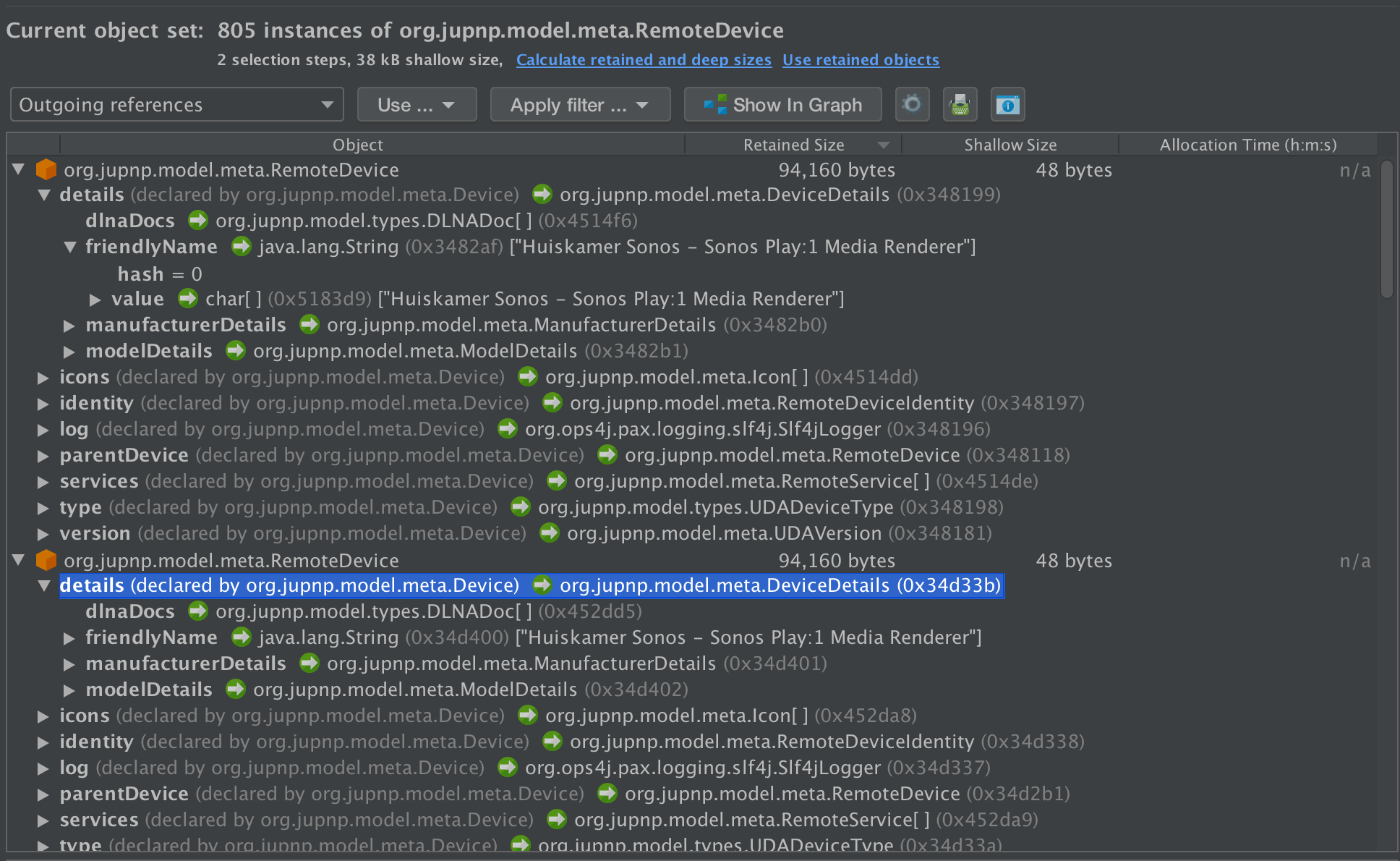
After restarting openhab I've been keeping an eye on it and i see the number of instances is slowly growing again.
You can create a histogram of your openhab memory like so:
sudo -u openhab jmap -histo 19281 where 19281 is the current pid of your openhab process.
num #instances #bytes class name
1: 375243 31985424 [C
2: 13293 10377664 [B
3: 41214 6991952 [I
....
771: 95 4560 org.jupnp.model.meta.RemoteDevice
Hope this maybe sheds another light on the issue pointing to some solution.
 jgeraerts
on 30 Jun 2020
jgeraerts
on 30 Jun 2020
Did someone test again OH 2.5.6 + the fixed version of the SamsungTV binding (PR #8025)?
lolodomo
on 1 Jul 2020
@lolodomo, probably not the same issue, but I am running into something similar without Sonos or Samsung binding in my installation. It looks like jupnp stops receiving the upnp multicast messages after a while.
I created an issue for it in the jupnp repository #123. It does have the same effect of UPnP things going offline.
I was testing this in the context of the UPnP Control binding I submitted in PR#7941. It borrows a lot from the Sonos binding.
EDIT: I found the issue in my setup. My interface was a bridged network interface. It did not let through inbound multicast packages to user space, except for a while, after outbound packets were sent. So it would receive NOTIFY messages for a while after a discovery or at start of the jupnp bundle. Disabling IGMP snooping solved the problem.
 mherwege
on 3 Jul 2020
mherwege
on 3 Jul 2020
I can grab the new samsung binding and drop it in next time I restart.
Heap dump after about 7 days of uptime on my OH instance for jupnp (top few), sonos, and samsungtv. Currently no devices have are completely failed.
num #instances #bytes class name
81: 19082 457968 org.jupnp.model.state.StateVariableValue
114: 5894 235760 org.jupnp.model.meta.ActionArgument
146: 5811 151160 [Lorg.jupnp.model.meta.ActionArgument;
164: 5103 122472 org.jupnp.model.types.UnsignedIntegerFourBytes
173: 2359 113232 org.jupnp.controlpoint.SubscriptionCallback$2
175: 3452 110464 org.jupnp.model.meta.StateVariable
176: 3452 110464 org.jupnp.model.meta.StateVariableTypeDetails
211: 2633 84256 org.jupnp.model.ExpirationDetails
212: 3452 82848 org.jupnp.model.meta.StateVariableEventDetails
244: 2625 63000 org.jupnp.registry.RegistryItem
250: 1937 61984 org.jupnp.model.meta.Action
266: 2359 56616 org.jupnp.internal.compat.java.beans.PropertyChangeSupport
728: 264 8448 org.jupnp.model.message.UpnpHeaders
1129: 196 3224 [Lorg.jupnp.model.meta.RemoteDevice;
1348: 42 2016 org.jupnp.model.meta.RemoteDevice
1555: 42 1344 org.jupnp.model.meta.RemoteDeviceIdentity
624: 420 13440 org.openhab.binding.sonos.internal.config.ZonePlayerConfiguration
1913: 7 672 org.openhab.binding.sonos.internal.handler.ZonePlayerHandler
2165: 8 448 org.openhab.binding.sonos.internal.SonosEntry
2403: 8 320 org.openhab.binding.sonos.internal.SonosZonePlayerState
2618: 10 240 org.openhab.binding.sonos.internal.SonosXMLParser$CurrentElement
2660: 7 224 org.openhab.binding.sonos.internal.SonosAudioSink
2697: 9 216 org.openhab.binding.sonos.internal.SonosXMLParser$Element
3364: 7 112 org.openhab.binding.sonos.internal.handler.ZonePlayerHandler$$Lambda$838/1137622152
3791: 1 80 org.openhab.binding.sonos.internal.SonosHandlerFactory
4238: 1 56 [Lorg.openhab.binding.sonos.internal.SonosXMLParser$CurrentElement;
4239: 1 56 [Lorg.openhab.binding.sonos.internal.SonosXMLParser$Element;
5630: 1 32 org.openhab.binding.sonos.internal.SonosStateDescriptionOptionProvider
8233: 1 16 org.openhab.binding.sonos.internal.discovery.ZonePlayerDiscoveryParticipant
1985: 14 784 org.openhab.binding.samsungtv.internal.service.MediaRendererService
2768: 14 224 org.openhab.binding.samsungtv.internal.service.MediaRendererService$$Lambda$886/79694457
2802: 3 216 org.openhab.binding.samsungtv.internal.handler.SamsungTvHandler
3167: 3 144 org.openhab.binding.samsungtv.internal.service.MainTVServerService
4107: 3 72 org.openhab.binding.samsungtv.internal.config.SamsungTvConfiguration
4436: 1 56 org.openhab.binding.samsungtv.internal.SamsungTvHandlerFactory
4850: 3 48 org.openhab.binding.samsungtv.internal.service.MainTVServerService$$Lambda$887/159489721
4851: 1 48 org.openhab.binding.samsungtv.internal.service.ServiceFactory$1
5735: 2 32 org.openhab.binding.samsungtv.internal.discovery.SamsungTvDiscoveryParticipant
8331: 1 16 org.openhab.binding.samsungtv.internal.handler.SamsungTvHandler$$Lambda$846/1679386263
morph166955
on 3 Jul 2020
Does anyone have a link to the samsung 2.5.7 jar that has that fix in it? I guess I can pull it from the most recent build as it looks like it's merged, but I want to make sure that is the correct file before spending a week waiting for it to fail.
https://openhab.jfrog.io/openhab/sandbox-release/org/openhab/addons/bundles/org.openhab.binding.samsungtv/2.5.7/org.openhab.binding.samsungtv-2.5.7.jar would be where I would likely grab it...
morph166955
on 3 Jul 2020
The 2.5.7.jar I mentioned above does NOT fix the occasional fall off issues. I have already had a play1 and playbar fall off and return 10 seconds later (due to the jupnp jar created above being set to a 10 second recovery). I'm going to load 2.4.0RC1 next.
morph166955
on 3 Jul 2020
2.4.0RC1 does NOT fix the occasional fall off issues either. @lolodomo does that 2.5.7.jar look right to you? I'll flip back if so.
morph166955
on 5 Jul 2020
We have another pending PR for the SamsungTV binding.
lolodomo
on 5 Jul 2020
Understood. Let me know once you have a jar and I'll drop that one on and let it run for a bit.
morph166955
on 5 Jul 2020
I found the issue in my setup. My interface was a bridged network interface. It did not let through inbound multicast packages to user space, except for a while, after outbound packets were sent. So it would receive NOTIFY messages for a while after a discovery or at start of the jupnp bundle. Disabling IGMP snooping solved the problem.
Interesting.
@morph166955 : are you or not in a similar case ?
lolodomo
on 7 Jul 2020
@lolodomo - just to clarify what you did? Disabling the IGMP snooping on all your switches?
EDIT:
https://www.thetechlounge.com/blog/what-is-igmp-snooping/
Best, Jay
jaywiseman1971
on 7 Jul 2020
This is a message from @mherwege, not mine.
lolodomo
on 7 Jul 2020
@jaywiseman1971
@lolodomo - just to clarify what you did? Disabling the IGMP snooping on all your switches?
EDIT:
https://www.thetechlounge.com/blog/what-is-igmp-snooping/
Best, Jay
No. My case was very specific. I have a VPN server running on the RPi that runs openHAB. It was set up for bridging, so acts as a switch between the physical ethernet and a virtual bridge ethernet port. It is the virtual bridge ethernet port that has the local network IP address.
So I needed to disable it on this RPi alone, did not touch any of my other network equipment.
mherwege
on 8 Jul 2020
I found the issue in my setup. My interface was a bridged network interface. It did not let through inbound multicast packages to user space, except for a while, after outbound packets were sent. So it would receive NOTIFY messages for a while after a discovery or at start of the jupnp bundle. Disabling IGMP snooping solved the problem.
Interesting.
@morph166955 : are you or not in a similar case ?
No. My OH instance is an Ubuntu 16 VM running on an Intel NUC with ESXi 6.7. It has one interface that is configured with a static IP.
morph166955
on 11 Jul 2020
I'm about a week into having 2.4.0RC1 running. No devices have fallen off without doing the immediate recovery. They do still flap all day long but only for the 10 seconds I have configured.
Heap dumps:
66: 35404 849696 org.jupnp.model.state.StateVariableValue
134: 9431 226344 org.jupnp.model.types.UnsignedIntegerFourBytes
142: 4168 200064 org.jupnp.controlpoint.SubscriptionCallback$2
143: 4948 197920 org.jupnp.model.meta.ActionArgument
171: 4388 140416 org.jupnp.model.ExpirationDetails
182: 4935 127888 [Lorg.jupnp.model.meta.ActionArgument;
203: 4386 105264 org.jupnp.registry.RegistryItem
211: 4168 100032 org.jupnp.internal.compat.java.beans.PropertyChangeSupport
221: 2848 91136 org.jupnp.model.meta.StateVariable
222: 2848 91136 org.jupnp.model.meta.StateVariableTypeDetails
259: 2848 68352 org.jupnp.model.meta.StateVariableEventDetails
303: 1645 52640 org.jupnp.model.meta.Action
446: 898 28736 org.jupnp.model.message.UpnpHeaders
510: 898 21552 [Lorg.jupnp.model.message.header.UpnpHeader;
520: 854 20496 org.jupnp.model.action.ActionArgumentValue
570: 437 17480 org.jupnp.model.ServerClientTokens
628: 429 13728 org.jupnp.model.types.SoapActionType
693: 466 11184 org.jupnp.util.MimeType
731: 215 10320 org.jupnp.model.message.control.OutgoingActionRequestMessage
772: 220 8800 org.jupnp.model.message.StreamResponseMessage
781: 215 8600 org.jupnp.model.message.control.IncomingActionResponseMessage
782: 215 8600 org.jupnp.protocol.sync.SendingAction
817: 320 7680 org.jupnp.model.types.UDAServiceId
823: 466 7456 org.jupnp.util.MimeType$1
837: 215 7288 [Lorg.jupnp.model.action.ActionArgumentValue;
853: 436 7048 [Lorg.jupnp.model.meta.RemoteDevice;
872: 433 6928 org.jupnp.model.types.UDN
875: 432 6912 org.jupnp.model.message.header.ContentTypeHeader
881: 215 6880 org.jupnp.model.action.ActionInvocation
884: 429 6864 org.jupnp.model.message.header.SoapActionHeader
887: 141 6768 org.jupnp.model.meta.RemoteService
961: 227 5448 org.jupnp.model.message.UpnpRequest
967: 225 5400 org.jupnp.model.message.UpnpResponse
974: 220 5280 org.jupnp.http.Headers
979: 219 5256 org.jupnp.transport.impl.jetty.JettyStreamClientImpl$1
980: 219 5256 org.jupnp.transport.spi.AbstractStreamClient$RequestWrapper
991: 215 5160 org.jupnp.controlpoint.ActionCallback$Default
1103: 96 3840 org.jupnp.model.meta.StateVariableAllowedValueRange
1132: 220 3520 org.jupnp.model.message.header.ServerHeader
1142: 215 3440 org.jupnp.model.message.header.EXTHeader
1149: 141 3384 org.jupnp.model.resource.ServiceEventCallbackResource
1237: 110 2640 org.jupnp.model.types.UDAServiceType
1302: 40 2240 org.jupnp.model.meta.DeviceDetails
1379: 40 1920 org.jupnp.model.meta.RemoteDevice
1547: 32 1280 org.jupnp.model.meta.Icon
1548: 40 1280 org.jupnp.model.meta.ModelDetails
1549: 40 1280 org.jupnp.model.meta.RemoteDeviceIdentity
1558: 39 1240 [Lorg.jupnp.model.meta.RemoteService;
760: 308 9856 org.openhab.binding.sonos.internal.SonosZoneGroup
1616: 44 1408 org.openhab.binding.sonos.internal.SonosXMLParser$ZoneGroupHandler
2007: 7 672 org.openhab.binding.sonos.internal.handler.ZonePlayerHandler
2551: 5 280 org.openhab.binding.sonos.internal.SonosEntry
2674: 10 240 org.openhab.binding.sonos.internal.SonosXMLParser$CurrentElement
2675: 6 240 org.openhab.binding.sonos.internal.SonosZonePlayerState
2708: 7 224 org.openhab.binding.sonos.internal.SonosAudioSink
2709: 7 224 org.openhab.binding.sonos.internal.config.ZonePlayerConfiguration
2748: 9 216 org.openhab.binding.sonos.internal.SonosXMLParser$Element
3425: 7 112 org.openhab.binding.sonos.internal.handler.ZonePlayerHandler$$Lambda$806/284283745
3885: 1 80 org.openhab.binding.sonos.internal.SonosHandlerFactory
4332: 1 56 [Lorg.openhab.binding.sonos.internal.SonosXMLParser$CurrentElement;
4333: 1 56 [Lorg.openhab.binding.sonos.internal.SonosXMLParser$Element;
4407: 1 56 org.openhab.binding.sonos.internal.SonosMetaData
4408: 1 56 org.openhab.binding.sonos.internal.SonosXMLParser$MetaDataHandler
5690: 1 32 org.openhab.binding.sonos.internal.SonosStateDescriptionOptionProvider
6428: 1 24 org.openhab.binding.sonos.internal.SonosXMLParser$RenderingControlEventHandler
8251: 1 16 org.openhab.binding.sonos.internal.SonosXMLParser$AVTransportEventHandler
8252: 1 16 org.openhab.binding.sonos.internal.discovery.ZonePlayerDiscoveryParticipant
1877: 18 1008 org.openhab.binding.samsungtv.internal.service.MediaRendererService
2620: 18 288 org.openhab.binding.samsungtv.internal.service.MediaRendererService$$Lambda$916/421495610
2838: 3 216 org.openhab.binding.samsungtv.internal.handler.SamsungTvHandler
2956: 4 192 org.openhab.binding.samsungtv.internal.service.MainTVServerService
4147: 3 72 org.openhab.binding.samsungtv.internal.config.SamsungTvConfiguration
4352: 4 64 org.openhab.binding.samsungtv.internal.service.MainTVServerService$$Lambda$918/673665266
4470: 1 56 org.openhab.binding.samsungtv.internal.SamsungTvHandlerFactory
4877: 1 48 org.openhab.binding.samsungtv.internal.service.ServiceFactory$1
5182: 1 40 org.openhab.binding.samsungtv.internal.service.RemoteControllerService
8327: 1 16 org.openhab.binding.samsungtv.internal.discovery.SamsungTvDiscoveryParticipant
8328: 1 16 org.openhab.binding.samsungtv.internal.handler.SamsungTvHandler$$Lambda$841/1915549317
morph166955
on 11 Jul 2020
Not sure if this is helpful, top 25 on the heap:
num #instances #bytes class name
1: 2258631 258517064 [C
2: 559018 110580144 [I
3: 72048 62850672 [B
4: 747326 44987008 [Ljava.lang.Object;
5: 1635514 39252336 java.lang.String
6: 373292 32849696 org.openhab.binding.tplinksmarthome.internal.model.Realtime
7: 872543 27921376 java.util.HashMap$Node
8: 89442 23670656 [Z
9: 505 16527248 [Lcom.sun.org.apache.xpath.internal.objects.XObject;
10: 138633 16408224 [Ljava.util.HashMap$Node;
11: 561068 13465632 org.eclipse.xtext.nodemodel.impl.SyntheticCompositeNode
12: 318943 12757720 java.util.LinkedHashMap$Entry
13: 419691 12213936 [Ljava.lang.String;
14: 271404 10856160 java.util.WeakHashMap$Entry
15: 256800 10272000 org.eclipse.emf.ecore.util.EObjectContainmentEList
16: 382715 9185160 java.util.ArrayList
17: 259787 8313184 com.google.inject.internal.Errors
18: 343711 8249064 java.util.regex.Pattern$5
19: 191457 7658280 java.util.HashMap$KeyIterator
20: 238110 7619520 java.util.ArrayList$Itr
21: 148995 7151760 java.util.HashMap
22: 109256 6992384 java.util.regex.Matcher
23: 212919 6813408 java.util.concurrent.ConcurrentHashMap$Node
24: 93278 6716016 java.util.regex.Pattern
25: 99877 6392128 org.eclipse.xtext.common.types.impl.JvmFieldImplCustom
morph166955
on 11 Jul 2020
FYI, the PR for the samsungTV binding was merged few days ago.
lolodomo
on 18 Jul 2020
I'll try to pull it in later and start to burn it in. I'm on 15 days now with 2.4.0RC1 and I have no devices that are in a permanent failed state. I'd agree, what ever broke all of this came after that.
morph166955
on 18 Jul 2020
2.4.0RC1 of the samsungTV binding in a 2.5.6 OH server ?
Your message means no permanent failed state but still temporary failed state? This is not expected.
lolodomo
on 19 Jul 2020
Just as a reminder: if you uninstall the samsungTV binding in a OH 2.5.6 server, you have 0 problem?
lolodomo
on 19 Jul 2020
2.4.0RC1 of the samsungTV binding in a 2.5.6 OH server ?
Your message means no permanent failed state but still temporary failed state? This is not expected.
Both correct. As per discussions above, I have the jar from 2.4.0RC1 loaded on my 2.5.6 install. The sonos speakers still flap when the thread count rises suddenly but none of them completely die off like they do in newer code. I believe there are two issues here. 1) Samsung does something to cause the permanent failures. 2) there is a thread pool issue where exhaustion is occurring. This is causing the devices to flap and come right back.
morph166955
on 19 Jul 2020
Just as a reminder: if you uninstall the samsungTV binding in a OH 2.5.6 server, you have 0 problem?
I believe this only fixed #1 above. It's been a minute since I've tested this, I can try later to confirm.
morph166955
on 19 Jul 2020
Sorry, what does it fix only ? Your link is wrong.
lolodomo
on 19 Jul 2020
Sorry that wasnt supposed to link. I was just meaning issue 1 I noted in the post immediately above. I believe removal of Samsung only fixes the issue where the sonos speakers fall off and don't come back. I do not believe it fixes the issue where it falls off and returns after the JuPnP waitng period.
morph166955
on 19 Jul 2020
Sorry that wasnt supposed to link. I was just meaning issue 1 I noted in the post immediately above. I believe removal of Samsung only fixes the issue where the sonos speakers fall off and don't come back. I do not believe it fixes the issue where it falls off and returns after the JuPnP waitng period.
This is very important to have a clear idea about that. The conclusion we got few months ago was that only a combination of the samsungTV and Sonos bindings was leading to the Sonos things going OFFLINE. If this is not the case, we have to know it.
I don't use the SamsungTV but I use the Sonos binding and I never encounter this problem for example.
If you encounter the OFFLINE effect even without the samsungTV binding, that could be due to your very big and unusual openHAB setup exhibiting resource leaks or bugs a normal user like me with only 3 Sonos things will never encounter.
lolodomo
on 24 Jul 2020
I guess I should be somewhat glad I didn't have time to do much to my openhab over the past few weeks. After 3 weeks of waiting I had 3 Sonos speakers fall off and not come back. I normally end up restarting my openhab every 2 weeks or so for one reason or another. This is with the 2.4.0RC1 SamsungTV binding in place. I will say that this was definitely a longer amount of time to wait, it used to be closer to 4-8 days. I will now remove the samsungtv binding and see if it can stay stable at all.
openhab> bundle:list -s | grep -i jupnp
236 │ Active │ 80 │ 2.6.0.202004231654 │ org.jupnp
openhab> bundle:list -s | grep -i sonos
251 │ Active │ 80 │ 2.5.6 │ org.openhab.binding.sonos
openhab> bundle:list -s | grep -i samsungtv
294 │ Active │ 80 │ 2.4.0.RC1 │ org.openhab.binding.samsungtv
openhab>
morph166955
on 25 Jul 2020
With the SamsungTV binding completely removed:
2020-07-25 12:30:12.029 [hingStatusInfoChangedEvent] - 'sonos:One:RINCON_REDACTED' changed from ONLINE to OFFLINE (COMMUNICATION_ERROR): The Sonos player RINCON_REDACTED is not available in local network.
2020-07-25 12:30:22.039 [hingStatusInfoChangedEvent] - 'sonos:One:RINCON_REDACTED' changed from OFFLINE (COMMUNICATION_ERROR): The Sonos player RINCON_REDACTED is not available in local network. to ONLINE
2020-07-25 12:38:41.659 [hingStatusInfoChangedEvent] - 'sonos:One:RINCON_REDACTED' changed from ONLINE to OFFLINE (COMMUNICATION_ERROR): The Sonos player RINCON_REDACTED is not available in local network.
2020-07-25 12:38:41.696 [hingStatusInfoChangedEvent] - 'sonos:One:RINCON_REDACTED' changed from ONLINE to OFFLINE (COMMUNICATION_ERROR): The Sonos player RINCON_REDACTED is not available in local network.
2020-07-25 12:38:50.667 [hingStatusInfoChangedEvent] - 'sonos:One:RINCON_REDACTED' changed from OFFLINE (COMMUNICATION_ERROR): The Sonos player RINCON_REDACTED is not available in local network. to ONLINE
2020-07-25 12:38:50.707 [hingStatusInfoChangedEvent] - 'sonos:One:RINCON_REDACTED' changed from OFFLINE (COMMUNICATION_ERROR): The Sonos player RINCON_REDACTED is not available in local network. to ONLINE

openhab> bundle:list -s | grep -i samsungtv
openhab> bundle:list -s | grep -i sonos
251 │ Active │  80 │ 2.5.6                   │ org.openhab.binding.sonos
openhab> bundle:list -s | grep -i jupnp
236 │ Active │  80 │ 2.6.0.202004231654      │ org.jupnp
openhab> bundle:list -s | grep -i samsungtv
openhab>
To note for tracking, I've updated to 2.5.7 and have installed the 2.5.7 samsungtv binding
openhab> bundle:list -s | grep -i jupnp
239 │ Active │ 80 │ 2.6.0.202004231654 │ org.jupnp
openhab> bundle:list -s | grep -i sonos
253 │ Active │ 80 │ 2.5.7 │ org.openhab.binding.sonos
openhab> bundle:list -s | grep -i samsung
292 │ Active │ 80 │ 2.5.7 │ org.openhab.binding.samsungtv
morph166955
on 26 Jul 2020
I tried to capture this graphically with Grafana. I hope this helps to explain what I'm seeing. To note, I very intentionally disabled some thread::sleep functions in my rules to cause the spikes to happen more frequently in the hopes to get more results in a shorter time. This compares CPU threads versus devices that are offline. Notice the 4 spikes on the yellow line, each is a sonos device going offline and coming back 10 seconds later. Each time they line up with the number of CPU threads spiking up quickly.

morph166955
on 1 Aug 2020
With the SamsungTV binding completely removed:
```
2020-07-25 12:30:12.029 [hingStatusInfoChangedEvent] - 'sonos:One:RINCON_REDACTED' changed from ONLINE to OFFLINE (COMMUNICATION_ERROR): The Sonos player RINCON_REDACTED is not available in local network.
2020-07-25 12:30:22.039 [hingStatusInfoChangedEvent] - 'sonos:One:RINCON_REDACTED' changed from OFFLINE (COMMUNICATION_ERROR): The Sonos player RINCON_REDACTED is not available in local network. to ONLINE
2020-07-25 12:38:41.659 [hingStatusInfoChangedEvent] - 'sonos:One:RINCON_REDACTED' changed from ONLINE to OFFLINE (COMMUNICATION_ERROR): The Sonos player RINCON_REDACTED is not available in local network.
2020-07-25 12:38:41.696 [hingStatusInfoChangedEvent] - 'sonos:One:RINCON_REDACTED' changed from ONLINE to OFFLINE (COMMUNICATION_ERROR): The Sonos player RINCON_REDACTED is not available in local network.
2020-07-25 12:38:50.667 [hingStatusInfoChangedEvent] - 'sonos:One:RINCON_REDACTED' changed from OFFLINE (COMMUNICATION_ERROR): The Sonos player RINCON_REDACTED is not available in local network. to ONLINE
2020-07-25 12:38:50.707 [hingStatusInfoChangedEvent] - 'sonos:One:RINCON_REDACTED' changed from OFFLINE (COMMUNICATION_ERROR): The Sonos player RINCON_REDACTED is not available in local network. to ONLINE
So your conclusion is the opposite of the one few months ago, that is the samsungtv has absolutely no impact on the problem ?
lolodomo
on 2 Aug 2020
In case the problem is the number of threads, can you check how many java threads you have ?
In my case, around 195:
$ ps hH p 16658 | wc -l
195
$ ls /proc/16658/task | wc
    194     194    1132
And with top, I can see my total number of threads (in the system) is around 295 on my RPI running openHAB.
You have more than 2000 threads, that looks weird, doesn't it ?
lolodomo
on 2 Aug 2020
With the SamsungTV binding completely removed:
2020-07-25 12:30:12.029 [hingStatusInfoChangedEvent] - 'sonos:One:RINCON_REDACTED' changed from ONLINE to OFFLINE (COMMUNICATION_ERROR): The Sonos player RINCON_REDACTED is not available in local network.
2020-07-25 12:30:22.039 [hingStatusInfoChangedEvent] - 'sonos:One:RINCON_REDACTED' changed from OFFLINE (COMMUNICATION_ERROR): The Sonos player RINCON_REDACTED is not available in local network. to ONLINE
2020-07-25 12:38:41.659 [hingStatusInfoChangedEvent] - 'sonos:One:RINCON_REDACTED' changed from ONLINE to OFFLINE (COMMUNICATION_ERROR): The Sonos player RINCON_REDACTED is not available in local network.
2020-07-25 12:38:41.696 [hingStatusInfoChangedEvent] - 'sonos:One:RINCON_REDACTED' changed from ONLINE to OFFLINE (COMMUNICATION_ERROR): The Sonos player RINCON_REDACTED is not available in local network.
2020-07-25 12:38:50.667 [hingStatusInfoChangedEvent] - 'sonos:One:RINCON_REDACTED' changed from OFFLINE (COMMUNICATION_ERROR): The Sonos player RINCON_REDACTED is not available in local network. to ONLINE
2020-07-25 12:38:50.707 [hingStatusInfoChangedEvent] - 'sonos:One:RINCON_REDACTED' changed from OFFLINE (COMMUNICATION_ERROR): The Sonos player RINCON_REDACTED is not available in local network. to ONLINE
So your conclusion is the opposite of the one few months ago, that is the samsungtv has absolutely no impact on the problem ?
After all of this, I believe the samsungtv binding makes the failures happen more frequently. I believe that they will still happen just not as often. Remember, there are two issues. 1) devices falling off and coming back as soon as JuPnP waits. 2) devices falling off and not returning at all. With samsungtv 2.4.0RC1, it took close to 3 weeks for devices to fall off and not return. With the 2.5.x variants, that goes down to 6-10 days.
You are also correct, I have a substantially higher number of threads. I have some of my threadpools dialed up a bit because I had threadpool exhaustion happening, mostly on the rules side of the house. I'll admit the pools are probably larger than they need to be, but with the exception of this issue my system is incredibly stable so I've opted to not try and dial it down.
$ ls /proc/29875/task | wc
2099 2099 12331
$ ps hH p 29875 | wc -l
2090
My system has not had any issues handling the process load however, the host it is on has a good bit of juice.
morph166955
on 2 Aug 2020
Here was another capture from this morning.

morph166955
on 2 Aug 2020
Hello,
I was debugging this issue a little further since i'm still having out of memory issues on 2.5.8. What i've found is that if the addresses change on my eth0 interface, jupnp is basically restarted. This happens quite frequently with ipv6 and privacy extensions.
@Override
    public void onChanged(final List<CidrAddress> added, final List<CidrAddress> removed) {
        scheduler.execute(() -> {
            if (!removed.isEmpty()) {
                upnpService.getRegistry().removeAllRemoteDevices();
            }

            try {
                upnpService.getRouter().disable();
                upnpService.getRouter().enable();

                startScan();
            } catch (RouterException e) {
                logger.error("Could not restart UPnP network components.", e);
            }
        });
    }
which is called from NetUtilwhenever the addresses change. I suspect that this disable / enable cycle could be a cause of the enable/disable messages.
jgeraerts
on 24 Sep 2020
Interesting.
We could first add a log entry to be sure that this method is called and we will know at which time it occurs.
The call to removeAllRemoteDevices() could probably explain the things going OFFLINE. Maybe it is strange to erase all devices in case only one device IP changed. But maybe it is not so easy to filter what has to be removed.
lolodomo
on 24 Sep 2020
Here it was pretty apparent from the logs. I had an additional problem on my router configuration that the RouterAdvertisements expired after 2 minutes, something i had set to debug some unrelated problem but forgot to restore, so that caused the ipv6 addresses to be removed from the interface much more often.
2020-09-22 22:40:41.264 [DEBUG] [g.eclipse.smarthome.core.net.NetUtil] - added 0 network interfaces: []
2020-09-22 22:40:41.274 [DEBUG] [g.eclipse.smarthome.core.net.NetUtil] - removed 1 network interfaces: [fdb1:5ec4:5923:2:8f58:3018:214f:216a%eth0/64]
2020-09-22 22:40:45.332 [INFO ] [s.internal.handler.ZonePlayerHandler] - UPnP device RINCON_347E5CC5F52E01400 is absent (thing sonos:PLAY1:RINCON_347E5CC5F52E01400)
2020-09-22 22:40:45.332 [DEBUG] [org.jupnp.transport.Router          ] - Disabling network services...
2020-09-22 22:40:45.334 [DEBUG] [org.jupnp.transport.Router          ] - Stopping stream client connection management/pool
2020-09-22 22:40:45.339 [DEBUG] [org.jupnp.transport.Router          ] - Stopping stream server on address: /172.16.2.3
2020-09-22 22:40:45.349 [DEBUG] [org.jupnp.transport.Router          ] - Stopping multicast receiver on interface: eth0
2020-09-22 22:40:45.353 [DEBUG] [upnp.transport.spi.MulticastReceiver] - Leaving multicast group
2020-09-22 22:40:45.354 [DEBUG] [org.jupnp.transport.Router          ] - Stopping datagram I/O on address: /172.16.2.3
2020-09-22 22:40:45.355 [DEBUG] [upnp.transport.spi.MulticastReceiver] - Socket closed
2020-09-22 22:40:45.356 [DEBUG] [org.jupnp.transport.Router          ] - Starting networking services...
2020-09-22 22:40:45.356 [DEBUG] [.jupnp.transport.impl.DatagramIOImpl] - Socket closed
2020-09-22 22:40:45.358 [DEBUG] [org.jupnp.transport.Router          ] - Init multicast receiver on interface: eth0
2020-09-22 22:40:45.361 [DEBUG] [upnp.transport.spi.MulticastReceiver] - Creating wildcard socket (for receiving multicast datagrams) on port: 1900
2020-09-22 22:40:45.363 [DEBUG] [upnp.transport.spi.MulticastReceiver] - Joining multicast group: /239.255.255.250:1900 on network interface: eth0
jgeraerts
on 25 Sep 2020
Just to note, my OH2 instance is statically IP'ed and all of my Sonos speakers have permanent assignments in my DHCP so they should never change addresses.
morph166955
on 26 Sep 2020
@lolodomo As 3.0.0 is working it's way out, and we really never found an answer to this, would it be possible for you to commit the change to JuPnP that created the org.jupnp:retryAfterSeconds variable so that it can be rolled into 3.0.0? While it's not a fix, it at least recovers me faster than 10 minutes. As we move to 3.0.0 having the 2.4.0 Samsung binding isn't really an option.
morph166955
on 27 Oct 2020
Related issues
 Alex5719
·
6Comments
Alex5719
·
6Comments
 smyrman
·
4Comments
smyrman
·
4Comments
 LukasA83
·
5Comments
LukasA83
·
5Comments
 openPhiL
·
5Comments
openPhiL
·
5Comments
 trailblazer2006
·
6Comments
trailblazer2006
·
6Comments
Most helpful comment
At least, you all know the workaround now: disable your SamsungTV things or uninstall this binding.