Openhab-addons: [yamahareceiver binding] Party mode and Scenes for Yamaha receivers
Expected Behavior
It would be nice to be able to enable Party mode and Scenes for all the zones on the yamaha receiver.
I made a post to this thread:
https://community.openhab.org/t/yamahareceiver-binding-has-issue-with-zone-2/19731/45
I think that this has been done before for other automation systems:
https://www.npmjs.com/package/yamaha-nodejs
It would be great to have it in OpenHab as well.
Current Behavior
It's not possible to enable party mode (should be a switch)
It's not possible to change the scene for a zone (should be a string like the input(?).
Possible Solution
Add support for Partymode and Scenes
Steps to Reproduce (for Bugs)
N/A
Context
I use the amplifier with google home using openHab every day. By adding this feature, openHab would give me a much greater value.
Your Environment
I run OpenHab as Docker on a Ubuntu server. It's connected to the same internal network as my Yamaha receiver.
 teqnet
All 40 comments
We already have https://github.com/openhab/openhab2-addons/issues/3176 for adding scenes but it does not cover party mode. :smiley: :balloon:
 wborn
on 25 Mar 2018
wborn
on 25 Mar 2018
Hi @teqnet, could you please send me your device descriptor XML?
It is usually located under http://<your_yamaha_ip>/YamahaRemoteControl/desc.xml (or http://<your_yamaha_ip>/YamahaRemoteControl/UnitDesc.xml for older devices).
 zarusz
on 30 Apr 2018
zarusz
on 30 Apr 2018
@teqnet and @wborn I made the changes to add scene and party mode support. Can you please test if this works for your AVR?
Here is the addon. Just remove the stock addon and add this one to the addons folder.
Here is how to use scenes and party mode.
I ought to mention that after the upgrade you also need to adjust your thing settings because they are are now stored under a different name (see more info here). Because of that you need to set the IP/host address of your Yamaha on the Yamaha thing and assign the zone setting on each of the zone things.
If you configued via PaperUI go to > Configuration > Things > Yamaha Receiver > edit (pencil) > Address, and also Configuration > Things > Yamaha Main Zone > edit > Zone (set to 'Main_Zone'). If you configured via the .thing file see the updated documentation here - note the host and zone are now all lower case.
In case you have issues enable detailed logging and check what does it say.
zarusz
on 17 May 2018
Thanks for picking this up @zarusz. I don't have a Yamaha AVR so it's difficult to test for me. It's nice to see you've also added some unit tests! :+1:
wborn
on 18 May 2018
I have a Yamaha RX 3070, we will enable this add on and test SCENE/Party mode
 dastrix80
on 7 Jun 2018
dastrix80
on 7 Jun 2018
Is the Party mode feature included in the 2.3 release?
I have an RX-A2000 and would like to know how I need to follow your above steps along with the 2.3 upgrade.
 lauron
on 18 Jun 2018
lauron
on 18 Jun 2018
@lauron doesn't seem like it's in the 2.3 release; https://github.com/zarusz/openhab2-addons/commit/02e6fa2d48b8c820316cd943fe88059fad83240c and https://github.com/zarusz/openhab2-addons/commit/f9606ddfdf020f33db9f44b5516f3dd9b09d4fa8 don't seem to be pushed to the master repo.
Looks like if we can test the jar @zarusz provided, we can verify his fix works and it can get pushed upstream
 seesemichaelj
on 18 Jun 2018
seesemichaelj
on 18 Jun 2018
Correct, the party mode and scenes are not yet released. More Yamaha users need to test it first before I prepare a pull request that will make it's way into the next OH 2.4.0 release. I tested this on RX-S601D.
Although the JAR I have linked is 2.3.0-SNAPSHOT, I found it also works in openHAB 2.3.0 stable runtime.
Essentially, to test my build:
- uninstall the stock YamahaReceiver addon (via PaperUI)
- add my JAR into
addonsfolder of your OH - preferably use OH2.3.0 (stable)
- if any issues, try to remove the
kar,tmp,cachefolders (insideuserdata) on your OH installation and reboot - check the notes from my earlier post
zarusz
on 18 Jun 2018
Will your snapshot work with any Yamaha model?
I have both an RX-A2000 and a RX-A830.
Are the folders that you identified the same for a raspberry pi install?
When you say uninstall, do you mean from the addon->binding option via
paperUI?
Do the remaining THINGS also need to be removed, or just the binding?
Do I remove "-SNAPSOT" from the file name, when I replace the stock .jar?
Thanks.
On Mon, Jun 18, 2018 at 4:15 PM, Tomasz Maruszak notifications@github.com
wrote:
Correct, the party mode and scenes are not yet released. More Yamaha users
need to test it first before I prepare a pull request that will make it's
way into the next OH 2.4.0 release. I tested this on RX-S601D.Although the JAR I have linked is 2.3.0-SNAPSHOT, I found it also works in
openHAB 2.3.0 stable runtime.
Essentially, to test my build:
- uninstall the stock YamahaReceiver addon (via PaperUI)
- add my JAR into addons folder of your OH
- preferably use OH2.3.0 (stable)
- if any issues, try to remove the kar, tmp, cache folders (inside
userdata) on your OH installation and reboot- check the notes from my earlier post
—
You are receiving this because you were mentioned.
Reply to this email directly, view it on GitHub
https://github.com/openhab/openhab2-addons/issues/3393#issuecomment-398181084,
or mute the thread
https://github.com/notifications/unsubscribe-auth/AH-DdlkU8AIMGAx2zKf4Elbd86wIQ8i7ks5t-ApmgaJpZM4S3y-f
.
lauron
on 18 Jun 2018
@lauron your models should be compatible according to the documentation here.
Not sure where would these folders be exactly on Pi. Maybe check these locations from the install manuals.
Yes, I meant the uninstall like this PaperUI>Addons>Bindings.
I did not remove the -SNAPSHOT and it worked for me.
Removal of THINGS should not be necessary. Try without removing them first, but please bear in mind that the settings names changed between 2.2.0 and 2.3.0 - you would need to reset the mandatory settings again in PaperUI (Configuration >Things > Edit > Yamaha Receiver > host, Configuration > Things > Edit > Yamaha Main Zone > zone).
zarusz
on 18 Jun 2018
@zarusz https://github.com/zarusz party mode does work on the RX-A830, but does not work on the RX-A2000. The channels show up and configure the same for both devices, it’s just that the RX-A2000 just does not execute. The RX-A2000 is also a much older device. If I use the Yamaha AV Controller app, the command does execute. Is there something that I can do to help debug this?
From: Tomasz Maruszak notifications@github.com
Sent: Monday, June 18, 2018 4:56 PM
To: openhab/openhab2-addons openhab2-addons@noreply.github.com
Cc: Ron Seese ron@seese.net; Mention mention@noreply.github.com
Subject: Re: [openhab/openhab2-addons] [yamahareceiver binding] Party mode and Scenes for Yamaha receivers (#3393)
@lauron https://github.com/lauron your models should be compatible according to the documentation here https://github.com/openhab/openhab2-addons/tree/master/addons/binding/org.openhab.binding.yamahareceiver#yamaha-receiver-binding .
Not sure where would these folders be exactly on Pi. Maybe check these locations from the install manuals https://www.openhab.org/docs/installation/linux.html#installation .
Yes, I meant the uninstall like this PaperUI>Addons>Bindings.
I did not removed the -SNAPSHOT and it worked for me.
Removal of THINGS should not be necessary. Try without removing them first, but please bear in mind that the settings names changed between 2.2.0 and 2.3.0 https://github.com/openhab/openhab-distro/wiki/%5BDRAFT%5D-openHAB-2.3-Release-Notes#add-ons - you would need to reset the mandatory settings again in PaperUI (Configuration >Things > Edit > Yamaha Receiver > host, Configuration > Things > Edit > Yamaha Main Zone > zone).
—
You are receiving this because you were mentioned.
Reply to this email directly, view it on GitHub https://github.com/openhab/openhab2-addons/issues/3393#issuecomment-398192920 , or mute the thread https://github.com/notifications/unsubscribe-auth/AH-DdmjDfViTTLK8E8LL5wOyhrFtMKL6ks5t-BP0gaJpZM4S3y-f . https://github.com/notifications/beacon/AH-Ddigj6bStn8IWjYmLenc8WSn3omcmks5t-BP0gaJpZM4S3y-f.gif
lauron
on 19 Jun 2018
Hi all,
today I tried to install the binding provided by zarusz following the instructions above. I'm running Openhabian 2.3.0 Stable on a Raspberry Pi.
After uninstalling the Binding from PaperUI I copied the jar-file to the folder /usr/share/openhab2/addons.
After rebooting the device the binding did not show under Configuration -> Bindings.
So I removed the folders cache and tmp (kar was not there) from /var/lib/openhab2/ and rebooted the device again.
Unfortunately, I'm no longer able to reach PaperUI (Chromium browser states that the connection is refused). Connecting via putty works flawlessly.
Here is an extract from the openhab.log file
2018-06-19 21:51:05.046 [WARN ] [org.apache.karaf.main.Main          ] - Lock lost. Setting startlevel to 1
2018-06-19 21:51:28.816 [WARN ] [org.apache.karaf.main.Main          ] - Lock lost. Setting startlevel to 1
2018-06-19 21:51:29.055 [ERROR] [org.eclipse.smarthome.config.xml    ] - Component descriptor entry 'OSGI-INF/*.xml' not found
2018-06-19 21:51:29.066 [ERROR] [org.eclipse.smarthome.core.thing.xml] - Component descriptor entry 'OSGI-INF/*.xml' not found
2018-06-19 21:51:29.121 [ERROR] [org.openhab.ui.homebuilder          ] - Component descriptor entry 'OSGI-INF/*.xml' not found
2018-06-19 21:51:29.271 [ERROR] [org.eclipse.smarthome.config.core   ] - Component descriptor entry 'OSGI-INF/*.xml' not found
2018-06-19 21:51:29.375 [ERROR] [ipse.smarthome.config.discovery.mdns] - Component descriptor entry 'OSGI-INF/*.xml' not found
2018-06-19 21:51:29.381 [ERROR] [rg.eclipse.smarthome.config.dispatch] - Component descriptor entry 'OSGI-INF/*.xml' not found
2018-06-19 21:51:30.193 [ERROR] [org.eclipse.smarthome.io.console    ] - Component descriptor entry 'OSGI-INF/*.xml' not found
2018-06-19 21:51:30.273 [ERROR] [rg.eclipse.smarthome.core.autoupdate] - Component descriptor entry 'OSGI-INF/*.xml' not found
2018-06-19 21:51:30.280 [ERROR] [g.eclipse.smarthome.core.binding.xml] - Component descriptor entry 'OSGI-INF/*.xml' not found
2018-06-19 21:51:30.286 [ERROR] [org.eclipse.smarthome.core.id       ] - Component descriptor entry 'OSGI-INF/*.xml' not found
2018-06-19 21:51:30.854 [ERROR] [g.eclipse.smarthome.io.console.karaf] - Component descriptor entry 'OSGI-INF/*.xml' not found
2018-06-19 21:51:30.862 [ERROR] [org.eclipse.smarthome.io.javasound  ] - Component descriptor entry 'OSGI-INF/*.xml' not found
2018-06-19 21:51:30.868 [ERROR] [org.eclipse.smarthome.io.monitor    ] - Component descriptor entry 'OSGI-INF/*.xml' not found
2018-06-19 21:51:30.873 [ERROR] [org.eclipse.smarthome.io.net        ] - Component descriptor entry 'OSGI-INF/*.xml' not found
2018-06-19 21:51:30.881 [ERROR] [org.eclipse.smarthome.io.rest       ] - Component descriptor entry 'OSGI-INF/*.xml' not found
2018-06-19 21:51:30.889 [ERROR] [org.eclipse.smarthome.io.rest.core  ] - Component descriptor entry 'OSGI-INF/*.xml' not found
2018-06-19 21:51:30.895 [ERROR] [org.eclipse.smarthome.io.rest.mdns  ] - Component descriptor entry 'OSGI-INF/*.xml' not found
2018-06-19 21:51:30.906 [ERROR] [rg.eclipse.smarthome.io.rest.sitemap] - Component descriptor entry 'OSGI-INF/*.xml' not found
2018-06-19 21:51:30.916 [ERROR] [org.eclipse.smarthome.io.rest.sse   ] - Component descriptor entry 'OSGI-INF/*.xml' not found
2018-06-19 21:51:30.922 [ERROR] [org.eclipse.smarthome.io.rest.voice ] - Component descriptor entry 'OSGI-INF/*.xml' not found
2018-06-19 21:51:30.928 [ERROR] [.eclipse.smarthome.io.transport.mdns] - Component descriptor entry 'OSGI-INF/*.xml' not found
2018-06-19 21:51:30.934 [ERROR] [org.eclipse.smarthome.io.webaudio   ] - Component descriptor entry 'OSGI-INF/*.xml' not found
2018-06-19 21:51:30.939 [ERROR] [org.eclipse.smarthome.model.core    ] - Component descriptor entry 'OSGI-INF/*.xml' not found
2018-06-19 21:51:30.946 [ERROR] [org.eclipse.smarthome.model.item    ] - Component descriptor entry 'OSGI-INF/*.xml' not found
2018-06-19 21:51:30.953 [ERROR] [eclipse.smarthome.model.item.runtime] - Component descriptor entry 'OSGI-INF/*.xml' not found
2018-06-19 21:51:30.971 [ERROR] [.eclipse.smarthome.model.persistence] - Component descriptor entry 'OSGI-INF/*.xml' not found
2018-06-19 21:51:30.978 [ERROR] [.smarthome.model.persistence.runtime] - Component descriptor entry 'OSGI-INF/*.xml' not found
2018-06-19 21:51:30.983 [ERROR] [org.eclipse.smarthome.model.rule    ] - Component descriptor entry 'OSGI-INF/*.xml' not found
2018-06-19 21:51:30.990 [ERROR] [eclipse.smarthome.model.rule.runtime] - Component descriptor entry 'OSGI-INF/*.xml' not found
2018-06-19 21:51:31.161 [ERROR] [lipse.smarthome.model.script.runtime] - Component descriptor entry 'OSGI-INF/*.xml' not found
2018-06-19 21:51:31.181 [ERROR] [ipse.smarthome.model.sitemap.runtime] - Component descriptor entry 'OSGI-INF/*.xml' not found
2018-06-19 21:51:31.186 [ERROR] [org.eclipse.smarthome.model.thing   ] - Component descriptor entry 'OSGI-INF/*.xml' not found
2018-06-19 21:51:31.193 [ERROR] [clipse.smarthome.model.thing.runtime] - Component descriptor entry 'OSGI-INF/*.xml' not found
2018-06-19 21:51:31.665 [ERROR] [org.eclipse.smarthome.ui.icon       ] - Component descriptor entry 'OSGI-INF/*.xml' not found
2018-06-19 21:51:31.671 [ERROR] [eclipse.smarthome.ui.iconset.classic] - Component descriptor entry 'OSGI-INF/*.xml' not found
2018-06-19 21:51:31.689 [ERROR] [org.jupnp                           ] - Component descriptor entry 'OSGI-INF/*.xml' not found
2018-06-19 21:51:32.043 [ERROR] [org.eclipse.smarthome.ui.paper      ] - Component descriptor entry 'OSGI-INF/*.xml' not found
2018-06-19 21:51:32.118 [ERROR] [ipse.smarthome.config.discovery.upnp] - Component descriptor entry 'OSGI-INF/*.xml' not found
2018-06-19 21:51:32.124 [ERROR] [.eclipse.smarthome.io.transport.upnp] - Component descriptor entry 'OSGI-INF/*.xml' not found
2018-06-19 21:51:32.131 [ERROR] [smarthome.config.discovery.usbserial] - Component descriptor entry 'OSGI-INF/*.xml' not found
2018-06-19 21:51:32.136 [ERROR] [onfig.discovery.usbserial.linuxsysfs] - Component descriptor entry 'OSGI-INF/*.xml' not found
2018-06-19 21:51:32.142 [ERROR] [org.eclipse.smarthome.config.serial ] - Component descriptor entry 'OSGI-INF/*.xml' not found
2018-06-19 21:51:32.149 [ERROR] [e.smarthome.io.transport.serial.rxtx] - Component descriptor entry 'OSGI-INF/*.xml' not found
2018-06-19 21:51:32.204 [ERROR] [org.openhab.core                    ] - Component descriptor entry 'OSGI-INF/*.xml' not found
2018-06-19 21:52:32.004 [WARN ] [raf.features.internal.osgi.Activator] - Error starting activator
java.io.IOException: Unexpected end of input at 1:1
    at org.apache.karaf.features.internal.util.JsonReader.error(JsonReader.java:337) [10:org.apache.karaf.features.core:4.1.5]
    at org.apache.karaf.features.internal.util.JsonReader.expected(JsonReader.java:331) [10:org.apache.karaf.features.core:4.1.5]
    at org.apache.karaf.features.internal.util.JsonReader.readValue(JsonReader.java:93) [10:org.apache.karaf.features.core:4.1.5]
    at org.apache.karaf.features.internal.util.JsonReader.parse(JsonReader.java:58) [10:org.apache.karaf.features.core:4.1.5]
    at org.apache.karaf.features.internal.util.JsonReader.read(JsonReader.java:52) [10:org.apache.karaf.features.core:4.1.5]
    at org.apache.karaf.features.internal.region.DigraphHelper.readDigraph(DigraphHelper.java:90) [10:org.apache.karaf.features.core:4.1.5]
    at org.apache.karaf.features.internal.region.DigraphHelper.loadDigraph(DigraphHelper.java:70) [10:org.apache.karaf.features.core:4.1.5]
    at org.apache.karaf.features.internal.osgi.Activator.doStart(Activator.java:131) [10:org.apache.karaf.features.core:4.1.5]
    at org.apache.karaf.util.tracker.BaseActivator.run(BaseActivator.java:242) [10:org.apache.karaf.features.core:4.1.5]
    at java.util.concurrent.Executors$RunnableAdapter.call(Executors.java:511) [?:?]
    at java.util.concurrent.FutureTask.run(FutureTask.java:266) [?:?]
    at java.util.concurrent.ThreadPoolExecutor.runWorker(ThreadPoolExecutor.java:1149) [?:?]
    at java.util.concurrent.ThreadPoolExecutor$Worker.run(ThreadPoolExecutor.java:624) [?:?]
    at java.lang.Thread.run(Thread.java:748) [?:?]
Does anybody have a clue, how to solve that issue?
Best regards
McFly
 McFly3025
on 19 Jun 2018
McFly3025
on 19 Jun 2018
@lauron
When saying it does not work on the RX-A2000, you mean the scenes don't work or the entire binding does not seem to work with this model?
Please send me the XML descriptor file for your model. You can simply download it using a web browser. Here are two possible locations to obtain it for your model. This will help me and other developers understand what is so different on this older model.
If the entire addon does not work for RX-A2000, then it will need a separate issue to fix the compatibility since it will most likely require more work.
@McFly3025
I am not using openhabian myself. Try these things:
- Ensure you have UIs installed/enabled in your
conf\services\addons.cfgfile, e.g. this entry should be there:
package = standard
or the list of UIs to install:
ui = basic,paper,habpanel
- Before removing
karandcache, I suggest to stop the OH service. Also, you can try deleting them once more - when delete was done without stopping the OH service some partial/corrupt files could have been created.
zarusz
on 19 Jun 2018
@zarusz https://github.com/zarusz
Everything seems to work for the RX-A2000 EXCEPT for party mode. All features, at least what I use, along with scenes DO work. So it is just the party mode which does not work. Attached is the .xml file from the unit.
Let me know what I can do next..
Thanks.
From: Tomasz Maruszak notifications@github.com
Sent: Tuesday, June 19, 2018 4:59 PM
To: openhab/openhab2-addons openhab2-addons@noreply.github.com
Cc: Ron Seese ron@seese.net; Mention mention@noreply.github.com
Subject: Re: [openhab/openhab2-addons] [yamahareceiver binding] Party mode and Scenes for Yamaha receivers (#3393)
@lauron https://github.com/lauron
When saying it does not work on the RX-A2000, you mean the scenes don't work or the entire binding does not seem to work with this model?
Please send me the XML descriptor file for your model. You can simply download it using a web browser. Here are two possible locations https://github.com/openhab/openhab2-addons/tree/master/addons/binding/org.openhab.binding.yamahareceiver/docs#xml-descriptor to obtain it for your model. This will help me and other developers understand what is so different on this older model.
If the entire addon does not work for RX-A2000, then it will need a separate issue to fix the compatibility since it will most likely require more work.
@McFly3025 https://github.com/McFly3025
I am not using openhabian myself. Try these things:
- Ensure you have UIs installed/enabled in your conf\servicesaddons.cfg file, e.g. this entry should be there:
package = standard
or the list of UIs to install:
ui = basic,paper,habpanel
- Before removing kar and cache, I suggest to stop the OH service. Also, you can try deleting them once more - when delete was done without stopping the OH service some partial/corrupt files could have been created.
—
You are receiving this because you were mentioned.
Reply to this email directly, view it on GitHub https://github.com/openhab/openhab2-addons/issues/3393#issuecomment-398543755 , or mute the thread https://github.com/notifications/unsubscribe-auth/AH-DdhcyillmwRnzbemGom7PFtQN1eU0ks5t-WYxgaJpZM4S3y-f . https://github.com/notifications/beacon/AH-DdrjNxfTPC09uG17OxtDOmt0GOU7Cks5t-WYxgaJpZM4S3y-f.gif
lauron
on 20 Jun 2018
Hi Guys, please see attached my XML file for the Yamaha RX-A3070. Hopefuly this helps certify this model as working or not :)
dastrix80
on 20 Jun 2018
Thanks for your file,
I see that my RX-A2000 .xml file does not have a ‘Party_Mode’ declaration in the System Unit section. Though if I use the Yamaha AV Controller app to enable party mode, the receiver does respond with PARTY MODE on the display, thus enabling zone 2 speakers. Does the binding require the .xml declaration? I am wondering if the‘RX-A2000’ was the initial/early release for the YNCA protocol and may not of had a complete .xml file declaration and the Yamaha app had to walk around this case?
lauron
on 20 Jun 2018
@zarusz https://github.com/zarusz we made a modification to your code to get party mode to work on the RX-A2000 (see below) This forces the command to execute and works for me in the interim (thanks @seesemichaelj), but would require me to re-patch on future releases. Not sure what the best method of dealing with this, as we would have to make an assumption of when this exemption needs to occur, so I defer to your judgment, but we are willing to help if you like.
I do wonder if the version in the .xml file could help:
Thanks!
/**
 * Apply command changes to ensure compatibility with all supported models
 */
protected void applyModelVariations() {
    if (systemDescriptor == null) {
        logger.trace("System descriptor not available");
        return;
    }

    logger.trace("Compatibility detection");

    /*partyModeSupported = systemDescriptor.hasCommandEnding("System,Party_Mode,Mode",
            () -> logger.info("The {} channel is not supported on your model", CHANNEL_PARTY_MODE));

    partyModeMuteSupported = systemDescriptor.hasCommandEnding("System,Party_Mode,Volume,Mute",
            () -> logger.info("The {} channel is not supported on your model", CHANNEL_PARTY_MODE_MUTE));

    partyModeVolumeSupported = systemDescriptor.hasCommandEnding("System,Party_Mode,Volume,Lvl",
            () -> logger.info("The {} channel is not supported on your model", CHANNEL_PARTY_MODE_VOLUME));*/
    systemDescriptor.hasCommandEnding("System,Party_Mode,Mode",
            () -> logger.info("The {} channel is not supported on your model SEESE EDIT", CHANNEL_PARTY_MODE));
    partyModeSupported = true;
    partyModeMuteSupported = true;
    partyModeVolumeSupported = true;
}
@dastrix80
@seesemichaelj
@zarusz
A couple of declarations from devices that work with the unmodified code:
lauron
on 20 Jun 2018
Hello,
- Before removing kar and cache, I suggest to stop the OH service. Also, you can try deleting them once more - when delete was done without stopping the OH service some partial/corrupt files could have been created.<
I managend to reestablish a connection with PaperUI, fianlly. After that the Yamaha Receiver binding occurred under >Configuration>Bindings.
With the original items and things it did not work any more. So I removed all items and things related to the yamaha receiver and recreated all things and items. After that scenes were working fine.
Btw: I tested it with an RX-V583.
I didn't test party mode, because I don't need it. The openhab.log file says that my model is not supporting party mode.
Best regards
McFly3025
on 20 Jun 2018
@McFly3025 cool that this started to work for you on RX-V583.
@lauron I have the XML for your RX-A2000 and the findings you provided with @seesemichaelj. I made further changes to my version and incorporated the fact that RX-A2000 descriptor does not declare party mode. Please grab my latest JAR and check if party feature works.
@dastrix80 thanks for the XML file. Did you manage to test scene/party mode on RX-A3070?
They should work according to the descriptor.
I will be away for few days, but will get back when I can ;)
zarusz
on 20 Jun 2018
@lauron the typo is now fixed, please recheck.
zarusz
on 24 Jun 2018
Hi!
I don't get it in the paper UI. I think I got the improved binding, since I now have four things on my amplifier.
Should it show up in the Paper UI under any of these things?
I cleared the tmp, cache and kar folders.
teqnet
on 24 Jun 2018
@zarusz looks like the latest is working perfectly for me. Thanks.
lauron
on 24 Jun 2018
Be careful in removing the cache folder. I can't get OH to start again...
https://github.com/openhab/openhab-distro/issues/263
Any suggestions on how to get it to work again?
teqnet
on 25 Jun 2018
Got it working by removing the folders again and restart.
teqnet
on 25 Jun 2018
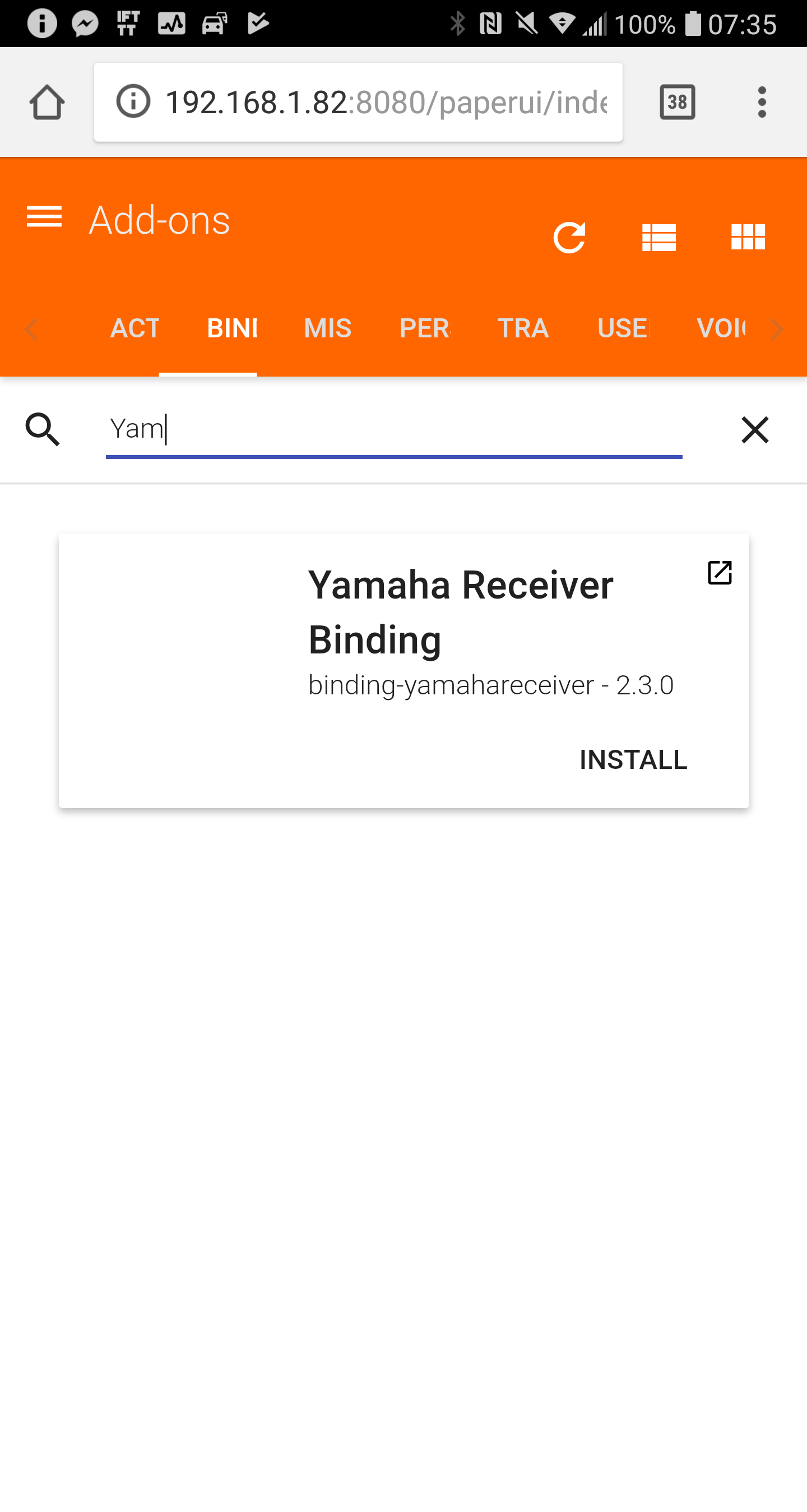
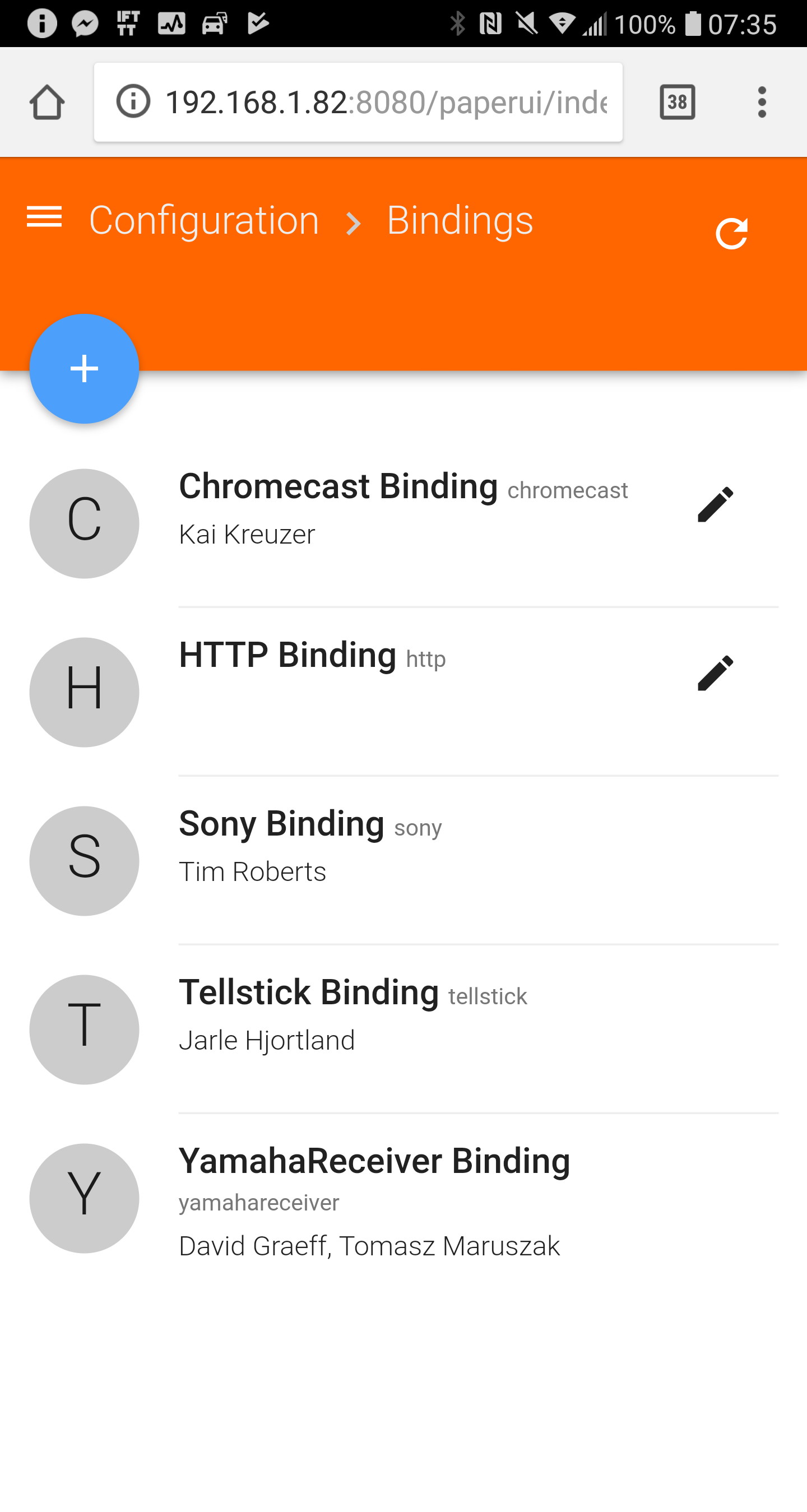
@teqnet for me the custom addon does not show under PaperUI > Addons > Bindings, and instead the stock version displays as to be installed (with the install button next to it). Remember to uninstall the stock binding prior putting my custom JAR into addons folder.
As soon as you add the Yamaha Thing via PaperUI > Things > (+) you should notice new channels party_mode and scene for the main thing and zones respectively.
The config examples are here.
I am waiting for your feedback.
zarusz
on 26 Jun 2018
Hello!
Yes, the addon is stated as not installed, but the binding is available.
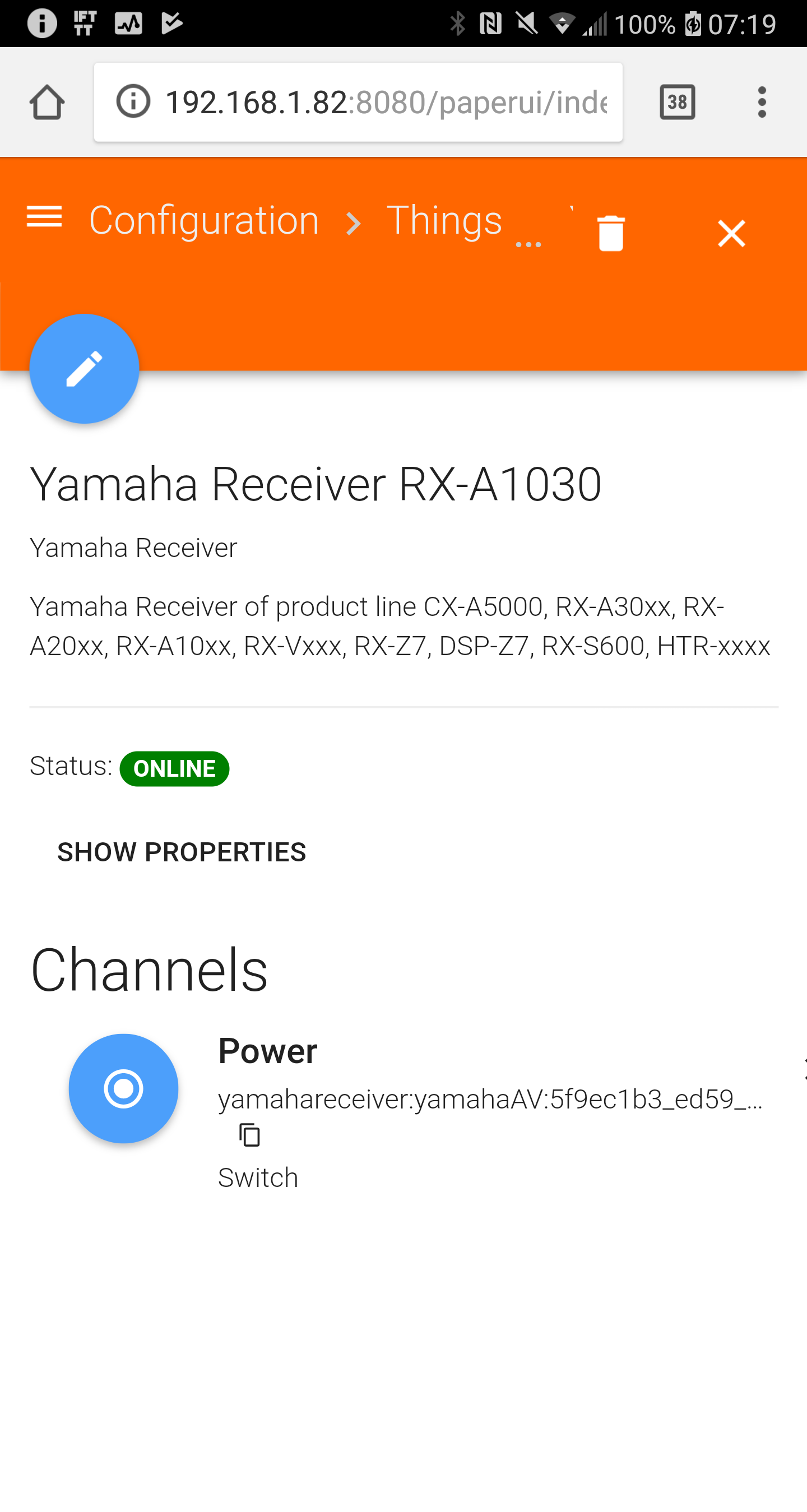
I cant se party_mode in any channel in the yamaha things in paper ui. Cant get the lines of code to activate it either.




teqnet
on 26 Jun 2018
teqnet
on 26 Jun 2018
Hi @teqnet,
Thanks for the screen grabs.
it looks like the old stock binding was somehow cached by osgi / OH.
Can you stop your OH, remove folders cache, kar, tmp from userdata folder and start OH?
You may need to repeat some of the manual config setup done in paperUI.
zarusz
on 26 Jun 2018
Hello!
I tried that again. I even rebuilt the docker after deliting the three folders.
Isnt it strange that I get four things? Earlier the binding only generated 3 things.
In what thing should I find party mode?
teqnet
on 26 Jun 2018
It looks like the thing for Main_Zone is added 3 times. It could have been added from paperUI unless you have a .things file as part of your OH configuration. You should simply delete two of them as they are identical (from paperUI). If they are coming from the .things file then you only can remove it from there.
Scene channel should be on the main zone thing. Party channels should be only on the receiver thing (your first screen grab where you have only power).
zarusz
on 26 Jun 2018
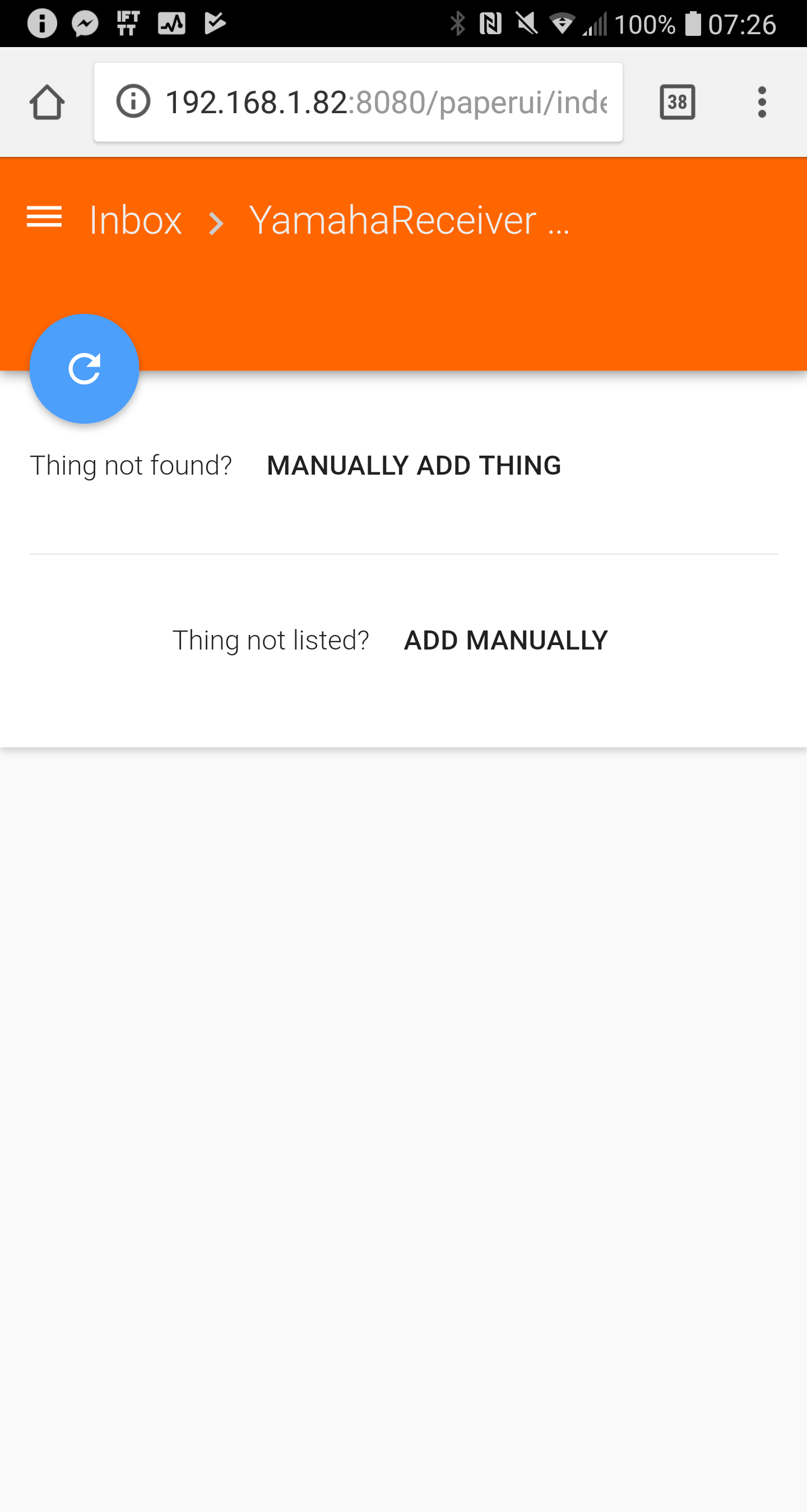
I removed all the things. Then I removed the binding, cleared the folders and restarted OH. Then I added the .jar file from this thread to the adsons folder again.
But no things appears in the Inbox. Shouldnt the things with their channels appear automatically? I can assign them manually.
teqnet
on 26 Jun 2018
Added the things manually. Now the Partymode works!! Hurra!!
teqnet
on 26 Jun 2018
Scenes is also working!
teqnet
on 26 Jun 2018
@teqnet glad to hear that! :)
Regarding the auto discovery, are you starting the docker container with the --net=host?
zarusz
on 26 Jun 2018
Hi Guys,
The binding is working great so far. Ive just encountered an issue, not sure if its HabPanel, OH2 or the binding.
In Habpanel I have some code to toggle the Party Mode switch, today I started to see this error for no reason:
20:36:06.108 [WARN ] [.rest.core.internal.item.ItemResource] - Received HTTP POST request at 'items/Yamaha_PartyMode_Toggle' with an invalid status value ''.
Using this as a switch in a Basic UI sitemap works fine though turning it on and off.
Thoughts?
Thanks!
dastrix80
on 8 Jul 2018
Hi @dastrix80 nothing rings a bell why you would get this warning. Perhaps you could post your setup and the code/rule you mentioned?
zarusz
on 9 Jul 2018
Hi Thomas, it seems my rule which was toggling the state had regressed to an earlier version in a reboot or something. Very odd. Sorry to trouble you
dastrix80
on 9 Jul 2018
Hi All, using 2.3 snapshot on a new install. I cant get the main and other 4 zones to show up online, the main unit does but the others are showing uninitialized.
Any thoughts? Last time I clear tmp/cache etc OH2 wouldnt start so im not keen on doing that.
Thanks!
dastrix80
on 29 Aug 2018
Checking the logs usually helps understand why the zone things aren't initialized.
Please make sure you use the proper zone name values. If things are discovered via PaperUI check the settings for each zone thing on PaperUI. If configured via the .things file. Consult the binding documentation.
Another note is that somewhere between version 2.3.0 and 2.4.0 the parameter names changed from ZONE to zone. This might result in your thing settings to be erased in PaperUI so please set the values again (possible zone values check documentation). If configured via the .things file change the param names from upper case ZONE to lower case zone.
I suggest to move the conversation to the community forums rather than here - this feature request has been closed already.
zarusz
on 29 Aug 2018
Related issues
 trailblazer2006
·
6Comments
trailblazer2006
·
6Comments
 bennybubble
·
4Comments
bennybubble
·
4Comments
 martinvw
·
5Comments
martinvw
·
5Comments
 mjcumming
·
5Comments
mjcumming
·
5Comments
 UrsusS
·
5Comments
UrsusS
·
5Comments
Most helpful comment
I have a Yamaha RX 3070, we will enable this add on and test SCENE/Party mode