Opengapps: "What's on my screen" missing in Google Assistant
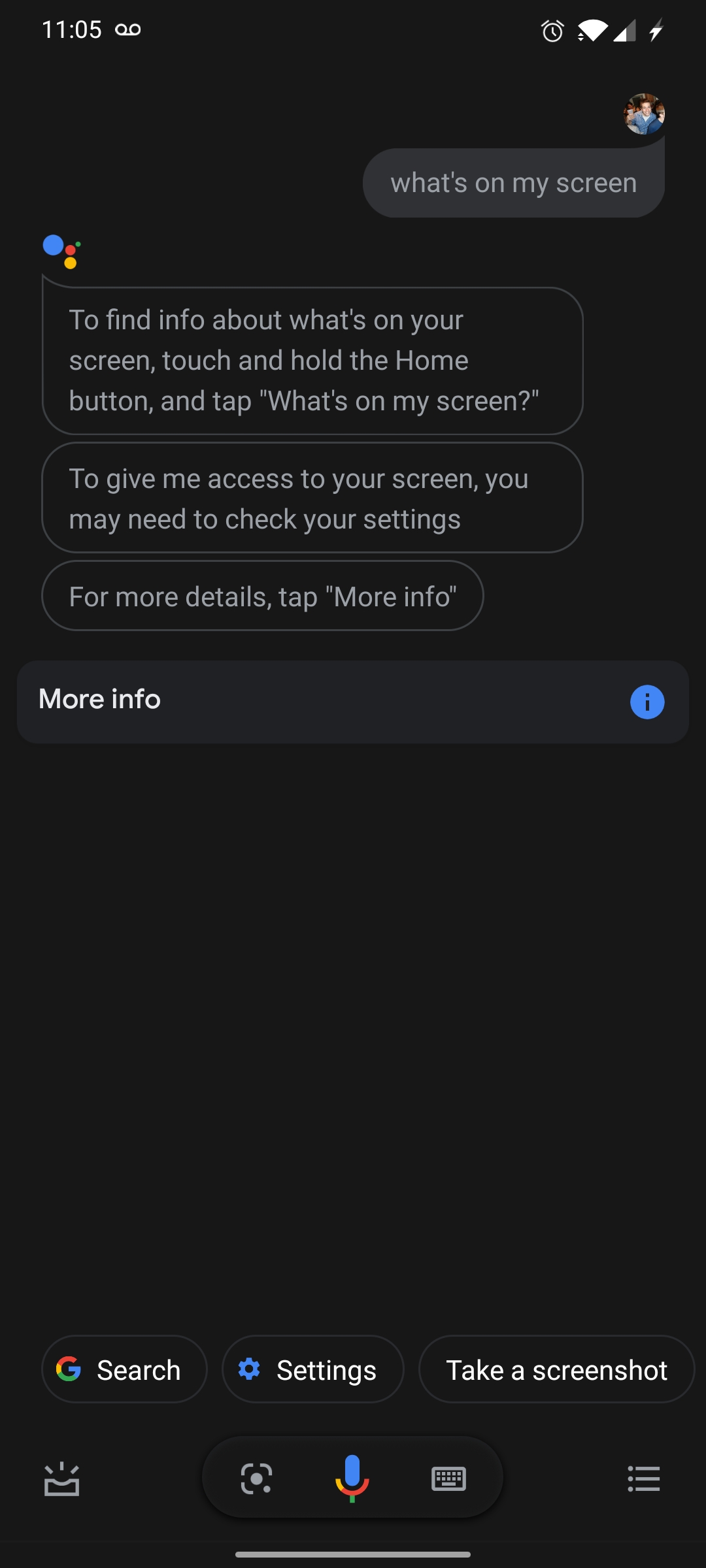
The "what's on my screen" button does not appear in the Google Assistant, even when the feature is enabled in the settings.
ROM: LineageOS 16.0
Device: Moto X4
 viggy96
All 12 comments
Is there any update on this?
viggy96
on 10 Sep 2019
Anyone able to replicate this issue?
viggy96
on 15 Oct 2019
Purging issues. Feel free to request reopening if it is still reproducible on the latest build.
 osm0sis
on 19 Aug 2020
osm0sis
on 19 Aug 2020
I can still reproduce this issue on the September 1 release of OpenGApps. I'm using the nano version. My phone is a Moto X4, running LineageOS 17.1.
viggy96
on 2 Sep 2020
Provide some logs please. Install log and logcat from when you go to do "what's on my screen".
osm0sis
on 12 Sep 2020
Here's a log. I have tried asking "what's on my screen" verbally, as well as just waiting for the button to appear. I have enabled all permissions to the Google app, and allowed it to use my screen context.
opengapps.log
viggy96
on 12 Sep 2020
I also have got issues on honor 5x the latest build of lineageOS 16. I had flashed nano version from 10th of sept. Disabling google app makes issue go away! In case of log i need to install matlog if that is required!
 methuselahin
on 14 Sep 2020
methuselahin
on 14 Sep 2020
Honestly it doesn't work on my OnePlus 7T and I'm on stock ROM, so I think this isn't really an Open GApps problem.
I ask it "what's on my screen" and it acts like it doesn't have permission, but "use screen context" is already enabled in settings.
osm0sis
on 14 Sep 2020
Nevermind, finally got it to work but I had to trigger Assistant repeatedly until it suggested the option itself. Perhaps that will work for you too?
osm0sis
on 14 Sep 2020
@osm0sis Nope, that doesn't help. I've tried triggering the assistant repeatedly.
viggy96
on 14 Sep 2020
Okay, I've noticed another quirk. If I activate the assistant with my voice, the "what's on my screen" button appears. However, it does NOT appear, when activating the assistant by holding my home button.
opengapps_button.log
opengapps_voice.log
viggy96
on 1 Oct 2020
Yeah that's what I was saying before, I think a good part of this is just Google being Google and A/B tests and such.
osm0sis
on 1 Oct 2020
Related issues
 mahmud2011
·
5Comments
mahmud2011
·
5Comments
 teixedor
·
12Comments
teixedor
·
12Comments
 rhansen
·
4Comments
rhansen
·
4Comments
 thecipherman
·
9Comments
thecipherman
·
9Comments
 stefanhh0
·
8Comments
stefanhh0
·
8Comments