Openfoodnetwork: Display only shopfronts not displaying products
Description
A display only shopfront arises from an OC where shipping and payment methods have been disabled. No customer can checkout, but the shopfront still displays available products as per the OC. In OFN-CAN we are using these with farmers' markets to give customers a dynamic list of what is available in the market that week. Customers shop from individual vendors.
It was working fine - I had 6 markets set up with display only shops for the season. But this morning they have all called - their display shop is no longer working. I did a test, and indeed, I can no longer create a display only shop. This has happened, I believe, since the last release.
Expected Behavior
Above - disabling shipping methods and payment methods in an order cycle should result in display only for an active OC with a visible shop.
Actual Behaviour
Display only shop shows as a closed shop - eventhough OC is active and enterprise is visible.
Steps to Reproduce
Set up an OC for a hub 'normally' (with shipping & payment methods)
Check that its visible and works.
Disable the hub's shipping and payment methods.
See the pop up 'warning' that the hub has no active shipping & payment methods
See that the shop is now showing as closed
Open shop:
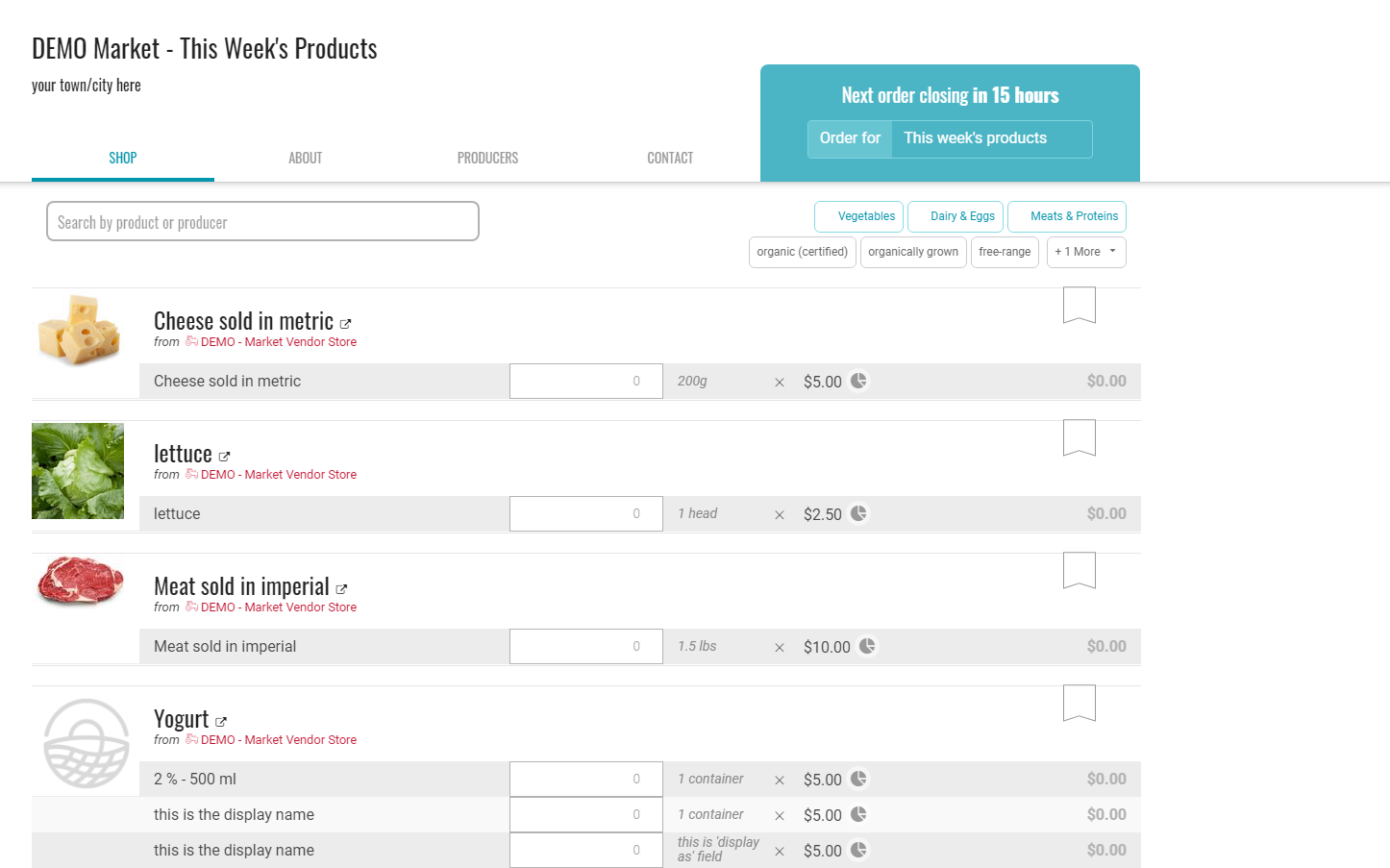
After shipping and payment methods have been disabled:
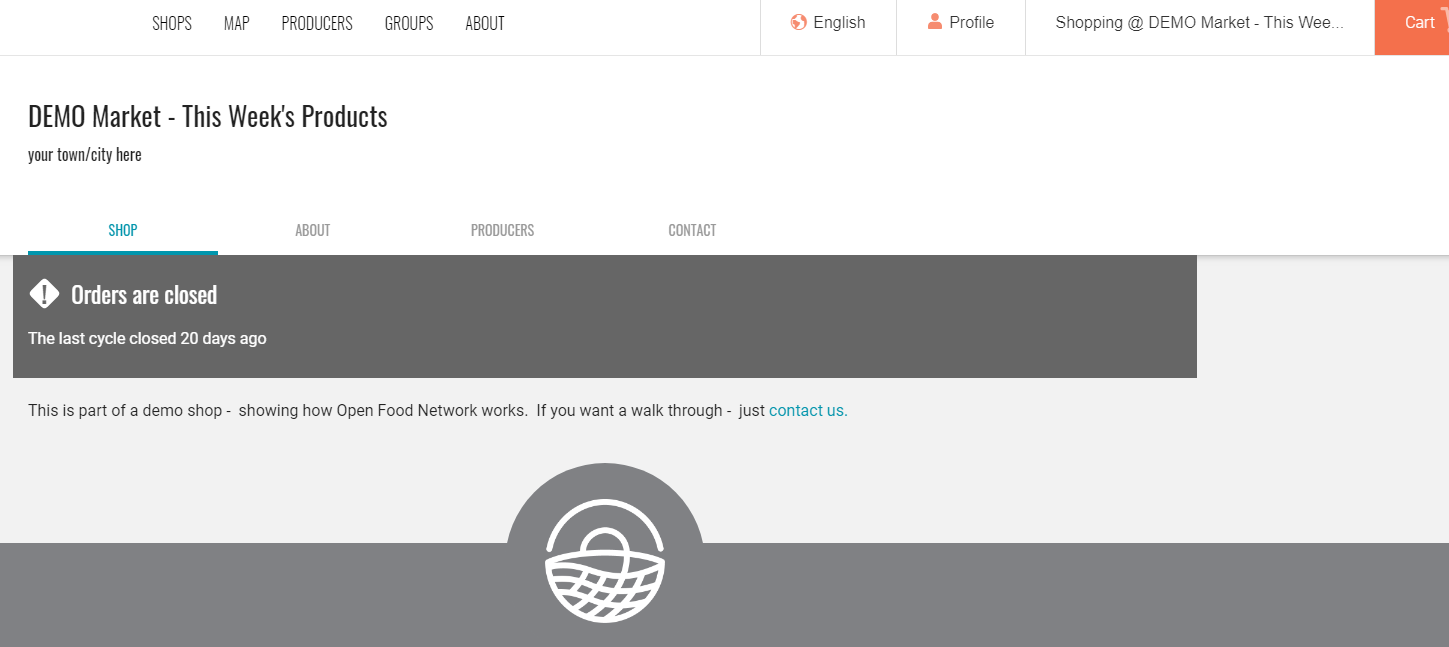
Animated Gif/Screenshot
Workaround
I know of no workaround
Severity
Help with this? There is no workaround. We have users set up expecting this as a feature. S2?
bug-s1: a critical feature is broken: checkout, payments, signup, login
bug-s2: a non-critical feature is broken, no workaround
bug-s3: a feature is broken but there is a workaround
bug-s4: it's annoying, but you can use it
bug-s5: we can live with it, only a few users impacted
https://github.com/openfoodfoundation/openfoodnetwork/wiki/Bug-severity
-->
Your Environment
desktop - chrome - latest
- Version used:
- Browser name and version:
- Operating System and version (desktop or mobile):
Possible Fix
 tschumilas
All 33 comments
I am pretty sure this was introduced with the recent closed shop work :-(
https://github.com/openfoodfoundation/openfoodnetwork/pull/5262/files#diff-c7c5d88a2da5beebdce7a4473dbc86ceR4
There is no reference to this case (display only shopfronts) in the code or the automated tests...
This should be easy to fix.
Is this an S2?
 luisramos0
on 13 May 2020
luisramos0
on 13 May 2020
If there are no objections - no one has said anything - can we do it as an s2? might it even be a paperclip do you think? I've got a list of 20 farmers markets waiting on this one.
tschumilas
on 18 May 2020
yes, I agree, S2.
Kirsten has agreed as well on slack.
luisramos0
on 18 May 2020
Okay, this is an interesting "phantom feature". As Luis says; there's no reference to this anywhere in the code, and no tests for it. I would have assumed in this case the OC would not display as active.
 Matt-Yorkley
on 19 May 2020
Matt-Yorkley
on 19 May 2020
yeah, I think we need to write a spec for it so it becomes a normal feature.
do you see the change Matt?
https://github.com/openfoodfoundation/openfoodnetwork/pull/5262/files#diff-c7c5d88a2da5beebdce7a4473dbc86ceR4
the structure was "if and unless" and I changed it to "if else"
luisramos0
on 19 May 2020
Yes, I'm playing with it now. It seems very odd to me though. In lots of paces in the code, if there are no payment methods then the shop is closed.
Matt-Yorkley
on 19 May 2020
Even if we show the product list, there are multiple other problems that leave this "feature" totally broken:
- No OCs are displayed because the shop is technically closed. If there are multiple "active" OCs (but no payment/shipping), no OC can be selected, so the "display only" shop does not function
- The "add to cart" buttons are shown as if the shop is open, but we get errors when adding to the cart because really there is no valid OC. This makes for really terrible UX.
- Trying to go to checkout or to other places with items in the cart can bounce the user around and give red flash messages about the OC being closed.
- There's absolutely nothing that explains to the user that essentially: "this is shop is display-only, you can't purchase anything here, just look, if you try to actually shop, everything will be broken"
So this is not a simple one to "fix", and I'm even wondering if this "feature" essentially needs to be incepted a bit and be fully implemented as a feature.
Matt-Yorkley
on 19 May 2020
Can you add to cart? I thought the items were showing as disabled in the product list.
EDIT: so the user cant really "try to shop".
luisramos0
on 19 May 2020
If I change the conditional so that the product list is shown, I can add items to the cart, but it's basically broken.
Matt-Yorkley
on 19 May 2020
If I then go the cart page, I get bounced to the home page with this message:
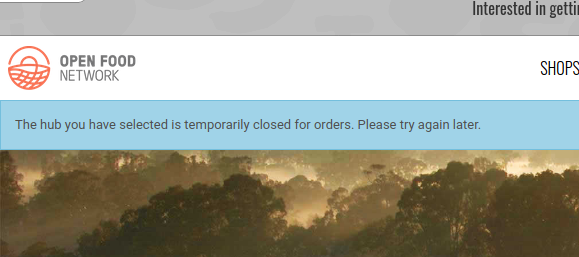
Matt-Yorkley
on 19 May 2020
Also the product filters are not shown, because there is not a valid OC, so the order cycle taxons and properties endpoints return nothing.
Matt-Yorkley
on 19 May 2020
So I think the current state of this "feature" is a total mess. If we want it as a feature we should do it properly, add something like a flag on order cycles where the user can explicitly set them as "display only", then add new logic in all the relevant places in the code, add relevant UX that makes it clear, and write a big load of tests.
Matt-Yorkley
on 19 May 2020
Totally agree its not a feature - it was just an available hack. Not sure how many use it now. I have a group of farmers markets who I 'promised' it to before it broke. BUT - I totally agree with all the problems with it that you mention. If there is a desire to consider this for a re-design then I can get back to the markets and say it isn't going to be possible for now. Be nice if I knew when/if we might prioritize this though, so I could tell them that.
tschumilas
on 19 May 2020
dammit - what a mess. did the problems you are picking up pre-exist @Matt-Yorkley ? was all that terrible ux in place previously? I suspect so, and it was ok - not ace but delivered what @tschumilas 's users needed which is why they were using it. Is there a reason that the restoration to the broken and confusing state with all the problems can't happen? is it the new order cycle selector or something?
 kirstenalarsen
on 19 May 2020
kirstenalarsen
on 19 May 2020
I think there are multiple recent changes that affect this in different ways, including Mobile UX improvements and improvements to cart error handling that fixed other S2 bugs. It wouldn't be easy to replace or undo those changes without messing with various other things. The problem is that it was a hack and not a feature, and it probably shouldn't really have worked before anyway. As such there was no visibility for it in the code or the tests.
Matt-Yorkley
on 19 May 2020
Okay, I'm a bit unsure how to proceed with this one. Should I go ahead and implement this as a feature?
Matt-Yorkley
on 19 May 2020
I have to say, I'm not sure on our process either - does this have to be first created as a wishlist item and voted on? I'm guessing its not a papercut. Can anyone advise on process?
tschumilas
on 19 May 2020
Oooof this is a tough one.
In the UK I 'deprecated' this 'feature' a while back due to the unreliable nature of the hack.
@Matt-Yorkley do you have an idea of t-shirt size?
I feel like we've never prioritised this 'feature' and I would be uncomfortable prioritising it now. In a more complete form this is requested often... but given the state of the mess I feel we need to go back to inception stage.
I would be in favour of deprecating this 'feature' officially and adding a wishlist item.
 lin-d-hop
on 19 May 2020
lin-d-hop
on 19 May 2020
Yeah ok, I see - definitely don't want to mess with mobile and cart error improvements. I think if it were to be implemented as a feature it probably needs to go to wishlist and back into the mix - sorry @tschumilas :(
I wonder if they could workaround by using Inventory for the shop and setting all the prices at zero and separating the stock levels? Then have shipping methods that say "DISPLAY ONLY - Go to Producer's Shops to Order" or something? With a cart value of $0 it's pretty clear they haven't really ordered even if they put somethign through?
kirstenalarsen
on 19 May 2020
You are a genious @kirstenalarsen - I was scheming something along the lines of market as a distributor for each vendor..... but couldn't solve that way - but your hack would indeed work(ish). In fact, they could place orders that way - vendors would have to be sent the details (until their customer names appear on a report) and then enter orders manually into their own (vendor shop). Consumers still face multiple payments though - BUT some of these markets are just taking pre-orders for cash payment at pickup (running the face to face market and the online simultaneously) - so its worth mentioning to them. (Although they are so f....ing confused on OFN now, I hate to think of the chaos this could cause. )
tschumilas
on 19 May 2020
hey @Matt-Yorkley when I try to put the if statement I changed in my PR the product list comes up again but the products can now be added to the cart, do you understand why the product lines are not disabled as before? I don't see from what PR this came from.
luisramos0
on 19 May 2020
do you understand why the product lines are not disabled as before?
I'm not sure why that has changed. I can't believe this used to work (until only recently)!
Matt-Yorkley
on 19 May 2020
I'm unsure of the status here: I feel we have a consensus around creating a wishlist item and closing here? Any other issue to had from your last comments @Matt-Yorkley @luisramos0 ?
 RachL
on 27 May 2020
RachL
on 27 May 2020
I think it's worth exploring why the products don't appear disabled now. It may transform this in a papercut.
May I give it half an hour tomorrow I see what I find?
luisramos0
on 27 May 2020
@luisramos0 sorry I'm just seeing this now. Sure let's try it for 30min and see what we can find. I'm removing the s2 label which I guess is not correct given the context.
RachL
on 3 Jun 2020
@tschumilas do you know how was the previous behavior in terms of what happened in product list and then when user click checkout?
In v2.9.3 April 20 this is what I see:
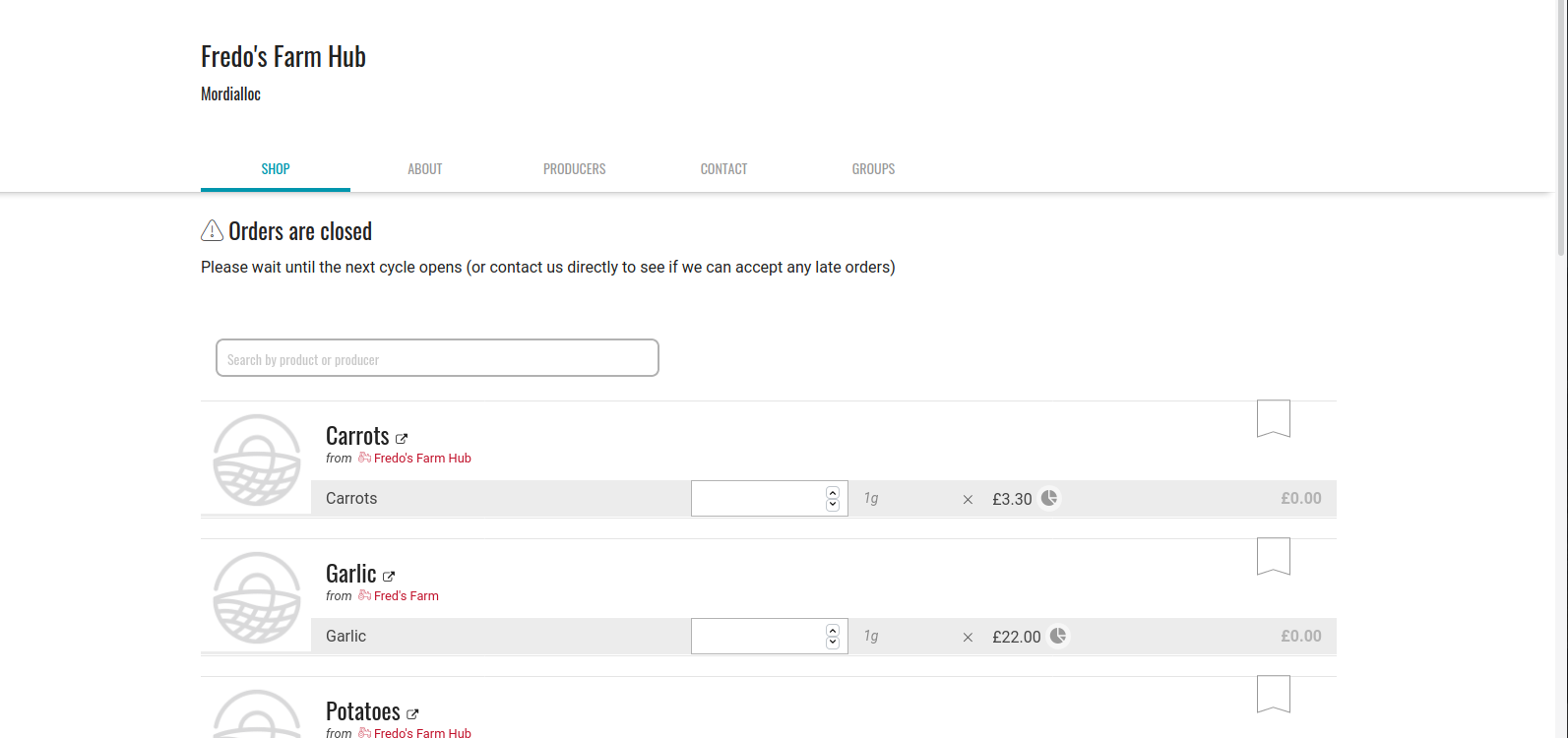
User can still add items to the cart but when user clicks on checkout they see this:

Is this the expected behaviour?
This is very easy to put back (by inverting the conditional I mentioned above).
This is how the shop would look like with the new closed message in there:
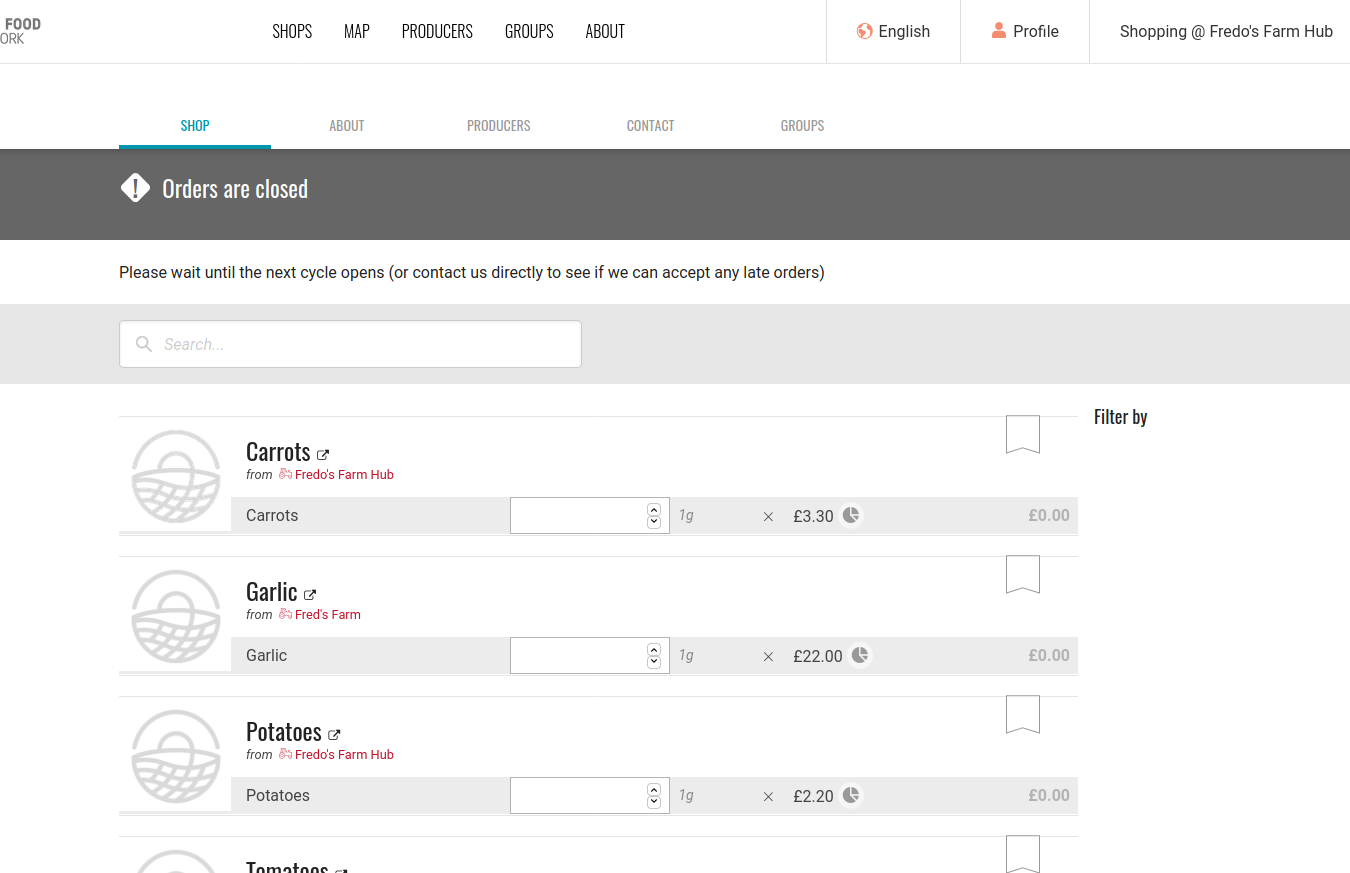
And the redirect to shops with the warning still works.
Shall we do this? It's a very simple PR. I can also add a simple feature spec to verify this case.
luisramos0
on 4 Jun 2020
I don't recall it saying 'Orders are Closed' before? but maybe it did.
I know previously people put a shopfront message saying - this is a display only shop, you won't be able to order....... or some message like that.
But yes, the consumer was able to put things into a cart.
Its too bad we can't modify the 'orders are closed' message - but I'm guessing I can't even change that in transifex because that message applies to other closed shops too - correct. ie - there is no way to isolate the phrase JUST for display only shops - is there?
Regardless - its better than nothing. At least the farmers' markets here will have the option of using it.
(esp if its an easy do)
tschumilas
on 4 Jun 2020
I am pretty sure that "orders are closed" was there before but now it is more highlighted with the dark background.
The closed shop message can be customized like this:
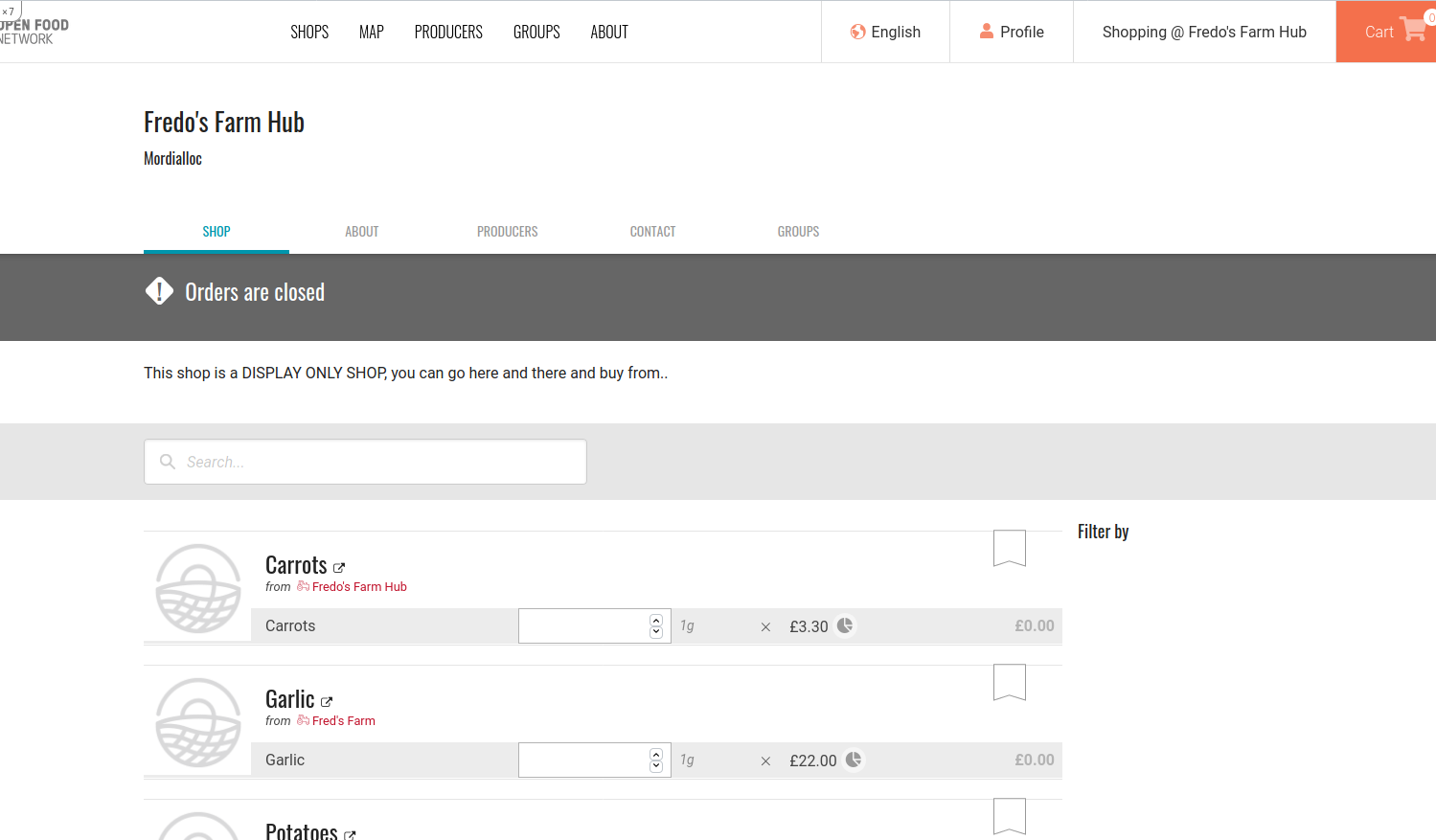
Do we all agree we should do this?
The code change is done here: https://github.com/openfoodfoundation/openfoodnetwork/pull/5559/files
It's really just about writing the auto test and test it in staging.
luisramos0
on 4 Jun 2020
I agree to do this - but just want to clarify the phrase you customized "Please wait until the next order cycle opens...." - if I changed that phrase in transifex - would it appear on ALL closed shops - or just the hacked closed shops that we are using as display only shops (ie - they have shipping methods and payment methods removed). ?
tschumilas
on 4 Jun 2020
the "Please wait until the next OC..." message is the default message and is on transifex. But if an enterprise configures their "closed shop message", it will show that one instead. That's what I did above, Enterprises > Enterprise > Shop Preferences > Shopfront Closed Message
luisramos0
on 4 Jun 2020
Ah, of course. Thanks - I should have realized that 😒
tschumilas
on 4 Jun 2020
I need product feedback about https://github.com/openfoodfoundation/openfoodnetwork/issues/5423#issuecomment-638855102 go/nogo?
luisramos0
on 8 Jun 2020
agreed on Delivery Train to go forward. I'll get the PR to code review soon.
luisramos0
on 9 Jun 2020
Related issues
RachL
·
3Comments
kirstenalarsen
·
3Comments
 HugsDaniel
·
3Comments
HugsDaniel
·
3Comments
 filipefurtad0
·
3Comments
filipefurtad0
·
3Comments
 sstead
·
4Comments
sstead
·
4Comments