Openfoodnetwork: [mobile ux] edit cart displaying on home tab + shop tab; check out displays snail
Description
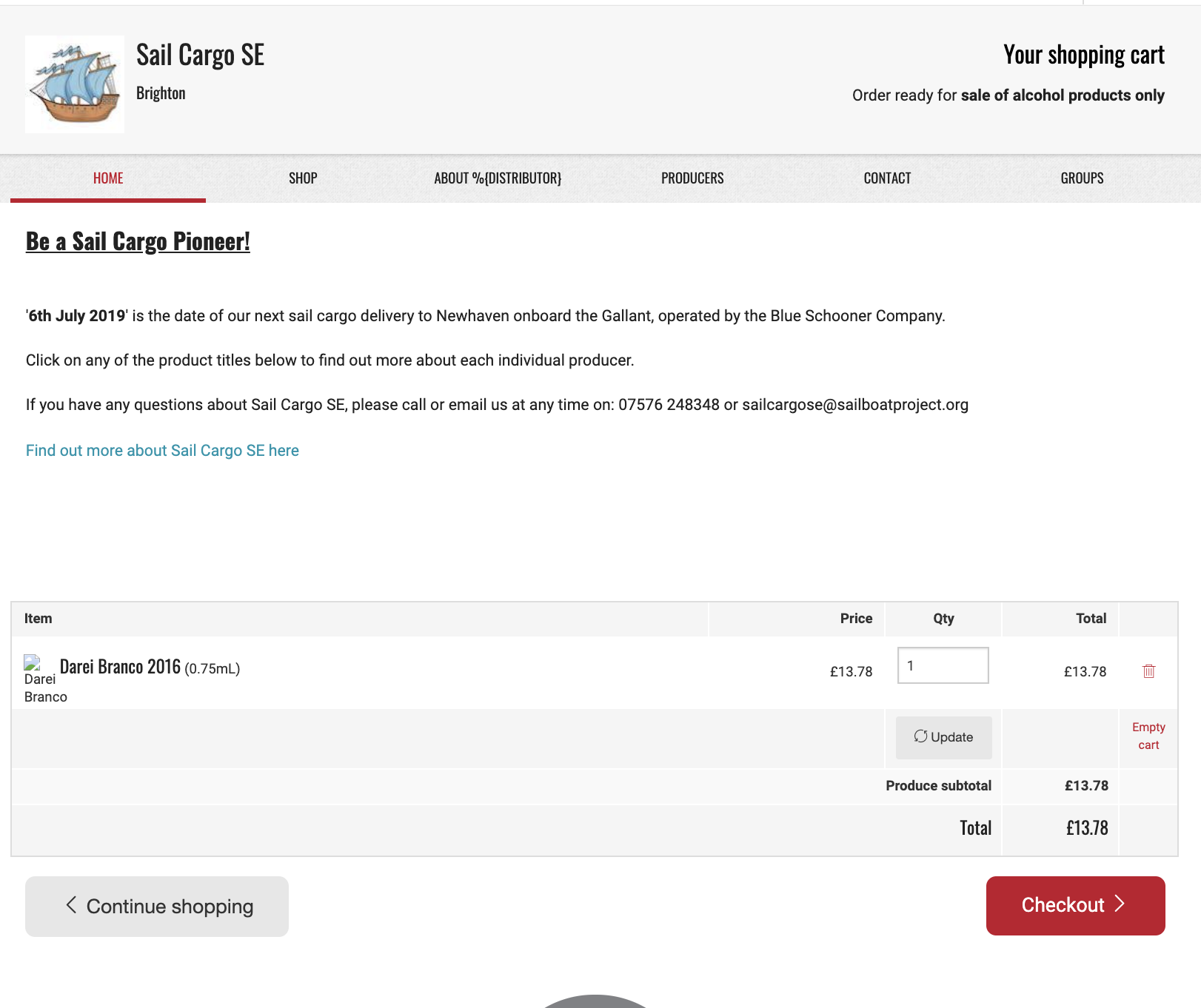
Edit cart screen displays the home tab content, and then seems to break shop tab.
Expected Behavior
When I click 'Edit cart' I am taken to the list of products in my cart (in which tab @yukoosawa does the edit cart detail go?), and I can then click on 'shop' tab which takes me back to the product list, with no cart product list displaying
Actual Behaviour
When I click 'Edit cart' I am taken to the home tab, with the content above and then the list of products in my cart displays underneath.
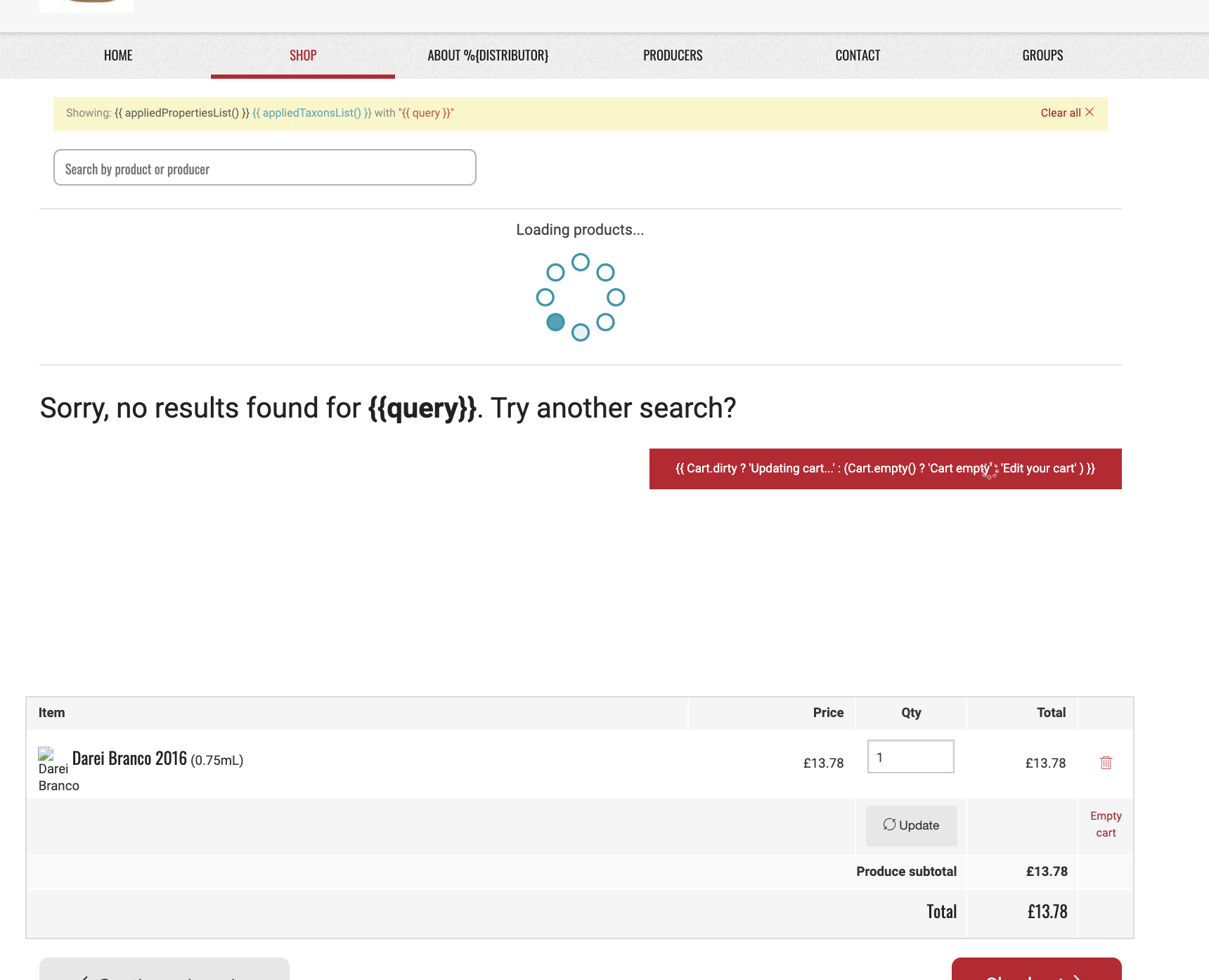
I then click on 'shop tab' and I am taken to the shop tab but it thinks I've done a search, displays a weird message, shows the loading icon continually, and also displays the cart underneath it all. (note: if I edit the cart here and then hit update I am taken back to the home tab with the updated cart displaying underneath copy.)

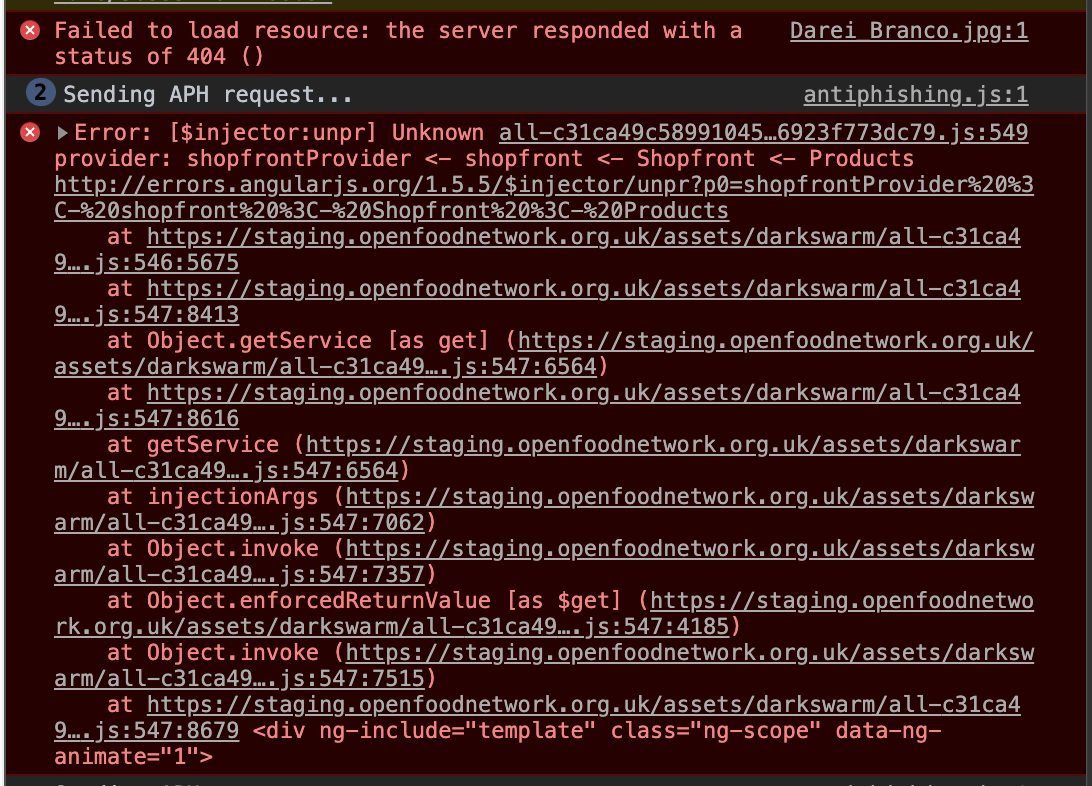
Then I try to check out - snail fail :(
Steps to Reproduce
- Add a product to your cart
- Scroll to end of product list, click on 'Edit cart'
- Home tab opens, list of products display underneath the shopfront copy
- Click on shop tab
- Shop tab opens, zero search results + loading icon + error message + variables not processing displays with edit cart list.
- Update an item in the cart, then hit update
- Home tab opens, list of products that has been updated displays underneath the shopfront copy.
- Open
Animated Gif/Screenshot
https://www.loom.com/share/4565ba63167b4e938bfde078341f7cbe
Workaround
No workaround; checkout broke.
Severity
Your Environment
- Version used: UK staging
- Browser name and version: Chrome Version 79.0.3945.117 (Official Build) (64-bit)
- Operating System and version (desktop or mobile): Desktop Apple 10.14.6
 daniellemoorhead
All 4 comments
I'm looking at this now. It seems like the most sensible solution is to remove the tabs from the cart and checkout pages. I've made a very quick PR, but it'll need some product input / feedback.
 Matt-Yorkley
on 22 Jan 2020
Matt-Yorkley
on 22 Jan 2020
@daniellemoorhead As per production today, Edit Cart should not belong to any tab. All shop header tabs are 'off' and can be selected to move the user back to shopfront section.
If we're planning to remove the shop header/tabs from the cart and checkout flows (these flows were out-of-scope for mobile ux 2018) then please make sure there's an easy way to go back to the current shop.
 yukoosawa
on 22 Jan 2020
yukoosawa
on 22 Jan 2020
This is a really interesting UX problem.
First I thought this was totally wrong because we need to keep the user in the context and keep the tabs there.
But then I thought a lot of the commercial ecommerce websites will remove exactly this context so that the user has less opportunity to get out of the funnel, basically, all the seller wants is the user to click on the golden "checkout" button :-)
EDITED: I think I'd still want to keep the tabs and find another solution for this issue.
 luisramos0
on 22 Jan 2020
luisramos0
on 22 Jan 2020
I've made a placeholder issue for discussing and iterating on these UX changes: #4711
Matt-Yorkley
on 23 Jan 2020
Related issues
 kristinalim
·
3Comments
kristinalim
·
3Comments
 myriamboure
·
3Comments
myriamboure
·
3Comments
 HugsDaniel
·
3Comments
luisramos0
·
3Comments
HugsDaniel
·
3Comments
luisramos0
·
3Comments
 lin-d-hop
·
3Comments
lin-d-hop
·
3Comments